brake light Ram 1500 2020 Owner's Guide
[x] Cancel search | Manufacturer: RAM, Model Year: 2020, Model line: 1500, Model: Ram 1500 2020Pages: 674, PDF Size: 32.69 MB
Page 291 of 674

Periodic Safety Checks You Should Make Outside
The Vehicle
Tires
Examine tires for excessive tread wear and uneven wear
patterns. Check for stones, nails, glass, or other objects
lodged in the tread or sidewall. Inspect the tread for cuts and
cracks. Inspect sidewalls for cuts, cracks, and bulges. Check
the wheel bolts for tightness. Check the tires (including
spare) for proper cold inflation pressure.
Lights
Have someone observe the operation of brake lights and
exterior lights while you work the controls. Check turn
signal and high beam indicator lights on the instrument
panel.Door Latches
Check for proper closing, latching, and locking.
Fluid Leaks
Check area under the vehicle after overnight parking for
fuel, coolant, oil, or other fluid leaks. Also, if gasoline fumes
are detected or if fuel, or brake fluid leaks are suspected, the
cause should be located and corrected immediately.
4
2020_DT_1500_OM_US.book Page 289
SAFETY 289
Page 300 of 674
298 STARTING AND OPERATING
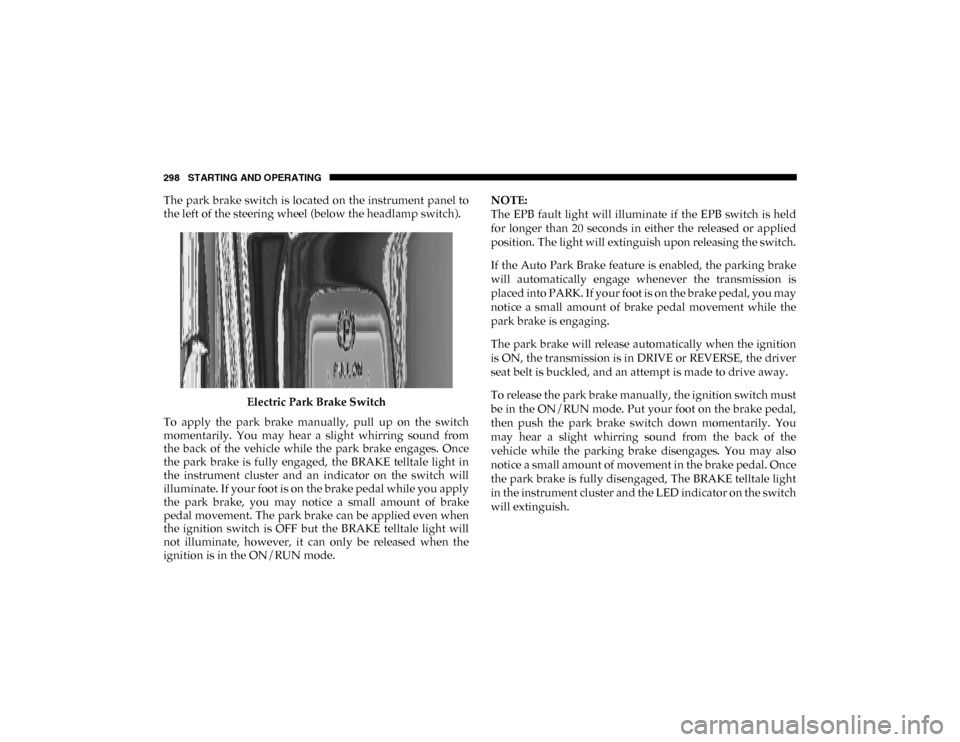
The park brake switch is located on the instrument panel to
the left of the steering wheel (below the headlamp switch).Electric Park Brake Switch
To apply the park brake manually, pull up on the switch
momentarily. You may hear a slight whirring sound from
the back of the vehicle while the park brake engages. Once
the park brake is fully engaged, the BRAKE telltale light in
the instrument cluster and an indicator on the switch will
illuminate. If your foot is on the brake pedal while you apply
the park brake, you may notice a small amount of brake
pedal movement. The park brake can be applied even when
the ignition switch is OFF but the BRAKE telltale light will
not illuminate, however, it can only be released when the
ignition is in the ON/RUN mode. NOTE:
The EPB fault light will illuminate if the EPB switch is held
for longer than 20 seconds in either the released or applied
position. The light will extinguish upon releasing the switch.
If the Auto Park Brake feature is enabled, the parking brake
will automatically engage whenever the transmission is
placed into PARK. If your foot is on the brake pedal, you may
notice a small amount of brake pedal movement while the
park brake is engaging.
The park brake will release automatically when the ignition
is ON, the transmission is in DRIVE or REVERSE, the driver
seat belt is buckled, and an attempt is made to drive away.
To release the park brake manually, the ignition switch must
be in the ON/RUN mode. Put your foot on the brake pedal,
then push the park brake switch down momentarily. You
may hear a slight whirring sound from the back of the
vehicle while the parking brake disengages. You may also
notice a small amount of movement in the brake pedal. Once
the park brake is fully disengaged, The BRAKE telltale light
in the instrument cluster and the LED indicator on the switch
will extinguish.
2020_DT_1500_OM_US.book Page 298
Page 302 of 674

300 STARTING AND OPERATING
If exceptional circumstances should make it necessary to
engage the park brake while the vehicle is in motion, main-
tain upward pressure on the electric park brake switch for as
long as engagement is desired. The BRAKE telltale light will
illuminate, and a continuous chime will sound. The rear stop
lamps will also be illuminated automatically while the
vehicle remains in motion.
To disengage the park brake while the vehicle is in motion,
release the switch. If the vehicle is brought to a complete stop
using the parking brake, when the vehicle reaches approxi -
mately 3 mph, (5 km/h) the parking brake will remain
engaged.
• When exiting the vehicle, always remove the key fob
from the ignition and lock your vehicle.
• Never leave children alone in a vehicle, or with access to an unlocked vehicle. Allowing children to be in a
vehicle unattended is dangerous for a number of
reasons. A child or others could be seriously or fatally
injured. Children should be warned not to touch the
parking brake, brake pedal or the gear selector.
• Do not leave the key fob in or near the vehicle, or in a location accessible to children, and do not leave the
ignition of a vehicle equipped with Keyless
Enter-N-Go in the ACC or ON/RUN mode. A child
could operate power windows, other controls, or move
the vehicle.
• Be sure the parking brake is fully disengaged before driving; failure to do so can lead to brake failure and a
collision.
• Always fully apply the parking brake when leaving your vehicle, or it may roll and cause damage or injury.
Also be certain to leave the transmission in PARK.
Failure to do so may allow the vehicle to roll and cause
damage or injury.
WARNING! (Continued)CAUTION!
If the Brake System Warning Light remains on with the
parking brake released, a brake system malfunction is
indicated. Have the brake system serviced by an
authorized dealer immediately.
WARNING!
Driving the vehicle with the parking brake engaged, or
repeated use of the parking brake to slow the vehicle
may cause serious damage to the brake system. Be sure
the parking brake is fully disengaged before driving;
failure to do so can lead to brake failure and a collision.
2020_DT_1500_OM_US.book Page 300
Page 303 of 674

STARTING AND OPERATING 301
In the unlikely event of a malfunction of the Electric Park
Brake system, a yellow EPB fault light will illuminate. This
may be accompanied by the BRAKE telltale light flashing. In
this event, urgent service of the electric park brake system is
required. Do not rely on the parking brake to hold the vehicle
stationary.
Auto Park Brake
The electric park brake can be programmed to be applied
automatically whenever the vehicle is at a standstill and the
automatic transmission is placed in PARK. Auto Park Brake
is enabled and disabled by customer selection through the
customer programmable features section of the Uconnect
Settings.
Any single auto park brake application can be bypassed by
pushing the EPB switch to the release position while the
transmission is placed in PARK.
SafeHold
SafeHold is a safety feature of the Electric Park Brake System
that will engage the park brake automatically if the vehicle is
left unsecured while the ignition is in ON/RUN.For automatic transmissions, the park brake will automati
-
cally engage if all of the following conditions are met:
• The vehicle is at a standstill.
• There is no attempt to depress the brake pedal or acceler -
ator pedal.
• The seat belt is unbuckled.
• The driver door is open.
SafeHold can be temporarily bypassed by pushing the Elec -
tric Park Brake Switch while the driver door is open. Once
manually bypassed, SafeHold will be enabled again once the
vehicle reaches 12 mph (20 km/h) or the ignition is turned to the OFF position and back to ON again.
Brake Service Mode
We recommend having your brakes serviced by your autho -
rized dealer. You should only make repairs for which you
have the knowledge and the right equipment. You should
only enter Brake Service Mode during brake service.
When servicing your rear brakes, it may be necessary for you
or your technician to push the rear piston into the rear caliper
bore. With the electric park brake system, this can only be
done after retracting the Electric Park Brake actuator. Fortu-
nately, actuator retraction can be done easily by entering the
5
2020_DT_1500_OM_US.book Page 301
Page 315 of 674

STARTING AND OPERATING 313
Transfer Case Position Indicator Lights
The Transfer Case Position Indicator Lights (4WD and
4LOW) are located in the instrument cluster and indicate the
current and desired transfer case selection. When you select
a different transfer case position, the indicator lights will do
the following:
1. The current position indicator light will turn OFF.
2. The selected position indicator light will flash until thetransfer case completes the shift.
3. When the shift is complete, the indicator light for the selected position will stop flashing and remain ON.
If the transfer case does not shift into the desired position,
one or more of the following events may occur:
1. The indicator light for the current position will remain ON.
2. The newly selected position indicator light will continue to flash.
3. If the transfer case will not shift, there will be a cluster
message stating the 4WD shift has canceled. NOTE:
Before retrying a selection, make certain that all the neces
-
sary requirements for selecting a new transfer case position
have been met. To retry the selection, push the current posi -
tion, wait five seconds, and retry selection. To find the shift
requirements, refer to the "Shifting Procedure" for your
transfer case, located in this section.
The “SVC 4WD Warning Light” monitors the electronic shift
four-wheel drive system. If this light remains on after engine
start up or illuminates during driving, it means that the
four-wheel drive system is not functioning properly and that
service is required.
NOTE:
Do not attempt to make a shift while only the front or rear
wheels are spinning. This could cause damage to driveline
components.
WARNING!
Always engage the parking brake when powering down
the vehicle if the “SVC 4WD Warning Light” is
illuminated. Not engaging the parking brake may allow
the vehicle to roll which may cause personal injury or
death.
5
2020_DT_1500_OM_US.book Page 313
Page 319 of 674

STARTING AND OPERATING 317
Transfer Case Position Indicator Lights
The Transfer Case Position Indicator Lights (4WD HIGH,
4LOW, and 4WD AUTO) are located in the instrument
cluster and indicate the current and desired transfer case
selection. When you select a different transfer case position,
the indicator lights will do the following:
1. The current position indicator light will turn OFF.
2. The selected position indicator light will flash until thetransfer case completes the shift.
3. When the shift is complete, the indicator light for the selected position will stop flashing and remain ON.
If the transfer case does not shift into the desired position,
one or more of the following events may occur:
1. The indicator light for the current position will remain ON.
2. The newly selected position indicator light will continue to flash.
3. If the transfer case will not shift, there will be a cluster
message stating the 4WD shift has canceled. NOTE:
Before retrying a selection, make certain that all the neces
-
sary requirements for selecting a new transfer case position
have been met. To retry the selection, push the current posi -
tion, wait five seconds, and retry selection. To find the shift
requirements, refer to the "Shifting Procedure" for your
transfer case, located in this section.
The “SVC 4WD Warning Light” monitors the electronic shift
four-wheel drive system. If this light remains on after engine
start up or illuminates during driving, it means that the
four-wheel drive system is not functioning properly and that
service is required.
NOTE:
Do not attempt to make a shift while only the front or rear
wheels are spinning. This could cause damage to driveline
components.
WARNING!
Always engage the parking brake when powering down
the vehicle if the “SVC 4WD Warning Light” is
illuminated. Not engaging the parking brake may allow
the vehicle to roll which may cause personal injury or
death.
5
2020_DT_1500_OM_US.book Page 317
Page 334 of 674

332 STARTING AND OPERATING
Operating the locker in 2WD, 4WD AUTO, and 4WD
LOCK/HIGH the locker can be engaged up to 20 mph
(32 km/h). While driving with the locker engaged, if speed
exceeds 25 mph (40 km/h), the locker will automatically
disengage, but will automatically reengage at 20 mph
(32 km/h).
NOTE:
Left to right wheel speed difference may be necessary to
allow the rear axle to fully lock. If the indicator light is
flashing after selecting the rear axle lock mode, drive the
vehicle in a turn or on loose gravel to expedite the locking
action.
The axle locker could become torque locked due to side to
side loads on the rear axle. Driving slowly while turning the
steering wheel from a left hand turn to a right hand turn or
driving in REVERSE for a short distance may be required to
release the torque lock and unlock the axles.
To unlock the rear axle; push the AXLE LOCK button. The
AXLE LOCK indicator light will go out when the rear axle is
unlocked.
LIMITED-SLIP DIFFERENTIAL — IF EQUIPPED
The limited-slip differential provides additional traction on
snow, ice, mud, sand and gravel, particularly when there is a difference between the traction characteristics of the
surface under the right and left rear wheels. During normal
driving and cornering, the limited-slip unit performs simi
-
larly to a conventional differential. On slippery surfaces,
however, the differential delivers more of the driving effort
to the rear wheel having the better traction.
The limited-slip differential is especially helpful during slip -
pery driving conditions. With both rear wheels on a slippery
surface, a slight application of the accelerator will supply
maximum traction. When starting with only one rear wheel
on an excessively slippery surface, slight momentary appli -
cation of the parking brake may be necessary to gain
maximum traction.
Care should be taken to avoid sudden accelerations when
both rear wheels are on a slippery surface. This could cause
both rear wheels to spin, and allow the vehicle to slide side -
ways on the crowned surface of a road or in a turn.
WARNING!
When servicing vehicles equipped with a limited-slip or
locking differential never run the engine with one rear
wheel off the ground since the vehicle may drive
through the rear wheel remaining on the ground and
result in unintended movement.
2020_DT_1500_OM_US.book Page 332
Page 338 of 674
336 STARTING AND OPERATING
Conditions That Force An Automatic Shift To Park While
In Autostop Mode
The engine will not start automatically and the transmission
will be placed in PARK if:
• The driver door is open and brake pedal released.
• The driver door is open and the driver seat belt isunbuckled.
• The engine hood has been opened.
• A STOP/START system error present.
The engine may then be restarted by moving the transmis -
sion shift selector out of PARK (e.g. to DRIVE) or, in some
cases, only by a KEY START. The instrument cluster will
display a SHIFT OUT OF PARK message, or a STOP/START
KEY START REQUIRED message, to indicate which action is
required.
Refer to “Instrument Cluster Display” in “Getting To Know
Your Instrument Panel” for further information.To Manually Turn Off The Stop Start System
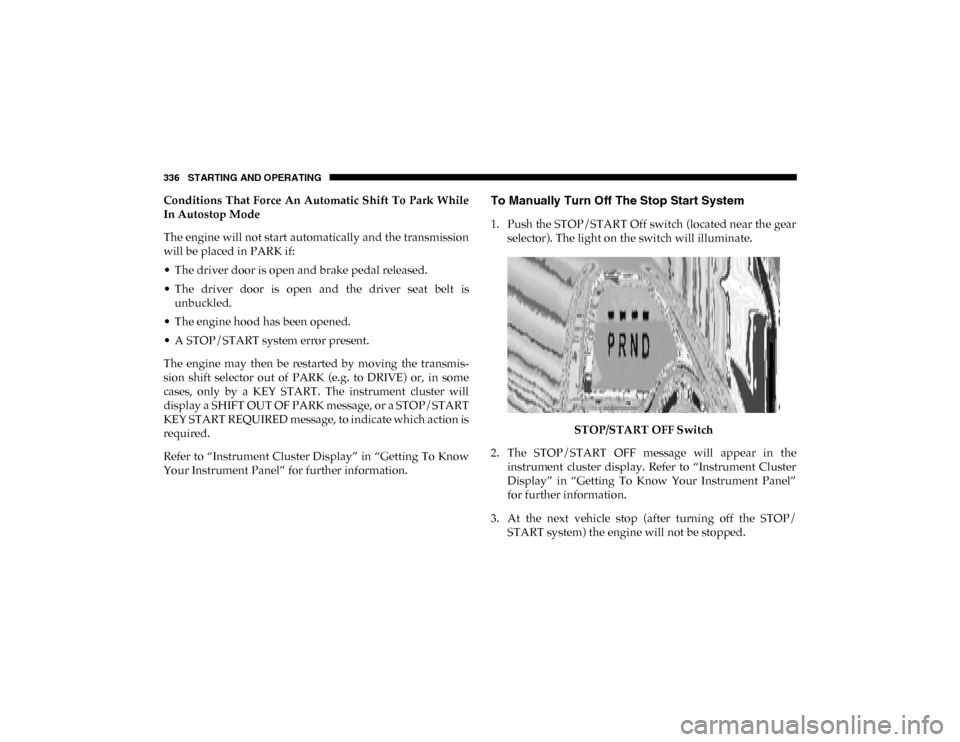
1. Push the STOP/START Off switch (located near the gear selector). The light on the switch will illuminate.
STOP/START OFF Switch
2. The STOP/START OFF message will appear in the instrument cluster display. Refer to “Instrument Cluster
Display” in “Getting To Know Your Instrument Panel”
for further information.
3. At the next vehicle stop (after turning off the STOP/ START system) the engine will not be stopped.
2020_DT_1500_OM_US.book Page 336
Page 342 of 674

340 STARTING AND OPERATING
To Accelerate For Passing
Press the accelerator as you would normally. When the pedal
is released, the vehicle will return to the set speed.
To Resume Speed
To resume a previously set speed, push the RES button and
release. Resume can be used at any speed above 20 mph
(32 km/h).
To Deactivate
A soft tap on the brake pedal, pushing the CANC (cancel)
button, or normal brake pressure while slowing the vehicle
will deactivate the speed control without erasing the set
speed from memory.
Pushing the on/off button or placing the ignition in the OFF
position, erases the set speed from memory.
Using Speed Control On Hills
The transmission may downshift on hills to maintain the
vehicle set speed.
NOTE:
The Speed Control system maintains speed up and down
hills. A slight speed change on moderate hills is normal.On steep hills, a greater speed loss or gain may occur so it
may be preferable to drive without Speed Control.
ADAPTIVE CRUISE CONTROL (ACC) — IF EQUIPPED
Adaptive Cruise Control (ACC) increases the driving conve
-
nience provided by cruise control while traveling on high -
ways and major roadways. However, it is not a safety system
and not designed to prevent collisions. Speed Control func-
tion performs differently. Please refer to the proper section
within this chapter.
ACC will allow you to keep cruise control engaged in light
to moderate traffic conditions without the constant need to
reset your cruise control. ACC utilizes a radar sensor and a
forward facing camera designed to detect a vehicle directly
ahead of you.
NOTE:
• If the sensor does not detect a vehicle ahead of you, ACC will maintain a fixed set speed.
• If the ACC sensor detects a vehicle ahead, ACC will apply limited braking or accelerate (not to exceed the original set
speed) automatically to maintain a preset following
distance, while matching the speed of the vehicle ahead.
2020_DT_1500_OM_US.book Page 340
Page 352 of 674
350 STARTING AND OPERATING
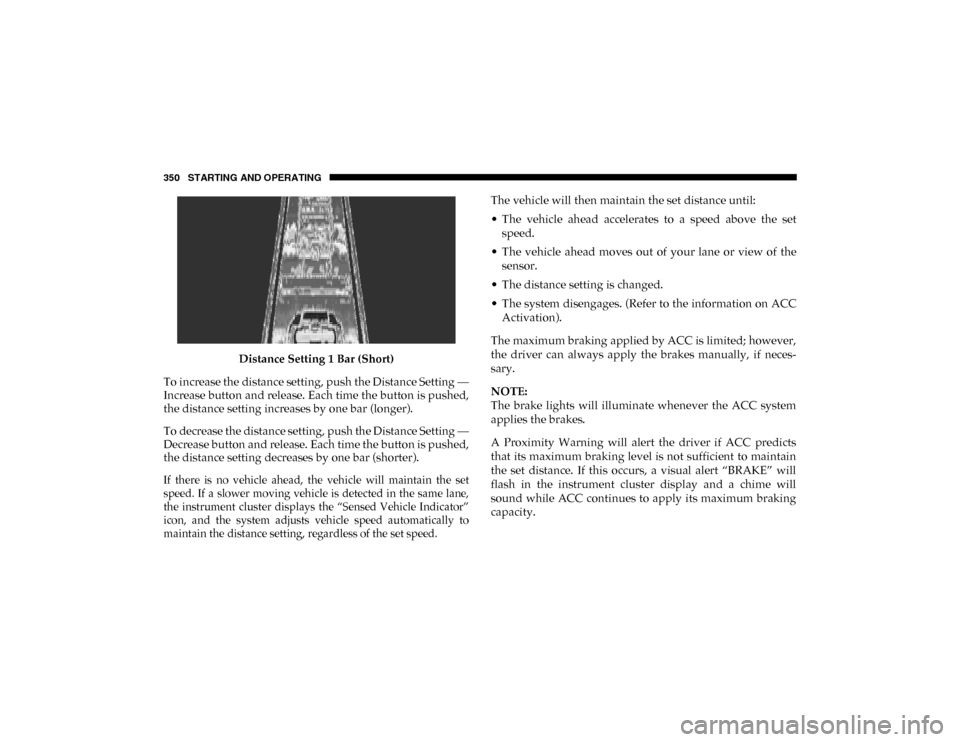
Distance Setting 1 Bar (Short)
To increase the distance setting, push the Distance Setting —
Increase button and release. Each time the button is pushed,
the distance setting increases by one bar (longer).
To decrease the distance setting, push the Distance Setting —
Decrease button and release. Each time the button is pushed,
the distance setting decreases by one bar (shorter).
If there is no vehicle ahead, the vehicle will maintain the set
speed. If a slower moving vehicle is detected in the same lane,
the instrument cluster displays the “Sensed Vehicle Indicator”
icon, and the system adjusts vehicle speed automatically to
maintain the distance setting, regardless of the set speed.
The vehicle will then maintain the set distance until:
• The vehicle ahead accelerates to a speed above the set
speed.
• The vehicle ahead moves out of your lane or view of the sensor.
• The distance setting is changed.
• The system disengages. (Refer to the information on ACC Activation).
The maximum braking applied by ACC is limited; however,
the driver can always apply the brakes manually, if neces -
sary.
NOTE:
The brake lights will illuminate whenever the ACC system
applies the brakes.
A Proximity Warning will alert the driver if ACC predicts
that its maximum braking level is not sufficient to maintain
the set distance. If this occurs, a visual alert “BRAKE” will
flash in the instrument cluster display and a chime will
sound while ACC continues to apply its maximum braking
capacity.
2020_DT_1500_OM_US.book Page 350