626 MULTIMEDIA
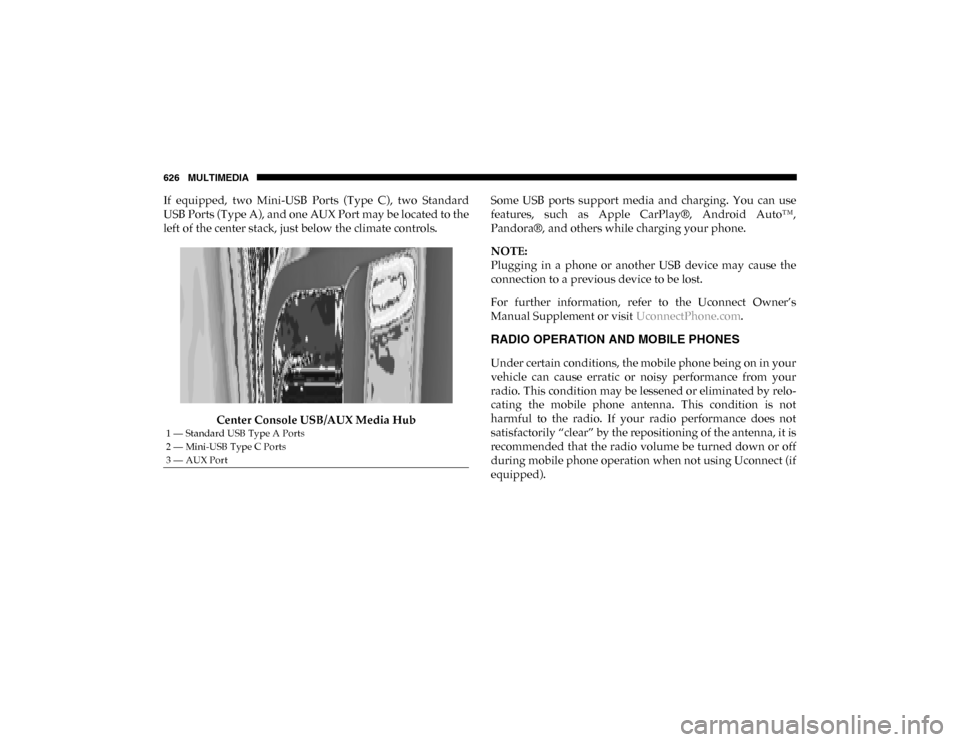
If equipped, two Mini-USB Ports (Type C), two Standard
USB Ports (Type A), and one AUX Port may be located to the
left of the center stack, just below the climate controls.Center Console USB/AUX Media Hub Some USB ports support media and charging. You can use
features, such as Apple CarPlay®, Android Auto™,
Pandora®, and others while charging your phone.
NOTE:
Plugging in a phone or another USB device may cause the
connection to a previous device to be lost.
For further information, refer to the Uconnect Owner’s
Manual Supplement or visit
UconnectPhone.com.
RADIO OPERATION AND MOBILE PHONES
Under certain conditions, the mobile phone being on in your
vehicle can cause erratic or noisy performance from your
radio. This condition may be lessened or eliminated by relo -
cating the mobile phone antenna. This condition is not
harmful to the radio. If your radio performance does not
satisfactorily “clear” by the repositioning of the antenna, it is
recommended that the radio volume be turned down or off
during mobile phone operation when not using Uconnect (if
equipped).
1 — Standard USB Type A Ports
2 — Mini-USB Type C Ports
3 — AUX Port
2020_DT_1500_OM_US.book Page 626
MULTIMEDIA 643
To use the Uconnect App:
• Download the Uconnect App to your mobile device.
• Press the Info button on the navigation bar at the bottom ofthe app for Vehicle Info.
• Press the Remote button on the navigation bar at the bottom of the app to Lock/Unlock, Remote Start, and acti -
vate your horn and lights remotely.
• Press the Location button on the navigation bar at the bottom of the app to bring up a map to locate your vehicle
or send a location to your vehicle’s navigation system.
• Press the Settings button in the upper left corner of the app to bring up app settings and access the Assist Call Centers.
NOTE:
For further information, please visit DriveUconnect.com (US
Residents) or DriveUconnect.ca (Canadian Residents).SiriusXM® Travel Link (4C NAV)
Need to find a gas station, view local movie listings, check a
sports score or the 5 - day weather forecast? SiriusXM®
Travel Link is a suite of services that brings a wealth of infor -
mation right to your Uconnect 4C NAV system.
Push the VR button . After the beep, say one of the
following commands:
• “Show fuel prices ”.
• “Show 5-day weather forecast ”.
• “Show extended weather ”.
TIP:
Traffic alerts are not accessible with Voice Command.
9
2020_DT_1500_OM_US.book Page 643