tow Ram 1500 2020 Owner's Guide
[x] Cancel search | Manufacturer: RAM, Model Year: 2020, Model line: 1500, Model: Ram 1500 2020Pages: 674, PDF Size: 32.69 MB
Page 167 of 674
GETTING TO KNOW YOUR INSTRUMENT PANEL 165
3. Speedometer• Indicates vehicle speed.
4. Fuel Gauge
• The pointer shows the level of fuel in the fuel tankwhen the ignition is in the ON/RUN position.
• The fuel pump symbol points to the side of the vehicle where the fuel door is located.
5. Temperature Gauge
• The pointer shows engine coolant temperature. Thepointer positioned within the normal range indicates
that the engine cooling system is operating satisfacto -
rily.
• The pointer will likely indicate a higher temperature when driving in hot weather, up mountain grades, or
when towing a trailer. It should not be allowed to
exceed the upper limits of the normal operating range.WARNING!
A hot engine cooling system is dangerous. You or others
could be badly burned by steam or boiling coolant. You
may want to call an authorized dealer for service if your
vehicle overheats. Refer to “Cooling System Pressure
Cap” in “Servicing And Maintenance” for further
information if you decide to look under the hood.
CAUTION!
Driving with a hot engine cooling system could damage
your vehicle. If the temperature gauge reads “H,” pull
over and stop the vehicle. Idle the vehicle with the air
conditioner turned off until the pointer drops back into
the normal range. If the pointer remains on the “H,” turn
the engine off immediately and call an authorized dealer
for service.
3
2020_DT_1500_OM_US.book Page 165
Page 169 of 674
GETTING TO KNOW YOUR INSTRUMENT PANEL 167
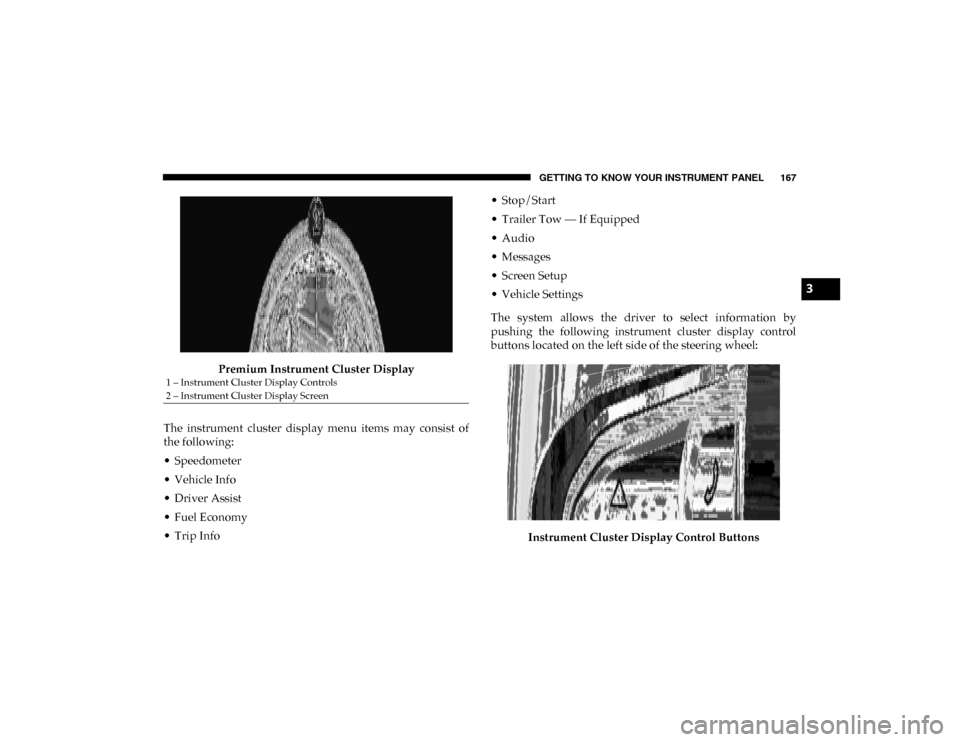
Premium Instrument Cluster Display
The instrument cluster display menu items may consist of
the following:
• Speedometer
• Vehicle Info
• Driver Assist
• Fuel Economy
• Trip Info • Stop/Start
• Trailer Tow — If Equipped
• Audio
• Messages
• Screen Setup
• Vehicle Settings
The system allows the driver to select information by
pushing the following instrument cluster display control
buttons located on the left side of the steering wheel:
Instrument Cluster Display Control Buttons
1 – Instrument Cluster Display Controls
2 – Instrument Cluster Display Screen
3
2020_DT_1500_OM_US.book Page 167
Page 173 of 674
GETTING TO KNOW YOUR INSTRUMENT PANEL 171
LaneSense — If Equipped
The instrument cluster display displays the current Lane-
Sense system settings. The information displayed depends
on LaneSense system status and the conditions that need to
be met. For further information, refer to “LaneSense — If
Equipped” in “Starting And Operating.”
Fuel Economy
Push and release the up or down arrow button until the Fuel
Economy menu item is highlighted in the instrument cluster
display. Push and hold the OK button to reset Average Fuel
Economy.
• Current Fuel Economy Gauge
• Average Fuel Economy Value
• Range To Empty
Trip
Push and release the up or down arrow button until the Trip
menu item is highlighted in the instrument cluster display.
Push and release the right or left arrow buttons to enter the
submenus of Trip A and Trip B. The Trip A or Trip B infor -
mation will display the following: • Distance
• Average Fuel Economy
• Elapsed Time
Push and hold
OK button to reset all information.
Stop/Start — If Equipped
Push and release the up or down arrow button until the
Stop/Start icon/title is highlighted in the instrument cluster
display. The screen will display the Stop/Start status.
Trailer Tow
Push and release the up or down arrow button until the
Trailer Tow menu item is highlighted in the instrument
cluster display. Push and release the right or left arrow
buttons to cycle through the following trailer trip informa -
tion:
• Trip (trailer specific) Distance: Push and hold the OK
button to reset the distance.
• Trailer Brake • Output
• Type
• Gain
3
2020_DT_1500_OM_US.book Page 171
Page 178 of 674
176 GETTING TO KNOW YOUR INSTRUMENT PANEL
• Trailer Tow (show/hide)
• Audio (show/hide)
• (Stored) Messages
• Screen Setup
Current Gear
• Off (Default)
• On
Odometer
• No Decimal Point (Default)
• Decimal Point
Defaults
• Cancel
• RestoreBattery Saver On/Battery Saver Mode Message —
Electrical Load Reduction Actions — If Equipped
This vehicle is equipped with an Intelligent Battery Sensor
(IBS) to perform additional monitoring of the electrical
system and status of the vehicle battery.
In cases when the IBS detects charging system failure, or the
vehicle battery conditions are deteriorating, electrical load
reduction actions will take place to extend the driving time
and distance of the vehicle. This is done by reducing power
to or turning off non-essential electrical loads.
Load reduction is only active when the engine is running. It
will display a message if there is a risk of battery depletion to
the point where the vehicle may stall due to lack of electrical
supply, or will not restart after the current drive cycle.
When load reduction is activated, the message “Battery
Saver On Some Systems May Have Reduced Power” will
appear in the instrument cluster.
These messages indicate the vehicle battery has a low state of
charge and continues to lose electrical charge at a rate that
the charging system cannot sustain.
2020_DT_1500_OM_US.book Page 176
Page 179 of 674
GETTING TO KNOW YOUR INSTRUMENT PANEL 177
NOTE:
• The charging system is independent from load reduction.The charging system performs a diagnostic on the
charging system continuously.
• If the Battery Charge Warning Light is on it may indicate a problem with the charging system. Refer to “Battery
Charge Warning Light” in “Getting To Know Your Instru -
ment Panel” for further information.
The electrical loads that may be switched off (if equipped),
and vehicle functions which can be affected by load reduc -
tion:
• Heated Seats / Vented Seats / Heated Wheel
• Rear Defroster And Heated Mirrors
• HVAC System
• 115 Volts AC Power Inverter System
• Audio and Telematics System
Loss of the battery charge may indicate one or more of the
following conditions:
• The charging system cannot deliver enough electrical power to the vehicle system because the electrical loads are
larger than the capability of charging system. The charging
system is still functioning properly. • Turning on all possible vehicle electrical loads (e.g. HVAC
to max settings, exterior and interior lights, overloaded
power outlets +12 Volts, 115V AC, USB ports) during
certain driving conditions (city driving, towing, frequent
stopping).
• Installing options like additional lights, upfitter electrical accessories, audio systems, alarms and similar devices.
• Unusual driving cycles (short trips separated by long parking periods).
• The vehicle was parked for an extended period of time (weeks, months).
• The battery was recently replaced and was not charged completely.
• The battery was discharged by an electrical load left on when the vehicle was parked.
• The battery w as used for an extended period with t he engine not running to supply radio, lights, chargers,
+12 Volt portable appliances like vacuum cleaners,
gam e consoles and similar devices.
3
2020_DT_1500_OM_US.book Page 177
Page 184 of 674
182 GETTING TO KNOW YOUR INSTRUMENT PANEL
NOTE:
This light may turn on if the accelerator and brake pedals are
pressed at the same time.
If the light continues to flash when the vehicle is running,
immediate service is required and you may experience
reduced performance, an elevated/rough idle, or engine
stall and your vehicle may require towing. The light will
come on when the ignition is placed in the ON/RUN or
ACC/ON/RUN position and remain on briefly as a bulb
check. If the light does not come on during starting, have the
system checked by an authorized dealer. — Electric Power Steering Fault Warning Light
This warning light will turn on when there's a fault with the
Electric Power Steering (EPS) system. Refer to “Power Steering”
in “Starting And Operating” for further information.
— Tailgate Open Warning Light
This warning light will illuminate when the tailgate is open.
NOTE:
If the vehicle is moving, there will also be a single chime.
— Trailer Brake Disconnected Warning Light
This warning light will illuminate when the Trailer Brake has
been disconnected.
— Transmission Temperature Warning Light — If
Equipped
This warning light will illuminate to warn of a high transmis -
sion fluid temperature. This may occur with strenuous usage
such as trailer towing. If this light turns on, stop the vehicle
and run the engine at idle or slightly faster, with the trans -
mission in PARK or NEUTRAL, until the light turns off.
Once the light turns off, you may continue to drive normally.
WARNING!
Continued operation with reduced assist could pose a
safety risk to yourself and others. Service should be
obtained as soon as possible.
WARNING!
If you continue operating the vehicle when the
Transmission Temperature Warning Light is illuminated
you could cause the fluid to boil over, come in contact
with hot engine or exhaust components and cause a fire.
2020_DT_1500_OM_US.book Page 182
Page 185 of 674
GETTING TO KNOW YOUR INSTRUMENT PANEL 183
— Door Open Warning Light
This indicator will illuminate when a door is ajar/open and
not fully closed.
NOTE:
If the vehicle is moving there will also be a single chime.
Yellow Warning Lights
— Adaptive Cruise Control (ACC) Fault Warning Light
— If Equipped
This warning light will illuminate to indicate a fault in the
ACC system. Contact a local authorized dealer for service.
For further information, refer to “Adaptive Cruise Control
(ACC)” in “Starting And Operating.”
— Air Suspension Fault Warning Light — If Equipped
This light will illuminate when a fault is detected with the air
suspension system. — Engine Check/Malfunction Indicator Warning Light
(MIL)
The Engine Check/Malfunction Indicator Light (MIL) is a
part of an Onboard Diagnostic System called OBD II that
monitors engine and automatic transmission control
systems. This warning light will illuminate when the ignition
is in the ON/RUN position before engine start. If the bulb
does not come on when turning the ignition switch from OFF
to ON/RUN, have the condition checked promptly.
Certain conditions, such as a loose or missing gas cap, poor
quality fuel, etc., may illuminate the light after engine start.
The vehicle should be serviced if the light stays on through
several typical driving styles. In most situations, the vehicle
will drive normally and will not require towing.
When the engine is running, the MIL may flash to alert
serious conditions that could lead to immediate loss of
power or severe catalytic converter damage. The vehicle
should be serviced by an authorized dealer as soon as
possible if this occurs.
CAUTION!
Continuous driving with the Transmission Temperature
Warning Light illuminated will eventually cause severe
transmission damage or transmission failure.
3
2020_DT_1500_OM_US.book Page 183
Page 190 of 674
188 GETTING TO KNOW YOUR INSTRUMENT PANEL
— Service Stop/Start System Warning Light — If
Equipped
This warning light will illuminate when the Stop/Start
system is not functioning properly and service is required.
Contact an authorized dealer for service.
— Service 4WD Warning Light — If Equipped
This warning light will illuminate to signal a fault with the 4WD
system. If the light stays on or comes on during driving, it means
that the 4WD system is not functioning properly and that
service is required. We recommend you drive to the nearest
service center and have the vehicle serviced immediately.
— Speed Control Fault Warning Light
This warning light will illuminate to indicate the Speed
Control System is not functioning properly and service is
required. Contact an authorized dealer.
Yellow Indicator Lights
— Forward Collision Warning Off Indicator Light — If
Equipped
This indicator light illuminates to indicate that Forward
Collision Warning is off. — Air Suspension Payload Protection Indicator Light
— If Equipped
This indicator light will illuminate to indicate that the
maximum payload may have been exceeded or load leveling
cannot be achieved at its current ride height. Protection
Mode will automatically be selected to “protect” the air
suspension system, air suspension adjustment is limited due
to payload.
— Trailer Merge Assist Indicator Light — If Equipped
This indicator light will illuminate to indicate when Trailer
Merge Assist has been activated.
Refer to “Blind Spot Monitoring (BSM)” in “Safety” for
further information.
— TOW/HAUL Indicator Light
This indicator light will illuminate when TOW/HAUL mode
is selected.
— Cargo Light — If Equipped
This indicator light will illuminate when the cargo light is
activated by pushing the cargo light button on the headlight
switch.
2020_DT_1500_OM_US.book Page 188
Page 196 of 674
194 GETTING TO KNOW YOUR INSTRUMENT PANEL
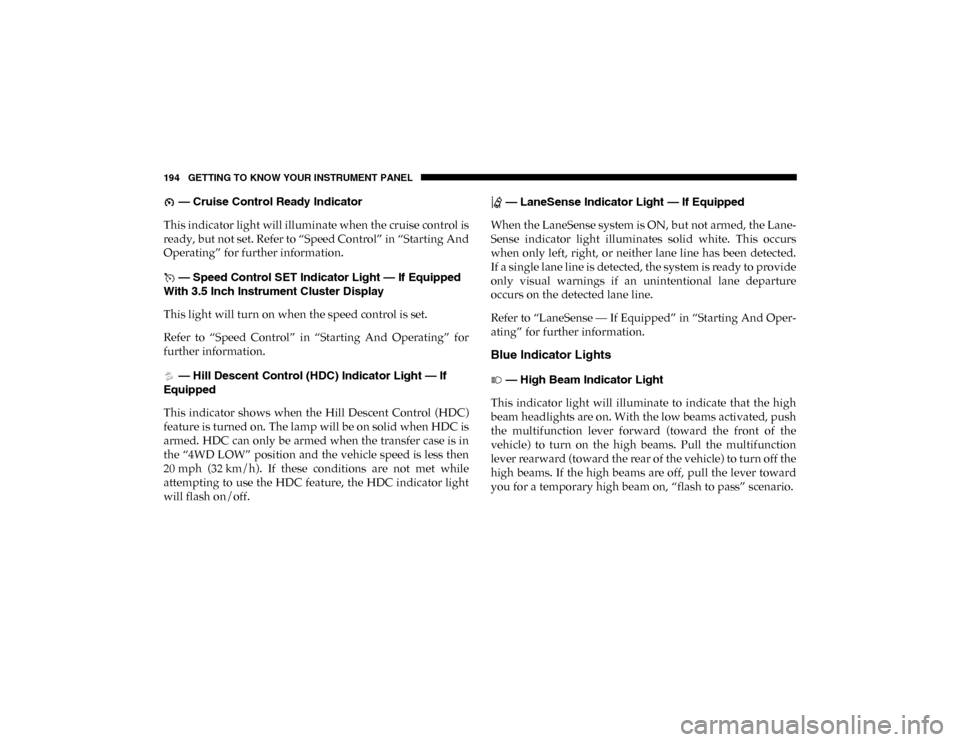
— Cruise Control Ready Indicator
This indicator light will illuminate when the cruise control is
ready, but not set. Refer to “Speed Control” in “Starting And
Operating” for further information.
— Speed Control SET Indicator Light — If Equipped
With 3.5 Inch Instrument Cluster Display
This light will turn on when the speed control is set.
Refer to “Speed Control” in “Starting And Operating” for
further information.
— Hill Descent Control (HDC) Indicator Light — If
Equipped
This indicator shows when the Hill Descent Control (HDC)
feature is turned on. The lamp will be on solid when HDC is
armed. HDC can only be armed when the transfer case is in
the “4WD LOW” position and the vehicle speed is less then
20 mph (32 km/h). If these conditions are not met while
attempting to use the HDC feature, the HDC indicator light
will flash on/off. — LaneSense Indicator Light — If Equipped
When the LaneSense system is ON, but not armed, the Lane -
Sense indicator light illuminates solid white. This occurs
when only left, right, or neither lane line has been detected.
If a single lane line is detected, the system is ready to provide
only visual warnings if an unintentional lane departure
occurs on the detected lane line.
Refer to “LaneSense — If Equipped” in “Starting And Oper -
ating” for further information.
Blue Indicator Lights
— High Beam Indicator Light
This indicator light will illuminate to indicate that the high
beam headlights are on. With the low beams activated, push
the multifunction lever forward (toward the front of the
vehicle) to turn on the high beams. Pull the multifunction
lever rearward (toward the rear of the vehicle) to turn off the
high beams. If the high beams are off, pull the lever toward
you for a temporary high beam on, “flash to pass” scenario.
2020_DT_1500_OM_US.book Page 194
Page 197 of 674
GETTING TO KNOW YOUR INSTRUMENT PANEL 195
ONBOARD DIAGNOSTIC SYSTEM — OBD II
Your vehicle is equipped with a sophisticated Onboard
Diagnostic system called OBD II. This system monitors the
performance of the emissions, engine, and transmission
control systems. When these systems are operating properly,
your vehicle will provide excellent performance and fuel
economy, as well as engine emissions well within current
government regulations.
If any of these systems require service, the OBD II system
will turn on the Malfunction Indicator Light (MIL). It will
also store diagnostic codes and other information to assist
your service technician in making repairs. Although your
vehicle will usually be drivable and not need towing, see an
authorized dealer for service as soon as possible.
Onboard Diagnostic System (OBD II) Cybersecurity
Your vehicle is required to have an Onboard Diagnostic
system (OBD II) and a connection port to allow access to
information related to the performance of your emissions
controls. Authorized service technicians may need to access
this information to assist with the diagnosis and service of
your vehicle and emissions system.
For further information, refer to “Cybersecurity” in “Multi-
media”.
CAUTION!
• Prolonged driving with the MIL on could cause further damage to the emission control system. It could also
affect fuel economy and driveability. The vehicle must
be serviced before any emissions tests can be
performed.
• If the MIL is flashing while the vehicle is running, severe catalytic converter damage and power loss will
soon occur. Immediate service is required.
WARNING!
• ONLY an authorized service technician should connect equipment to the OBD II connection port in order to
read the VIN, diagnose, or service your vehicle.
• If unauthorized equipment is connected to the OBD II connection port, such as a driver-behavior tracking
device, it may:
• Be possible that vehicle systems, including safety related systems, could be impaired or a loss of
vehicle control could occur that may result in an
accident involving serious injury or death.
• Access, or allow others to access, information stored in your vehicle systems, including personal infor -
mation.
3
2020_DT_1500_OM_US.book Page 195