towing Ram 1500 2020 Owner's Guide
[x] Cancel search | Manufacturer: RAM, Model Year: 2020, Model line: 1500, Model: Ram 1500 2020Pages: 674, PDF Size: 32.69 MB
Page 330 of 674

328 STARTING AND OPERATING
To assist with changing a spare tire, the air suspension system
has a feature which allows the automatic leveling to be disabled.
Refer to “Instrument Cluster Display” in “Getting To Know
Your Instrument Panel” for further information.
NOTE:
If equipped with a touch screen radio all enabling/disabling
of air suspension features must be done through the radio.
Refer to “Uconnect Settings” in “Multimedia” for further
information.
Air Suspension Modes
The Air Suspension system has multiple modes to protect the
system in unique situations:
AERO Mode
To improve aerodynamics, the air suspension system has a
feature which will put the vehicle into AERO height auto-
matically. Refer to “Instrument Cluster Display” in “Getting
To Know Your Instrument Panel” for further information. NOTE:
This mode is intended to be enabled with engine running.
Tire Jack Mode
To assist with changing a tire, the air suspension system has
a feature which allows the automatic leveling to be disabled.
Refer to “Instrument Cluster Display” in “Getting To Know
Your Instrument Panel” or “Uconnect Settings” in “Multi
-
media” if equipped with a touch screen radio for further
information.
NOTE:
This mode is intended to be enabled with engine running.
Transport Mode
For towing your vehicle with four wheels off the road, the air
suspension system has a feature which will put the vehicle
into Entry/Exit height and disable the automatic load
leveling system. Refer to “Instrument Cluster Display” in
“Getting To Know Your Instrument Panel” or “Uconnect
Settings” in “Multimedia” if equipped with a touch screen
radio for further information.
NOTE:
This mode is intended to be enabled with engine running.
WARNING!
The air suspension system uses a high pressure volume
of air to operate the system. To avoid personal injury or
damage to the system, see your authorized dealer for
service.
2020_DT_1500_OM_US.book Page 328
Page 331 of 674
STARTING AND OPERATING 329
Wheel Alignment Mode
Before performing a wheel alignment, this mode must be
enabled. Refer to “Instrument Cluster Display” in “Getting
To Know Your Instrument Panel” or “Uconnect Settings” in
“Multimedia” if equipped with a touch screen radio for
further information.
NOTE:
This mode is intended to be enabled with engine running.
Protection Strategy
In order to “protect” the air suspension system, the vehicle
will disable load leveling as required (suspension over-
loaded, battery charge low, etc.). Load leveling will automat -
ically resume as soon as system operation requirements are
met. See your authorized dealer if system does not resume.
NOTE:
If towing with air suspension refer to “Trailer Towing” in
“Starting And Operating” for further information.
Instrument Cluster Display Messages
When the appropriate conditions exist, a message will
appear in the instrument cluster display. Refer to “Instru-
ment Cluster Display” in “Getting To Know Your Instru-
ment Panel” for further information. An audible chime will be heard whenever a system error has
been detected.
See an authorized dealer for system service if normal opera
-
tion does not resume.
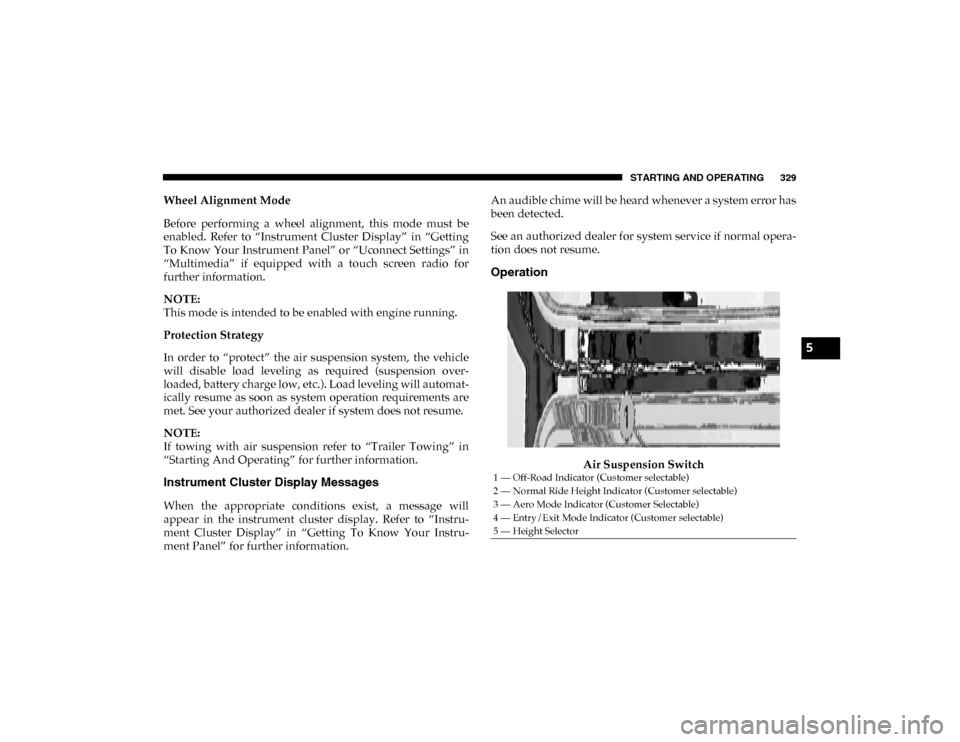
Operation
Air Suspension Switch
1 — Off-Road Indicator (Customer selectable)
2 — Normal Ride Height Indicator (Customer selectable)
3 — Aero Mode Indicator (Customer Selectable)
4 — Entry/Exit Mode Indicator (Customer selectable)
5 — Height Selector
5
2020_DT_1500_OM_US.book Page 329
Page 344 of 674

342 STARTING AND OPERATING
Adaptive Cruise Control (ACC) Operation
The speed control buttons (located on the right side of the
steering wheel) operates the Adaptive Cruise Control (ACC)
system.Adaptive Cruise Control Buttons
• Does not always fully recognize complex driving
conditions, which can result in wrong or missing
distance warnings.
• Will bring the vehicle to a complete stop while following a target vehicle and hold the vehicle for
approximately three minutes in the stop position. If
the target vehicle does not start moving within three
minutes the parking brake will be activated, and the
ACC system will be cancelled.
You should switch off the ACC system:
• When driving in fog, heavy rain, heavy snow, sleet, heavy traffic, and complex driving situations (i.e., in
highway construction zones).
• When entering a turn lane or highway off ramp; when driving on roads that are winding, icy, snow-covered,
slippery, or have steep uphill or downhill slopes.
• When towing a trailer up or down steep slopes.
• When circumstances do not allow safe driving at a constant speed.
WARNING! (Continued)
1 — SET (+)/Accel
2 — Normal (Fixed Speed) Cruise Control On/Off
3 — RES/Resume
4 — SET (-)/Decel
5 — Distance Setting Decrease
6 — Adaptive Cruise Control (ACC) On/Off
7 — Distance Setting Increase
8 — CANC/Cancel
2020_DT_1500_OM_US.book Page 342
Page 357 of 674
STARTING AND OPERATING 355
able. If this occurs, try activating ACC again later, following
an ignition cycle. If the problem persists, see your authorized
dealer.
Precautions While Driving With ACC
In certain driving situations, ACC may have detection issues.
In these cases, ACC may brake late or unexpectedly. The
driver needs to stay alert and may need to intervene.
NOTE:
• Aftermarket add-ons such as snow plows, lift kits, andbrush/grille bars can hinder module performance. Ensure
the radar/camera has no obstructions in the field of view.
• Height modifications can limit module performance and functionality.
• Do not put stickers or easy passes over the camera/radar field of view.
• Any modifications to the vehicle that may obstruct the field of view of the radar/camera are not recommended.
Cleaning Instructions
Dust and dirt can accumulate on the cover and block the
camera lens. Clean the camera lens with a soft microfiber
cloth, being careful not to damage or scratch the module. Towing A Trailer
ACC while towing a trailer is recommended only with an
Integrated Trailer Brake Controller. Aftermarket trailer
brake controllers will not activate the trailer brakes when
ACC is braking.
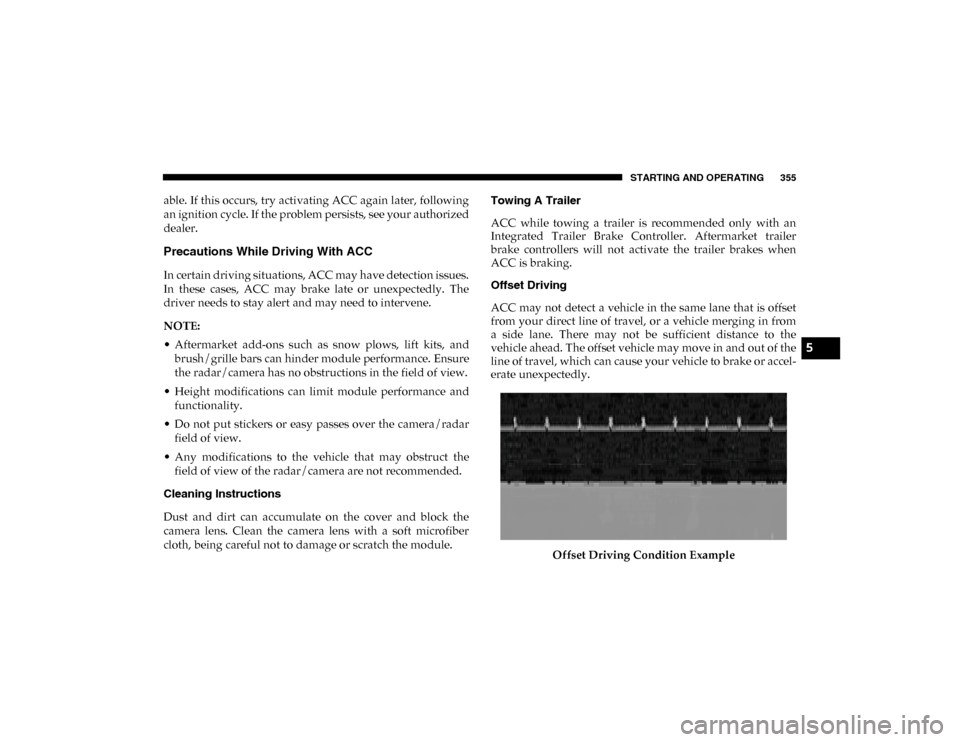
Offset Driving
ACC may not detect a vehicle in the same lane that is offset
from your direct line of travel, or a vehicle merging in from
a side lane. There may not be sufficient distance to the
vehicle ahead. The offset vehicle may move in and out of the
line of travel, which can cause your vehicle to brake or accel
-
erate unexpectedly.
Offset Driving Condition Example
5
2020_DT_1500_OM_US.book Page 355
Page 364 of 674

362 STARTING AND OPERATING
NOTE:
• The driver can override the automatic braking function bypressing the gas pedal, turning ParkSense off via Park -
Sense switch, or changing the gear while the automatic
brakes are being applied.
• Automatic brakes will not be available if ESC is not avail -
able.
• Automatic brakes will not be available if there is a faulted condition detected with the ParkSense Park Assist system
or the Braking System Module.
• The automatic braking function may only be applied if the vehicle deceleration is not enough to avoid colliding with
a detected obstacle.
• The automatic braking function will not be available if vehicle is in 4LO transfer case mode.
• The automatic braking function may not be applied fast enough for obstacles that move toward the rear of the
vehicle from the left and/or right sides.
• The automatic braking function can be enabled/disabled from the Customer Programmable Features section of the
Uconnect System. • ParkSense will retain its last known configuration state for
the automatic braking function through ignition cycles.
• Trailer hitch ball assembly may cause false braking events if left attached after towing.
The automatic braking function is intended to assist the
driver in avoiding possible collisions with detected obstacles
when backing up in REVERSE gear.
NOTE:
• The driver is always responsible for controlling the vehicle.
• The system is provided to assist the driver and not to substitute the driver.
• The driver must stay in full control of the vehicle's acceler -
ation and braking and is responsible for the vehicle's
movements.
Refer to “ParkSense System Usage Precautions” in this
section for limitations of this system and recommendations.
ParkSense will retain the last system state (enabled or
disabled) from the last ignition cycle when the ignition is
placed in the ON/RUN position.
2020_DT_1500_OM_US.book Page 362
Page 372 of 674

370 STARTING AND OPERATING
• ParkSense, when on, will reduce the volume of the radiowhen it is sounding a tone.
• Clean the ParkSense sensors regularly, taking care not to scratch or damage them. The sensors must not be covered
with ice, snow, slush, mud, dirt or debris. Failure to do so
can result in the system not working properly. The Park -
Sense system might not detect an obstacle behind or in
front of the fascia/bumper, or it could provide a false indi -
cation that an obstacle is behind or in front of the fascia/
bumper.
• Use the ParkSense switch to turn the ParkSense system off if obstacles such as bicycle carriers, trailer hitches, etc. are
placed near the rear fascia/bumper. Failure to do so can
result in the system misinterpreting a close obstacle as a
sensor problem, causing the “PARKSENSE UNAVAIL -
ABLE SERVICE REQUIRED” message to be appear in the
instrument cluster display.
• On vehicles equipped with a tailgate, ParkSense should be disabled when the tailgate is in the lowered or open posi -
tion. A lowered tailgate could provide a false indication
that an obstacle is behind the vehicle and could also cause
a false braking event.WARNING!
• Drivers must be careful when backing up even when using ParkSense. Always check carefully behind your
vehicle, look behind you, and be sure to check for
pedestrians, animals, other vehicles, obstructions, and
blind spots before backing up. You are responsible for
safety and must continue to pay attention to your
surroundings. Failure to do so can result in serious
injury or death.
• Before using ParkSense, it is strongly recommended that the ball mount and hitch ball assembly is discon -
nected from the vehicle when the vehicle is not used for
towing. Failure to do so can result in injury or damage
to vehicles or obstacles because the hitch ball will be
much closer to the obstacle than the rear fascia when
the loudspeaker sounds the continuous tone. Also, the
sensors could detect the ball mount and hitch ball
assembly, depending on its size and shape, and give a
false indication that an obstacle is behind the vehicle,
and could cause false braking.
2020_DT_1500_OM_US.book Page 370
Page 409 of 674

STARTING AND OPERATING 407
that the weight is distributed equally. Stow all loose items
securely before driving.
Improper weight distributions can have an adverse effect on
the way your vehicle steers and handles and the way the
brakes operate.
TRAILER TOWING
In this section you will find safety tips and information on
limits to the type of towing you can reasonably do with your
vehicle. Before towing a trailer, carefully review this infor-
mation to tow your load as efficiently and safely as possible.
To maintain the New Vehicle Limited Warranty coverage,
follow the requirements and recommendations in this
manual concerning vehicles used for trailer towing.
Common Towing Definitions
The following trailer towing related definitions will assist
you in understanding the following information:
Gross Vehicle Weight Rating (GVWR)
The Gross Vehicle Weight Rating (GVWR) is the total allow -
able weight of your vehicle. This includes driver, passengers,
cargo and tongue weight. The total load must be limited so
that you do not exceed the GVWR. Refer to “Vehicle
Loading/Vehicle Certification Label” in “Starting And
Operating” for further information.
Gross Trailer Weight (GTW)
The Gross Trailer Weight (GTW) is the weight of the trailer
plus the weight of all cargo, consumables and equipment
(permanent or temporary) loaded in or on the trailer in its
“loaded and ready for operation” condition.
The recommended way to measure GTW is to put your fully
loaded trailer on a vehicle scale. The entire weight of the
trailer must be supported by the scale.
CAUTION!
Do not load your vehicle any heavier than the GVWR or
the maximum front and rear GAWR. If you do, parts on
your vehicle can break, or it can change the way your
vehicle handles. This could cause you to lose control.
Also overloading can shorten the life of your vehicle.
5
2020_DT_1500_OM_US.book Page 407
Page 411 of 674
STARTING AND OPERATING 409
If equipped, the electronic TSC recognizes a swaying trailer
and automatically applies individual wheel brakes and/or
reduces engine power to attempt to eliminate the trailer sway.
Weight-Carrying Hitch
A weight-carrying hitch supports the trailer tongue weight,
just as if it were luggage located at a hitch ball or some other
connecting point of the vehicle. These kinds of hitches are the
most popular on the market today and they are commonly
used to tow small and medium sized trailers.
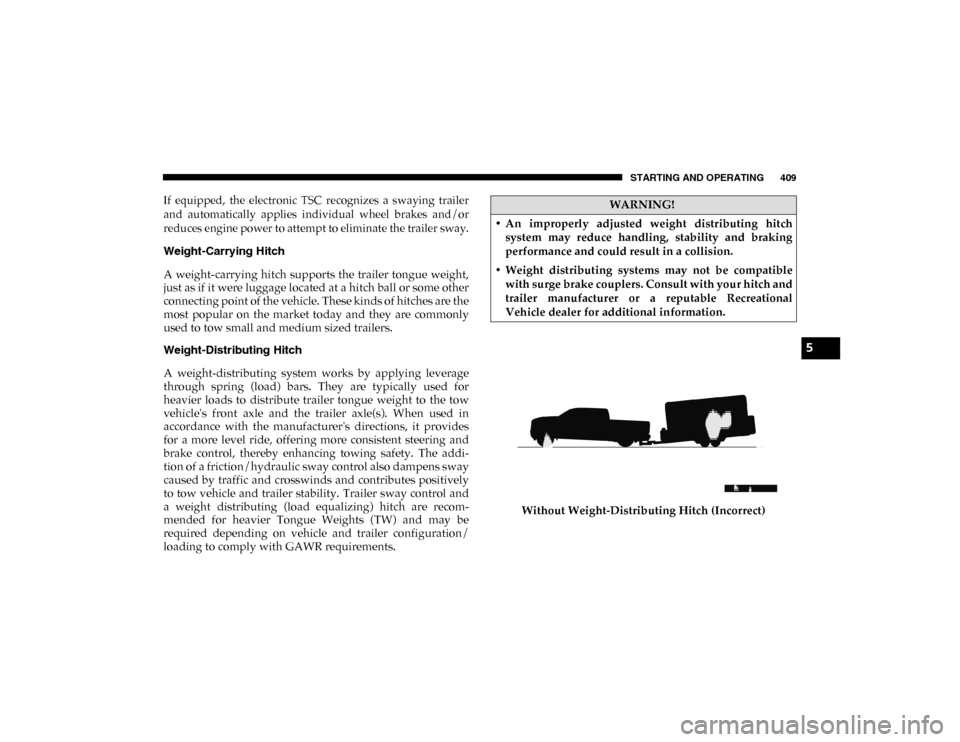
Weight-Distributing Hitch
A weight-distributing system works by applying leverage
through spring (load) bars. They are typically used for
heavier loads to distribute trailer tongue weight to the tow
vehicle's front axle and the trailer axle(s). When used in
accordance with the manufacturer's directions, it provides
for a more level ride, offering more consistent steering and
brake control, thereby enhancing towing safety. The addi-
tion of a friction/hydraulic sway control also dampens sway
caused by traffic and crosswinds and contributes positively
to tow vehicle and trailer stability. Trailer sway control and
a weight distributing (load equalizing) hitch are recom -
mended for heavier Tongue Weights (TW) and may be
required depending on vehicle and trailer configuration/
loading to comply with GAWR requirements. Without Weight-Distributing Hitch (Incorrect)WARNING!
• An improperly adjusted weight distributing hitch system may reduce handling, stability and braking
performance and could result in a collision.
• Weight distributing systems may not be compatible with surge brake couplers. Consult with your hitch and
trailer manufacturer or a reputable Recreational
Vehicle dealer for additional information.
5
2020_DT_1500_OM_US.book Page 409
Page 412 of 674

410 STARTING AND OPERATING
With Weight-Distributing Hitch (Correct)
Improper Adjustment Of Weight-Distributing Hitch (Incorrect) Recommended Distribution Hitch Adjustment
Towing With 1500 Air Suspension
1. Set air suspension to normal ride height. No action is
required if already in normal ride height.
NOTE:
The vehicle must remain in the engine run position with all
doors closed while attaching a trailer for proper leveling of
the air suspension system.
2. Position the truck to be ready to connect to the trailer (do not connect the trailer).
3. Under the instrument cluster or touch screen radio settings, enable tire jack mode. Tire jack mode will be
canceled and procedure must be restarted if the vehicle is
driven at speeds above 5mph (8 kmh).
4. Measure the height of the top of the front wheel opening on the fender to ground, this is height H1.
2020_DT_1500_OM_US.book Page 410
Page 413 of 674

STARTING AND OPERATING 411
Measuring Height (H)
5. Attach the trailer to the vehicle without the weight distri -
bution bars connected.
6. Measure the height of the top of the front wheel opening on the fender to ground, this is height H2.
7. Install and adjust the tension in the weight distributing bars per the manufacturers’ recommendations so that the
height of the front fender is approximately (H2-H1)/
3+H1 (about 1/3 the difference between H2 and H1 above
normal ride height [H1]). 8. Use the instrument cluster or touch screen radio settings
and switch off tire jack mode. Make sure the truck returns
to normal ride height. Preform a visual inspection of the
trailer and weight distributing hitch to confirm manufac -
turers’ recommendations have been met.
9. The truck can now be driven.
NOTE:
For all towing conditions, we recommend towing with tow
haul mode engaged.
Trailer Hitch Type and Maximum Trailer Weight
The following chart provides the maximum trailer weight a
given factory equipped trailer hitch type can tow and should
be used to assist you in selecting the correct trailer hitch for
your intended towing condition.
Measurement Example Example 1500 Height (mm) H1 925
H2 946
H2-H1 21
(H2-H1)/3 7
(H2-H1)/3 + H1 932
5
2020_DT_1500_OM_US.book Page 411