front Ram 1500 2020 Repair Manual
[x] Cancel search | Manufacturer: RAM, Model Year: 2020, Model line: 1500, Model: Ram 1500 2020Pages: 674, PDF Size: 32.69 MB
Page 202 of 674
200 SAFETY
Brake Assist System (BAS)
The Brake Assist System (BAS) is designed to optimize the
vehicle’s braking capability during emergency braking
maneuvers. The system detects an emergency braking situa-
tion by sensing the rate and amount of brake application, and
then applies optimum pressure to the brakes. This can help
reduce braking distances. The BAS complements the
Anti-lock Brake System (ABS). Applying the brakes very
quickly results in the best BAS assistance. To receive the
benefit of the system, you must apply continuous braking
pressure during the stopping sequence, (do not “pump” the
brakes). Do not reduce brake pedal pressure unless braking
is no longer desired. Once the brake pedal is released, the
BAS is deactivated. Brake System Warning Light
The red “Brake System Warning Light” will turn on when
the ignition is turned to the ON/RUN mode and may stay on
for as long as four seconds.
If the “Brake System Warning Light” remains on or comes on
while driving, it indicates that the brake system is not func
-
tioning properly and that immediate service is required. If
the “Brake System Warning Light” does not come on when
the ignition is turned to the ON/RUN mode, have the light
repaired as soon as possible.
Electronic Brake Force Distribution (EBD)
This function manages the distribution of the braking torque
between the front and rear axles by limiting braking pressure
to the rear axle. This is done to prevent overslip of the rear
wheels to avoid vehicle instability, and to prevent the rear
axle from entering ABS before the front axle.
Electronic Roll Mitigation (ERM)
The Electronic Roll Mitigation (ERM) system anticipates the
potential for wheel lift by monitoring the driver’s steering
wheel input and the speed of the vehicle. When ERM deter -
mines that the rate of change of the steering wheel angle and
vehicle’s speed are sufficient to potentially cause wheel lift,
WARNING!
The Brake Assist System (BAS) cannot prevent the
natural laws of physics from acting on the vehicle, nor
can it increase the traction afforded by prevailing road
conditions. BAS cannot prevent collisions, including
those resulting from excessive speed in turns, driving on
very slippery surfaces, or hydroplaning. The capabilities
of a BAS-equipped vehicle must never be exploited in a
reckless or dangerous manner, which could jeopardize
the user's safety or the safety of others.
2020_DT_1500_OM_US.book Page 200
Page 211 of 674

SAFETY 209
Towing With HSA
Hill Start Assist (HSA) will also provide assistance to miti-
gate roll back while towing a trailer. Disabling And Enabling HSA
This feature can be turned on or turned off. To change the
current setting, proceed as follows:
• If disabling HSA using your instrument cluster display,
refer to “Instrument Cluster Display” in “Getting To Know
Your Instrument Panel” for further information.
• If disabling HSA using Uconnect Settings, refer to “Ucon -
nect Settings” in “Multimedia” for further information.
For vehicles not equipped with an instrument cluster
display, perform the following steps:
1. Center the steering wheel (front wheels pointing straight forward).
2. Shift the transmission into PARK (P).
3. Apply the park brake.
4. Start the engine.
5. Rotate the steering wheel slightly more than one-half turn to the left.
WARNING!
• If you use a trailer brake controller with your trailer, the trailer brakes may be activated and deactivated with
the brake switch. If so, there may not be enough brake
pressure to hold both the vehicle and the trailer on a
hill when the brake pedal is released. In order to avoid
rolling down an incline while resuming acceleration,
manually activate the trailer brake or apply more
vehicle brake pressure prior to releasing the brake
pedal.
• HSA is not a parking brake. Always apply the parking brake fully when exiting your vehicle. Also, be certain
to place the transmission in PARK.
• Failure to follow these warnings can result in a colli -
sion or serious personal injury.
4
2020_DT_1500_OM_US.book Page 209
Page 213 of 674
SAFETY 211
AUXILIARY DRIVING SYSTEMS
Blind Spot Monitoring (BSM) — If Equipped
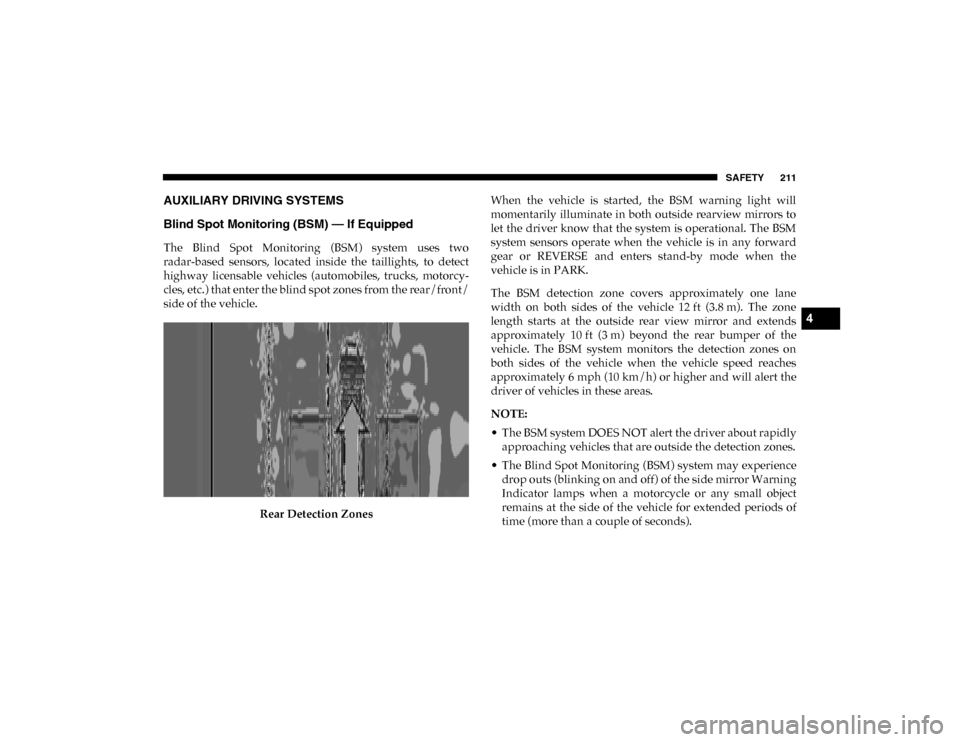
The Blind Spot Monitoring (BSM) system uses two
radar-based sensors, located inside the taillights, to detect
highway licensable vehicles (automobiles, trucks, motorcy-
cles, etc.) that enter the blind spot zones from the rear/front/
side of the vehicle.
Rear Detection Zones When the vehicle is started, the BSM warning light will
momentarily illuminate in both outside rearview mirrors to
let the driver know that the system is operational. The BSM
system sensors operate when the vehicle is in any forward
gear or REVERSE and enters stand-by mode when the
vehicle is in PARK.
The BSM detection zone covers approximately one lane
width on both sides of the vehicle 12 ft (3.8 m). The zone
length starts at the outside rear view mirror and extends
approximately 10 ft (3 m) beyond the rear bumper of the
vehicle. The BSM system monitors the detection zones on
both sides of the vehicle when the vehicle speed reaches
approximately 6 mph (10 km/h) or higher and will alert the
driver of vehicles in these areas.
NOTE:
• The BSM system DOES NOT alert the driver about rapidly
approaching vehicles that are outside the detection zones.
• The Blind Spot Monitoring (BSM) system may experience drop outs (blinking on and off) of the side mirror Warning
Indicator lamps when a motorcycle or any small object
remains at the side of the vehicle for extended periods of
time (more than a couple of seconds).
4
2020_DT_1500_OM_US.book Page 211
Page 215 of 674
SAFETY 213
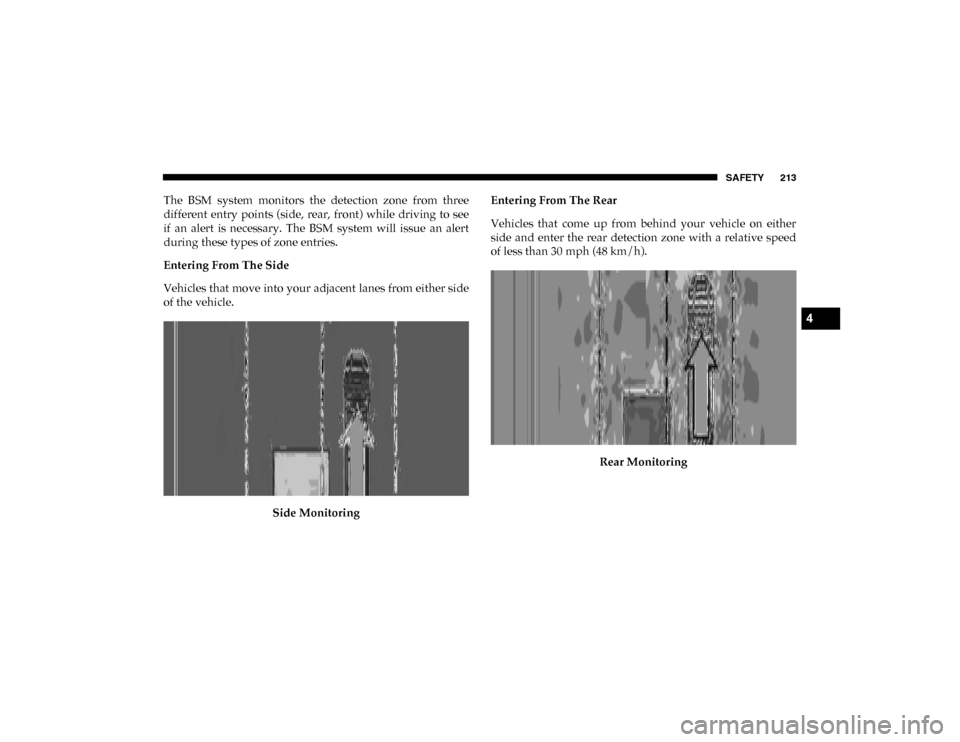
The BSM system monitors the detection zone from three
different entry points (side, rear, front) while driving to see
if an alert is necessary. The BSM system will issue an alert
during these types of zone entries.
Entering From The Side
Vehicles that move into your adjacent lanes from either side
of the vehicle.Side Monitoring Entering From The Rear
Vehicles that come up from behind your vehicle on either
side and enter the rear detection zone with a relative speed
of less than 30 mph (48 km/h).
Rear Monitoring
4
2020_DT_1500_OM_US.book Page 213
Page 224 of 674

222 SAFETY
La operación de este equipo está sujeta a las siguientes dos
condiciones:
1. es posible que este equipo o dispositivo no cause interfer-
encia perjudicial y
2. este equipo o dispositivo debe aceptar cualquier interfer- encia, incluyendo la que pueda causar su operación no
deseada.
NOTE:
Changes or modifications not expressly approved by the
party responsible for compliance could void the user’s
authority to operate the equipment.
Forward Collision Warning (FCW) With Mitigation — If
Equipped
The Forward Collision Warning (FCW) with Mitigation
system provides the driver with audible warnings, visual
warnings (within the instrument cluster display), and may
apply a brake jerk to warn the driver when it detects a poten -
tial frontal collision. The warnings and limited braking are
intended to provide the driver with enough time to react,
avoid or mitigate the potential collision. NOTE:
FCW monitors the information from the forward looking
sensors as well as the Electronic Brake Controller (EBC), to
calculate the probability of a forward collision. When the
system determines that a forward collision is probable, the
driver will be provided with audible and visual warnings as
well as a possible brake jerk warning.
If the driver does not take action based upon these progres
-
sive warnings, then the system will provide a limited level of
active braking to help slow the vehicle and mitigate the
potential forward collision. If the driver reacts to the warn -
ings by braking and the system determines that the driver
intends to avoid the collision by braking but has not applied
sufficient brake force, the system will compensate and
provide additional brake force as required.
If a FCW with Mitigation event begins at a speed below
32 mph (52 km/h), the system may provide the maximum braking possible to mitigate the potential forward collision.
If the Forward Collision Warning with Mitigation event
stops the vehicle completely, the system will hold the vehicle
at standstill for two seconds and then release the brakes.
2020_DT_1500_OM_US.book Page 222
Page 225 of 674
SAFETY 223
FCW Message
When the system determines a collision with the vehicle in
front of you is no longer probable, the warning message will
be deactivated.
NOTE:
• The minimum speed for FCW activation is 3 mph (5 km/h).
• The FCW alerts may be triggered on objects other than vehicles such as guard rails or sign posts based on the
course prediction. This is expected and is a part of normal
FCW activation and functionality. • It is unsafe to test the FCW system. To prevent such misuse
of the system, after four Active Braking events within a
key cycle, the Active Braking portion of FCW will be deac -
tivated until the next key cycle.
• The FCW system is intended for on-road use only. If the vehicle is taken off-road, the FCW system should be deac -
tivated to prevent unnecessary warnings to the surround -
ings.
WARNING!
Forward Collision Warning (FCW) is not intended to
avoid a collision on its own, nor can FCW detect every
type of potential collision. The driver has the
responsibility to avoid a collision by controlling the
vehicle via braking and steering. Failure to follow this
warning could lead to serious injury or death.4
2020_DT_1500_OM_US.book Page 223
Page 226 of 674

224 SAFETY
Turning FCW On or Off
The FCW button is located in the Uconnect display in the
control settings. Refer to “Uconnect Settings” in “Multi-
media” for further information.
• To turn the FCW system on, press the forward collision button once to turn the system on.
• To turn the FCW system off, press the forward collision button once to turn the system off.
NOTE:
• When the FCW is “on”, this allows the system to warn the driver of a possible collision with the vehicle in front.
• When the FCW is “off”, this prevents the system from warning the driver of a possible collision with the vehicle
in front. If the FCW is set to “off”, “FCW OFF" will be
displayed in the instrument cluster display.
• When FCW status is set to “Only Warning”, this prevents the system from providing limited active braking, or addi -
tional brake support if the driver is not braking adequately
in the event of a potential frontal collision. • When FCW status is set to “Warning and Braking”, this
allows the system to warn the driver of a possible collision
with the vehicle in front using audible/visual warnings
and it applies autonomous braking.
• The system will retain the last setting selected by the driver after ignition shutdown.
FCW Braking Status And Sensitivity
The FCW Sensitivity and Active Braking status are program -
mable through the Uconnect System. Refer to “Uconnect
Settings” in “Multimedia” for further information.
• Far
• When the sensitivity of FCW is set to the “Far” settingand the system status is “Only Warning “, this allows
the system to warn the driver of a possible more distant
collisions with the vehicle in front using audible/visual
warnings.
• More cautious drivers that do not mind frequent warn -
ings may prefer this setting.
2020_DT_1500_OM_US.book Page 224
Page 227 of 674

SAFETY 225
• Medium• When the sensitivity of FCW is set to the “Medium”setting and the system status is “Only Warning”, this
allows the system to warn the driver of a possible colli -
sion with the vehicle in front using audible/visual
warnings.
• Near • When the sensitivity of FCW is set to the “Near” settingand the system status is “Only Warning”, this allows
the system to warn the driver of a possible closer colli -
sions with the vehicle in front using audible/visual
warnings.
• This setting provides less reaction time than the “Far” and “Medium” settings, which allows for a more
dynamic driving experience.
• More dynamic or aggressive drivers that want to avoid frequent warnings may prefer this setting. FCW Limited Warning
If the instrument cluster displays “ACC/FCW Limited Func
-
tionality” or “ACC/FCW Limited Functionality Clean Front
Windshield” momentarily, there may be a condition that
limits FCW functionality. Although the vehicle is still drive -
able under normal conditions, the active braking may not be
fully available. Once the condition that limited the system
performance is no longer present, the system will return to
its full performance state. If the problem persists, see an
authorized dealer.
Service FCW Warning
If the system turns off, and the instrument cluster displays:
• ACC/FCW Unavailable Service Required
• Cruise/FCW Unavailable Service Required
This indicates there is an internal system fault. Although the
vehicle is still drivable under normal conditions, have the
system checked by an authorized dealer.
4
2020_DT_1500_OM_US.book Page 225
Page 237 of 674
SAFETY 235
(Continued)
Important Safety Precautions
Please pay close attention to the information in this section.
It tells you how to use your restraint system properly, to
keep you and your passengers as safe as possible.
Here are some simple steps you can take to minimize the risk
of harm from a deploying air bag:
1. Children 12 years old and under should always ridebuckled up in the rear seat of a vehicle with a rear seat.
2. A child who is not big enough to wear the vehicle seat belt properly (Refer to “Child Restraints” in this section for
further information) must be secured in the appropriate
child restraint or belt-positioning booster seat in a rear
seating position.
3. If a child from 2 to 12 years old (not in a rear-facing child restraint) must ride in the front passenger seat, move the
seat as far back as possible and use the proper child
restraint (Refer to “Child Restraints” in this section for
further information).
4. Never allow children to slide the shoulder belt behind them or under their arm. 5. You should read the instructions provided with your
child restraint to make sure that you are using it properly.
6. All occupants should always wear their lap and shoulder belts properly.
7. The driver and front passenger seats should be moved back as far as practical to allow the front air bags room to
inflate.
8. Do not lean against the door or window. If your vehicle has side air bags, and deployment occurs, the side air
bags will inflate forcefully into the space between occu -
pants and the door and occupants could be injured.
9. If the air bag system in this vehicle needs to be modified to accommodate a disabled person, refer to the
“Customer Assistance” section for customer service
contact information.
WARNING!
• Never place a rear-facing child restraint in front of an air bag. A deploying passenger front air bag can cause
death or serious injury to a child 12 years or younger,
including a child in a rear-facing child restraint.
4
2020_DT_1500_OM_US.book Page 235
Page 238 of 674
236 SAFETY
Seat Belt Systems
Buckle up even though you are an excellent driver, even on
short trips. Someone on the road may be a poor driver and
could cause a collision that includes you. This can happen far
away from home or on your own street.
Research has shown that seat belts save lives, and they can
reduce the seriousness of injuries in a collision. Some of the
worst injuries happen when people are thrown from the
vehicle. Seat belts reduce the possibility of ejection and the
risk of injury caused by striking the inside of the vehicle.
Everyone in a motor vehicle should be belted at all times.
Enhanced Seat Belt Use Reminder System (BeltAlert)
Driver And Passenger BeltAlert — If Equipped BeltAlert is a feature intended to remind the driver and
outboard front seat passenger (if equipped with outboard front passenger seat BeltAlert) to buckle their seat belts. The
BeltAlert feature is active whenever the ignition switch is in
the START or ON/RUN position.
Initial Indication
If the driver is unbuckled when the ignition switch is first in
the START or ON/RUN position, a chime will signal for a
few seconds. If the driver or outboard front seat passenger (if
equipped with outboard front passenger seat BeltAlert) is
unbuckled when the ignition switch is first in the START or
ON/RUN position the Seat Belt Reminder Light will turn on
and remain on until both outboard front seat belts are
buckled. The outboard front passenger seat BeltAlert is not
active when an outboard front passenger seat is unoccupied.
BeltAlert Warning Sequence
The BeltAlert warning sequence is activated when the
vehicle is moving above a specified vehicle speed range and
the driver or outboard front seat passenger is unbuckled (if
equipped with outboard front passenger seat BeltAlert) (the
outboard front passenger seat BeltAlert is not active when
the outboard front passenger seat is unoccupied). The
BeltAlert warning sequence starts by blinking the Seat Belt
Reminder Light and sounding an intermittent chime. Once
the BeltAlert warning sequence has completed, the Seat Belt
• Never install a rear-facing child restraint in the front
seat of a vehicle. Only use a rear-facing child restraint
in the rear seat. If the vehicle does not have a rear seat,
do not transport a rear-facing child restraint in that
vehicle.
WARNING! (Continued)
2020_DT_1500_OM_US.book Page 236