instrument cluster Ram 1500 2020 Repair Manual
[x] Cancel search | Manufacturer: RAM, Model Year: 2020, Model line: 1500, Model: Ram 1500 2020Pages: 674, PDF Size: 32.69 MB
Page 330 of 674
328 STARTING AND OPERATING
To assist with changing a spare tire, the air suspension system
has a feature which allows the automatic leveling to be disabled.
Refer to “Instrument Cluster Display” in “Getting To Know
Your Instrument Panel” for further information.
NOTE:
If equipped with a touch screen radio all enabling/disabling
of air suspension features must be done through the radio.
Refer to “Uconnect Settings” in “Multimedia” for further
information.
Air Suspension Modes
The Air Suspension system has multiple modes to protect the
system in unique situations:
AERO Mode
To improve aerodynamics, the air suspension system has a
feature which will put the vehicle into AERO height auto-
matically. Refer to “Instrument Cluster Display” in “Getting
To Know Your Instrument Panel” for further information. NOTE:
This mode is intended to be enabled with engine running.
Tire Jack Mode
To assist with changing a tire, the air suspension system has
a feature which allows the automatic leveling to be disabled.
Refer to “Instrument Cluster Display” in “Getting To Know
Your Instrument Panel” or “Uconnect Settings” in “Multi
-
media” if equipped with a touch screen radio for further
information.
NOTE:
This mode is intended to be enabled with engine running.
Transport Mode
For towing your vehicle with four wheels off the road, the air
suspension system has a feature which will put the vehicle
into Entry/Exit height and disable the automatic load
leveling system. Refer to “Instrument Cluster Display” in
“Getting To Know Your Instrument Panel” or “Uconnect
Settings” in “Multimedia” if equipped with a touch screen
radio for further information.
NOTE:
This mode is intended to be enabled with engine running.
WARNING!
The air suspension system uses a high pressure volume
of air to operate the system. To avoid personal injury or
damage to the system, see your authorized dealer for
service.
2020_DT_1500_OM_US.book Page 328
Page 331 of 674
STARTING AND OPERATING 329
Wheel Alignment Mode
Before performing a wheel alignment, this mode must be
enabled. Refer to “Instrument Cluster Display” in “Getting
To Know Your Instrument Panel” or “Uconnect Settings” in
“Multimedia” if equipped with a touch screen radio for
further information.
NOTE:
This mode is intended to be enabled with engine running.
Protection Strategy
In order to “protect” the air suspension system, the vehicle
will disable load leveling as required (suspension over-
loaded, battery charge low, etc.). Load leveling will automat -
ically resume as soon as system operation requirements are
met. See your authorized dealer if system does not resume.
NOTE:
If towing with air suspension refer to “Trailer Towing” in
“Starting And Operating” for further information.
Instrument Cluster Display Messages
When the appropriate conditions exist, a message will
appear in the instrument cluster display. Refer to “Instru-
ment Cluster Display” in “Getting To Know Your Instru-
ment Panel” for further information. An audible chime will be heard whenever a system error has
been detected.
See an authorized dealer for system service if normal opera
-
tion does not resume.
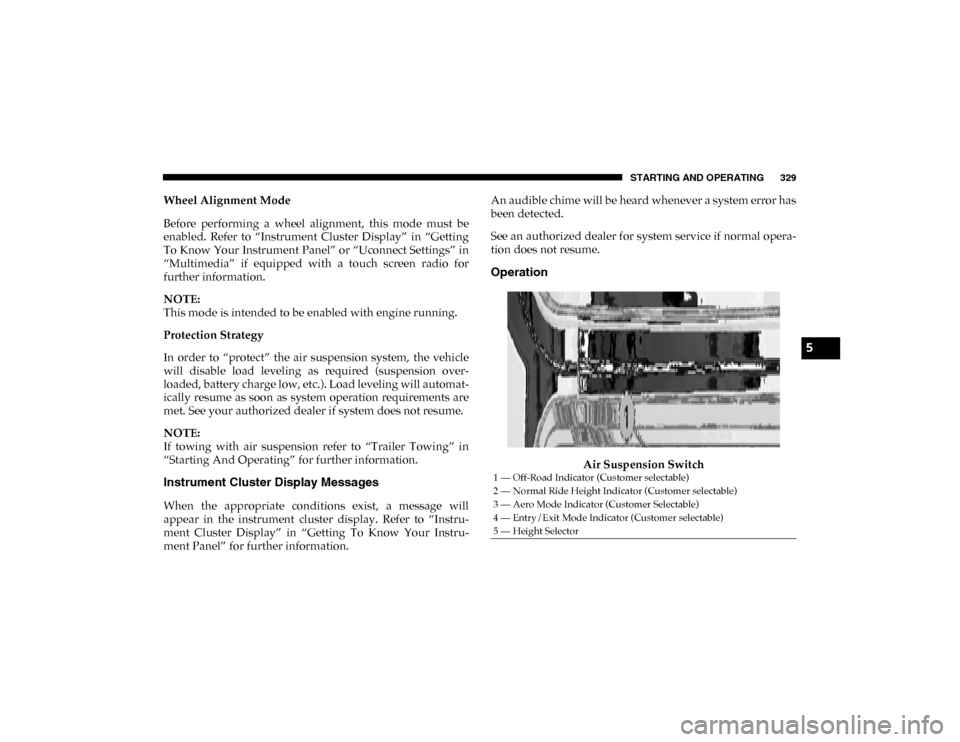
Operation
Air Suspension Switch
1 — Off-Road Indicator (Customer selectable)
2 — Normal Ride Height Indicator (Customer selectable)
3 — Aero Mode Indicator (Customer Selectable)
4 — Entry/Exit Mode Indicator (Customer selectable)
5 — Height Selector
5
2020_DT_1500_OM_US.book Page 329
Page 332 of 674

330 STARTING AND OPERATING
The indicator lamps 1 through 4 will illuminate to show the
current position of the vehicle. Flashing indicator lamps will
show a position which the system is working to achieve.
When raising or lowering, the flashing indicator lamp is the
position the system is working to achieve.
Pushing the height selector switch up once will move the
suspension one position higher from the current position,
assuming all conditions are met (i.e. key in ON/RUN posi-
tion, engine running, speed below threshold, etc). The height
selector switch can be pushed up multiple times, each push
will raise the requested level by one position up to a
maximum position of OR or the highest position allowed
based on current conditions (i.e. vehicle speed, etc).
Pushing the height selector switch down once will move the
suspension one position lower from the current level,
assuming all conditions are met (i.e. key in ON/RUN posi -
tion, engine running, doors closed, speed below threshold,
etc). The height selector switch can be pushed down multiple
times, each push will lower the requested level by one posi -
tion down to a minimum of Entry/Exit Mode or the lowest
position allowed based on current conditions (i.e. vehicle
speed, etc.)
Automatic height changes will occur based on vehicle speed
and the current vehicle height. The indicator lamps and instrument cluster display messages will operate the same
for automatic changes and user requested changes.
• Off-Road 1 (OR1) – Indicator lamps 4, 3, 2, and 1 will be
illuminated when the vehicle is in OR1.
• Normal Ride Height (NRH) – Indicator lamps 4, 3, and 2 will be illuminated when the vehicle is in this position.
• Aero Mode – Indicator lamps 4 and 3 will be illuminated when the vehicle is in this position.
• Entry/Exit Mode – Indicator lamp 4 will be illuminated when the vehicle is in Entry Exit Mode. Entry/Exit mode
can be requested up to 33 mph (53 km/h). If vehicle speed
is reduced to, and kept below, 15 mph (24 km/h) indicator
lamp 3 will flash and indicator lamp 4 will remain solid
until Entry/Exit Mode is achieved at which point indicator
lamp 3 will turn off.
• Transport Mode – No indicator lamps will be illuminated. Transport Mode is disabled by driving the vehicle.
• Tire/Jack Mode – Indicator lamps 4 and 1 will be illumi -
nated. Tire/Jack Mode is disabled by driving the vehicle.
• Wheel Alignment Mode – Indicator lamps 2, 3, and 4 will be illuminated. Wheel Alignment Mode is disabled by
driving the vehicle.
2020_DT_1500_OM_US.book Page 330
Page 335 of 674

STARTING AND OPERATING 333
POWER STEERING
Electric Power Steering
The electric power steering system will give you effective
vehicle response and increased ease of maneuverability in
tight spaces. The system will vary its assist to provide light
efforts while parking and proper feel while driving. If the
electric steering system experiences a fault that prevents it
from providing assist, you will still have the ability to steer
the vehicle manually.
If the Steering icon is flashing, it indicates that the vehicle
needs to be taken to the dealer for service. It is likely the
vehicle has lost power steering assistance.
If the Steering icon is displayed and the “POWER STEERING
SYSTEM OVER TEMP” message is displayed on the instru-
ment cluster screen, they indicate that extreme steering
maneuvers may have occurred which caused an over
temperature condition in the power steering system. Once
driving conditions are safe, pull over and let the vehicle idle
for a few moments until the icon and message turn off. Refer
to “Instrument Cluster Display” in “Getting To Know Your
Instrument Panel” for further information.
If the Steering icon is displayed and the “SERVICE POWER
STEERING – ASSIST OFF” message is displayed the instru-ment cluster screen, they indicate the vehicle needs to be
taken to the dealer for service. Refer to “Instrument Cluster
Display” in “Getting To Know Your Instrument Panel” for
further information.
NOTE:
• Even if the power steering assistance is no longer opera
-
tional, it is still possible to steer the vehicle. Under these
conditions there will be a substantial increase in steering
effort, especially at low speeds and during parking
maneuvers.
• If the condition persists, see your authorized dealer for service.
FUEL SAVER TECHNOLOGY 5.7L ENGINES ONLY —
IF EQUIPPED
This feature offers improved fuel economy by shutting off
four of the engine's eight cylinders during light load and
cruise conditions. The system is automatic with no driver
inputs or additional driving skills required.
NOTE:
This system may take some time to return to full function -
ality after a battery disconnect.
5
2020_DT_1500_OM_US.book Page 333
Page 336 of 674

334 STARTING AND OPERATING
STOP/START SYSTEM — IF EQUIPPED
The Stop/Start function is developed to save fuel and reduce
emissions. The system will stop the engine automatically
during a vehicle stop if the required conditions are met.
Releasing the brake pedal or shifting out of DRIVE will auto-
matically restart the engine.
Vehicles equipped with eTorque contain a heavy duty motor
generator and an additional hybrid electric battery to store
energy from vehicle deceleration for use on engine startup
after a stop as well as providing launch torque assist.
Automatic Mode
The Stop/Start feature is enabled after every normal
customer engine start. It will remain in STOP/START NOT
READY until you drive forward with a vehicle speed greater
than 2 mph (3 km/h). At that time, the system will go into
STOP/START READY and if all other conditions are met,
can go into an STOP/START AUTO STOP ACTIVE
“Autostop” mode.
To Activate The Autostop Mode, The Following Must
Occur:
1. The system must be in STOP/START READY state. A STOP/START READY message will be displayed in the instrument cluster within the Stop/Start section. Refer to
“Instrument Cluster Display” in “Getting To know Your
Instrument Panel” for further information.
2. The vehicle must be completely stopped.
3. The transmission Gear Selector must be in DRIVE and the brake pedal depressed.
The engine will shut down, the tachometer will move to the
zero position and the stop/start telltale will illuminate indi -
cating you are in an Autostop. While in an Autostop, the
Climate Controls system may automatically adjust airflow to
maintain cabin comfort. Customer settings will be main -
tained upon return to an engine running condition.
Possible Reasons The Engine Does Not Autostop
Prior to engine shut down, the system will check many safety
and comfort conditions to see if they are fulfilled. In
following situations, the engine will not Autostop:
• Driver’s seat belt is not buckled
• Driver’s door is not closed
• The vehicle is on a steep grade
• Cabin heating or cooling is in process and an acceptable cabin temperature has not been achieved
2020_DT_1500_OM_US.book Page 334
Page 338 of 674
336 STARTING AND OPERATING
Conditions That Force An Automatic Shift To Park While
In Autostop Mode
The engine will not start automatically and the transmission
will be placed in PARK if:
• The driver door is open and brake pedal released.
• The driver door is open and the driver seat belt isunbuckled.
• The engine hood has been opened.
• A STOP/START system error present.
The engine may then be restarted by moving the transmis -
sion shift selector out of PARK (e.g. to DRIVE) or, in some
cases, only by a KEY START. The instrument cluster will
display a SHIFT OUT OF PARK message, or a STOP/START
KEY START REQUIRED message, to indicate which action is
required.
Refer to “Instrument Cluster Display” in “Getting To Know
Your Instrument Panel” for further information.To Manually Turn Off The Stop Start System
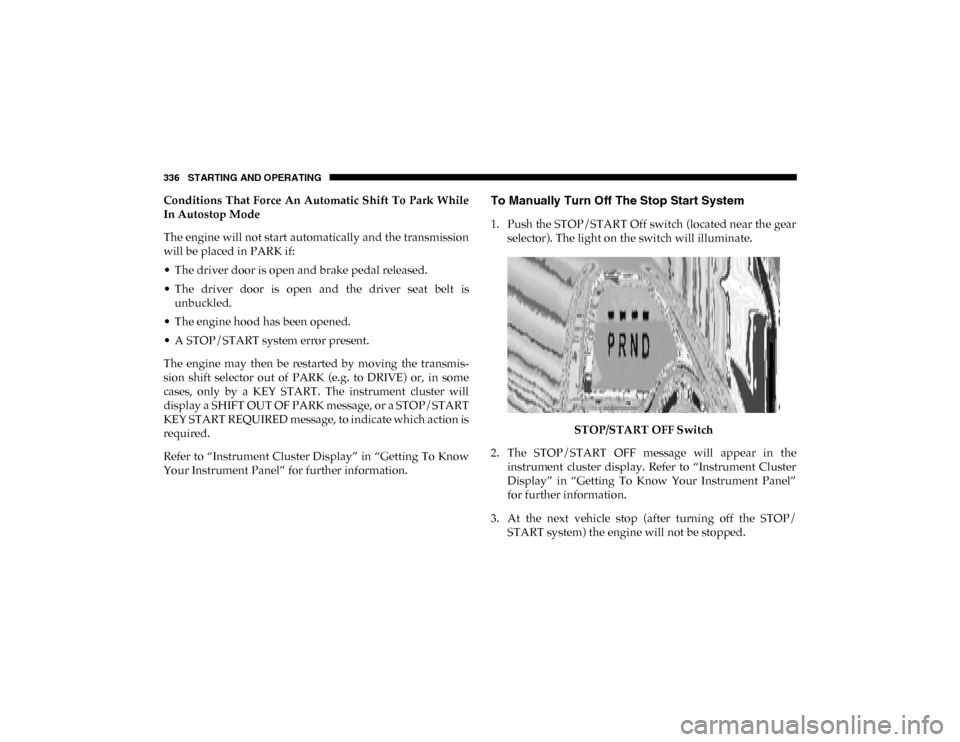
1. Push the STOP/START Off switch (located near the gear selector). The light on the switch will illuminate.
STOP/START OFF Switch
2. The STOP/START OFF message will appear in the instrument cluster display. Refer to “Instrument Cluster
Display” in “Getting To Know Your Instrument Panel”
for further information.
3. At the next vehicle stop (after turning off the STOP/ START system) the engine will not be stopped.
2020_DT_1500_OM_US.book Page 336
Page 339 of 674

STARTING AND OPERATING 337
4. If the STOP/START system is manually turned off, theengine can be started and stopped by cycling the ignition
switch or pressing the STOP/START switch again.
5. The STOP/START system will reset itself back to an ON condition every time the key is turned off and back on.
To Manually Turn On The Stop Start System
1. Push the STOP/START Off switch (located near the gearselector module).
2. The light on the switch will turn off.
System Malfunction
If there is a malfunction in the STOP/START system, the
system will not shut down the engine. A “SERVICE STOP/
START SYSTEM” message will appear in the instrument
cluster display. Refer to “Instrument Cluster Display” in
“Getting To Know Your Instrument Panel” for further infor -
mation.
The system will need to be checked by your authorized
dealer.
SPEED CONTROL — IF EQUIPPED
When engaged, the Speed Control takes over accelerator
operations at speeds greater than 20 mph (32 km/h).
The Speed Control buttons are located on the right side of the
steering wheel.
Speed Control Buttons
1 — CANC/Cancel
2 — SET (+)/Accel
3 — On/Off
4 — RES/Resume
5 — SET (-)/Decel
5
2020_DT_1500_OM_US.book Page 337
Page 340 of 674

338 STARTING AND OPERATING
NOTE:
In order to ensure proper operation, the Speed Control
system has been designed to shut down if multiple Speed
Control functions are operated at the same time. If this
occurs, the Speed Control system can be reactivated by
pushing the Speed Control on/off button and resetting the
desired vehicle set speed.
To Activate
Push the On/Off button to activate the Speed Control. The
cruise indicator light in the instrument cluster display will
illuminate. To turn the system off, push the On/Off button a
second time. The cruise indicator light will turn off. The
system should be turned off when not in use.
To Set A Desired Speed
Turn the Speed Control on.
NOTE:
The vehicle should be traveling at a steady speed and on
level ground before pushing the SET (+) or SET (-) button.
When the vehicle has reached the desired speed, push the
SET (+) or SET (-) button and release. Release the accelerator
and the vehicle will operate at the selected speed.
To Vary The Speed Setting
To Increase Speed
When the Speed Control is set, you can increase speed by
pushing the SET (+) button.
WARNING!
Speed Control can be dangerous where the system
cannot maintain a constant speed. Your vehicle could go
too fast for the conditions, and you could lose control
and have an accident. Do not use Speed Control in heavy
traffic or on roads that are winding, icy, snow-covered or
slippery.
WARNING!
Leaving the Speed Control system on when not in use is
dangerous. You could accidentally set the system or
cause it to go faster than you want. You could lose
control and have an accident. Always leave the system
off when you are not using it.
2020_DT_1500_OM_US.book Page 338
Page 341 of 674

STARTING AND OPERATING 339
The driver’s preferred units can be selected through the
instrument panel settings. Refer to ”Instrument Cluster
Display” in “Getting To Know Your Instrument Panel” for
more information. The speed increment shown is dependent
on the chosen speed unit of U.S. (mph) or Metric (km/h):
U.S. Speed (mph)
• Pushing the SET (+) button once will result in a 1 mph
increase in set speed. Each subsequent tap of the button
results in an increase of 1 mph.
• If the button is continually pushed, the set speed will continue to increase until the button is released, then the
new set speed will be established.
Metric Speed (km/h)
• Pushing the SET (+) button once will result in a 1 km/h
increase in set speed. Each subsequent tap of the button
results in an increase of 1 km/h.
• If the button is continually pushed, the set speed will continue to increase until the button is released, then the
new set speed will be established.
To Decrease Speed
When the Speed Control is set, you can decrease speed by
pushing the SET (-) button. The driver’s preferred units can be selected through the
instrument panel settings. Refer to ”Instrument Cluster
Display” in “Getting To Know Your Instrument Panel” for
more information. The speed increment shown is dependent
on the chosen speed unit of U.S. (mph) or Metric (km/h):
U.S. Speed (mph)
• Pushing the SET (-) button once will result in a 1 mph
decrease in set speed. Each subsequent tap of the button
results in a decrease of 1 mph.
• If the button is continually pushed, the set speed will continue to decrease until the button is released, then the
new set speed will be established.
Metric Speed (km/h)
• Pushing the SET (-) button once will result in a 1 km/h
decrease in set speed. Each subsequent tap of the button
results in a decrease of 1 km/h.
• If the button is continually pushed, the set speed will continue to decrease until the button is released, then the
new set speed will be established.
5
2020_DT_1500_OM_US.book Page 339
Page 345 of 674

STARTING AND OPERATING 343
NOTE:
Any chassis/suspension or tire size modifications to the
vehicle will effect the performance of the Adaptive Cruise
Control and Forward Collision Warning System.
Activating Adaptive Cruise Control (ACC)
You can only engage ACC if the vehicle speed is above
0 mph (0 km/h).
The minimum set speed for the ACC system is 20 mph
(32 km/h).
When the system is turned on and in the ready state, the
instrument cluster display will read “ACC Ready.”
When the system is off, the instrument cluster display will
read “Adaptive Cruise Control (ACC) Off.”NOTE:
You cannot engage ACC under the following conditions:
• When in Four-Wheel Drive Low
• When you apply the brakes
• When the parking brake is applied
• When the automatic transmission is in PARK, REVERSE or
NEUTRAL
• When the vehicle speed is outside of the speed range
• When the brakes are overheated
• When the driver door is open at low speed
• When the driver seat belt is unbuckled at low speed
• ESC Full-Off Mode is active
5
2020_DT_1500_OM_US.book Page 343