flat tire RAM 1500 2021 Owners Manual
[x] Cancel search | Manufacturer: RAM, Model Year: 2021, Model line: 1500, Model: RAM 1500 2021Pages: 496, PDF Size: 20.89 MB
Page 8 of 496
6
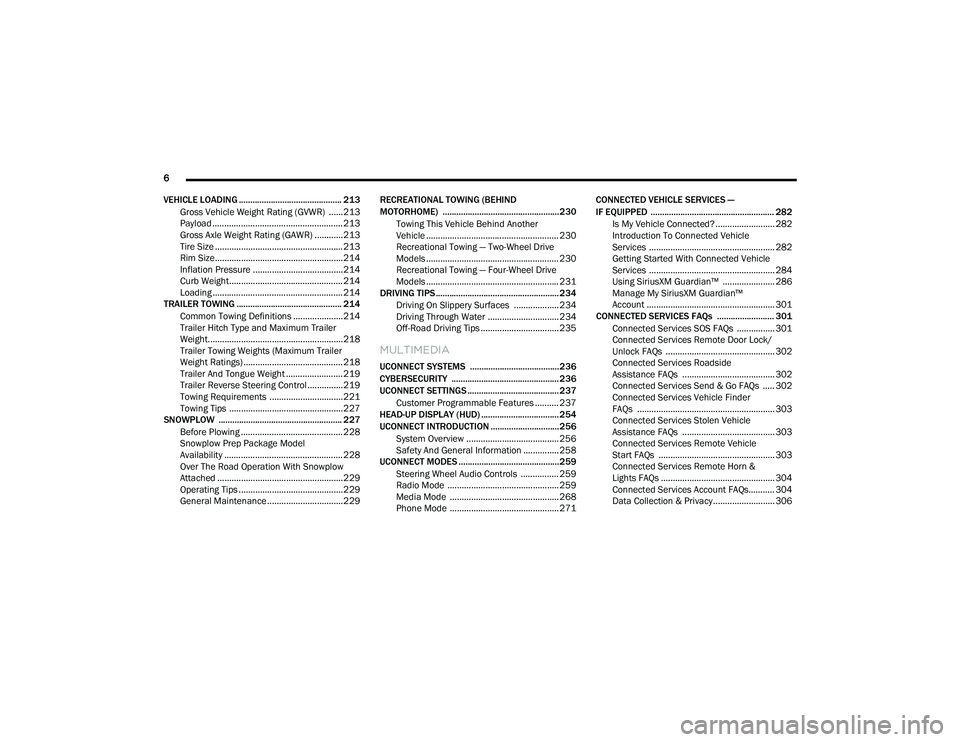
VEHICLE LOADING ............................................. 213 Gross Vehicle Weight Rating (GVWR) ......213Payload .......................................................213Gross Axle Weight Rating (GAWR) ............213
Tire Size ......................................................213
Rim Size......................................................214
Inflation Pressure ......................................214
Curb Weight................................................214
Loading .......................................................214
TRAILER TOWING .............................................. 214
Common Towing Definitions .....................214Trailer Hitch Type and Maximum Trailer
Weight.........................................................218 Trailer Towing Weights (Maximum Trailer
Weight Ratings) ..........................................218 Trailer And Tongue Weight ........................ 219Trailer Reverse Steering Control ...............219
Towing Requirements ...............................221
Towing Tips ................................................227
SNOWPLOW ...................................................... 227
Before Plowing ........................................... 228
Snowplow Prep Package Model
Availability .................................................. 228 Over The Road Operation With Snowplow
Attached .....................................................229 Operating Tips ............................................229
General Maintenance ................................229 RECREATIONAL TOWING (BEHIND
MOTORHOME) ...................................................230
Towing This Vehicle Behind Another
Vehicle ........................................................ 230 Recreational Towing — Two-Wheel Drive
Models ........................................................ 230 Recreational Towing — Four-Wheel Drive
Models ........................................................ 231
DRIVING TIPS ...................................................... 234
Driving On Slippery Surfaces ................... 234
Driving Through Water .............................. 234
Off-Road Driving Tips ................................. 235
MULTIMEDIA
UCONNECT SYSTEMS .......................................236
CYBERSECURITY ............................................... 236
UCONNECT SETTINGS ........................................ 237Customer Programmable Features .......... 237
HEAD-UP DISPLAY (HUD) .................................. 254
UCONNECT INTRODUCTION ..............................256
System Overview ....................................... 256Safety And General Information ............... 258
UCONNECT MODES ............................................259
Steering Wheel Audio Controls ................ 259
Radio Mode ............................................... 259Media Mode .............................................. 268
Phone Mode .............................................. 271 CONNECTED VEHICLE SERVICES —
IF EQUIPPED ...................................................... 282
Is My Vehicle Connected? ......................... 282
Introduction To Connected Vehicle
Services ..................................................... 282 Getting Started With Connected Vehicle
Services ..................................................... 284 Using SiriusXM Guardian™ ...................... 286
Manage My SiriusXM Guardian™
Account ...................................................... 301
CONNECTED SERVICES FAQs ......................... 301
Connected Services SOS FAQs ................ 301
Connected Services Remote Door Lock/
Unlock FAQs .............................................. 302 Connected Services Roadside
Assistance FAQs ....................................... 302 Connected Services Send & Go FAQs ..... 302Connected Services Vehicle Finder
FAQs .......................................................... 303 Connected Services Stolen Vehicle
Assistance FAQs ....................................... 303 Connected Services Remote Vehicle
Start FAQs ................................................. 303 Connected Services Remote Horn &
Lights FAQs ................................................ 304 Connected Services Account FAQs........... 304
Data Collection & Privacy .......................... 306
21_DT_OM_EN_USC_t.book Page 6
Page 9 of 496
7
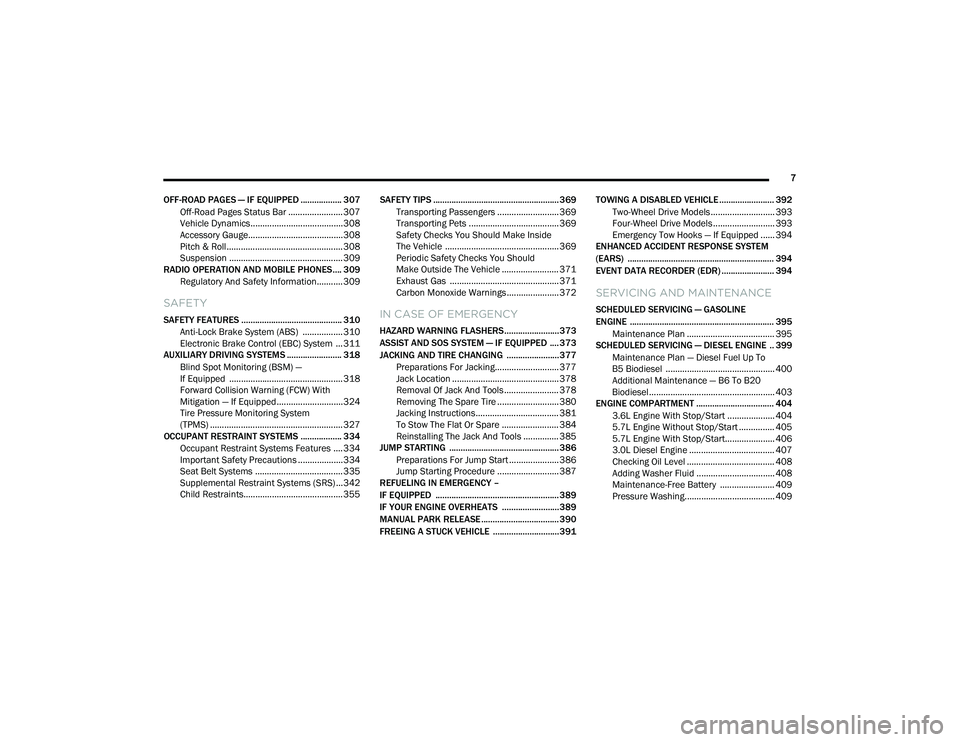
OFF-ROAD PAGES — IF EQUIPPED .................. 307 Off-Road Pages Status Bar .......................307
Vehicle Dynamics.......................................308
Accessory Gauge........................................308
Pitch & Roll .................................................308
Suspension ................................................309
RADIO OPERATION AND MOBILE PHONES.... 309
Regulatory And Safety Information........... 309
SAFETY
SAFETY FEATURES ............................................ 310 Anti-Lock Brake System (ABS) ................. 310
Electronic Brake Control (EBC) System ...311
AUXILIARY DRIVING SYSTEMS ........................ 318
Blind Spot Monitoring (BSM) —
If Equipped ................................................318 Forward Collision Warning (FCW) With
Mitigation — If Equipped............................324 Tire Pressure Monitoring System
(TPMS) ........................................................ 327
OCCUPANT RESTRAINT SYSTEMS .................. 334
Occupant Restraint Systems Features ....334
Important Safety Precautions ...................334Seat Belt Systems ..................................... 335Supplemental Restraint Systems (SRS) ...342Child Restraints..........................................355 SAFETY TIPS ....................................................... 369
Transporting Passengers .......................... 369Transporting Pets ...................................... 369
Safety Checks You Should Make Inside
The Vehicle ................................................ 369 Periodic Safety Checks You Should
Make Outside The Vehicle ........................ 371 Exhaust Gas .............................................. 371
Carbon Monoxide Warnings ...................... 372IN CASE OF EMERGENCY
HAZARD WARNING FLASHERS........................373
ASSIST AND SOS SYSTEM — IF EQUIPPED .... 373
JACKING AND TIRE CHANGING .......................377 Preparations For Jacking........................... 377
Jack Location ............................................. 378
Removal Of Jack And Tools ....................... 378
Removing The Spare Tire .......................... 380Jacking Instructions ................................... 381
To Stow The Flat Or Spare ........................ 384
Reinstalling The Jack And Tools ............... 385
JUMP STARTING ................................................ 386
Preparations For Jump Start ..................... 386Jump Starting Procedure .......................... 387
REFUELING IN EMERGENCY –
IF EQUIPPED ...................................................... 389
IF YOUR ENGINE OVERHEATS .........................389
MANUAL PARK RELEASE .................................. 390
FREEING A STUCK VEHICLE .............................391 TOWING A DISABLED VEHICLE ........................ 392
Two-Wheel Drive Models ........................... 393
Four-Wheel Drive Models .......................... 393
Emergency Tow Hooks — If Equipped ...... 394
ENHANCED ACCIDENT RESPONSE SYSTEM
(EARS) ................................................................ 394
EVENT DATA RECORDER (EDR) ....................... 394
SERVICING AND MAINTENANCE
SCHEDULED SERVICING — GASOLINE
ENGINE ............................................................... 395
Maintenance Plan ..................................... 395
SCHEDULED SERVICING — DIESEL ENGINE .. 399
Maintenance Plan — Diesel Fuel Up To
B5 Biodiesel .............................................. 400 Additional Maintenance — B6 To B20
Biodiesel..................................................... 403
ENGINE COMPARTMENT .................................. 404
3.6L Engine With Stop/Start .................... 404
5.7L Engine Without Stop/Start ............... 4055.7L Engine With Stop/Start..................... 406
3.0L Diesel Engine .................................... 407Checking Oil Level ..................................... 408
Adding Washer Fluid ................................. 408Maintenance-Free Battery ....................... 409Pressure Washing...................................... 409
21_DT_OM_EN_USC_t.book Page 7
Page 133 of 496

GETTING TO KNOW YOUR INSTRUMENT PANEL131
Electronic Stability Control (ESC) OFF
Warning Light — If Equipped
This warning light indicates the ESC is
off.
Each time the ignition is turned to ON/RUN or
ACC/ON/RUN, the ESC system will be on, even
if it was turned off previously.
Service LaneSense Warning Light — If
Equipped
This warning light will illuminate when
the LaneSense system is not
operating and requires service.
Please contact an authorized dealer.
Low Washer Fluid Warning Light — If
Equipped
This warning light will illuminate when
the windshield washer fluid is low.
Low Fuel Warning Light
When the fuel level is less than a ¼
tank, and the Distance to Empty is
less than 50 miles, this light will turn
on and remain on until fuel is added. A single warning chime will sound with Low Fuel
Warning.
Tire Pressure Monitoring System (TPMS)
Warning Light
The warning light switches on and a
message is displayed to indicate that
the tire pressure is lower than the
recommended value and/or that slow
pressure loss is occurring. In these cases,
optimal tire duration and fuel consumption may
not be guaranteed.
Should one or more tires be in the condition
mentioned above, the display will show the
indications corresponding to each tire.
Each tire, including the spare (if provided),
should be checked monthly when cold and
inflated to the inflation pressure recommended by the vehicle manufacturer on the vehicle
placard or tire inflation pressure label. If your
vehicle has tires of a different size than the size
indicated on the vehicle placard or tire inflation
pressure label, you should determine the
proper tire inflation pressure for those tires.
As an added safety feature, your vehicle has
been equipped with a Tire Pressure Monitoring
System (TPMS) that illuminates a low tire
pressure telltale when one or more of your tires
is significantly under-inflated. Accordingly, when
the low tire pressure telltale illuminates, you
should stop and check your tires as soon as
possible, and inflate them to the proper
pressure. Driving on a significantly
under-inflated tire causes the tire to overheat
and can lead to tire failure. Under-inflation also
reduces fuel efficiency and tire tread life, and
may affect the vehicle’s handling and stopping
ability.
Please note that the TPMS is not a substitute for
proper tire maintenance, and it is the driver’s
responsibility to maintain correct tire pressure,
even if under-inflation has not reached the level
to trigger illumination of the TPMS low tire
pressure telltale.
CAUTION!
Do not continue driving with one or more flat
tires as handling may be compromised. Stop
the vehicle, avoiding sharp braking and
steering. If a tire puncture occurs, repair
immediately using the dedicated tire repair
kit and contact an authorized dealer as soon
as possible.
3
21_DT_OM_EN_USC_t.book Page 131
Page 216 of 496
214STARTING AND OPERATING
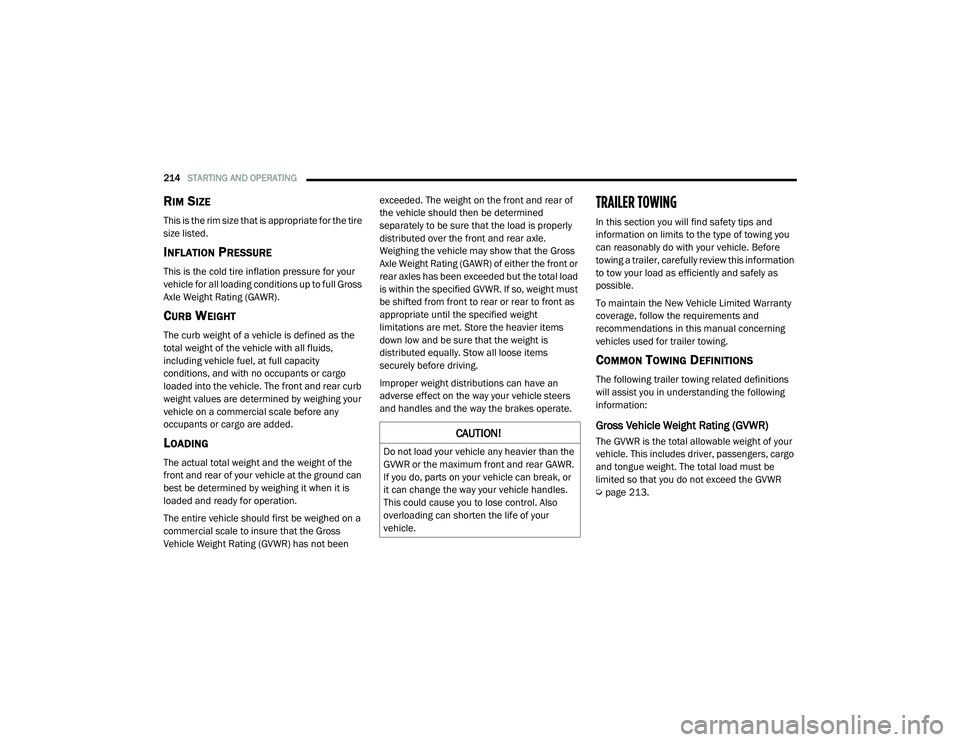
RIM SIZE
This is the rim size that is appropriate for the tire
size listed.
INFLATION PRESSURE
This is the cold tire inflation pressure for your
vehicle for all loading conditions up to full Gross
Axle Weight Rating (GAWR).
CURB WEIGHT
The curb weight of a vehicle is defined as the
total weight of the vehicle with all fluids,
including vehicle fuel, at full capacity
conditions, and with no occupants or cargo
loaded into the vehicle. The front and rear curb
weight values are determined by weighing your
vehicle on a commercial scale before any
occupants or cargo are added.
LOADING
The actual total weight and the weight of the
front and rear of your vehicle at the ground can
best be determined by weighing it when it is
loaded and ready for operation.
The entire vehicle should first be weighed on a
commercial scale to insure that the Gross
Vehicle Weight Rating (GVWR) has not been exceeded. The weight on the front and rear of
the vehicle should then be determined
separately to be sure that the load is properly
distributed over the front and rear axle.
Weighing the vehicle may show that the Gross
Axle Weight Rating (GAWR) of either the front or
rear axles has been exceeded but the total load
is within the specified GVWR. If so, weight must
be shifted from front to rear or rear to front as
appropriate until the specified weight
limitations are met. Store the heavier items
down low and be sure that the weight is
distributed equally. Stow all loose items
securely before driving.
Improper weight distributions can have an
adverse effect on the way your vehicle steers
and handles and the way the brakes operate.
TRAILER TOWING
In this section you will find safety tips and
information on limits to the type of towing you
can reasonably do with your vehicle. Before
towing a trailer, carefully review this information
to tow your load as efficiently and safely as
possible.
To maintain the New Vehicle Limited Warranty
coverage, follow the requirements and
recommendations in this manual concerning
vehicles used for trailer towing.
COMMON TOWING DEFINITIONS
The following trailer towing related definitions
will assist you in understanding the following
information:
Gross Vehicle Weight Rating (GVWR)
The GVWR is the total allowable weight of your
vehicle. This includes driver, passengers, cargo
and tongue weight. The total load must be
limited so that you do not exceed the GVWR
Ú
page 213.CAUTION!
Do not load your vehicle any heavier than the
GVWR or the maximum front and rear GAWR.
If you do, parts on your vehicle can break, or
it can change the way your vehicle handles.
This could cause you to lose control. Also
overloading can shorten the life of your
vehicle.
21_DT_OM_EN_USC_t.book Page 214
Page 224 of 496

222STARTING AND OPERATING
Towing Requirements — Tires
Do not attempt to tow a trailer while using a
compact spare tire.
Do not drive more than 50 mph (80 km/h)
when towing while using a full size spare tire.
Proper tire inflation pressures are essential
to the safe and satisfactory operation of your
vehicle.
Check the trailer tires for proper tire inflation
pressures before trailer usage.
Check for signs of tire wear or visible tire
damage before towing a trailer.
Replacing tires with a higher load carrying
capacity will not increase the vehicle's GVWR
and GAWR limits.
For further information Ú page 443.
Towing Requirements — Trailer Brakes
Do not interconnect the hydraulic brake
system or vacuum system of your vehicle
with that of the trailer.
An electronically actuated trailer brake
controller is required when towing a trailer
with electronically actuated brakes. When
towing a trailer equipped with a hydraulic
surge actuated brake system, an electronic
brake controller is not required.
Trailer brakes are recommended for trailers
over 1,000 lbs (453 kg) and required for
trailers in excess of 2,000 lbs (907 kg).
Vehicles with trailers should not be parked
on a grade. When parking, apply the
parking brake on the tow vehicle. Put the
tow vehicle transmission in PARK. For
four-wheel drive vehicles, make sure the
transfer case is not in NEUTRAL. Always,
block or "chock" the trailer wheels.
GCWR must not be exceeded.
Total weight must be distributed between
the tow vehicle and the trailer such that the
following four ratings are not exceeded :
GVWR
GTW
GAWR
Tongue weight rating for the trailer
hitch utilized.
WARNING! (Continued)WARNING!
Do not connect trailer brakes to your
vehicle's hydraulic brake lines. It can over -
load your brake system and cause it to fail.
You might not have brakes when you need
them and could have an accident.
Towing any trailer will increase your stop -
ping distance. When towing, you should
allow for additional space between your
vehicle and the vehicle in front of you.
Failure to do so could result in an accident.
CAUTION!
If the trailer weighs more than 1,000 lbs
(453 kg) loaded, it should have its own
brakes and they should be of adequate
capacity. Failure to do this could lead to
accelerated brake lining wear, higher brake
pedal effort, and longer stopping distances.
21_DT_OM_EN_USC_t.book Page 222
Page 251 of 496
MULTIMEDIA249
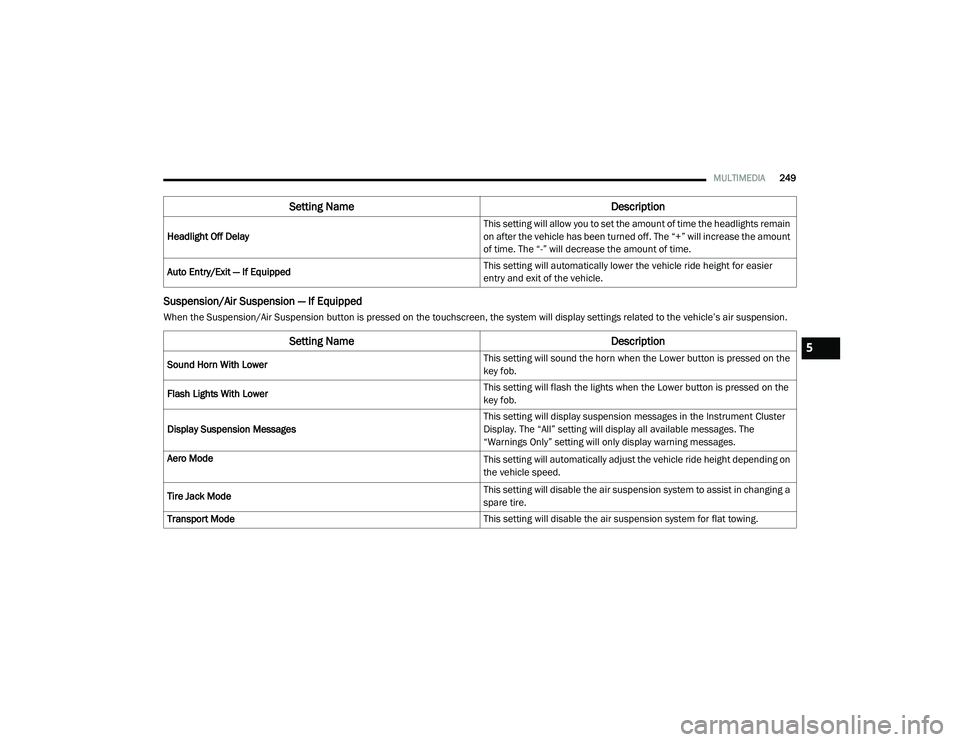
Suspension/Air Suspension — If Equipped
When the Suspension/Air Suspension button is pressed on the touchscreen, the system will display settings related to the vehicle’s air suspension.Headlight Off Delay
This setting will allow you to set the amount of time the headlights remain
on after the vehicle has been turned off. The “+” will increase the amount
of time. The “-” will decrease the amount of time.
Auto Entry/Exit — If Equipped This setting will automatically lower the vehicle ride height for easier
entry and exit of the vehicle.
Setting Name
Description
Setting NameDescription
Sound Horn With Lower This setting will sound the horn when the Lower button is pressed on the
key fob.
Flash Lights With Lower This setting will flash the lights when the Lower button is pressed on the
key fob.
Display Suspension Messages This setting will display suspension messages in the Instrument Cluster
Display. The “All” setting will display all available messages. The
“Warnings Only” setting will only display warning messages.
Aero Mode
This setting will automatically adjust the vehicle ride height depending on
the vehicle speed.
Tire Jack Mode This setting will disable the air suspension system to assist in changing a
spare tire.
Transport Mode This setting will disable the air suspension system for flat towing.
5
21_DT_OM_EN_USC_t.book Page 249
Page 252 of 496
250MULTIMEDIA
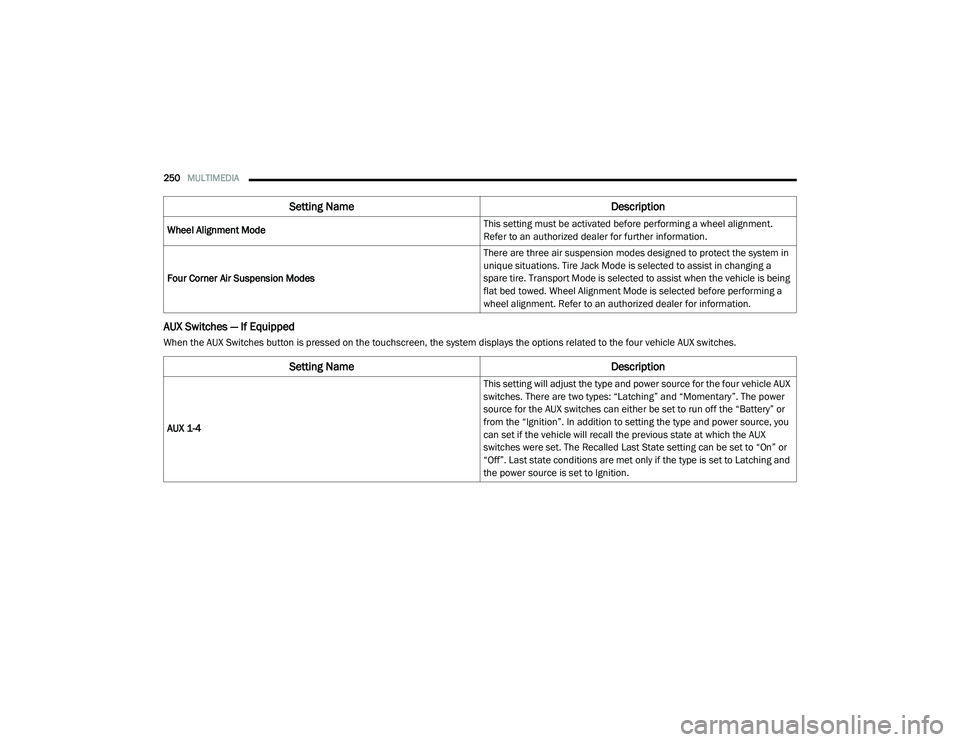
AUX Switches — If Equipped
When the AUX Switches button is pressed on the touchscreen, the system displays the options related to the four vehicle AUX switches.Wheel Alignment Mode
This setting must be activated before performing a wheel alignment.
Refer to an authorized dealer for further information.
Four Corner Air Suspension Modes There are three air suspension modes designed to protect the system in
unique situations. Tire Jack Mode is selected to assist in changing a
spare tire. Transport Mode is selected to assist when the vehicle is being
flat bed towed. Wheel Alignment Mode is selected before performing a
wheel alignment. Refer to an authorized dealer for information.
Setting Name
Description
Setting NameDescription
AUX 1-4 This setting will adjust the type and power source for the four vehicle AUX
switches. There are two types: “Latching” and “Momentary”. The power
source for the AUX switches can either be set to run off the “Battery” or
from the “Ignition”. In addition to setting the type and power source, you
can set if the vehicle will recall the previous state at which the AUX
switches were set. The Recalled Last State setting can be set to “On” or
“Off”. Last state conditions are met only if the type is set to Latching and
the power source is set to Ignition.
21_DT_OM_EN_USC_t.book Page 250
Page 294 of 496
292MULTIMEDIA
Working Vehicle Conditions
The vehicle must in PARK or at a standstill.
The vehicle must be in an open area with cell
tower reception.
Your mobile device must have a cellular or
Wi-Fi connection.
NOTE:
The Remote Horn & Lights feature is designed
to be loud and get noticed. Please keep in mind
the surroundings when using this feature. You
are responsible for compliance with local laws,
rules and ordinances in the location of your
vehicle when using Remote Horn & Lights.
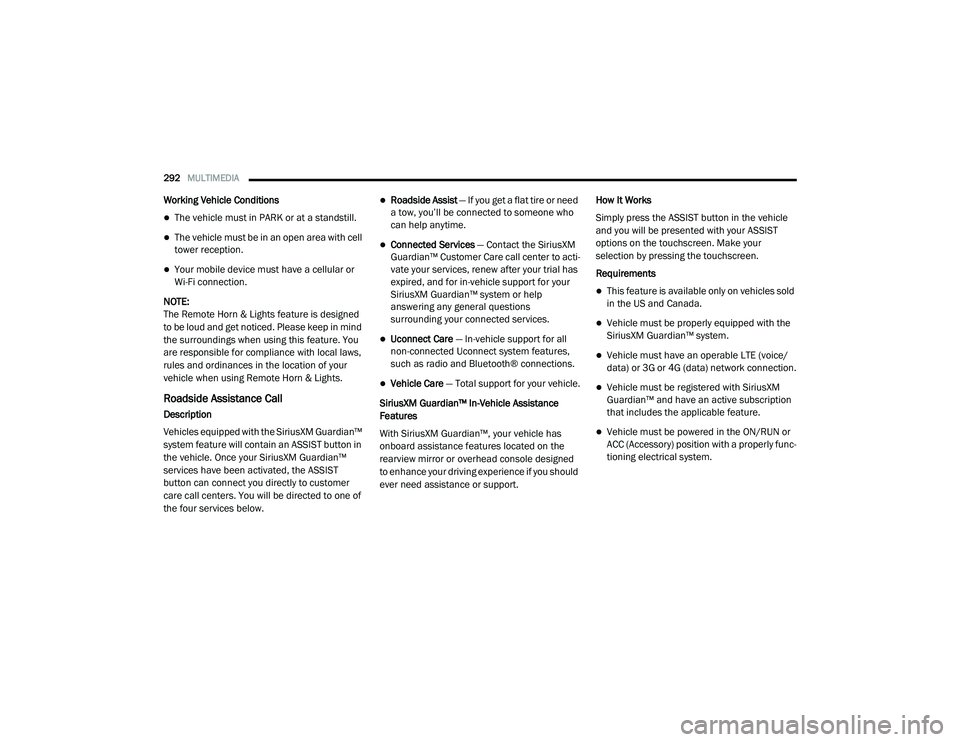
Roadside Assistance Call
Description
Vehicles equipped with the SiriusXM Guardian™
system feature will contain an ASSIST button in
the vehicle. Once your SiriusXM Guardian™
services have been activated, the ASSIST
button can connect you directly to customer
care call centers. You will be directed to one of
the four services below.
Roadside Assist — If you get a flat tire or need
a tow, you’ll be connected to someone who
can help anytime.
Connected Services — Contact the SiriusXM
Guardian™ Customer Care call center to acti -
vate your services, renew after your trial has
expired, and for in-vehicle support for your
SiriusXM Guardian™ system or help
answering any general questions
surrounding your connected services.
Uconnect Care — In-vehicle support for all
non-connected Uconnect system features,
such as radio and Bluetooth® connections.
Vehicle Care — Total support for your vehicle.
SiriusXM Guardian™ In-Vehicle Assistance
Features
With SiriusXM Guardian™, your vehicle has
onboard assistance features located on the
rearview mirror or overhead console designed
to enhance your driving experience if you should
ever need assistance or support. How It Works
Simply press the ASSIST button in the vehicle
and you will be presented with your ASSIST
options on the touchscreen. Make your
selection by pressing the touchscreen.
Requirements
This feature is available only on vehicles sold
in the US and Canada.
Vehicle must be properly equipped with the
SiriusXM Guardian™ system.
Vehicle must have an operable LTE (voice/
data) or 3G or 4G (data) network connection.
Vehicle must be registered with SiriusXM
Guardian™ and have an active subscription
that includes the applicable feature.
Vehicle must be powered in the ON/RUN or
ACC (Accessory) position with a properly func -
tioning electrical system.
21_DT_OM_EN_USC_t.book Page 292
Page 315 of 496
SAFETY313
(Continued)
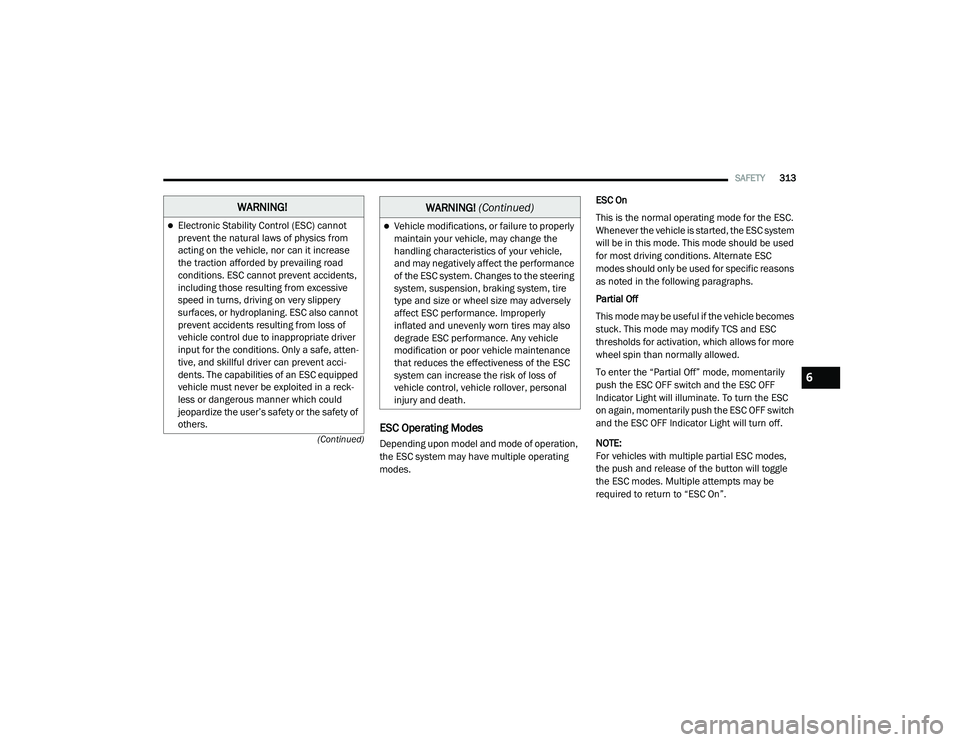
ESC Operating Modes
Depending upon model and mode of operation,
the ESC system may have multiple operating
modes. ESC On
This is the normal operating mode for the ESC.
Whenever the vehicle is started, the ESC system
will be in this mode. This mode should be used
for most driving conditions. Alternate ESC
modes should only be used for specific reasons
as noted in the following paragraphs.
Partial Off
This mode may be useful if the vehicle becomes
stuck. This mode may modify TCS and ESC
thresholds for activation, which allows for more
wheel spin than normally allowed.
To enter the “Partial Off” mode, momentarily
push the ESC OFF switch and the ESC OFF
Indicator Light will illuminate. To turn the ESC
on again, momentarily push the ESC OFF switch
and the ESC OFF Indicator Light will turn off.
NOTE:
For vehicles with multiple partial ESC modes,
the push and release of the button will toggle
the ESC modes. Multiple attempts may be
required to return to “ESC On”.
WARNING!
Electronic Stability Control (ESC) cannot
prevent the natural laws of physics from
acting on the vehicle, nor can it increase
the traction afforded by prevailing road
conditions. ESC cannot prevent accidents,
including those resulting from excessive
speed in turns, driving on very slippery
surfaces, or hydroplaning. ESC also cannot
prevent accidents resulting from loss of
vehicle control due to inappropriate driver
input for the conditions. Only a safe, atten
-
tive, and skillful driver can prevent acci -
dents. The capabilities of an ESC equipped
vehicle must never be exploited in a reck -
less or dangerous manner which could
jeopardize the user’s safety or the safety of
others.Vehicle modifications, or failure to properly
maintain your vehicle, may change the
handling characteristics of your vehicle,
and may negatively affect the performance
of the ESC system. Changes to the steering
system, suspension, braking system, tire
type and size or wheel size may adversely
affect ESC performance. Improperly
inflated and unevenly worn tires may also
degrade ESC performance. Any vehicle
modification or poor vehicle maintenance
that reduces the effectiveness of the ESC
system can increase the risk of loss of
vehicle control, vehicle rollover, personal
injury and death.
WARNING! (Continued)
6
21_DT_OM_EN_USC_t.book Page 313
Page 330 of 496
328SAFETY
pressure should always be set based on cold
inflation tire pressure. This is defined as the tire
pressure after the vehicle has not been driven
for at least three hours, or driven less than
1 mile (1.6 km) after a three hour period. The
cold tire inflation pressure must not exceed the
maximum inflation pressure molded into the
tire sidewall. The tire pressure will also increase
as the vehicle is driven — this is normal and
there should be no adjustment for this
increased pressure.
See Úpage 443 on how to properly inflate the
vehicle’s tires.
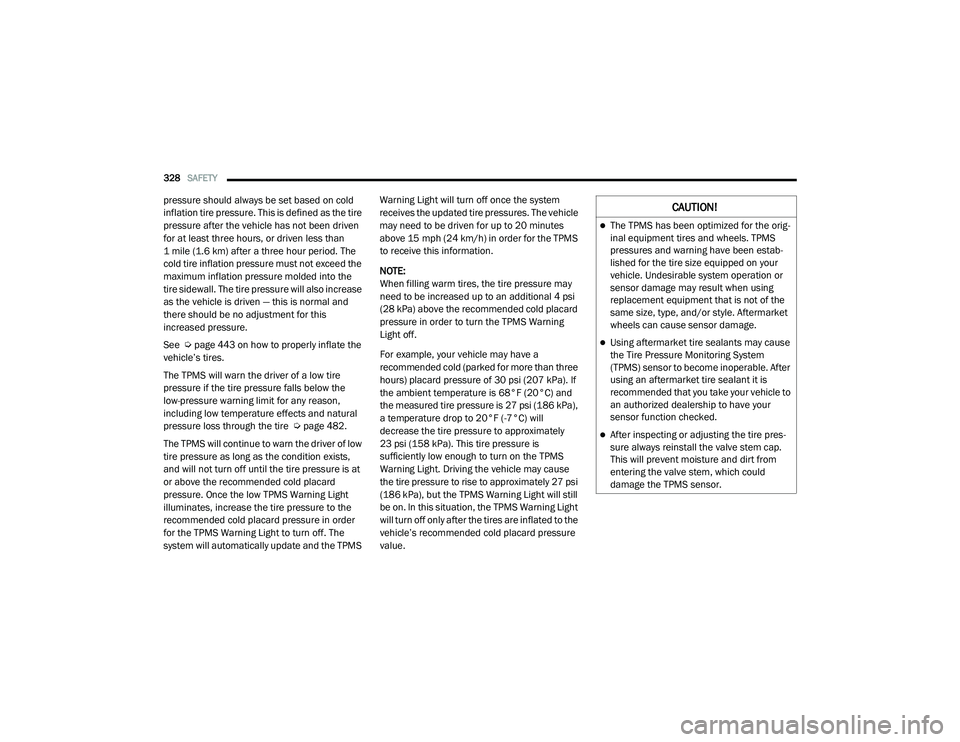
The TPMS will warn the driver of a low tire
pressure if the tire pressure falls below the
low-pressure warning limit for any reason,
including low temperature effects and natural
pressure loss through the tire Ú page 482.
The TPMS will continue to warn the driver of low
tire pressure as long as the condition exists,
and will not turn off until the tire pressure is at
or above the recommended cold placard
pressure. Once the low TPMS Warning Light
illuminates, increase the tire pressure to the
recommended cold placard pressure in order
for the TPMS Warning Light to turn off. The
system will automatically update and the TPMS Warning Light will turn off once the system
receives the updated tire pressures. The vehicle
may need to be driven for up to 20 minutes
above 15 mph (24 km/h) in order for the TPMS
to receive this information.
NOTE:
When filling warm tires, the tire pressure may
need to be increased up to an additional 4 psi
(28 kPa) above the recommended cold placard
pressure in order to turn the TPMS Warning
Light off.
For example, your vehicle may have a
recommended cold (parked for more than three
hours) placard pressure of 30 psi (207 kPa). If
the ambient temperature is 68°F (20°C) and
the measured tire pressure is 27 psi (186 kPa),
a temperature drop to 20°F (-7°C) will
decrease the tire pressure to approximately
23 psi (158 kPa). This tire pressure is
sufficiently low enough to turn on the TPMS
Warning Light. Driving the vehicle may cause
the tire pressure to rise to approximately 27 psi
(186 kPa), but the TPMS Warning Light will still
be on. In this situation, the TPMS Warning Light
will turn off only after the tires are inflated to the
vehicle’s recommended cold placard pressure
value.CAUTION!
The TPMS has been optimized for the orig -
inal equipment tires and wheels. TPMS
pressures and warning have been estab -
lished for the tire size equipped on your
vehicle. Undesirable system operation or
sensor damage may result when using
replacement equipment that is not of the
same size, type, and/or style. Aftermarket
wheels can cause sensor damage.
Using aftermarket tire sealants may cause
the Tire Pressure Monitoring System
(TPMS) sensor to become inoperable. After
using an aftermarket tire sealant it is
recommended that you take your vehicle to
an authorized dealership to have your
sensor function checked.
After inspecting or adjusting the tire pres -
sure always reinstall the valve stem cap.
This will prevent moisture and dirt from
entering the valve stem, which could
damage the TPMS sensor.
21_DT_OM_EN_USC_t.book Page 328