rear view mirror RAM 1500 2021 Owners Manual
[x] Cancel search | Manufacturer: RAM, Model Year: 2021, Model line: 1500, Model: RAM 1500 2021Pages: 496, PDF Size: 20.89 MB
Page 4 of 496
2
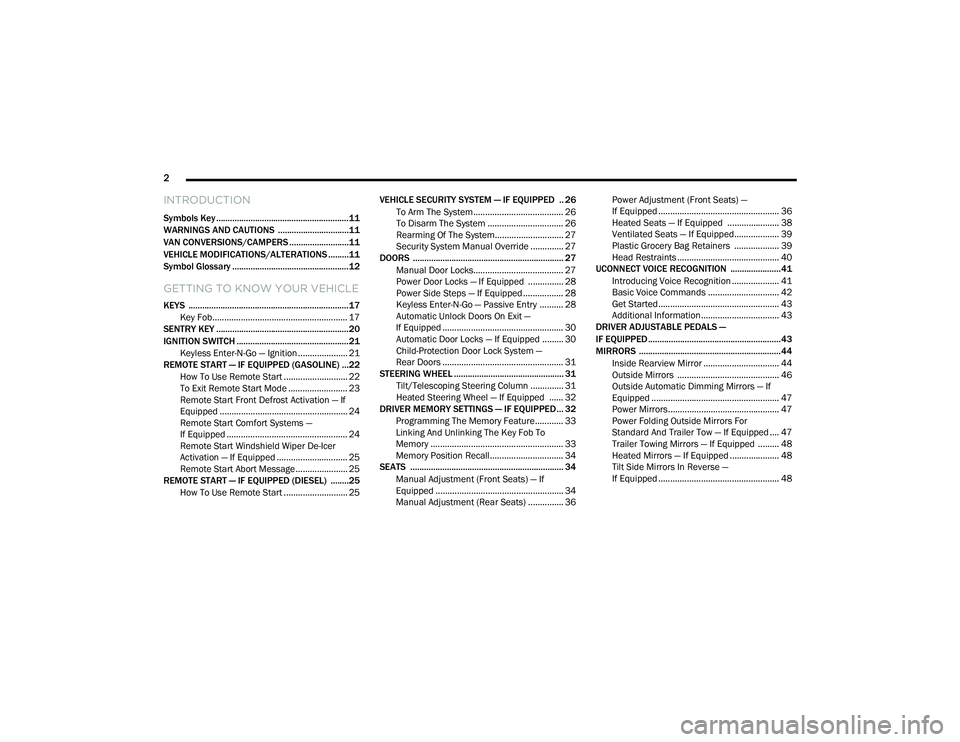
INTRODUCTION
Symbols Key ..........................................................11
WARNINGS AND CAUTIONS ...............................11
VAN CONVERSIONS/CAMPERS ..........................11
VEHICLE MODIFICATIONS/ALTERATIONS .........11
Symbol Glossary ...................................................12
GETTING TO KNOW YOUR VEHICLE
KEYS ......................................................................17
Key Fob......................................................... 17
SENTRY KEY ..........................................................20
IGNITION SWITCH .................................................21
Keyless Enter-N-Go — Ignition ..................... 21
REMOTE START — IF EQUIPPED (GASOLINE) ...22
How To Use Remote Start ........................... 22
To Exit Remote Start Mode ......................... 23
Remote Start Front Defrost Activation — If
Equipped ...................................................... 24 Remote Start Comfort Systems —
If Equipped ................................................... 24 Remote Start Windshield Wiper De-Icer
Activation — If Equipped .............................. 25 Remote Start Abort Message ...................... 25
REMOTE START — IF EQUIPPED (DIESEL) ........25
How To Use Remote Start ........................... 25 VEHICLE SECURITY SYSTEM — IF EQUIPPED .. 26
To Arm The System ...................................... 26
To Disarm The System ................................ 26
Rearming Of The System............................. 27
Security System Manual Override .............. 27
DOORS .................................................................. 27
Manual Door Locks...................................... 27
Power Door Locks — If Equipped ............... 28
Power Side Steps — If Equipped ................. 28
Keyless Enter-N-Go — Passive Entry .......... 28
Automatic Unlock Doors On Exit —
If Equipped ................................................... 30 Automatic Door Locks — If Equipped ......... 30
Child-Protection Door Lock System —
Rear Doors ................................................... 31
STEERING WHEEL ................................................ 31
Tilt/Telescoping Steering Column .............. 31
Heated Steering Wheel — If Equipped ...... 32
DRIVER MEMORY SETTINGS — IF EQUIPPED ... 32
Programming The Memory Feature............ 33
Linking And Unlinking The Key Fob To
Memory ........................................................ 33 Memory Position Recall............................... 34
SEATS ................................................................... 34
Manual Adjustment (Front Seats) — If
Equipped ...................................................... 34 Manual Adjustment (Rear Seats) ............... 36 Power Adjustment (Front Seats) —
If Equipped ................................................... 36 Heated Seats — If Equipped ...................... 38
Ventilated Seats — If Equipped................... 39
Plastic Grocery Bag Retainers ................... 39
Head Restraints ........................................... 40
UCONNECT VOICE RECOGNITION ......................41
Introducing Voice Recognition .................... 41
Basic Voice Commands .............................. 42
Get Started................................................... 43
Additional Information................................. 43
DRIVER ADJUSTABLE PEDALS —
IF EQUIPPED ..........................................................43
MIRRORS ..............................................................44
Inside Rearview Mirror ................................ 44
Outside Mirrors ........................................... 46
Outside Automatic Dimming Mirrors — If
Equipped ...................................................... 47 Power Mirrors............................................... 47
Power Folding Outside Mirrors For
Standard And Trailer Tow — If Equipped .... 47 Trailer Towing Mirrors — If Equipped ......... 48
Heated Mirrors — If Equipped ..................... 48
Tilt Side Mirrors In Reverse —
If Equipped ................................................... 48
21_DT_OM_EN_USC_t.book Page 2
Page 46 of 496

44GETTING TO KNOW YOUR VEHICLE
Adjustable Pedals Switch
The pedals can be adjusted with the ignition
placed in the OFF position.
The pedals cannot be adjusted when the
vehicle is in REVERSE or when the Cruise
Control system or Adaptive Cruise Control
system is on. The following messages will
appear in the instrument cluster display if the
pedals are attempted to be adjusted when
the system is locked out: “Adjustable Pedal
Disabled — Cruise Control Engaged” or
“Adjustable Pedal Disabled — Vehicle In
Reverse”.
NOTE:
Always adjust the pedals to a position that
allows full movement of the pedal.
Further small adjustments may be necessary
to find the best possible seat/pedal position.
For vehicles equipped with Driver Memory
Settings Úpage 32, you can use your key fob
or the memory switch on the driver’s door
trim panel to return the adjustable pedals to
pre-programmed positions.
MIRRORS
INSIDE REARVIEW MIRROR
Manual Mirror — If Equipped
The mirror head can be adjusted up, down, left,
and right. The mirror should be adjusted to
center on the view through the rear window.
Headlight glare from vehicles behind you can be
reduced by moving the small control under the
mirror to the night position (toward the rear of
the vehicle). The mirror should be adjusted
while set in the day position (toward the
windshield).
Adjusting Rearview Mirror
WARNING!
Do not adjust the pedals while the vehicle is
moving. You could lose control and have an
accident. Always adjust the pedals while the
vehicle is parked.
CAUTION!
Do not place any article under the adjustable
pedals or impede its ability to move, as it may
cause damage to the pedal controls. Pedal
travel may become limited if movement is
stopped by an obstruction in the adjustable
pedal's path.
21_DT_OM_EN_USC_t.book Page 44
Page 47 of 496
GETTING TO KNOW YOUR VEHICLE45
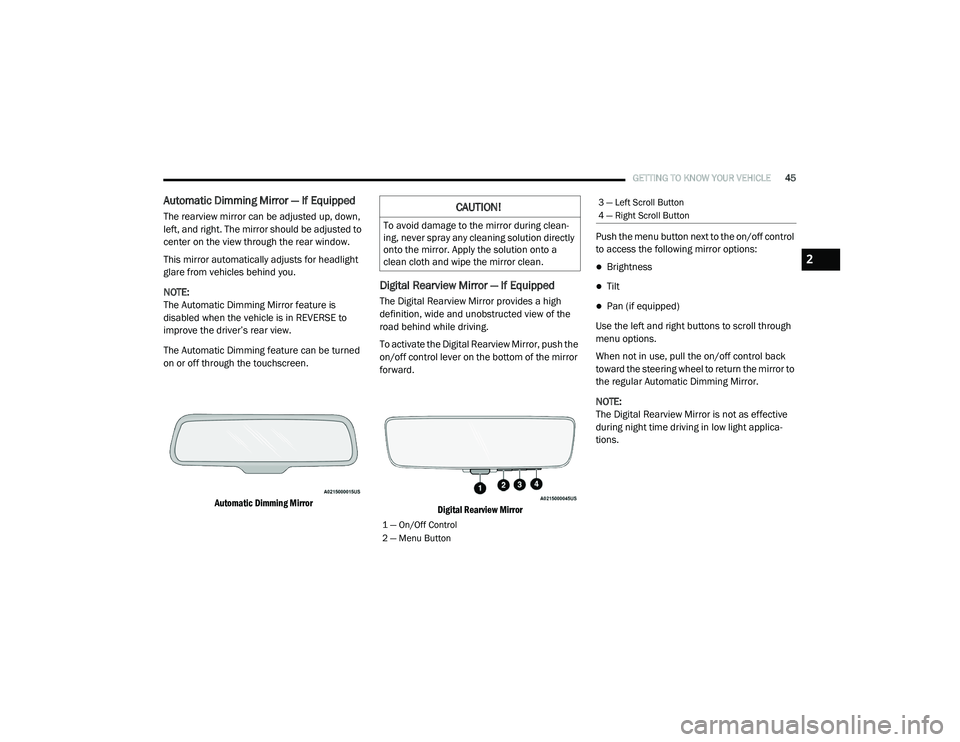
Automatic Dimming Mirror — If Equipped
The rearview mirror can be adjusted up, down,
left, and right. The mirror should be adjusted to
center on the view through the rear window.
This mirror automatically adjusts for headlight
glare from vehicles behind you.
NOTE:
The Automatic Dimming Mirror feature is
disabled when the vehicle is in REVERSE to
improve the driver’s rear view.
The Automatic Dimming feature can be turned
on or off through the touchscreen.
Automatic Dimming Mirror
Digital Rearview Mirror — If Equipped
The Digital Rearview Mirror provides a high
definition, wide and unobstructed view of the
road behind while driving.
To activate the Digital Rearview Mirror, push the
on/off control lever on the bottom of the mirror
forward.
Digital Rearview Mirror
Push the menu button next to the on/off control
to access the following mirror options:
Brightness
Tilt
Pan (if equipped)
Use the left and right buttons to scroll through
menu options.
When not in use, pull the on/off control back
toward the steering wheel to return the mirror to
the regular Automatic Dimming Mirror.
NOTE:
The Digital Rearview Mirror is not as effective
during night time driving in low light applica-
tions.
CAUTION!
To avoid damage to the mirror during clean -
ing, never spray any cleaning solution directly
onto the mirror. Apply the solution onto a
clean cloth and wipe the mirror clean.
1 — On/Off Control
2 — Menu Button
3 — Left Scroll Button
4 — Right Scroll Button
2
21_DT_OM_EN_USC_t.book Page 45
Page 48 of 496
46GETTING TO KNOW YOUR VEHICLE
Illuminated Vanity Mirror
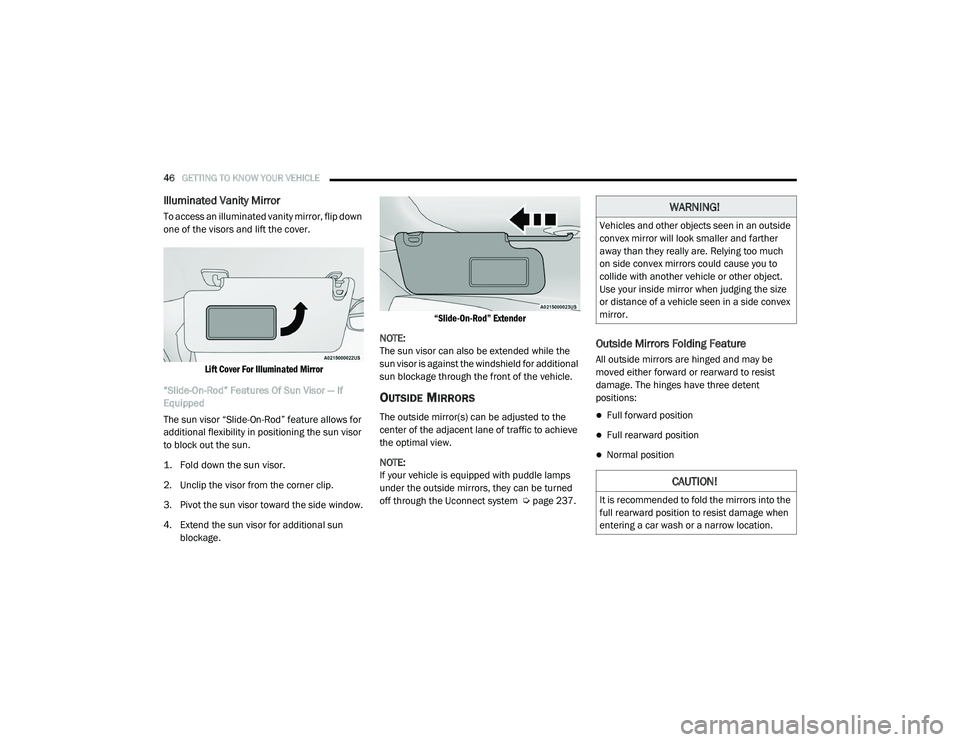
To access an illuminated vanity mirror, flip down
one of the visors and lift the cover.
Lift Cover For Illuminated Mirror
“Slide-On-Rod” Features Of Sun Visor — If
Equipped
The sun visor “Slide-On-Rod” feature allows for
additional flexibility in positioning the sun visor
to block out the sun.
1. Fold down the sun visor.
2. Unclip the visor from the corner clip.
3. Pivot the sun visor toward the side window.
4. Extend the sun visor for additional sun blockage.
“Slide-On-Rod” Extender
NOTE:
The sun visor can also be extended while the
sun visor is against the windshield for additional
sun blockage through the front of the vehicle.
OUTSIDE MIRRORS
The outside mirror(s) can be adjusted to the
center of the adjacent lane of traffic to achieve
the optimal view.
NOTE:
If your vehicle is equipped with puddle lamps
under the outside mirrors, they can be turned
off through the Uconnect system Ú page 237.
Outside Mirrors Folding Feature
All outside mirrors are hinged and may be
moved either forward or rearward to resist
damage. The hinges have three detent
positions:
Full forward position
Full rearward position
Normal position
WARNING!
Vehicles and other objects seen in an outside
convex mirror will look smaller and farther
away than they really are. Relying too much
on side convex mirrors could cause you to
collide with another vehicle or other object.
Use your inside mirror when judging the size
or distance of a vehicle seen in a side convex
mirror.
CAUTION!
It is recommended to fold the mirrors into the
full rearward position to resist damage when
entering a car wash or a narrow location.
21_DT_OM_EN_USC_t.book Page 46
Page 55 of 496

GETTING TO KNOW YOUR VEHICLE53
To turn on the headlights, rotate the headlight
switch clockwise. When the headlight switch is
on, the parking lights, taillights, license plate
light and instrument panel lights are also turned
on. To turn off the headlights, rotate the
headlight switch back to the O (off) position.
NOTE:
Your vehicle is equipped with plastic head -
light and fog light (if equipped) lenses that
are lighter and less susceptible to stone
breakage than glass lights. Plastic is not as
scratch resistant as glass and therefore
different lens cleaning procedures must be
followed.
To minimize the possibility of scratching the
lenses and reducing light output, avoid
wiping with a dry cloth. To remove road dirt,
wash with a mild soap solution followed by
rinsing.
MULTIFUNCTION LEVER
The multifunction lever is located on the left
side of the steering column.
Multifunction Lever
DAYTIME RUNNING LIGHTS (DRLS)
The Daytime Running Lights (DRLs) come on
whenever the engine is running, and the low
beams are not on. The lights will remain on until
the ignition is placed in the OFF or ACC position,
or the parking brake is engaged.
NOTE:
For vehicles sold in Canada, the Daytime
Running Lights will automatically deactivate
when the front fog lights are turned on.
If a turn signal is activated, the DRL lamp on
the same side of the vehicle will turn off for
the duration of the turn signal activation.
Once the turn signal is no longer active, the
DRL lamp will illuminate.
If allowed by law in the country in which the
vehicle was purchased, the Daytime Running
Lights can be turned on and off using the
Uconnect system Ú page 237.
HIGH/LOW BEAM SWITCH
Push the multifunction lever toward the
instrument panel to switch the headlights to
high beams. Pulling the multifunction lever
back will turn the low beams on.
AUTOMATIC HIGH BEAM HEADLAMP
C
ONTROL — IF EQUIPPED
The Automatic High Beam Headlamp Control
system provides increased forward lighting at
night by automating high beam control through
the use of a camera mounted on the inside
rearview mirror or a windshield mounted
camera. These cameras detect vehicle specific
light and automatically switch from high beams
to low beams until the approaching vehicle is
out of view.
CAUTION!
Do not use abrasive cleaning components,
solvents, steel wool or other abrasive
materials to clean the lenses.
2
21_DT_OM_EN_USC_t.book Page 53
Page 188 of 496

186STARTING AND OPERATING
and snow, or tunnels with reflective tiles). The
ACC system will recover after the vehicle has left
these areas. Under rare conditions, when the
radar is not tracking any vehicles or objects in
its path this warning may temporarily occur.
NOTE:
If the “ACC/FCW Unavailable Wipe Front Radar
Sensor” warning is active, Fixed Speed Cruise
Control is still available.
If weather conditions are not a factor, the driver
should examine the sensor. It may require
cleaning or removal of an obstruction. The
sensor is located in the camera in the center of
the windshield, on the forward side of the
rearview mirror.
To keep the ACC system operating properly, it is
important to note the following maintenance
items:
Always keep the sensor clean. Carefully clear
the windshield.
Do not remove any screws from the sensor.
Doing so could cause an ACC system
malfunction or failure and require a sensor
realignment.
Do not attach or install any accessories near
the sensor, including transparent material.
Doing so could cause an ACC system failure
or malfunction.
When the condition that deactivated the system
is no longer present, the system will return to
the “Adaptive Cruise Control Off” state and will
resume function by simply reactivating it.
NOTE:
If the “ACC/FCW Unavailable Wipe Front
Radar Sensor” message occurs frequently
(e.g. more than once on every trip) without
any snow, rain, mud, or other obstruction,
have the radar sensor realigned at an autho -
rized dealer.
Installing a snow plow, front-end protector,
an aftermarket grille or modifying the grille is
not recommended. Doing so may block the
sensor and inhibit ACC/FCW operation. “Clean Front Windshield” Warning
The “ACC/FCW Limited Functionality Clean
Front Windshield” warning will display and also
a chime will indicate when conditions
temporarily limit system performance. This
most often occurs at times of poor visibility,
such as in snow or heavy rain and fog. The ACC
system may also become temporarily blinded
due to obstructions, such as mud, dirt, or ice on
windshield, driving directly into the sun and fog
on the inside of glass. In these cases, the
instrument cluster display will show “ACC/FCW
Limited Functionality Clean Front Windshield”
and the system will have degraded
performance.
This message can sometimes be displayed
while driving in adverse weather conditions. The
ACC/FCW system will recover after the vehicle
has left these areas. Under rare conditions,
when the camera is not tracking any vehicles or
objects in its path this warning may temporarily
occur.
21_DT_OM_EN_USC_t.book Page 186
Page 189 of 496

STARTING AND OPERATING187
If weather conditions are not a factor, the driver
should examine the windshield and the camera
located on the back side of the inside rear view
mirror. They may require cleaning or removal of
an obstruction.
When the condition that created limited
functionality is no longer present, the system
will return to full functionality.
NOTE:
If the “ACC/FCW Limited Functionality Clean
Front Windshield” message occurs frequently
(e.g. more than once on every trip) without any
snow, rain, mud, or other obstruction, have the
windshield and forward facing camera
inspected at an authorized dealer.
Service ACC/FCW Warning
If the system turns off, and the instrument
cluster displays “ACC/FCW Unavailable Service
Required” or “Cruise/FCW Unavailable Service
Required”, there may be an internal system
fault or a temporary malfunction that limits ACC
functionality. Although the vehicle is still
drivable under normal conditions, ACC will be
temporarily unavailable. If this occurs, try
activating ACC again later, following an ignition
cycle. If the problem persists, see an authorized
dealer.Precautions While Driving With ACC
NOTE:
Aftermarket add-ons such as snow plows, lift
kits, and brush/grille bars can hinder module
performance. Ensure the radar/camera has
no obstructions in the field of view.
Height modifications can limit module perfor -
mance and functionality.
Do not put stickers or easy passes over the
camera/radar field of view.
Any modifications to the vehicle that may
obstruct the field of view of the radar/camera
are not recommended.
In certain driving situations, ACC may have
detection issues. In these cases, ACC may
brake late or unexpectedly. The driver needs to
stay alert and may need to intervene. The
following are examples of these types of
situations:
Towing A Trailer
ACC while towing a trailer is recommended only
with an Integrated Trailer Brake Controller.
Aftermarket trailer brake controllers will not
activate the trailer brakes when ACC is braking. Offset Driving
ACC may not detect a vehicle in the same lane
that is offset from your direct line of travel, or a
vehicle merging in from a side lane. There may
not be sufficient distance to the vehicle ahead.
The offset vehicle may move in and out of the
line of travel, which can cause your vehicle to
brake or accelerate unexpectedly.
Offset Driving Condition Example
Turns And Bends
When driving on a curve with ACC engaged, the
system may decrease the vehicle speed and
acceleration for stability reasons, with no
vehicle in front detected. Once the vehicle is out
of the curve the system will resume your original
set speed. This is a part of normal ACC system
functionality.
4
21_DT_OM_EN_USC_t.book Page 187
Page 206 of 496

204STARTING AND OPERATING
AUX CAMERA — IF EQUIPPED
Your vehicle may be equipped with one or two
AUX Cameras, which display rearview and side
view images from the trailer on the
touchscreen.
Activation
The AUX Camera is activated by first pressing
the Backup Camera or Surround View Camera
(if equipped) button on the touchscreen,
followed by the AUX button located in the upper
left corner of the rearview display. The AUX
camera can also be activated when the vehicle
is in REVERSE by pressing the AUX button.
If equipped with two AUX Cameras, you can
switch between each camera by pressing the
AUX1 or AUX2 buttons on the Trailer Camera
display.
AUX1 Camera Button
AUX2 Camera Button Deactivation
The AUX Camera is deactivated by pressing the
“X” in the upper right corner of the touchscreen.
This will return the display back to the
previously displayed screen.
NOTE:
If the AUX button is pressed and no AUX
Camera is connected, the touchscreen will
display a blue screen along with the message
“Camera System Unavailable.” The screen
can be exited out by pressing the “X” in the
upper right hand corner. This will return the
display back to the previously displayed
screen.
Zoom View is not available with the AUX
Camera feature.
The display will always default to the Trailer
Camera display (AUX 1).
SURROUND VIEW CAMERA SYSTEM — IF
EQUIPPED
The Surround View Camera system allows you
to see an on-screen image of the surroundings
and the Top View of your vehicle. This occurs
whenever the gear selector is in REVERSE or when enabled through the Uconnect system.
The Top View of the vehicle will also show if any
doors are open. The image will be displayed on
the touchscreen along with a caution note
“Check Entire Surroundings”. After five
seconds, this note will disappear. The Surround
View Camera system is comprised of four
cameras located in the front grille, rear tailgate
and side mirrors.
NOTE:
The Surround View Camera system has
programmable settings that may be selected
through the Uconnect system Ú
page 237.
Press this button on the touchscreen
to enter the Surround View Camera
menu in the Uconnect system.
When the vehicle is shifted into REVERSE, the
Rear View and Top View is the default view of
the system.
If the camera delay is turned on, the camera
image will display for up to 10 seconds after
shifting out of REVERSE. The camera image will
not display for 10 seconds if the vehicle speed
exceeds 8 mph (13 km/h), the vehicle is shifted
into PARK, or the ignition is placed in the OFF
position. The “X” button on the touchscreen
disables the display of the camera image.
21_DT_OM_EN_USC_t.book Page 204
Page 207 of 496

STARTING AND OPERATING205
If the camera delay is turned off, the camera
image will close and display the previous screen
after shifting out of REVERSE.
If active guidelines are enabled, the lines are
overlaid on the image in the Rear View to
illustrate the width of the vehicle. The view will
also include the side view mirrors and its
projected back up path based on the steering
wheel position.
There are different colored zones to indicate the
distance to the rear of the vehicle. Refer to the
chart below:
Modes Of Operation
Standard Rear View can be manually activated
by selecting “Back Up Camera” through the
Controls menu within the Uconnect system. Top View
The Top View will show in the Uconnect system
with Rear View and Front View in a split screen
display. There are integrated ParkSense arcs in
the image at the front and rear of the vehicle.
The arcs will change color from yellow to red
corresponding the distance zones to the
oncoming object.
Surround View Camera View
NOTE:
Front tires will be seen in the image when the
tires are turned.
Due to wide angle cameras in the mirrors, the
image will appear distorted.
The Top View will show which doors are open.
Open front doors will block the outside
image.
Rear View This is the default view of the system
in REVERSE and is always paired with
the Top View of the vehicle with
optional active guidelines for the
projected path when enabled.
Rear Cross Path View Pressing the Rear Cross Path soft key
will give the driver a wider angle view
of the rear camera system. The Top
View will be disabled when this is
selected.
Front View The Front View will show you what is
immediately in front of the vehicle
and is always paired with the Top View
of the vehicle.
Zone
Distance To The Rear
Of The Vehicle
Red 0 - 1 ft (0 - 30 cm)
Yellow 1 ft - 6.5 ft
(30 cm - 2 m)
Green 6.5 ft or greater
(2 m or greater)
4
21_DT_OM_EN_USC_t.book Page 205
Page 246 of 496
244MULTIMEDIA
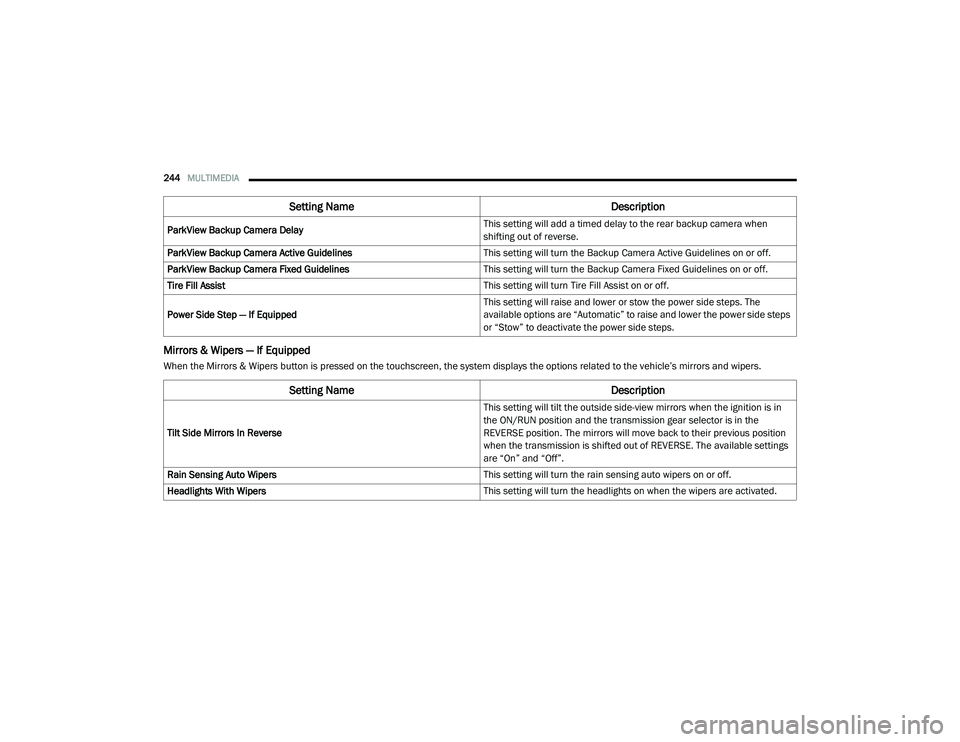
Mirrors & Wipers — If Equipped
When the Mirrors & Wipers button is pressed on the touchscreen, the system displays the options related to the vehicle’s mirrors and wipers.ParkView Backup Camera Delay
This setting will add a timed delay to the rear backup camera when
shifting out of reverse.
ParkView Backup Camera Active Guidelines This setting will turn the Backup Camera Active Guidelines on or off.
ParkView Backup Camera Fixed Guidelines This setting will turn the Backup Camera Fixed Guidelines on or off.
Tire Fill Assist This setting will turn Tire Fill Assist on or off.
Power Side Step — If Equipped This setting will raise and lower or stow the power side steps. The
available options are “Automatic” to raise and lower the power side steps
or “Stow” to deactivate the power side steps.
Setting Name
Description
Setting NameDescription
Tilt Side Mirrors In Reverse This setting will tilt the outside side-view mirrors when the ignition is in
the ON/RUN position and the transmission gear selector is in the
REVERSE position. The mirrors will move back to their previous position
when the transmission is shifted out of REVERSE. The available settings
are “On” and “Off”.
Rain Sensing Auto Wipers This setting will turn the rain sensing auto wipers on or off.
Headlights With Wipers This setting will turn the headlights on when the wipers are activated.
21_DT_OM_EN_USC_t.book Page 244