spare tire RAM 1500 2022 Owners Manual
[x] Cancel search | Manufacturer: RAM, Model Year: 2022, Model line: 1500, Model: RAM 1500 2022Pages: 496, PDF Size: 18.03 MB
Page 9 of 496
7
CONNECTED SERVICES FAQS ........................... 297 Connected Services SOS FAQs —
If Equipped .................................................... 298
Connected Services Remote Door
Lock/Unlock FAQs ........................................ 298
Connected Services Roadside
Assistance FAQs ........................................... 298Connected Services Send & Go FAQs —
If Equipped .................................................... 298
Connected Services Vehicle Finder FAQs ... 299
Connected Services Stolen Vehicle
Assistance FAQs — If Equipped ................... 299
Connected Services Remote Vehicle
Start FAQs ..................................................... 299
Connected Services Remote
Horn & Lights FAQs ....................................... 300
Connected Services Account
FAQs — If Equipped ....................................... 300
Data Collection & Privacy.............................. 302
RADIO OPERATION AND MOBILE PHONES...... 302
Regulatory And Safety Information .............. 303
PERFORMANCE PAGES — IF EQUIPPED...........303
Timers ............................................................ 304
Gauges ........................................................... 304G-Force ........................................................... 305Dynamometer (Dyno)/Engine ....................... 305
Vehicle Dynamics .......................................... 306 OFF-ROAD PAGES — IF EQUIPPED ................... 306
Off-Road Pages Status Bar .......................... 307
Vehicle Dynamics ......................................... 308
Accessory Gauge ........................................... 309Pitch & Roll .................................................... 310
Suspension .................................................... 311
Forward Facing Camera................................ 311
SAFETY
SAFETY FEATURES .............................................. 312
Anti-Lock Brake System (ABS) ..................... 312
Electronic Brake Control (EBC) System ....... 313
AUXILIARY DRIVING SYSTEMS.......................... 319
Blind Spot Monitoring (BSM) —
If Equipped .................................................... 319
Forward Collision Warning (FCW)
With Mitigation — If Equipped ...................... 325Tire Pressure Monitoring System (TPMS) .... 328
OCCUPANT RESTRAINT SYSTEMS ................... 334
Occupant Restraint Systems Features ....... 334
Important Safety Precautions ...................... 334Seat Belt Systems ........................................ 335Supplemental Restraint Systems (SRS) ...... 341Child Restraints ............................................ 354
SAFETY TIPS ........................................................ 368
Transporting Passengers .............................. 368Transporting Pets ....................................... 368 Safety Checks You Should Make
Inside The Vehicle ........................................ 368
Periodic Safety Checks You Should
Make Outside The Vehicle ............................ 369
Exhaust Gas................................................... 370
Carbon Monoxide Warnings ........................ 370
IN CASE OF EMERGENCY
HAZARD WARNING FLASHERS ......................... 371
ASSIST AND SOS SYSTEM — IF EQUIPPED ...... 372
JACKING AND TIRE CHANGING ......................... 375 Preparations For Jacking .............................. 375
Jack Location................................................. 376
Removal Of Jack And Tools .......................... 376
Removing The Spare Tire ............................. 378Jacking Instructions ...................................... 379
To Stow The Flat Or Spare ........................... 382
Reinstalling The Jack And Tools ................... 383
JUMP STARTING .................................................. 384
Preparations For Jump Start ........................ 384Jump Starting Procedure .............................. 385
REFUELING IN EMERGENCY –
IF EQUIPPED ........................................................ 386
IF YOUR ENGINE OVERHEATS ........................... 387
MANUAL PARK RELEASE ................................... 388
FREEING A STUCK VEHICLE .............................. 389
22_DT_OM_EN_USC_t.book Page 7
Page 10 of 496
8
TOWING A DISABLED VEHICLE .......................... 390 Two-Wheel Drive Models............................... 391
Four-Wheel Drive Models.............................. 392Emergency Tow Hooks — If Equipped .......... 392
ENHANCED ACCIDENT RESPONSE SYSTEM
(EARS) .................................................................. 392
EVENT DATA RECORDER (EDR) ......................... 392
SERVICING AND MAINTENANCE
SCHEDULED SERVICING — GASOLINE
ENGINE ................................................................. 393
Maintenance Plan ......................................... 394
SCHEDULED SERVICING — DIESEL
ENGINE ................................................................. 398
Maintenance Plan — Diesel Fuel Up To B5
Biodiesel ....................................................... 399
Additional Maintenance — B6 To B20
Biodiesel ........................................................ 402
ENGINE COMPARTMENT .................................... 403
3.6L Engine With Stop/Start ........................ 403
5.7L Engine Without Stop/Start ................... 404
5.7L Engine With Stop/Start ........................ 405
3.0L Diesel Engine ........................................ 406
Checking Oil Level ......................................... 407
Adding Washer Fluid ..................................... 407
Maintenance-Free Battery ............................ 408
Pressure Washing ......................................... 408 VEHICLE MAINTENANCE..................................... 408
Engine Oil — Gas Engine .............................. 409Engine Oil Filter ............................................ 409
Engine Air Cleaner Filter ............................... 410
Draining Fuel/Water Separator
Filter — Diesel Engine ................................... 412Underbody Mounted Fuel Filter
Replacement — Diesel Engine...................... 413Priming If The Engine Has Run Out
Of Fuel — Diesel Engine ................................ 414Intervention Regeneration Strategy —
Message Process Flow (Diesel Engine) ....... 414
Diesel Exhaust Fluid...................................... 415
Air Conditioner Maintenance........................ 415
Accessory Drive Belt Inspection ................... 418Body Lubrication ........................................... 418Windshield Wiper Blades.............................. 419Exhaust System ............................................ 420
Cooling System ............................................. 421Charge Air Cooler — Inter-Cooler
(Diesel Engine) .............................................. 424
Brake System ............................................... 425
Automatic Transmission .............................. 426Rear Axle And 4x4 Front Driving Axle
Fluid Level...................................................... 427
Transfer Case ................................................ 427Fuses.............................................................. 427
Bulb Replacement......................................... 438 TIRES ..................................................................... 444
Tire Safety Information ................................. 444
Tires — General Information ......................... 451
Tire Types....................................................... 455Spare Tires — If Equipped............................. 455Wheel And Wheel Trim Care......................... 457
Snow Traction Devices ................................. 458
Tire Rotation Recommendations ................ 460
DEPARTMENT OF TRANSPORTATION
UNIFORM TIRE QUALITY GRADES .................... 460
Treadwear...................................................... 460
Traction Grades ............................................. 461Temperature Grades..................................... 461
STORING THE VEHICLE ....................................... 461
BODYWORK .......................................................... 461
Protection From Atmospheric Agents .......... 461
Body And Underbody Maintenance ............. 462
Preserving The Bodywork ............................. 462
INTERIORS ........................................................... 464
Seats And Fabric Parts ................................. 464
Plastic And Coated Parts .............................. 465
Leather Surfaces........................................... 465
Glass Surfaces ............................................. 465
22_DT_OM_EN_USC_t.book Page 8
Page 135 of 496

GETTING TO KNOW YOUR INSTRUMENT PANEL133
Rear Axle Locker Fault Indicator Light —
If Equipped
This warning light will illuminate to
indicate when a rear axle locker fault has
been detected.
Service Forward Collision Warning (FCW)
Light — If Equipped
This warning light will illuminate to
indicate a fault in the FCW System.
Contact an authorized dealer for service
Úpage 325.
Service Stop/Start System Warning Light —
If Equipped
This warning light will illuminate when the
Stop/Start system is not functioning
properly and service is required. Contact
an authorized dealer for service.
Service 4WD Warning Light — If Equipped
This warning light will illuminate to signal
a fault with the 4WD system. If the light
stays on or comes on during driving, it
means that the 4WD system is not
functioning properly and that service is required.
We recommend you drive to the nearest service
center and have the vehicle serviced immediately.
Cruise Control Fault Warning Light
This warning light will illuminate to
indicate the Cruise Control System is not
functioning properly and service is
required. Contact an authorized dealer.
Tire Pressure Monitoring System (TPMS)
Warning Light
The warning light switches on and a
message is displayed to indicate that the
tire pressure is lower than the
recommended value and/or that slow
pressure loss is occurring. In these cases, optimal
tire duration and fuel consumption may not be
guaranteed.
Should one or more tires be in the condition
mentioned above, the display will show the
indications corresponding to each tire. Each tire, including the spare (if provided), should
be checked monthly when cold and inflated to the
inflation pressure recommended by the vehicle
manufacturer on the vehicle placard or tire
inflation pressure label. If your vehicle has tires of
a different size than the size indicated on the
vehicle placard or tire inflation pressure label, you
should determine the proper tire inflation pressure
for those tires.
As an added safety feature, your vehicle has been
equipped with a Tire Pressure Monitoring System
(TPMS) that illuminates a low tire pressure telltale
when one or more of your tires is significantly
underinflated. Accordingly, when the low tire
pressure telltale illuminates, you should stop and
check your tires as soon as possible, and inflate
them to the proper pressure. Driving on a
significantly underinflated tire causes the tire to
overheat and can lead to tire failure. Underinflation
also reduces fuel efficiency and tire tread life, and
may affect the vehicle’s handling and stopping
ability.
Please note that the TPMS is not a substitute for
proper tire maintenance, and it is the driver’s
responsibility to maintain correct tire pressure,
even if underinflation has not reached the level to
trigger illumination of the TPMS low tire pressure
telltale.
CAUTION!
Do not continue driving with one or more flat
tires as handling may be compromised. Stop the
vehicle, avoiding sharp braking and steering. If a
tire puncture occurs, repair immediately using
the dedicated tire repair kit and contact an
authorized dealer as soon as possible.
3
22_DT_OM_EN_USC_t.book Page 133
Page 168 of 496
![RAM 1500 2022 Owners Manual
166STARTING AND OPERATING
Aero Height (Lowers the vehicle approximately
0.6 inch [15 mm]) – This position provides
improved aerodynamics by lowering the vehicle.
The vehicle will automatica](/img/34/59196/w960_59196-167.png "RAM 1500 2022 Owners Manual
166STARTING AND OPERATING
Aero Height (Lowers the vehicle approximately
0.6 inch [15 mm]) – This position provides
improved aerodynamics by lowering the vehicle.
The vehicle will automatica")
166STARTING AND OPERATING
Aero Height (Lowers the vehicle approximately
0.6 inch [15 mm]) – This position provides
improved aerodynamics by lowering the vehicle.
The vehicle will automatically enter Automatic
Aero Mode when the vehicle speed remains
between 62 mph (100 km/h) and 66 mph
(106 km/h) for greater than 20 seconds or if the
vehicle speed exceeds 66 mph (106 km/h). The
vehicle will return to NRH from Aero Mode if the
vehicle speed remains between 30 mph
(48 km/h) and 35 mph (56 km/h) for greater
than 20 seconds or if the vehicle speed falls
below 30 mph (48 km/h).
NOTE:
Automatic Aero mode will be disabled if a
trailer is detected to prevent shifting loads.
Speed thresholds for raising/lowering the
vehicle automatically at higher speeds only
apply if Automatic Aero Mode is enabled in
your Uconnect Radio settings.
To enter Aero Height manually push the height
selector switch down once from NRH at any
vehicle speed. To return to NRH push the height
selector switch up once while vehicle speed is
less than 56 mph (90 km/h).
NOTE:Automatic Aero Mode may be disabled through
vehicle settings in the instrument cluster display
Ú page 114 or through your Uconnect Radio (if
equipped) Ú page 234.
Entry/Exit Height (Lowers the vehicle approxi -
mately 2 inches [51 mm]) – This position lowers
the vehicle for easier passenger entry and exit
as well as lowering the vehicle for easier loading
and unloading of cargo. To enter Entry/Exit
Mode, push the height selector switch down
once from the NRH while the vehicle speed is
below 33 mph (53 km/h). Once the vehicle
speed goes below 15 mph (24 km/h) the
vehicle height will begin to lower. If the vehicle
speed remains between 15 mph (24 km/h) and
25 mph (40 km/h) for greater than 60 seconds,
or the vehicle speed exceeds 25 mph (40 km/h)
the Entry/Exit change will be canceled. To return
to Normal Height Mode, push the height
selector switch up once while in Entry/Exit or
drive the vehicle over 15 mph (24 km/h).
NOTE:Entry/Exit Height may be achieved using the
Remote Lowering feature on your key fob for easier
entry/loading Ú page 19. The system requires that the ignition be in the ON/
RUN position or the engine running for all user
requested changes. When lowering the vehicle, all
of the doors must be closed. If a door is opened at
any time while the vehicle is lowering, the change
will not be completed until the open door(s) is
closed.
This system uses a lifting and lowering pattern
which keeps the headlights from incorrectly
shining into oncoming traffic. When raising the
vehicle, the rear of the vehicle will move up first
and then the front. When lowering the vehicle, the
front will move down first and then the rear.
After the engine is turned off, it may be noticed that
the air suspension system operates briefly; this is
normal. The system is correcting the position of the
vehicle to ensure a proper appearance.
To assist with changing a spare tire, the air
suspension system has a feature which allows the
automatic leveling to be disabled Ú
page 114.
CAUTION!
When in ENTRY/EXIT Height, be aware of your
surroundings, you may not have the clearance
required for certain areas and vehicle damage
may occur.
22_DT_OM_EN_USC_t.book Page 166
Page 172 of 496
170STARTING AND OPERATING
NOTE:
Automatic Aero mode will be disabled if a
trailer is detected to prevent shifting loads.
Speed thresholds for raising or lowering the
vehicle only apply if Automatic Aero Mode is
enabled through vehicle settings on your
Uconnect Radio.
To enter Aero Height manually push the
height selector switch down once from NRH
at any vehicle speed. To return to NRH push
the height selector switch up once while
vehicle speed is less than 56 mph (90 km/
h).
Automatic Aero Mode may be disabled
through vehicle settings on your Uconnect
Radio.
Entry/Exit Height (Lowers the vehicle approxi -
mately 3 inches [73 mm]) – This position lowers
the vehicle for easier passenger entry and exit
as well as lowering the vehicle for easier loading
and unloading of cargo. To enter Entry/Exit
Mode, push the height selector switch down
twice from the NRH while the vehicle speed is
below 33 mph (53 km/h). Once the vehicle
speed goes below 15 mph (24 km/h) the
vehicle height will begin to lower. If the vehicle
speed remains between 15 mph (24 km/h) and
25 mph (40 km/h) for greater than 60 seconds,
or the vehicle speed exceeds 25 mph (40 km/h)
the Entry/Exit change will be canceled. To return to Normal Height Mode, push the height
selector switch up twice while in Entry/Exit or
drive the vehicle over 15 mph (24 km/h). Entry/
Exit Height may not be available due to vehicle
payload, an instrument cluster display message
will be shown when this occurs Ú
page 114.
The system requires that the ignition be in the ON/
RUN position or the engine running for all user
requested changes. When lowering the vehicle, all
of the doors must be closed. If a door is opened at
any time while the vehicle is lowering, the change
will not be completed until the open door(s) is
closed.
This system uses a lifting and lowering pattern
which keeps the headlights from incorrectly
shining into oncoming traffic. When raising the
vehicle, the rear of the vehicle will move up first
and then the front. When lowering the vehicle, the
front will move down first and then the rear.
After the engine is turned off, it may be noticed that
the air suspension system operates briefly; this is
normal. The system is correcting the position of the
vehicle to ensure a proper appearance. To assist with changing a spare tire, the air
suspension system has a feature which allows the
automatic leveling to be disabled Ú
page 234.
NOTE:Default Ride Height:
Select Aero Height or Normal Ride Height as the
default for all vehicle speeds and operation.
This is the selected height that the suspension
will level for speed changes (e.g. raising from
Entry/Exit Height at speed, lowering from Off
Road Height at speed, etc.).
Default ride height can be changed by manually
adjusting the Air Suspension switch to Normal
Ride Height or Aero Ride Height and staying in
the selected height for 2.5 seconds. It will be
stored as the default ride height and the height
will be maintained until a new default ride
height is selected.
If equipped with a touchscreen radio, all enabling/
disabling of air suspension features must be done
through the radio Ú page 234.
CAUTION!
When in ENTRY/EXIT Height, be aware of your
surroundings, you may not have the clearance
required for certain areas and vehicle damage
may occur.
WARNING!
The air suspension system uses a high pressure
volume of air to operate the system. To avoid
personal injury or damage to the system, see an
authorized dealer for service.
22_DT_OM_EN_USC_t.book Page 170
Page 222 of 496
220STARTING AND OPERATING
(Continued)
Perform the maintenance listed in the Scheduled
Servicing section for the proper maintenance
intervals
Úpage 393. When towing a trailer, never
exceed the GAWR or GCWR ratings.
Towing Requirements — Tires
Do not attempt to tow a trailer while using a
compact spare tire.
Do not drive more than 50 mph (80 km/h) when
towing while using a full size spare tire.
Proper tire inflation pressures are essential to
the safe and satisfactory operation of your
vehicle.
Check the trailer tires for proper tire inflation
pressures before trailer usage.
Check for signs of tire wear or visible tire
damage before towing a trailer.
Replacing tires with a higher load carrying
capacity will not increase the vehicle's GVWR
and GAWR limits.
For further information Ú page 444.
Towing Requirements — Trailer Brakes
Do not interconnect the hydraulic brake system
or vacuum system of your vehicle with that of
the trailer.
An electronically actuated trailer brake
controller is required when towing a trailer with
electronically actuated brakes. When towing a
trailer equipped with a hydraulic surge actuated
brake system, an electronic brake controller is
not required.
Then, during the first 500 miles (805 km) that
a trailer is towed, do not drive over 50 mph
(80 km/h) and do not make starts at full
throttle. This helps the engine and other parts
of the vehicle wear in at the heavier loads.
WARNING!
Make certain that the load is secured in the
trailer and will not shift during travel. When
trailering cargo that is not fully secured,
dynamic load shifts can occur that may be
difficult for the driver to control. You could lose
control of your vehicle and have a collision.
When hauling cargo or towing a trailer, do not
overload your vehicle or trailer. Overloading
can cause a loss of control, poor performance
or damage to brakes, axle, engine, transmis -
sion, steering, suspension, chassis structure
or tires.
CAUTION!
Safety chains must always be used between
your vehicle and trailer. Always connect the
chains to the hook retainers of the vehicle
hitch. Cross the chains under the trailer
tongue and allow enough slack for turning
corners.
Vehicles with trailers should not be parked on
a grade. When parking, apply the parking
brake on the tow vehicle. Put the tow vehicle
transmission in PARK. For four-wheel drive
vehicles, make sure the transfer case is not in
NEUTRAL. Always, block or "chock" the trailer
wheels.
GCWR must not be exceeded.
Total weight must be distributed between the
tow vehicle and the trailer such that the
following four ratings are not exceeded :
GVWR
GTW
GAWR
Tongue weight rating for the trailer hitch
utilized.
WARNING!
22_DT_OM_EN_USC_t.book Page 220
Page 255 of 496
MULTIMEDIA253
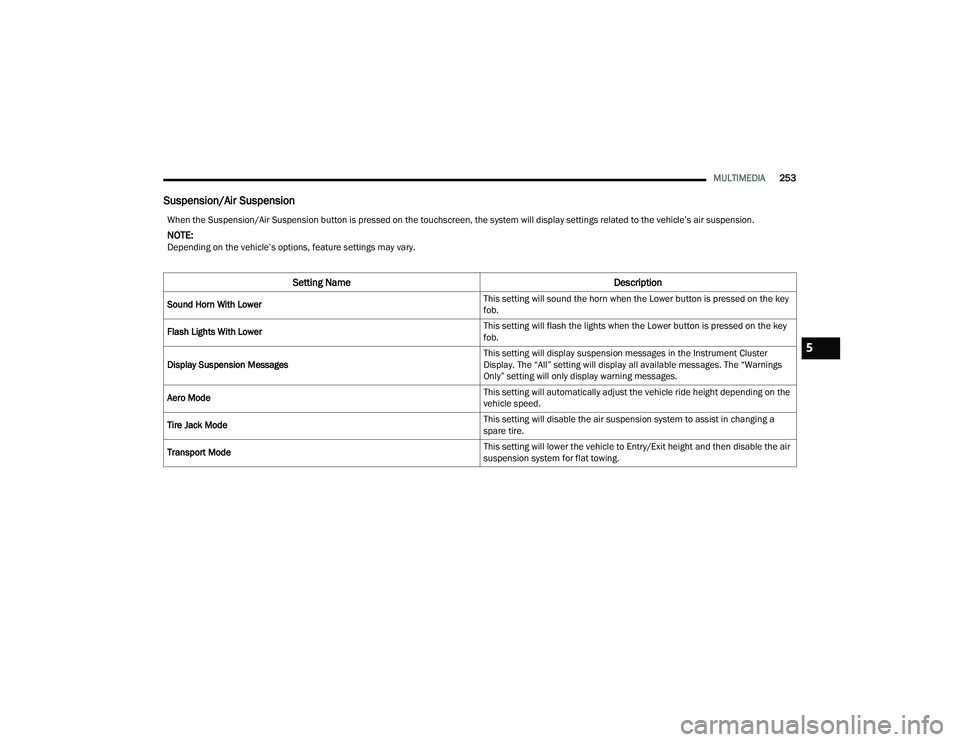
Suspension/Air Suspension
When the Suspension/Air Suspension button is pressed on the touchscreen, the system will display settings related to the vehicle’s air suspension.
NOTE:Depending on the vehicle’s options, feature settings may vary.
Setting Name Description
Sound Horn With Lower This setting will sound the horn when the Lower button is pressed on the key
fob.
Flash Lights With Lower This setting will flash the lights when the Lower button is pressed on the key
fob.
Display Suspension Messages This setting will display suspension messages in the Instrument Cluster
Display. The “All” setting will display all available messages. The “Warnings
Only” setting will only display warning messages.
Aero Mode This setting will automatically adjust the vehicle ride height depending on the
vehicle speed.
Tire Jack Mode This setting will disable the air suspension system to assist in changing a
spare tire.
Transport Mode This setting will lower the vehicle to Entry/Exit height and then disable the air
suspension system for flat towing.
5
22_DT_OM_EN_USC_t.book Page 253
Page 256 of 496

254MULTIMEDIA
AUX Switches
Wheel Alignment Mode
This setting must be activated before performing a wheel alignment, which
will move the vehicle to normal ride height and then disable the air
suspension system. Refer to an authorized dealer for further information.
Four Corner Air Suspension Modes There are three air suspension modes designed to protect the system in
unique situations. Tire Jack Mode is selected to assist in changing a spare
tire. Transport Mode is selected to assist when the vehicle is being flat bed
towed. Wheel Alignment Mode is selected before performing a wheel
alignment. Refer to an authorized dealer for further information.
Setting Name
Description
When the AUX Switches button is pressed on the touchscreen, the system displays the options related to the four vehicle AUX switches.
NOTE:Depending on the vehicle’s options, feature settings may vary.
Setting NameDescription
AUX 1-4 This setting will adjust the type and power source for the four vehicle AUX
switches. There are two types: “Latching” and “Momentary”. The power
source for the AUX switches can either be set to run off the “Battery” or from
the “Ignition”. In addition to setting the type and power source, you can set if
the vehicle will recall the previous state at which the AUX switches were set.
The Recalled Last State setting can be set to “On” or “Off”. Last state
conditions are met only if the type is set to Latching and the power source is
set to Ignition.
22_DT_OM_EN_USC_t.book Page 254
Page 333 of 496

SAFETY331
NOTE:When filling warm tires, the tire pressure may need
to be increased up to an additional 4 psi (28 kPa)
above the recommended cold placard pressure in
order to turn the Tire Pressure Monitoring System
Warning Light off.
Service TPMS Warning
If a system fault is detected, the Tire Pressure
Monitoring System (TPMS) Warning Light will flash
on and off for 75 seconds and then remain on
solid. The system fault will also sound a chime. In
addition, the instrument cluster will display a
"SERVICE TPM SYSTEM" message for a minimum
of five seconds and then display dashes (--) in
place of the pressure value to indicate which
sensor is not being received.
If the ignition switch is cycled, this sequence will
repeat, providing the system fault still exists. If the
system fault no longer exists, the Tire Pressure
Monitoring System Warning Light will no longer
flash, and the "SERVICE TPM SYSTEM" message
will no longer display, and a pressure value will
display in place of the dashes. A system fault can
occur due to any of the following:
Signal interference due to electronic devices or
driving next to facilities emitting the same radio
frequencies as the Tire Pressure Monitoring
System sensors
Installing aftermarket window tinting that
contains materials that may block radio wave
signals
Accumulation of snow or ice around the wheels
or wheel housings
Using tire chains on the vehicle
Using wheels/tires not equipped with TPMS
sensors
A system fault may occur due to an incorrect TPMS
sensor location condition. When a system fault
occurs due to an incorrect TPMS sensor location,
the Tire Pressure Monitoring System (TPMS)
Warning Light will flash on and off for 75 seconds
and then remain on solid. The system fault will also
sound a chime. In addition, the instrument cluster
will display a Tire Pressure Temporarily Unavailable
message in place of the tire pressure display
screen. If the ignition switch is cycled, this
sequence will repeat, providing the system fault
still exists. If the system fault no longer exists, the
“Tire Pressure Monitoring System Warning Light”
will no longer flash and the tire pressure display
screen will be displayed showing the tire pressure
values the correct locations. Vehicles With Non-Matching Full Size Spare Or
Compact Spare
The non-matching full size spare or compact
spare tire does not have a TPMS sensor. There
-
fore, the TPMS will not monitor the pressure in
the non-matching full size spare or compact
spare tire.
If you install the non-matching full size spare or
compact spare tire in place of a road tire that
has a pressure below the low-pressure warning
limit, upon the next ignition switch cycle, the Tire
Pressure Monitoring System (TPMS) Warning
Light and a “LOW TIRE” message will remain on
and a chime will sound. In addition, the graphic
in the instrument cluster will still display a pres -
sure value in a different color and an “Inflate to
XX” message.
After driving the vehicle for up to 20 minutes
above 15 mph (24 km/h), the Tire Pressure
Monitoring System (TPMS) Warning Light will
flash on and off for 75 seconds and then remain
on solid. In addition, the instrument cluster will
display a "SERVICE TPM SYSTEM" message for a
minimum of five seconds and then display
dashes (--) in place of the pressure value.
6
22_DT_OM_EN_USC_t.book Page 331
Page 334 of 496
332SAFETY
For each subsequent ignition switch cycle, a
chime will sound, the Tire Pressure Monitoring
System (TPMS) Warning Light will flash on and
off for 75 seconds and then remain on solid,
and the instrument cluster will display a
"SERVICE TPM SYSTEM" message for a
minimum of five seconds and then display
dashes (--) in place of the pressure value.
Once you repair or replace the original road tire
and reinstall it on the vehicle in place of the
non-matching full size spare or compact spare,
the TPMS will update automatically. In addition,
the Tire Pressure Monitoring System (TPMS)
Warning Light will turn off and the graphic in the
instrument cluster will display a new pressure
value instead of dashes (--), as long as no tire
pressure is below the low-pressure warning limit
in any of the four active road tires. The vehicle
may need to be driven for up to 20 minutes
above 15 mph (24 km/h) in order for the TPMS
to receive this information.
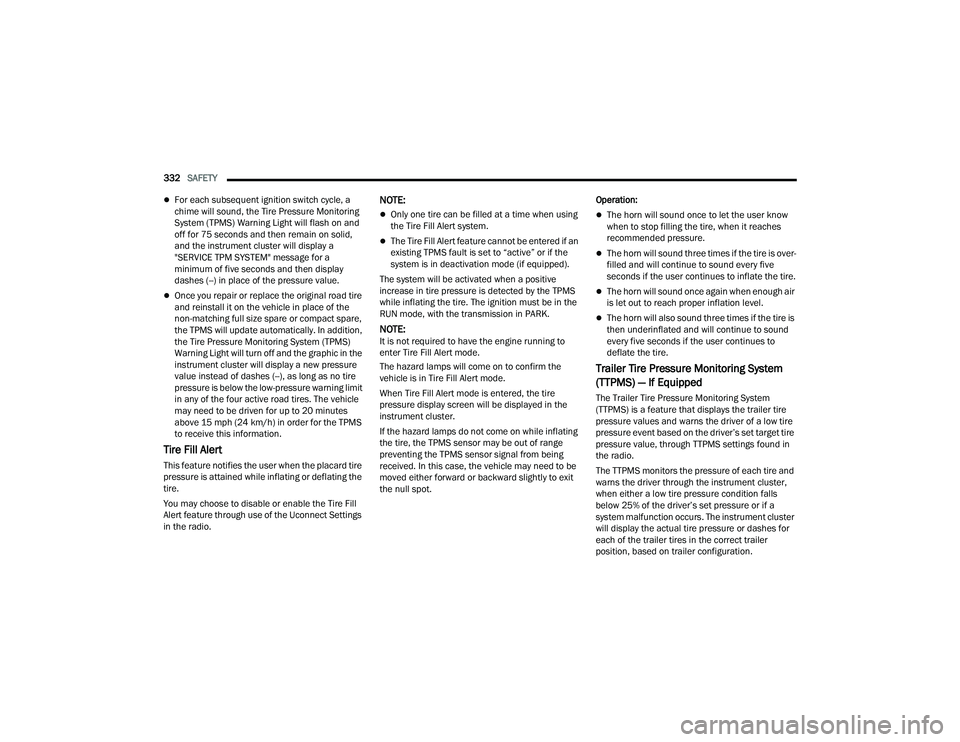
Tire Fill Alert
This feature notifies the user when the placard tire
pressure is attained while inflating or deflating the
tire.
You may choose to disable or enable the Tire Fill
Alert feature through use of the Uconnect Settings
in the radio.
NOTE:
Only one tire can be filled at a time when using
the Tire Fill Alert system.
The Tire Fill Alert feature cannot be entered if an
existing TPMS fault is set to “active” or if the
system is in deactivation mode (if equipped).
The system will be activated when a positive
increase in tire pressure is detected by the TPMS
while inflating the tire. The ignition must be in the
RUN mode, with the transmission in PARK.
NOTE:It is not required to have the engine running to
enter Tire Fill Alert mode.
The hazard lamps will come on to confirm the
vehicle is in Tire Fill Alert mode.
When Tire Fill Alert mode is entered, the tire
pressure display screen will be displayed in the
instrument cluster.
If the hazard lamps do not come on while inflating
the tire, the TPMS sensor may be out of range
preventing the TPMS sensor signal from being
received. In this case, the vehicle may need to be
moved either forward or backward slightly to exit
the null spot. Operation:
The horn will sound once to let the user know
when to stop filling the tire, when it reaches
recommended pressure.
The horn will sound three times if the tire is over
-
filled and will continue to sound every five
seconds if the user continues to inflate the tire.
The horn will sound once again when enough air
is let out to reach proper inflation level.
The horn will also sound three times if the tire is
then underinflated and will continue to sound
every five seconds if the user continues to
deflate the tire.
Trailer Tire Pressure Monitoring System
(TTPMS) — If Equipped
The Trailer Tire Pressure Monitoring System
(TTPMS) is a feature that displays the trailer tire
pressure values and warns the driver of a low tire
pressure event based on the driver’s set target tire
pressure value, through TTPMS settings found in
the radio.
The TTPMS monitors the pressure of each tire and
warns the driver through the instrument cluster,
when either a low tire pressure condition falls
below 25% of the driver’s set pressure or if a
system malfunction occurs. The instrument cluster
will display the actual tire pressure or dashes for
each of the trailer tires in the correct trailer
position, based on trailer configuration.
22_DT_OM_EN_USC_t.book Page 332