stuck RAM 1500 2022 Owners Manual
[x] Cancel search | Manufacturer: RAM, Model Year: 2022, Model line: 1500, Model: RAM 1500 2022Pages: 496, PDF Size: 18.03 MB
Page 9 of 496
7
CONNECTED SERVICES FAQS ........................... 297 Connected Services SOS FAQs —
If Equipped .................................................... 298
Connected Services Remote Door
Lock/Unlock FAQs ........................................ 298
Connected Services Roadside
Assistance FAQs ........................................... 298Connected Services Send & Go FAQs —
If Equipped .................................................... 298
Connected Services Vehicle Finder FAQs ... 299
Connected Services Stolen Vehicle
Assistance FAQs — If Equipped ................... 299
Connected Services Remote Vehicle
Start FAQs ..................................................... 299
Connected Services Remote
Horn & Lights FAQs ....................................... 300
Connected Services Account
FAQs — If Equipped ....................................... 300
Data Collection & Privacy.............................. 302
RADIO OPERATION AND MOBILE PHONES...... 302
Regulatory And Safety Information .............. 303
PERFORMANCE PAGES — IF EQUIPPED...........303
Timers ............................................................ 304
Gauges ........................................................... 304G-Force ........................................................... 305Dynamometer (Dyno)/Engine ....................... 305
Vehicle Dynamics .......................................... 306 OFF-ROAD PAGES — IF EQUIPPED ................... 306
Off-Road Pages Status Bar .......................... 307
Vehicle Dynamics ......................................... 308
Accessory Gauge ........................................... 309Pitch & Roll .................................................... 310
Suspension .................................................... 311
Forward Facing Camera................................ 311
SAFETY
SAFETY FEATURES .............................................. 312
Anti-Lock Brake System (ABS) ..................... 312
Electronic Brake Control (EBC) System ....... 313
AUXILIARY DRIVING SYSTEMS.......................... 319
Blind Spot Monitoring (BSM) —
If Equipped .................................................... 319
Forward Collision Warning (FCW)
With Mitigation — If Equipped ...................... 325Tire Pressure Monitoring System (TPMS) .... 328
OCCUPANT RESTRAINT SYSTEMS ................... 334
Occupant Restraint Systems Features ....... 334
Important Safety Precautions ...................... 334Seat Belt Systems ........................................ 335Supplemental Restraint Systems (SRS) ...... 341Child Restraints ............................................ 354
SAFETY TIPS ........................................................ 368
Transporting Passengers .............................. 368Transporting Pets ....................................... 368 Safety Checks You Should Make
Inside The Vehicle ........................................ 368
Periodic Safety Checks You Should
Make Outside The Vehicle ............................ 369
Exhaust Gas................................................... 370
Carbon Monoxide Warnings ........................ 370
IN CASE OF EMERGENCY
HAZARD WARNING FLASHERS ......................... 371
ASSIST AND SOS SYSTEM — IF EQUIPPED ...... 372
JACKING AND TIRE CHANGING ......................... 375 Preparations For Jacking .............................. 375
Jack Location................................................. 376
Removal Of Jack And Tools .......................... 376
Removing The Spare Tire ............................. 378Jacking Instructions ...................................... 379
To Stow The Flat Or Spare ........................... 382
Reinstalling The Jack And Tools ................... 383
JUMP STARTING .................................................. 384
Preparations For Jump Start ........................ 384Jump Starting Procedure .............................. 385
REFUELING IN EMERGENCY –
IF EQUIPPED ........................................................ 386
IF YOUR ENGINE OVERHEATS ........................... 387
MANUAL PARK RELEASE ................................... 388
FREEING A STUCK VEHICLE .............................. 389
22_DT_OM_EN_USC_t.book Page 7
Page 174 of 496
172STARTING AND OPERATING
Automatic height changes will occur based on
vehicle speed and the current vehicle height. The
indicator lamps and instrument cluster display
messages will operate the same for automatic
changes and user requested changes.
Off-Road 1 (OR1) – Indicator lamps 4, 3, 2, and
1 will be illuminated.
Normal Ride Height (NRH) – Indicator lamps 4,
3, and 2 will be illuminated.
Aero Height– Indicator lamps 4 and 3 will be illu -
minated.
Entry/Exit – Indicator lamp 4 will be illuminated.
Entry/Exit can be requested up to 33 mph
(53 km/h). If vehicle speed is reduced to, and
kept below, 15 mph (24 km/h) indicator lamp 3
will flash and indicator lamp 4 will remain solid
until Entry/Exit is achieved at which point indi -
cator lamp 3 will turn off.
Automatic Aero Mode – Indicator lamps 5 and 4
will be illuminated.
Transport Mode – No indicator lamps will be illu -
minated. Transport Mode is disabled by driving
the vehicle or disabling through the Uconnect
settings.
Tire/Jack Mode – Indicator lamps 4 and 1 will
be illuminated. Tire/Jack Mode is disabled by
driving the vehicle or disabling through the
Uconnect settings.
Wheel Alignment Mode – Indicator lamps 2, 3,
and 4 will be illuminated. Wheel Alignment
Mode is disabled by driving the vehicle or
disabling through the Uconnect settings.
AXLE LOCK SYSTEM — IF EQUIPPED
This vehicle is equipped with an electronically
locking rear differential. When engaged, this
differential locks the axle shafts forcing the wheels
to spin at an equal rate. The locking of the rear
differential should only be engaged during
low-speed, extreme off-road situations where one
wheel is likely to not be in contact with the ground.
It is not recommended to drive the vehicle with the
differentials locked on pavement due to the
reduced ability to turn and speed limitations.
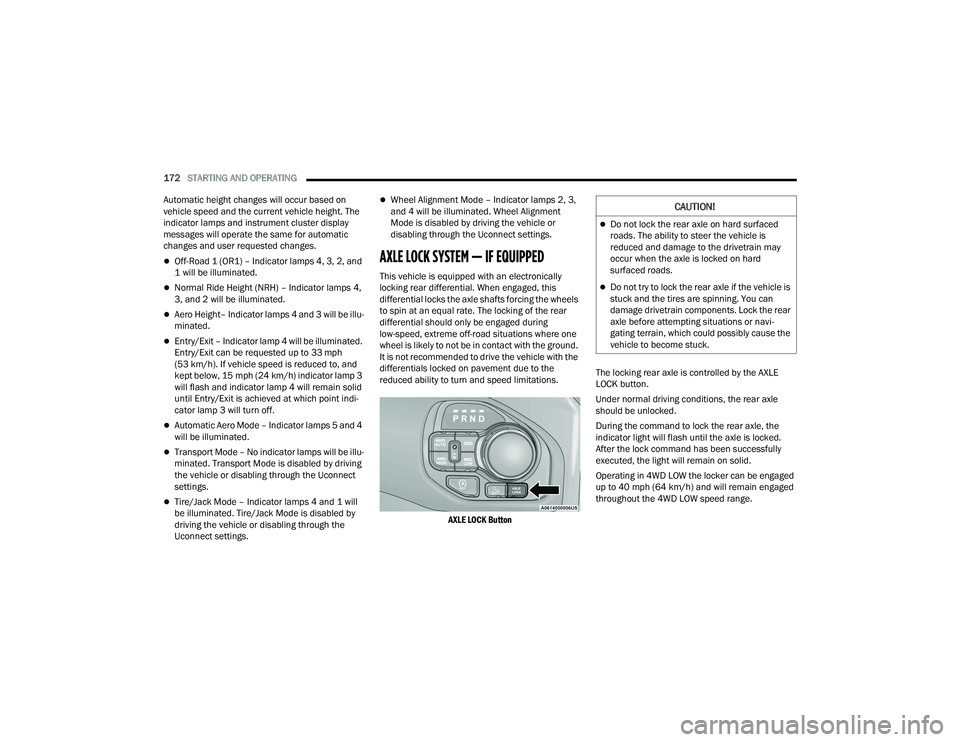
AXLE LOCK Button
The locking rear axle is controlled by the AXLE
LOCK button.
Under normal driving conditions, the rear axle
should be unlocked.
During the command to lock the rear axle, the
indicator light will flash until the axle is locked.
After the lock command has been successfully
executed, the light will remain on solid.
Operating in 4WD LOW the locker can be engaged
up to 40 mph (64 km/h) and will remain engaged
throughout the 4WD LOW speed range.
CAUTION!
Do not lock the rear axle on hard surfaced
roads. The ability to steer the vehicle is
reduced and damage to the drivetrain may
occur when the axle is locked on hard
surfaced roads.
Do not try to lock the rear axle if the vehicle is
stuck and the tires are spinning. You can
damage drivetrain components. Lock the rear
axle before attempting situations or navi
-
gating terrain, which could possibly cause the
vehicle to become stuck.
22_DT_OM_EN_USC_t.book Page 172
Page 262 of 496
260MULTIMEDIA
Feature Description
Radio/MediaPress the Radio button or Media button to enter Radio Mode/Media Mode
and access the radio functions and external audio sources Ú page 262.
Phone Press the Phone button to enter Phone Mode and access the hands-free
phone system Úpage 272.
Settings Press the Settings button to access the Uconnect Settings Ú page 234.
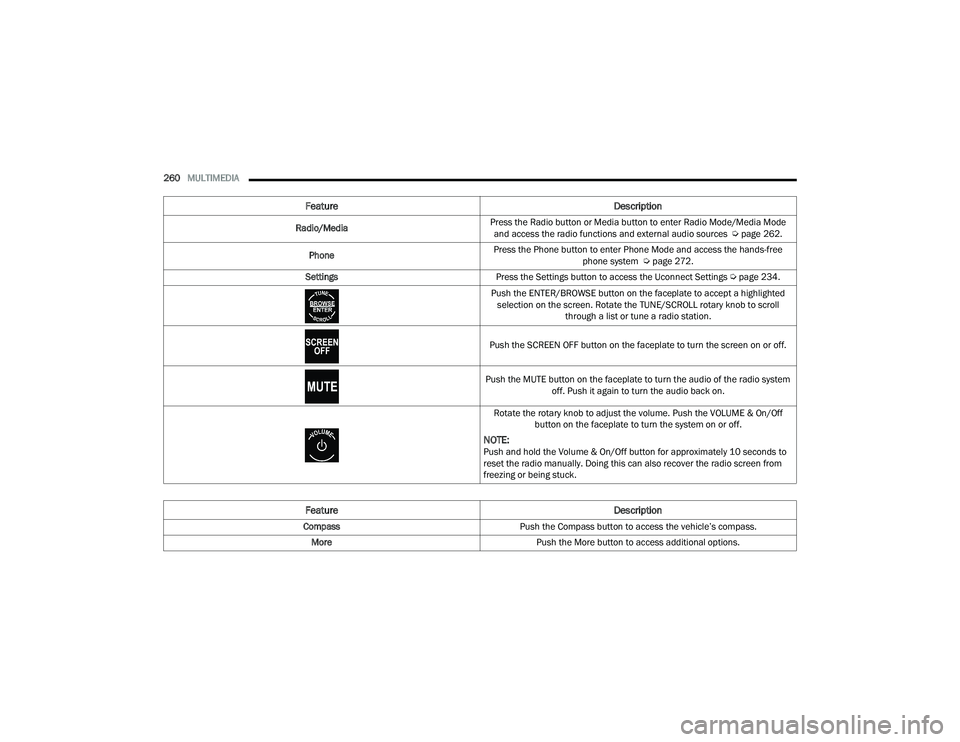
Push the ENTER/BROWSE button on the faceplate to accept a highlighted selection on the screen. Rotate the TUNE/SCROLL rotary knob to scroll through a list or tune a radio station.
Push the SCREEN OFF button on the faceplate to turn the screen on or off.
Push the MUTE button on the faceplate to turn the audio of the radio system off. Push it again to turn the audio back on.
Rotate the rotary knob to adjust the volume. Push the VOLUME & On/Off button on the faceplate to turn the system on or off.
NOTE:Push and hold the Volume & On/Off button for approximately 10 seconds to
reset the radio manually. Doing this can also recover the radio screen from
freezing or being stuck.
Feature Description
CompassPush the Compass button to access the vehicle’s compass.
More Push the More button to access additional options.
22_DT_OM_EN_USC_t.book Page 260
Page 284 of 496
282MULTIMEDIA
NOTE:Only use the numbering listed in the provided
table. Otherwise, the system will not transpose the
message.
Did You Know: Your mobile phone must have the
full implementation of the Message Access Profile
(MAP) to take advantage of this feature. For details
about MAP, visit
UconnectPhone.com. Apple® iPhone® iOS 5 or later supports reading
incoming
text messages only. For further
information on how to enable this feature on your
Apple® iPhone®, refer to your iPhone® “User
Manual”.
Did You Know: Voice Text Reply is not compatible
with iPhone®, but if your vehicle is equipped with
Siri® Eyes Free, you can use your voice to send a
text message.
Siri® Eyes Free — If Equipped
When used with your Apple® iPhone® connected
to your vehicle via Bluetooth®, Siri lets you use
your voice to send text messages, select media,
place phone calls and much more. Siri uses your
natural language to understand what you mean
and responds back to confirm your requests. The
system is designed to keep your eyes on the road
and your hands on the wheel by letting Siri help you
perform useful tasks.
To enable Siri, push and hold, then release the
Uconnect Voice Recognition (VR) button on the
steering wheel. After you hear a double beep, you
can ask Siri to play podcasts and music, get
directions, read text messages, and many other
useful requests.
BLUETOOTH® COMMUNICATION LINK
Mobile phones may lose connection to the
Uconnect Phone. When this happens, the
connection can generally be re-established by
restarting the mobile phone. Your mobile phone is
recommended to remain in Bluetooth® ON mode.
POWER-UP
After switching the ignition key from OFF to either
the ON/RUN or ACC position, or after a language
change, you must wait at least 15 seconds prior to
using the system Ú page 480.
CONNECTED VEHICLE SERVICES —
IF EQUIPPED
IS MY VEHICLE CONNECTED?
If equipped, vehicles with an ASSIST and an SOS
button are connected vehicles. These buttons will
be located on either the rearview mirror or
overhead console, depending on the vehicle. If
these buttons are present in your vehicle, you have
a connected radio and can take advantage of the
many connected vehicle features.
For further information about the ASSIST and SOS
buttons Úpage 372.
PRE-DEFINED VOICE TEXT REPLY
RESPONSES
Yes. Stuck in
traffic. See you later.
No. Start without
me. I’ll be late.
Okay. Where are
you? I will be 5
25, 30, 45,
60> minutes late.
Call me.
Are you there
yet?
I’ll call you later. I need
directions. See you in 5
minutes.
I’m on my way.
Can’t talk right
now.
I’m lost. Thanks.
22_DT_OM_EN_USC_t.book Page 282
Page 317 of 496

SAFETY315
ESC Operating Modes
Depending upon model and mode of operation, the
ESC system may have multiple operating modes.
ESC On
This is the normal operating mode for the ESC.
Whenever the vehicle is started, the ESC system
will be in this mode. This mode should be used for
most driving conditions. Alternate ESC modes
should only be used for specific reasons as noted
in the following paragraphs. Partial Off
This mode may be useful if the vehicle becomes
stuck. This mode may modify TCS and ESC
thresholds for activation, which allows for more
wheel spin than normally allowed.
To enter the “Partial Off” mode, momentarily push
the ESC OFF button and the ESC OFF Indicator
Light will illuminate. To turn the ESC on again,
momentarily push the ESC OFF button and the ESC
OFF Indicator Light will turn off.
NOTE:For vehicles with multiple partial ESC modes, the
push and release of the button will toggle the ESC
modes. Multiple attempts may be required to
return to “ESC On”.
Full Off — If Equipped
This mode is intended for off-highway or off-road
use only and should not be used on any public
roadways. In this mode, TCS and ESC features are
turned off. To enter the “Full Off” mode, push and
hold the ESC OFF button for five seconds while the
vehicle is stopped with the engine running. After
five seconds, a chime will sound, the ESC OFF
Indicator Light will illuminate, and the “ESC OFF”
message will display in the instrument cluster. To
turn ESC on again, momentarily push the ESC OFF
button.NOTE:System may switch from ESC “Full Off” to “Partial
Off” mode when vehicle exceeds a predetermined
speed. When the vehicle speed slows below the
predetermined speed the system will return to ESC
“Full Off”.
ESC modes may also be affected by drive modes (if
equipped).
Vehicle modifications, or failure to properly
maintain your vehicle, may change the
handling characteristics of your vehicle, and
may negatively affect the performance of the
ESC system. Changes to the steering system,
suspension, braking system, tire type and size
or wheel size may adversely affect ESC perfor
-
mance. Improperly inflated and unevenly worn
tires may also degrade ESC performance. Any
vehicle modification or poor vehicle mainte -
nance that reduces the effectiveness of the
ESC system can increase the risk of loss of
vehicle control, vehicle rollover, personal
injury and death.
WARNING!
WARNING!
When in “Partial Off” mode, the TCS function -
ality of ESC (except for the limited slip feature
described in the TCS section) has been
disabled and the ESC OFF Indicator Light will
be illuminated. When in “Partial Off” mode,
the engine power reduction feature of TCS is
disabled, and the enhanced vehicle stability
offered by the ESC system is reduced.
Trailer Sway Control (TSC) is disabled when
the ESC system is in the “Partial Off” mode.
6
22_DT_OM_EN_USC_t.book Page 315
Page 391 of 496
IN CASE OF EMERGENCY389
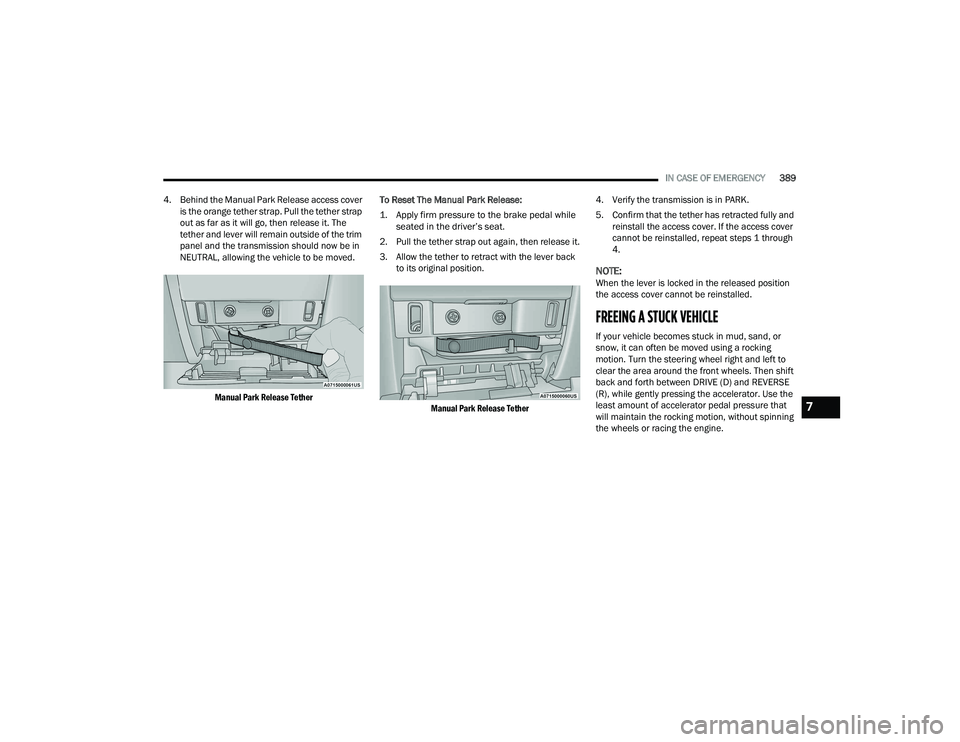
4. Behind the Manual Park Release access cover is the orange tether strap. Pull the tether strap
out as far as it will go, then release it. The
tether and lever will remain outside of the trim
panel and the transmission should now be in
NEUTRAL, allowing the vehicle to be moved.
Manual Park Release Tether
To Reset The Manual Park Release:
1. Apply firm pressure to the brake pedal while
seated in the driver’s seat.
2. Pull the tether strap out again, then release it.
3. Allow the tether to retract with the lever back to its original position.
Manual Park Release Tether
4. Verify the transmission is in PARK.
5. Confirm that the tether has retracted fully and
reinstall the access cover. If the access cover
cannot be reinstalled, repeat steps 1 through
4.
NOTE:When the lever is locked in the released position
the access cover cannot be reinstalled.
FREEING A STUCK VEHICLE
If your vehicle becomes stuck in mud, sand, or
snow, it can often be moved using a rocking
motion. Turn the steering wheel right and left to
clear the area around the front wheels. Then shift
back and forth between DRIVE (D) and REVERSE
(R), while gently pressing the accelerator. Use the
least amount of accelerator pedal pressure that
will maintain the rocking motion, without spinning
the wheels or racing the engine.
7
22_DT_OM_EN_USC_t.book Page 389
Page 392 of 496

390IN CASE OF EMERGENCY
NOTE:Shifts between DRIVE and REVERSE can only be
achieved at wheel speeds of 5 mph (8 km/h) or
less. Whenever the transmission remains in
NEUTRAL (N) for more than two seconds, you must
press the brake pedal to engage DRIVE or
REVERSE.
Push the ESC OFF button to place the Electronic
Stability Control (ESC) system in “Partial OFF”
mode, before rocking the vehicle Ú page 314.
Once the vehicle has been freed, push the ESC OFF
button to restore “ESC On” mode.TOWING A DISABLED VEHICLE
This section describes procedures for towing a
disabled vehicle using a commercial towing
service.
If the transmission and drivetrain are operable,
disabled vehicles may also be towed as described
on Ú page 227.
NOTE:
Vehicles equipped with the Active-Level Four
Corner Air Suspension System must be placed in
Transport mode, before tying them down (from the
body) on a trailer or flatbed truck Ú page 165. If
the vehicle cannot be placed in Transport mode
(for example, engine will not run), tie-downs must
be fastened to the axles (not to the body). Failure
to follow these instructions may cause fault codes
to be set and/or cause loss of proper tie-down
tension.
CAUTION!
Racing the engine or spinning the wheels may
lead to transmission overheating and failure.
Allow the engine to idle with the transmission
in NEUTRAL for at least one minute after every
five rocking-motion cycles. This will minimize
overheating and reduce the risk of transmis -
sion failure during prolonged efforts to free a
stuck vehicle.
When “rocking” a stuck vehicle by shifting
between DRIVE and REVERSE, do not spin the
wheels faster than 15 mph (24 km/h), or
drivetrain damage may result.
Revving the engine or spinning the wheels too
fast may lead to transmission overheating and
failure. It can also damage the tires. Do not
spin the wheels above 30 mph (48 km/h)
while in gear (no transmission shifting occur -
ring).
WARNING!
Fast spinning tires can be dangerous. Forces
generated by excessive wheel speeds may
cause damage, or even failure, of the axle and
tires. A tire could explode and injure someone.
Do not spin your vehicle's wheels faster than
30 mph (48 km/h) or for longer than 30
seconds continuously without stopping when
you are stuck and do not let anyone near a
spinning wheel, no matter what the speed.
22_DT_OM_EN_USC_t.book Page 390
Page 394 of 496
392IN CASE OF EMERGENCY
FOUR-WHEEL DRIVE MODELS
FCA US LLC recommends towing with all wheels
OFF the ground.
EMERGENCY TOW HOOKS —
I
F EQUIPPED
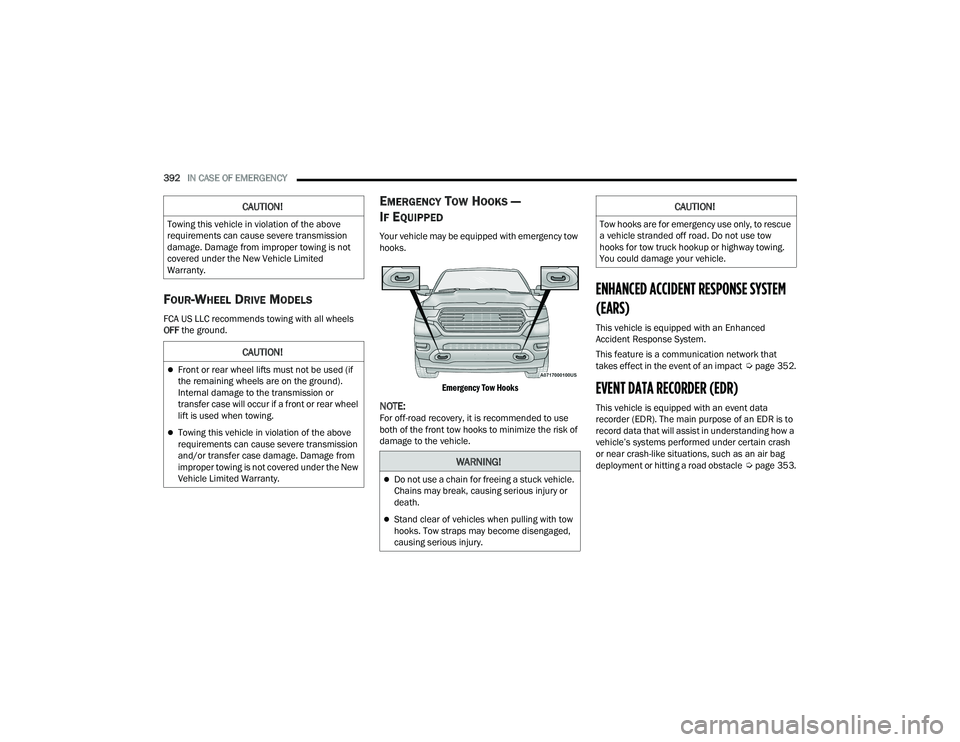
Your vehicle may be equipped with emergency tow
hooks.
Emergency Tow Hooks
NOTE:For off-road recovery, it is recommended to use
both of the front tow hooks to minimize the risk of
damage to the vehicle.
ENHANCED ACCIDENT RESPONSE SYSTEM
(EARS)
This vehicle is equipped with an Enhanced
Accident Response System.
This feature is a communication network that
takes effect in the event of an impact Úpage 352.
EVENT DATA RECORDER (EDR)
This vehicle is equipped with an event data
recorder (EDR). The main purpose of an EDR is to
record data that will assist in understanding how a
vehicle’s systems performed under certain crash
or near crash-like situations, such as an air bag
deployment or hitting a road obstacle Úpage 353.
CAUTION!
Towing this vehicle in violation of the above
requirements can cause severe transmission
damage. Damage from improper towing is not
covered under the New Vehicle Limited
Warranty.
CAUTION!
Front or rear wheel lifts must not be used (if
the remaining wheels are on the ground).
Internal damage to the transmission or
transfer case will occur if a front or rear wheel
lift is used when towing.
Towing this vehicle in violation of the above
requirements can cause severe transmission
and/or transfer case damage. Damage from
improper towing is not covered under the New
Vehicle Limited Warranty.
WARNING!
Do not use a chain for freeing a stuck vehicle.
Chains may break, causing serious injury or
death.
Stand clear of vehicles when pulling with tow
hooks. Tow straps may become disengaged,
causing serious injury.
CAUTION!
Tow hooks are for emergency use only, to rescue
a vehicle stranded off road. Do not use tow
hooks for tow truck hookup or highway towing.
You could damage your vehicle.
22_DT_OM_EN_USC_t.book Page 392
Page 455 of 496

SERVICING AND MAINTENANCE453
Consult an authorized tire dealer for tire repairs
and additional information.
Damaged Run Flat tires, or Run Flat tires that have
experienced a loss of pressure should be replaced
immediately with another Run Flat tire of identical
size and service description (Load Index and
Speed Symbol). Replace the tire pressure sensor
as well as it is not designed to be reused.
Run Flat Tires — If Equipped
Run Flat tires allow you the capability to drive
50 miles (80 km) at 50 mph (80 km/h) after a
rapid loss of inflation pressure. This rapid loss of
inflation is referred to as the Run Flat mode. A Run
Flat mode occurs when the tire inflation pressure is
of/or below 14 psi (96 kPa). Once a Run Flat tire
reaches the Run Flat mode it has limited driving
capabilities and needs to be replaced immediately.
A Run Flat tire is not repairable. When a Run Flat
tire is changed after driving with underinflated tire
condition, please replace the TPMS sensor as it is
not designed to be reused when driven under Run
Flat mode 14 psi (96 kPa) condition.
NOTE:The TPMS Sensor must be replaced after driving
the vehicle on a flat tire condition. It is not recommended driving a vehicle loaded at
full capacity or to tow a trailer while a tire is in the
Run Flat mode.
For more information Ú
page 328.
Tire Spinning
When stuck in mud, sand, snow, or ice conditions,
do not spin your vehicle's wheels above 30 mph
(48 km/h) or for longer than 30 seconds
continuously without stopping.
For further information Ú page 389.
Tread Wear Indicators
Tread wear indicators are in the original equipment
tires to help you in determining when your tires
should be replaced.
Tire Tread
These indicators are molded into the bottom of the
tread grooves. They will appear as bands when the
tread depth becomes a 1/16 of an inch (1.6 mm).
When the tread is worn to the tread wear
indicators, the tire should be replaced.
For further information Ú page 454.
WARNING!
Fast spinning tires can be dangerous. Forces
generated by excessive wheel speeds may
cause tire damage or failure. A tire could
explode and injure someone. Do not spin your
vehicle's wheels faster than 30 mph (48 km/h)
for more than 30 seconds continuously when
you are stuck, and do not let anyone near a
spinning wheel, no matter what the speed.
1 — Worn Tire
2 — New Tire
8
22_DT_OM_EN_USC_t.book Page 453
Page 485 of 496

483
Cruise Control Accel/Decel
............................................... 177Cancel....................................................... 177Resume..................................................... 177Cruise Control (Speed Control)... 133, 176, 178Cruise Light......................................... 136, 137Customer Assistance..................................... 477Cybersecurity................................................. 233
D
Daytime Running Lights................................... 55Dealer Service............................................... 408Defroster, Windshield...................... 62, 65, 368Deleting A Phone........................................... 276Diagnostic System, Onboard......................... 138Diesel Exhaust Fluid...................................... 209Adding....................................................... 209Fill Procedure............................................ 210Storage...................................................... 209Diesel Fuel..................................................... 469Diesel Fuel Requirements............................. 469Bulk Storage Of......................................... 209Diesel Fuel System, Re-Priming..................... 414Differential, Limited Slip................................ 173Dimmer Control Switch.................................... 60Disable Vehicle Towing.................................. 390
Disc Drive..................................................... 270Disconnecting............................................... 276DisposalAntifreeze (Engine Coolant)...................... 423Disturb.......................................................... 279Door Ajar Light..................................... 129, 130Door LocksAutomatic.................................................... 32Doors............................................................... 28Draining Fuel/Water Separator Filter............ 412Driver Memory Presets................................. 268Driver’s Seat Back Tilt...................................... 35DrivingThrough Flowing, Rising, Or ShallowStanding Water
.................................... 231Driving Tips................................................... 230Dual Rear Wheels......................................... 466
E
Electric Brake Control System....................... 313Anti-Lock Brake System............................ 312Electronic Roll Mitigation................. 314, 319Electric Parking Brake................................... 150Electric Power Steering................................. 173Electrical Power Outlets................................... 76Electronic Range Select (ERS)...................... 158Electronic Stability Control
(ESC)........................................... 131, 132, 314
Electronic Throttle Control Warning Light...... 129Electronically Shifted Transfer Case.... 160, 162Emergency Braking....................................... 327Emergency Gas Can Refueling...................... 386Emergency, In Case OfFreeing Vehicle When Stuck..................... 389Hazard Warning Flasher........................... 371Jump Starting........................................... 384Emission Control System Maintenance......... 139Engine........................................................... 403Air Cleaner................................................ 410Block Heater............................................. 149Break-In Recommendations..................... 150Compartment............... 403, 404, 405, 406CompartmentIdentification............ 403, 404, 405, 406Coolant (Antifreeze).................................. 473Exhaust Gas Caution................................ 370Fails To Start............................................. 143Flooded, Starting...................................... 143Fuel Requirements.......................... 467, 472Idling......................................................... 147Jump Starting........................................... 384Oil...........................................409, 472, 473Oil Filler Cap............................................. 403Oil Filter.................................................... 409
11
22_DT_OM_EN_USC_t.book Page 483