warning light RAM 1500 2022 Owners Manual
[x] Cancel search | Manufacturer: RAM, Model Year: 2022, Model line: 1500, Model: RAM 1500 2022Pages: 496, PDF Size: 18.03 MB
Page 6 of 496
4
TAILGATE ................................................................ 86 Opening .............................................................86
Closing...............................................................86
Locking Tailgate................................................86
Multifunction Tailgate — If Equipped ..............87
Tailgate Removal .............................................88
Bed Step — If Equipped....................................90
PICKUP BOX .......................................................... 92
Bed Rail Tie-Down System — If Equipped ......93
RAMBOX — IF EQUIPPED ...................................... 94
Locking And Unlocking RamBox ......................94
RamBox Cargo Storage Bins............................94
RamBox Safety Warning ..................................96
Bed Divider — If Equipped................................97
TRI-FOLD TONNEAU COVER — IF EQUIPPED ...... 98
Tonneau Cover Components ...........................98
Tri-Fold Tonneau Cover Folding For
Driving Or Removal...........................................99
Tri-Fold Tonneau Cover Installation ............. 102
Tri-Fold Tonneau Cover Cleaning ................. 105
GETTING TO KNOW YOUR
INSTRUMENT PANEL
BASE / MIDLINE INSTRUMENT CLUSTER —
GASOLINE .............................................................106
Base / Midline Instrument Cluster
Descriptions — Gasoline ............................... 107 PREMIUM INSTRUMENT CLUSTER —
GASOLINE............................................................. 108
Premium Instrument Cluster
Descriptions — Gasoline ............................... 109
BASE / MIDLINE INSTRUMENT CLUSTER —
DIESEL .................................................................. 110
Base / Midline Instrument Cluster
Descriptions — Diesel.................................... 111
PREMIUM INSTRUMENT CLUSTER —
DIESEL .................................................................. 113
Premium Instrument Cluster
Descriptions — Diesel ................................... 114
INSTRUMENT CLUSTER DISPLAY...................... 114
Instrument Cluster Display Location and
Controls.......................................................... 115Oil Life Reset ................................................. 116
Display Menu Items ...................................... 116
Head-Up Display (HUD) — If Equipped ........ 122
Diesel Particulate Filter (DPF) Messages .... 124
Displays.......................................................... 125Diesel Exhaust Fluid (DEF) Warning
Messages....................................................... 125
Diesel Exhaust Fluid (DEF) Fault Warning
Messages....................................................... 126
Battery Saver On/Battery Saver Mode
Message — Electrical Load Reduction
Actions — If Equipped.................................... 127 WARNING LIGHTS AND MESSAGES ................. 128
Red Warning Lights ....................................... 128
Yellow Warning Lights ................................... 131
Yellow Indicator Lights .................................. 134Green Indicator Lights .................................. 136White Indicator Lights ................................... 137
Blue Indicator Lights ..................................... 137
ONBOARD DIAGNOSTIC SYSTEM — OBD II ...... 138
Onboard Diagnostic System (OBD II)
Cybersecurity ................................................. 138
EMISSIONS INSPECTION AND
MAINTENANCE PROGRAMS............................... 139
STARTING AND OPERATING
STARTING THE ENGINE ...................................... 140
Automatic Transmission ............................... 141
Tip Start Feature .......................................... 141Keyless Enter ‘n Go™ — Ignition .................. 141
Normal Starting Using ENGINE START/
STOP Button — Gasoline Engine .................. 141
AutoPark ........................................................ 142
If Engine Fails To Start ................................. 143
Normal Starting Using ENGINE START/
STOP Button — Diesel Engine....................... 144
Cold Weather Operation
(Below –22°F Or −30°C) ............................ 145
After Starting ................................................. 145
Starting Fluids — Diesel Engine Only ........... 145
22_DT_OM_EN_USC_t.book Page 4
Page 9 of 496
7
CONNECTED SERVICES FAQS ........................... 297 Connected Services SOS FAQs —
If Equipped .................................................... 298
Connected Services Remote Door
Lock/Unlock FAQs ........................................ 298
Connected Services Roadside
Assistance FAQs ........................................... 298Connected Services Send & Go FAQs —
If Equipped .................................................... 298
Connected Services Vehicle Finder FAQs ... 299
Connected Services Stolen Vehicle
Assistance FAQs — If Equipped ................... 299
Connected Services Remote Vehicle
Start FAQs ..................................................... 299
Connected Services Remote
Horn & Lights FAQs ....................................... 300
Connected Services Account
FAQs — If Equipped ....................................... 300
Data Collection & Privacy.............................. 302
RADIO OPERATION AND MOBILE PHONES...... 302
Regulatory And Safety Information .............. 303
PERFORMANCE PAGES — IF EQUIPPED...........303
Timers ............................................................ 304
Gauges ........................................................... 304G-Force ........................................................... 305Dynamometer (Dyno)/Engine ....................... 305
Vehicle Dynamics .......................................... 306 OFF-ROAD PAGES — IF EQUIPPED ................... 306
Off-Road Pages Status Bar .......................... 307
Vehicle Dynamics ......................................... 308
Accessory Gauge ........................................... 309Pitch & Roll .................................................... 310
Suspension .................................................... 311
Forward Facing Camera................................ 311
SAFETY
SAFETY FEATURES .............................................. 312
Anti-Lock Brake System (ABS) ..................... 312
Electronic Brake Control (EBC) System ....... 313
AUXILIARY DRIVING SYSTEMS.......................... 319
Blind Spot Monitoring (BSM) —
If Equipped .................................................... 319
Forward Collision Warning (FCW)
With Mitigation — If Equipped ...................... 325Tire Pressure Monitoring System (TPMS) .... 328
OCCUPANT RESTRAINT SYSTEMS ................... 334
Occupant Restraint Systems Features ....... 334
Important Safety Precautions ...................... 334Seat Belt Systems ........................................ 335Supplemental Restraint Systems (SRS) ...... 341Child Restraints ............................................ 354
SAFETY TIPS ........................................................ 368
Transporting Passengers .............................. 368Transporting Pets ....................................... 368 Safety Checks You Should Make
Inside The Vehicle ........................................ 368
Periodic Safety Checks You Should
Make Outside The Vehicle ............................ 369
Exhaust Gas................................................... 370
Carbon Monoxide Warnings ........................ 370
IN CASE OF EMERGENCY
HAZARD WARNING FLASHERS ......................... 371
ASSIST AND SOS SYSTEM — IF EQUIPPED ...... 372
JACKING AND TIRE CHANGING ......................... 375 Preparations For Jacking .............................. 375
Jack Location................................................. 376
Removal Of Jack And Tools .......................... 376
Removing The Spare Tire ............................. 378Jacking Instructions ...................................... 379
To Stow The Flat Or Spare ........................... 382
Reinstalling The Jack And Tools ................... 383
JUMP STARTING .................................................. 384
Preparations For Jump Start ........................ 384Jump Starting Procedure .............................. 385
REFUELING IN EMERGENCY –
IF EQUIPPED ........................................................ 386
IF YOUR ENGINE OVERHEATS ........................... 387
MANUAL PARK RELEASE ................................... 388
FREEING A STUCK VEHICLE .............................. 389
22_DT_OM_EN_USC_t.book Page 7
Page 15 of 496
13
When the truck is used to carry a slide-in camper, the total cargo load of the
truck consists of the manufacturer’s camper weight figure, the weight of
installed additional camper equipment not included in the manufacturer’s
camper weight figure, the weight of camper cargo, and the weight of
passengers in the camper. The total cargo load should not exceed the truck’s
cargo weight rating and the camper’s CG should fall within the truck’s
recommended CG zone when installed.
Secure loose items to prevent weight shifts that could affect the balance of
your vehicle. When the truck camper is loaded, drive to a scale and weigh the
front and rear wheels separately, to determine axle loads. Individual axle loads
should not exceed either of the Gross Axle Weight Ratings (GAWR). The total of
the axle loads should not exceed the Gross Vehicle Weight Rating (GVWR).
If weight ratings are exceeded, move or remove items to get the total weight
below the ratings.
NOTE:These ratings are also provided on the vehicle certification label located on
the driver’s side B-pillar. See Ú page 211 for more information.
For any additional instructions, please contact your conversion/camper
manufacturer or an authorized dealer.
VEHICLE MODIFICATIONS/ALTERATIONS SYMBOL GLOSSARY
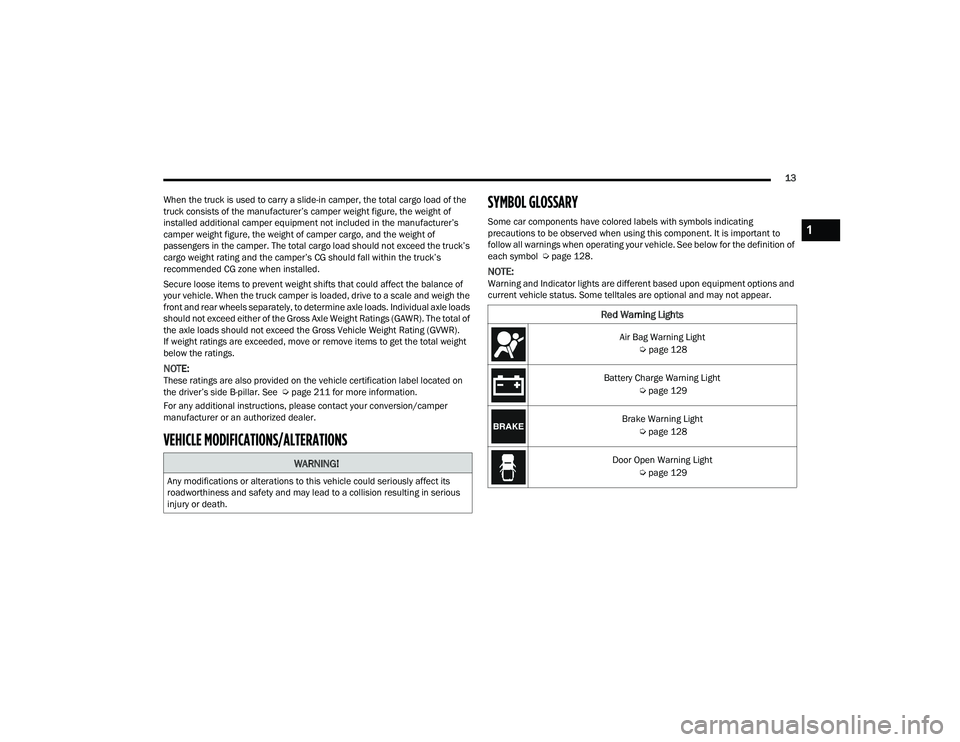
Some car components have colored labels with symbols indicating
precautions to be observed when using this component. It is important to
follow all warnings when operating your vehicle. See below for the definition of
each symbol Ú
page 128.
NOTE:Warning and Indicator lights are different based upon equipment options and
current vehicle status. Some telltales are optional and may not appear.
WARNING!
Any modifications or alterations to this vehicle could seriously affect its
roadworthiness and safety and may lead to a collision resulting in serious
injury or death.
Red Warning Lights
Air Bag Warning Light
Úpage 128
Battery Charge Warning Light Úpage 129
Brake Warning Light Úpage 128
Door Open Warning Light Úpage 129
1
22_DT_OM_EN_USC_t.book Page 13
Page 16 of 496

14 Electronic Throttle Control (ETC) Warning Light Úpage 129
Electric Power Steering (EPS) Fault Warning Light Úpage 130
Engine Coolant Temperature Warning Light Úpage 130
Hood Open Warning Light Úpage 130
Oil Pressure Warning Light Úpage 130
Oil Temperature Warning Light Úpage 130
Seat Belt Reminder Warning Light Úpage 130
Tailgate Open Warning Light Úpage 130
Red Warning Lights
Trailer Brake Disconnected Warning Light
Úpage 131
Transmission Temperature Warning Light Úpage 131
Vehicle Security Warning Light Úpage 131
Yellow Warning Lights
Adaptive Cruise Control (ACC) Fault Warning Light
Úpage 131
Air Suspension Fault Warning Light Úpage 131
Anti-Lock Brake System (ABS) Warning Light Úpage 131
Cruise Control Fault Warning Light Úpage 133
Red Warning Lights
22_DT_OM_EN_USC_t.book Page 14
Page 17 of 496

15
Electronic Park Brake Warning Light Úpage 131
Electronic Stability Control (ESC) Active Warning Light Úpage 131
Electronic Stability Control (ESC) OFF Warning Light Úpage 132
Engine Check/Malfunction Indicator Warning Light (MIL) Úpage 132
Low Washer Fluid Warning Light Úpage 132
Low Fuel Warning Light Úpage 132
Rear Axle Locker Fault Indicator Light Úpage 133
Service Forward Collision Warning (FCW) Light Úpage 133
Yellow Warning Lights
Service Stop/Start System Warning Light
Úpage 133
Service 4WD Warning Light Úpage 133
Service LaneSense Warning Light Úpage 132
Tire Pressure Monitoring System (TPMS) Warning Light Úpage 133
Yellow Indicator Lights
Air Suspension Payload Protection Indicator Light
Úpage 134
Air Suspension Off-Road 1 Indicator Light Úpage 134
Air Suspension Off-Road 2 Indicator Light Úpage 134
Yellow Warning Lights
1
22_DT_OM_EN_USC_t.book Page 15
Page 18 of 496
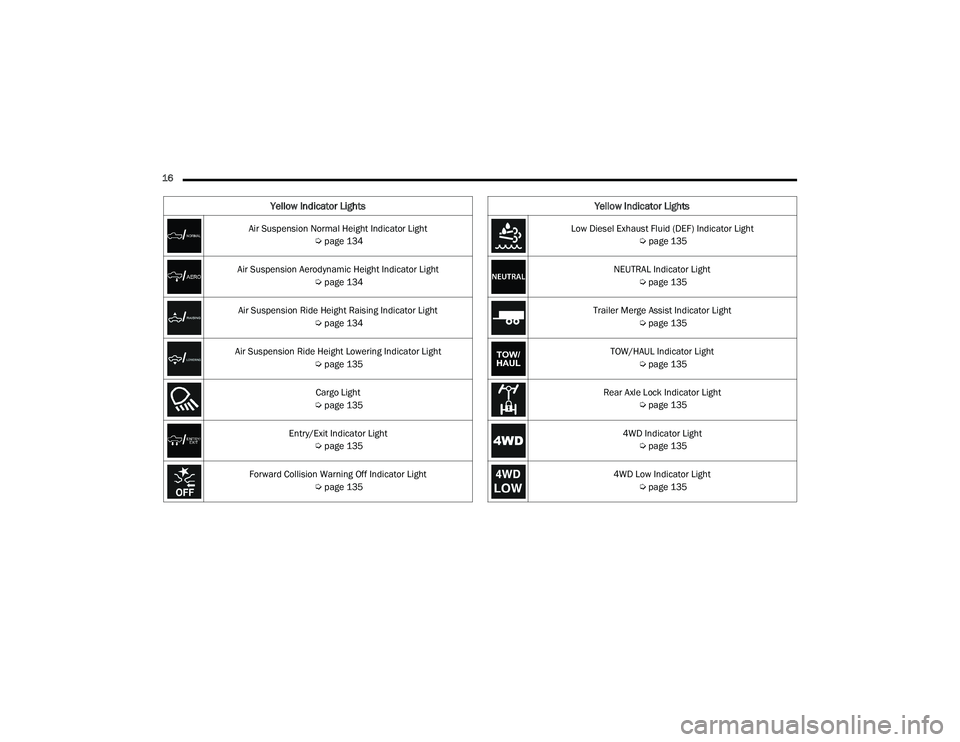
16 Air Suspension Normal Height Indicator Light Úpage 134
Air Suspension Aerodynamic Height Indicator Light Úpage 134
Air Suspension Ride Height Raising Indicator Light Úpage 134
Air Suspension Ride Height Lowering Indicator Light Úpage 135
Cargo Light
Ú page 135
Entry/Exit Indicator Light Úpage 135
Forward Collision Warning Off Indicator Light Úpage 135
Yellow Indicator Lights
Low Diesel Exhaust Fluid (DEF) Indicator Light
Úpage 135
NEUTRAL Indicator Light Úpage 135
Trailer Merge Assist Indicator Light Úpage 135
TOW/HAUL Indicator Light Úpage 135
Rear Axle Lock Indicator Light Úpage 135
4WD Indicator Light Úpage 135
4WD Low Indicator Light Úpage 135
Yellow Indicator Lights
22_DT_OM_EN_USC_t.book Page 16
Page 27 of 496
GETTING TO KNOW YOUR VEHICLE25
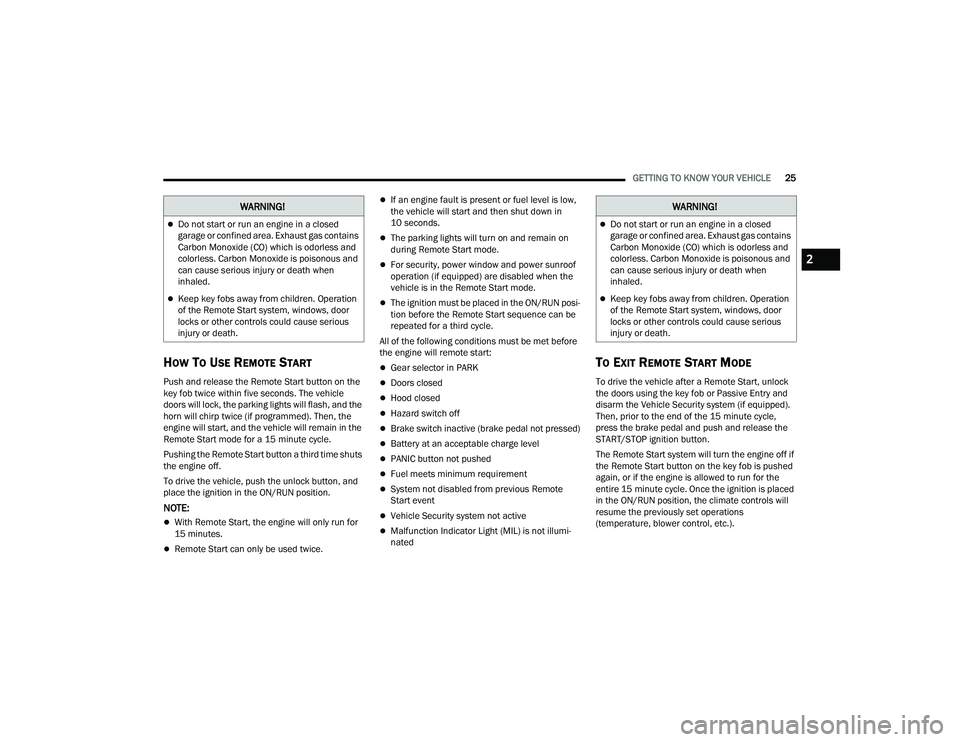
HOW TO USE REMOTE START
Push and release the Remote Start button on the
key fob twice within five seconds. The vehicle
doors will lock, the parking lights will flash, and the
horn will chirp twice (if programmed). Then, the
engine will start, and the vehicle will remain in the
Remote Start mode for a 15 minute cycle.
Pushing the Remote Start button a third time shuts
the engine off.
To drive the vehicle, push the unlock button, and
place the ignition in the ON/RUN position.
NOTE:
With Remote Start, the engine will only run for
15 minutes.
Remote Start can only be used twice.
If an engine fault is present or fuel level is low,
the vehicle will start and then shut down in
10 seconds.
The parking lights will turn on and remain on
during Remote Start mode.
For security, power window and power sunroof
operation (if equipped) are disabled when the
vehicle is in the Remote Start mode.
The ignition must be placed in the ON/RUN posi -
tion before the Remote Start sequence can be
repeated for a third cycle.
All of the following conditions must be met before
the engine will remote start:
Gear selector in PARK
Doors closed
Hood closed
Hazard switch off
Brake switch inactive (brake pedal not pressed)
Battery at an acceptable charge level
PANIC button not pushed
Fuel meets minimum requirement
System not disabled from previous Remote
Start event
Vehicle Security system not active
Malfunction Indicator Light (MIL) is not illumi -
nated
TO EXIT REMOTE START MODE
To drive the vehicle after a Remote Start, unlock
the doors using the key fob or Passive Entry and
disarm the Vehicle Security system (if equipped).
Then, prior to the end of the 15 minute cycle,
press the brake pedal and push and release the
START/STOP ignition button.
The Remote Start system will turn the engine off if
the Remote Start button on the key fob is pushed
again, or if the engine is allowed to run for the
entire 15 minute cycle. Once the ignition is placed
in the ON/RUN position, the climate controls will
resume the previously set operations
(temperature, blower control, etc.).
WARNING!
Do not start or run an engine in a closed
garage or confined area. Exhaust gas contains
Carbon Monoxide (CO) which is odorless and
colorless. Carbon Monoxide is poisonous and
can cause serious injury or death when
inhaled.
Keep key fobs away from children. Operation
of the Remote Start system, windows, door
locks or other controls could cause serious
injury or death.
WARNING!
Do not start or run an engine in a closed
garage or confined area. Exhaust gas contains
Carbon Monoxide (CO) which is odorless and
colorless. Carbon Monoxide is poisonous and
can cause serious injury or death when
inhaled.
Keep key fobs away from children. Operation
of the Remote Start system, windows, door
locks or other controls could cause serious
injury or death.
2
22_DT_OM_EN_USC_t.book Page 25
Page 29 of 496
GETTING TO KNOW YOUR VEHICLE27
The message will stay active until the ignition is
placed in the ON/RUN position.
REMOTE START — IF EQUIPPED (DIESEL)
This system uses the key fob to start the
engine conveniently from outside the
vehicle while still maintaining security.
The system has a range of approximately
328 ft (100 m).
NOTE:
Obstructions between the vehicle and the key
fob may reduce this range.
The Remote Start system will wait for the Wait
To Start indicator light to extinguish before
cranking the engine. This allows time for the
engine pre-heat cycle to heat the cylinder air,
and is normal in cold weather. For further infor -
mation on the Wait To Start indicator light and
the pre-heat cycle, see Ú page 135.
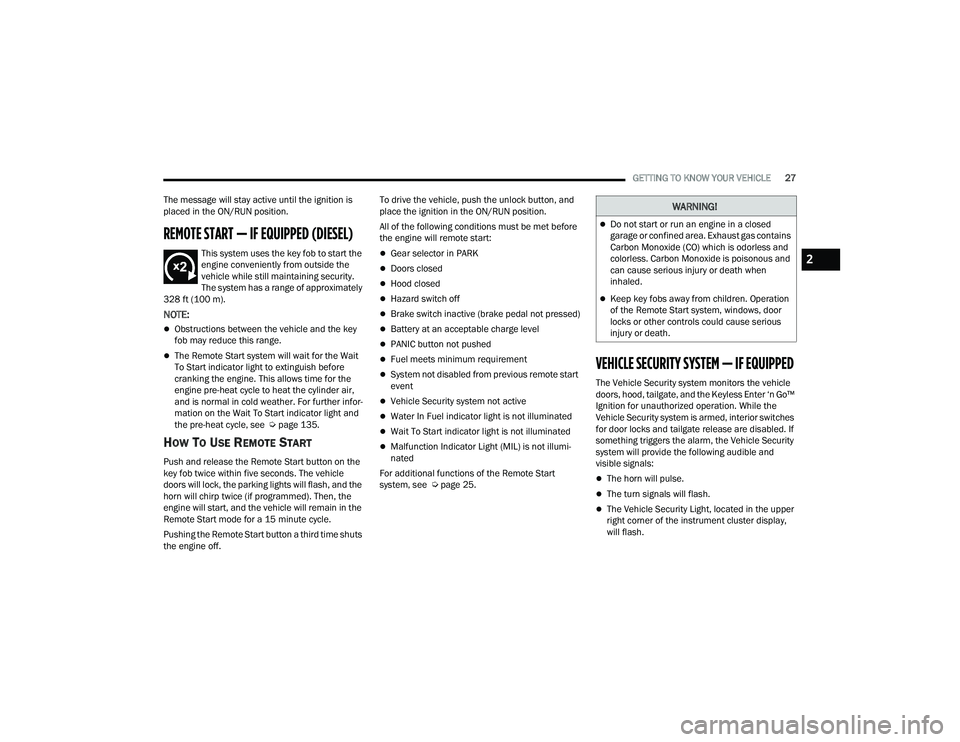
HOW TO USE REMOTE START
Push and release the Remote Start button on the
key fob twice within five seconds. The vehicle
doors will lock, the parking lights will flash, and the
horn will chirp twice (if programmed). Then, the
engine will start, and the vehicle will remain in the
Remote Start mode for a 15 minute cycle.
Pushing the Remote Start button a third time shuts
the engine off. To drive the vehicle, push the unlock button, and
place the ignition in the ON/RUN position.
All of the following conditions must be met before
the engine will remote start:
Gear selector in PARK
Doors closed
Hood closed
Hazard switch off
Brake switch inactive (brake pedal not pressed)
Battery at an acceptable charge level
PANIC button not pushed
Fuel meets minimum requirement
System not disabled from previous remote start
event
Vehicle Security system not active
Water In Fuel indicator light is not illuminated
Wait To Start indicator light is not illuminated
Malfunction Indicator Light (MIL) is not illumi
-
nated
For additional functions of the Remote Start
system, see Ú page 25.
VEHICLE SECURITY SYSTEM — IF EQUIPPED
The Vehicle Security system monitors the vehicle
doors, hood, tailgate, and the Keyless Enter ‘n Go™
Ignition for unauthorized operation. While the
Vehicle Security system is armed, interior switches
for door locks and tailgate release are disabled. If
something triggers the alarm, the Vehicle Security
system will provide the following audible and
visible signals:
The horn will pulse.
The turn signals will flash.
The Vehicle Security Light, located in the upper
right corner of the instrument cluster display,
will flash.
WARNING!
Do not start or run an engine in a closed
garage or confined area. Exhaust gas contains
Carbon Monoxide (CO) which is odorless and
colorless. Carbon Monoxide is poisonous and
can cause serious injury or death when
inhaled.
Keep key fobs away from children. Operation
of the Remote Start system, windows, door
locks or other controls could cause serious
injury or death.
2
22_DT_OM_EN_USC_t.book Page 27
Page 38 of 496
36GETTING TO KNOW YOUR VEHICLE
MANUAL ADJUSTMENT (FRONT SEATS) —
I
F EQUIPPED
Manual Front Seat Forward/Rearward
Adjustment
Both front seats are adjustable forward or
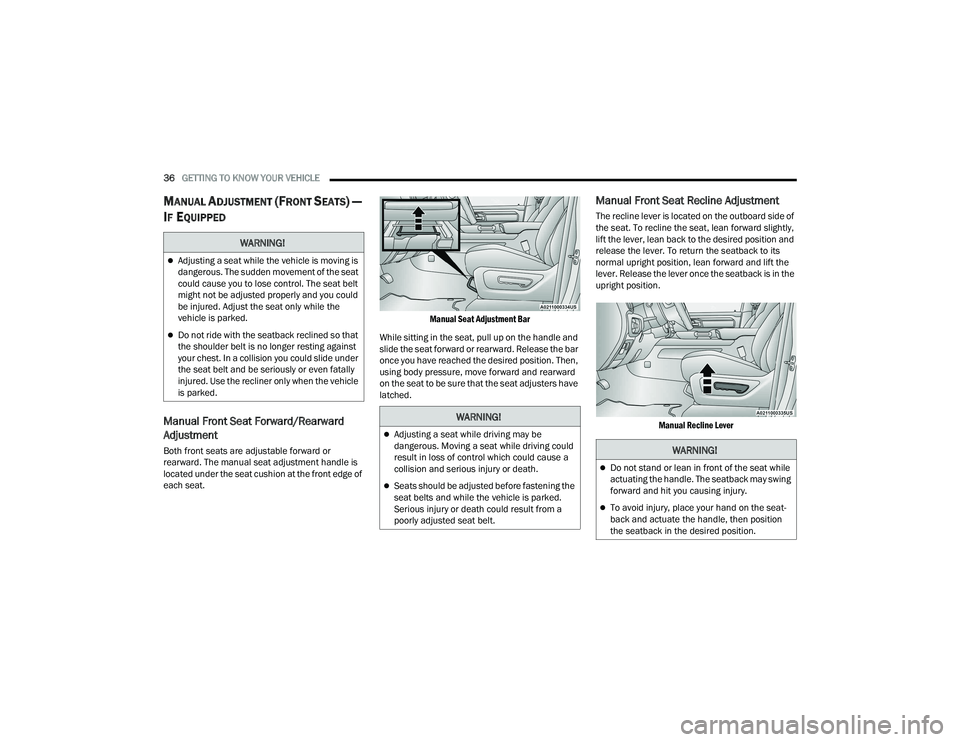
rearward. The manual seat adjustment handle is
located under the seat cushion at the front edge of
each seat.
Manual Seat Adjustment Bar
While sitting in the seat, pull up on the handle and
slide the seat forward or rearward. Release the bar
once you have reached the desired position. Then,
using body pressure, move forward and rearward
on the seat to be sure that the seat adjusters have
latched.
Manual Front Seat Recline Adjustment
The recline lever is located on the outboard side of
the seat. To recline the seat, lean forward slightly,
lift the lever, lean back to the desired position and
release the lever. To return the seatback to its
normal upright position, lean forward and lift the
lever. Release the lever once the seatback is in the
upright position.
Manual Recline Lever
WARNING!
Adjusting a seat while the vehicle is moving is
dangerous. The sudden movement of the seat
could cause you to lose control. The seat belt
might not be adjusted properly and you could
be injured. Adjust the seat only while the
vehicle is parked.
Do not ride with the seatback reclined so that
the shoulder belt is no longer resting against
your chest. In a collision you could slide under
the seat belt and be seriously or even fatally
injured. Use the recliner only when the vehicle
is parked.
WARNING!
Adjusting a seat while driving may be
dangerous. Moving a seat while driving could
result in loss of control which could cause a
collision and serious injury or death.
Seats should be adjusted before fastening the
seat belts and while the vehicle is parked.
Serious injury or death could result from a
poorly adjusted seat belt.
WARNING!
Do not stand or lean in front of the seat while
actuating the handle. The seatback may swing
forward and hit you causing injury.
To avoid injury, place your hand on the seat -
back and actuate the handle, then position
the seatback in the desired position.
22_DT_OM_EN_USC_t.book Page 36
Page 47 of 496
GETTING TO KNOW YOUR VEHICLE45
For vehicles equipped with Driver Memory
Settings Úpage 34, you can use your key fob or
the memory switch on the driver’s door trim
panel to return the adjustable pedals to
pre-programmed positions.MIRRORS
INSIDE REARVIEW MIRROR
Manual Mirror — If Equipped
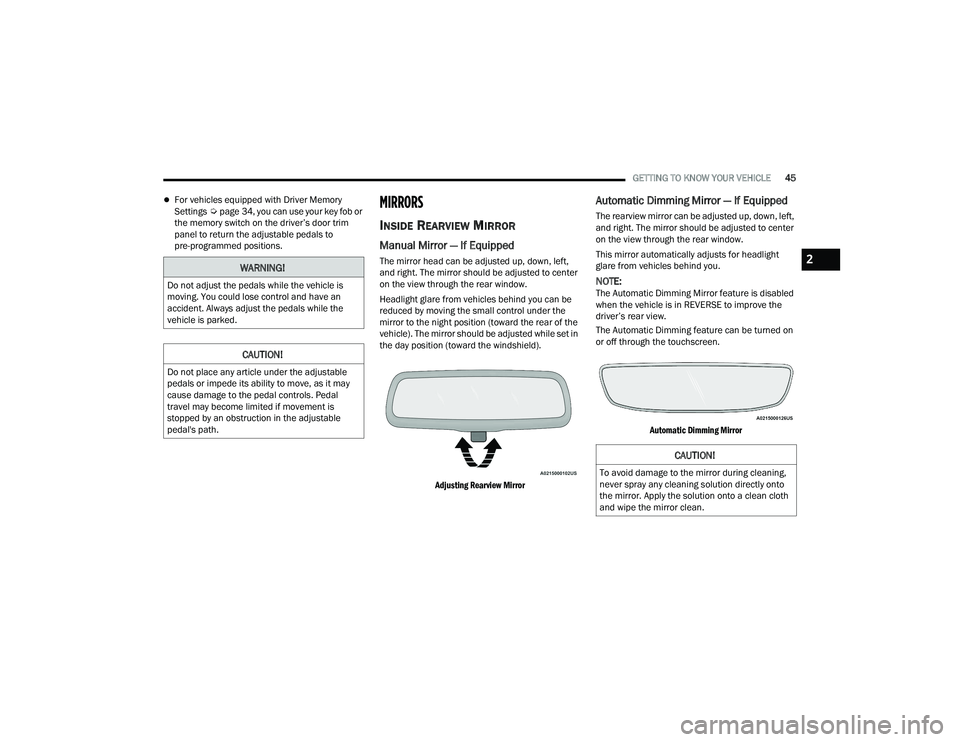
The mirror head can be adjusted up, down, left,
and right. The mirror should be adjusted to center
on the view through the rear window.
Headlight glare from vehicles behind you can be
reduced by moving the small control under the
mirror to the night position (toward the rear of the
vehicle). The mirror should be adjusted while set in
the day position (toward the windshield).
Adjusting Rearview Mirror
Automatic Dimming Mirror — If Equipped
The rearview mirror can be adjusted up, down, left,
and right. The mirror should be adjusted to center
on the view through the rear window.
This mirror automatically adjusts for headlight
glare from vehicles behind you.
NOTE:The Automatic Dimming Mirror feature is disabled
when the vehicle is in REVERSE to improve the
driver’s rear view.
The Automatic Dimming feature can be turned on
or off through the touchscreen.
Automatic Dimming Mirror
WARNING!
Do not adjust the pedals while the vehicle is
moving. You could lose control and have an
accident. Always adjust the pedals while the
vehicle is parked.
CAUTION!
Do not place any article under the adjustable
pedals or impede its ability to move, as it may
cause damage to the pedal controls. Pedal
travel may become limited if movement is
stopped by an obstruction in the adjustable
pedal's path.
CAUTION!
To avoid damage to the mirror during cleaning,
never spray any cleaning solution directly onto
the mirror. Apply the solution onto a clean cloth
and wipe the mirror clean.
2
22_DT_OM_EN_USC_t.book Page 45