instrument cluster RAM 1500 2023 User Guide
[x] Cancel search | Manufacturer: RAM, Model Year: 2023, Model line: 1500, Model: RAM 1500 2023Pages: 416, PDF Size: 20.59 MB
Page 52 of 416
50GETTING TO KNOW YOUR VEHICLE
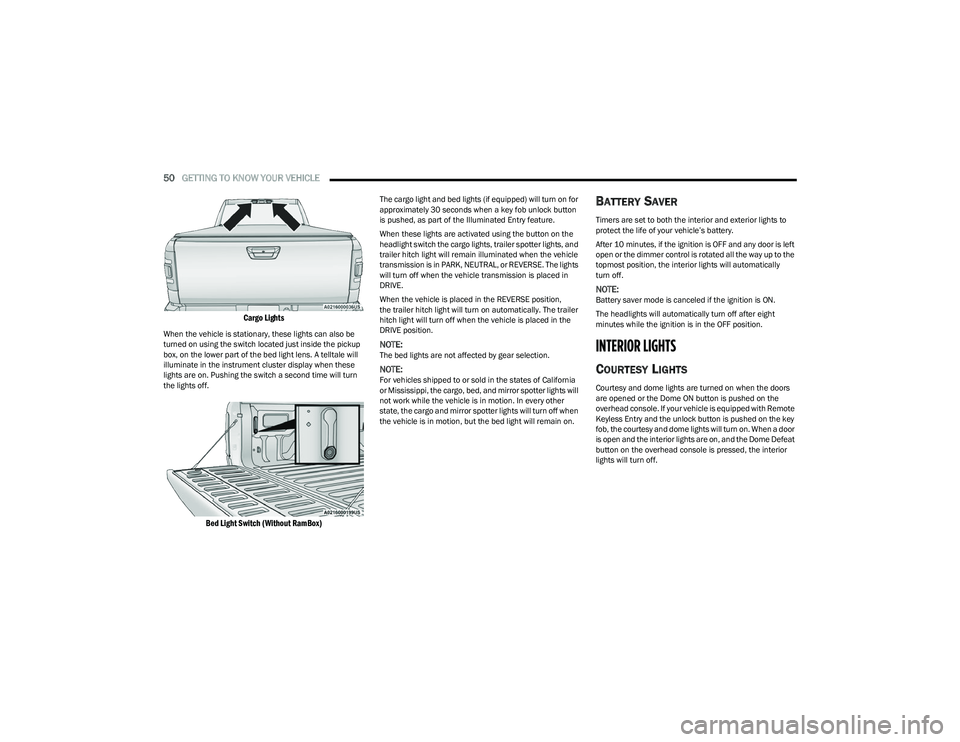
Cargo Lights
When the vehicle is stationary, these lights can also be
turned on using the switch located just inside the pickup
box, on the lower part of the bed light lens. A telltale will
illuminate in the instrument cluster display when these
lights are on. Pushing the switch a second time will turn
the lights off.
Bed Light Switch (Without RamBox)
The cargo light and bed lights (if equipped) will turn on for
approximately 30 seconds when a key fob unlock button
is pushed, as part of the Illuminated Entry feature.
When these lights are activated using the button on the
headlight switch the cargo lights, trailer spotter lights, and
trailer hitch light will remain illuminated when the vehicle
transmission is in PARK, NEUTRAL, or REVERSE. The lights
will turn off when the vehicle transmission is placed in
DRIVE.
When the vehicle is placed in the REVERSE position,
the trailer hitch light will turn on automatically. The trailer
hitch light will turn off when the vehicle is placed in the
DRIVE position.
NOTE:The bed lights are not affected by gear selection.
NOTE:For vehicles shipped to or sold in the states of California
or Mississippi, the cargo, bed, and mirror spotter lights will
not work while the vehicle is in motion. In every other
state, the cargo and mirror spotter lights will turn off when
the vehicle is in motion, but the bed light will remain on.
BATTERY SAVER
Timers are set to both the interior and exterior lights to
protect the life of your vehicle’s battery.
After 10 minutes, if the ignition is OFF and any door is left
open or the dimmer control is rotated all the way up to the
topmost position, the interior lights will automatically
turn off.
NOTE:Battery saver mode is canceled if the ignition is ON.
The headlights will automatically turn off after eight
minutes while the ignition is in the OFF position.
INTERIOR LIGHTS
COURTESY LIGHTS
Courtesy and dome lights are turned on when the doors
are opened or the Dome ON button is pushed on the
overhead console. If your vehicle is equipped with Remote
Keyless Entry and the unlock button is pushed on the key
fob, the courtesy and dome lights will turn on. When a door
is open and the interior lights are on, and the Dome Defeat
button on the overhead console is pressed, the interior
lights will turn off.
23_DT_OM_EN_USC_t.book Page 50
Page 95 of 416
93
GETTING TO KNOW YOUR INSTRUMENT PANEL
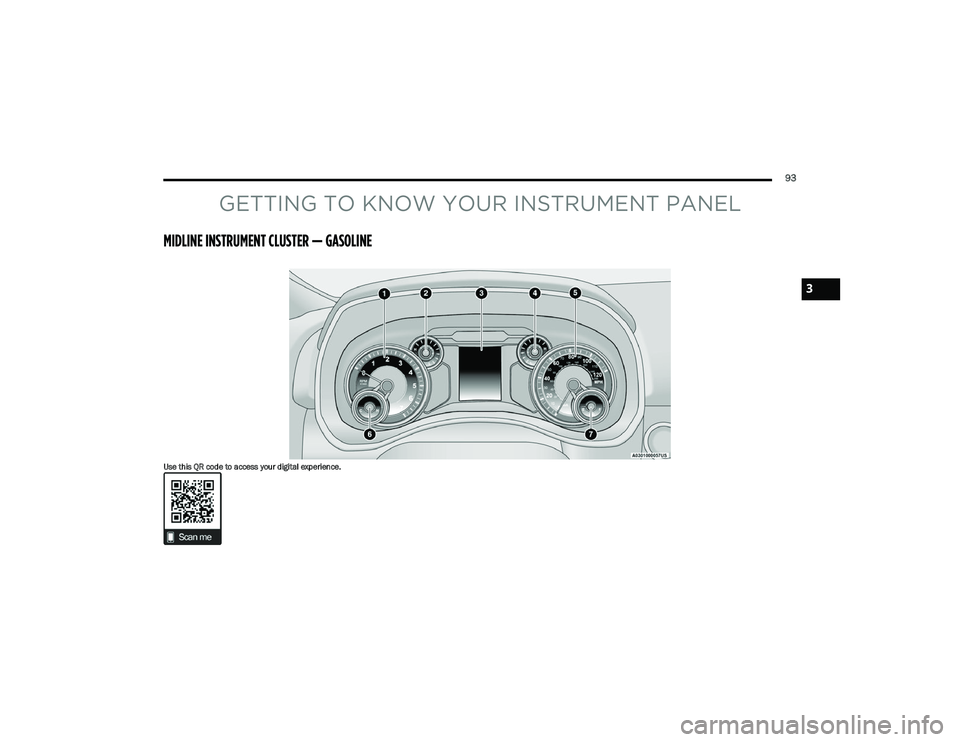
MIDLINE INSTRUMENT CLUSTER — GASOLINE
Use this QR code to access your digital experience.
3
23_DT_OM_EN_USC_t.book Page 93
Page 96 of 416
94GETTING TO KNOW YOUR INSTRUMENT PANEL
MIDLINE INSTRUMENT CLUSTER
D
ESCRIPTIONS — GASOLINE
1. Tachometer
Indicates the engine speed in revolutions per
minute (RPM x 1000).
2. Voltmeter When the vehicle is in the RUN state, the gauge
indicates the electrical system voltage. The
pointer should stay within the normal range if the
battery is charged. If the pointer moves to either
extreme left or right and remains there during
normal driving, the electrical system should be
serviced.
NOTE:In vehicles equipped with Stop/Start, a reduced voltage
may be present during an Autostop.
3. Instrument Cluster Display
When the appropriate conditions exist, this display
shows the instrument cluster display messages
Úpage 98.
The display always shows one of the main menu
items after ignition on. 4. Oil Pressure Gauge
The pointer should always indicate the oil pres -
sure when the engine is running. A continuous
high or low reading under normal driving condi -
tions may indicate a lubrication system malfunc -
tion. Immediate service should be obtained from
an authorized dealer.
NOTE:In vehicles equipped with Stop/Start, an oil pressure indi -
cation of zero is normal during an Autostop.
5. Speedometer
Indicates vehicle speed.
6. Temperature Gauge The pointer shows engine coolant temperature.
The pointer positioned within the normal range
indicates that the engine cooling system is oper -
ating satisfactorily.
The pointer will likely indicate a higher tempera -
ture when driving in hot weather, up mountain
grades, or when towing a trailer. It should not be
allowed to exceed the upper limits of the normal
operating range. 7. Fuel Gauge
The pointer shows the level of fuel in the fuel tank
when the ignition is in the ON/RUN position.
The fuel pump symbol points to the
side of the vehicle where the fuel door
is located.
WARNING!
A hot engine cooling system is dangerous. You or others
could be badly burned by steam or boiling coolant.
You may want to call an authorized dealer for service if
your vehicle overheats
Úpage 350.
CAUTION!
Driving with a hot engine cooling system could damage
your vehicle. If the temperature gauge reads “H,” pull
over and stop the vehicle. Idle the vehicle with the air
conditioner turned off until the pointer drops back into
the normal range. If the pointer remains on the “H,”
turn the engine off immediately and call an authorized
dealer for service.
23_DT_OM_EN_USC_t.book Page 94
Page 97 of 416
GETTING TO KNOW YOUR INSTRUMENT PANEL95
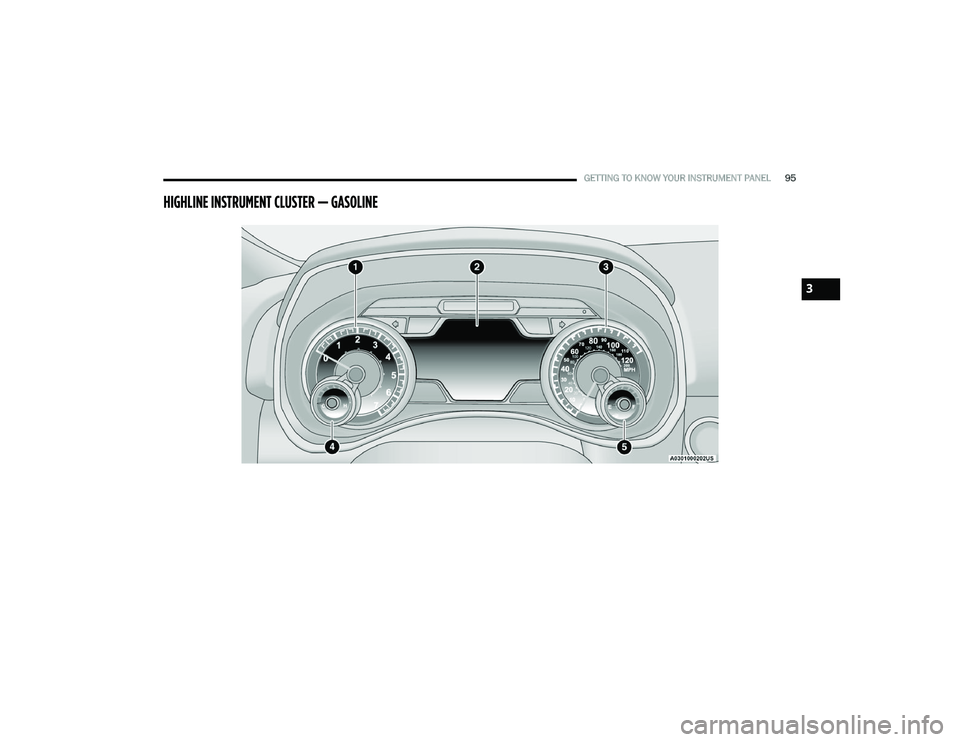
HIGHLINE INSTRUMENT CLUSTER — GASOLINE
3
23_DT_OM_EN_USC_t.book Page 95
Page 98 of 416
96GETTING TO KNOW YOUR INSTRUMENT PANEL
HIGHLINE INSTRUMENT CLUSTER
D
ESCRIPTIONS — GASOLINE
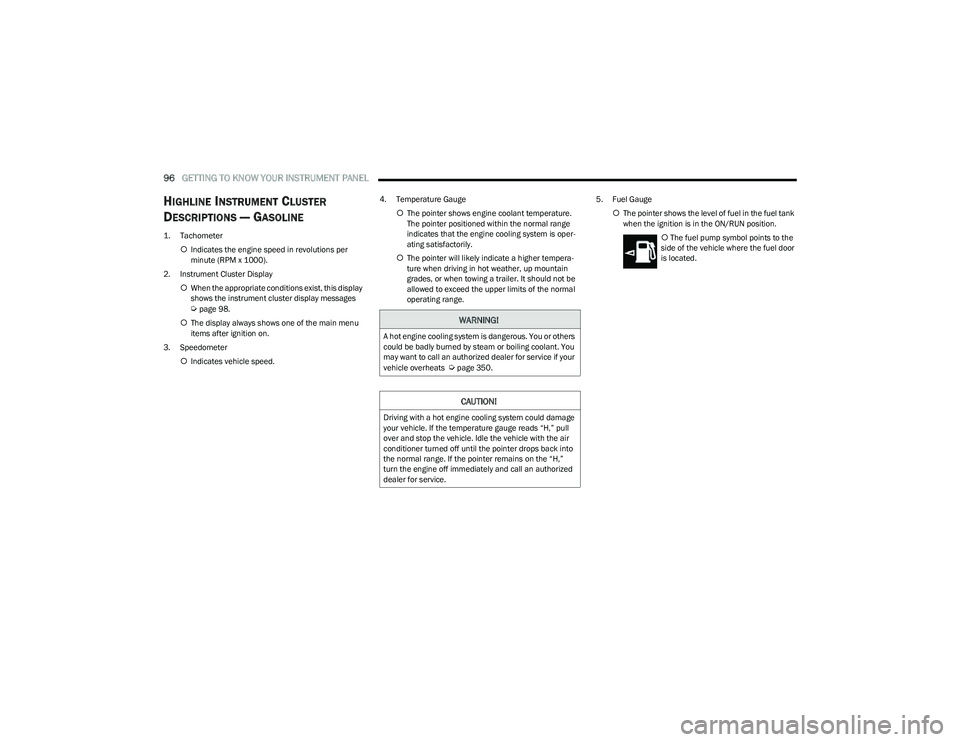
1. Tachometer
Indicates the engine speed in revolutions per
minute (RPM x 1000).
2. Instrument Cluster Display When the appropriate conditions exist, this display
shows the instrument cluster display messages
Úpage 98.
The display always shows one of the main menu
items after ignition on.
3. Speedometer Indicates vehicle speed. 4. Temperature Gauge
The pointer shows engine coolant temperature.
The pointer positioned within the normal range
indicates that the engine cooling system is oper -
ating satisfactorily.
The pointer will likely indicate a higher tempera -
ture when driving in hot weather, up mountain
grades, or when towing a trailer. It should not be
allowed to exceed the upper limits of the normal
operating range. 5. Fuel Gauge
The pointer shows the level of fuel in the fuel tank
when the ignition is in the ON/RUN position.
The fuel pump symbol points to the
side of the vehicle where the fuel door
is located.WARNING!
A hot engine cooling system is dangerous. You or others
could be badly burned by steam or boiling coolant. You
may want to call an authorized dealer for service if your
vehicle overheats
Úpage 350.
CAUTION!
Driving with a hot engine cooling system could damage
your vehicle. If the temperature gauge reads “H,” pull
over and stop the vehicle. Idle the vehicle with the air
conditioner turned off until the pointer drops back into
the normal range. If the pointer remains on the “H,”
turn the engine off immediately and call an authorized
dealer for service.
23_DT_OM_EN_USC_t.book Page 96
Page 99 of 416
GETTING TO KNOW YOUR INSTRUMENT PANEL97
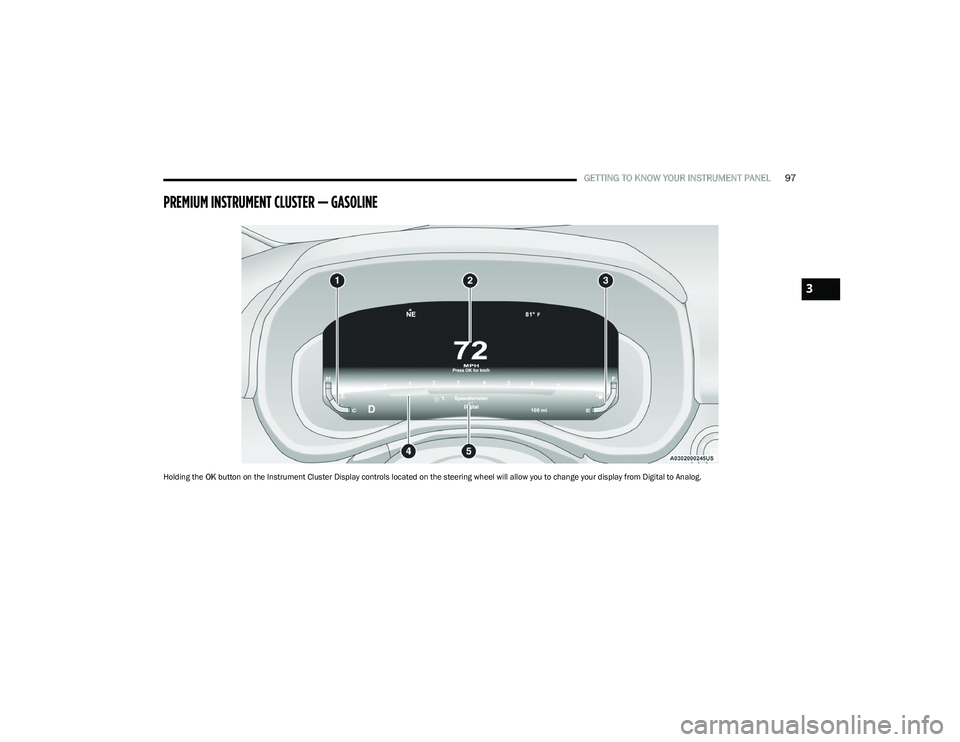
PREMIUM INSTRUMENT CLUSTER — GASOLINE
Holding the OK button on the Instrument Cluster Display controls located on the steering wheel will allow you to change your display from Digital to Analog.
3
23_DT_OM_EN_USC_t.book Page 97
Page 100 of 416
98GETTING TO KNOW YOUR INSTRUMENT PANEL
PREMIUM INSTRUMENT CLUSTER
D
ESCRIPTIONS — GASOLINE
1. Temperature Gauge
The temperature gauge shows engine coolant
temperature. Any reading within 203°F - 230°F
(95°C - 110°C) indicates that the engine cooling
system is operating satisfactorily.
The pointer will likely indicate a higher tempera -
ture when driving in hot weather, up mountain
grades, or when towing a trailer. It should not be
allowed to exceed the upper limits of the normal
operating range. 2. Speedometer
Indicates vehicle speed.
3. Fuel Gauge The pointer shows the level of fuel in the fuel tank
when the Keyless Push Button Ignition is in the
ON/RUN position.
The fuel pump symbol points to the
side of the vehicle where the fuel door
is located.
4. Tachometer Indicates the engine speed in revolutions per
minute (RPM x 1000).
5. Instrument Cluster Display The instrument cluster display features a driver
interactive display
Úpage 98.
NOTE:The hard telltales will illuminate for a bulb check when the
ignition is first cycled.
INSTRUMENT CLUSTER DISPLAY
Depending on your vehicles trim level, features and
options may vary.
Your vehicle will be equipped with an instrument cluster
display, which offers useful information to the driver. With
the ignition in the OFF mode, opening/closing of a door will
activate the display for viewing, and display the total miles,
or kilometers, in the odometer. Your instrument cluster
display is designed to display important information about
your vehicle’s systems and features. Using a driver interactive display located on the
instrument panel, your instrument cluster display can
show you how systems are working and give you warnings
when they are not. The steering wheel mounted controls
allow you to scroll through the main menus and
submenus. You can access the specific information you
want and make selections and adjustments.
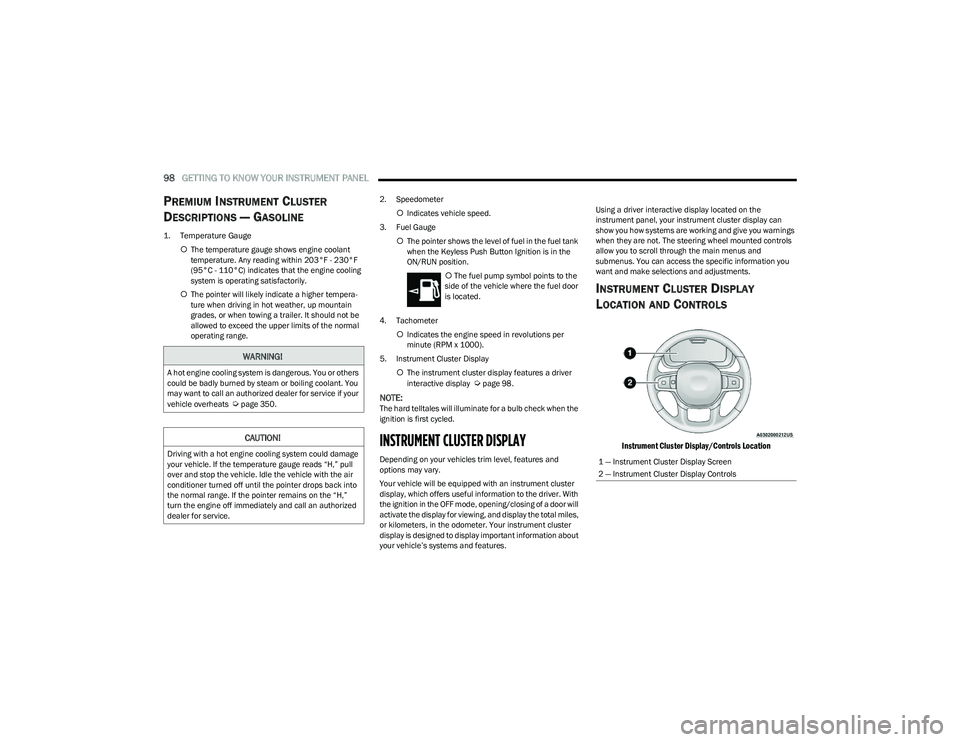
INSTRUMENT CLUSTER DISPLAY
L
OCATION AND CONTROLS
Instrument Cluster Display/Controls Location
WARNING!
A hot engine cooling system is dangerous. You or others
could be badly burned by steam or boiling coolant. You
may want to call an authorized dealer for service if your
vehicle overheats
Úpage 350.
CAUTION!
Driving with a hot engine cooling system could damage
your vehicle. If the temperature gauge reads “H,” pull
over and stop the vehicle. Idle the vehicle with the air
conditioner turned off until the pointer drops back into
the normal range. If the pointer remains on the “H,”
turn the engine off immediately and call an authorized
dealer for service.1 — Instrument Cluster Display Screen
2 — Instrument Cluster Display Controls
23_DT_OM_EN_USC_t.book Page 98
Page 101 of 416
GETTING TO KNOW YOUR INSTRUMENT PANEL99
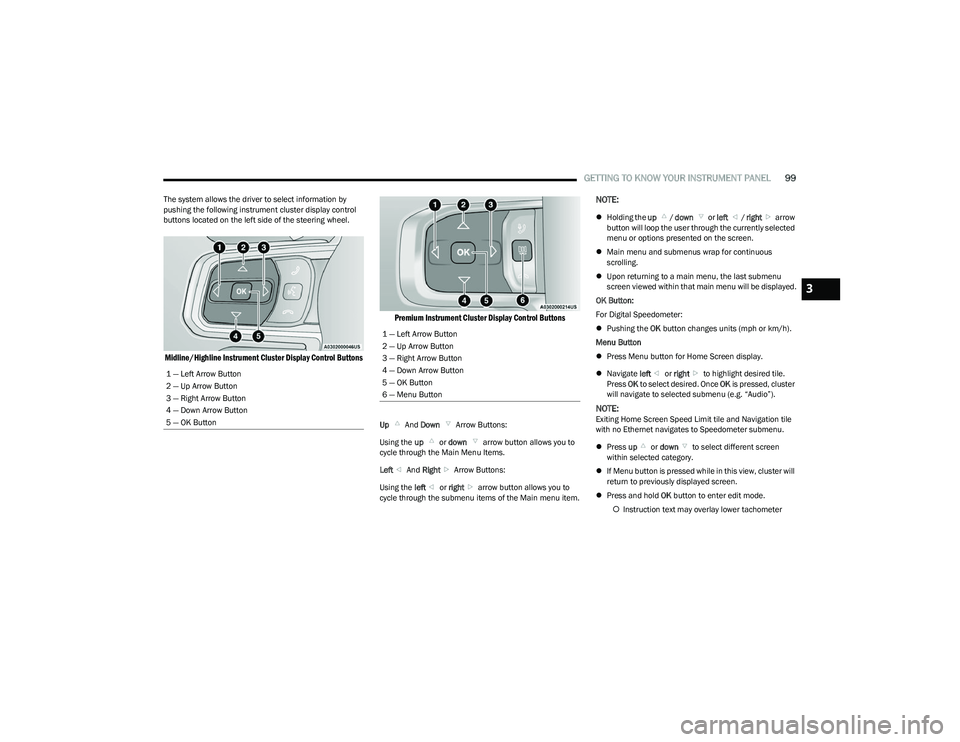
The system allows the driver to select information by
pushing the following instrument cluster display control
buttons located on the left side of the steering wheel.
Midline/Highline Instrument Cluster Display Control Buttons Premium Instrument Cluster Display Control Buttons
Up
And Down Arrow Buttons:
Using the up or down arrow button allows you to
cycle through the Main Menu Items.
Left And Right Arrow Buttons:
Using the left or right arrow button allows you to
cycle through the submenu items of the Main menu item.
NOTE:
Holding the up / down or left / right arrow
button will loop the user through the currently selected
menu or options presented on the screen.
Main menu and submenus wrap for continuous
scrolling.
Upon returning to a main menu, the last submenu
screen viewed within that main menu will be displayed.
OK Button:
For Digital Speedometer:
Pushing the OK button changes units (mph or km/h).
Menu Button
Press Menu button for Home Screen display.
Navigate left or right to highlight desired tile.
Press OK to select desired. Once OK is pressed, cluster
will navigate to selected submenu (e.g. “Audio”).
NOTE:Exiting Home Screen Speed Limit tile and Navigation tile
with no Ethernet navigates to Speedometer submenu.
Press up or down to select different screen
within selected category.
If Menu button is pressed while in this view, cluster will
return to previously displayed screen.
Press and hold OK button to enter edit mode.
Instruction text may overlay lower tachometer
1 — Left Arrow Button
2 — Up Arrow Button
3 — Right Arrow Button
4 — Down Arrow Button
5 — OK Button
1 — Left Arrow Button
2 — Up Arrow Button
3 — Right Arrow Button
4 — Down Arrow Button
5 — OK Button
6 — Menu Button
3
23_DT_OM_EN_USC_t.book Page 99
Page 102 of 416
100GETTING TO KNOW YOUR INSTRUMENT PANEL
For Screen Setup:
OK button allows user to enter menu and submenus.
Within each submenu layer, the left and Right
arrow buttons will allow the user to select the item of
interest.
Pushing the OK button makes the selection and a
confirmation screen will appear (returning the user to
the first page of the submenu).
Pushing the up arrow button will exit each submenu
layer and return to the main menu.
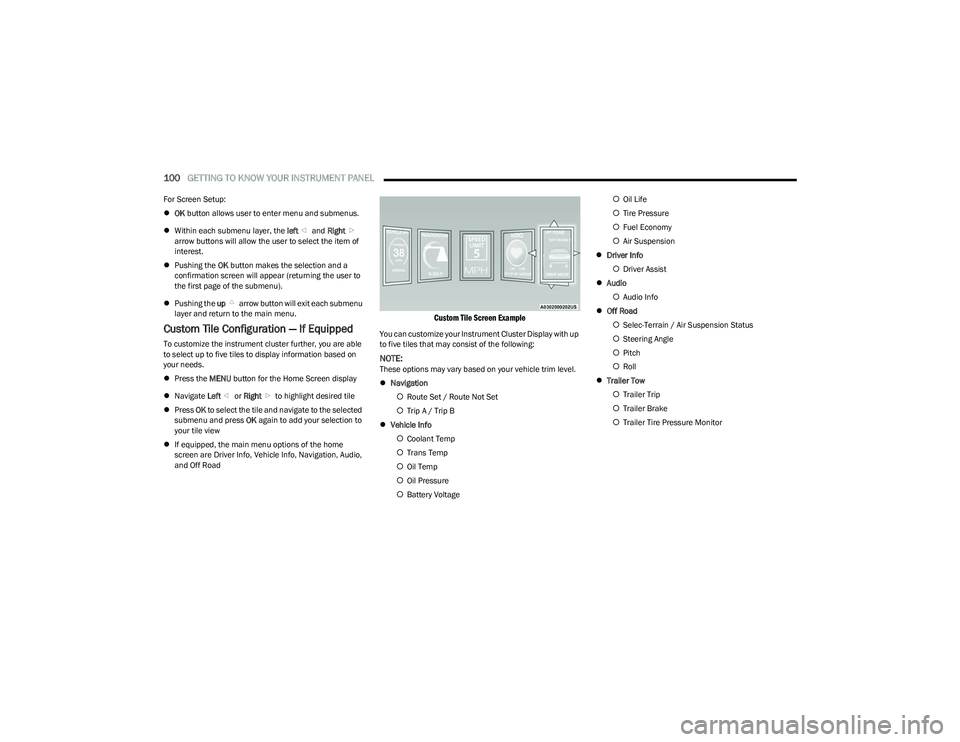
Custom Tile Configuration — If Equipped
To customize the instrument cluster further, you are able
to select up to five tiles to display information based on
your needs.
Press the MENU button for the Home Screen display
Navigate Left or Right to highlight desired tile
Press OK to select the tile and navigate to the selected
submenu and press OK again to add your selection to
your tile view
If equipped, the main menu options of the home
screen are Driver Info, Vehicle Info, Navigation, Audio,
and Off Road
Custom Tile Screen Example
You can customize your Instrument Cluster Display with up
to five tiles that may consist of the following:
NOTE:These options may vary based on your vehicle trim level.
Navigation
Route Set / Route Not Set
Trip A / Trip B
Vehicle Info
Coolant Temp
Trans Temp
Oil Temp
Oil Pressure
Battery Voltage
Oil Life
Tire Pressure
Fuel Economy
Air Suspension
Driver Info
Driver Assist
Audio
Audio Info
Off Road
Selec-Terrain / Air Suspension Status
Steering Angle
Pitch
Roll
Trailer Tow
Trailer Trip
Trailer Brake
Trailer Tire Pressure Monitor
23_DT_OM_EN_USC_t.book Page 100
Page 103 of 416

GETTING TO KNOW YOUR INSTRUMENT PANEL101
OIL LIFE RESET
Use this QR code to access your digital
experience.
Your vehicle is equipped with an
engine oil change indicator system.
The “Oil Change Required” message
will display in the instrument cluster
display for five seconds after a single
chime has sounded, to indicate the
next scheduled oil change interval. The engine oil change
indicator system is duty cycle based, which means the
engine oil change interval may fluctuate, dependent upon
your personal driving style.
Unless reset, this message will continue to display each
time you place the ignition in the ON/RUN position. To turn
off the message temporarily, push and release the OK or
arrow buttons. To reset the oil change indicator system
(after performing the scheduled maintenance), refer to
the following procedure:
1. Without pressing the brake pedal, push the ENGINE START/STOP button and place the ignition in the
ON/RUN position (do not start the engine).
2. Push and release the down arrow button to scroll
downward through the main menu to “Vehicle Info.”
3. Push and release the right arrow button to access
the ”Oil Life” screen. 4. Push and hold the
OK button to reset oil life. If
conditions are met, the gauge and numeric display
will update to show 100%. If conditions are not met a
pop-up message of “To reset oil life engine must be
off with ignition in run” will be displayed (for five
seconds), and the user will remain at the Oil Life
screen.
5. Push and release the up or down arrow button
to exit the submenu screen.
NOTE:If the indicator message illuminates when you start the
vehicle, the oil change indicator system did not reset. If
necessary, repeat this procedure.
DISPLAY MENU ITEMS
Push and release the up or down arrow button until
the desired selectable menu icon is highlighted in the
instrument cluster display.
Speedometer
Push and release the up or down arrow button
until the speedometer menu item is highlighted in the
instrument cluster display. Push and release the OK
button to cycle the display between mph and km/h.
Driver Assist — If Equipped
The Driver Assist menu displays the status of the ACC and
LaneSense systems.
Push and release the up or down arrow button
until the Driver Assist menu is displayed in the instrument
cluster display. Adaptive Cruise Control (ACC) Feature
The instrument cluster display displays the current ACC
system settings. The information displayed depends on
ACC system status.
Push the ACC on/off button (located on the steering
wheel) until one of the following displays in the instrument
cluster display:
Adaptive Cruise Control Off
When ACC is deactivated, the display will read “Adaptive
Cruise Control Off.”
Adaptive Cruise Control Ready
When ACC is activated but the vehicle speed setting has
not been selected, the display will read “Adaptive Cruise
Control Ready.”
Push the SET + or the SET- button (located on the steering
wheel) and the following will display in the instrument
cluster display:
ACC SET
When ACC is set, the set speed will display in the
instrument cluster
Úpage 145.
The ACC screen may display once again if any ACC activity
occurs, which may include any of the following:
Distance Setting Change
System Cancel
Driver Override
System Off
ACC Proximity Warning
ACC Unavailable Warning
3
23_DT_OM_EN_USC_t.book Page 101