wheel torque RAM 1500 2023 User Guide
[x] Cancel search | Manufacturer: RAM, Model Year: 2023, Model line: 1500, Model: RAM 1500 2023Pages: 416, PDF Size: 20.59 MB
Page 165 of 416
STARTING AND OPERATING163
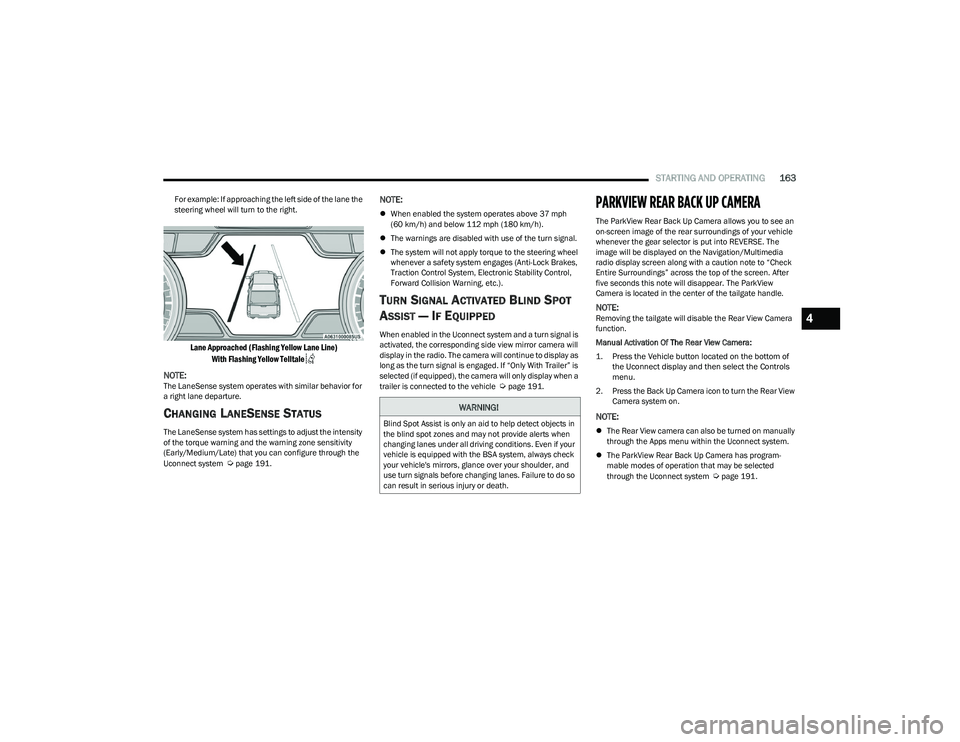
For example: If approaching the left side of the lane the
steering wheel will turn to the right.
Lane Approached (Flashing Yellow Lane Line)
With Flashing Yellow Telltale
NOTE:
The LaneSense system operates with similar behavior for
a right lane departure.
CHANGING LANESENSE STATUS
The LaneSense system has settings to adjust the intensity
of the torque warning and the warning zone sensitivity
(Early/Medium/Late) that you can configure through the
Uconnect system
Úpage 191.
NOTE:
When enabled the system operates above 37 mph
(60 km/h) and below 112 mph (180 km/h).
The warnings are disabled with use of the turn signal.
The system will not apply torque to the steering wheel
whenever a safety system engages (Anti-Lock Brakes,
Traction Control System, Electronic Stability Control,
Forward Collision Warning, etc.).
TURN SIGNAL ACTIVATED BLIND SPOT
A
SSIST — IF EQUIPPED
When enabled in the Uconnect system and a turn signal is
activated, the corresponding side view mirror camera will
display in the radio. The camera will continue to display as
long as the turn signal is engaged. If “Only With Trailer” is
selected (if equipped), the camera will only display when a
trailer is connected to the vehicle
Úpage 191.
PARKVIEW REAR BACK UP CAMERA
The ParkView Rear Back Up Camera allows you to see an
on-screen image of the rear surroundings of your vehicle
whenever the gear selector is put into REVERSE. The
image will be displayed on the Navigation/Multimedia
radio display screen along with a caution note to “Check
Entire Surroundings” across the top of the screen. After
five seconds this note will disappear. The ParkView
Camera is located in the center of the tailgate handle.
NOTE:Removing the tailgate will disable the Rear View Camera
function.
Manual Activation Of The Rear View Camera:
1. Press the Vehicle button located on the bottom of
the Uconnect display and then select the Controls
menu.
2. Press the Back Up Camera icon to turn the Rear View Camera system on.
NOTE:
The Rear View camera can also be turned on manually
through the Apps menu within the Uconnect system.
The ParkView Rear Back Up Camera has program -
mable modes of operation that may be selected
through the Uconnect system
Úpage 191.
WARNING!
Blind Spot Assist is only an aid to help detect objects in
the blind spot zones and may not provide alerts when
changing lanes under all driving conditions. Even if your
vehicle is equipped with the BSA system, always check
your vehicle's mirrors, glance over your shoulder, and
use turn signals before changing lanes. Failure to do so
can result in serious injury or death.
4
23_DT_OM_EN_USC_t.book Page 163
Page 192 of 416

190STARTING AND OPERATING
OFF-ROAD DRIVING TIPS
Care should be taken when attempting to climb steep hills
or driving diagonally across a hill or slope. If natural
obstacles force you to travel diagonally up or down a hill,
choose a mild angle and keep as little side tilt as possible.
Keep the vehicle moving and make turns slowly and
cautiously.
If you must back down a hill, back straight down using
REVERSE gear. Never back down in NEUTRAL or diagonally
across the hill.
When driving over sand, mud, and other soft terrain, shift
to low gear and drive steadily. Apply the accelerator slowly
to avoid spinning the wheels.
Do not reduce the tire pressures for this type of driving.
After Driving Off-Road
Off-road operation puts more stress on your vehicle than
does most on-road driving. After going off-road, it is always
a good idea to check for damage. That way you can get any
problems taken care of right away and have your vehicle
ready when you need it.
Completely inspect the underbody of your vehicle.
Check tires, body structure, steering, suspension, and
exhaust system for damage.
Inspect the radiator for mud and debris and clean as
required.
Check threaded fasteners for looseness, particularly
on the chassis, drivetrain components, steering, and
suspension. Retighten them, if required, and torque to
the values specified in the Service Manual.
Check for accumulations of plants or brush. These
things could be a fire hazard. They might hide damage
to fuel lines, brake hoses, axle pinion seals, and
propeller shafts.
After extended operation in mud, sand, water, or
similar dirty conditions, have the radiator, fan, brake
rotors, wheels, brake linings, and axle yokes inspected
and cleaned as soon as possible.
If you experience unusual vibration after driving in
mud, slush or similar conditions, check the wheels for
impacted material. Impacted material can cause a
wheel imbalance and freeing the wheels of it will
correct the situation.
CAUTION!
Always check the depth of the standing water before
driving through it. Never drive through standing
water that is deeper than the bottom of the tire rims
mounted on the vehicle.
Determine the condition of the road or the path that
is under water and if there are any obstacles in the
way before driving through the standing water.
Do not exceed 5 mph (8 km/h) when driving through
standing water. This will minimize wave effects.
Driving through standing water may cause damage
to your vehicle’s drivetrain components. Always
inspect your vehicle’s fluids (i.e., engine oil, transmis -
sion, axle, etc.) for signs of contamination (i.e., fluid
that is milky or foamy in appearance) after driving
through standing water. Do not continue to operate
the vehicle if any fluid appears contaminated, as this
may result in further damage. Such damage is not
covered by the New Vehicle Limited Warranty.
Getting water inside your vehicle’s engine can cause
it to lock up and stall out, and cause serious internal
damage to the engine. Such damage is not covered
by the New Vehicle Limited Warranty.
WARNING!
Abrasive material in any part of the brakes may cause
excessive wear or unpredictable braking. You might not
have full braking power when you need it to prevent a
collision. If you have been operating your vehicle in dirty
conditions, get your brakes checked and cleaned as
necessary.
23_DT_OM_EN_USC_t.book Page 190
Page 265 of 416
SAFETY263
REAR SEAT REMINDER ALERT (RSRA)
RSRA alerts of the possible presence of an object,
passenger, or pet in the rear seats through a visual and
auditory notification. When the system is activated, it
displays the message “Check Rear Seat” on the
instrument cluster display and sounds an auditory alert
upon the driver placing the ignition in the OFF position to
exit the vehicle. The system will activate automatically if a
rear door is opened within 10 minutes of the ignition being
placed in the ON/RUN position. RSRA should be used as a
reminder to check the rear seats, it does not directly
detect objects, passengers, or pets and is only activated
when the previous conditions are met.
To enable or disable RSRA, see
Úpage 191.
ELECTRONIC BRAKE CONTROL (EBC)
S
YSTEM
Your vehicle is equipped with an advanced Electronic
Brake Control (EBC) system. This system includes
Anti-Lock Brake System (ABS), Brake Assist System (BAS),
Electronic Brake Force Distribution (EBD), Electronic Roll
Mitigation (ERM), Electronic Stability Control (ESC), Hill
Start Assist (HSA), and Traction Control System (TCS).
These systems work together to enhance both vehicle
stability and control in various driving conditions.
Your vehicle may also be equipped with Trailer Sway
Control (TSC) and Hill Descent Control (HDC).
Brake Assist System (BAS)
The BAS is designed to optimize the vehicle’s braking
capability during emergency braking maneuvers. The
system detects an emergency braking situation by sensing
the rate and amount of brake application, and then
applies optimum pressure to the brakes. This can help
reduce braking distances. The BAS complements the
Anti-Lock Brake System (ABS). Applying the brakes very
quickly results in the best BAS assistance. To receive the
benefit of the system, you must apply continuous braking
pressure during the stopping sequence (do not “pump”
the brakes). Do not reduce brake pedal pressure unless
braking is no longer desired. Once the brake pedal is
released, the BAS is deactivated.
Brake System Warning Light
The red Brake System Warning Light will turn on when the
ignition is placed in the ON/RUN mode and may stay on for
as long as four seconds.
If the Brake System Warning Light remains on or comes on
while driving, it indicates that the brake system is not
functioning properly and that immediate service is
required. If the Brake System Warning Light does not
come on when the ignition is placed in the ON/RUN mode,
have the light repaired as soon as possible.
Electronic Brake Force Distribution (EBD)
EBD manages the distribution of the braking torque
between the front and rear axles by limiting braking
pressure to the rear axle. This is done to prevent overslip
of the rear wheels to avoid vehicle instability, and to
prevent the rear axle from entering the Anti-Lock Brake
System (ABS) before the front axle.
WARNING!
Before exiting a vehicle, always come to a complete
stop, then shift the automatic transmission into
PARK and apply the parking brake.
Always make sure the keyless ignition node is in the
OFF position, key fob is removed from the vehicle
and vehicle is locked.
Never leave children alone in a vehicle, or with
access to an unlocked vehicle. Leaving children in a
vehicle unattended is dangerous for a number of
reasons. A child or others could be seriously or fatally
injured. Children should be warned not to touch the
parking brake, brake pedal or the gear selector.
Do not leave children or animals inside parked vehi -
cles in hot weather. Interior heat buildup may cause
serious injury or death.
WARNING!
The Brake Assist System (BAS) cannot prevent the
natural laws of physics from acting on the vehicle, nor
can it increase the traction afforded by prevailing road
conditions. BAS cannot prevent collisions, including
those resulting from excessive speed in turns, driving
on very slippery surfaces, or hydroplaning. The
capabilities of a BAS-equipped vehicle must never be
exploited in a reckless or dangerous manner, which
could jeopardize the user's safety or the safety of
others.
6
23_DT_OM_EN_USC_t.book Page 263
Page 267 of 416
SAFETY265
ESC Operating Modes
Depending upon model and mode of operation, the ESC
system may have multiple operating modes.
ESC On
This is the normal operating mode for the ESC. Whenever
the vehicle is started, the ESC system will be in this mode.
This mode should be used for most driving conditions.
Alternate ESC modes should only be used for specific
reasons as noted in the following paragraphs.
Partial Off
This mode may be useful if the vehicle becomes stuck.
This mode may modify TCS and ESC thresholds for
activation, which allows for more wheel spin than normally
allowed.
To enter the “Partial Off” mode, momentarily push the ESC
OFF button and the ESC OFF Indicator Light will illuminate.
To turn the ESC on again, momentarily push the ESC OFF
button and the ESC OFF Indicator Light will turn off.
NOTE:For vehicles with multiple partial ESC modes, the push and
release of the button will toggle the ESC modes. Multiple
attempts may be required to return to “ESC On”. Full Off — If Equipped
This mode is intended for off-highway or off-road use only
and should not be used on any public roadways. In this
mode, TCS and ESC features are turned off. To enter the
“Full Off” mode, push and hold the ESC OFF button for five
seconds while the vehicle is stopped with the engine
running. After five seconds, a chime will sound, the ESC
OFF Indicator Light will illuminate, and the “ESC OFF”
message will display in the instrument cluster. To turn ESC
on again, momentarily push the ESC OFF button.
NOTE:System may switch from ESC “Full Off” to “Partial Off”
mode when vehicle exceeds a predetermined speed.
When the vehicle speed slows below the predetermined
speed the system will return to ESC “Full Off”.
ESC modes may also be affected by drive modes (if
equipped).
ESC Activation/Malfunction Indicator Light
And ESC OFF Indicator Light
The ESC Activation/Malfunction Indicator Light
in the instrument cluster will come on when the
ignition is placed in the ON/RUN mode. It
should go out with the engine running. If the
ESC Activation/Malfunction Indicator Light comes on
continuously with the engine running, a malfunction has
been detected in the ESC system. If this light remains on
after several ignition cycles, and the vehicle has been
driven several miles (kilometers) at speeds greater than
30 mph (48 km/h), see an authorized dealer as soon as possible to have the problem diagnosed and corrected.
WARNING!
When in “Partial Off” mode, the TCS functionality of
ESC (except for the limited slip feature described in
the TCS section) has been disabled and the ESC OFF
Indicator Light will be illuminated. When in “Partial
Off” mode, the engine power reduction feature of
TCS is disabled, and the enhanced vehicle stability
offered by the ESC system is reduced.
Trailer Sway Control (TSC) is disabled when the ESC
system is in the “Partial Off” mode.
WARNING!
In the ESC “Full Off” mode, the engine torque reduc -
tion and stability features are disabled. Therefore,
enhanced vehicle stability offered by the ESC system
is unavailable. In an emergency evasive maneuver,
the ESC system will not engage to assist in main -
taining stability. ESC “Full Off” mode is intended for
off-highway or off-road use only.
The Electronic Stability Control (ESC) cannot prevent
the natural laws of physics from acting on the
vehicle, nor can it increase the traction afforded by
prevailing road conditions. ESC cannot prevent all
accidents, including those resulting from excessive
speed in turns, driving on very slippery surfaces, or
hydroplaning. ESC also cannot prevent collisions.
6
23_DT_OM_EN_USC_t.book Page 265
Page 270 of 416

268SAFETY
Driver Override
The driver may override SSC activation with throttle or
brake application at any time.
Deactivating SSC
SSC will be deactivated but remain available if any of the
following conditions occur:
The driver overrides SSC set speed with throttle or
brake application.
The vehicle speed exceeds 20 mph (32 km/h) but
remains below 40 mph (64 km/h).
The vehicle is shifted into PARK.
Disabling SSC
SSC will deactivate and be disabled if any of the following
conditions occur:
The driver pushes the SSC switch.
The driveline is shifted out of the 4WD Low.
The parking brake is applied.
The driver door opens.
The vehicle is driven greater than 20 mph (32 km/h)
for greater than 70 seconds.
The vehicle is driven greater than 40 mph (64 km/h).
SSC will exist immediately. Feedback To The Driver
The instrument cluster has an SSC icon and the SSC
switch has a lamp which offers feedback to the driver
about the state SSC is in.
The cluster icon and switch lamp will illuminate and
remain on solid when SSC is enabled or activated.
These are the normal operating conditions for SSC.
The cluster icon and switch lamp will flash for several
seconds then extinguish when the driver pushes the
SSC switch but enabled conditions are not met.
The cluster icon and switch lamp will flash for several
seconds then extinguish when SSC disables due to
excess speed.
The cluster icon and switch lamp will flash then extin -
guish when SSC deactivates due to overheated brakes.
Traction Control System (TCS)
The TCS monitors the amount of wheel spin of each of the
driven wheels. If wheel spin is detected, the TCS may apply
brake pressure to the spinning wheel(s) and/or reduce
engine power to provide enhanced acceleration and
stability. A feature of the TCS, Brake Limited Differential (BLD)
functions similarly to a limited slip differential and controls
the wheel spin across a driven axle. If one wheel on a
driven axle is spinning faster than the other, the system
will apply the brake of the spinning wheel. This will allow
more engine torque to be applied to the wheel that is not
spinning. BLD may remain enabled even if TCS and
Electronic Stability Control (ESC) are in reduced modes.
Trailer Sway Control (TSC)
TSC uses sensors in the vehicle to recognize an
excessively swaying trailer and will take the appropriate
actions to attempt to stop the sway.
NOTE:TSC cannot stop all trailers from swaying. Always use
caution when towing a trailer and follow the trailer tongue
weight recommendations
Úpage 173.
When TSC is functioning, the ESC Activation/Malfunction
Indicator Light will flash, the engine power may be reduced
and you may feel the brakes being applied to individual
wheels to attempt to stop the trailer from swaying. TSC is
disabled when the ESC system is in the “Partial Off” or
“Full Off” modes.
WARNING!
SSC is only intended to assist the driver in controlling
vehicle speed when driving in off road conditions. The
driver must remain attentive to the driving conditions
and is responsible for maintaining a safe vehicle speed.
WARNING!
If TSC activates while driving, slow the vehicle down,
stop at the nearest safe location, and adjust the trailer
load to eliminate trailer sway.
23_DT_OM_EN_USC_t.book Page 268
Page 325 of 416

IN CASE OF EMERGENCY323
6. Remove the lug nuts and pull the wheel off. Install the
spare wheel and lug nuts with the cone shaped end
of the lug nuts toward the wheel. Hand tighten the lug
nuts with the vehicle lifted. To avoid the risk of forcing
the vehicle off the jack, do not fully tighten the lug
nuts until the vehicle has been completely lowered.
7. Lower the vehicle to the ground and finish tightening the lug nuts. Push down on the wrench handle for
increased leverage. Tighten the lug nuts in a star
pattern until each lug nut has been tightened twice
Úpage 392. If in doubt about the correct tightness,
have them checked with a torque wrench by an
authorized dealer or at a service station.
8. If your vehicle is equipped with a wheel center cap, install the cap and remove the wheel blocks. Do not
install chrome or aluminum wheel center caps on the
spare wheel. This may result in cap damage.
9. Lower the jack to its fully closed position. Stow the replaced tire, and secure the jack and tools in the
proper location.
10. Adjust the tire pressure when possible.
TO STOW THE FLAT OR SPARE
1. Lift the spare tire with one hand to give clearance to tilt the retainer at the end of the cable.
2. Position the wheel behind the rear fascia/bumper facing outward. Push the end of the winch’s cable,
spring and steel sleeve through the back of the road
wheel. Making sure the valve stem is facing the
ground when the wheel is stowed.
Reinstalling The Retainer
3. Remove the extension with the hook and reattach the
short extension #5 Úpage 318. Attach the lug
wrench to the extension tubes with the curved angle
facing away from the vehicle. Insert the extension
tubes through the access hole between the lower
tailgate and the top of the fascia/bumper and into the
winch mechanism tube.
Reinstalling The Flat Or Spare Tire
WARNING!
A loose tire or jack thrown forward in a collision or hard
stop, could endanger the occupants of the vehicle.
Always stow the jack parts and the spare tire in the
places provided.
CAUTION!
The winch mechanism is designed for use with the jack
extension tube only. Use of an air wrench or other
power tools is not recommended and can damage the
winch.
7
23_DT_OM_EN_USC_t.book Page 323
Page 394 of 416

392
TECHNICAL SPECIFICATIONS
VEHICLE IDENTIFICATION NUMBER (VIN)
The VIN is found on the left front corner of the instrument
panel, visible through the windshield.
Vehicle Identification Number
NOTE:
It is illegal to remove or alter the VIN.
BRAKE SYSTEM
If power assist is lost for any reason (for example,
repeated brake applications with the engine off), the
brakes will still function. However, you will experience a
substantial increase in braking effort to stop the vehicle. If either the front or rear hydraulic systems lose normal
braking capability, the remaining system will still function
with some loss of overall braking effectiveness. This will
be evident by increased pedal travel during application,
greater pedal force required to slow or stop, and the Brake
Warning Light and the Anti-Lock Brake System (ABS)
Warning Light will activate during brake use.
WHEEL AND TIRE TORQUE SPECIFICATIONS
Proper lug nut/bolt torque is very important to ensure that
the wheel is properly mounted to the vehicle. Any time a
wheel has been removed and reinstalled on the vehicle,
the lug nuts/bolts should be torqued using a properly
calibrated torque wrench using a six-sided (hex) deep wall
socket.
TORQUE SPECIFICATIONS
**Use only authorized dealer recommended lug
nuts/bolts and clean or remove any dirt or oil before
tightening.
NOTE:Do not oil wheel studs. For chrome wheels, do not
substitute with chrome plated wheel nuts.
Inspect the wheel mounting surface prior to mounting the
tire and remove any corrosion or loose particles.
Wheel Mounting Surface
Tighten the lug nuts/bolts in a star pattern until each nut/
bolt has been tightened twice. Ensure that the socket is
fully engaged on the lug nut/bolt (do not insert it halfway).
Lug Nut/
Bolt Torque Lug Nut/
Bolt Type **Lug Nut/
Bolt Size Lug Nut/
Bolt Socket Size
130 ft-lb
(176 N·m) Cone M14 x 1.50 22 mm
23_DT_OM_EN_USC_t.book Page 392
Page 395 of 416

TECHNICAL SPECIFICATIONS393
After 25 miles (40 km), check the lug nut/bolt torque to be
sure that all the lug nuts/bolts are properly seated against
the wheel.
Four, Five, And Six Lug Nuts/Bolts Torque Patterns
FUEL REQUIREMENTS
While operating on gasoline with the required octane
number, hearing a light knocking sound from the engine is
not a cause for concern. However, if the engine is heard
making a heavy knocking sound, see a dealer
immediately. Use of gasoline with a lower than
recommended octane number can cause engine failure
and may void or not be covered by the New Vehicle
Limited Warranty. Poor quality gasoline can cause problems such as hard
starting, stalling, and hesitations. If you experience these
symptoms, try another brand of gasoline before
considering service for the vehicle.
3.6L ENGINE
Do not use E-85 flex fuel or ethanol blends greater than
15% in this engine.
This engine is designed to meet all emissions
regulations and provide optimum fuel economy
and performance when using high quality
unleaded regular gasoline having a posted
octane number of 87 as specified by the (R+M)/2 method.
The use of higher octane premium gasoline is not
required, as it will not provide any benefit over regular
gasoline in these engines.
5.7L ENGINE
Do not use E-85 flex fuel or ethanol blends greater than
15% in this engine.
This engine is designed to meet all emissions
regulations and provide satisfactory fuel
economy and performance when using
high-quality unleaded gasoline having an
octane range of 87 to 89 as specified by the (R+M)/
2 method. The use of 89 octane plus gasoline is
recommended for optimum performance and fuel
economy.
REFORMULATED GASOLINE
Many areas of the country require the use of
cleaner-burning gasoline referred to as “reformulated
gasoline”. Reformulated gasoline contains oxygenates
and are specifically blended to reduce vehicle emissions
and improve air quality.
The use of reformulated gasoline is recommended.
Properly blended reformulated gasoline will provide
improved performance and durability of engine and fuel
system components.
MATERIALS ADDED TO FUEL
Besides using unleaded gasoline with the proper octane
rating, gasolines that contain detergents, corrosion and
stability additives are recommended. Using gasolines that
have these additives will help improve fuel economy,
reduce emissions, and maintain vehicle performance.
Designated TOP TIER Detergent Gasoline
contains a higher level of detergents to further
aide in minimizing engine and fuel system
deposits. When available, the usage of TOP
TIER Detergent Gasoline is recommended. Visit
www.toptiergas.com for a list of TOP TIER Detergent
Gasoline retailers.
Indiscriminate use of fuel system cleaning agents should
be avoided. Many of these materials intended for gum and
varnish removal may contain active solvents or similar
ingredients. These can harm fuel system gasket and
diaphragm materials.
WARNING!
To avoid the risk of forcing the vehicle off the jack, do
not tighten the lug nuts/bolts fully until the vehicle has
been lowered. Failure to follow this warning may result
in personal injury.
9
23_DT_OM_EN_USC_t.book Page 393
Page 413 of 416
411
Replacement ........................................................... 380
Rotation ................................................................... 386
Run Flat ................................................................... 378
Safety.............................................................. 370
, 377
Sizes ........................................................................ 371
Snow Tires ............................................................... 381 Spare Tires ..................................................... 381
, 382
Spinning .................................................................. 379
Trailer Towing .......................................................... 179
Tread Wear Indicators ............................................ 379
Types ....................................................................... 380 Wheel Nut Torque ................................................... 392
To Open Hood..................................................................74
Tongue Weight/Trailer Weight ........................... 173
, 176
Tonneau Cover ...................................................... 86, 388
Tonneau Cover Cleaning ............................................. 388
Tow/Haul Mode............................................................ 130
Towing .................................................................. 173
, 330
Disabled Vehicle ..................................................... 330
Guide ....................................................................... 176 Recreational ............................................................ 186
Weight...................................................................... 176
Towing Behind A Motorhome ...................................... 186
Traction ......................................................................... 189
Traction Control............................................................ 268 Trailer Reverse Steering Control..................................177
Trailer Sway Control (TSC) .................................. 173
, 268
Trailer Tire Pressure ..................................................... 280
Trailer Towing ................................................................ 173 Frontal Area ............................................................. 173
Hitches .....................................................................176
Minimum Requirements ......................................... 179
Mirrors ........................................................................ 42
Tips ...........................................................................184 Trailer And Tongue Weight...................................... 176Weight Carrying Hitch.............................................. 173Weight Distributing Hitch ........................................ 174
Wiring ....................................................................... 182
Trailer Towing Guide ..................................................... 176
Trailer Weight ................................................................ 176
Transfer Case ................................................................ 354 Electronically Shifted..................................... 130
, 132
Fluid.......................................................................... 397
Transmission................................................................. 125 Automatic ....................................................... 125
, 353
Fluid.......................................................................... 397 Maintenance............................................................353Shifting .....................................................................124
Transporting Pets ......................................................... 311
Tread Wear Indicators ..................................................379
Tri-Fold Tonneau Cover .................................................. 86 Cleaning ..................................................................... 92
Install.......................................................................... 90
Removal ..................................................................... 87
Turn Signals ........................................ 49
, 115, 366, 368
UUconnect Phone Call Features................................................ 232Things You Should Know About Your Uconnect Phone................................................. 235
Uconnect Settings ................................................... 191
Uconnect (Radio) .......................................................... 191
Uconnect 4C Nav With 12-Inch Display ...................... 191
Uconnect 4C/4C Nav With 8.4-Inch Display............... 191
Uconnect Phone ..................................................229
, 230
Answer Or Ignore An Incoming Call — Call Currently In Progress .................................. 233
Answer Or Ignore An Incoming Call — No Call Currently In Progress ............................ 233
Bluetooth Communication Link.............................. 236
Call Continuation..................................................... 234
Call Controls ............................................................ 233
Call Termination ...................................................... 234
Cancel Command.................................................... 230
Connecting To A Particular Mobile Phone Or Audio Device After Pairing ............................ 231
Help Command ....................................................... 230 Join Calls.................................................................. 234
Making A Phone Or Audio Device A Favorite ......... 231
Making A Second Call While Current Call Is In Progress ......................................................... 234
Managing Your Favorites ........................................ 232 Natural Speech ....................................................... 229Operation ................................................................. 229
11
23_DT_OM_EN_USC_t.book Page 411