air condition RAM 1500 2023 Owner's Guide
[x] Cancel search | Manufacturer: RAM, Model Year: 2023, Model line: 1500, Model: RAM 1500 2023Pages: 416, PDF Size: 20.59 MB
Page 212 of 416
210MULTIMEDIA
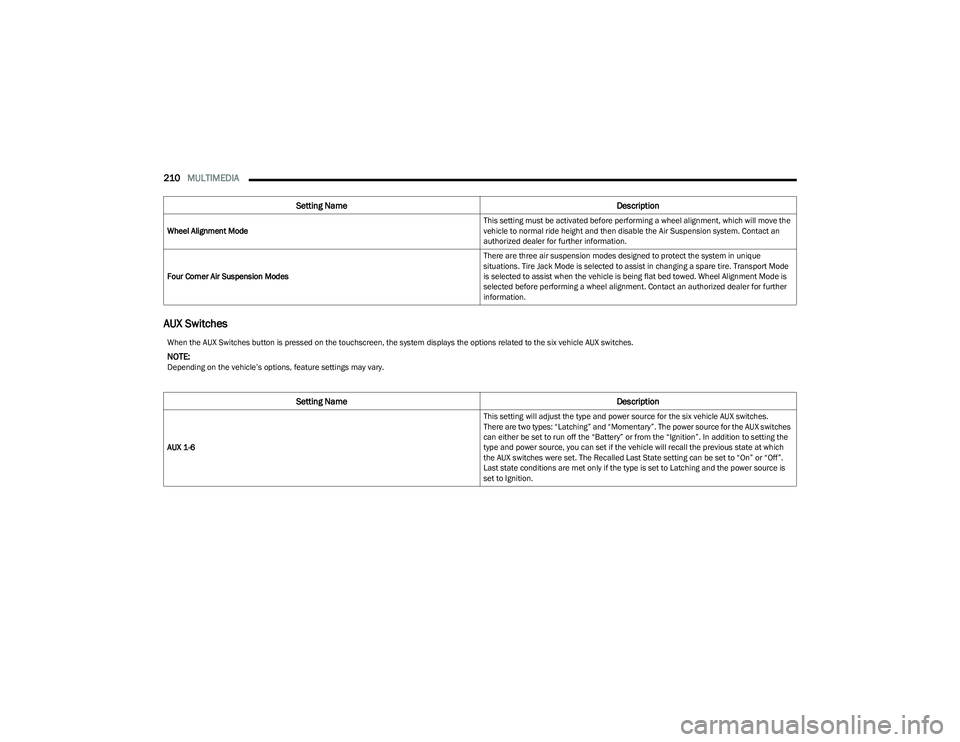
AUX Switches
Wheel Alignment Mode This setting must be activated before performing a wheel alignment, which will move the
vehicle to normal ride height and then disable the Air Suspension system. Contact an
authorized dealer for further information.
Four Corner Air Suspension Modes There are three air suspension modes designed to protect the system in unique
situations. Tire Jack Mode is selected to assist in changing a spare tire. Transport Mode
is selected to assist when the vehicle is being flat bed towed. Wheel Alignment Mode is
selected before performing a wheel alignment. Contact an authorized dealer for further
information.
Setting Name
Description
When the AUX Switches button is pressed on the touchscreen, the system displays the options related to the six vehicle AUX switches.
NOTE:Depending on the vehicle’s options, feature settings may vary.
Setting NameDescription
AUX 1-6 This setting will adjust the type and power source for the six vehicle AUX switches.
There are two types: “Latching” and “Momentary”. The power source for the AUX switches
can either be set to run off the “Battery” or from the “Ignition”. In addition to setting the
type and power source, you can set if the vehicle will recall the previous state at which
the AUX switches were set. The Recalled Last State setting can be set to “On” or “Off”.
Last state conditions are met only if the type is set to Latching and the power source is
set to Ignition.
23_DT_OM_EN_USC_t.book Page 210
Page 237 of 416
MULTIMEDIA235
Advanced Phone Connectivity
TRANSFER CALL TO AND FROM MOBILE
PHONE
The Uconnect Phone allows ongoing calls to be
transferred from your mobile phone without terminating
the call. To transfer an ongoing call from your connected
mobile phone to the Uconnect Phone or vice versa, press
the Transfer button on the Phone main screen.
Things You Should Know About Uconnect
Phone
VOICE COMMAND
For the best performance:
Always wait for the beep before speaking
Speak normally, without pausing, just as you would
speak to a person sitting a few feet/meters away
from you
Ensure that no one other than you is speaking during a
voice command period
Low-To-Medium Blower Setting
Low-To-Medium Vehicle Speed
Low Road Noise
Smooth Road Surface
Fully Closed Windows
Dry Weather Conditions Even though the system is designed for many languages
and accents, the system may not always work for some.
NOTE:It is recommended that you do not store names in your
Favorites phonebook while the vehicle is in motion.
Number and name recognition rate is optimized when the
entries are not similar. You can say “O” (letter “O”) for “0”
(zero).
Even though international dialing for most number
combinations is supported, some shortcut dialing number
combinations may not be supported.
Audio Performance
Audio quality is maximized under:
Low-To-Medium Blower Setting
Low-To-Medium Vehicle Speed
Low Road Noise
Smooth Road Surface
Fully Closed Windows
Dry Weather Conditions
Operation From The Driver's Seat Performance such as audio clarity, echo, and loudness to
a large degree rely on the phone and network, and not the
Uconnect Phone.
Echo at the far end can sometimes be reduced by lowering
the in-vehicle audio volume.
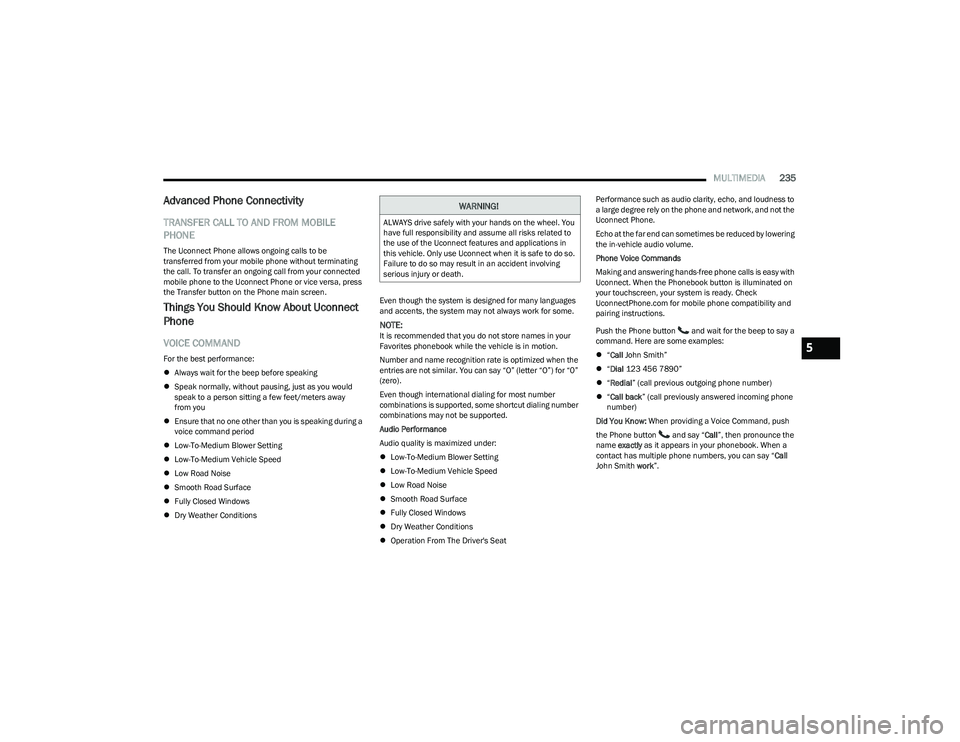
Phone Voice Commands
Making and answering hands-free phone calls is easy with
Uconnect. When the Phonebook button is illuminated on
your touchscreen, your system is ready. Check
UconnectPhone.com for mobile phone compatibility and
pairing instructions.
Push the Phone button and wait for the beep to say a
command. Here are some examples:
“Call John Smith”
“Dial 123 456 7890”
“Redial ” (call previous outgoing phone number)
“Call back ” (call previously answered incoming phone
number)
Did You Know: When providing a Voice Command, push
the Phone button and say “ Call”, then pronounce the
name exactly as it appears in your phonebook. When a
contact has multiple phone numbers, you can say “ Call
John Smith work”.
WARNING!
ALWAYS drive safely with your hands on the wheel. You
have full responsibility and assume all risks related to
the use of the Uconnect features and applications in
this vehicle. Only use Uconnect when it is safe to do so.
Failure to do so may result in an accident involving
serious injury or death.
5
23_DT_OM_EN_USC_t.book Page 235
Page 242 of 416

240MULTIMEDIA
How It Works
1. Push the SOS Call button; the indicator light will turn green indicating a call has been placed.
NOTE:
In case the SOS Call button is accidentally pushed,
there is a 10-second delay before the SOS call is
placed. The system will verbally alert you that a
call is about to be made. To cancel the SOS Call
connection, push the SOS Call button on the
rearview mirror or overhead console or press
the Cancel button on the touchscreen within
10 seconds.
During an SOS Call, the Bluetooth®-paired phone
is disconnected so incoming or outgoing calls will
go through your mobile device versus the
hands-free system which is not available due to
the SOS Call.
2. Once a connection between the vehicle and a SiriusXM Guardian™ Customer Care agent is made,
the agent will stay on the line with you.
NOTE:Calls between the vehicle occupants and the SiriusXM
Guardian™ Customer Care center may be recorded or
monitored for quality assurance purposes. Through your
enrollment in and use of the SiriusXM Guardian™
connected services, you consent to being recorded. SOS Call System Limitations
Vehicles that have been purchased in the US and that
travel into Mexico and Canada may have limited services.
In particular, responses to SOS calls or other emergency
services may be unavailable or very limited. Vehicles
purchased outside the United States and Canada are
unable to receive SiriusXM Guardian™ connected
services.
If the SOS Call system detects a malfunction, any of the
following may occur at the time the malfunction is
detected:
The light will continuously be illuminated red.
The screen will display the following message “Vehicle
phone requires service. Please contact your dealer.”
An in-vehicle audio message will state “Vehicle phone
requires service. Please contact your dealer.”
Even if the SOS Call system is fully functional, factors
beyond FCA US LLC’s control may prevent or stop SOS Call
system operation. These include, but are not limited to,
the following factors:
The ignition key is in OFF position.
The vehicle’s electrical systems are not intact.
The vehicle battery loses power or becomes
disconnected during a vehicle crash.
The SOS Call system software and/or hardware is
damaged during a vehicle crash.
LTE (voice/data) or 4G (data) coverage and/or GPS
signals are unavailable or obstructed.
Network congestion.
Weather conditions.
Buildings, structures, geographic terrain, or tunnels.
If your vehicle loses battery power for any reason
(including during or after an accident), the SOS Call
system, among other vehicle systems, will not operate.
Requirements
This feature is available only on vehicles sold in the US
or Canada.
Vehicle must be properly equipped with the SiriusXM
Guardian™ connected services. Vehicle must be regis -
tered with SiriusXM Guardian™ and have an active
subscription that includes the applicable feature.
Vehicle must have an operable LTE (voice/data) or 4G
(data) network connection compatible with your device.
Vehicle must be powered in the ON/RUN or ACC
(Accessory) position with a properly functioning elec -
trical system.
23_DT_OM_EN_USC_t.book Page 240
Page 264 of 416
262
(Continued)
SAFETY
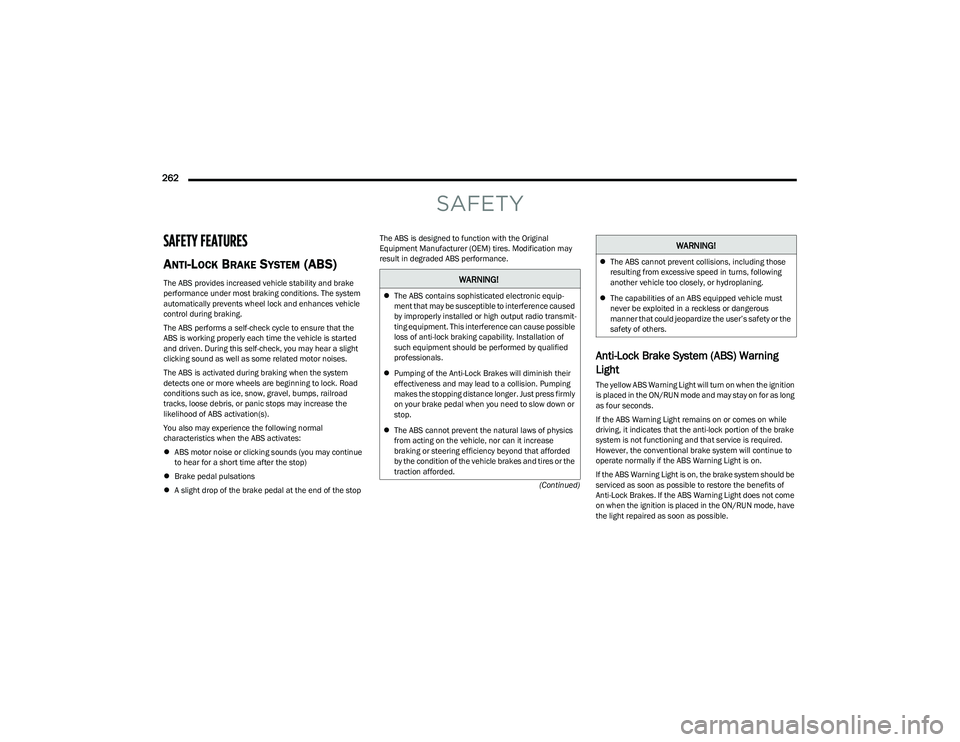
SAFETY FEATURES
ANTI-LOCK BRAKE SYSTEM (ABS)
The ABS provides increased vehicle stability and brake
performance under most braking conditions. The system
automatically prevents wheel lock and enhances vehicle
control during braking.
The ABS performs a self-check cycle to ensure that the
ABS is working properly each time the vehicle is started
and driven. During this self-check, you may hear a slight
clicking sound as well as some related motor noises.
The ABS is activated during braking when the system
detects one or more wheels are beginning to lock. Road
conditions such as ice, snow, gravel, bumps, railroad
tracks, loose debris, or panic stops may increase the
likelihood of ABS activation(s).
You also may experience the following normal
characteristics when the ABS activates:
ABS motor noise or clicking sounds (you may continue
to hear for a short time after the stop)
Brake pedal pulsations
A slight drop of the brake pedal at the end of the stop The ABS is designed to function with the Original
Equipment Manufacturer (OEM) tires. Modification may
result in degraded ABS performance.
Anti-Lock Brake System (ABS) Warning
Light
The yellow ABS Warning Light will turn on when the ignition
is placed in the ON/RUN mode and may stay on for as long
as four seconds.
If the ABS Warning Light remains on or comes on while
driving, it indicates that the anti-lock portion of the brake
system is not functioning and that service is required.
However, the conventional brake system will continue to
operate normally if the ABS Warning Light is on.
If the ABS Warning Light is on, the brake system should be
serviced as soon as possible to restore the benefits of
Anti-Lock Brakes. If the ABS Warning Light does not come
on when the ignition is placed in the ON/RUN mode, have
the light repaired as soon as possible.
WARNING!
The ABS contains sophisticated electronic equip -
ment that may be susceptible to interference caused
by improperly installed or high output radio transmit -
ting equipment. This interference can cause possible
loss of anti-lock braking capability. Installation of
such equipment should be performed by qualified
professionals.
Pumping of the Anti-Lock Brakes will diminish their
effectiveness and may lead to a collision. Pumping
makes the stopping distance longer. Just press firmly
on your brake pedal when you need to slow down or
stop.
The ABS cannot prevent the natural laws of physics
from acting on the vehicle, nor can it increase
braking or steering efficiency beyond that afforded
by the condition of the vehicle brakes and tires or the
traction afforded.
The ABS cannot prevent collisions, including those
resulting from excessive speed in turns, following
another vehicle too closely, or hydroplaning.
The capabilities of an ABS equipped vehicle must
never be exploited in a reckless or dangerous
manner that could jeopardize the user’s safety or the
safety of others.
WARNING!
23_DT_OM_EN_USC_t.book Page 262
Page 265 of 416
SAFETY263
REAR SEAT REMINDER ALERT (RSRA)
RSRA alerts of the possible presence of an object,
passenger, or pet in the rear seats through a visual and
auditory notification. When the system is activated, it
displays the message “Check Rear Seat” on the
instrument cluster display and sounds an auditory alert
upon the driver placing the ignition in the OFF position to
exit the vehicle. The system will activate automatically if a
rear door is opened within 10 minutes of the ignition being
placed in the ON/RUN position. RSRA should be used as a
reminder to check the rear seats, it does not directly
detect objects, passengers, or pets and is only activated
when the previous conditions are met.
To enable or disable RSRA, see
Úpage 191.
ELECTRONIC BRAKE CONTROL (EBC)
S
YSTEM
Your vehicle is equipped with an advanced Electronic
Brake Control (EBC) system. This system includes
Anti-Lock Brake System (ABS), Brake Assist System (BAS),
Electronic Brake Force Distribution (EBD), Electronic Roll
Mitigation (ERM), Electronic Stability Control (ESC), Hill
Start Assist (HSA), and Traction Control System (TCS).
These systems work together to enhance both vehicle
stability and control in various driving conditions.
Your vehicle may also be equipped with Trailer Sway
Control (TSC) and Hill Descent Control (HDC).
Brake Assist System (BAS)
The BAS is designed to optimize the vehicle’s braking
capability during emergency braking maneuvers. The
system detects an emergency braking situation by sensing
the rate and amount of brake application, and then
applies optimum pressure to the brakes. This can help
reduce braking distances. The BAS complements the
Anti-Lock Brake System (ABS). Applying the brakes very
quickly results in the best BAS assistance. To receive the
benefit of the system, you must apply continuous braking
pressure during the stopping sequence (do not “pump”
the brakes). Do not reduce brake pedal pressure unless
braking is no longer desired. Once the brake pedal is
released, the BAS is deactivated.
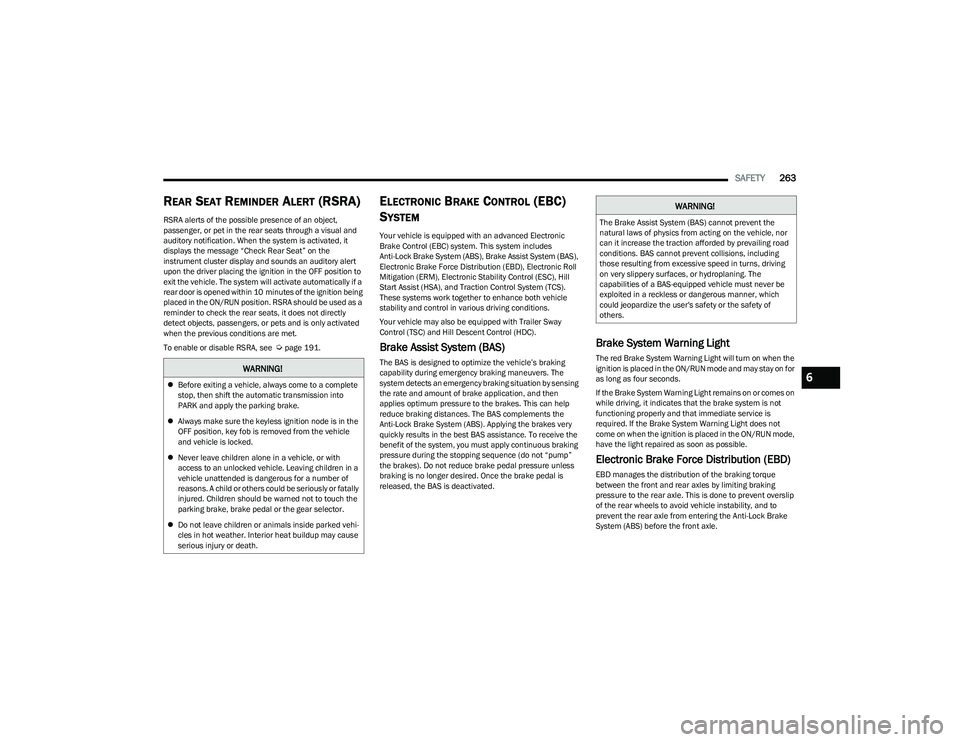
Brake System Warning Light
The red Brake System Warning Light will turn on when the
ignition is placed in the ON/RUN mode and may stay on for
as long as four seconds.
If the Brake System Warning Light remains on or comes on
while driving, it indicates that the brake system is not
functioning properly and that immediate service is
required. If the Brake System Warning Light does not
come on when the ignition is placed in the ON/RUN mode,
have the light repaired as soon as possible.
Electronic Brake Force Distribution (EBD)
EBD manages the distribution of the braking torque
between the front and rear axles by limiting braking
pressure to the rear axle. This is done to prevent overslip
of the rear wheels to avoid vehicle instability, and to
prevent the rear axle from entering the Anti-Lock Brake
System (ABS) before the front axle.
WARNING!
Before exiting a vehicle, always come to a complete
stop, then shift the automatic transmission into
PARK and apply the parking brake.
Always make sure the keyless ignition node is in the
OFF position, key fob is removed from the vehicle
and vehicle is locked.
Never leave children alone in a vehicle, or with
access to an unlocked vehicle. Leaving children in a
vehicle unattended is dangerous for a number of
reasons. A child or others could be seriously or fatally
injured. Children should be warned not to touch the
parking brake, brake pedal or the gear selector.
Do not leave children or animals inside parked vehi -
cles in hot weather. Interior heat buildup may cause
serious injury or death.
WARNING!
The Brake Assist System (BAS) cannot prevent the
natural laws of physics from acting on the vehicle, nor
can it increase the traction afforded by prevailing road
conditions. BAS cannot prevent collisions, including
those resulting from excessive speed in turns, driving
on very slippery surfaces, or hydroplaning. The
capabilities of a BAS-equipped vehicle must never be
exploited in a reckless or dangerous manner, which
could jeopardize the user's safety or the safety of
others.
6
23_DT_OM_EN_USC_t.book Page 263
Page 281 of 416

SAFETY279
Service TPMS Warning
If a system fault is detected, the Tire Pressure Monitoring
System (TPMS) Warning Light will flash on and off for 75
seconds and then remain on solid. The system fault will
also sound a chime. In addition, the instrument cluster will
display a "SERVICE TPM SYSTEM" message for a minimum
of five seconds and then display dashes (--) in place of the
pressure value to indicate which sensor is not being
received.
If the ignition switch is cycled, this sequence will repeat,
providing the system fault still exists. If the system fault no
longer exists, the Tire Pressure Monitoring System
Warning Light will no longer flash, and the "SERVICE TPM
SYSTEM" message will no longer display, and a pressure
value will display in place of the dashes. A system fault can
occur due to any of the following:
Signal interference due to electronic devices or driving
next to facilities emitting the same radio frequencies
as the Tire Pressure Monitoring System sensors
Installing aftermarket window tinting that contains
materials that may block radio wave signals
Accumulation of snow or ice around the wheels or
wheel housings
Using tire chains on the vehicle
Using wheels/tires not equipped with TPMS sensors
A system fault may occur due to an incorrect TPMS sensor
location condition. When a system fault occurs due to an
incorrect TPMS sensor location, the Tire Pressure
Monitoring System (TPMS) Warning Light will flash on and
off for 75 seconds and then remain on solid. The system fault will also sound a chime. In addition, the
instrument cluster will display a Tire Pressure Temporarily
Unavailable message in place of the tire pressure display
screen. If the ignition switch is cycled, this sequence will
repeat, providing the system fault still exists. If the system
fault no longer exists, the “Tire Pressure Monitoring
System Warning Light” will no longer flash and the tire
pressure display screen will be displayed showing the tire
pressure values the correct locations.
Vehicles With Non-Matching Full Size Spare Or Compact
Spare
The non-matching full size spare or compact spare tire
does not have a TPMS sensor. Therefore, the TPMS will
not monitor the pressure in the non-matching full size
spare or compact spare tire.
If you install the non-matching full size spare or
compact spare tire in place of a road tire that has a
pressure below the low-pressure warning limit, upon
the next ignition switch cycle, the Tire Pressure
Monitoring System (TPMS) Warning Light and a
“LOW TIRE” message will remain on and a chime will
sound. In addition, the graphic in the instrument
cluster will still display a pressure value in a different
color and an “Inflate to XX” message.
After driving the vehicle for up to 20 minutes above
15 mph (24 km/h), the Tire Pressure Monitoring
System (TPMS) Warning Light will flash on and off for
75 seconds and then remain on solid. In addition, the
instrument cluster will display a "SERVICE TPM
SYSTEM" message for a minimum of five seconds and
then display dashes (--) in place of the pressure value.
For each subsequent ignition switch cycle, a chime will
sound, the Tire Pressure Monitoring System (TPMS)
Warning Light will flash on and off for 75 seconds and
then remain on solid, and the instrument cluster will
display a "SERVICE TPM SYSTEM" message for a
minimum of five seconds and then display dashes (--)
in place of the pressure value.
Once you repair or replace the original road tire and
reinstall it on the vehicle in place of the non-matching
full size spare or compact spare, the TPMS will update
automatically. In addition, the Tire Pressure Monitoring
System (TPMS) Warning Light will turn off and the
graphic in the instrument cluster will display a new
pressure value instead of dashes (--), as long as no tire
pressure is below the low-pressure warning limit in any
of the four active road tires. The vehicle may need to be
driven for up to 20 minutes above 15 mph (24 km/h)
in order for the TPMS to receive this information.
Tire Fill Alert
This feature notifies the user when the placard tire
pressure is attained while inflating or deflating the tire.
You may choose to disable or enable the Tire Fill Alert
feature through use of the Uconnect Settings in the radio.
NOTE:
Only one tire can be filled at a time when using the Tire
Fill Alert system.
The Tire Fill Alert feature cannot be entered if an
existing TPMS fault is set to “active” or if the system is
in deactivation mode (if equipped).
6
23_DT_OM_EN_USC_t.book Page 279
Page 282 of 416

280SAFETY
The system will be activated when a positive increase in
tire pressure is detected by the TPMS while inflating the
tire. The ignition must be in the RUN mode, with the
transmission in PARK.
NOTE:It is not required to have the engine running to enter Tire
Fill Alert mode.
The hazard lamps will come on to confirm the vehicle is in
Tire Fill Alert mode.
When Tire Fill Alert mode is entered, the tire pressure
display screen will be displayed in the instrument cluster.
If the hazard lamps do not come on while inflating the tire,
the TPMS sensor may be out of range preventing the TPMS
sensor signal from being received. In this case, the vehicle
may need to be moved either forward or backward slightly
to exit the null spot.
Operation:
The horn will sound once to let the user know when to
stop filling the tire, when it reaches recommended
pressure.
The horn will sound three times if the tire is overfilled
and will continue to sound every five seconds if the
user continues to inflate the tire.
The horn will sound once again when enough air is let
out to reach proper inflation level.
The horn will also sound three times if the tire is then
underinflated and will continue to sound every five
seconds if the user continues to deflate the tire.
Trailer Tire Pressure Monitoring System
(TTPMS) — If Equipped
The Trailer Tire Pressure Monitoring System (TTPMS) is a
feature that displays the trailer tire pressure values and
warns the driver of a low tire pressure event based on the
driver’s set target tire pressure value, through TTPMS
settings found in the radio.
The TTPMS monitors the pressure of each tire and warns
the driver through the instrument cluster, when either a
low tire pressure condition falls below 25% of the driver’s
set pressure or if a system malfunction occurs. The
instrument cluster will display the actual tire pressure or
dashes for each of the trailer tires in the correct trailer
position, based on trailer configuration. The TTPMS can
support up to 12 trailer tires per configured trailer on up to
four configurable trailers
Úpage 191.
Trailer Tire Pressure Monitoring System
Trailer Tire Pressure Sensor Pairing
In order use this feature, the provided tire pressure
sensors must be installed in the desired trailer tires and
the sensors must be paired to the truck. If the target trailer
requires more than the provided four sensors, additional
sensors can be purchased at an authorized Ram
dealership.
With the sensors installed and the trailer near or
connected to your Ram truck, initiate the pairing process
by entering the settings menu in the radio and selecting
trailer. Select the desired trailer profile to pair to, open the
“Tire Pressure” menu, and hit “Setup All Tires”
Úpage 191.
NOTE:The vehicle may not be driven until the pairing process is
complete.
Trailer Tire Pressure Settings
23_DT_OM_EN_USC_t.book Page 280
Page 283 of 416

SAFETY281
Trailer Tire Pressure Pairing
Follow the on screen prompts to select the number of
axles (1-3), the number of trailer tires (2, 4, 6, 8, or 12),
and the set trailer tire pressure. The range is selectable
anywhere between 25-125 psi (172-862 kPa).
Once psi (kPa) is programmed, the pairing screen
appears. Tire sensors must be paired in order shown.
Starting with Tire 1, deflate tire by 5 psi (34 kPa) and wait
for a horn chirp. It may take up to three minutes for the
chirp to occur, indicating that the sensor has paired.
Repeat process on each tire, in order, until complete.
Do not exit the pairing screen until process is complete.
If pairing was unsuccessful, a double horn chirp will
sound, and a prompt on the touchscreen will allow you to
retry the procedure; “Retry” will only appear when setup
fails. Each tire must be successfully paired during a single
pairing process to receive the success screen.
NOTE:If the pairing process times out after three minutes of no
communication with a sensor, a double horn chip will
occur indicating the pairing has failed and a message will
display on the radio indicating the process was unsuc -
cessful. Under certain circumstances, the double horn
chirp may continue to happen every three minutes indi -
cating the failed pairing. If this happens, the horn chirping
may be canceled by cycling the ignition button OFF and
then back to RUN position.
Tire Pressure Monitoring System Low Pressure Warnings
When a tire pressure low in one or more of the active road
tires is detected, the instrument cluster will display a
message stating “Trailer Tire Pressure Low”.
The instrument cluster will then display the TTPMS graphic
showing the pressure values of each tire with the low tire
pressure values in a different color.
Should this occur, you should stop as soon as possible
and inflate the tires with a low pressure condition (those in
a different color in the instrument cluster graphic) to the
customer programmed target tire pressure value as
shown at the top of the TTPMS instrument cluster graphic.
Once the tire(s) are inflated, the system will automatically
update the graphic display in the instrument cluster,
returning to its original color. The vehicle may need to be
driven for up to 10 minutes above 15 mph (24 km/h) in
order for the TTPMS to receive the updated information. Service TTPMS Warning
If a system fault is detected, the instrument cluster will
display a “Trailer Tire Pressure System Service Required”
message for a minimum of five seconds.
Once the system fault is corrected the "Trailer Tire
Pressure System Service Required" message will no
longer be displayed. The vehicle may need to be driven for
up to 10 minutes above 15 mph (24 km/h) in order for the
TTPMS to receive the trailer tire pressure information.
Trailer Tire Pressure System Not Configured
A “Trailer Tire Pressure System Not Configured” message
will be displayed in the instrument cluster on the TTPMS
instrument cluster graphic when a trailer number is
selected that has not had trailer tire pressure sensors
paired. To correct this condition, see
Úpage 191.
Trailer Sensors Detected Do Not Match Active Trailer
The “Trailer Sensors Detected Do Not Match Active
Trailer” message will be displayed in the instrument
cluster when the trailer sensors being received by the
TTPMS module do not match the trailer sensors paired to
the current trailer number selected. This message will be
displayed when the sensors being received completely
match the sensors paired to another trailer number
configured in the TTPMS module.
To correct this condition, the correct trailer number must
be selected in the radio
Úpage 191.
6
23_DT_OM_EN_USC_t.book Page 281
Page 285 of 416
SAFETY283
(Continued)
Enhanced Seat Belt Use Reminder System
(BeltAlert)
Driver And Passenger BeltAlert — If Equipped
BeltAlert is a feature intended to remind the
driver and outboard front seat passenger (if
equipped with outboard front passenger seat
BeltAlert) to buckle their seat belts. The
BeltAlert feature is active whenever the ignition switch is
in the START or ON/RUN position.
Initial Indication
If the driver is unbuckled when the ignition switch is first in
the START or ON/RUN position, a chime will signal for a
few seconds. If the driver or outboard front seat passenger
(if equipped with outboard front passenger seat BeltAlert)
is unbuckled when the ignition switch is first in the START
or ON/RUN position the Seat Belt Reminder Light will turn
on and remain on until both outboard front seat belts are
buckled. The outboard front passenger seat BeltAlert is
not active when an outboard front passenger seat is
unoccupied.
BeltAlert Warning Sequence
The BeltAlert warning sequence is activated when the
vehicle is moving above a specified vehicle speed range
and the driver or outboard front seat passenger is
unbuckled (if equipped with outboard front passenger
seat BeltAlert) (the outboard front passenger seat
BeltAlert is not active when the outboard front passenger
seat is unoccupied). The BeltAlert warning sequence
starts by blinking the Seat Belt Reminder Light and
sounding an intermittent chime. Once the BeltAlert
warning sequence has completed, the Seat Belt Reminder
Light will remain on until the seat belts are buckled. The BeltAlert warning sequence may repeat based on
vehicle speed until the driver and occupied outboard front
seat passenger seat belts are buckled. The driver should
instruct all occupants to buckle their seat belts.
Change Of Status
If the driver or outboard front seat passenger
(if equipped with outboard front passenger seat BeltAlert)
unbuckles their seat belt while the vehicle is traveling, the
BeltAlert warning sequence will begin until the seat belts
are buckled again.
The outboard front passenger seat BeltAlert is not active
when the outboard front passenger seat is unoccupied.
BeltAlert may be triggered when an animal or other items
are placed on the outboard front passenger seat or when
the seat is folded flat (if equipped). It is recommended that
pets be restrained in the rear seat (if equipped) in pet
harnesses or pet carriers that are secured by seat belts,
and cargo is properly stowed.
BeltAlert can be activated or deactivated by an authorized
dealer. FCA US LLC does not recommend deactivating
BeltAlert.
NOTE:If BeltAlert has been deactivated and the driver or
outboard front seat passenger (if equipped with outboard
front passenger seat BeltAlert) is unbuckled the Seat Belt
Reminder Light will turn on and remain on until the driver
and outboard front seat passenger seat belts are buckled.
Lap/Shoulder Belts
All seating positions in your vehicle are equipped with lap/
shoulder belts.
The seat belt webbing retractor will lock only during very
sudden stops or collisions. This feature allows the
shoulder part of the seat belt to move freely with you
under normal conditions. However, in a collision the seat
belt will lock and reduce your risk of striking the inside of
the vehicle or being thrown out of the vehicle.
WARNING!
Relying on the air bags alone could lead to more
severe injuries in a collision. The air bags work with
your seat belt to restrain you properly. In some colli -
sions, the air bags won’t deploy at all. Always wear
your seat belt even though you have air bags.
In a collision, you and your passengers can suffer
much greater injuries if you are not properly buckled
up. You can strike the interior of your vehicle or other
passengers, or you can be thrown out of the vehicle.
Always be sure you and others in your vehicle are
buckled up properly.
It is dangerous to ride in a cargo area, inside or
outside of a vehicle. In a collision, people riding in
these areas are more likely to be seriously injured
or killed.
6
23_DT_OM_EN_USC_t.book Page 283
Page 286 of 416
284SAFETY
(Continued)
Do not allow people to ride in any area of your vehicle
that is not equipped with seats and seat belts.
Be sure everyone in your vehicle is in a seat and
using a seat belt properly. Occupants, including the
driver, should always wear their seat belts whether or
not an air bag is also provided at their seating posi -
tion to minimize the risk of severe injury or death in
the event of a crash.
Wearing your seat belt incorrectly could make your
injuries in a collision much worse. You might suffer
internal injuries, or you could even slide out of the
seat belt. Follow these instructions to wear your seat
belt safely and to keep your passengers safe, too.
Two people should never be belted into a single seat
belt. People belted together can crash into one
another in a collision, hurting one another badly.
Never use a lap/shoulder belt or a lap belt for more
than one person, no matter what their size.
WARNING!WARNING!
A lap belt worn too high can increase the risk of injury
in a collision. The seat belt forces won’t be at the
strong hip and pelvic bones, but across your
abdomen. Always wear the lap part of your seat belt
as low as possible and keep it snug.
A twisted seat belt may not protect you properly. In a
collision, it could even cut into you. Be sure the seat
belt is flat against your body, without twists. If you
can’t straighten a seat belt in your vehicle, take it to
an authorized dealer immediately and have it fixed.
A seat belt that is buckled into the wrong buckle will
not protect you properly. The lap portion could ride
too high on your body, possibly causing internal inju -
ries. Always buckle your seat belt into the buckle
nearest you.
A seat belt that is too loose will not protect you prop -
erly. In a sudden stop, you could move too far
forward, increasing the possibility of injury. Wear
your seat belt snugly. A seat belt that is worn under your arm is dangerous.
Your body could strike the inside surfaces of the
vehicle in a collision, increasing head and neck
injury. A seat belt worn under the arm can cause
internal injuries. Ribs aren’t as strong as shoulder
bones. Wear the seat belt over your shoulder so that
your strongest bones will take the force in a collision.
A shoulder belt placed behind you will not protect you
from injury during a collision. You are more likely to
hit your head in a collision if you do not wear your
shoulder belt. The lap and shoulder belt are meant to
be used together.
A frayed or torn seat belt could rip apart in a collision
and leave you with no protection. Inspect the seat
belt system periodically, checking for cuts, frays, or
loose parts. Damaged parts must be replaced imme -
diately. Do not disassemble or modify the seat belt
system. If your vehicle is involved in a collision, or if
you have questions regarding seat belt or retractor
conditions, take your vehicle to an authorized FCA
dealer or authorized FCA Certified Collision Care
Program facility for inspection.
WARNING!
23_DT_OM_EN_USC_t.book Page 284