brake light Ram 2500 2020 Repair Manual
[x] Cancel search | Manufacturer: RAM, Model Year: 2020, Model line: 2500, Model: Ram 2500 2020Pages: 553, PDF Size: 21.99 MB
Page 365 of 553
IN CASE OF EMERGENCY363
Preparations For Jump Start
The battery in your vehicle is located in the front
of the engine compartment, behind the driver
side headlight assembly.
NOTE:
If you have a diesel engine, you may have two
batteries, however jump start off the driver
side battery.
The positive battery post may be covered with
a protective cap if equipped. Lift up on the
cap to gain access to the positive battery
post. Do not jump off fuses. Only jump
directly off positive post which has a positive
(+) symbol on or around the post.
Positive Battery Post
1. Apply the parking brake, shift the auto
-
matic transmission into PARK and turn the
ignition OFF.
2. Turn off the heater, radio, and all unneces -
sary electrical accessories.
3. If using another vehicle to jump start the battery, park the vehicle within the jumper
cables’ reach, apply the parking brake and
make sure the ignition is OFF.
Jump Starting Procedure
Connecting The Jumper Cables
WARNING!
Take care to avoid the radiator cooling fan
whenever the hood is raised. It can start
anytime the ignition switch is ON. You can
be injured by moving fan blades.
Remove any metal jewelry such as rings,
watch bands and bracelets that could
make an inadvertent electrical contact. You
could be seriously injured.
Batteries contain sulfuric acid that can
burn your skin or eyes and generate
hydrogen gas which is flammable and
explosive. Keep open flames or sparks
away from the battery.
WARNING!
Do not allow vehicles to touch each other as
this could establish a ground connection and
personal injury could result.
WARNING!
Failure to follow this jump starting procedure
could result in personal injury or property
damage due to battery explosion.
CAUTION!
Failure to follow these procedures could
result in damage to the charging system of
the booster vehicle or the discharged vehicle.
6
20_DJD2_OM_EN_USC_t.book Page 363
Page 382 of 553
380
SERVICING AND MAINTENANCE
SCHEDULED SERVICING — GAS ENGINE
Your vehicle is equipped with an automatic oil
change indicator system. The oil change indi-
cator system will remind you that it is time to
take your vehicle in for scheduled maintenance.
Based on engine operation conditions, the oil
change indicator message will illuminate. This
means that service is required for your vehicle.
Operating conditions such as frequent
short-trips, trailer tow, extremely hot or cold
ambient temperatures, and E85 fuel usage will
influence when the “Oil Change Required”
message is displayed. Severe Operating Condi-
tions can cause the change oil message to illu -
minate as early as 3,500 miles (5,600 km)
since last reset. Have your vehicle serviced as
soon as possible, within the next 500 miles
(805 km).
Your authorized dealer will reset the oil change
indicator message after completing the sched -
uled oil change.
If a scheduled oil change is performed by
someone other than your authorized dealer, the
message can be reset by referring to the steps described under “Instrument Cluster Display” in
“Getting To Know Your Instrument Panel”.
NOTE:
Under no circumstances should oil change
intervals exceed 8,000 miles (13,000 km),
12 months or 350 hours of engine run time,
whichever comes first. The 350 hours of engine
run or idle time is generally only a concern for
fleet customers.
Severe Duty All Models
NOTE:
Change Engine Oil at 4,000 miles (6,500 km) or
350 hours of engine run time if the vehicle is
operated in a dusty and off road environment or
is operated predominantly at idle, or only very
low engine RPM. This type of vehicle use is
considered Severe Duty.
Once A Month Or Before A Long Trip:
Check engine oil level
Check windshield washer fluid level
Check tire pressure and look for unusual
wear or damage. Rotate tires at the first sign
of irregular wear, even if it occurs before the
oil indicator system turns on.
Check the fluid levels of the coolant reservoir,
brake master cylinder, power steering and
automatic transmission (six-speed only) and
fill as needed
Check function of all interior and exterior
lights
Maintenance Plan — Gasoline Engine
Required Maintenance
Refer to the Maintenance Plan on the following
pages for required maintenance. More frequent
maintenance may be needed in severe condi
-
tions, such as dusty areas and very short trip
driving. In some extreme conditions, additional
maintenance not specified in the maintenance
schedule may be required.
20_DJD2_OM_EN_USC_t.book Page 380
Page 410 of 553

408SERVICING AND MAINTENANCE
exhaust after-treatment system work together
to achieve the EPA Heavy Duty Diesel Engine
Emissions Standards. These systems are seam -
lessly integrated into your vehicle and managed
by the Cummins Powertrain Control Module
(PCM). The PCM manages engine combustion
to allow the exhaust system’s catalyst to trap
and burn Particulate Matter (PM) pollutants,
with no input or interaction on your part.
If the engine is allowed to idle or the truck is
driven on low engine speed drive cycles for
more than two hours, the system will automati -
cally enter an emissions operating mode that
will increase the engine idle speed to 900 RPM
(1050 RPM for Chassis Cab). While in this
mode, which is designed to help maintain the
Diesel Particulate Filter, the engine idle speed
will return to normal when the brake pedal is
applied. A small change in engine tone or a
slight change in engine performance while
accelerating may also be noticeable at speeds
below 20 mph (32 kmh). This operating mode
may last for up to an hour of idle time, or around
20 minutes of driving time.
Additionally, your vehicle has the ability to alert
you to additional maintenance required on your
truck or engine. Refer to “Instrument Cluster Display” in
“Getting To Know Your Instrument Panel” for
further information.
Diesel Exhaust Fluid
Diesel Exhaust Fluid (DEF) sometimes known
simply by the name of its active component,
UREA—is a key component of selective catalytic
reduction (SCR) systems, which help diesel
vehicles meet stringent emission regulations.
DEF is a liquid reducing agent that reacts with
engine exhaust in the presence of a catalyst to
convert smog-forming nitrogen oxides (NOx)
into harmless nitrogen and water vapor.
Refer to “Fluids And Lubricants” in “Technical
Specification” for further information.
You can receive assistance in locating DEF in
the United States by calling 866-RAM-INFO (866-726-4636). In Canada call
1–800–465–2001 (English) or
1–800–387–9983 (French)
You can receive assistance in locating DEF by
contacting an authorized dealer.
Body Lubrication
Locks and all body pivot points, including such
items as seat tracks, door hinge pivot points
and rollers, liftgate, tailgate, decklid, sliding
doors and hood hinges, should be lubricated
periodically with a lithium based grease, such
as Mopar Spray White Lube to ensure quiet,
easy operation and to protect against rust and
wear. Prior to the application of any lubricant,
the parts concerned should be wiped clean to
remove dust and grit; after lubricating, excess
oil and grease should be removed. Particular
attention should also be given to hood latching
components to ensure proper function. When
performing other underhood services, the hood
latch, release mechanism and safety catch
should be cleaned and lubricated.
The external lock cylinders should be lubricated
twice a year, preferably in the Autumn and
Spring. Apply a small amount of a high quality
lubricant, such as Mopar Lock Cylinder Lubri
-
cant directly into the lock cylinder.
WARNING!
A hot exhaust system can start a fire if you
park over materials that can burn. Such
materials might be grass or leaves coming
into contact with your exhaust system. Do not
park or operate your vehicle in areas where
your exhaust system can contact anything
that can burn.
20_DJD2_OM_EN_USC_t.book Page 408
Page 446 of 553
444
TECHNICAL SPECIFICATIONS
IDENTIFICATION DATA
Vehicle Identification Number
The Vehicle Identification Number (VIN) is found
on the left front corner of the instrument panel,
visible through the windshield.
Vehicle Identification Number
NOTE:
It is illegal to remove or alter the VIN.
BRAKE SYSTEM
If power assist is lost for any reason (for
example, repeated brake applications with the
engine off), the brakes will still function. However, you will experience a substantial
increase in braking effort to stop the vehicle.
If either the front or rear hydraulic system loses
normal braking capability, the remaining
system will still function with some loss of
overall braking effectiveness. This will be
evident by increased pedal travel during appli
-
cation, greater pedal force required to slow or
stop, and activation of the “Brake Warning
Light” and/or the “ABS Warning Light” during
brake use.
Hydraulic Brake Assist — If Equipped
The brake system power assist is provided by a
hydro-boost unit which shares fluid with the
power steering system. You may experience
some clicking or hissing noises from the
hydro-boost system during hard braking condi -
tions.
NOTE:
Under cold temperatures, pedal effort will be
higher than normal until the power steering fluid
reaches operating temperature.
WHEEL AND TIRE TORQUE SPECIFICATIONS
Proper lug nut/bolt torque is very important to
ensure that the wheel is properly mounted to
the vehicle. Any time a wheel has been removed
and reinstalled on the vehicle, the lug nuts/
bolts should be torqued using a properly cali -
brated torque wrench using a high quality six
sided (hex) deep wall socket.
Torque Specifications
**Use only authorized dealer recommended lug nuts/
bolts and clean or remove any dirt or oil before tight -
ening.
Lug Nut/ Bolt
Torque Lug Nut/
Bolt Type **Lug
Nut/Bolt Size Lug Nut/
Bolt
Socket Size
130
Ft-Lbs
(176 N·m) Cone
M14 x 1.50 22 mm
140
Ft-Lbs
(190 N·m) Flanged
20_DJD2_OM_EN_USC_t.book Page 444
Page 461 of 553
MULTIMEDIA459
NOTE:
FCA US LLC or your dealer may contact you
directly regarding software updates.
To help further improve vehicle security and
minimize the potential risk of a security
breach, vehicle owners should:
Routinely check www.driveuconnect.com
(US Residents) or www.driveuconnect.ca
(Canadian Residents) to learn about
available Uconnect software updates.
Only connect and use trusted media devices (e.g. personal mobile phones,
USBs, CDs).
Privacy of any wireless and wired communica -
tions cannot be assured. Third parties may
unlawfully intercept information and private
communications without your consent. For
further information, refer to “Data Collection &
Privacy” in your Uconnect Owner’s Manual
Supplement or “Onboard Diagnostic System
(OBD II) Cybersecurity” in “Getting To Know Your
Instrument Panel”.
UCONNECT SETTINGS
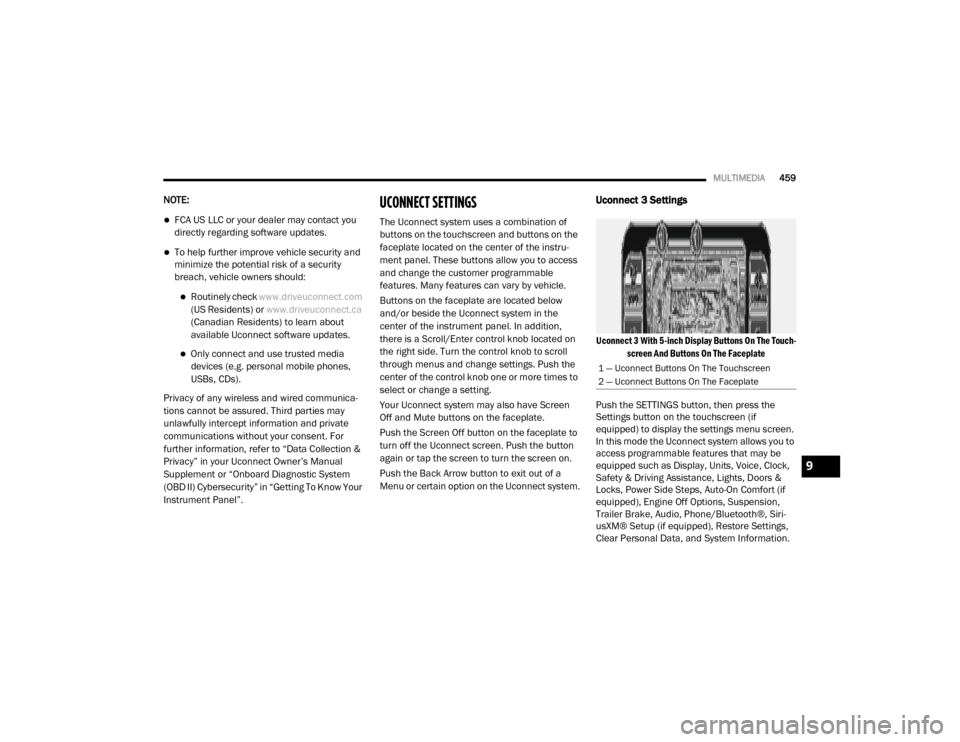
The Uconnect system uses a combination of
buttons on the touchscreen and buttons on the
faceplate located on the center of the instru -
ment panel. These buttons allow you to access
and change the customer programmable
features. Many features can vary by vehicle.
Buttons on the faceplate are located below
and/or beside the Uconnect system in the
center of the instrument panel. In addition,
there is a Scroll/Enter control knob located on
the right side. Turn the control knob to scroll
through menus and change settings. Push the
center of the control knob one or more times to
select or change a setting.
Your Uconnect system may also have Screen
Off and Mute buttons on the faceplate.
Push the Screen Off button on the faceplate to
turn off the Uconnect screen. Push the button
again or tap the screen to turn the screen on.
Push the Back Arrow button to exit out of a
Menu or certain option on the Uconnect system.
Uconnect 3 Settings
Uconnect 3 With 5-inch Display Buttons On The Touch -
screen And Buttons On The Faceplate
Push the SETTINGS button, then press the
Settings button on the touchscreen (if
equipped) to display the settings menu screen.
In this mode the Uconnect system allows you to
access programmable features that may be
equipped such as Display, Units, Voice, Clock,
Safety & Driving Assistance, Lights, Doors &
Locks, Power Side Steps, Auto-On Comfort (if
equipped), Engine Off Options, Suspension,
Trailer Brake, Audio, Phone/Bluetooth®, Siri -
usXM® Setup (if equipped), Restore Settings,
Clear Personal Data, and System Information.
1 — Uconnect Buttons On The Touchscreen
2 — Uconnect Buttons On The Faceplate
9
20_DJD2_OM_EN_USC_t.book Page 459
Page 471 of 553

MULTIMEDIA469
Trailer Brake
After pressing the Trailer Brake button on the touchscreen, the following settings will be available:NOTE:
When this feature is selected, the air suspension system is disabled to prevent auto leveling of the suspension, while the vehicle is on a jack changing
a tire.
Transport Mode OnOff
NOTE:
When the “Transport Mode” feature is selected, the air suspension system is disabled to assist with flat bed towing. Wheel Alignment Mode OnOff
NOTE:
The “Wheel Alignment Mode” feature prevents auto leveling of the air suspension while performing a wheel alignment service. Before performing a
wheel alignment, this mode must be enabled. Refer to an authorized dealer for further information.
Setting Name Selectable Options
Setting NameSelectable Options
Trailer SelectTrailer 1Trailer 2Trailer 3Trailer 4
Trailer Brake Type Light ElectricHeavy Electric Light EOHHeavy EOH
Trailer Name List of Trailer Names Available
NOTE:
You can select and personalize your trailer name depending on the type of trailer you are hauling. Select the trailer name from the following list: trailer,
boat, car, cargo, dump, equipment, flatbed, gooseneck, horse, livestock, motorcycle, snowmobile, travel, utility, and 5th wheel.
9
20_DJD2_OM_EN_USC_t.book Page 469
Page 482 of 553

480MULTIMEDIA
Mirrors & Wipers
After pressing the Mirrors & Wipers button on the touchscreen, the following settings will be available:Forward Collision Warning — If
Equipped Off
Warning Only Warning & Braking
NOTE:
Sounds an audible warning for the driver to slow the vehicle in case of collision or sounds an audible warning and appliesbrakes. Forward Collision Warning Sensitivity — If Equipped Near
Med Far
NOTE:
Sets the distance in which a Forward Collision Warning occurs. Front ParkSense Volume — If Equipped Low
Med High
Rear ParkSense Volume — If Equipped Low
Med High
Power Side Steps — If Equipped Auto Store
Blind Spot Alert — If Equipped OffLightsLights & Chime
Hill Start Assist — If Equipped On Off
Tire Fill Assist — If Equipped On Off
Setting Name Selectable Options
Setting NameSelectable Options
Tilt Side Mirrors In Reverse — If Equipped OnOff
20_DJD2_OM_EN_USC_t.book Page 480
Page 495 of 553
MULTIMEDIA493
Uconnect 4C NAV With 12-inch Display
Settings
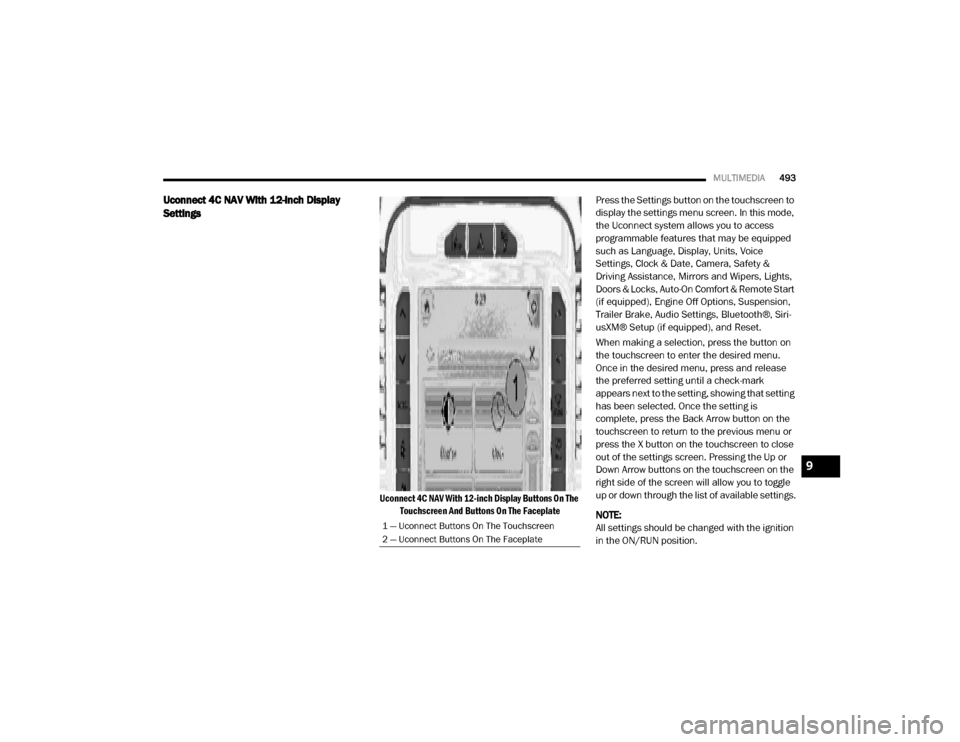
Uconnect 4C NAV With 12-inch Display Buttons On The
Touchscreen And Buttons On The Faceplate
Press the Settings button on the touchscreen to
display the settings menu screen. In this mode,
the Uconnect system allows you to access
programmable features that may be equipped
such as Language, Display, Units, Voice
Settings, Clock & Date, Camera, Safety &
Driving Assistance, Mirrors and Wipers, Lights,
Doors & Locks, Auto-On Comfort & Remote Start
(if equipped), Engine Off Options, Suspension,
Trailer Brake, Audio Settings, Bluetooth®, Siri-
usXM® Setup (if equipped), and Reset.
When making a selection, press the button on
the touchscreen to enter the desired menu.
Once in the desired menu, press and release
the preferred setting until a check-mark
appears next to the setting, showing that setting
has been selected. Once the setting is
complete, press the Back Arrow button on the
touchscreen to return to the previous menu or
press the X button on the touchscreen to close
out of the settings screen. Pressing the Up or
Down Arrow buttons on the touchscreen on the
right side of the screen will allow you to toggle
up or down through the list of available settings.
NOTE:
All settings should be changed with the ignition
in the ON/RUN position.
1 — Uconnect Buttons On The Touchscreen
2 — Uconnect Buttons On The Faceplate
9
20_DJD2_OM_EN_USC_t.book Page 493
Page 501 of 553

MULTIMEDIA499
Safety & Driving Assistance
After pressing the Safety & Driving Assistance button on the touchscreen, the following settings will be available:
Setting Name Selectable Options
Forward Collision Warning — If
Equipped Off
Warning OnlyWarning & Active Braking
NOTE:
Sounds an audible warning for the driver to slow the vehicle in case of collision or sounds an audible warning and applies brakes. Forward Collision Warning Sensitivity — If Equipped Near
Med Far
NOTE:
Sets the distance in which a Forward Collision Warning occurs. Front ParkSense Volume LowMed High
Rear ParkSense Volume LowMed High
Blind Spot Alert OffLightsLights + Chime
Power Side Step — If Equipped Auto Store
Hill Start Assist — If Equipped On Off
Tire Fill Assist — If Equipped On Off
9
20_DJD2_OM_EN_USC_t.book Page 499
Page 508 of 553

506MULTIMEDIA
Trailer Brake
After pressing the Trailer Brake button on the touchscreen, the following settings will be available:
Once selecting the specific trailer, the following programmable options become available:
Setting Name Selectable Options
TrailerTrailer 1 Trailer 2Trailer 3Trailer 4
Setting Name Selectable Options
Use This TrailerOn Off
Braking Light ElectricLight Electric
Over Hydraulic Heavy ElectricHeavy Electric
Over Hydraulic
Tire Pressure Are you sure you want to delete the Tire Pressure Settings for Trailer 1?
Yes No
Number Of Axles
+ -
Number Of Tires
+ -
NOTE:
After pressing Next, the Tire Pressure screen appears. The default for this option is 50 PSI (344 kPa), however the range is selectable anywhere
between 25–125 PSI (172–862 kPa). Once PSI (kPa) is programmed the pairing screen appears. Tire sensors must be paired in order shown. Starting
with Tire 1, deflate tire by 5 PSI (34 kPa) and wait for a horn chirp. Repeat process until complete. Do not exit the pairing screen until process is
complete. If pairing has been unsuccessful, a double horn chirp will sound, and a prompt on the touchscreen will allow you to retry the procedure;
“Retry” will only appear when setup fails. Each tire must be successfully paired during a single pairing process to receive the success screen.
20_DJD2_OM_EN_USC_t.book Page 506