ECU Ram 3500 2020 Repair Manual
[x] Cancel search | Manufacturer: RAM, Model Year: 2020, Model line: 3500, Model: Ram 3500 2020Pages: 568
Page 370 of 568

368IN CASE OF EMERGENCY
(Continued)
NOTE:
The winch mechanism is designed for use with
the extension tubes only. Use of an air wrench
or other power tools is not recommended and
can damage the winch.
PREPARATIONS FOR JACKING
1. Park the vehicle on a firm, level surface. Avoid ice or slippery areas.
2. Turn on the Hazard Warning Flashers.
3. Apply the parking brake.
4. Shift the transmission into Park (P).
5. Turn the ignition OFF.
6. Block both the front and rear of the wheel diagonally opposite the jacking position. For
example, if the driver’s front wheel is being
changed, block the passenger’s rear wheel.
Wheel Blocked
NOTE:
Passengers should not remain in the vehicle
when the vehicle is being raised or lifted.
JACKING INSTRUCTIONS
WARNING!
Do not attempt to change a tire on the side of
the vehicle close to moving traffic. Pull far
enough off the road to avoid being hit when
operating the jack or changing the wheel.
WARNING!
Carefully follow these tire changing warnings
to help prevent personal injury or damage to
your vehicle:
Always park on a firm, level surface as far
from the edge of the roadway as possible
before raising the vehicle.
Turn on the Hazard Warning Flashers.
Apply the parking brake firmly and set the
transmission in PARK.
Block the wheel diagonally opposite the
wheel to be raised.
Never start or run the engine with the
vehicle on a jack.
Do not let anyone sit in the vehicle when it
is on a jack.
Do not get under the vehicle when it is on a
jack. If you need to get under a raised
vehicle, take it to a service center where it
can be raised on a lift.
Only use the jack in the positions indicated
and for lifting this vehicle during a tire
change.
If working on or near a roadway, be
extremely careful of motor traffic.
To assure that spare tires, flat or inflated,
are securely stowed, spares must be
stowed with the valve stem facing the
ground.
WARNING! (Continued)
20_DJD2_OM_EN_USC_t.book Page 368
Page 376 of 568
374IN CASE OF EMERGENCY
(Continued)
NOTE:
Ensure that the jack and tool bracket assembly
slides into the front hold down location.
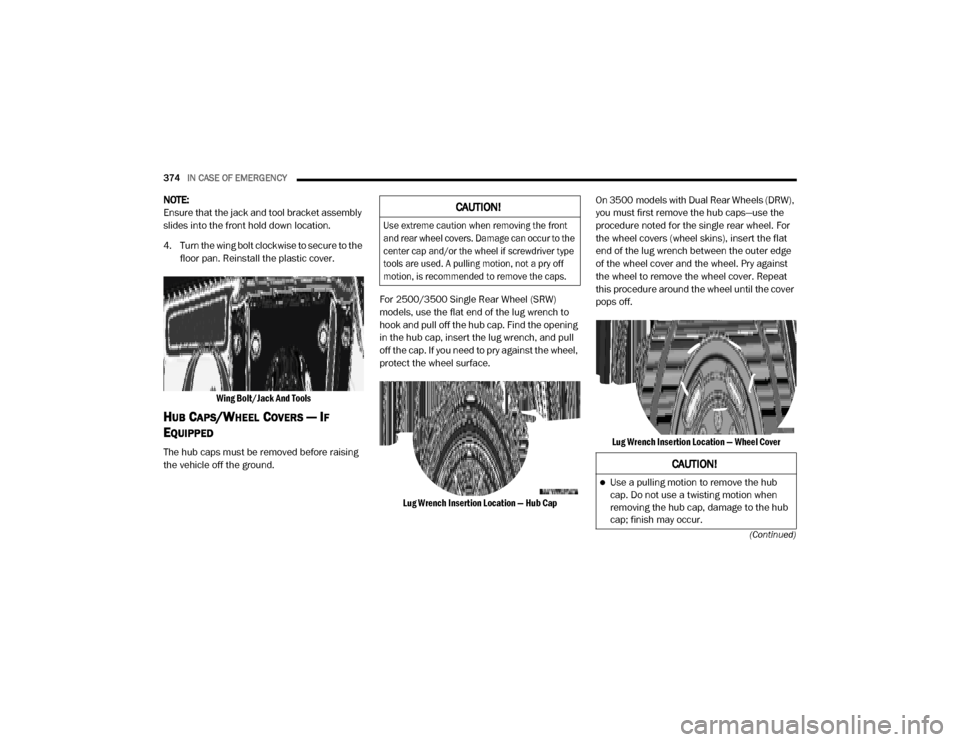
4. Turn the wing bolt clockwise to secure to the floor pan. Reinstall the plastic cover.
Wing Bolt/Jack And Tools
HUB CAPS/WHEEL COVERS — IF
E
QUIPPED
The hub caps must be removed before raising
the vehicle off the ground. For 2500/3500 Single Rear Wheel (SRW)
models, use the flat end of the lug wrench to
hook and pull off the hub cap. Find the opening
in the hub cap, insert the lug wrench, and pull
off the cap. If you need to pry against the wheel,
protect the wheel surface.
Lug Wrench Insertion Location — Hub Cap
On 3500 models with Dual Rear Wheels (DRW),
you must first remove the hub caps—use the
procedure noted for the single rear wheel. For
the wheel covers (wheel skins), insert the flat
end of the lug wrench between the outer edge
of the wheel cover and the wheel. Pry against
the wheel to remove the wheel cover. Repeat
this procedure around the wheel until the cover
pops off.
Lug Wrench Insertion Location — Wheel Cover
CAUTION!
Use extreme caution when removing the front
and rear wheel covers. Damage can occur to the
center cap and/or the wheel if screwdriver type
tools are used. A pulling motion, not a pry off
motion, is recommended to remove the caps.
CAUTION!
Use a pulling motion to remove the hub
cap. Do not use a twisting motion when
removing the hub cap, damage to the hub
cap; finish may occur.
20_DJD2_OM_EN_USC_t.book Page 374
Page 380 of 568

378IN CASE OF EMERGENCY
Engaging The Access Port
6. Move the gear selector to the NEUTRAL position.
7. The vehicle may then be started in NEUTRAL.
MANUAL PARK RELEASE — 8 – SPEED
TRANSMISSION
To push or tow the vehicle in cases where the
transmission will not shift out of PARK (such as
a depleted battery), a Manual Park Release is
available. Follow these steps to activate the Manual Park
Release:
1. Firmly apply the parking brake.
2. Using a small screwdriver or similar tool,
remove the Manual Park Release access
cover, which is just above the parking brake
release handle, below and to the left of the
steering column.
Manual Park Release Panel Cover
3. Press and maintain firm pressure on the brake pedal.
WARNING!
Always secure your vehicle by fully applying
the parking brake before activating the
Manual Park Release. In addition, you should
be seated in the driver’s seat with your foot
firmly on the brake pedal when activating the
Manual Park Release. Activating the Manual
Park Release will allow your vehicle to roll
away if it is not secured by the parking brake,
or by proper connection to a tow vehicle.
Activating the Manual Park Release on an
unsecured vehicle could lead to serious injury
or death for those in or around the vehicle.
20_DJD2_OM_EN_USC_t.book Page 378
Page 381 of 568

IN CASE OF EMERGENCY379
4. Using the screwdriver or similar tool, push
the Manual Park Release lever locking tab
(just below the middle of the lever) to the
right.
Manual Park Release Pull Tether
5. While holding the locking tab in the disengaged position, pull the tether strap to
rotate the lever rearward, until it locks in
place pointing towards the driver's seat.
Release the locking tab and verify that the
Manual Park Release lever is locked in the
released position.
6. The vehicle is now out of PARK and can be towed. Release the parking brake only when
the vehicle is securely connected to a tow
vehicle. To Reset The Manual Park Release:
1. Push the locking tab to the right, to unlock
the lever.
2. Rotate the Manual Park Release lever forward to its original position, until the
locking tab snaps into place to secure the
lever.
3. Pull gently on the tether strap to confirm that the lever is locked in its stowed
position.
Manual Park Release Pull Strap
4. Re-install the access cover.IF YOUR ENGINE OVERHEATS
In any of the following situations, you can
reduce the potential for overheating by taking
the appropriate action.
On the highways — slow down.
In city traffic — while stopped, place the trans -
mission in NEUTRAL, but do not increase the
engine idle speed while preventing vehicle
motion with the brakes.
NOTE:
There are steps that you can take to slow down
an impending overheat condition:
If your Air Conditioner (A/C) is on, turn it off.
The A/C system adds heat to the engine
cooling system and turning the A/C off can
help remove this heat.
You can also turn the temperature control to
maximum heat, the mode control to floor and
the blower control to high. This allows the
heater core to act as a supplement to the
radiator and aids in removing heat from the
engine cooling system.
6
20_DJD2_OM_EN_USC_t.book Page 379
Page 384 of 568

382IN CASE OF EMERGENCY
Proper towing or lifting equipment is required to
prevent damage to your vehicle. Use only tow
bars and other equipment designed for this
purpose, following equipment manufacturer’s
instructions. Use of safety chains is mandatory.
Attach a tow bar or other towing device to main
structural members of the vehicle, not to
bumpers or associated brackets. State and
local laws regarding vehicles under tow must be
observed.
If you must use the accessories (wipers,
defrosters, etc.) while being towed, the ignition
must be in the ON/RUN mode, not the ACC
mode. If the key fob is unavailable or the vehicle's
battery is discharged, refer to ”Manual Park
Release” in this section for instructions on
shifting the transmission out of PARK for
towing.TWO-WHEEL DRIVE MODELS
The manufacturer recommends towing your
vehicle with all four wheels
OFF the ground
using a flatbed.
If flatbed equipment is not available, and the
transmission is operable, the vehicle may be
towed (with rear wheels ON the ground) under
the following conditions:
The transmission must be in NEUTRAL.
Towing Condition
Wheels OFF The
Ground 2WD Models
4WD Models
Flat Tow NONE If transmission is operable:
• Transmission in
NEUTRAL
• 30 mph (48 km/h) max speed
• 15 miles (24 km) max distance (6–speed
transmission)
• 30 miles (48 km) max distance (8–speed
transmission) See instructions in “Recreational Towing” under
“Starting And Operating”
Automatic Transmission in
PARK
Transfer Case in NEUTRAL (N)
Tow in forward direction
Wheel Lift Or Dolly Tow Front
NOT ALLOWED
Rear OK NOT ALLOWED
Flatbed ALL BEST METHOD BEST METHOD
CAUTION!
Do not use sling type equipment when
towing. Vehicle damage may occur.
When securing the vehicle to a flat bed
truck, do not attach to front or rear suspen-
sion components. Damage to your vehicle
may result from improper towing.
20_DJD2_OM_EN_USC_t.book Page 382
Page 407 of 568

SERVICING AND MAINTENANCE405
(Continued)
3. Tighten the fasteners (six) on the air cleaner filter assembly
Engine Air Cleaner Filter Inspection and
Replacement — Diesel Engine
Inspect engine air cleaner filter for dirt and or
debris, if you find evidence of either dirt or
debris you should change your air cleaner filter.
Engine Air Cleaner Filter Removal
1. Remove the screws from the air cleaner cover.
Air Cleaner Filter Cover
2. Lift the air cleaner cover to access the air
cleaner filter.
3. Remove the air cleaner filter element from the housing assembly.
Air Cleaner Filter
Engine Air Cleaner Filter Installation
NOTE:
Inspect and clean the housing if dirt or debris is
present before replacing the air filter element.
1. Install the air cleaner filter element into the housing assembly with the air cleaner filter
inspection surface facing downward.
2. Install the air cleaner cover onto the
housing assembly locating tabs.
3. Install screws to secure the air cleaner cover to the housing assembly.AIR CONDITIONER MAINTENANCE
For best possible performance, your air
conditioner should be checked and serviced by
an authorized dealer at the start of each warm
season. This service should include cleaning of
the condenser fins and a performance test.
Drive belt tension should also be checked at
this time.
1 — Air Cleaner Filter Cover
2 — Screws
1 — Air Cleaner Filter
2 — Air Cleaner Filter Inspection SurfaceWARNING!
Use only refrigerants and compressor lubri -
cants approved by the manufacturer for
your air conditioning system. Some unap -
proved refrigerants are flammable and can
explode, injuring you. Other unapproved
refrigerants or lubricants can cause the
system to fail, requiring costly repairs.
Refer to Warranty Information Book, for
further warranty information.7
20_DJD2_OM_EN_USC_t.book Page 405
Page 412 of 568

410SERVICING AND MAINTENANCE
If the “Water In Fuel Indicator Light” comes on
and a single chime is heard while you are
driving, or with the ignition switch in the ON
position, there may be a problem with your
water separator wiring or sensor. See an
authorized dealer for service.
Upon proper draining of the water from both fuel
filters, the “Water In Fuel Indicator Light” will
remain illuminated for approximately 10 seconds.
If the water was drained while the engine was
running, the “Water In Fuel Indicator Light” may
remain on for approximately three minutes.
NOTE:
Care should be taken in disposing of used fluids
from your vehicle. Used fluids, indiscriminately
discarded, can present a problem to the envi -
ronment. Contact an authorized dealer, service
station, or government agency for advice on
recycling programs and for where used fluids
and filters can be properly disposed of in your
area. Drain the fuel/water separator filters when the
“Water In Fuel Indicator Light” is ON. Within
10 minutes of vehicle shutdown, turn the
engine mounted filter drain valve (located on
the side of the filter assembly)
counterclockwise 1/4 turn, and turn the under
body mounted filter drain valve (located on the
bottom of the filter assembly) counterclockwise
wise 1 full turn. Then turn the ignition switch to
the ON position, and allow any accumulated
water to drain. Leave the drain valve open until
all water and contaminants have been
removed. When clean fuel is visible, close the
drain valve following these guidelines:
1. Rotate the drain clockwise to close until
you feel resistance from the internal seal.
2. Continue turning the drain 1/2 of a turn to properly compress the seal.
NOTE:
Over-compression of the seal due to over-tight -
ening of the drain will damage the seal, cause a
leak, and require the entire sensor to be
replaced.
3. Turn the ignition switch to OFF. The sensor drain should not be over-tightened
during normal service operations to avoid
internal damage and future fuel leaks. The
drain should be closed and secured without the
use of tools.
If more than a couple ounces/milliliters of fuel
have been drained, follow the directions for
“Priming If The Engine Has Run Out Of Fuel.”
ENGINE MOUNTED FUEL FILTER
R
EPLACEMENT — DIESEL ENGINE
NOTE:
Using a fuel filter that does not meet the
manufacturer's filtration and water sepa -
rating requirements can severely impact fuel
system life and reliability.
The engine mounted filter housing is
equipped with a No-Filter-No-Run (NFNR)
feature. Engine will not run if:
a. No filter is installed.
b. Inferior/Non-approved filter is used. Use of OEM filter is required to ensure vehicle
will run.
20_DJD2_OM_EN_USC_t.book Page 410
Page 423 of 568
SERVICING AND MAINTENANCE421
(Continued)
CHARGE AIR COOLER — INTER-COOLER
The charge air cooler is positioned below the
radiator and the air conditioner condenser. Air
enters the engine through the air cleaner and
passes through the turbocharger, where it is
pressurized. This pressurized air rapidly
reaches high temperature. The air is then
directed through a hose to the charge air cooler
and through another hose to the intake
manifold of the engine. The air entering the
engine has been cooled by about 50° to 100°F
(10° to 38°C). This cooling process enables
more efficient burning of fuel resulting in fewer
emissions.
To guarantee optimum performance of the
system, keep the surfaces of the charge air
cooler, condenser and radiator clean and free
of debris. Periodically check the hoses leading
to and from the charge air cooler for cracks or
loose clamps resulting in loss of pressure and
reduced engine performance.
BRAKE SYSTEM
In order to ensure brake system performance,
all brake system components should be
inspected periodically. Refer to the “Maintenance Plan” in this section for the
proper maintenance intervals.
Fluid Level Check — Brake Master Cylinder
The fluid level of the master cylinder should be
checked when performing under the hood
service or immediately if the brake system
warning lamp indicates system failure.
If necessary, add fluid to bring level within the
designated marks on the side of the reservoir of
the brake master cylinder. Be sure to clean the
top of the master cylinder area before removing
cap.
With disc brakes the fluid level can be expected
to fall as the brake linings wear. However, an
unexpected drop in fluid level may be caused by
a leak and a system check should be
conducted.
Refer to “Fluids And Lubricants” in “Technical
Specifications” for further information.
WARNING!
Riding the brakes can lead to brake failure
and possibly a collision. Driving with your foot
resting or riding on the brake pedal can result
in abnormally high brake temperatures,
excessive lining wear, and possible brake
damage. You would not have your full braking
capacity in an emergency.
WARNING!
Use only manufacturer's recommended
brake fluid. Refer to “Fluids And Lubricants”
in “Technical Specifications” for further infor-
mation. Using the wrong type of brake fluid
can severely damage your brake system
and/or impair its performance. The proper
type of brake fluid for your vehicle is also
identified on the original factory installed
hydraulic master cylinder reservoir.
To avoid contamination from foreign matter
or moisture, use only new brake fluid or fluid
that has been in a tightly closed container.
Keep the master cylinder reservoir cap
secured at all times. Brake fluid in a open
container absorbs moisture from the air
resulting in a lower boiling point. This may
cause it to boil unexpectedly during hard or
prolonged braking, resulting in sudden brake
failure. This could result in a collision.
7
20_DJD2_OM_EN_USC_t.book Page 421
Page 469 of 568
467
(Continued)
MULTIMEDIA
UCONNECT SYSTEMS
For detailed information about your Uconnect
4/4C/4C NAV with 8.4-inch or 12-inch display,
refer to your Uconnect Owner’s Manual
Supplement.
NOTE:
Uconnect screen images are for illustration
purposes only and may not reflect exact soft-
ware for your vehicle.
CYBERSECURITY
Your vehicle may be a connected vehicle and
may be equipped with both wired and wireless
networks. These networks allow your vehicle to
send and receive information. This information
allows systems and features in your vehicle to
function properly.
Your vehicle may be equipped with certain security
features to reduce the risk of unauthorized and
unlawful access to vehicle systems and wireless
communications. Vehicle software technology
continues to evolve over time and FCA US LLC,
working with its suppliers, evaluates and takes
appropriate steps as needed. Similar to a computer or other devices, your vehicle may
require software updates to improve the usability
and performance of your systems or to reduce the
potential risk of unauthorized and unlawful access
to your vehicle systems.
The risk of unauthorized and unlawful access to
your vehicle systems may still exist, even if the
most recent version of vehicle software (such as
Uconnect software) is installed.
NOTE:
FCA US LLC or your dealer may contact you
directly regarding software updates.
To help further improve vehicle security and
minimize the potential risk of a security
breach, vehicle owners should:
Routinely check www.driveuconnect.com
(US Residents) or www.driveuconnect.ca
(Canadian Residents) to learn about
available Uconnect software updates.
Only connect and use trusted media
devices (e.g. personal mobile phones,
USBs, CDs).
WARNING!
It is not possible to know or to predict all of
the possible outcomes if your vehicle’s
systems are breached. It may be possible
that vehicle systems, including safety related
systems, could be impaired or a loss of
vehicle control could occur that may result in
an accident involving serious injury or death.
ONLY insert media (e.g., USB, SD card, or
CD) into your vehicle if it came from a
trusted source. Media of unknown origin
could possibly contain malicious software,
and if installed in your vehicle, it may
increase the possibility for vehicle systems
to be breached.
As always, if you experience unusual
vehicle behavior, take your vehicle to your
nearest authorized dealer immediately.
WARNING!
(Continued)
9
20_DJD2_OM_EN_USC_t.book Page 467
Page 470 of 568
468MULTIMEDIA
Privacy of any wireless and wired
communications cannot be assured. Third
parties may unlawfully intercept information
and private communications without your
consent. For further information, refer to “Data
Collection & Privacy” in your Uconnect Owner’s
Manual Supplement or “Onboard Diagnostic
System (OBD II) Cybersecurity” in “Getting To
Know Your Instrument Panel”.
UCONNECT SETTINGS
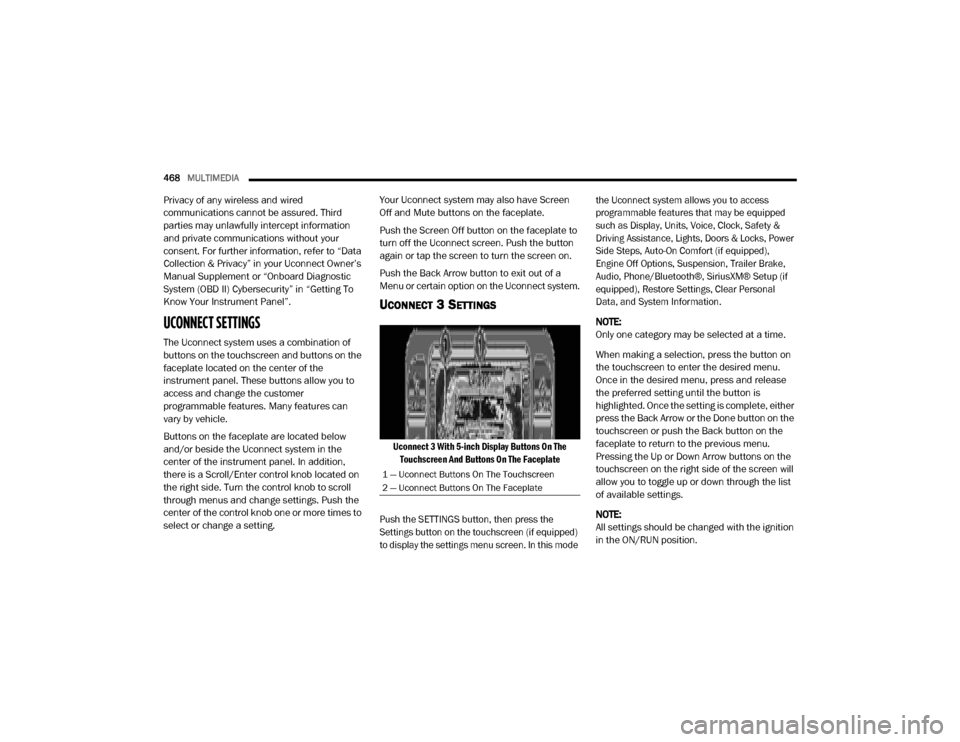
The Uconnect system uses a combination of
buttons on the touchscreen and buttons on the
faceplate located on the center of the
instrument panel. These buttons allow you to
access and change the customer
programmable features. Many features can
vary by vehicle.
Buttons on the faceplate are located below
and/or beside the Uconnect system in the
center of the instrument panel. In addition,
there is a Scroll/Enter control knob located on
the right side. Turn the control knob to scroll
through menus and change settings. Push the
center of the control knob one or more times to
select or change a setting. Your Uconnect system may also have Screen
Off and Mute buttons on the faceplate.
Push the Screen Off button on the faceplate to
turn off the Uconnect screen. Push the button
again or tap the screen to turn the screen on.
Push the Back Arrow button to exit out of a
Menu or certain option on the Uconnect system.
UCONNECT 3 SETTINGS
Uconnect 3 With 5-inch Display Buttons On The
Touchscreen And Buttons On The Faceplate
Push the SETTINGS button, then press the
Settings button on the touchscreen (if equipped)
to display the settings menu screen. In this mode the Uconnect system allows you to access
programmable features that may be equipped
such as Display, Units, Voice, Clock, Safety &
Driving Assistance, Lights, Doors & Locks, Power
Side Steps, Auto-On Comfort (if equipped),
Engine Off Options, Suspension, Trailer Brake,
Audio, Phone/Bluetooth®, SiriusXM® Setup (if
equipped), Restore Settings, Clear Personal
Data, and System Information.
NOTE:
Only one category may be selected at a time.
When making a selection, press the button on
the touchscreen to enter the desired menu.
Once in the desired menu, press and release
the preferred setting until the button is
highlighted. Once the setting is complete, either
press the Back Arrow or the Done button on the
touchscreen or push the Back button on the
faceplate to return to the previous menu.
Pressing the Up or Down Arrow buttons on the
touchscreen on the right side of the screen will
allow you to toggle up or down through the list
of available settings.
NOTE:
All settings should be changed with the ignition
in the ON/RUN position.
1 — Uconnect Buttons On The Touchscreen
2 — Uconnect Buttons On The Faceplate
20_DJD2_OM_EN_USC_t.book Page 468