transmission Ram 3500 2020 Repair Manual
[x] Cancel search | Manufacturer: RAM, Model Year: 2020, Model line: 3500, Model: Ram 3500 2020Pages: 568
Page 256 of 568

254STARTING AND OPERATING
met. Refer to “Shifting Procedure – Manually
Shifted Transfer Case” in this section for further
information.
The 4H and 4L positions are intended for loose,
slippery road surfaces only. Driving in the 4H
and 4L positions on dry, hard surfaced roads
may cause increased tire wear and damage to
the driveline components.
The “Transfer Case Position Indicator Light” in
the instrument cluster will alert the driver that
the vehicle is in four-wheel drive and that the
front and rear driveshafts are locked together.
This light will illuminate when the transfer case
is shifted into either the 4H or 4L position. There
is no light for the 2H or NEUTRAL positions on
some models.
When operating your vehicle in 4L, the engine
speed is approximately three times that of the
2H or 4H positions at a given road speed. Take
care not to overspeed the engine and do not
exceed 25 mph (40 km/h).
Proper operation of four-wheel drive vehicles
depends on tires of equal size, type and
circumference on each wheel. Any difference
will adversely affect shifting and can cause
damage to the drivetrain. NOTE:
Do not attempt to make a shift while only the
front or rear wheels are spinning, as this can
cause damage to driveline components.
Because four-wheel drive provides improved
traction, there is a tendency to exceed safe
turning and stopping speeds. Do not go faster
than road conditions permit.
NOTE:
Delayed shifts out of four-wheel drive may be
experienced due to uneven tire wear, low or
uneven tire pressures, excessive vehicle
loading, or cold temperatures.Two-Wheel Drive High Range (2H)
Two-Wheel Drive High Range — This range is for
normal street and highway driving on dry hard
surfaced roads.
Four-Wheel Drive High Range (4H)
Four-Wheel Drive High Range — This range locks
the front and rear driveshafts together forcing
the front and rear wheels to rotate at the same
speed. Additional traction for loose, slippery
road surfaces only.
N (Neutral)
N (Neutral) — This range disengages the front
and rear driveshafts from the powertrain. To be
used for flat towing behind another vehicle.
Refer to “Recreational Towing” in “Starting And
Operating” for further information.
Four-Wheel Drive Low Range (4L)
Four-Wheel Drive Low Range — This range locks
the front and rear driveshafts together forcing
the front and rear wheels to rotate at the same
speed. Additional traction and maximum pulling
power for loose, slippery road surfaces only. Do
not exceed 25 mph (40 km/h).
WARNING!
You or others could be injured or killed if you
leave the vehicle unattended with the transfer
case in the NEUTRAL position without first
fully engaging the parking brake. The transfer
case NEUTRAL position disengages both the
front and rear drive shafts from the
powertrain and will allow the vehicle to roll,
even if the transmission is in PARK. The
parking brake should always be applied when
the driver is not in the vehicle.
20_DJD2_OM_EN_USC_t.book Page 254
Page 257 of 568

STARTING AND OPERATING255
Shifting Procedure — Manually Shifted
Transfer Case
2H To 4H
Shifting between 2H and 4H can be made with
the vehicle stopped or in motion. If the vehicle
is in motion, shifts can be made up to 55 mph
(88 km/h). With the vehicle in motion, the
transfer case will engage/disengage faster if
you momentarily release the accelerator pedal
after completing the shift. Apply a constant
force when shifting the transfer case lever. 2H Or 4H To 4L
NOTE:
When shifting into or out of 4WD LOW some gear
noise may be heard. This noise is normal and is
not detrimental to the vehicle or occupants.
With the vehicle rolling at 2 to 3 mph (3 to
5 km/h), shift the transmission into NEUTRAL.
While the vehicle is coasting at 2 to 3 mph (3 to
5 km/h), shift the transfer case lever firmly to
the desired position. Do not pause in transfer
case Neutral.
NOTE:
Pausing in transfer case NEUTRAL in vehicles
equipped with an automatic transmission
may require shutting the engine off to avoid
gear clash while completing the shift. If diffi
-
culty occurs, shift the transmission into
NEUTRAL, hold your foot on the brake, and
turn the engine off. Complete the range shift
to the desired mode.
Shifting into or out of 4WD LOW is possible
with the vehicle completely stopped, however
difficulty may occur due to the mating clutch
teeth not being properly aligned. Several
attempts may be required for clutch teeth
alignment and shift completion to occur. The
preferred method is with the vehicle rolling
2 to 3 mph (3 to 5 km/h). Avoid attempting to
engage or disengage 4WD LOW with the
vehicle moving faster than 2 to 3 mph
(3 to 5 km/h).
Do not attempt to shift into or out of 4WD
LOW while the transmission is in gear.
Transfer Case Position Indicator Light
The “Transfer Case Position Indicator Light” in
the instrument cluster is used to alert the driver
that the front axle is fully engaged and all four
wheels are driving.
CAUTION!
Do not use 4L (Low) range when operating
the vehicle on dry pavement. Driveline
hardware damage can result.
5
20_DJD2_OM_EN_USC_t.book Page 255
Page 264 of 568

262STARTING AND OPERATING
The Basics Of Off-Road Driving
You will encounter many types of terrain driving
off-road. You should be familiar with the terrain
and area before proceeding. There are many
types of surface conditions: hard packed dirt,
gravel, rocks, grass, sand, mud, snow and ice.
Every surface has a different effect on your
vehicle's steering, handling and traction.
Controlling your vehicle is one of the keys to
successful off-road driving, so always keep a
firm grip on the steering wheel and maintain a
good driving posture. Avoid sudden
accelerations, turns or braking. In most cases
there are no road signs, posted speed limits or
signal lights. Therefore you will need to use your
own good judgment on what is safe and what
isn't. When on a trail you should always be
looking ahead for surface obstacles and
changes in terrain. The key is to plan your future
driving route while remembering what you are
currently driving over.
When To Use Low Range
When driving off-road, shift into 4WD LOW for
additional traction or to improve handling and
control on slippery or difficult terrain. Due to the
lower gearing, low range will allow the engine to
operate in a higher power range. This will allow
you to idle over obstacles and down hills, with
improved control and less effort. Also, use 4WD
LOW in rain, ice, snow, mud, and sand to get
heavy loads rolling, improve traction, or
whenever 4WD HIGH traction will not do the job.
DRIVING IN SNOW, MUD AND SAND
There is a drastic reduction in traction when
driving in snow, mud or sand. The vehicle will be
less responsive to steering, acceleration and
braking inputs. Therefore you should accelerate
slowly, leave greater stopping distances and
avoid abrupt vehicle maneuvers. You want to
keep a slow constant steady pace. The key is to
maintain the vehicle's momentum.
Snow – In heavy snow or for additional
control and traction at slower speeds, shift
the transmission to a low gear and shift the
transfer case to 4WD LOW if necessary. Do
not shift to a lower gear than necessary to
maintain headway. Over-revving the engine
can spin the wheels and traction will be lost.
If you start to slow to a stop, try turning your
steering wheel no more than a quarter turn
quickly back and forth, while still applying
throttle. This will allow the tires to get a fresh
"bite" and help maintain your momentum.
Mud – Deep mud creates a great deal of
suction around the tires and is very difficult to
get through. You should use 4WD LOW with a
gear low enough to maintain your momentum
without shifting. If you start to slow to a stop,
try turning your steering wheel no more than
a quarter turn quickly back and forth for addi -
tional traction. Mud holes pose an increased
threat of vehicle damage and getting stuck.
WARNING!
Always wear your seat belt and firmly tie down
cargo. Unsecured cargo can become
projectiles in an off-road situation.
CAUTION!
Never park your vehicle over dry grass or
other combustible materials. The heat from
your vehicle exhaust system could cause a
fire.
CAUTION!
On icy or slippery roads, do not downshift at
high engine RPMs or vehicle speeds because
engine braking may cause skidding and loss
of control.
20_DJD2_OM_EN_USC_t.book Page 262
Page 267 of 568
STARTING AND OPERATING265
case into 4WD LOW and proceed with
caution. You should use first gear and 4WD
LOW for very steep hills.
Driving Uphill – Once you have determined
your ability to proceed and have shifted into
the appropriate gear, line your vehicle up for
the straightest possible run. Accelerate with
an easy constant throttle and apply more
power as you start up the hill. Do not race
forward into a steep grade, the abrupt
change of grade could cause you to lose
control. If the front end begins to bounce,
ease off the throttle slightly to bring all four
tires back on the ground. As you approach
the crest of the hill ease off the throttle and
slowly proceed over the top. If the wheels
start to slip as you approach the crest of a
hill, ease off the accelerator and maintain
headway by turning the steering wheel no
more than a quarter turn quickly back and
forth. This will provide a fresh "bite" into the
surface and will usually provide enough trac -
tion to complete the climb. If you do not make
it to the top, place the vehicle in REVERSE
and back straight down the grade using
engine resistance along with the vehicle
brakes.
Driving Downhill – Before driving down a
steep hill you need to determine if it is too
steep for a safe descent. What is the surface
traction? Is the grade too steep to maintain a
slow controlled descent? Are there obsta -
cles? Is it a straight descent? Is there plenty
of distance at the base of the hill to regain
control if the vehicle descends too fast? If
you feel confident in your ability to proceed
then make sure you are in 4WD LOW with the
transmission in FIRST gear (manually select
FIRST gear on automatic transmissions) and
proceed with caution. Allow engine braking to
control the descent and apply your brakes if
necessary, but do not allow the tires to lock.
Driving Across An Incline – If at all possible
avoid driving across an incline. If it is neces -
sary, know your vehicle's abilities. Driving
across an incline places more weight on the
downhill wheels, which increases the possi -
bilities of a downhill slide or rollover. Make
sure the surface has good traction with firm
and stable soils. If possible transverse the
incline at an angle heading slightly up or
down.
WARNING!
Never attempt to climb a hill at an angle or
turn around on a steep grade. Driving across
an incline increases the risk of a roll over,
which may result in severe injury or death.
WARNING!
Do not descend a steep grade in NEUTRAL. Use
vehicle brakes in conjunction with engine
braking. Descending a grade too fast could
cause you to lose control and be seriously
injured or killed.
WARNING!
Driving across an incline increases the risk of
a rollover, which may result in severe injury.
5
20_DJD2_OM_EN_USC_t.book Page 265
Page 268 of 568

266STARTING AND OPERATING
If You Stall Or Begin To Lose Headway – If you
stall or begin to lose headway while climbing
a steep hill, allow your vehicle to come to a
stop and immediately apply the brake.
Restart the engine and shift into REVERSE.
Back slowly down the hill allowing the
compression braking of the engine and trans -
mission to help regulate your speed. If the
brakes are required to control vehicle speed,
apply them lightly and avoid locking or skid-
ding the tires.DRIVING THROUGH WATER
Extreme care should be taken crossing any type
of water. Water crossings should be avoided if
possible and only be attempted when
necessary, in a safe responsible manner. You
should only drive through areas which are
designated and approved. You should tread
lightly and avoid damage to the environment.
You should know your vehicle's abilities and be
able to recover it if something goes wrong. You
should never stop or shut a vehicle off when
crossing deep water unless you ingested water
into the engine air intake. If the engine stalls do
not attempt to restart it. Determine if it has
ingested water first. The key to any crossing is
low and slow. You want to use FIRST gear in
4WD LOW and proceed very slowly with a
constant slow speed (3-5 mph [5–8 km/h]
maximum) and light throttle. Keep the vehicle
moving; do not try to accelerate through the
crossing. After crossing any water higher than
the bottom of the axle differentials, you should
inspect all of the vehicle fluids for signs of water
ingestion.
Before You Cross Any Type Of Water – As you
approach any type of water you need to
determine if you can cross it safely and
responsibly. If necessary, get out and walk
through the water or probe it with a stick. You
need to be sure of its depth, approach angle,
current and bottom condition. Be careful of
murky or muddy waters, check for hidden
obstacles. Make sure you will not be
intruding on any wildlife and you can recover
the vehicle if necessary. The key to a safe
crossing is the water depth, current and
bottom conditions. On soft bottoms the
vehicle will sink in, effectively increasing the
water level on the vehicle. Be sure to
consider this when determining the depth
and the ability to safely cross.
WARNING!
If the engine stalls or you lose headway or
cannot make it to the top of a steep hill or
grade, never attempt to turn around. To do so
may result in tipping and rolling the vehicle,
which may result in severe injury. Always back
carefully straight down a hill in REVERSE.
Never back down a hill in NEUTRAL using only
the vehicle brakes. Never drive diagonally
across a hill, always drive straight up or down.
CAUTION!
Water ingestion into the axles, transmission,
transfer case, engine or vehicle interior can
occur if you drive too fast or through too deep
of water. Water can cause permanent
damage to engine, driveline or other vehicle
components and your brakes will be less
effective once wet and/or muddy.
20_DJD2_OM_EN_USC_t.book Page 266
Page 277 of 568

STARTING AND OPERATING275
5. Pull the wire to the anchor point. Pull out
enough wire rope to reach your anchor
point. To prevent losing the end, hold the
hook strap while you work.
Pulling Synthetic Rope
6. Secure to the anchor point. Once you have established your anchor point, secure the
tree-trunk protector or choker-chain around
the object.
Tree Trunk Protector
NOTE:
How to choose an anchor point: A secure
anchor is critical to winching operations. An
anchor must be strong enough to hold while
winching. Natural anchors include trees,
stumps and rocks. Hook the cable as low as
possible. If no natural anchors are available
when recovering another vehicle, your vehicle
becomes the anchor point. In this case, be sure
to put the transmission in NEUTRAL, apply the
hand brake and block its wheels to prevent your
vehicle from moving. Ideally, you'll want an
anchor point that will enable you to pull straight in the direction the vehicle will move. This
allows the synthetic rope to wind tightly and
evenly onto the spooling drum. An anchor point
as far away as possible will provide the winch
with its greatest pulling power.
7. Attach the Clevis/D-Shackle and Tree Trunk
Protector. Attach the shackle to the two
ends of the strap or chain and through the
hook, being careful not to over tighten
(tighten and back-off 1/2 turn).
Clevis/D-Shackles
8. Lock the clutch. Lock the winch drum by rotating the clutch lever on the winch to
engage.
NOTE:
Always ensure the clutch is fully engaged or
disengaged.
WARNING!
Never touch winch rope or hook while
someone else is at the control switch or
during winching operation.
Never touch winch rope or hook while
under tension or under load.
CAUTION!
Always be certain the anchor you select will
withstand the load.5
20_DJD2_OM_EN_USC_t.book Page 275
Page 280 of 568
278STARTING AND OPERATING
synthetic rope tends to stack up at one end of
the drum. This stack can become large
enough to cause serious damage to the
winch. So, line up pulls as straight ahead as
possible and stop winching if the synthetic
rope comes close to the tie rods or mounting
plate. To fix an uneven stack, spool out that
section of the rope and reposition it to the
opposite end of the drum, which will free up
space for continued winching.
15. Secure vehicle. Once recovery of the vehicle is complete, be sure to secure the vehicle's
brakes and shift the transmission to PARK.
Release tension in the synthetic rope.
16. Disconnect the synthetic rope, and disconnect from the anchor.
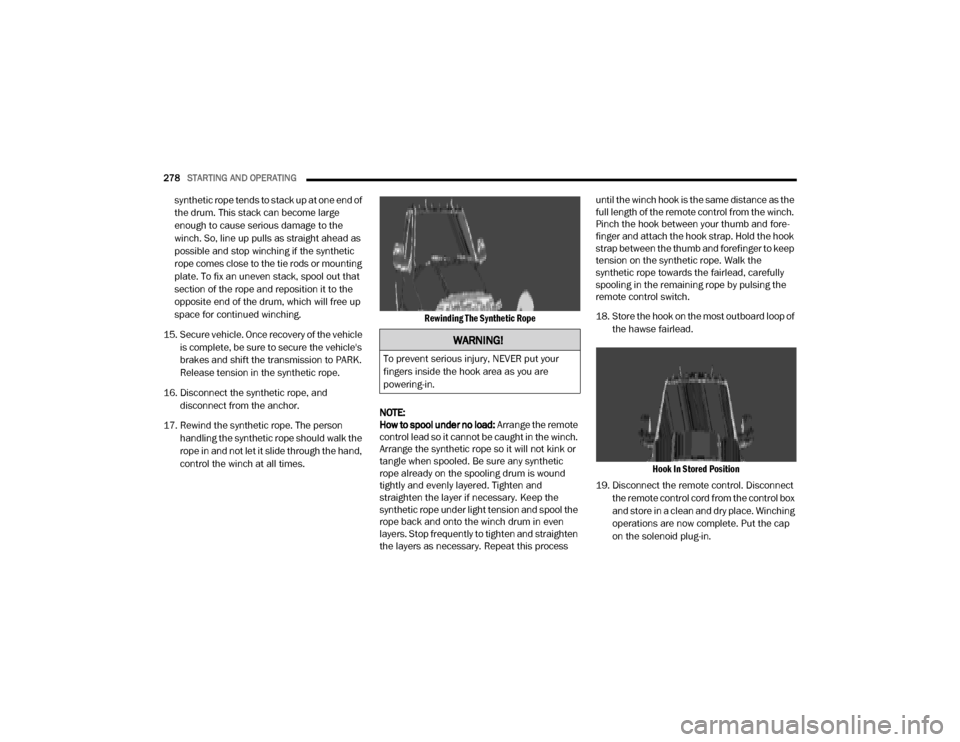
17. Rewind the synthetic rope. The person handling the synthetic rope should walk the
rope in and not let it slide through the hand,
control the winch at all times.
Rewinding The Synthetic Rope
NOTE:
How to spool under no load: Arrange the remote
control lead so it cannot be caught in the winch.
Arrange the synthetic rope so it will not kink or
tangle when spooled. Be sure any synthetic
rope already on the spooling drum is wound
tightly and evenly layered. Tighten and
straighten the layer if necessary. Keep the
synthetic rope under light tension and spool the
rope back and onto the winch drum in even
layers. Stop frequently to tighten and straighten
the layers as necessary. Repeat this process until the winch hook is the same distance as the
full length of the remote control from the winch.
Pinch the hook between your thumb and fore
-
finger and attach the hook strap. Hold the hook
strap between the thumb and forefinger to keep
tension on the synthetic rope. Walk the
synthetic rope towards the fairlead, carefully
spooling in the remaining rope by pulsing the
remote control switch.
18. Store the hook on the most outboard loop of
the hawse fairlead.
Hook In Stored Position
19. Disconnect the remote control. Disconnect the remote control cord from the control box
and store in a clean and dry place. Winching
operations are now complete. Put the cap
on the solenoid plug-in.
WARNING!
To prevent serious injury, NEVER put your
fingers inside the hook area as you are
powering-in.
20_DJD2_OM_EN_USC_t.book Page 278
Page 283 of 568

STARTING AND OPERATING281
Metric Speed (km/h)
Pushing the RES (+) button once will result in
a 1 km/h increase in set speed. Each subse -
quent tap of the button results in an increase
of 1 km/h.
If the button is continually pushed, the set
speed will continue to increase until the
button is released, then the new set speed
will be established.
To Decrease Speed
When the Speed Control is set, you can
decrease speed by pushing the SET (-) button.
The driver’s preferred units can be selected
through the instrument panel settings (if
equipped). Refer to “Getting To Know Your
Instrument Panel” for more information. The
speed decrement shown is dependent on the
chosen speed unit of U.S. (mph) or Metric (km/h):
U.S. Speed (mph)
Pushing the SET (-) button once will result in
a 1 mph decrease in set speed. Each subse -
quent tap of the button results in a decrease
of 1 mph.
If the button is continually pushed, the set
speed will continue to decrease until the
button is released, then the new set speed
will be established. Metric Speed (km/h)
Pushing the SET (-) button once will result in
a 1 km/h decrease in set speed. Each subse -
quent tap of the button results in a decrease
of 1 km/h.
If the button is continually pushed, the set
speed will continue to decrease until the
button is released, then the new set speed
will be established.
TO ACCELERATE FOR PASSING
Press the accelerator as you would normally.
When the pedal is released, the vehicle will
return to the set speed.
Using Speed Control On Hills
The transmission may downshift on hills to
maintain the vehicle set speed.
NOTE:
The Speed Control system maintains speed up
and down hills. A slight speed change on
moderate hills is normal.
On steep hills, a greater speed loss or gain may
occur so it may be preferable to drive without
Speed Control.
TO RESUME SPEED
To resume a previously set speed, push the RES
(+) button and release. Resume can be used at
any speed above 20 mph (32 km/h).
TO DEACTIVATE
A soft tap on the brake pedal, pushing the
CANCEL button, or normal brake pressure while
slowing the vehicle will deactivate the Speed
Control without erasing the set speed from
memory.
Pushing the on/off button, or placing the
ignition in the OFF position, erases the set
speed from memory.
WARNING!
Speed Control can be dangerous where the
system cannot maintain a constant speed.
Your vehicle could go too fast for the
conditions, and you could lose control and
have an accident. Do not use Speed Control
in heavy traffic or on roads that are winding,
icy, snow-covered or slippery.
5
20_DJD2_OM_EN_USC_t.book Page 281
Page 286 of 568

284STARTING AND OPERATING
NOTE:
Any chassis/suspension or tire size modifica -
tions to the vehicle will affect the performance
of the Adaptive Cruise Control and Forward
Collision Warning System.
ACTIVATING ADAPTIVE CRUISE CONTROL
(ACC)
You can only engage ACC if the vehicle speed is
above 0 mph (0 km/h).
The minimum set speed for the ACC system is
20 mph (32 km/h).
When the system is turned on and in the ready
state, the instrument cluster display will read
“ACC Ready.”
When the system is off, the instrument cluster
display will read “Adaptive Cruise Control (ACC)
Off.”
NOTE:
You cannot engage ACC under the following
conditions:
When in Four-Wheel Drive Low.
When you apply the brakes.
When the parking brake is applied.
When the automatic transmission is in PARK,
REVERSE or NEUTRAL.
When the vehicle speed is outside of the
speed range.
When the brakes are overheated.
When the driver door is open at low speed.
When the driver seat belt is unbuckled at low
speed.
Electronic Stability Control (ESC) Full Off
mode is active.
TO ACTIVATE/DEACTIVATE
Push and release the Adaptive Cruise Control
(ACC) on/off button. The ACC menu in the
instrument cluster displays “ACC Ready.”
Adaptive Cruise Control Ready
To turn the system off, push and release the
Adaptive Cruise Control (ACC) on/off button
again. At this time, the system will turn off and
the instrument cluster display will show
“Adaptive Cruise Control (ACC) Off.”
Adaptive Cruise Control Off
WARNING!
Leaving the Adaptive Cruise Control (ACC)
system on when not in use is dangerous. You
could accidentally set the system or cause it
to go faster than you want. You could lose
control and have a collision. Always leave the
system off when you are not using it.
20_DJD2_OM_EN_USC_t.book Page 284
Page 312 of 568
310STARTING AND OPERATING
When the vehicle is shifted out of REVERSE
(with Camera delay turned on), the rear Camera
image will be displayed for up to 10 seconds
after shifting to another gear, unless the vehicle
speed exceeds 8 mph (13 km/h), the
transmission is shifted into PARK, the ignition is
placed in the OFF position, or the touchscreen
button “X” to disable display of the Rear View
Camera image is pressed.
Whenever the Rear View Camera image is
activated through the "Backup Camera" button
in the "Controls" menu, and the vehicle speed is
greater than, or equal to, 8 mph (13 km/h), a
display timer for the image is initiated. The
image will continue to be displayed until the
display timer exceeds 10 seconds.
NOTE:
If the vehicle speed remains below 8 mph
(13 km/h), the Rear View Camera image will
be displayed continuously until deactivated
via the touchscreen button "X", the transmis -
sion is shifted into PARK, or the ignition is
placed in the OFF position.
The touchscreen button "X" to disable display
of the camera image is made available ONLY
when the vehicle is not in REVERSE. Cargo Camera Icons — If Equipped
Backup Camera Touchscreen Button
Cargo Camera Touchscreen Button
AUX Camera Touchscreen Button
If equipped with a Cargo Camera, a
touchscreen button is made available
to indicate the current active Camera image
being displayed whenever the Rear View
Camera image is displayed.
If equipped with a Cargo Camera, a touchscreen
button to switch the display to Cargo Camera
image is made available whenever the Rear
View Camera image is displayed.
A touchscreen button "X" to disable display of
the camera image is made available when the
vehicle is not in REVERSE gear.
When enabled, active guidelines are overlaid on
the backup camera image to illustrate the width
of the vehicle and its projected backup path
based on the steering wheel position. The active
guidelines will show separate zones that will
help indicate the distance to the rear of the
vehicle. NOTE:
For further information about how to access
and change the programmable features of the
ParkView Rear Backup Camera, refer to “Ucon
-
nect Settings” in “Multimedia.”
A dashed center line overlay indicates the center
of the vehicle to assist with parking or aligning to
a hitch/receiver. The following table shows the
approximate distances for each zone:
Zones Distance To The Rear
Of The Vehicle
Red 0 - 1 ft (0 - 30 cm)
Yellow 1 ft - 6.5 ft
(30 cm - 2m)
Green 6.5 ft or greater
(2 m or greater)
WARNING!
Drivers must be careful when backing up even
when using the ParkView Rear Back Up Camera.
Always check carefully behind your vehicle, and
be sure to check for pedestrians, animals, other
vehicles, obstructions, or blind spots before
backing up. You are responsible for the safety of
your surroundings and must continue to pay
attention while backing up. Failure to do so can
result in serious injury or death.
20_DJD2_OM_EN_USC_t.book Page 310