change wheel Ram 3500 Chassis Cab 2017 User Guide
[x] Cancel search | Manufacturer: RAM, Model Year: 2017, Model line: 3500 Chassis Cab, Model: Ram 3500 Chassis Cab 2017Pages: 542, PDF Size: 5.09 MB
Page 365 of 542

Electronic Stability Control (ESC)
This system enhances directional control and stability of
the vehicle under various driving conditions. ESC corrects
for oversteering or understeering of the vehicle by apply-
ing the brake of the appropriate wheel(s) to assist in
counteracting the oversteer or understeer condition. En-
gine power may also be reduced to help the vehicle
maintain the desired path.
ESC uses sensors in the vehicle to determine the vehicle
path intended by the driver and compares it to the actual
path of the vehicle. When the actual path does not match
the intended path, ESC applies the brake of the appropriate
wheel to assist in counteracting the oversteer or understeer
condition.
•Oversteer - when the vehicle is turning more than
appropriate for the steering wheel position.
• Understeer - when the vehicle is turning less than
appropriate for the steering wheel position.
The “ESC Activation/Malfunction Indicator Light” located
in the instrument cluster will start to flash as soon as the
ESC system becomes active. The “ESC Activation/
Malfunction Indicator Light” also flashes when the TCS is
active. If the “ESC Activation/Malfunction Indicator Light” begins to flash during acceleration, ease up on the
accelerator and apply as little throttle as possible. Be sure to
adapt your speed and driving to the prevailing road
conditions.
WARNING!
•
Electronic Stability Control (ESC) cannot prevent the
natural laws of physics from acting on the vehicle,
nor can it increase the traction afforded by prevailing
road conditions. ESC cannot prevent accidents, in-
cluding those resulting from excessive speed in
turns, driving on very slippery surfaces, or hydro-
planing. ESC also cannot prevent accidents resulting
from loss of vehicle control due to inappropriate
driver input for the conditions. Only a safe, attentive,
and skillful driver can prevent accidents. The capa-
bilities of an ESC equipped vehicle must never be
exploited in a reckless or dangerous manner which
could jeopardize the user ’s safety or the safety of
others.
• Vehicle modifications, or failure to properly main-
tain your vehicle, may change the handling charac-
teristics of your vehicle, and may negatively affect
(Continued)
5
STARTING AND OPERATING 363
Page 366 of 542
WARNING!(Continued)
the performance of the ESC system. Changes to the
steering system, suspension, braking system, tire
type and size or wheel size may adversely affect ESC
performance. Improperly inflated and unevenly
worn tires may also degrade ESC performance. Any
vehicle modification or poor vehicle maintenance
that reduces the effectiveness of the ESC system can
increase the risk of loss of vehicle control, vehicle
rollover, personal injury and death.
ESC Operating Modes
NOTE:Depending upon model and mode of operation, the
ESC system may have multiple operating modes.
ESC On
This is the normal operating mode for the ESC. Whenever
the vehicle is started, the ESC system will be in this mode.
This mode should be used for most driving conditions.
Alternate ESC modes should only be used for specific
reasons as noted in the following paragraphs. Partial Off
The “Partial Off” mode is intended for times when a more
spirited driving experience is desired. This mode may
modify TCS and ESC thresholds for activation, which
allows for more wheel spin than normally allowed. This
mode may be useful if the vehicle becomes stuck.
To enter the “Partial Off” mode, momentarily push the
“ESC Off” switch and the “ESC Off Indicator Light” will
illuminate. To turn the ESC on again, momentarily push
the “ESC Off” switch and the “ESC Off Indicator Light”
will turn off.
NOTE:
For vehicles with multiple partial ESC modes a
momentary button push will toggle the ESC mode. Mul-
tiple momentary button pushed may be required to return
to ESC On.
WARNING!
• When in “Partial Off” mode, the TCS functionality
of ESC, (except for the limited slip feature described
in the TCS section), has been disabled and the “ESC
Off Indicator Light” will be illuminated. When in
“Partial Off” mode, the engine power reduction
(Continued)
364 STARTING AND OPERATING
Page 368 of 542

ESC Activation/Malfunction Indicator Light and ESC
OFF Indicator Light
The “ESC Activation/Malfunction Indicator
Light” in the instrument cluster will come on
when the ignition switch is turned to the ON
position. It should go out with the engine run-
ning. If the “ESC Activation/Malfunction Indicator Light”
comes on continuously with the engine running, a mal-
function has been detected in the ESC system. If this light
remains on after several ignition cycles, and the vehicle has
been driven several miles (kilometers) at speeds greater
than 30 mph (48 km/h), see your authorized dealer as soon
as possible to have the problem diagnosed and corrected.
The “ESC Activation/Malfunction Indicator Light” (lo-
cated in the instrument cluster) starts to flash as soon as the
tires lose traction and the ESC system becomes active. The
“ESC Activation/Malfunction Indicator Light” also flashes
when TCS is active. If the “ESC Activation/Malfunction
Indicator Light” begins to flash during acceleration, ease
up on the accelerator and apply as little throttle as possible.
Be sure to adapt your speed and driving to the prevailing
road conditions. NOTE:
•
The “ESC Activation/Malfunction Indicator Light” and
the “ESC OFF Indicator Light” come on momentarily
each time the ignition switch is turned ON.
• Each time the ignition is turned ON, the ESC system will
be ON even if it was turned off previously.
• The ESC system will make buzzing or clicking sounds
when it is active. This is normal; the sounds will stop
when ESC becomes inactive following the maneuver
that caused the ESC activation.
The “ESC OFF Indicator Light” indicates the
customer has elected to have the Electronic Sta-
bility Control (ESC) in a reduced mode.
Electronic Roll Mitigation (ERM)
This system anticipates the potential for wheel lift by
monitoring the driver ’s steering wheel input and the speed
of the vehicle. When ERM determines that the rate of
change of the steering wheel angle and vehicle’s speed are
sufficient to potentially cause wheel lift, it then applies the
appropriate brake and may also reduce engine power to
lessen the chance that wheel lift will occur. ERM can only
reduce the chance of wheel lift occurring during severe or
366 STARTING AND OPERATING
Page 392 of 542

It is recommended you contact your authorized tire dealer
or original equipment dealer with any questions you may
have on tire specifications or capability. Failure to use
equivalent replacement tires may adversely affect the
safety, handling, and ride of your vehicle.
WARNING!
•Do not use a tire, wheel size or rating other than that
specified for your vehicle. Some combinations of
unapproved tires and wheels may change suspen-
sion dimensions and performance characteristics,
resulting in changes to steering, handling, and brak-
ing of your vehicle. This can cause unpredictable
handling and stress to steering and suspension com-
ponents. You could lose control and have a collision
resulting in serious injury or death. Use only the tire
and wheel sizes with load ratings approved for your
vehicle.
• Never use a tire with a smaller load index or capacity,
other than what was originally equipped on your
vehicle. Using a tire with a smaller load index could
result in tire overloading and failure. You could lose
control and have a collision.
(Continued)
WARNING! (Continued)
•Failure to equip your vehicle with tires having ad-
equate speed capability can result in sudden tire
failure and loss of vehicle control.
CAUTION!
Replacing original tires with tires of a different size
may result in false speedometer and odometer read-
ings.
TIRE CHAINS (TRACTION DEVICES)
Use of traction devices require sufficient tire-to-body clear-
ance. Follow these recommendations to guard against
damage.
• Traction device must be of proper size for the tire, as
recommended by the traction device manufacturer.
390 STARTING AND OPERATING
Page 395 of 542

NOTE:On Canadian vehicles only, if your vehicle is
equipped with All-Season type tires on the front and
On/Off Road type tires mounted on the rear, do not use a
front to back rotation pattern. Instead, rotate your tires side
to side at the recommended intervals.
Dual Rear Wheels
The tires used on dual wheel assemblies should be
matched for wear to prevent overloading one tire in a set.
To check if tires are even, lay a straight edge across all four
tires. The straight edge should touch all the tires. NOTE:
If your vehicle is equipped with a Tire Pressure
Information System (TPIS):
• The Tire Pressure Information System (TPIS) uses
unique sensors in the inner rear wheels to help identify
them from the outer rear wheels, because of this, the
inner and outer wheel locations can’t be switched.
• After a tire rotation is completed, as shown below, the
system can auto learn the locations of each sensor ID.
Auto learning/localization occurs when the vehicle ig-
nition status is changed from Off to On and speeds of
greater than 5 mph (8km/h) are obtained and remain
over 5mph (8km/h) for at about a 15 minute period. You
may need to drive for 20 minutes to account slower
speeds and stops.
• If the tires are rotated incorrectly, the Auto localization of
the TPIS sensors will fail to locate correctly resulting in
incorrect locations for the pressure values displayed in
the Instrument Cluster.CAUTION!
• 4500/5500 Dual Rear Tires may only have one ap-
proved direction of rotation. This is to accommodate
(Continued)
Tire Rotation
5
STARTING AND OPERATING 393
Page 399 of 542

CAUTION!(Continued)
•After inspecting or adjusting the tire pressure always
reinstall the valve stem cap. This will prevent mois-
ture and dirt from entering the valve stem, which
could damage the TPMS sensor.
NOTE:
• The TPMS is not intended to replace normal tire care and
maintenance or to provide warning of a tire failure or
condition.
• The TPMS should not be used as a tire pressure gauge
while adjusting your tire pressure.
• Driving on a significantly under-inflated tire causes the
tire to overheat and can lead to tire failure. Under-
inflation also reduces fuel efficiency and tire tread life,
and may affect the vehicle’s handling and stopping
ability.
• The TPMS is not a substitute for proper tire mainte-
nance, and it is the driver ’s responsibility to maintain
correct tire pressure using an accurate tire pressure
gauge, even if under-inflation has not reached the level
to trigger illumination of the “Tire Pressure Monitoring
Telltale Light.” •
Seasonal temperature changes will affect tire pressure,
and the TPMS will monitor the actual tire pressure in the
tire.
Base System — If Equipped
The Tire Pressure Monitor System (TPMS) uses wireless
technology with wheel rim mounted electronic sensors to
monitor tire pressure levels. Sensors mounted to each
wheel as part of the valve stem transmit tire pressure
readings to the receiver module.
NOTE: It is particularly important for you to check the tire
pressure in all of the tires on your vehicle monthly and to
maintain the proper pressure.
The TPMS consists of the following components:
• Receiver module
• Four TPM sensors
• TPM Telltale Light
The matching full size spare wheel and tire assembly (if
equipped) has a TPM sensor. The matching full size spare
can be used in place of any of the four road tires. The TPMS
will only monitor the pressure in the full size spare when
it is used in place of a road tire. Otherwise, a spare with a
5
STARTING AND OPERATING 397
Page 419 of 542

The trailer and the vehicle’s brake lamps will come on
when either vehicle braking or manual trailer brakes are
applied.
Trailer Brake Status Indicator Light
This light indicates the trailer electrical connection status.
If no electrical connection is detected after the ignition is
turned on, pushing the GAIN adjustment button or sliding
the manual brake control lever will display the GAIN
setting for 10 seconds and the “Trailer Brake Status Indi-
cator Light” will not be displayed.
If a fault is detected in the trailer wiring or the Integrated
Trailer Brake Module (ITBM), the “Trailer Brake Status
Indicator Light” will flash.
GAIN Adjustment Buttons (+/-)
Pushing these buttons will adjust the brake control power
output to the trailer brakes in 0.5 increments. The GAIN
setting can be increased to a maximum of 10 or decreased
to a minimum of 0 (no trailer braking).
GAIN
The GAIN setting is used to set the trailer brake control for
the specific towing condition and should be changed astowing conditions change. Changes to towing conditions
include trailer load, vehicle load, road conditions and
weather.
Adjusting GAIN
NOTE:
This should only be performed in a traffic free
environment at speeds of approximately 20–25 mph
(30–40 km/h).
1. Make sure the trailer brakes are in good working condition, functioning normally and properly adjusted.
See your trailer dealer if necessary.
2. Hook up the trailer and make the electrical connections according to the trailer manufacturer’s instructions.
3. When a trailer with electric/EOH brakes is plugged in, the trailer connected message should appear in the
instrument cluster display (if the connection is not
recognized by the ITBM, braking functions will not be
available), the GAIN setting will illuminate and the
correct type of trailer must be selected from the instru-
ment cluster display options.
4. Push the UP or DOWN button on the steering wheel until “TRAILER TOW” appears on the screen.
5
STARTING AND OPERATING 417
Page 420 of 542

5. Push the RIGHT arrow on the steering wheel to enter“TRAILER TOW”.
6. Push the UP or DOWN buttons until Trailer Brake Type appears on the screen.
7. Push the RIGHT arrow and then push the UP or DOWN buttons until the proper Trailer Brake Type appears on
the screen. 8. In a traffic-free environment, tow the trailer on a dry,
level surface at a speed of 20–25 mph (30–40 km/h) and
squeeze the manual brake control lever completely.
9. If the trailer wheels lockup (indicated by squealing tires), reduce the GAIN setting; if the trailer wheels turn
freely, increase the GAIN setting.
Repeat steps 8 and 9 until the GAIN setting is at a point just
below trailer wheel lockup. If towing a heavier trailer,
trailer wheel lockup may not be attainable even with the
maximum GAIN setting of 10.
Light Electric Heavy Electric Light EOH Heavy EOH
Type of Trailer Brakes Electric Trailer Brakes Electric Trailer Brakes Electric over Hydrau- lic Trailer BrakesElectric over Hydrau-
lic Trailer Brakes
Load *Under 10,000 lbs *Above 10,000 lbs *Under 10,000 lbs *Above 10,000 lbs
* The suggested selection depends and may change de-
pending on the customer preferences for braking perfor-
mance. Condition of the trailer brakes, driving and road
state may also affect the selection.
418 STARTING AND OPERATING
Page 435 of 542
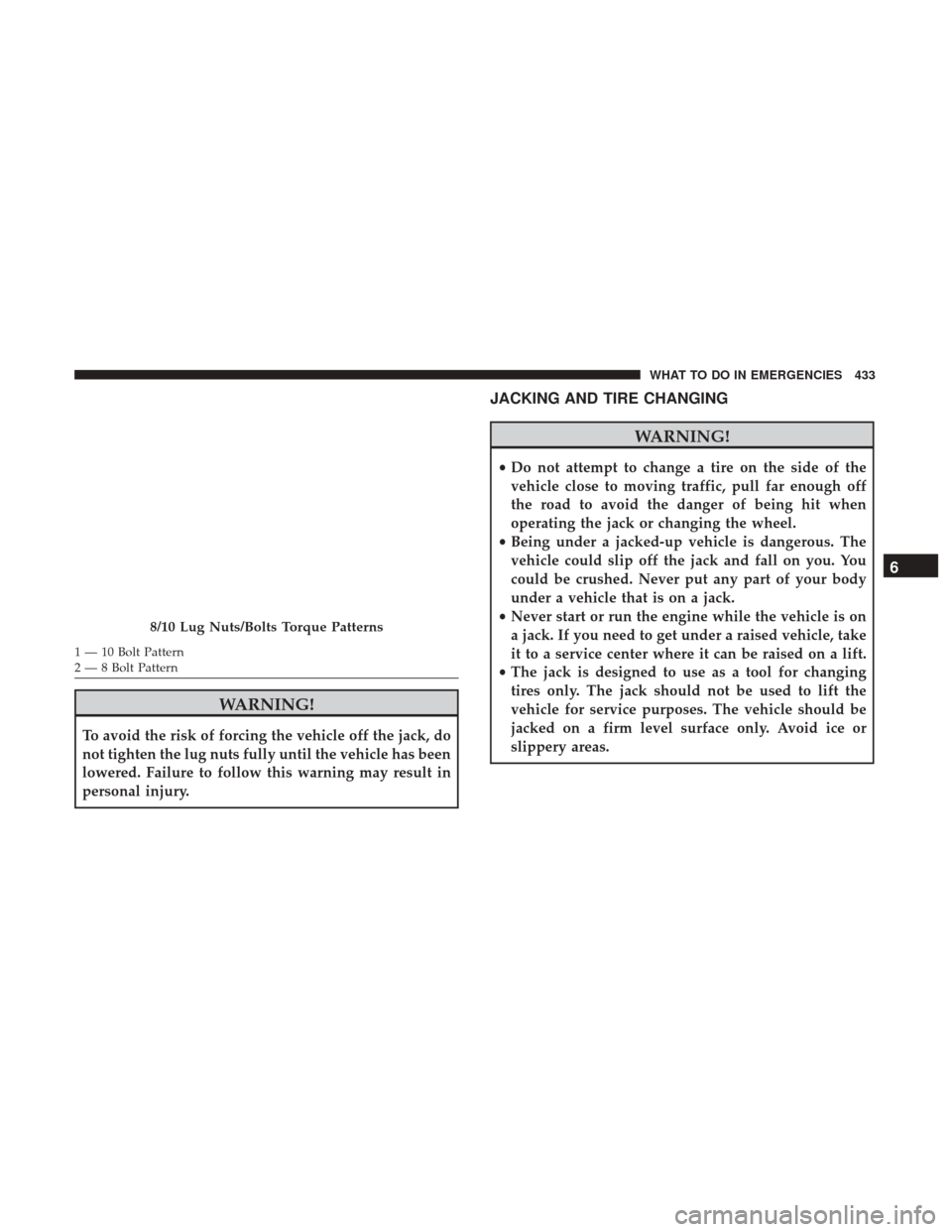
1 — 10 Bolt Pattern
2 — 8 Bolt Pattern
WARNING!
To avoid the risk of forcing the vehicle off the jack, do
not tighten the lug nuts fully until the vehicle has been
lowered. Failure to follow this warning may result in
personal injury.
JACKING AND TIRE CHANGING
WARNING!
•Do not attempt to change a tire on the side of the
vehicle close to moving traffic, pull far enough off
the road to avoid the danger of being hit when
operating the jack or changing the wheel.
• Being under a jacked-up vehicle is dangerous. The
vehicle could slip off the jack and fall on you. You
could be crushed. Never put any part of your body
under a vehicle that is on a jack.
• Never start or run the engine while the vehicle is on
a jack. If you need to get under a raised vehicle, take
it to a service center where it can be raised on a lift.
• The jack is designed to use as a tool for changing
tires only. The jack should not be used to lift the
vehicle for service purposes. The vehicle should be
jacked on a firm level surface only. Avoid ice or
slippery areas.
8/10 Lug Nuts/Bolts Torque Patterns
6
WHAT TO DO IN EMERGENCIES 433
Page 436 of 542

4500/5500 Models
These vehicles do not come equipped with a jack.
NOTE:Jacking and tire changing on 4500/5500 models
should be performed by an authorized dealer, or knowl-
edgeable service personnel with the appropriate heavy
duty equipment, like a tire service company.
Preparations For Jacking
1. Park the vehicle on a firm, level surface. Avoid ice or slippery areas.
WARNING!
Do not attempt to change a tire on the side of the
vehicle close to moving traffic, pull far enough off the
road to avoid the danger of being hit when operating
the jack or changing the wheel.
2. Turn on the Hazard Warning flasher.
3. Apply the parking brake. 4.
Place the gear selector into PARK (automatic transmis-
sion) or REVERSE (manual transmission). On 4-Wheel
drive vehicles, shift the transfer case to the “4L” position.
5. Turn OFF the ignition.
6. Block both the front and rear of the wheeldiagonally opposite of the jacking position.
For example, if changing the right front
tire, block the left rear wheel.
NOTE: Passengers should not remain in the vehicle when
the vehicle is being jacked.
434 WHAT TO DO IN EMERGENCIES