phone Ram 3500 Chassis Cab 2018 Owner's Guide
[x] Cancel search | Manufacturer: RAM, Model Year: 2018, Model line: 3500 Chassis Cab, Model: Ram 3500 Chassis Cab 2018Pages: 527, PDF Size: 5.83 MB
Page 496 of 527
Climate (4C/4C NAV)
Too hot? Too cold? Adjust vehicle temperatures hands-free
and keep everyone comfortable while you keep moving
ahead. (If vehicle is equipped with climate control.)
Push the VR button
. After the beep, say one of the
following commands:
• “Set driver temperature to 70degrees”
• “Set passenger temperature to 70degrees”
TIP: Voice Command for Climate may only be used to
adjust the interior temperature of your vehicle. Voice
Command will not work to adjust the heated seats or
steering wheel if equipped.
Uconnect 4C/4C NAV Phone
494 MULTIMEDIA
Page 500 of 527
Push the VR button. After the beep, say one of the
following commands:
• Show fuel prices
• Show 5 - day weather forecast
• Show extended weather
TIP: Traffic alerts are not accessible with Voice Command.
Apple CarPlay — If Equipped
Apple CarPlay allows you to use your voice to interact
with Siri through your vehicle’s voice recognition system,
and use your smartphone’s data plan to project your
iPhone and a number of its apps onto your Uconnect
touchscreen. Connect your iPhone 5, or higher, to one of
the media USB ports, using the factory-provided Lightning
cable, and press the new CarPlay icon that replaces your
“Phone” icon on the main menu bar to begin Apple
CarPlay. Press and hold the VR button on the steering
wheel, or press and hold the “Home” button within Apple
CarPlay, to activate Siri, which recognizes natural voice
commands to use a list of your iPhone’s features:
•Phone
• Music
• Messages
• Maps
• Additional Apps
SiriusXM Travel Link
498 MULTIMEDIA
Page 501 of 527

Refer to your Uconnect Owner ’s Manual Supplement for
further information.
Android Auto — If Equipped
Android Auto allows you to use your voice to interact with
Android’s best-in-class speech technology through your
vehicle’s voice recognition system, and use your smart-
phone’s data plan to project your Android powered smart-
phone and a number of its apps onto your Uconnect
touchscreen. Connect your Android 5.0 (Lollipop), or
higher, to one of the media USB ports, using the factory-
provided USB cable, and press the new Android Auto icon
that replaces your “Phone” icon on the main menu bar to
begin Android Auto. Push and hold the VR button on the
steering wheel, or press and hold the “Microphone” icon
within Android Auto, to activate Android’s VR, which
recognizes natural voice commands, to use a list of your
smartphone’s features:
•Maps
• Music
• Phone
• Text Messages
• Additional Apps
Uconnect 4C/4C NAV Apple CarPlay10
MULTIMEDIA 499
Page 507 of 527
Any communication to the manufacturer’s customer center
should include the following information:
•Owner’s name and address
• Owner’s telephone number (home and office)
• Authorized dealer name
• Vehicle Identification Number (VIN)
• Vehicle delivery date and mileage
FCA US LLC Customer Center
P.O. Box 21–8004
Auburn Hills, MI 48321–8004
Phone: (866) 726-4636
FCA Canada Inc. Customer Center
P.O. Box 1621
Windsor, Ontario N9A 4H6
Phone: (800) 465-2001 English / (800) 387-9983 French
In Mexico Contact
Av. Prolongacion Paseo de la Reforma, 1240
Sante Fe C.P. 05109
Mexico, D. F.
In Mexico City: 5081-7568
Outside Mexico City: 1-800-505-1300
Puerto Rico And U.S. Virgin Islands
Customer Service Chrysler International Services LLC
P.O. Box 191857
San Juan 00919-1857
Tel.: (888) 242-6342
Fax: (787) 782-3345
11
CUSTOMER ASSISTANCE 505
Page 510 of 527
In Canada
If you believe that your vehicle has a safety defect, you
should contact the Customer Service Department imme-
diately. Canadian customers who wish to report a safety
defect to the Canadian government should contact
Transport Canada, Motor Vehicle Defect Investigations
and Recalls at 1-800-333-0510 or go to http://
www.tc.gc.ca/roadsafety/.
PUBLICATION ORDER FORMS
To order the following manuals, you may use either the
website or the phone numbers listed below. Visa, Master-
card, American Express, and Discover orders are accepted.
Service Manuals
These comprehensive Service Manuals provide the infor-
mation that students and professional technicians need in
diagnosing/troubleshooting, problem solving, maintain-
ing, servicing, and repairing FCA US LLC vehicles. A
complete working knowledge of the vehicle, system,
and/or components is written in straightforward language
with illustrations, diagrams, and charts.Diagnostic Procedure Manuals
Diagnostic Procedure Manuals are filled with diagrams,
charts and detailed illustrations. These practical manuals
make it easy for students and technicians to find and fix
problems on computer-controlled vehicle systems and fea-
tures. They show exactly how to find and correct problems
the first time, using step-by-step troubleshooting and driv-
ability procedures, proven diagnostic tests and a complete
list of all tools and equipment.
Owner’s Manuals
These Owner’s Manuals have been prepared with the
assistance of service and engineering specialists to acquaint
you with specific FCA US LLC vehicles. Included are
starting, operating, emergency and maintenance proce-
dures as well as specifications, capabilities and safety tips.
Call toll free at:
•
1-800-890-4038 (U.S.)
• 1-800-387-1143 (Canada)
Or
Visit us on the Worldwide Web at:
• www.techauthority.com
508 CUSTOMER ASSISTANCE
Page 513 of 527
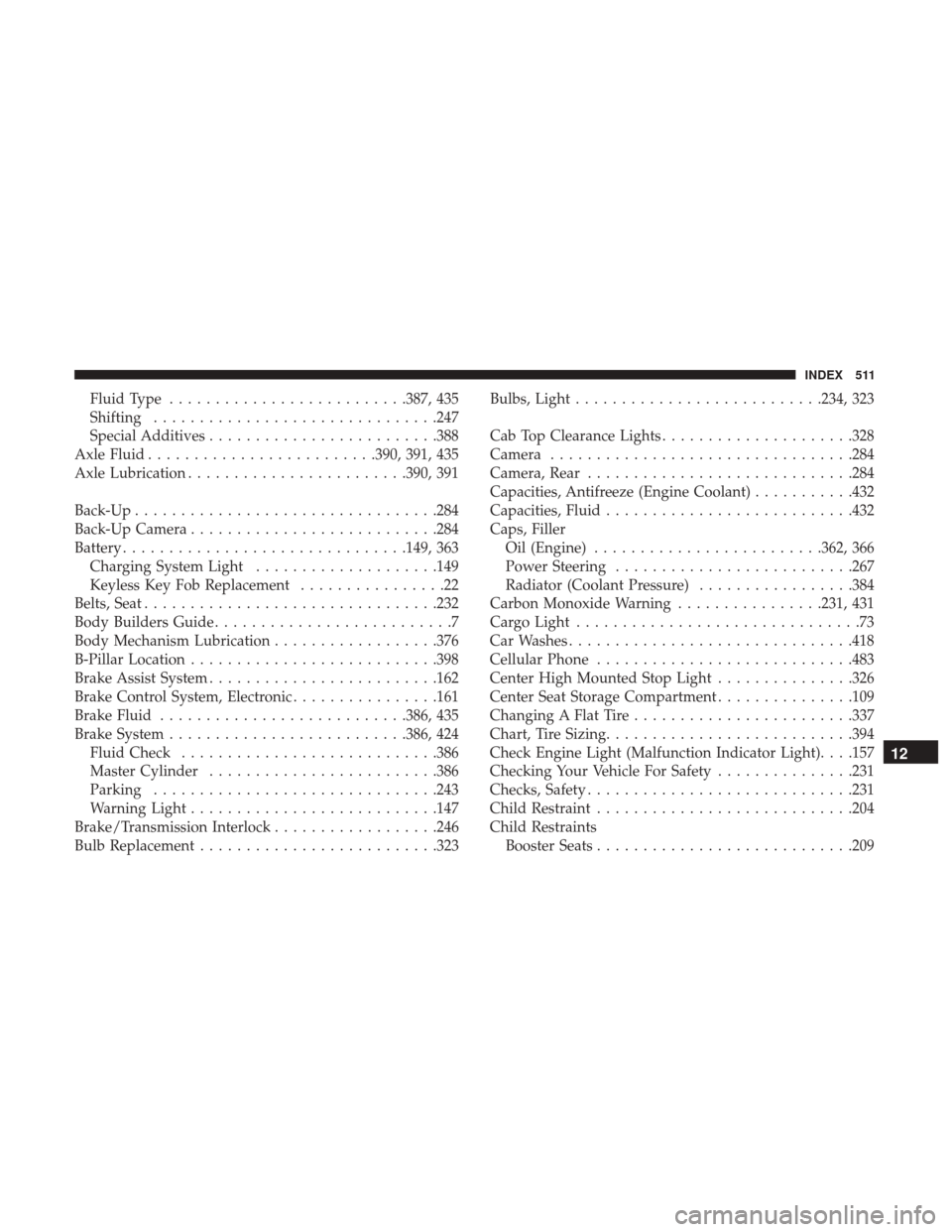
Fluid Type......................... .387, 435
Shifting .............................. .247
Special Additives ........................ .388
Axle Fluid ........................ .390, 391, 435
Axle Lubrication ....................... .390, 391
Back-Up ................................ .284
Back-Up Camera .......................... .284
Battery .............................. .149, 363
Charging System Light ....................149
Keyless Key Fob Replacement ................22
Belts, Seat ............................... .232
Body Builders Guide ..........................7
Body Mechanism Lubrication ..................376
B-Pillar Location .......................... .398
Brake Assist System ........................ .162
Brake Control System, Electronic ................161
Brake Fluid .......................... .386, 435
Brake System ......................... .386, 424
Fluid Check ........................... .386
Master Cylinder ........................ .386
Parking .............................. .243
Warning Light .......................... .147
Brake/Transmission Interlock ..................246
Bulb Replacement ......................... .323Bulbs, Light
.......................... .234, 323
Cab Top Clearance Lights .....................328
Camera ................................ .284
Camera, Rear ............................ .284
Capacities, Antifreeze (Engine Coolant) ...........432
Capacities, Fluid .......................... .432
Caps, Filler Oil (Engine) ........................ .362, 366
Power Steering ......................... .267
Radiator (Coolant Pressure) .................384
Carbon Monoxide Warning ................231, 431
Cargo Light ...............................
73
Car Washes .............................. .418
Cellular Phone ........................... .483
Center High Mounted Stop Light ...............326
Center Seat Storage Compartment ...............109
Changing A Flat Tire ....................... .337
Chart, Tire Sizing .......................... .394
Check Engine Light (Malfunction Indicator Light). . . .157
Checking Your Vehicle For Safety ...............231
Checks, Safety ............................ .231
Child Restraint ........................... .204
Child Restraints Booster Seats ........................... .209
12
INDEX 511
Page 526 of 527

INSTALLATION OF RADIO TRANSMITTING
EQUIPMENTSpecial design considerations are incorporated into this
vehicle’s electronic system to provide immunity to radio
frequency signals. Mobile two-way radios and telephone
equipment must be installed properly by trained person-
nel. The following must be observed during installation.
The positive power connection should be made directly
to the battery and fused as close to the battery as possible.
The negative power connection should be made to body
sheet metal adjacent to the negative battery connection.
This connection should not be fused.
Antennas for two-way radios should be mounted on the
roof or the rear area of the vehicle. Care should be used
in mounting antennas with magnet bases. Magnets may
affect the accuracy or operation of the compass on
vehicles so equipped.The antenna cable should be as short as practical and
routed away from the vehicle wiring when possible. Use
only fully shielded coaxial cable.
Carefully match the antenna and cable to the radio to
ensure a low Standing Wave Ratio (SWR).
Mobile radio equipment with output power greater than
normal may require special precautions.
All installations should be checked for possible interfer-
ence between the communications equipment and the
vehicle’s electronic systems.