adjust Ram 4500 Chassis Cab 2019 User Guide
[x] Cancel search | Manufacturer: RAM, Model Year: 2019, Model line: 4500 Chassis Cab, Model: Ram 4500 Chassis Cab 2019Pages: 607, PDF Size: 10.72 MB
Page 53 of 607

GETTING TO KNOW YOUR VEHICLE 51
To adjust the head restraint forward, pull the top of the head
restraint toward the front of the vehicle as desired and
release. To adjust the head restraint rearward, pull the top of
the head restraint to the forward most position and release.
The head restraint will return to the rear most position.
NOTE:
If your vehicle is equipped with a front bench seat, the center
head restraint is not adjustable or removable.
Two-Way Head Restraints — If Equipped
Your vehicle may be equipped with front two-way driver
and passenger head restraints.
To raise the head restraint, pull upward on the head
restraint. To lower the head restraint, push the adjustment
button, located at the base of head restraint, and push down-
ward on the head restraint. Head Restraint Adjustment Button
NOTE:
The head restraints should only be removed by qualified
technicians, for service purposes only. If either of the head
restraints require removal, see an authorized dealer.
2
Page 54 of 607

52 GETTING TO KNOW YOUR VEHICLE
Rear Head Restraint Adjustment
The rear seats are equipped with adjustable and removable
head restraints. To raise the head restraint, pull upward on
the head restraint. To lower the head restraint, push the
adjustment button located on the base of the head restraint
and push downward on the head restraint.Release/Adjustment Buttons
NOTE:
• The rear center head restraint (Crew Cab) has only one adjustment position that is used to aid in the routing of a
tether. Refer to “Occupant Restraint Systems” in “Safety”
for further information.
• Do not reposition the head restraint 180 degrees to the incorrect position in an attempt to gain additional clear -
ance to the back of the head.
WARNING!
• All occupants, including the driver, should not operate a vehicle or sit in a vehicle’s seat until the head
restraints are placed in their proper positions in order
to minimize the risk of neck injury in the event of a
crash.
• Head restraints should never be adjusted while the vehicle is in motion. Driving a vehicle with the head
restraints improperly adjusted or removed could cause
serious injury or death in the event of a collision.
1 — Release Button
2 — Adjustment Button
Page 55 of 607

GETTING TO KNOW YOUR VEHICLE 53
Rear Head Restraint Removal
To remove the head restraint, push the adjustment button
and the release button while pulling upward on the whole
assembly. To reinstall the head restraint, put the head
restraint posts into the holes and adjust it to the appropriate
height.
NOTE:
To remove outboard restraints, the rear seat bottom must be
folded up.
STEERING WHEEL
Tilt Steering Column
This feature allows you to tilt the steering column upward or
downward. The tilt lever is located on the steering column,
below the multifunction lever.
Pull the lever toward the steering wheel to unlock the
steering column. With one hand firmly on the steering
wheel, move the steering column up or down, as desired.
Release the lever to lock the steering column firmly in place.Tilt Steering Lever
WARNING!
• A loose head restraint thrown forward in a collision or hard stop could cause serious injury or death to occu -
pants of the vehicle. Always securely stow removed
head restraints in a location outside the occupant
compartment.
• ALL the head restraints MUST be reinstalled in the vehicle to properly protect the occupants. Follow the
re-installation instructions above prior to operating the
vehicle or occupying a seat.
2
Page 56 of 607
54 GETTING TO KNOW YOUR VEHICLE
Heated Steering Wheel — If Equipped
The steering wheel contains a heating element that helps
warm your hands in cold weather. The heated steering wheel
has only one temperature setting. Once the heated steering
wheel has been turned on, it will stay on until the operator
turns it off. The heated steering wheel may not turn on when
it is already warm.
The heated steering wheel control button is located on the
center instrument panel below the touchscreen, as well as
within the climate or controls screen of the touchscreen.
• Press the heated steering wheel button once to turn theheating element on.
• Press the heated steering wheel button a second time to turn the heating element off. NOTE:
The engine must be running for the heated steering wheel to
operate.
Vehicles Equipped With Remote Start
On models that are equipped with remote start, the heated
steering wheel can be programmed to come on during a
remote start.
This feature can be programmed through the Uconnect
system. Refer to “Uconnect Settings” in “Multimedia” for
further information.
WARNING!
Do not adjust the steering column while driving.
Adjusting the steering column while driving or driving
with the steering column unlocked, could cause the
driver to lose control of the vehicle. Failure to follow this
warning may result in serious injury or death.
WARNING!
• Persons who are unable to feel pain to the skin because of advanced age, chronic illness, diabetes, spinal cord
injury, medication, alcohol use, exhaustion, or other
physical conditions must exercise care when using the
steering wheel heater. It may cause burns even at low
temperatures, especially if used for long periods.
• Do not place anything on the steering wheel that insu -
lates against heat, such as a blanket or steering wheel
covers of any type and material. This may cause the
steering wheel heater to overheat.
Page 57 of 607

GETTING TO KNOW YOUR VEHICLE 55
DRIVER ADJUSTABLE PEDALS — IF EQUIPPED
The adjustable pedals system is designed to allow a greater
range of driver comfort for steering wheel tilt and seat posi-
tion. This feature allows the brake and accelerator pedals to
move toward or away from the driver to provide improved
position with the steering wheel.
The adjustable pedal switch is located to the left side of the
steering column.
Adjustable Pedals Switch
• The pedals can be adjusted with the ignition OFF.
• The pedals cannot be adjusted when the vehicle is in
REVERSE or when the Speed Control System is on. The
following messages will appear on vehicles equipped with
an instrument cluster display if the pedals are attempted to
be adjusted when the system is locked out: “Adjustable
Pedal Disabled — Cruise Control Engaged” or “Adjust -
able Pedal Disabled — Vehicle In Reverse”.
2
Page 58 of 607
56 GETTING TO KNOW YOUR VEHICLE
NOTE:
• Always adjust the pedals to a position that allows fullpedal travel.
• Further small adjustments may be necessary to find the best possible seat/pedal position.
• For vehicles equipped with Driver Memory Seat, you can use your remote keyless entry key fob or the memory
switch on the driver’s door trim panel to return the adjust -
able pedals to pre-programmed positions. Refer to “Driver
Memory Seat” in “Getting To Know Your Vehicle” for
further information.MIRRORS
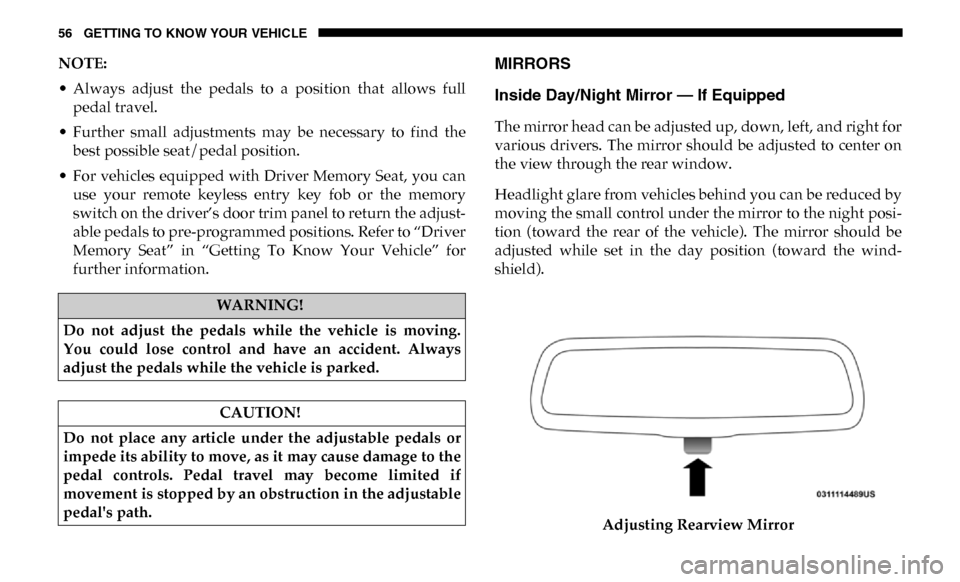
Inside Day/Night Mirror — If Equipped
The mirror head can be adjusted up, down, left, and right for
various drivers. The mirror should be adjusted to center on
the view through the rear window.
Headlight glare from vehicles behind you can be reduced by
moving the small control under the mirror to the night posi -
tion (toward the rear of the vehicle). The mirror should be
adjusted while set in the day position (toward the wind -
shield).
Adjusting Rearview Mirror
WARNING!
Do not adjust the pedals while the vehicle is moving.
You could lose control and have an accident. Always
adjust the pedals while the vehicle is parked.
CAUTION!
Do not place any article under the adjustable pedals or
impede its ability to move, as it may cause damage to the
pedal controls. Pedal travel may become limited if
movement is stopped by an obstruction in the adjustable
pedal's path.
Page 59 of 607
GETTING TO KNOW YOUR VEHICLE 57
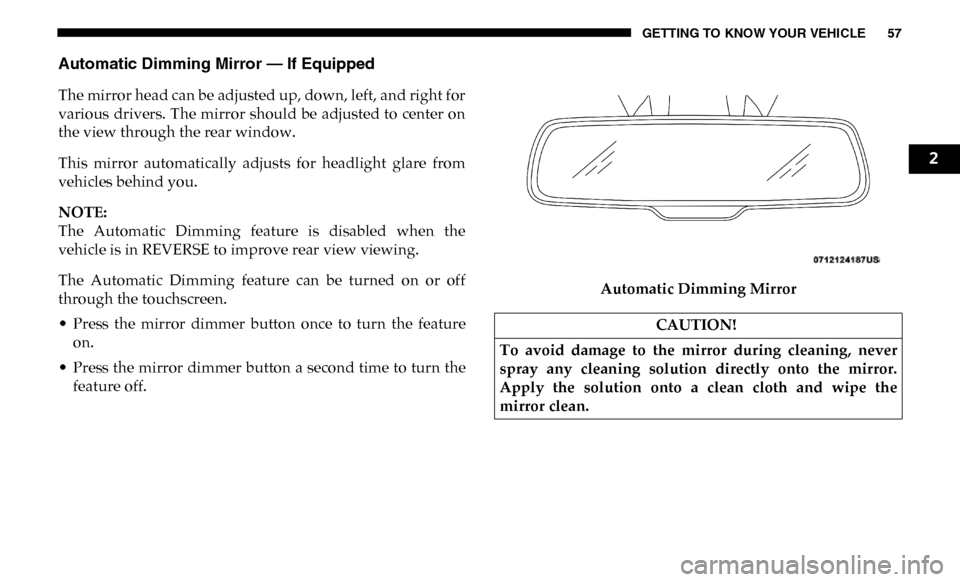
Automatic Dimming Mirror — If Equipped
The mirror head can be adjusted up, down, left, and right for
various drivers. The mirror should be adjusted to center on
the view through the rear window.
This mirror automatically adjusts for headlight glare from
vehicles behind you.
NOTE:
The Automatic Dimming feature is disabled when the
vehicle is in REVERSE to improve rear view viewing.
The Automatic Dimming feature can be turned on or off
through the touchscreen.
• Press the mirror dimmer button once to turn the featureon.
• Press the mirror dimmer button a second time to turn the feature off. Automatic Dimming Mirror
CAUTION!
To avoid damage to the mirror during cleaning, never
spray any cleaning solution directly onto the mirror.
Apply the solution onto a clean cloth and wipe the
mirror clean.
2
Page 60 of 607

58 GETTING TO KNOW YOUR VEHICLE
Automatic Dimming Mirror With Rear View Camera
Display — If Equipped
A single ball joint mirror is provided in the vehicle. It is a
twist on mirror that has a fixed position at the windshield.
The mirror installs on the windshield button with a counter-
clockwise rotation and requires no tools for mounting. The
mirror head can be adjusted up, down, left, and right for
various drivers. The mirror should be adjusted to center on
the view through the rear window.
This mirror automatically adjusts for headlight glare from
vehicles behind you.
When the vehicle is placed into reverse gear, a video display
illuminates to display the image generated by the rear view
camera (for the 3500, 4500, and 5500 Chassis Cab vehicles,
the Rear Backup Camera is shipped loose and not installed.
Please refer to the Ram Body Builders Guide for more infor -
mation). The auto dimming feature is also disabled to
improve rear view viewing. Automatic Dimming Mirror With Rear View Camera
Outside Mirrors
To receive maximum benefit, adjust the outside mirrors to
center on the adjacent lane of traffic with a slight overlap of
the view obtained on the inside mirror.
NOTE:
If your vehicle is equipped with puddle lamps under the
outside mirrors, they can be turned off through the Uconnect
display. For further information, refer to “Uconnect
Settings” in “Multimedia”.
Page 61 of 607
GETTING TO KNOW YOUR VEHICLE 59
Driver's Outside Automatic Dimming Mirror — If
Equipped
The driver’s outside mirror will automatically adjust for
glare from vehicles behind you. This feature is controlled by
the inside automatic dimming mirror and will automatically
adjust for headlight glare when the inside mirror adjusts.
Power Mirrors — If Equipped
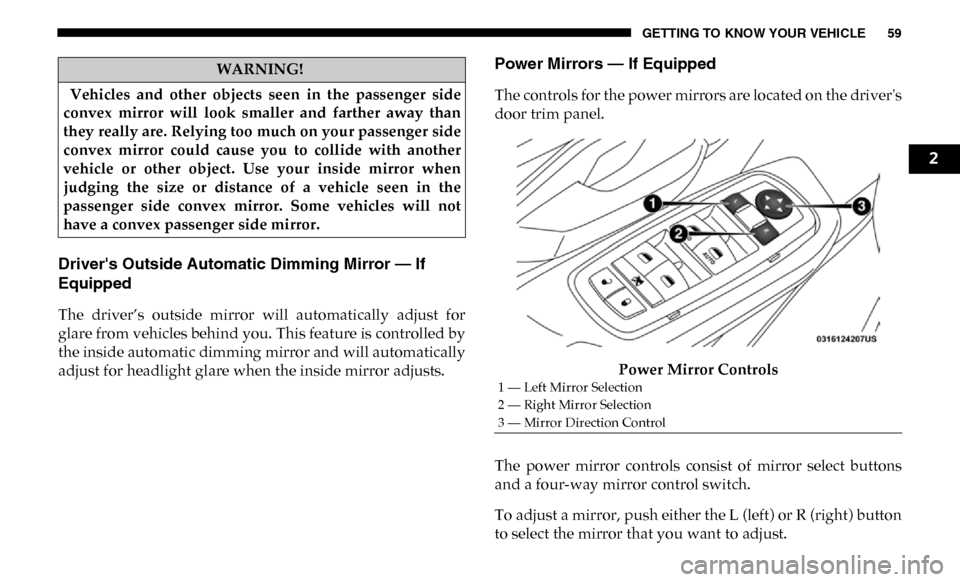
The controls for the power mirrors are located on the driver's
door trim panel.Power Mirror Controls
The power mirror controls consist of mirror select buttons
and a four-way mirror control switch.
To adjust a mirror, push either the L (left) or R (right) button
to select the mirror that you want to adjust.
WARNING!
Vehicles and other objects seen in the passenger side
convex mirror will look smaller and farther away than
they really are. Relying too much on your passenger side
convex mirror could cause you to collide with another
vehicle or other object. Use your inside mirror when
judging the size or distance of a vehicle seen in the
passenger side convex mirror. Some vehicles will not
have a convex passenger side mirror.
1 — Left Mirror Selection
2 — Right Mirror Selection
3 — Mirror Direction Control
2
Page 62 of 607
60 GETTING TO KNOW YOUR VEHICLE
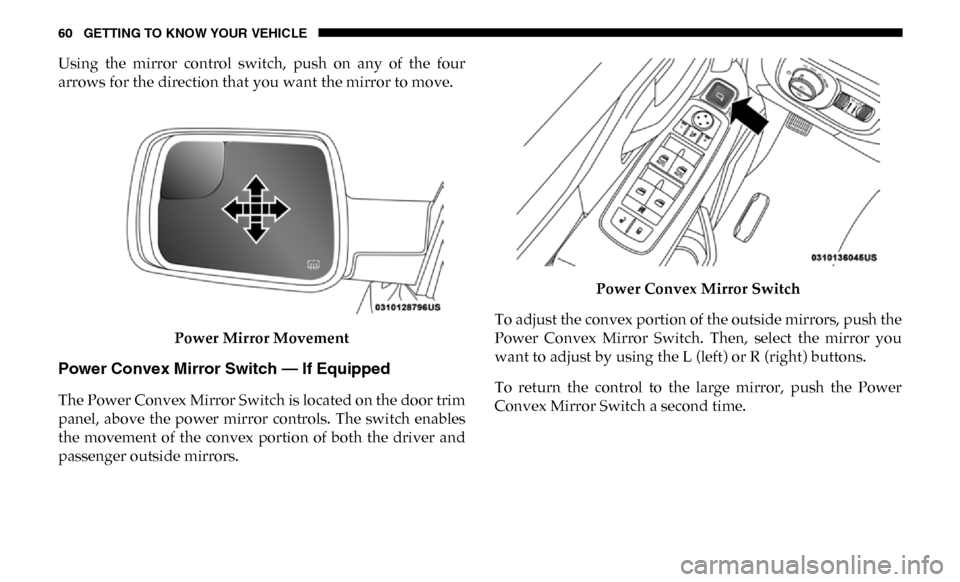
Using the mirror control switch, push on any of the four
arrows for the direction that you want the mirror to move.Power Mirror Movement
Power Convex Mirror Switch — If Equipped
The Power Convex Mirror Switch is located on the door trim
panel, above the power mirror controls. The switch enables
the movement of the convex portion of both the driver and
passenger outside mirrors. Power Convex Mirror Switch
To adjust the convex portion of the outside mirrors, push the
Power Convex Mirror Switch. Then, select the mirror you
want to adjust by using the L (left) or R (right) buttons.
To return the control to the large mirror, push the Power
Convex Mirror Switch a second time.