brake Ram ProMaster 2020 User Guide
[x] Cancel search | Manufacturer: RAM, Model Year: 2020, Model line: ProMaster, Model: Ram ProMaster 2020Pages: 264, PDF Size: 10.11 MB
Page 59 of 264

SAFETY57
Electronic Brake Control (EBC) System
Your vehicle is equipped with an advanced Elec -
tronic Brake Control (EBC) system that includes
the Traction Control System (TCS), Brake Assist
System (BAS) and Electronic Stability Control
(ESC), Trailer Sway Control (TSC), and Hill Start
Assist (HSA). These systems complement the
Anti-Lock Brake System (ABS) by optimizing the
vehicle braking capability during emergency
braking maneuvers.
Brake Assist System (BAS)
The Brake Assist Sys tem (BAS) is designed to
optimize the vehicle’s braking c apability
during e merg ency braking maneuvers. The
system detects an emergency braking situa -
tio n by sensing the rate and am ount of brake
applic ation and then applies optimum pres -
sure to the brakes. This can help reduce
braking distance s. The BAS complements
the Anti-Lock Brake System (ABS). Applying
the brakes very quickly res ults in the best
BAS assistance . To rec eive the be ne fit of the
system , yo u must apply continuous braking pressure during the stopping sequence (do
not “pum p” the brakes). Do not reduce brake
pedal pre ssure unless braking is no longer
desired. Onc e the brake pedal is released,
the BAS is deac tivated.
Electronic Stability Control (ESC)
The Electronic Stability Control (ESC) enhances
directional control and stability of the vehicle
under various driving conditions. ESC corrects
for over/under steering of the vehicle by
applying the brake of the appropriate wheel to
assist in counteracting the over/under steer
condition. Engine power may also be reduced to
help the vehicle maintain the desired path.
ESC uses sensors in the vehicle to determine
the vehicle path intended by the driver and
compares it to the actual path of the vehicle.
When the actual path does not match the
intended path, ESC applies the brake of the
appropriate wheel to assist in counteracting the
oversteer or understeer condition.
Oversteer - when the vehicle is turning more
than appropriate for the steering wheel posi
-
tion.
Understeer - when the vehicle is turning
less than appropriate for the steering
wheel position.
WARNING!
The Brake Assist System (BAS) cannot
prevent the natural laws of physics from
acting on the vehicle, nor can it increase the
traction afforded by prevailing road
conditions. BAS cannot prevent collisions,
including those resulting from excessive
speed in turns, driving on very slippery
surfaces, or hydroplaning. The capabilities of
a BAS-equipped vehicle must never be
exploited in a reckless or dangerous manner,
which could jeopardize the user's safety or
the safety of others.
4
20_VF_OM_EN_US_t.book Page 57
Page 62 of 264

60SAFETY
(Continued)
Hill Start Assist (HSA)
The Hill Start Assist (HSA) system is designed to
assist the driver when starting a vehicle from a stop
on a hill. HSA will maintain the level of brake pres -
sure the driver applied for a short period of time
after the driver takes their foot off of the brake
pedal. If the driver does not apply the throttle during
this short period of time, the system will release
brake pressure and the vehicle will roll down the hill.
The system will release brake pressure in proportion
to the amount of throttle applied as the vehicle
starts to move in the intended direction of travel.
HSA Activation Criteria
The following criteria must be met in order for HSA
to activate:
Vehicle must be stopped
Vehicle must be on a 6% (approximate) grade or
greater hill
Gear selection matches vehicl e uphill direction
(i.e., vehicle facing uphill is in forward gear;
vehicle backing uphill is in REVERSE (R) gear)
HSA will work in REVERSE and all forward gears
when the activation criteria have been met. The
system will not activate if the vehicle is placed in
NEUTRAL (N) or PARK (P).
Towing With HSA
HSA will also provide assistance to mitigate roll
back while towing a trailer.
Traction Control System (TCS)
The Traction Control System (TCS) monitors the
amount of wheel spin of each of the driven
wheels. If wheel spin is detected, brake pressure
is applied to the slipping wheel(s) and engine
power is reduced, to provide enhanced accelera -
tion and stability. A feature of the TCS system,
Brake Limited Differential (BLD), functions
similar to a limited slip differential and controls
the wheel spin across a driven axle. If one wheel
on a driven axle is spinning faster than the other,
the system will apply the brake of the spinning
wheel. This will allow more engine torque to be
applied to the wheel that is not spinning. This
feature remains active even if the ESC is in the
“Partial Off” mode.
WARNING!
There may be situations on minor hills with
a loaded vehicle, or while pulling a trailer,
when the system will not activate and slight
rolling may occur. This could cause a
collision with another vehicle or object.
Always remember the driver is responsible
for braking the vehicle.
WARNING!
If you use a trailer brake controller with
your trailer, the trailer brakes may be acti -
vated and deactivated with the brake
switch. If so, there may not be enough
brake pressure to hold both the vehicle
and the trailer on a hill when the brake
pedal is released. In order to avoid rolling
down an incline while resuming accelera -
tion, manually activate the trailer brake
or apply more vehicle brake pressure
prior to releasing the brake pedal.
HSA is not a parking brake. Always apply
the parking brake fully when exiting your
vehicle. Also, be certain to place the trans -
mission in PARK.
Failure to follow these warnings can result
in a collision or serious personal injury.
WARNING!
(Continued)
20_VF_OM_EN_US_t.book Page 60
Page 63 of 264

SAFETY61
The ESC Activation/Malfunction Indicator Light
(in the instrument cluster) will start to flash as
soon as the tires lose traction and the wheels
begin to spin. This indicates that the TCS is
active. If the indicator light flashes during accel -
eration, ease up on the accelerator and apply as
little throttle as possible. Be sure to adapt your
speed and driving to the prevailing road condi -
tions, and do not switch off the ESC or TCS.
Trailer Sway Control (TSC) — If Equipped
Trailer Sway Control (TSC) uses sensors in the
vehicle to recognize an excessively swaying
trailer and will take the appropriate actions to
attempt to stop the sway. The system may reduce engine power and apply the brake of
the appropriate wheel(s) to counteract the
sway of the trailer. TSC will become active
automatically once an excessively swaying
trailer is recognized.
NOTE:
TSC cannot stop all trailers from swaying.
Always use caution when towing a trailer and
follow the trailer tongue weight recommenda
-
tions. Refer to “Trailer Towing” in “Starting And
Operating” for further information.
When TSC is functioning, the ESC Activation/
Malfunction Indicator Light will flash, the engine
power may be reduced, and you may feel the
brakes being applied to individual wheels to
attempt to stop the trailer from swaying. TSC is
disabled when the ESC system is in the “Partial
Off” mode.
AUXILIARY DRIVING SYSTEMS
Tire Pressure Monitoring System (TPMS)
The Tire Pressure Monitoring System (TPMS)
will warn the driver of a low tire pressure based
on the vehicle recommended cold placard pres -
sure.
The tire pressure will vary with temperature by
about 1 psi (7 kPa) for every 12°F (6.5°C). This
means that when the outside temperature
decreases, the tire pressure will decrease. Tire
pressure should always be set based on cold
inflation tire pressure. This is defined as the tire
pressure after the vehicle has not been driven
for at least three hours, or driven less than
1 mile (1.6 km) after a three hour period. The
cold tire inflation pressure must not exceed the
maximum inflation pressure molded into the
tire sidewall. Refer to “Tires” in “Servicing And
Maintenance” for information on how to prop -
erly inflate the vehicle’s tires. The tire pressure
will also increase as the vehicle is driven - this is
normal and there should be no adjustment for
this increased pressure.
WARNING!
The TCS cannot prevent the natural laws of
physics from acting on the vehicle, nor can
it increase the traction afforded.
The TCS cannot prevent collisions,
including those resulting from excessive
speed in turns, or hydroplaning.
The capabilities of a TCS-equipped vehicle
must never be exploited in a reckless or
dangerous manner, which could jeopardize
the user's safety or the safety of others.
WARNING!
If TSC activates while driving, slow the
vehicle down, stop at the nearest safe
location, and adjust the trailer load to
eliminate trailer sway.
4
20_VF_OM_EN_US_t.book Page 61
Page 84 of 264

82SAFETY
Event Data Recorder (EDR)
This vehicle is equipped with an Event Data
Recorder (EDR). The main purpose of an EDR is
to record, in certain crash or near crash-like
situations, such as an air bag deployment or
hitting a road obstacle, data that will assist in
understanding how a vehicle’s systems
performed. The EDR is designed to record data
related to vehicle dynamics and safety systems
for a short period of time, typically 30 seconds
or less. The EDR in this vehicle is designed to
record such data as:
How various systems in your vehicle were
operating;
Whether or not the driver and passenger
safety belts were buckled/fastened;
How far (if at all) the driver was depressing
the accelerator and/or brake pedal; and,
How fast the vehicle was traveling.These data can help provide a better under
-
standing of the circumstances in which crashes
and injuries occur.
NOTE:
EDR data are recorded by your vehicle only if a
non-trivial crash situation occurs; no data are
recorded by the EDR under normal driving
conditions and no personal data (e.g., name,
gender, age, and crash location) are recorded.
However, other parties, such as law enforce -
ment, could combine the EDR data with the type
of personally identifying data routinely acquired
during a crash investigation.
To read data recorded by an EDR, special equip -
ment is required, and access to the vehicle or
the EDR is needed. In addition to the vehicle
manufacturer, other parties, such as law
enforcement, that have the special equipment,
can read the information if they have access to
the vehicle or the EDR.
Do not attempt to modify any part of your
air bag system. The air bag may inflate acci -
dentally or may not function properly if
modifications are made. Take your vehicle
to an authorized dealer for any air bag
system service. If your seat, including your
trim cover and cushion, needs to be
serviced in any way (including removal or
loosening/tightening of seat attachment
bolts), take the vehicle to an authorized
dealer. Only manufacturer approved seat
accessories may be used. If it is necessary
to modify the air bag system for persons
with disabilities, contact an authorized
dealer.
WARNING!
(Continued)
20_VF_OM_EN_US_t.book Page 82
Page 92 of 264
90SAFETY
(Continued)
Safety Checks You Should Make Inside The
Vehicle
Seat Belts
Inspect the seat belt system periodically,
checking for cuts, frays, and loose parts.
Damaged parts must be replaced immediately.
Do not disassemble or modify the system.
Front seat belt assemblies must be replaced
after a collision. Rear seat belt assemblies must
be replaced after a collision if they have been
damaged (i.e., bent retractor, torn webbing,
etc.). If there is any question regarding seat belt
or retractor condition, replace the seat belt.
Air Bag Warning Light
The Air Bag warn ing light will turn on for
four to eight secon ds as a bu lb check when
the i gniti on switch is fi rst turned to ON/
RUN. If the l ight is eith er not on du rin g
starting, stays on , or tu rn s on whil e drivin g,
have the system in spected at an authori zed
dealer as soon as possibl e. After the bu lb
ch eck, this light will ill uminate wi th a single
ch ime wh en a fau lt with the Air Bag System
has been d etected. It will stay on un til the fau lt is removed . If the light comes on in ter
-
mitten tly or remains on while dri ving, h ave
an authorized deal er service the vehicle
immedi ately.
Refer to “Occupant Restraint Systems” in
“Safety” for further information.
Defroster
Check operation by selecting the defrost mode
and place the blower control on high speed. You
should be able to feel the air directed against
the windshield. See an authorized dealer for
service if your defroster is inoperable.
Floor Mat Safety Information
Always use floor mats designed to fit your
vehicle. Only use a floor mat that does not inter -
fere with the operation of the accelerator, brake
or clutch pedals. Only use a floor mat that is
securely attached using the floor mat fasteners
so it cannot slip out of position and interfere
with the accelerator, brake or clutch pedals or
impair safe operation of your vehicle in other
ways.
WARNING!
An improperly attached, damaged, folded, or
stacked floor mat, or damaged floor mat
fasteners may cause your floor mat to
interfere with the accelerator, brake, or clutch
pedals and cause a loss of vehicle control. To
prevent SERIOUS INJURY or DEATH:
ALWAYS securely attach your floor mat
using the floor mat fasteners. DO NOT
install your floor mat upside down or turn
your floor mat over. Lightly pull to confirm
mat is secured using the floor mat
fasteners on a regular basis.
ALWAYS REMOVE THE EXISTING FLOOR
MAT FROM THE VEHICLE before
installing any other floor mat. NEVER install
or stack an additional floor mat on top of an
existing floor mat.
20_VF_OM_EN_US_t.book Page 90
Page 93 of 264

SAFETY91
(Continued)
Periodic Safety Checks You Should Make
Outside The Vehicle
Tires
Examine tires for excessive tread wear and
uneven wear patterns. Check for stones, nails,
glass, or other objects lodged in the tread or
sidewall. Inspect the tread for cuts and cracks.
Inspect sidewalls for cuts, cracks, and bulges.
Check the wheel bolts for tightness. Check the
tires (including spare) for proper cold inflation
pressure.
Lights
Have someone observe the operation of brake
lights and exterior lights while you work the
controls. Check turn signal and high beam indi -
cator lights on the instrument panel.
Door Latches
Check for proper closing, latching, and locking.
Fluid Leaks
Check area under the vehicle after overnight
parking for fuel, coolant, oil, or other fluid leaks.
Also, if gasoline fumes are detected or if fuel, or
brake fluid leaks are suspected, the cause
should be located and corrected immediately.
ONLY install floor mats designed to fit your
vehicle. NEVER install a floor mat that
cannot be properly attached and secured to
your vehicle. If a floor mat needs to be
replaced, only use a FCA approved floor
mat for the specific make, model, and year
of your vehicle.
ONLY use the driver’s side floor mat on the
driver’s side floor area. To check for inter -
ference, with the vehicle properly parked
with the engine off, fully depress the accel -
erator, the brake, and the clutch pedal (if
present) to check for interference. If your
floor mat interferes with the operation of
any pedal, or is not secure to the floor,
remove the floor mat from the vehicle and
place the floor mat in your trunk.
ONLY use the passenger’s side floor mat on
the passenger’s side floor area.
WARNING!
(Continued)
ALWAYS make sure objects cannot fall or
slide into the driver’s side floor area when
the vehicle is moving. Objects can become
trapped under accelerator, brake, or clutch
pedals and could cause a loss of vehicle
control.
NEVER place any objects under the floor
mat (e.g., towels, keys, etc.). These objects
could change the position of the floor mat
and may cause interference with the accel -
erator, brake, or clutch pedals.
If the vehicle carpet has been removed and
re-installed, always properly attach carpet
to the floor and check the floor mat
fasteners are secure to the vehicle carpet.
Fully depress each pedal to check for inter -
ference with the accelerator, brake, or
clutch pedals then re-install the floor mats.
It is recommended to only use mild soap
and water to clean your floor mats. After
cleaning, always check your floor mat has
been properly installed and is secured to
your vehicle using the floor mat fasteners
by lightly pulling mat.
WARNING!
(Continued)
4
20_VF_OM_EN_US_t.book Page 91
Page 94 of 264
92
STARTING AND OPERATING
STARTING THE ENGINE
Before starting your vehicle, adjust your seat,
adjust both inside and outside mirrors, and
fasten your seat belts.
Automatic Transmission
The gear selector must be in the PARK or
NEUTRAL position before you can start the
engine. Press the brake pedal before shifting to
any driving gear.
NOTE:
You must press the brake pedal before shifting
out of PARK.
Normal Starting
NOTE:
Normal starting of either a cold or a warm
engine is obtained without pumping or pressing
the accelerator pedal.
Turn the ignition switch to the AVV (START) posi-
tion and release it when the engine starts. If the
engine fails to start within 10 seconds, turn the
ignition switch to the STOP (OFF/LOCK) posi -
tion, wait 10 to 15 seconds, then repeat the
“Normal Starting” procedure.
Cold Weather Operation (Below –22°F Or
−30°C)
To ensure reliable starting at these tempera -
tures, use of an externally powered electric
engine block heater (available from your autho -
rized dealer) is recommended.
If Engine Fails To Start
If the engine fails to start after you have
followed the “Normal Starting” procedure, it
may be flooded. Push the accelerator pedal all
the way to the floor and hold it there. Crank the
engine for no more than 15 seconds. This
should clear any excess fuel in case the engine
is flooded. Leave the ignition key in the RUN
position, release the accelerator pedal and
repeat the “Normal Starting” procedure.
WARNING!
Never leave children alone in a vehicle, or
with access to an unlocked vehicle.
Allowing children to be in a vehicle unat -
tended is dangerous for a number of
reasons. A child or others could be seriously
or fatally injured. Children should be
warned not to touch the parking brake,
brake pedal or the transmission gear
selector.
Do not leave the key fob in or near the
vehicle (or in a location accessible to chil -
dren). A child could operate power
windows, other controls, or move the
vehicle.
20_VF_OM_EN_US_t.book Page 92
Page 96 of 264
94STARTING AND OPERATING
(Continued)
The engine oil installed in the engine at the
factory is a high-quality energy conserving type
lubricant. Oil changes should be consistent with
anticipated climate conditions under which
vehicle operations will occur. For the recom -
mended viscosity and quality grades, refer to
“Fluids And Lubricants” in “Technical Specifica-
tions”.
NOTE:
A new engine may consume some oil during its
first few thousand miles (kilometers) of opera -
tion. This should be considered a normal part of
the break-in and not interpreted as a problem.
Please check your oil level with the engine oil
indicator often during the break in period. Add
oil as required.PARKING BRAKE
Before leaving the vehicle, make sure that the
parking brake is fully applied.
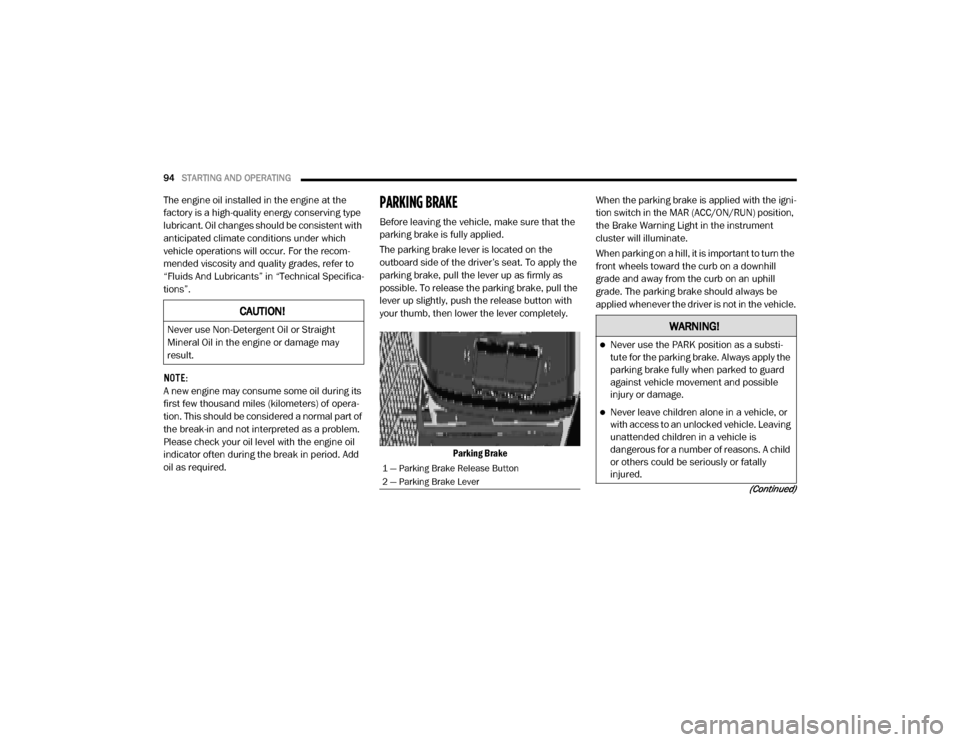
The parking brake lever is located on the
outboard side of the driver’s seat. To apply the
parking brake, pull the lever up as firmly as
possible. To release the parking brake, pull the
lever up slightly, push the release button with
your thumb, then lower the lever completely.
Parking Brake When the parking brake is applied with the igni
-
tion switch in the MAR (ACC/ON/RUN) position,
the Brake Warning Light in the instrument
cluster will illuminate.
When parking on a hill, it is important to turn the
front wheels toward the curb on a downhill
grade and away from the curb on an uphill
grade. The parking brake should always be
applied whenever the driver is not in the vehicle.
CAUTION!
Never use Non-Detergent Oil or Straight
Mineral Oil in the engine or damage may
result.
1 — Parking Brake Release Button
2 — Parking Brake Lever
WARNING!
Never use the PARK position as a substi -
tute for the parking brake. Always apply the
parking brake fully when parked to guard
against vehicle movement and possible
injury or damage.
Never leave children alone in a vehicle, or
with access to an unlocked vehicle. Leaving
unattended children in a vehicle is
dangerous for a number of reasons. A child
or others could be seriously or fatally
injured.
20_VF_OM_EN_US_t.book Page 94
Page 97 of 264

STARTING AND OPERATING95
(Continued)
AUTOMATIC TRANSMISSION
Do not leave the key fob in or near the
vehicle, or in a location accessible to chil-
dren, and do not leave a vehicle equipped
with Keyless Enter-N-Go in the ACC or ON/
RUN mode. A child could operate power
windows, other controls, or move the
vehicle.
Be sure the parking brake is fully disen -
gaged before driving; failure to do so can
lead to brake failure and a collision.
Always fully apply the parking brake when
leaving your vehicle or it may roll and cause
damage or injury. Also, be certain to leave
the transmission in PARK. Failure to do so
may cause the vehicle to roll and cause
damage or injury.
CAUTION!
If the Brake System Warning Light remains on
with the parking brake released, a brake
system malfunction is indicated. Have the
brake system serviced by an authorized
dealer immediately.
WARNING!
(Continued)
WARNING!
It is dangerous to shift out of PARK or
NEUTRAL if the engine speed is higher than
idle speed. If your foot is not firmly pressing
the brake pedal, the vehicle could accel -
erate quickly forward or in reverse. You
could lose control of the vehicle and hit
someone or something. Only shift into gear
when the engine is idling normally and your
foot is firmly pressing the brake pedal.
Unintended movement of a vehicle could
injure those in or near the vehicle. As with
all vehicles, you should never exit a vehicle
while the engine is running. Before exiting a
vehicle always come to a complete stop,
then apply the parking brake, shift the
transmission into PARK, turn the engine
OFF, and remove the ignition key. Once the
key is removed, the transmission is locked
in PARK, securing the vehicle against
unwanted movement.
When leaving the vehicle, always remove
the ignition key from the vehicle and lock
the vehicle.
Never leave children alone in a vehicle, or
with access to an unlocked vehicle.
Allowing children to be in a vehicle unat -
tended is dangerous for a number of
reasons. A child or others could be seriously
or fatally injured. Children should be
warned not to touch the parking brake,
brake pedal or the transmission gear
selector.
Do not leave the ignition key in or near the
vehicle (or in a location accessible to chil -
dren). A child could operate power
windows, other controls, or move the
vehicle.
WARNING!
(Continued)
5
20_VF_OM_EN_US_t.book Page 95
Page 98 of 264
96STARTING AND OPERATING
NOTE:
You must press and hold the brake pedal while
shifting out of PARK.
Key Ignition Park Interlock
This vehicle is equipped with a Key Ignition Park
Interlock which requires the transmission to be
in PARK before the ignition can be turned to the
LOCK/OFF (key removal) position. The key can
only be removed from the ignition when the igni -
tion is in the LOCK/OFF position, and once
removed the transmission is locked in PARK. NOTE:
If a malfunction occurs, the system will trap the
key in the ignition to warn you that this safety
feature is inoperable. The engine can be started
and stopped but the key cannot be removed
until you obtain service.
Brake/Transmission Shift Interlock System
This vehicle is equipped with a Brake Transmis
-
sion Shift Interlock System (BTSI) that holds the
transmission gear selector in PARK unless the
brakes are applied. To shift the transmission
out of PARK, the ignition must be turned to the
ON/RUN mode (engine running or not), and the
brake pedal must be pressed.
NOTE:
Swivel seats that are unlocked can also prevent
the transmission gear selector from being
moved out of the PARK position. To shift the
transmission out of the PARK position the first
time after cranking is allowed, ensure swivel
seats are locked in the forward facing position.
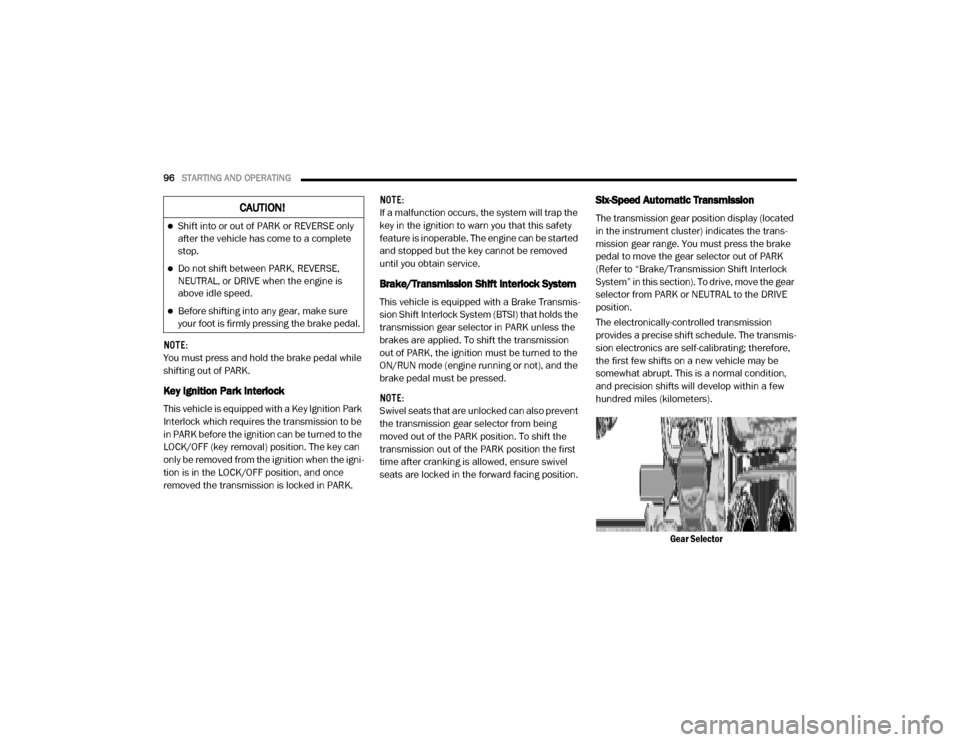
Six-Speed Automatic Transmission
The transmission gear position display (located
in the instrument cluster) indicates the trans -
mission gear range. You must press the brake
pedal to move the gear selector out of PARK
(Refer to “Brake/Transmission Shift Interlock
System” in this section). To drive, move the gear
selector from PARK or NEUTRAL to the DRIVE
position.
The electronically-controlled transmission
provides a precise shift schedule. The transmis -
sion electronics are self-calibrating; therefore,
the first few shifts on a new vehicle may be
somewhat abrupt. This is a normal condition,
and precision shifts will develop within a few
hundred miles (kilometers).
Gear SelectorCAUTION!
Shift into or out of PARK or REVERSE only
after the vehicle has come to a complete
stop.
Do not shift between PARK, REVERSE,
NEUTRAL, or DRIVE when the engine is
above idle speed.
Before shifting into any gear, make sure
your foot is firmly pressing the brake pedal.
20_VF_OM_EN_US_t.book Page 96