phone Ram ProMaster 2020 Owner's Guide
[x] Cancel search | Manufacturer: RAM, Model Year: 2020, Model line: ProMaster, Model: Ram ProMaster 2020Pages: 264, PDF Size: 10.11 MB
Page 243 of 264
MULTIMEDIA241
Le présent appareil est conforme aux CNR
d`Innovation, Science and Economic Develop -
ment applicables aux appareils radio exempts
de licence. L'exploitation est autorisée aux deux
conditions suivantes:
1. l'appareil ne doit pas produire de brouillage, et
2. l'utilisateur de l'appareil doit accepter tout brouillage radioélectrique subi, même si le
brouillage est susceptible d'en comprom -
ettre le fonctionnement.
La operación de este equipo está sujeta a las
siguientes dos condiciones:
1. es posible que este equipo o dispositivo no cause interferencia perjudicial y
2. este equipo o dispositivo debe aceptar cual -
quier interferencia, incluyendo la que
pueda causar su operación no deseada.
NOTE:
Changes or modifications not expressly
approved by the party responsible for compli -
ance could void the user’s authority to operate
the equipment. NOTE:
This equipment has been tested and found to
comply with the limits for a Class B digital
device, pursuant to Part 15 of the FCC Rules.
These limits are designed to provide reason
-
able protection against harmful interference
in a residential installation. This equipment
generates, uses and can radiate radio
frequency energy and, if not installed and
used in accordance with the instructions,
may cause harmful interference to radio
communications. However, there is no guar -
antee that interference will not occur in a
particular installation.
If this equipment does cause harmful inter -
ference to radio or television reception,
which can be determined by turning the
equipment off and on, the user is encour -
aged to try to correct the interference by one
or more of the following measures:
a. Increase the separation between the equipment and receiver.
b. Consult an authorized dealer or an expe -
rienced radio technician for help.
UCONNECT VOICE RECOGNITION
Introducing Uconnect
Start using Uconnect Voice Recognition (VR)
with these helpful quick tips. It provides the key
Voice Commands and tips you need to know to
control your Uconnect system.
Get Started
1. Visit UconnectPhone.com to check mobile
device and feature compatibility and to find
phone pairing instructions.
2. Reduce background noise. Wind and passenger conversations are examples of
noise that may impact recognition.
3. Speak clearly at a normal pace and volume while facing straight ahead. The micro -
phone is positioned in the dome lamp and
aimed at the driver.
4. Each time you give a Voice Command, you must first push either the VR or Phone
button , wait until after the beep, then
say your Voice Command.
9
20_VF_OM_EN_US_t.book Page 241
Page 244 of 264
242MULTIMEDIA
5. You can interrupt the help message or
system prompts by pushing the VR or the
Phone button and saying a Voice
Command from current category.
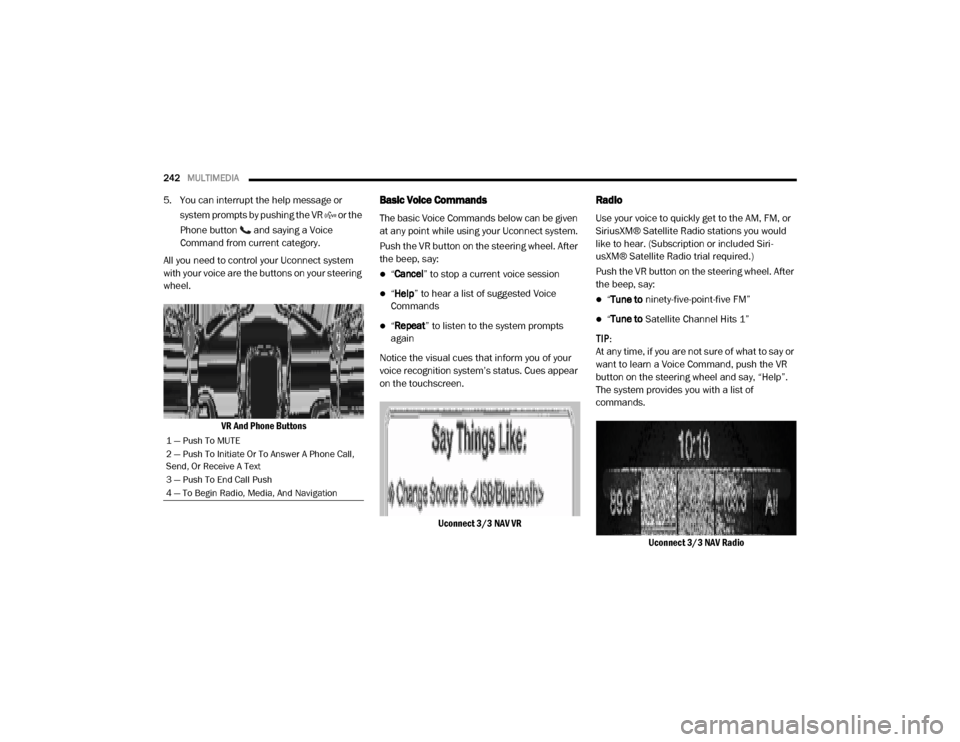
All you need to control your Uconnect system
with your voice are the buttons on your steering
wheel.
VR And Phone ButtonsBasic Voice Commands
The basic Voice Commands below can be given
at any point while using your Uconnect system.
Push the VR button on the steering wheel. After
the beep, say:
“Cancel ” to stop a current voice session
“Help ” to hear a list of suggested Voice
Commands
“ Repeat ” to listen to the system prompts
again
Notice the visual cues that inform you of your
voice recognition system’s status. Cues appear
on the touchscreen.
Uconnect 3/3 NAV VR
Radio
Use your voice to quickly get to the AM, FM, or
SiriusXM® Satellite Radio stations you would
like to hear. (Subscription or included Siri -
usXM® Satellite Radio trial required.)
Push the VR button on the steering wheel. After
the beep, say:
“ Tune to ninety-five-point-five FM”
“Tune to Satellite Channel Hits 1”
TIP:
At any time, if you are not sure of what to say or
want to learn a Voice Command, push the VR
button on the steering wheel and say, “Help”.
The system provides you with a list of
commands.
Uconnect 3/3 NAV Radio
1 — Push To MUTE
2 — Push To Initiate Or To Answer A Phone Call,
Send, Or Receive A Text
3 — Push To End Call Push
4 — To Begin Radio, Media, And Navigation
20_VF_OM_EN_US_t.book Page 242
Page 245 of 264
MULTIMEDIA243
Media
Uconnect offers connections via USB, Blue -
tooth®, and Auxiliary ports. Voice operation is
only available for connected USB and iPod®
devices.
Push the VR button on the steering wheel. After
the beep, say one of the following commands
and follow the prompts to switch your media
source or choose an artist.
“ Change source to Bluetooth®”
“Change source to iPod®”
“Change source to USB”
“Play artist Beethoven”; “ Play album
Greatest Hits”; “ Play song Moonlight
Sonata”; “ Play genre Classical” TIP:
Press the Browse button on the touchscreen to
see all of the music on your iPod® or USB
device. Your Voice Command must match
exactly
how the artist, album, song, and genre
information is displayed.
Uconnect 3/3 NAV Media
Phone
Making and answering hands-free phone calls
is easy with Uconnect. When the Phonebook
button is illuminated for the Uconnect system,
your system is ready. Check Uconnect-
Phone.com for mobile phone compatibility and
pairing instructions.
Push the VR button or Phone button (if
enabled). After the beep, say one of the
following commands:
“ Call John Smith”
“Dial 123-456-7890 and follow the system
prompts”
“ Redial (call previous outgoing phone
number)”
“ Call back (call previous incoming phone
number)”
9
20_VF_OM_EN_US_t.book Page 243
Page 246 of 264

244MULTIMEDIA
TIP:
When providing a Voice Command, push the VR
button or Phone button (if enabled) and say
“Call ”, then pronounce the name exactly as it
appears in your phone book. When a contact
has multiple phone numbers, you can say “ Call
John Smith work”.
Uconnect 3/3 NAV PhoneVoice Text Reply
Uconnect will announce incoming text
messages. Push the VR button or Phone button
(if enabled) and say “Listen ”. (Must have
compatible mobile phone paired to Uconnect
system.)
1. Once an incoming text message is read to
you, push the VR button or Phone button
(if enabled). After the beep, say “Reply”.
2. Listen to the Uconnect prompts. After the beep, repeat one of the pre-defined
messages and follow the system prompts. * Only use the numbering listed. Otherwise, the
system will not transpose the message.
TIP:
Your mobile phone must have the full imple
-
mentation of the Message Access Profile (MAP)
to take advantage of this feature. For details
about MAP, visit UconnectPhone.com . Apple®
iPhone® iOS 6 or later supports reading
incoming text messages only.
PRE-DEFINED VOICE TEXT REPLY
RESPONSES
Yes. Stuck in
traffic.See you later.
No. Start without
me.I’ll be late.
Okay. Where are you?I will be <5,
10, 15, 20,
25, 30, 45,
60> minutes
late.*
Call me. Are you there
yet?
I’ll call you
later.I need
directions.See you in
<5, 10, 15,
20, 25, 30,
45, 60> of
minutes.*
I’m on my
way.
Can’t talk
right now.
I’m lost. Thanks.
PRE-DEFINED VOICE TEXT REPLY
RESPONSES
20_VF_OM_EN_US_t.book Page 244
Page 248 of 264

246
CUSTOMER ASSISTANCE
SUGGESTIONS FOR OBTAINING SERVICE
FOR YOUR VEHICLE
Prepare For The Appointment
If you are having warranty work done, be sure to
have the right papers with you. Take your
warranty folder. All work to be performed may
not be covered by the warranty. Discuss addi-
tional charges with the service manager. Keep a
maintenance log of your vehicle's service
history. This can often provide a clue to the
current problem.
Prepare A List
Make a written list of your vehicle's problems or
the specific work you want done. If you've had
an accident or work done that is not on your
maintenance log, let the service advisor know.
Be Reasonable With Requests
If you list a number of items and you must have
your vehicle by the end of the day, discuss the
situation with the service advisor and list the
items in order of priority. At many authorized
dealers, you may obtain a rental vehicle at a
minimal daily charge. If you need a rental, it is
advisable to make these arrangements when
you call for an appointment.
IF YOU NEED ASSISTANCE
The manufacturer and its authorized dealers
are vitally interested in your satisfaction. We
want you to be happy with our products and
services.
Warranty service must be done by an autho -
rized dealer. We strongly recommend that you
take the vehicle to an authorized dealer. They
know your vehicle the best, and are most
concerned that you get prompt and high quality
service. The manufacturer's authorized dealers
have the facilities, factory-trained technicians,
special tools, and the latest information to
ensure the vehicle is fixed correctly and in a
timely manner. This is why you should always talk to an autho
-
rized dealer service manager first. Most matters
can be resolved with this process.
If for some reason you are still not satisfied,
talk to the general manager or owner of the
authorized dealer. They want to know if you
need assistance.
If an authorized dealer is unable to resolve
the concern, you may contact the manufac -
turer's customer center.
Any communication to the manufacturer's
customer center should include the following
information:
Owner's name and address
Owner's telephone number (home, mobile,
and office)
Authorized dealer name
Vehicle Identification Number (VIN)
Vehicle delivery date and mileage
20_VF_OM_EN_US_t.book Page 246
Page 249 of 264

CUSTOMER ASSISTANCE247
FCA US LLC Customer Center
P.O. Box 21–8004
Auburn Hills, MI 48321–8004
Phone: (866) 726-4636
FCA Canada Inc. Customer Center
P.O. Box 1621
Windsor, Ontario N9A 4H6
Phone: (800) 465-2001 English / (800)
387-9983 French
In Mexico Contact
Av. Prolongacion Paseo de la Reforma, 1240
Sante Fe C.P. 05109
Mexico, D. F.
In Mexico City: 800-505-1300
Outside Mexico City: +(52) 55 50817568
Puerto Rico And US Virgin Islands
FCA Caribbean LLC
P.O. Box 191857
San Juan 00919-1857
Phone: (866) 726-4636
Fax: (787) 782-3345
Customer Assistance For The Hearing Or
Speech Impaired (TDD/TTY)
To assist customers who have hearing difficul -
ties, the manufacturer has installed special
Telecommunication Devices for the Deaf (TDD)
equipment at its customer center. Any hearing
or speech impaired customer, who has access
to a TDD or a conventional teletypewriter (TTY)
in the United States, can communicate with the
manufacturer by dialing 1-800-380-CHRY.
Canadian residents with hearing difficulties that
require assistance can use the special needs
relay service offered by Bell Canada. For TTY
teletypewriter users, dial 711 and for Voice
callers, dial 1-800-855-0511 to connect with a
Bell Relay Service operator.
Service Contract
You may have purchased a service contract for
a vehicle to help protect you from the high cost
of unexpected repairs after the manufacturer's
New Vehicle Limited Warranty expires. The
manufacturer stands behind only the manufac -
turer's service contracts. If you purchased a
manufacturer's service contract, you will
receive Plan Provisions and an Owner Identifica-
tion Card in the mail within three weeks of the
vehicle delivery date. If you have any questions
about the service contract, call the manufac -
turer's Service Contract National Customer
Hotline at (800) 521-9922 (Canadian resi-
dents, call (800) 465-2001 English / (800)
387-9983 French).
The manufacturer will not stand behind any
service contract that is not the manufacturer's
service contract. It is not responsible for any
service contract other than the manufacturer's
service contract. If you purchased a service
contract that is not a manufacturer's service
contract, and you require service after the
manufacturer's New Vehicle Limited Warranty
expires, please refer to the contract documents,
and contact the person listed in those docu -
ments.
10
20_VF_OM_EN_US_t.book Page 247
Page 251 of 264

CUSTOMER ASSISTANCE249
PUBLICATION ORDER FORMS
To order the following manuals, you may use
either the website or the phone numbers listed
below.
Service Manuals
These comprehensive Service Manuals provide
the information that students and professional
technicians need in diagnosing/trouble -
shooting, problem solving, maintaining,
servicing, and repairing FCA US LLC vehicles. A
complete working knowledge of the vehicle,
system, and/or components is written in
straightforward language with illustrations,
diagrams, and charts. Diagnostic Procedure Manuals
Diagnostic Procedure Manuals are filled with
diagrams, charts and detailed illustrations.
These practical manuals make it easy for
students and technicians to find and fix prob-
lems on computer-controlled vehicle systems
and features. They show exactly how to find and
correct problems the first time, using
step-by-step troubleshooting and driveability
procedures, proven diagnostic tests, and a
complete list of all tools and equipment.
Owner's Manuals
These Owner's Manuals have been prepared
with the assistance of service and engineering
specialists to acquaint you with specific FCA US
LLC vehicles. Included are starting, operating,
emergency, and maintenance procedures as
well as specifications, capabilities, and safety
tips.
Call toll free at:
1-800-890-4038 (US)
1-800-387-1143 (Canada)
Or
Visit us on the Worldwide Web at:
www.techauthority.com (US)
10
20_VF_OM_EN_US_t.book Page 249
Page 263 of 264
The driver’s primary responsibility is the safe operation of the vehicle. Driving while distracted can result in loss of vehicle control, resulting in an accident and
personal injury. FCA US LLC strongly recommends that the driver use extreme caution when using any device or feature that may take their attention off the
road. Use of any electrical devices, such as cellular telephones, computers, portable radios, vehicle navigation or other devices, by the driver while the vehicle is moving is dangerous and could lead to a serious accident. Texting while driving is also dangerous and should never be done while the vehicle is moving. If you
find yourself unable to devote your full attention to vehicle operation, pull off the road to a safe location and stop your vehicle. Some states or provinces prohibit the use of cellular telephones or texting while driving. It is always the driver’s responsibility to comply with all local laws.
This Owner’s Manual has been prepared to help you get acquainted with your new Ram brand vehicle and to provide a convenient reference for common questions.
Not all features shown in this manual may apply to your vehicle. For additional information on accessories to help personalize your vehicle, visit
www.mopar.com/en-us/care/owners-manual.html (U.S.), www.owners.mopar.ca (Canada) or your local Ram brand dealer.
DRIVING AND ALCOHOL
Drunk driving is one of the most frequent causes of accidents. Your driving ability can be seriously impaired with blood alcohol levels far below the legal minimum. If you are drinking, don’t drive. Ride with
a designated non-drinking driver, call a cab, a friend or use public transportation.
WARNING
Driving after drinking can lead to an accident. Your perceptions are less sharp, your reflexes are slower and your judgment is impaired when you have been drinking. Never drink and then drive.