wheel Ram ProMaster 2020 Repair Manual
[x] Cancel search | Manufacturer: RAM, Model Year: 2020, Model line: ProMaster, Model: Ram ProMaster 2020Pages: 264, PDF Size: 10.11 MB
Page 210 of 264

208MULTIMEDIA
SAFETY AND GENERAL INFORMATION
Safety Guidelines
Ensure that all persons read this manual care -
fully before using the system. It contains
instructions on how to use the system in a safe
and effective manner.
Do NOT attach any object to the touchscreen.
Doing so can result in damage to the touch -
screen.
Please read and follow these safety precau -
tions. Failure to do so may result in injury or
property damage.
Glance at the screen only when safe to do so.
If prolonged viewing of the screen is required,
park in a safe location and set the parking
brake.
Stop use immediately if a problem occurs.
Failure to do so may cause injury or damage
to the product. Return it to an authorized
dealer for repair.
Ensure the volume level of the system is set
to a level that still allows you to hear outside
traffic and emergency vehicles.
Safe Usage Of The Uconnect System
Read all instructions in this manual carefully
before using your system to ensure proper
usage.
The Uconnect system is a sophisticated elec -
tronic device. Do not let young children use
the system.
Permanent hearing loss may occur if you play
your music or the system at loud volumes.
Exercise caution when setting the volume on
the system.
Keep drinks, rain and other sources of mois -
ture away from the system. Besides damage
to the system, moisture can cause electric
shocks as with any electronic device. NOTE:
Many features of this system are speed depen
-
dent. For your own safety, it is not possible to
use some of the touchscreen features while the
vehicle is in motion.
Exposure To Radio Frequency Radiation
The internal wireless radio operates within
guidelines found in radio frequency safety stan -
dards and recommendations, which reflect the
consensus of the scientific community. The
radio manufacturer believes the internal wire -
less radio is safe for use by consumers. The
level of energy emitted is far less than the elec -
tromagnetic energy emitted by wireless devices
such as mobile phones. However, the use of
wireless radios may be restricted in some situa-
tions or environments, such as aboard
airplanes. If you are unsure of restrictions, you
are encouraged to ask for authorization before
turning on the wireless radio.
WARNING!
ALWAYS drive safely with your hands on the
steering wheel. You have full responsibility
and assume all risks related to the use of the
Uconnect features and applications in this
vehicle. Only use Uconnect when it is safe to
do so. Failure to do so may result in an
accident involving serious injury or death.
20_VF_OM_EN_US_t.book Page 208
Page 211 of 264
MULTIMEDIA209
Care And Maintenance
Touchscreen
Do not press the touchscreen with any hard
or sharp objects (pen, USB stick, jewelry,
etc.), which could scratch the touchscreen
surface!
Do not spray any liquid or caustic chemicals
directly on the screen! Use a clean and dry
microfiber lens cleaning cloth in order to
clean the touchscreen.
If necessary, use a lint-free cloth dampened
with a cleaning solution, such as isopropyl
alcohol or an isopropyl alcohol and water
solution ratio of 50:50. Be sure to follow the
solvent manufacturer's precautions and
directions.
UCONNECT 3/3 NAV WITH 5-INCH DISPLAY
Introduction To The Uconnect 3/3 NAV With
5-Inch Display System
There are a few quick ways for you to identify
your radio. For a more complete description,
please refer to the User Guide in your glove box
or visit DriveUconnect.com (US Residents) or
DriveUconnect.ca (Canadian Residents).
Uconnect 3/3 NAV features:
5-inch Touchscreen
Hands-free/Bluetooth®
SiriusXM® Satellite Radio — If Equipped
Navigation — If Equipped
Uconnect 3/3 NAV With 5-Inch Display NOTE:
If equipped, your Uconnect radio may have a CD
player.
WARNING!
ALWAYS drive safely with your hands on the
wheel. You have full responsibility and
assume all risks related to the use of the
Uconnect features and applications in this
vehicle. Only use Uconnect when it is safe to
do so. Failure to do so may result in an
accident involving serious injury or death.
CAUTION!
Do NOT attach any object to the touchscreen,
doing so can result in breaking the
touchscreen.
9
20_VF_OM_EN_US_t.book Page 209
Page 221 of 264
MULTIMEDIA219
NOTE:
If supported, the download and update begin
as soon as the Bluetooth® wireless phone
connection is made to the Uconnect Phone,
for example, after you start the vehicle.
You may be asked for permission to initiate
the phonebook download.
A maximum of 2,000 contact names with six
numbers per contact will be downloaded and
updated every time a phone is connected to
the Uconnect Phone.
Depending on the maximum number of
entries downloaded, there may be a short
delay before the latest downloaded names
can be used. Until then, if available, the previ -
ously downloaded phonebook is available for
use.
Only the phonebook of the currently
connected mobile phone is accessible.
Only the mobile phone’s phonebook is down -
loaded. SIM card phonebook is not part of
the mobile phonebook.
This downloaded phonebook cannot be
edited or deleted on the Uconnect Phone.
These can only be edited on the mobile
phone. The changes are transferred and
updated to Uconnect Phone on the next
phone connection.
Making A Phone Call
Dialing The Phone Number Using The Keyboard
Icon On The Display
Enter the phone number using the graphic
keypad displayed.
Proceed as follows:
1. Press the Keyboard icon on the display and
use the number buttons to enter the
number.
2. Press the Call button to make a call.
Call By Saying A Phonebook Name Or Phone
Number
1. Push the VR button or Phone button (if enabled) on the steering wheel.
2. After the BEEP, say “dial” (or “call” a full name or phone number). Recent Calls
The list of the last calls made for each of the
following call types can be displayed:
Calls received
Calls made
Calls without a reply
All calls
To access these types of calls, press the Recent
Calls button on the Phone menu main screen.
Making A Second Call While Current Call Is In
Progress
When a phone conversation is active, a second
phone call can be made as follows:
Select the number/contact from the list of
recent calls.
Select the contact from the phonebook.
Press the Hold button and dial the number
using the graphic keyboard of the display.
Redial
To call the number/contact of last call made,
press the Redial button.9
20_VF_OM_EN_US_t.book Page 219
Page 222 of 264

220MULTIMEDIA
Answering An Incoming Call
Call Controls
The buttons on the display allow the following
phone call functions to be managed:
Answer
End
Ignore
Put on hold/resume
Deactivate/activate the microphone
Transfer the call
Switch from one call to the other
Conference/merge two active calls
Answering Or Ignoring A Call With No Call
Currently In Progress
When an incoming call rings or is announced on
Uconnect, push the Answer button on the touch -
screen or push the PHONE button on the
steering wheel. Answering Or Ignoring An Incoming Call With A
Call Currently In Progress
When an incoming call rings or is announced on
Uconnect, push the Answer button on the touch
-
screen or push the PHONE button on the
steering wheel to answer the call and put the
ongoing call on hold.
NOTE:
Not all mobile phones may support the manage -
ment of an incoming call when another phone
conversation is active.
Ending A Call
Press the End button on the touchscreen or the
PHONE button on the steering wheel controls to
end a call in progress.
Only the ongoing call is ended and any call on
hold becomes the new active call.
Depending on the type of mobile phone, if the
ongoing call is ended by the caller, the call on
hold may not be activated automatically.
Uconnect Phone Features
Mute/Unmute
1. During a call, push the Voice Recognition (VR) button on the steering wheel.
2. After the BEEP, say “mute” (or “mute off”).
Reading Messages
The system can read the messages received by
the mobile phone.
To use this function the mobile phone must
support the SMS exchange function via Blue -
tooth®.
If this function is not supported by the phone,
the corresponding message button is deacti -
vated (grayed out) or may only accept incoming
messages.
When a text message is received, the display
will show a screen where the options "Listen",
"Call" or "Ignore" can be selected.
Press the message button to access the list of
SMS messages received by the mobile phone
(the list displays a maximum of 60 messages
received).
20_VF_OM_EN_US_t.book Page 220
Page 229 of 264
MULTIMEDIA227
Add Stop To Route
Press the button to add a stop to your route.
You can add a stop by selecting a point on the
map. In map view, zoom in on the map and
press and hold to select a location. Then, select
the pop-up menu button, and press “Add to
Current Route.”
You route will be recalculated to include your
stop.
Change Route Type
Press the button to change the type of route
used to plan your route. Your route will be recal -
culated using the new route type selected.
You can select the following types of routes:
Fastest Route
Shortest Route
Most Eco-Friendly Route
Avoid Interstate Highways
You can set the default route type in the
settings menu.
Reorder Stops Press the button to see the lists of stops for
your current route. You can change the order of
the stops on your route by pressing “Edit Stops”.
Use the Up and Down arrows to change the
order of your stops. Your route will be recalcu
-
lated with the stops in that changed order.
NOTE:
You can also delete stops from your route by
pressing the Edit Stops button and then press
the Delete button. The stop will be removed
from your route and your route will be recalcu -
lated.
Play Route Or Track Preview
Press button to watch a preview of your
planned route or track.
NOTE:
This feature is not available while driving.
Stop Route Preview
Press button to stop the preview of your
planned route.
Voice Command — If Equipped
About Voice command
Instead of pressing the touchscreen to control
your navigation system, you can use your voice
to control navigation.
For example, to switch to 2D view, you can say
“2D view.”
To view a list of available commands, press the
“Help” button in the Main menu and then press
“What can I say?”
Using Voice Control
WARNING!
ALWAYS drive safely with your hands on the
wheel. You have full responsibility and
assume all risks related to the use of the
Uconnect features and applications in this
vehicle. Only use Uconnect when it is safe to
do so. Failure to do so may result in an
accident involving serious injury or death.
9
20_VF_OM_EN_US_t.book Page 227
Page 230 of 264
228MULTIMEDIA
The following example shows how to use voice
control to plan a journey to your Home address:
1. Push the Voice Recognition button on the
steering wheel to turn on the microphone.
A screen will pop up with examples of
commands.
NOTE:
Press the Help button in the Main menu then
press “What can I say?” to see a full list of
commands.
2. When you hear a beep, say a command of your choice. For example, you can say “Navi -
gate home”.
NOTE:
For accurate results, speak normally without
trying to articulate words in an unnatural way. If
there is excessive road noise, for example, you
may need to speak directly into the microphone.
3. If the command is correct, say “Yes”. NOTE:
If the command is incorrect, say “No” and
repeat the command after you hear the prompt
and tone again. Your navigation system plans a
route from your current location to your destina-
tion. To stop your navigation system from
listening out for further commands, say
“Cancel”.
Guidance View
About Guidance View
The guidance view is used to guide you along
the route to your destination. As soon as you
start driving, your navigation system will imme
-
diately start guiding you to your destination with
spoken instructions and visual instructions on
the touchscreen. You can also see your current
location and details along your route, including
3D buildings in some cities. The guidance view
is normally in 3D. To show a 2D map with the
map moving in your direction of travel, change
the 2D and 3D default settings. Refer to
“Settings” within this section for more informa -
tion. NOTE:
When you have planned a route and the 3D
guidance view is shown, select the switch view
button to change to the map view and use the
interactive features.
Guidance View
1 — Switch View Button
Select the Switch View button to change
between the map view and the guidance view.
2 — Instruction Panel
Press this button to view the following informa -
tion:
The direction of your next turn
The distance to your next turn
Lane guidance at some intersections
20_VF_OM_EN_US_t.book Page 228
Page 240 of 264
238MULTIMEDIA
STEERING WHEEL AUDIO CONTROLS
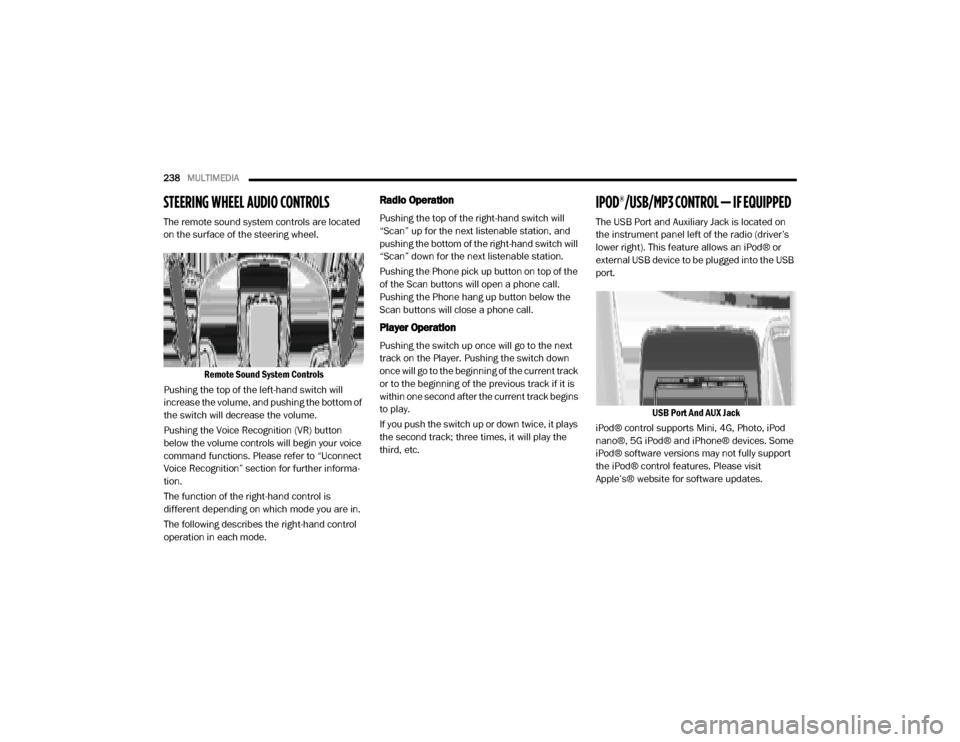
The remote sound system controls are located
on the surface of the steering wheel.
Remote Sound System Controls
Pushing the top of the left-hand switch will
increase the volume, and pushing the bottom of
the switch will decrease the volume.
Pushing the Voice Recognition (VR) button
below the volume controls will begin your voice
command functions. Please refer to “Uconnect
Voice Recognition” section for further informa -
tion.
The function of the right-hand control is
different depending on which mode you are in.
The following describes the right-hand control
operation in each mode.
Radio Operation
Pushing the top of the right-hand switch will
“Scan” up for the next listenable station, and
pushing the bottom of the right-hand switch will
“Scan” down for the next listenable station.
Pushing the Phone pick up button on top of the
of the Scan buttons will open a phone call.
Pushing the Phone hang up button below the
Scan buttons will close a phone call.
Player Operation
Pushing the switch up once will go to the next
track on the Player. Pushing the switch down
once will go to the beginning of the current track
or to the beginning of the previous track if it is
within one second after the current track begins
to play.
If you push the switch up or down twice, it plays
the second track; three times, it will play the
third, etc.
IPOD®/USB/MP3 CONTROL — IF EQUIPPED
The USB Port and Auxiliary Jack is located on
the instrument panel left of the radio (driver’s
lower right). This feature allows an iPod® or
external USB device to be plugged into the USB
port.
USB Port And AUX Jack
iPod® control supports Mini, 4G, Photo, iPod
nano®, 5G iPod® and iPhone® devices. Some
iPod® software versions may not fully support
the iPod® control features. Please visit
Apple’s® website for software updates.
20_VF_OM_EN_US_t.book Page 238
Page 244 of 264
242MULTIMEDIA
5. You can interrupt the help message or
system prompts by pushing the VR or the
Phone button and saying a Voice
Command from current category.
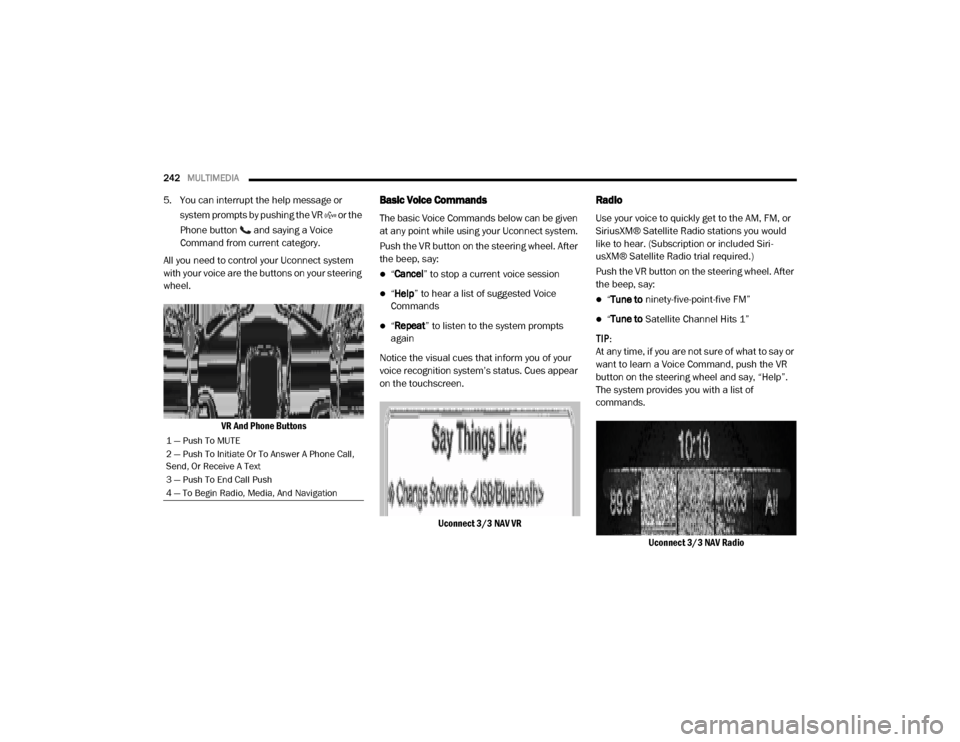
All you need to control your Uconnect system
with your voice are the buttons on your steering
wheel.
VR And Phone ButtonsBasic Voice Commands
The basic Voice Commands below can be given
at any point while using your Uconnect system.
Push the VR button on the steering wheel. After
the beep, say:
“Cancel ” to stop a current voice session
“Help ” to hear a list of suggested Voice
Commands
“ Repeat ” to listen to the system prompts
again
Notice the visual cues that inform you of your
voice recognition system’s status. Cues appear
on the touchscreen.
Uconnect 3/3 NAV VR
Radio
Use your voice to quickly get to the AM, FM, or
SiriusXM® Satellite Radio stations you would
like to hear. (Subscription or included Siri -
usXM® Satellite Radio trial required.)
Push the VR button on the steering wheel. After
the beep, say:
“ Tune to ninety-five-point-five FM”
“Tune to Satellite Channel Hits 1”
TIP:
At any time, if you are not sure of what to say or
want to learn a Voice Command, push the VR
button on the steering wheel and say, “Help”.
The system provides you with a list of
commands.
Uconnect 3/3 NAV Radio
1 — Push To MUTE
2 — Push To Initiate Or To Answer A Phone Call,
Send, Or Receive A Text
3 — Push To End Call Push
4 — To Begin Radio, Media, And Navigation
20_VF_OM_EN_US_t.book Page 242
Page 245 of 264
MULTIMEDIA243
Media
Uconnect offers connections via USB, Blue -
tooth®, and Auxiliary ports. Voice operation is
only available for connected USB and iPod®
devices.
Push the VR button on the steering wheel. After
the beep, say one of the following commands
and follow the prompts to switch your media
source or choose an artist.
“ Change source to Bluetooth®”
“Change source to iPod®”
“Change source to USB”
“Play artist Beethoven”; “ Play album
Greatest Hits”; “ Play song Moonlight
Sonata”; “ Play genre Classical” TIP:
Press the Browse button on the touchscreen to
see all of the music on your iPod® or USB
device. Your Voice Command must match
exactly
how the artist, album, song, and genre
information is displayed.
Uconnect 3/3 NAV Media
Phone
Making and answering hands-free phone calls
is easy with Uconnect. When the Phonebook
button is illuminated for the Uconnect system,
your system is ready. Check Uconnect-
Phone.com for mobile phone compatibility and
pairing instructions.
Push the VR button or Phone button (if
enabled). After the beep, say one of the
following commands:
“ Call John Smith”
“Dial 123-456-7890 and follow the system
prompts”
“ Redial (call previous outgoing phone
number)”
“ Call back (call previous incoming phone
number)”
9
20_VF_OM_EN_US_t.book Page 243
Page 253 of 264

251
Cargo Area Cover
..................................... 37
Cargo Compartment
.................................. 37
Cargo Light
............................................ 26
Certification Label
.................................. 112
Change Oil Indicator
.................................. 44
Changing A Flat Tire
........................ 133, 168
Chart, Tire Sizing
.................................... 169
Check Engine Light
(Malfunction Indicator Light)
......................... 55
Checking Your Vehicle For Safety
................... 89
Checks, Safety
........................................ 89
Child Restraint
........................................ 83
Child Restraints
Booster Seats.................................... 86Child Seat Installation.......................... 88Infant And Child Restraints................... 85Older Children And Child Restraints........ 85
Clean Air Gasoline
.................................. 192
Cleaning
Wheels........................................... 183
Climate Control
........................................ 28Manual............................................ 28Rear................................................ 32
Cold Weather Operation
.............................. 92
Compact Spare Tire
................................. 181
Contract, Service
.................................... 247
Cooling Pressure Cap (Radiator Cap)
............. 165
Cooling System
...................................... 163Adding Coolant (Antifreeze)................. 164Coolant Level........................... 163, 165Cooling Capacity............................... 195Disposal Of Used Coolant................... 165Drain, Flush, And Refill....................... 163Inspection....................................... 165Points To Remember......................... 165Pressure Cap................................... 165Radiator Cap................................... 165Selection Of Coolant (Antifreeze).. 164, 195
Corrosion Protection
................................ 187
Cruise Light
............................................53
Cupholders
..................................... 38, 190
Customer Assistance
............................... 246
Customer Programmable Features
................ 199
Cybersecurity
........................................ 198
D
Dealer Service
....................................... 158
Defroster, Windshield
.................................90
Diagnostic System, Onboard
......................... 54
Dimmer Control Switch
............................... 27
Dimmer Switch
Headlight..........................................24
Dipsticks
Automatic Transmission..................... 168Power Steering................................. 103
Disable Vehicle Towing
............................. 149
Disposal
Antifreeze (Engine Coolant)................ 165
Door Ajar
.............................................. 47
Door Ajar Light
........................................ 47
Door Locks
............................................ 14Automatic........................................ 15
Doors
.................................................. 14
Driver’s Seat Back Tilt
............................... 15
Driving
Through Flowing, Rising, Or Shallow
Standing Water
............................... 121
E
Electric Brake Control System
....................... 57
Electric Remote Mirrors
.............................. 22
Electrical Power Outlets
............................. 39
Electronic Speed Control (Cruise Control)
....... 103
Electronic Stability Control (ESC)
................... 57
Electronic Throttle Control Warning Light
.......... 48
Emergency, In Case Of
Freeing Vehicle When Stuck............... 149Jacking...................................133, 168Jump Starting.................................. 145
Emission Control System Maintenance
............ 55
11
20_VF_OM_EN_US_t.book Page 251