brakes RAM PROMASTER 2023 Owner's Manual
[x] Cancel search | Manufacturer: RAM, Model Year: 2023, Model line: PROMASTER, Model: RAM PROMASTER 2023Pages: 296, PDF Size: 12.31 MB
Page 158 of 296

156SAFETY
HSA Activation Criteria
The following criteria must be met in order for HSA
to activate:
The vehicle must be stopped.
The vehicle must be on a 6% (approximate)
grade or greater hill.
Gear selection matches vehicle uphill direction
(i.e., vehicle facing uphill is in forward gear;
vehicle backing uphill is in REVERSE gear).
HSA will work in REVERSE and all forward gears
when the activation criteria have been met.
The system will not activate if the vehicle is placed
in NEUTRAL or PARK.
Towing With HSA
HSA will also provide assistance to mitigate roll
back while towing a trailer.
Traction Control System (TCS)
TCS monitors the amount of wheel spin of each of
the driven wheels. If wheel spin is detected, brake
pressure is applied to the slipping wheel(s) and
engine power is reduced, to provide enhanced
acceleration and stability. A feature of the TCS,
Brake Limited Differential (BLD) functions similarly
to a limited slip differential and controls the wheel
spin across a driven axle. If one wheel on a driven
axle is spinning faster than the other, the system
will apply the brake of the spinning wheel. This will
allow more engine torque to be applied to the
wheel that is not spinning. This feature remains
active even if the ESC is in the “Partial Off” mode.
The ESC Activation/Malfunction Indicator Light
(in the instrument cluster) will start to flash as soon
as the tires lose traction and the wheels begin to
spin. This indicates that the TCS is active. If the
indicator light flashes during acceleration, ease up
on the accelerator and apply as little throttle as
possible. Be sure to adapt your speed and driving
to the prevailing road conditions, and do not switch
off the ESC or TCS.
WARNING!
There may be situations on minor hills with a
loaded vehicle, or while pulling a trailer, when
the system will not activate and slight rolling may
occur. This could cause a collision with another
vehicle or object. Always remember the driver is
responsible for braking the vehicle.
WARNING!
If you use a trailer brake controller with your
trailer, the trailer brakes may be activated and
deactivated with the brake switch. If so, there
may not be enough brake pressure to hold
both the vehicle and the trailer on a hill when
the brake pedal is released. In order to avoid
rolling down an incline while resuming accel -
eration, manually activate the trailer brake or
apply more vehicle brake pressure prior to
releasing the brake pedal.
HSA is not a parking brake. Always apply the
parking brake fully when exiting your vehicle.
Also, be certain to place the transmission in
PARK.
Failure to follow these warnings can result in a
collision or serious personal injury.
23_VF_OM_EN_USC_t.book Page 156
Page 159 of 296

SAFETY157
Trailer Sway Control (TSC) — If Equipped
TSC uses sensors in the vehicle to recognize an
excessively swaying trailer and will take the
appropriate actions to attempt to stop the sway.
The system may reduce engine power and apply
the brake of the appropriate wheel(s) to counteract
the sway of the trailer.
NOTE:
TSC cannot stop all trailers from swaying. Always use
caution when towing a trailer and follow the trailer
tongue weight recommendations
Ú
page 124.
When TSC is functioning, the ESC Activation/
Malfunction Indicator Light will flash, the engine
power may be reduced, and you may feel the
brakes being applied to individual wheels to
attempt to stop the trailer from swaying. TSC is
disabled when the ESC system is in the “Partial
Off” mode.
DROWSY DRIVER DETECTION (DDD) —
IF EQUIPPED
DDD detects when the driver is feeling fatigued
and warns the driver to pull over and take a break.
TO ACTIVATE/DEACTIVATE
DDD can be activated and deactivated through the
Uconnect system by selecting the following in order:
1. “Safety & Driving Assistance”
2. “Drowsy Driver Detection”
SYSTEM OPERATION
Using feedback obtained from the driver’s steering
patterns, any buttons/switches that are pressed,
and from the front camera, the system implements
two operating logics:
The first operating logic takes the driving style
into account, observing the road and detecting
to what extent the driver can continue driving
with few lane crossing events.
The second operating logic measures the time
spent behind the wheel with the vehicle speed
above 40 mph (60 km/h) and below 100 mph
(160 km/h).
WARNING!
The TCS cannot prevent the natural laws of
physics from acting on the vehicle, nor can it
increase the traction afforded.
The TCS cannot prevent collisions, including
those resulting from excessive speed in turns,
or hydroplaning.
The capabilities of a TCS-equipped vehicle
must never be exploited in a reckless or
dangerous manner, which could jeopardize
the user's safety or the safety of others.
WARNING!
If TSC activates while driving, slow the vehicle
down, stop at the nearest safe location, and
adjust the trailer load to eliminate trailer sway.
WARNING!
The DDD system is an aid for driving and does
not relieve the driver of the responsibility of
driving the vehicle. Always drive alert and get
plenty of rest before driving. If you experience
fatigue while driving, do not wait for the DDD to
intervene with a warning. Choose a safe and
secure location where you can pull over safely
for a break. Only return to the road when you are
in the right physical and mental condition to
prevent endangering yourself and others.
6
23_VF_OM_EN_USC_t.book Page 157
Page 166 of 296

164SAFETY
FORWARD COLLISION WARNING (FCW)
W
ITH MITIGATION — IF EQUIPPED
The FCW with Mitigation system provides the driver
with audible warnings, visual warnings (within the
instrument cluster display), and may apply a brake
jerk to warn the driver when it detects a potential
frontal collision. The warnings and limited braking
are intended to provide the driver with enough time
to react, avoid or mitigate the potential collision.
NOTE:FCW monitors the information from the forward
looking camera as well as the Electronic Brake
Controller (EBC), to calculate the probability of a
forward collision. When the system determines
that a forward collision is probable, the driver will
be provided with audible and visual warnings as
well as a possible brake jerk warning.
If the driver does not take action based upon these
progressive warnings, then the system will provide
a limited level of active braking to help slow the
vehicle and mitigate the potential forward collision.
If the driver reacts to the warnings by braking and
the system determines that the driver intends to
avoid the collision by braking but has not applied
sufficient brake force, the system will compensate
and provide additional brake force as required.
If a FCW with Mitigation event begins at a speed below
26 mph (42 km/h), the system may provide the
maximum braking possible to mitigate the potential forward collision. Vehicles With Automatic Trans
-
mission: After the end of the intervention of automatic
braking, the transmission may remain in last gear
stored — therefore the vehicle could lurch forward, once
the brakes release a few seconds later. If the Forward
Collision Warning with Mitigation event stops the
vehicle completely, the system will hold the vehicle at
standstill for two seconds and then release the brakes.
FCW Message
When the system determines a collision with the
vehicle in front of you is no longer probable, the
warning message will be deactivated.
NOTE:
The minimum speed for FCW activation is
3 mph (5 km/h).
The FCW alerts may be triggered on objects
other than vehicles such as guardrails or sign
posts based on the course prediction. This is expected and is a part of normal FCW activation
and functionality.
It is unsafe to test the FCW system. To prevent
such misuse of the system the Active Braking
portion of FCW will be deactivated for the first
20 seconds from braking actuation.
The FCW system is intended for on-road use
only. If the vehicle is taken off-road, the FCW
system should be deactivated to prevent unnec
-
essary warnings to the surroundings.
FCW may not react to irrelevant objects such as
overhead objects, ground reflections, objects
not in the path of the vehicle, stationary objects
that are far away, oncoming traffic, or leading
vehicles with the same or higher rate of speed.
FCW will be disabled with the unavailable
screens Ú page 280.
WARNING!
Forward Collision Warning (FCW) is not intended
to avoid a collision on its own, nor can FCW
detect every type of potential collision. The driver
has the responsibility to avoid a collision by
controlling the vehicle via braking and steering.
Failure to follow this warning could lead to
serious injury or death.
23_VF_OM_EN_USC_t.book Page 164
Page 169 of 296

SAFETY167
Small Vehicles And/Or Not Aligned To The Lane
The system is not able to detect the presence of
vehicles that are in front of the vehicle but placed
outside the field of action of the camera and could
therefore not react in the presence of small
vehicles such as bicycles or motorcycles.
Small Vehicles And/Or Not Aligned To The Lane
Lane Changing Of Other Vehicles
Vehicles that suddenly change lanes, while staying
in the traffic lane of their vehicle and inside the
field of action of the camera, may cause the
intervention of the system.
Lane Changing Of Other Vehicles
Passing Of Vehicles In An Oncoming Intersection
The system could temporarily react to a vehicle
that crossed the range of the camera in an
oncoming intersection.
Passing Of Vehicles In An Oncoming Intersection
Pedestrian Emergency Braking (PEB) —
If Equipped
PEB is a subsystem of the Forward Collision
Warning (FCW) system which provides the driver
with audible warnings and visual warnings, in the
instrument cluster display. It may apply limited
automatic braking when it detects a potential
frontal collision with a pedestrian/cyclist.
PEB Message
If a PEB event begins at a speed below 39 mph
(62 km/h), the system may provide maximum braking
to mitigate the potential collision with a pedestrian/
cyclist. If the PEB event stops the vehicle completely,
the system will hold the vehicle at a standstill for
two seconds and then release the brakes. When the
system determines a collision with the pedestrian/
cyclist in front of you is no longer probable, the warning
message will be deactivated.
6
23_VF_OM_EN_USC_t.book Page 167
Page 218 of 296

216IN CASE OF EMERGENCY
4. Disconnect the opposite end of the positive (+)
jumper cable from the remote positive (+) post
of the discharged vehicle, and reinstall the
protective cap.
5. Close the cover of the Front Power Distribution Center.
If frequent jump starting is required to start your
vehicle you should have the battery and charging
system inspected at an authorized dealer.
BATTERY LOCATION
There are two remote jump starting posts under
the hood which is the recommended jump start
location. If access to the battery is needed, an
access panel on the driver’s side floor will allow for
battery access.
Battery Access Panel
Battery Location
IF YOUR ENGINE OVERHEATS
If the vehicle is overheating, it will need to be
serviced by an authorized dealer.
In any of the following situations, you can reduce
the potential for overheating by taking the
appropriate action.
On the highways — slow down.
In city traffic — while stopped, place the trans -
mission in NEUTRAL (N), but do not increase the
engine idle speed while preventing vehicle
motion with the brakes.
NOTE:There are steps that you can take to slow down an
impending overheat condition:
If your Air Conditioner (A/C) is on, turn it off.
The A/C system adds heat to the engine cooling
system and turning the A/C off can help remove
this heat.
You can also turn the temperature control to
maximum heat, the mode control to floor and
the blower control to high. This allows the heater
core to act as a supplement to the radiator and
aids in removing heat from the engine cooling
system.
CAUTION!
Accessories plugged into the vehicle power
outlets draw power from the vehicle’s battery,
even when not in use (i.e., cellular devices, etc.).
Eventually, if plugged in long enough without
engine operation, the vehicle’s battery will
discharge sufficiently to degrade battery life
and/or prevent the engine from starting.
23_VF_OM_EN_USC_t.book Page 216
Page 237 of 296

SERVICING AND MAINTENANCE235
If an examination of your engine compartment
shows no evidence of radiator or hose leaks, the
vehicle may be safely driven. The vapor will soon
dissipate.
Do not overfill the coolant expansion bottle.
Check the coolant freeze point in the radiator
and in the coolant expansion bottle. If engine
coolant needs to be added, the contents of the
coolant expansion bottle must also be protected
against freezing.
If frequent engine coolant additions are
required, the cooling system should be pressure
tested for leaks.
Maintain engine coolant concentration at a
minimum of 50% OAT coolant (conforming to
MS.90032) and distilled water for proper corro -
sion protection of your engine which contains
aluminum components.
Make sure that the coolant expansion bottle
overflow hoses are not kinked or obstructed.
Keep the front of the radiator clean. If your
vehicle is equipped with air conditioning, keep
the front of the condenser clean.
Do not change the thermostat for Summer or
Winter operation. If replacement is ever neces -
sary, install ONLY the correct type thermostat.
Other designs may result in unsatisfactory
engine cooling performance, poor gas mileage,
and increased emissions.
BRAKE SYSTEM
In order to ensure brake system performance, all
brake system components should be inspected
periodically Ú page 222.
Fluid Level Check — Brake Master Cylinder
The fluid level of the master cylinder should be
checked when performing under the hood service
or immediately if the Brake System Warning Light
indicates system failure. If necessary, add fluid to
bring level within the designated marks on the side
of the reservoir of the brake master cylinder. Be
sure to clean the top of the master cylinder area
before removing cap. With disc brakes the fluid
level can be expected to fall as the brake linings
wear. However, an unexpected drop in fluid level
may be caused by a leak and a system check
should be conducted Ú page 273.
WARNING!
Riding the brakes can lead to brake failure and
possibly a collision. Driving with your foot resting or
riding on the brake pedal can result in abnormally
high brake temperatures, excessive lining wear, and
possible brake damage. You would not have your full
braking capacity in an emergency.
WARNING!
Use only the manufacturer recommended
brake fluid Úpage 273. Using the wrong type
of brake fluid can severely damage your brake
system and/or impair its performance. The
proper type of brake fluid for your vehicle is
also identified on the original factory installed
hydraulic master cylinder reservoir.
To avoid contamination from foreign matter or
moisture, use only new brake fluid or fluid that
has been in a tightly closed container. Keep
the master cylinder reservoir cap secured at
all times. Brake fluid in an open container
absorbs moisture from the air resulting in a
lower boiling point. This may cause it to boil
unexpectedly during hard or prolonged
braking, resulting in sudden brake failure.
This could result in a collision.
Overfilling the brake fluid reservoir can result
in spilling brake fluid on hot engine parts,
causing the brake fluid to catch fire. Brake
fluid can also damage painted and vinyl
surfaces, care should be taken to avoid its
contact with these surfaces.
Do not allow petroleum-based fluid to contami -
nate the brake fluid. Brake seal components could
be damaged, causing partial or complete brake
failure. This could result in a collision.
8
23_VF_OM_EN_USC_t.book Page 235
Page 264 of 296

262SERVICING AND MAINTENANCE
WHEEL AND WHEEL TRIM CARE
All wheels and wheel trim, especially aluminum and
chrome plated wheels, should be cleaned regularly
using mild (neutral Ph) soap and water to maintain their
luster and to prevent corrosion. Wash wheels with the
same soap solution recommended for the body of the
vehicle and remember to always wash when the
surfaces are not hot to the touch.
Your wheels are susceptible to deterioration
caused by salt, sodium chloride, magnesium
chloride, calcium chloride, etc., and other road
chemicals used to melt ice or control dust on dirt
roads. Use a soft cloth or sponge and mild soap to
wipe away promptly. Do not use harsh chemicals or
a stiff brush. They can damage the wheel’s protective coating that helps keep them from
corroding and tarnishing.
When cleaning extremely dirty wheels including
excessive brake dust, care must be taken in the
selection of tire and wheel cleaning chemicals and
equipment to prevent damage to the wheels.
Mopar® Wheel Treatment or Mopar® Chrome
Cleaner or their equivalent is recommended or
select a non-abrasive, non-acidic cleaner for
aluminum or chrome wheels.
NOTE:If you intend parking or storing your vehicle for an
extended period after cleaning the wheels with
wheel cleaner, drive your vehicle and apply the
brakes to remove the water droplets from the
brake components. This activity will remove the
red rust on the brake rotors and prevent vehicle
vibration when braking.
Dark Vapor Chrome, Black Satin Chrome, or Low
Gloss Clear Coat WheelsWARNING!
Limited use spares are for emergency use only.
Installation of this limited use spare tire affects
vehicle handling. With this tire, do not drive more
than the speed listed on the limited use spare wheel.
Keep inflated to the cold tire inflation pressures
listed on your Tire And Loading Information Placard
located on the driver’s side B-pillar or the rear edge
of the driver’s side door. Replace (or repair) the
original equipment tire at the first opportunity and
reinstall it on your vehicle. Failure to do so could
result in loss of vehicle control.
CAUTION!
Avoid products or automatic car washes that use
acidic solutions or strong alkaline additives or
harsh brushes. Many aftermarket wheel
cleaners and automatic car washes may
damage the wheel's protective finish. Such
damage is not covered by the New Vehicle
Limited Warranty. Only car wash soap, Mopar®
Wheel Cleaner or equivalent is recommended.
CAUTION!
Do not use scouring pads, steel wool, a bristle
brush, metal polishes or oven cleaner. These
products may damage the wheel's protective
finish. Such damage is not covered by the New
Vehicle Limited Warranty. Only car wash soap,
Mopar® Wheel Cleaner or equivalent is
recommended.
CAUTION!
If your vehicle is equipped with these specialty
wheels, DO NOT USE wheel cleaners, abrasives, or
polishing compounds. They will permanently damage
this finish and such damage is not covered by the
New Vehicle Limited Warranty. HAND WASH ONLY
USING MILD SOAP AND WATER WITH A SOFT CLOTH.
Used on a regular basis; this is all that is required to
maintain this finish.
23_VF_OM_EN_USC_t.book Page 262
Page 271 of 296
269
TECHNICAL SPECIFICATIONS
VEHICLE IDENTIFICATION NUMBER (VIN)
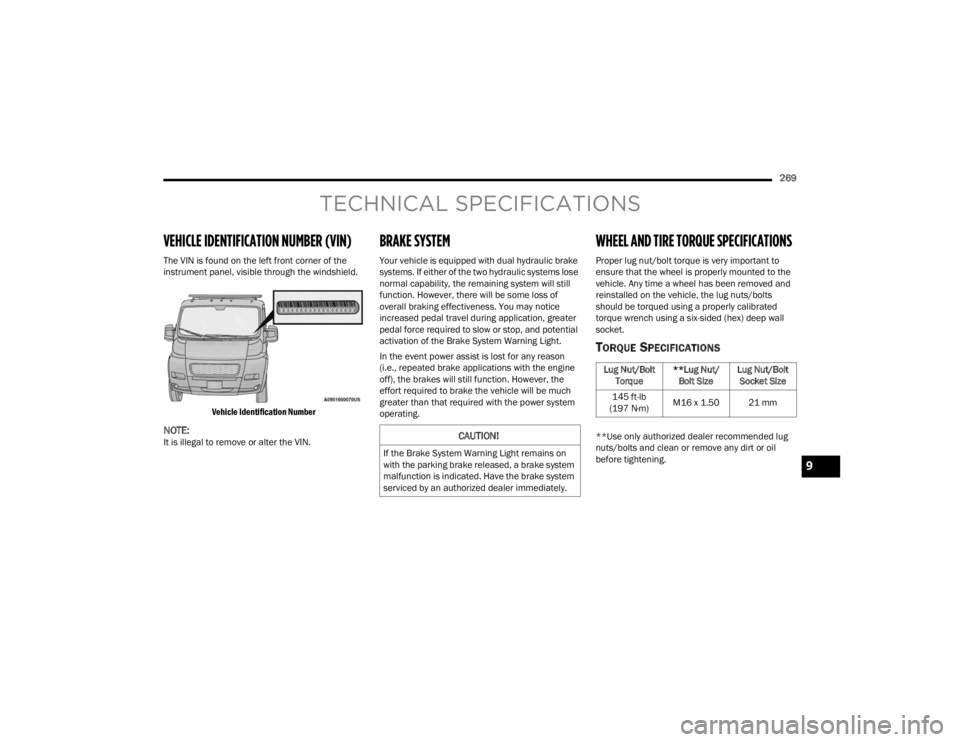
The VIN is found on the left front corner of the
instrument panel, visible through the windshield.
Vehicle Identification Number
NOTE:It is illegal to remove or alter the VIN.
BRAKE SYSTEM
Your vehicle is equipped with dual hydraulic brake
systems. If either of the two hydraulic systems lose
normal capability, the remaining system will still
function. However, there will be some loss of
overall braking effectiveness. You may notice
increased pedal travel during application, greater
pedal force required to slow or stop, and potential
activation of the Brake System Warning Light.
In the event power assist is lost for any reason
(i.e., repeated brake applications with the engine
off), the brakes will still function. However, the
effort required to brake the vehicle will be much
greater than that required with the power system
operating.
WHEEL AND TIRE TORQUE SPECIFICATIONS
Proper lug nut/bolt torque is very important to
ensure that the wheel is properly mounted to the
vehicle. Any time a wheel has been removed and
reinstalled on the vehicle, the lug nuts/bolts
should be torqued using a properly calibrated
torque wrench using a six-sided (hex) deep wall
socket.
TORQUE SPECIFICATIONS
**Use only authorized dealer recommended lug
nuts/bolts and clean or remove any dirt or oil
before tightening.CAUTION!
If the Brake System Warning Light remains on
with the parking brake released, a brake system
malfunction is indicated. Have the brake system
serviced by an authorized dealer immediately.
Lug Nut/Bolt Torque **Lug Nut/
Bolt Size Lug Nut/Bolt
Socket Size
145 ft-lb
(197 N·m) M16 x 1.50 21 mm
9
23_VF_OM_EN_USC_t.book Page 269