tow Ram ProMaster City 2017 User Guide
[x] Cancel search | Manufacturer: RAM, Model Year: 2017, Model line: ProMaster City, Model: Ram ProMaster City 2017Pages: 345, PDF Size: 3.25 MB
Page 79 of 345
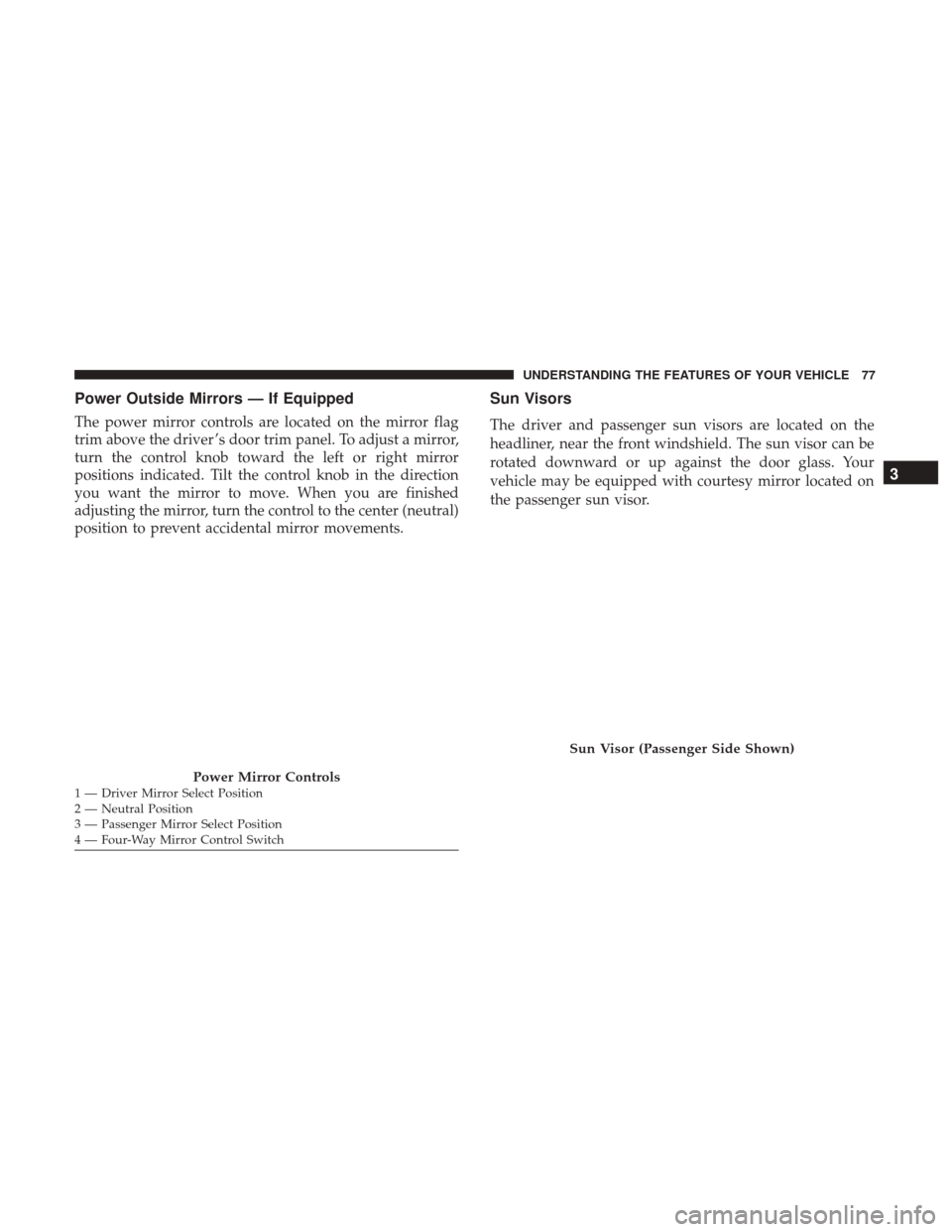
Power Outside Mirrors — If Equipped
The power mirror controls are located on the mirror flag
trim above the driver ’s door trim panel. To adjust a mirror,
turn the control knob toward the left or right mirror
positions indicated. Tilt the control knob in the direction
you want the mirror to move. When you are finished
adjusting the mirror, turn the control to the center (neutral)
position to prevent accidental mirror movements.
Sun Visors
The driver and passenger sun visors are located on the
headliner, near the front windshield. The sun visor can be
rotated downward or up against the door glass. Your
vehicle may be equipped with courtesy mirror located on
the passenger sun visor.
Power Mirror Controls1 — Driver Mirror Select Position
2 — Neutral Position
3 — Passenger Mirror Select Position
4 — Four-Way Mirror Control Switch
Sun Visor (Passenger Side Shown)
3
UNDERSTANDING THE FEATURES OF YOUR VEHICLE 77
Page 85 of 345
WARNING!
•All occupants, including the driver, should not oper-
ate a vehicle or sit in a vehicle’s seat until the head
restraints are placed in their proper positions in
order to minimize the risk of neck injury in the event
of a crash.
• Head restraints should never be adjusted while the
vehicle is in motion. Driving a vehicle with the head
restraints improperly adjusted or removed could
cause serious injury or death in the event of a
collision.
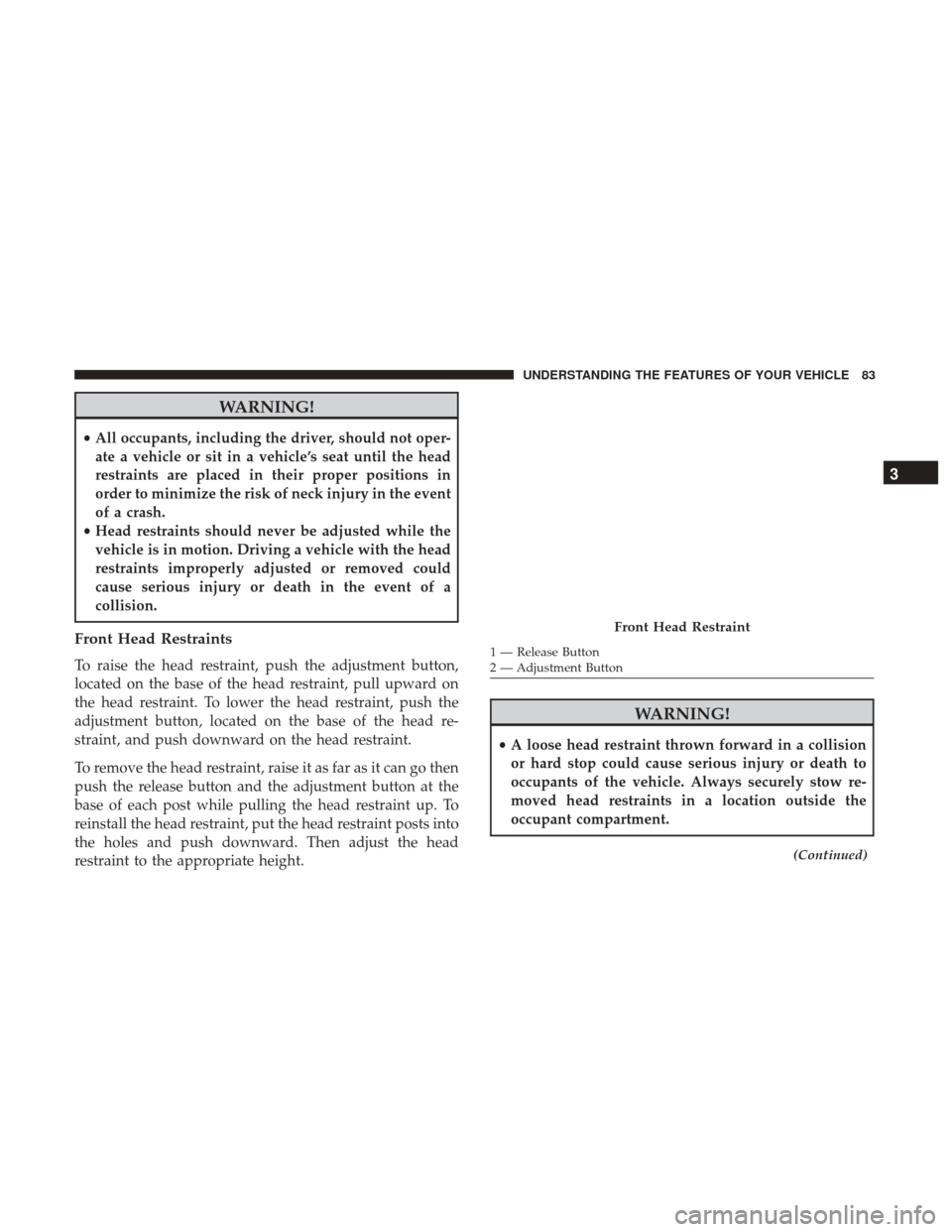
Front Head Restraints
To raise the head restraint, push the adjustment button,
located on the base of the head restraint, pull upward on
the head restraint. To lower the head restraint, push the
adjustment button, located on the base of the head re-
straint, and push downward on the head restraint.
To remove the head restraint, raise it as far as it can go then
push the release button and the adjustment button at the
base of each post while pulling the head restraint up. To
reinstall the head restraint, put the head restraint posts into
the holes and push downward. Then adjust the head
restraint to the appropriate height.
WARNING!
• A loose head restraint thrown forward in a collision
or hard stop could cause serious injury or death to
occupants of the vehicle. Always securely stow re-
moved head restraints in a location outside the
occupant compartment.
(Continued)
Front Head Restraint
1 — Release Button
2 — Adjustment Button
3
UNDERSTANDING THE FEATURES OF YOUR VEHICLE 83
Page 86 of 345
WARNING!(Continued)
•ALL the head restraints MUST be reinstalled in the
vehicle to properly protect the occupants. Follow the
re-installation instructions above prior to operating
the vehicle or occupying a seat.
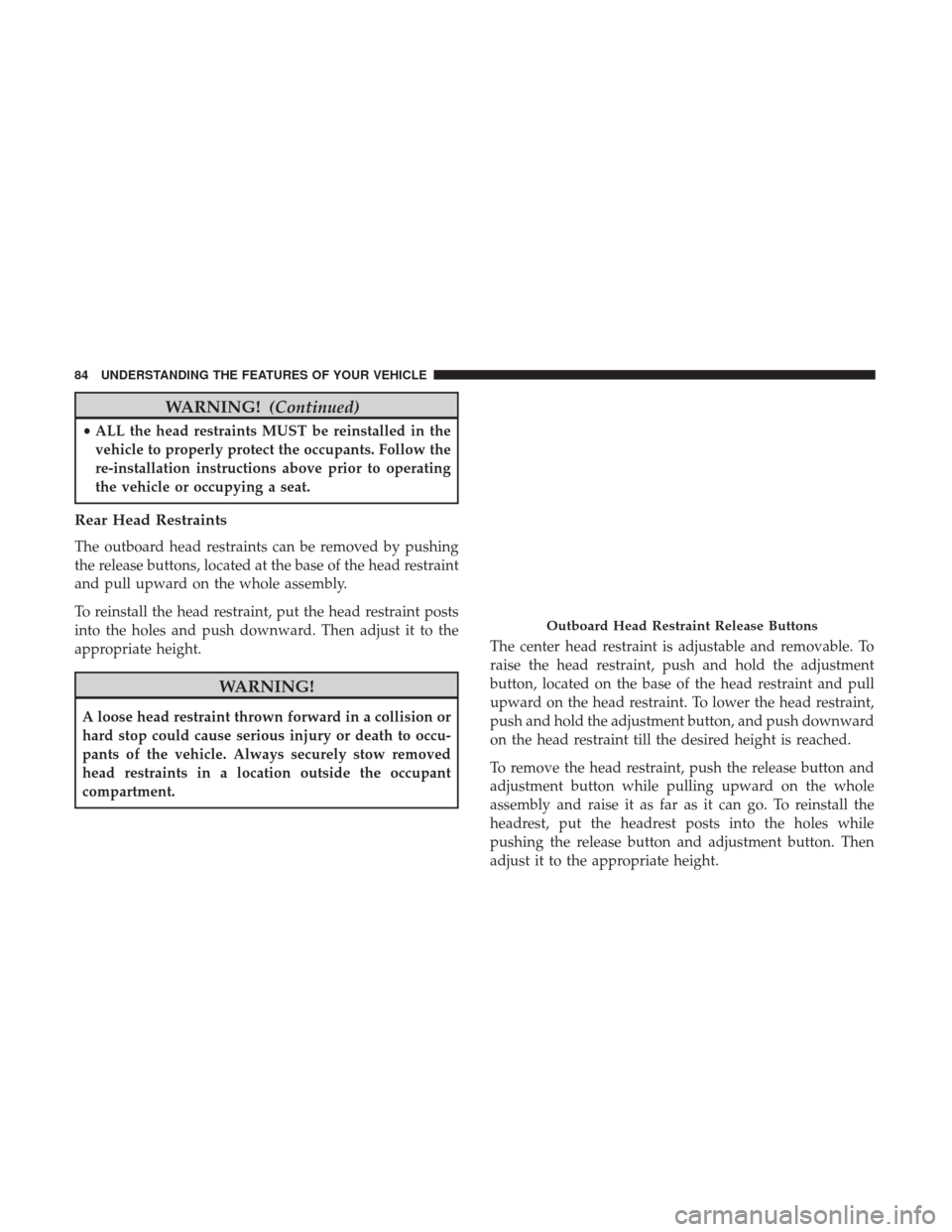
Rear Head Restraints
The outboard head restraints can be removed by pushing
the release buttons, located at the base of the head restraint
and pull upward on the whole assembly.
To reinstall the head restraint, put the head restraint posts
into the holes and push downward. Then adjust it to the
appropriate height.
WARNING!
A loose head restraint thrown forward in a collision or
hard stop could cause serious injury or death to occu-
pants of the vehicle. Always securely stow removed
head restraints in a location outside the occupant
compartment. The center head restraint is adjustable and removable. To
raise the head restraint, push and hold the adjustment
button, located on the base of the head restraint and pull
upward on the head restraint. To lower the head restraint,
push and hold the adjustment button, and push downward
on the head restraint till the desired height is reached.
To remove the head restraint, push the release button and
adjustment button while pulling upward on the whole
assembly and raise it as far as it can go. To reinstall the
headrest, put the headrest posts into the holes while
pushing the release button and adjustment button. Then
adjust it to the appropriate height.
Outboard Head Restraint Release Buttons
84 UNDERSTANDING THE FEATURES OF YOUR VEHICLE
Page 90 of 345
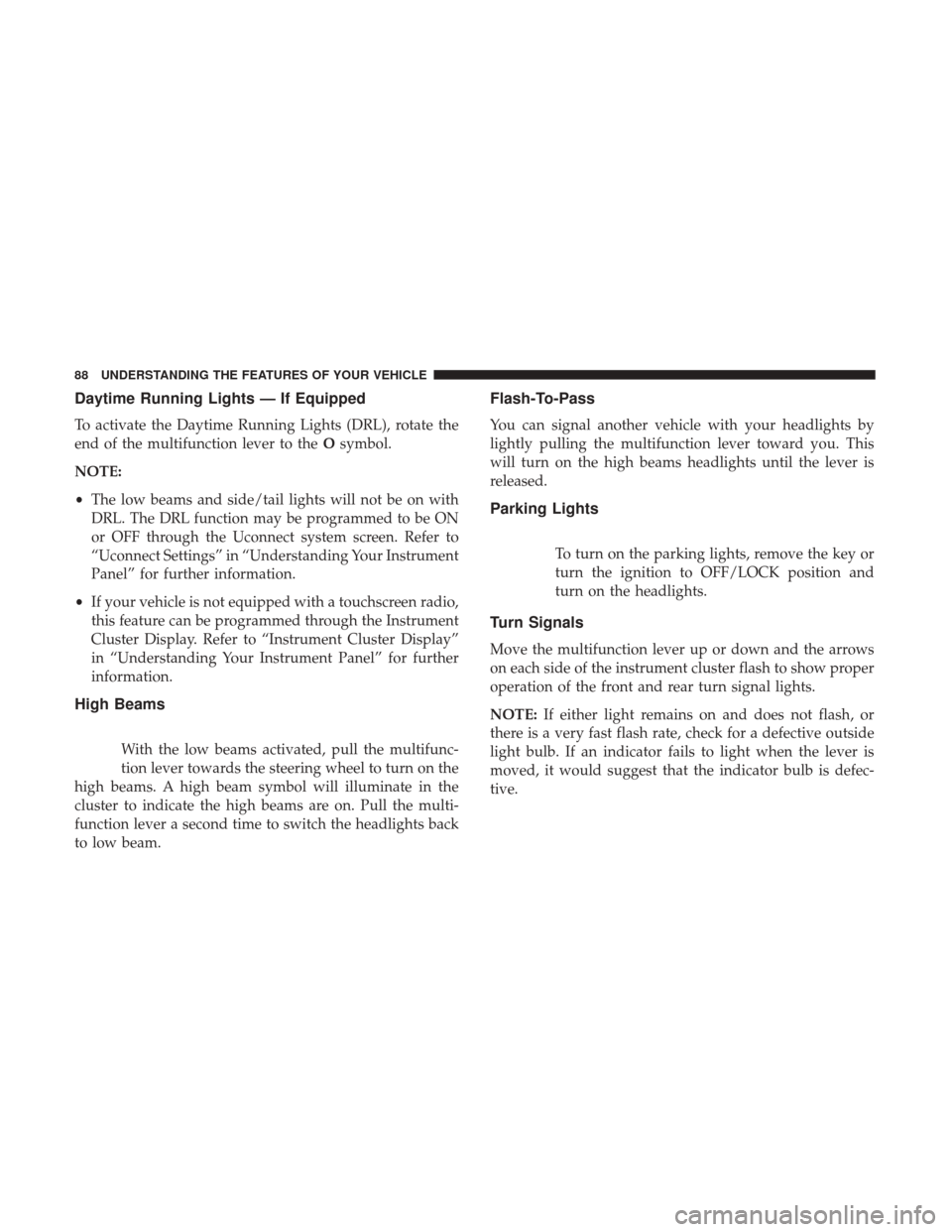
Daytime Running Lights — If Equipped
To activate the Daytime Running Lights (DRL), rotate the
end of the multifunction lever to theOsymbol.
NOTE:
• The low beams and side/tail lights will not be on with
DRL. The DRL function may be programmed to be ON
or OFF through the Uconnect system screen. Refer to
“Uconnect Settings” in “Understanding Your Instrument
Panel” for further information.
• If your vehicle is not equipped with a touchscreen radio,
this feature can be programmed through the Instrument
Cluster Display. Refer to “Instrument Cluster Display”
in “Understanding Your Instrument Panel” for further
information.
High Beams
With the low beams activated, pull the multifunc-
tion lever towards the steering wheel to turn on the
high beams. A high beam symbol will illuminate in the
cluster to indicate the high beams are on. Pull the multi-
function lever a second time to switch the headlights back
to low beam.
Flash-To-Pass
You can signal another vehicle with your headlights by
lightly pulling the multifunction lever toward you. This
will turn on the high beams headlights until the lever is
released.
Parking Lights
To turn on the parking lights, remove the key or
turn the ignition to OFF/LOCK position and
turn on the headlights.
Turn Signals
Move the multifunction lever up or down and the arrows
on each side of the instrument cluster flash to show proper
operation of the front and rear turn signal lights.
NOTE: If either light remains on and does not flash, or
there is a very fast flash rate, check for a defective outside
light bulb. If an indicator fails to light when the lever is
moved, it would suggest that the indicator bulb is defec-
tive.
88 UNDERSTANDING THE FEATURES OF YOUR VEHICLE
Page 91 of 345
Lane Change Assist
Tap the lever up or down once, without moving beyond
the detent, and the turn signal (right or left) will flash five
times then automatically turn off.
Follow Me Home/Headlight Delay
When this feature is selected the driver can choose to have
the headlights remain on for a preset period of time.
Activation
Remove the key or turn the ignition to the STOP (OFF/
LOCK) position, and pull the multifunction lever toward
the steering wheel, within two minutes. Each time the lever
is pulled, the activation of the lights will be extended by 30
seconds. The activation of the lights can be extended to a
maximum of 210 seconds.
Deactivation
Pull the multifunction lever toward the steering wheel and
hold it for more than two seconds.
Front Fog Lights — If Equipped
The fog light switch is located on the center stack
of the instrument panel, just below the radio.
Push the switch once to turn the front fog lights
on. Push the switch a second time to turn the front fog
lights off.
Map/Dome/Lights
These lights are mounted between the sun visors on the
overhead console. Each light is turned on by pushing the
corresponding switch.
Left Switch
• Push the left switch to the left to turn OFF the auto dome
lights. The dome lights will not automatically turn on
when a door is opened.
• Push the left switch to the right to turn ON the dome
lights.
3
UNDERSTANDING THE FEATURES OF YOUR VEHICLE 89
Page 96 of 345
Front Windshield Washer Operation
Pull the windshield wiper/washer lever toward the steer-
ing wheel to activate the washers. The wipers will activate
automatically for three cycles after the lever is released.
CAUTION!
•Turn the windshield wipers off when driving
through an automatic car wash. Damage to the wind-
shield wipers may result if the wiper control is left in
any position other than off.
• In cold weather, always turn off the wiper switch and
allow the wipers to return to the “Park” position
before turning off the engine. If the wiper switch is
left on and the wipers freeze to the windshield,
damage to the wiper motor may occur when the
vehicle is restarted.
• Always remove any buildup of snow that prevents
the windshield wiper blades from returning to the
off position. If the windshield wiper control is
turned off and the blades cannot return to the off
position, damage to the wiper motor may occur.
Rear Window Wiper/Washer
Rear Windshield Wiper Operation
Rotate the windshield wiper lever center ring upwards to
operate the rear window wiper as follows:
• In intermittent mode when the front window wiper is
not operating.
• In synchronous mode (at half the speed of the front
window wiper) when the front window wiper is oper-
ating.
• In continuous mode with reverse engaged.
With the windshield wipers on and reverse gear engaged,
rear window wiping will be continuous in the same way.
Rear Windshield Washer Operation
Pushing the windshield wiper lever forward activates the
rear window washer. Keep the windshield wiper lever
pushed for more than quarter a second to activate the rear
window wiper as well. Releasing the windshield wiper
lever will activate the smart washing function, as described
for the windshield wipers.
The function stops when the windshield wiper lever is
released.
94 UNDERSTANDING THE FEATURES OF YOUR VEHICLE
Page 101 of 345
Interaction With Trailer Towing
The Park Assist system is automatically deactivated when
a trailer equipped by MOPAR is hitched to the vehicle. The
system will be automatically activated as soon as the trailer
is removed. If it does not happen, turning the key ignition
switch to OFF and then to ON again would be needed. In
case of a non MOPAR trailer hitches are mounted the
sensor deactivation cannot be guaranteed.
ParkSense Rear Park Assist Sensors
The four Park Assist sensors, located in the rear fascia/
bumper, monitor the area behind the vehicle that is within
the sensors’ field of view. The sensors can detect obstacles,
in the horizontal direction, from approximately 12 in
(30 cm) up to 55 in (140 cm) from the center of the rear
fascia/bumper and up to 24 in (60 cm) from the corners of
the rear fascia/bumper, depending on the location, type
and orientation of the obstacle.If several obstacles are detected, the Park Assist system
indicates the nearest obstacle.
The minimum height of a detectable obstacle corresponds
to the maximum height of an obstacle that would clear the
underside of the vehicle during the parking maneuver.
Rear Park Assist Sensors Location
3
UNDERSTANDING THE FEATURES OF YOUR VEHICLE 99
Page 104 of 345
Failure to do so can result in the system not working
properly. The Park Assist system might not detect an
obstacle behind the fascia/bumper, or it could provide a
false indication that an obstacle is behind the fascia/
bumper.
• Objects such as bicycle carriers, etc., must not be placed
within 12 inches (30 cm) from the rear fascia/bumper
while driving the vehicle. Failure to do so can result in
the system misinterpreting a close object as a sensor
problem, causing a failure indication to be displayed in
the Instrument Cluster Display.
WARNING!
• Drivers must be careful when backing up even when
using ParkSense. Always check carefully behind
your vehicle, look behind you, and be sure to check
for pedestrians, animals, other vehicles, obstructions,
and blind spots before backing up. You are respon-
sible for safety and must continue to pay attention to
your surroundings. Failure to do so can result in
serious injury or death.
• Before using ParkSense, it is strongly recommended
that the ball mount and hitch ball assembly is
(Continued)
WARNING! (Continued)
disconnected from the vehicle when the vehicle is
not used for towing. Failure to do so can result in
injury or damage to vehicles or obstacles because the
hitch ball will be much closer to the obstacle than the
rear fascia when the loudspeaker sounds the con-
tinuous tone. Also, the sensors could detect the ball
mount and hitch ball assembly, depending on its size
and shape, giving a false indication that an obstacle
is behind the vehicle.
CAUTION!
•ParkSense is only a parking aid and it is unable to
recognize every obstacle, including small obstacles.
Parking curbs might be temporarily detected or not
detected at all. Obstacles located above or below the
sensors will not be detected when they are in close
proximity.
• The vehicle must be driven slowly when using
ParkSense in order to be able to stop in time when an
obstacle is detected. It is recommended that the
driver looks over his/her shoulder when using
ParkSense.
102 UNDERSTANDING THE FEATURES OF YOUR VEHICLE
Page 133 of 345
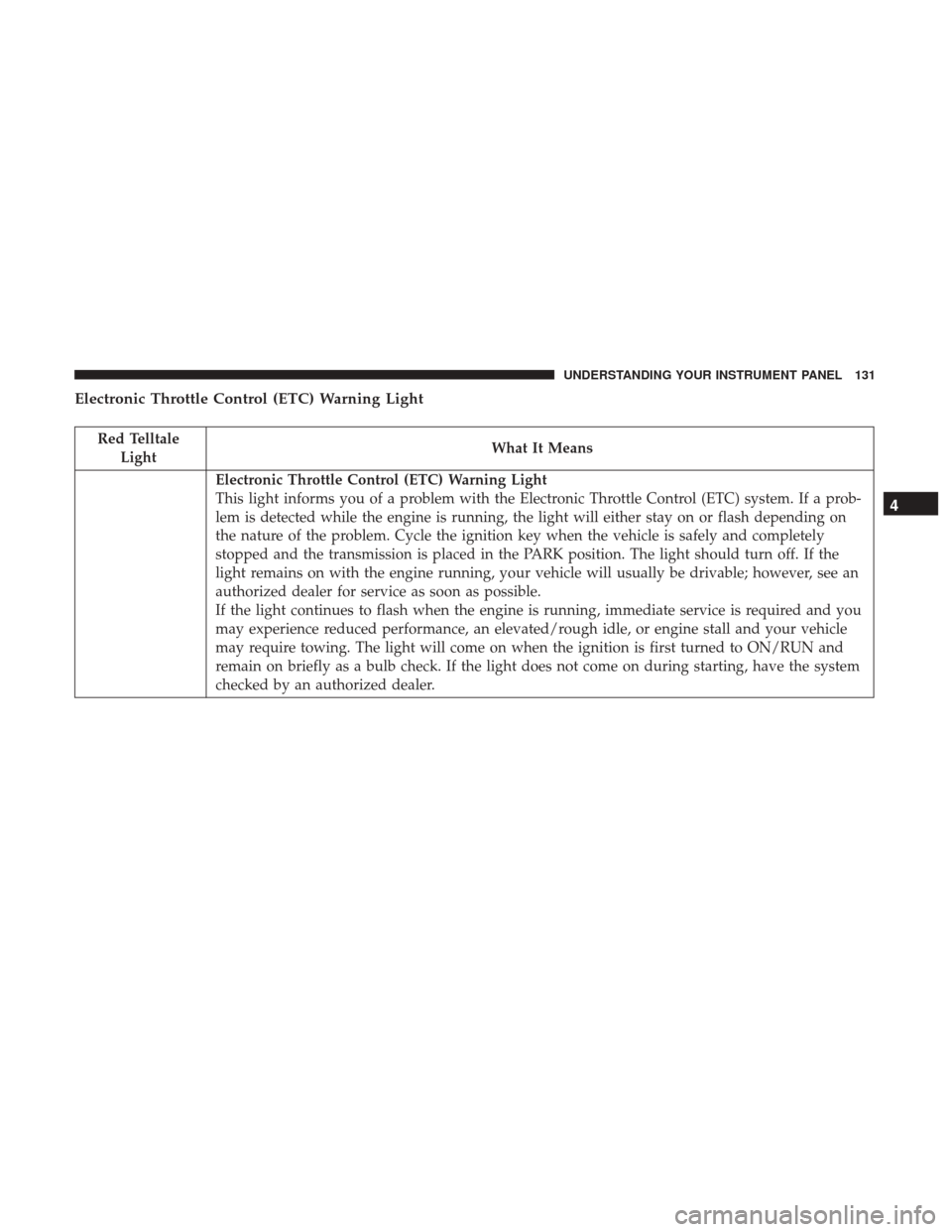
Electronic Throttle Control (ETC) Warning Light
Red TelltaleLight What It Means
Electronic Throttle Control (ETC) Warning Light
This light informs you of a problem with the Electronic Throttle Control (ETC) system. If a prob-
lem is detected while the engine is running, the light will either stay on or flash depending on
the nature of the problem. Cycle the ignition key when the vehicle is safely and completely
stopped and the transmission is placed in the PARK position. The light should turn off. If the
light remains on with the engine running, your vehicle will usually be drivable; however, see an
authorized dealer for service as soon as possible.
If the light continues to flash when the engine is running, immediate service is required and you
may experience reduced performance, an elevated/rough idle, or engine stall and your vehicle
may require towing. The light will come on when the ignition is first turned to ON/RUN and
remain on briefly as a bulb check. If the light does not come on during starting, have the system
checked by an authorized dealer.
4
UNDERSTANDING YOUR INSTRUMENT PANEL 131
Page 144 of 345
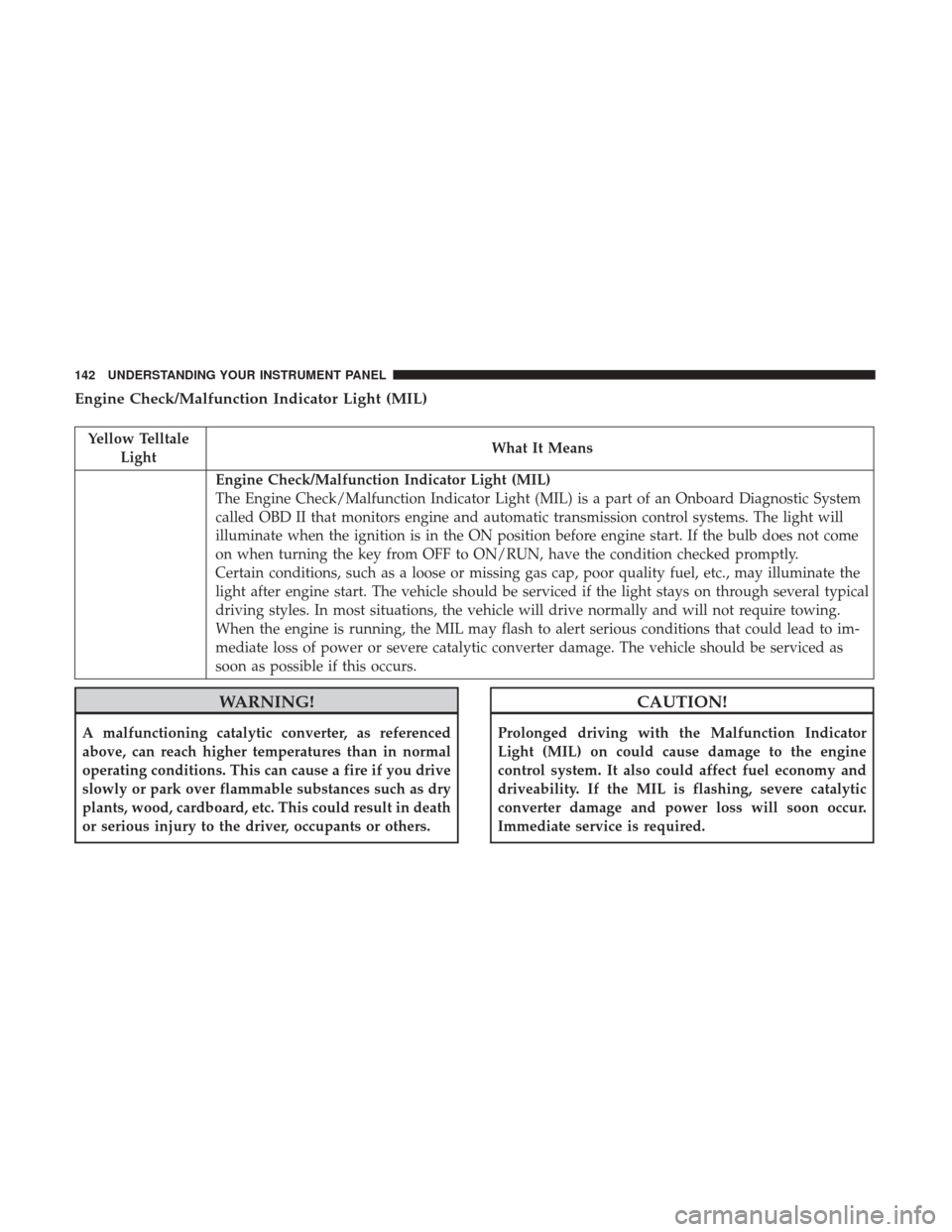
Engine Check/Malfunction Indicator Light (MIL)
Yellow TelltaleLight What It Means
Engine Check/Malfunction Indicator Light (MIL)
The Engine Check/Malfunction Indicator Light (MIL) is a part of an Onboard Diagnostic System
called OBD II that monitors engine and automatic transmission control systems. The light will
illuminate when the ignition is in the ON position before engine start. If the bulb does not come
on when turning the key from OFF to ON/RUN, have the condition checked promptly.
Certain conditions, such as a loose or missing gas cap, poor quality fuel, etc., may illuminate the
light after engine start. The vehicle should be serviced if the light stays on through several typical
driving styles. In most situations, the vehicle will drive normally and will not require towing.
When the engine is running, the MIL may flash to alert serious conditions that could lead to im-
mediate loss of power or severe catalytic converter damage. The vehicle should be serviced as
soon as possible if this occurs.
WARNING!
A malfunctioning catalytic converter, as referenced
above, can reach higher temperatures than in normal
operating conditions. This can cause a fire if you drive
slowly or park over flammable substances such as dry
plants, wood, cardboard, etc. This could result in death
or serious injury to the driver, occupants or others.
CAUTION!
Prolonged driving with the Malfunction Indicator
Light (MIL) on could cause damage to the engine
control system. It also could affect fuel economy and
driveability. If the MIL is flashing, severe catalytic
converter damage and power loss will soon occur.
Immediate service is required.
142 UNDERSTANDING YOUR INSTRUMENT PANEL