light Ram ProMaster City 2020 Owner's Guide
[x] Cancel search | Manufacturer: RAM, Model Year: 2020, Model line: ProMaster City, Model: Ram ProMaster City 2020Pages: 350, PDF Size: 13.27 MB
Page 59 of 350
56 GETTING TO KNOW YOUR VEHICLE
System Maintenance
In Winter, the Climate Control system must be turned on at
least once a month for about 10 minutes.
Have the system inspected at an authorized dealer before the
Summer.Climate Control Functions
A/C (Air Conditioning)
The Air Conditioning (A/C) button allows the operator to
manually activate or deactivate the air conditioning system.
When the air conditioning system is turned on, cool dehu-
midified air will flow through the outlets into the cabin. For
improved fuel economy, press the A/C button to turn off the
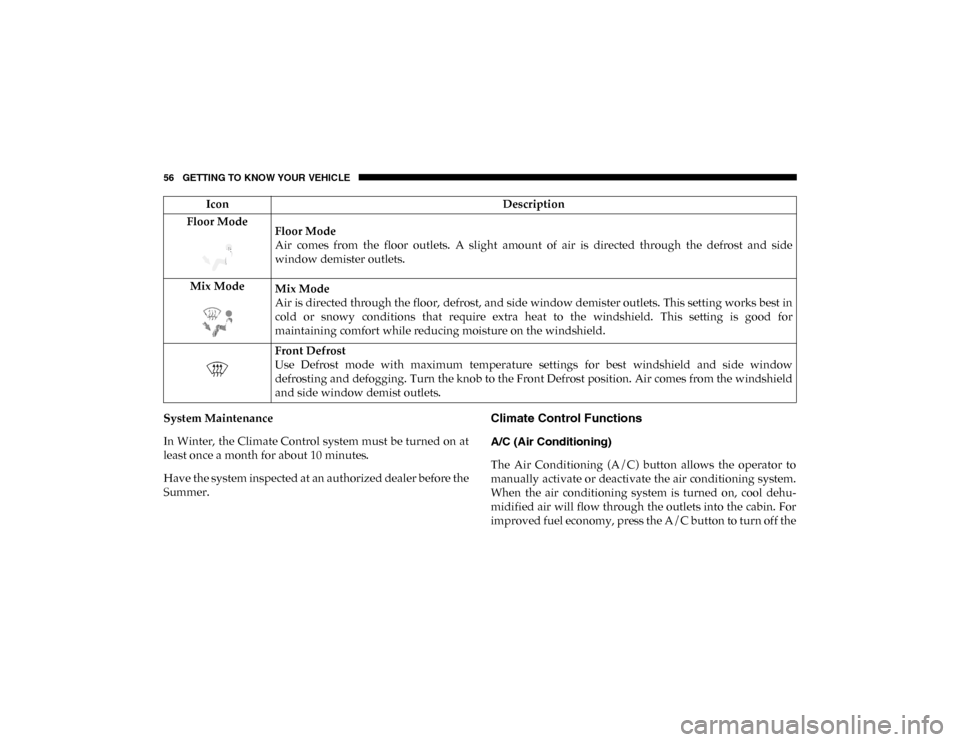
Floor Mode
Floor Mode
Air comes from the floor outlets. A slight amount of air is directed through the defrost and side
window demister outlets.
Mix Mode Mix Mode
Air is directed through the floor, defrost, and side window demister outlets. This setting works best in
cold or snowy conditions that require extra heat to the windshield. This setting is good for
maintaining comfort while reducing moisture on the windshield.
Front Defrost
Use Defrost mode with maximum temperature settings for best windshield and side window
defrosting and defogging. Turn the knob to the Front Defrost position. Air comes from the windshield
and side window demist outlets.
Icon
Description
2020_RAM_PROMASTER_CITY_OM_USA=GUID-7B6A7FCA-79B0-423F-95C5-ED2A949C3D13=1=en=.book Page 56
Page 75 of 350
72 GETTING TO KNOW YOUR VEHICLE
(Continued)
ROOF RACK — IF EQUIPPED
The crossbars and siderails are designed to carry the weight
on vehicles equipped with a luggage rack. The load must not
exceed 150 lbs (68 kg), and should be uniformly distributed
over the luggage rack crossbars.
NOTE:
If not equipped with crossbars, an authorized dealer can
order and install Mopar crossbars built specifically for this
roof rack system.
WARNING!
To avoid serious injury or death:
• Only devices designed for use in this type of outlet should be inserted into any 12 Volt outlet.
• Do not touch with wet hands.
• Close the lid when not in use and while driving the vehicle.
• If this outlet is mishandled, it may cause an electric shock and failure.
CAUTION!
• Many accessories that can be plugged in draw power from the vehicle's battery, even when not in use (i.e.,
cellular phones, etc.). Eventually, if plugged in long
enough, the vehicle's battery will discharge sufficiently
to degrade battery life and/or prevent the engine from
starting.
• Accessories that draw higher power (i.e., coolers,vacuum cleaners, lights, etc.) will degrade the battery
even more quickly. Only use these intermittently and
with greater caution.
• After the use of high power draw accessories, or long periods of the vehicle not being started (with accesso -
ries still plugged in), the vehicle must be driven a suffi -
cient length of time to allow the generator to recharge
the vehicle's battery. CAUTION!
(Continued)
2020_RAM_PROMASTER_CITY_OM_USA=GUID-7B6A7FCA-79B0-423F-95C5-ED2A949C3D13=1=en=.book Page 72
Page 82 of 350

GETTING TO KNOW YOUR INSTRUMENT PANEL 79
•UP Arrow Button
Push and release the up arrow button to scroll upward
through the main menu and submenus.
• DOWN Arrow Button
Push and release the down arrow button to scroll down -
ward through the main menu and submenus.
NOTE:
If equipped with a Uconnect system, some of the menu items
will be present in the radio head unit. Refer to “Uconnect
Settings” in “Multimedia” for further information.
Dimmer:
With headlights on and without entering in the menu, push
the up or down arrow button to increase or decrease the
brightness of the instrument panel, graphics and command
buttons. Selecting An Option Of The Main Menu With Submenu:
1. Briefly push and release the
MENU button to display the
first submenu option.
2. Push and release the up or down arrow button (by single
pushes) to scroll through all the submenu options.
3. Briefly push and release the MENU button to select the
displayed submenu option and to open the relevant setup
menu.
4. Push and release the up or down arrow button (by single
pushes) to select the new setting for this submenu option.
5. Briefly push and release the MENU button to store the
new setting and go back to the previously selected
submenu option.
6. Push and hold the MENU button to return to the main
menu (short hold) or the main screen (longer hold).
3
2020_RAM_PROMASTER_CITY_OM_USA=GUID-7B6A7FCA-79B0-423F-95C5-ED2A949C3D13=1=en=.book Page 79
Page 87 of 350
84 GETTING TO KNOW YOUR INSTRUMENT PANEL
NOTE:
The range depends on several factors: driving style, type of
route (freeway, residential, mountain roads, etc.), conditions
of use of the vehicle (load, tire pressure, etc.). Trip planning
must take into account the above notes.
Travel Distance
This value shows the distance covered since the last reset.
Average Fuel Consumption
This value shows the approximate average consumption
since the last reset.
Current Fuel Consumption
This indicates the fuel consumption. The value is constantly
updated. The message “----” will appear on the display if the
vehicle is parked with the engine running.
Average Speed
This value shows the vehicle's average speed as a function of
the overall time elapsed since the last reset.
Travel Time
This value shows the time elapsed since the last reset.WARNING LIGHTS AND MESSAGES
The warning/indicator lights will illuminate in the instrument
panel together with a dedicated message and/or acoustic signal
when applicable. These indications are indicative and precau-
tionary and as such must not be considered as exhaustive and/
or alternative to the information contained in the Owner’s
Manual, which you are advised to read carefully in all cases.
Always refer to the information in this chapter in the event of a
failure indication. All active telltales will display first if appli -
cable. The system check menu may appear different based upon
equipment options and current vehicle status. Some telltales are
optional and may not appear.
Red Warning Lights
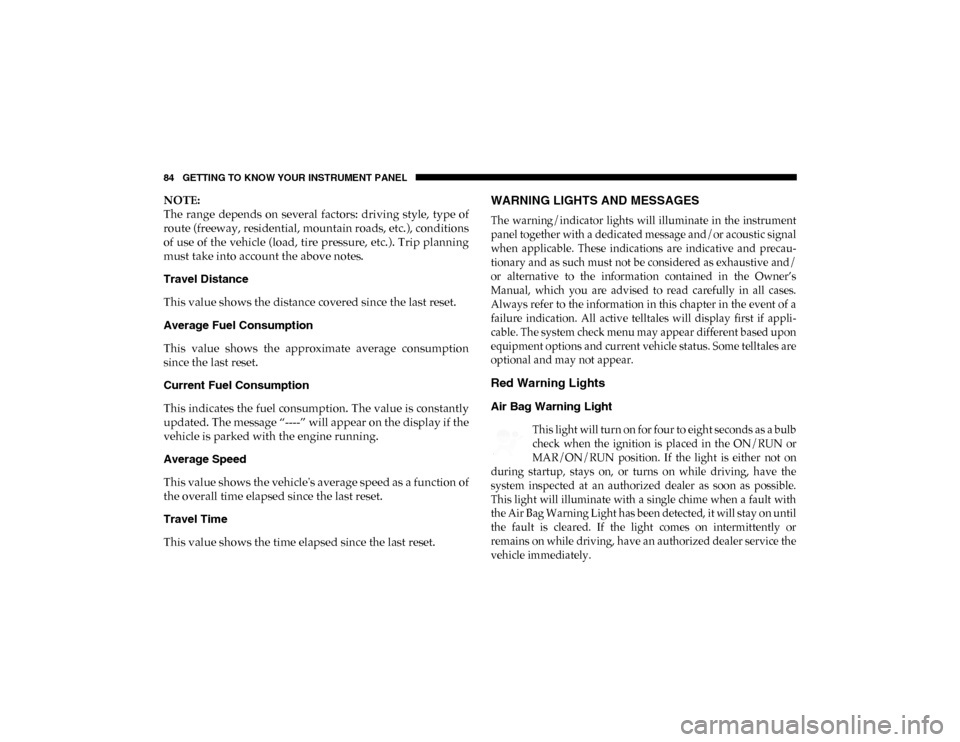
Air Bag Warning Light
This light will turn on for four to eight seconds as a bulb
check when the ignition is placed in the ON/RUN or
MAR/ON/RUN position. If the light is either not on
during startup, stays on, or turns on while driving, have the
system inspected at an authorized dealer as soon as possible.
This light will illuminate with a single chime when a fault with
the Air Bag Warning Light has been detected, it will stay on until
the fault is cleared. If the light comes on intermittently or
remains on while driving, have an authorized dealer service the
vehicle immediately.
2020_RAM_PROMASTER_CITY_OM_USA=GUID-7B6A7FCA-79B0-423F-95C5-ED2A949C3D13=1=en=.book Page 84
Page 88 of 350
GETTING TO KNOW YOUR INSTRUMENT PANEL 85
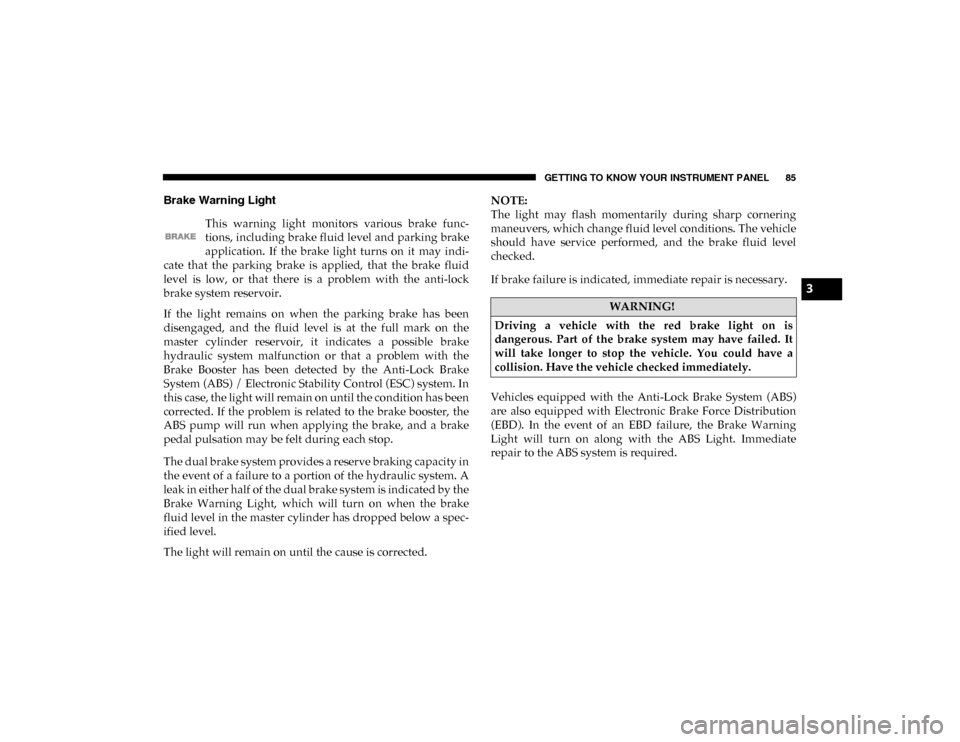
Brake Warning Light This warning light monitors various brake func -
tions, including brake fluid level and parking brake
application. If the brake light turns on it may indi -
cate that the parking brake is applied, that the brake fluid
level is low, or that there is a problem with the anti-lock
brake system reservoir.
If the light remains on when the parking brake has been
disengaged, and the fluid level is at the full mark on the
master cylinder reservoir, it indicates a possible brake
hydraulic system malfunction or that a problem with the
Brake Booster has been detected by the Anti-Lock Brake
System (ABS) / Electronic Stability Control (ESC) system. In
this case, the light will remain on until the condition has been
corrected. If the problem is related to the brake booster, the
ABS pump will run when applying the brake, and a brake
pedal pulsation may be felt during each stop.
The dual brake system provides a reserve braking capacity in
the event of a failure to a portion of the hydraulic system. A
leak in either half of the dual brake system is indicated by the
Brake Warning Light, which will turn on when the brake
fluid level in the master cylinder has dropped below a spec -
ified level.
The light will remain on until the cause is corrected. NOTE:
The light may flash momentarily during sharp cornering
maneuvers, which change fluid level conditions. The vehicle
should have service performed, and the brake fluid level
checked.
If brake failure is indicated, immediate repair is necessary.
Vehicles equipped with the Anti-Lock Brake System (ABS)
are also equipped with Electronic Brake Force Distribution
(EBD). In the event of an EBD failure, the Brake Warning
Light will turn on along with the ABS Light. Immediate
repair to the ABS system is required.
WARNING!
Driving a vehicle with the red brake light on is
dangerous. Part of the brake system may have failed. It
will take longer to stop the vehicle. You could have a
collision. Have the vehicle checked immediately.
3
2020_RAM_PROMASTER_CITY_OM_USA=GUID-7B6A7FCA-79B0-423F-95C5-ED2A949C3D13=1=en=.book Page 85
Page 89 of 350

86 GETTING TO KNOW YOUR INSTRUMENT PANEL
Operation of the Brake Warning Light can be checked by turning
the ignition switch from the OFF position to the ON/RUN posi-
tion. The light should illuminate for approximately two seconds.
The light should then turn off unless the parking brake is applied
or a brake fault is detected. If the light does not illuminate, have
the light inspected by an authorized dealer.
The light also will turn on when the parking brake is applied
with the ignition switch in the ON/RUN position.
NOTE:
This light shows only that the parking brake is applied. It
does not show the degree of brake application.
Battery Charge Warning Light
This warning light will illuminate when the battery
is not charging properly. If it stays on while the
engine is running, there may be a malfunction with
the charging system. Contact an authorized dealer as soon as
possible.
This indicates a possible problem with the electrical system
or a related component. Door Open Warning Light
This indicator will illuminate when one or more
door(s) are not fully closed.
NOTE:
If the vehicle is moving and a door is opened, there will also
be a single chime.
Electronic Throttle Control (ETC) Warning Light This warning light will illuminate to inform of a
problem with the Electronic Throttle Control (ETC)
system. If a problem is detected while the vehicle is
running, the light will either stay on or flash depending on
the nature of the problem. Cycle the ignition when the
vehicle is safely and completely stopped and the transmis -
sion is placed in the PARK (P) position. The light should turn
off. If the light remains on with the vehicle running, your
vehicle will usually be drivable; however, see an authorized
dealer for service as soon as possible.
2020_RAM_PROMASTER_CITY_OM_USA=GUID-7B6A7FCA-79B0-423F-95C5-ED2A949C3D13=1=en=.book Page 86
Page 90 of 350

GETTING TO KNOW YOUR INSTRUMENT PANEL 87
If the light continues to flash when the vehicle is running,
immediate service is required and you may experience
reduced performance, an elevated/rough idle, or engine
stall and your vehicle may require towing. The light will
come on when the ignition is placed in the ON/RUN or
MAR/ON/RUN position and remain on briefly as a bulb
check. If the light does not come on during starting, have the
system checked by an authorized dealer.
Engine Coolant Temperature Warning Light This warning light warns of an overheated engine
condition. If the engine coolant temperature is too
high, this indicator will illuminate and a single
chime will sound. If the temperature reaches the upper limit,
a continuous chime will sound for four minutes or until the
engine is able to cool, whichever comes first.
If the light turns on while driving, safely pull over and stop
the vehicle. If the A/C system is on, turn it off. Also, shift the
transmission into NEUTRAL (N) and idle the vehicle. If the
temperature reading does not return to normal, turn the
engine off immediately and call for service.
Refer to “If Your Engine Overheats” in “In Case Of Emer -
gency” for further information. Oil Pressure Warning Light
This warning light will illuminate to indicate low
engine oil pressure. If the light turns on while
driving, stop the vehicle, shut off the engine as soon
as possible, and contact an authorized dealer. A chime will
sound when this light turns on.
Do not operate the vehicle until the cause is corrected. This
light does not indicate how much oil is in the engine. The
engine oil level must be checked under the hood.
Transmission Temperature Warning Light — If Equipped
This warning light will illuminate to warn of a high
transmission fluid temperature. This may occur with
strenuous usage such as trailer towing. If this light
turns on, stop the vehicle and run the engine at idle or
slightly faster, with the transmission in PARK (P) or
NEUTRAL (N), until the light turns off. Once the light turns
off, you may continue to drive normally.
WARNING!
If you continue operating the vehicle when the
Transmission Temperature Warning Light is illuminated
you could cause the fluid to boil over, come in contact
with hot engine or exhaust components and cause a fire.
3
2020_RAM_PROMASTER_CITY_OM_USA=GUID-7B6A7FCA-79B0-423F-95C5-ED2A949C3D13=1=en=.book Page 87
Page 91 of 350
88 GETTING TO KNOW YOUR INSTRUMENT PANEL
Seat Belt Reminder Warning Light When the ignition is first placed in the ON/RUN or
MAR/ON/RUN position, if the driver’s seat belt is
unbuckled, a chime will sound and the light will
turn on. When driving, if the driver or front passenger seat
belt remains unbuckled, the Seat Belt Reminder Light will
flash or remain on continuously and a chime will sound.
Refer to “Occupant Restraint Systems” in “Safety” for
further information.
Transmission Fault Warning Light
This light will illuminate (together with a message in
the instrument cluster display and a buzzer) to indi -
cate a transmission fault. Contact your authorized
dealer if the message remains after restarting the engine. Engine Oil Level Warning Light
This warning light appears on the panel when the
engine oil level falls below the minimum recom -
mended value. Restore the correct engine oil level or
contact your authorized dealer for service.
Yellow Warning Lights
Anti-Lock Brake System (ABS) Warning Light
This light monitors the Anti-Lock Brake System (ABS).
The light will turn on when the ignition is placed in the
ON/RUN or MAR/ON/RUN position and may stay
on for as long as four seconds.
If the ABS light remains on or turns on while driving, then
the Anti-Lock portion of the brake system is not functioning
and service is required. However, the conventional brake
system will continue to operate normally if the brake
warning light is not on.
If the ABS light is on, the brake system should be serviced as
soon as possible to restore the benefits of Anti-Lock Brakes.
If the ABS light does not turn on when the ignition is placed
in the ON/RUN or MAR/ON/RUN position, have the light
inspected by an authorized dealer.
CAUTION!
Continuous driving with the Transmission Temperature
Warning Light illuminated will eventually cause severe
transmission damage or transmission failure.
2020_RAM_PROMASTER_CITY_OM_USA=GUID-7B6A7FCA-79B0-423F-95C5-ED2A949C3D13=1=en=.book Page 88
Page 92 of 350
GETTING TO KNOW YOUR INSTRUMENT PANEL 89
Low Fuel Warning LightWhen the fuel level reaches approximately 2–3 gal
(9–11 L) this light will turn on, and remain on until
fuel is added.
Generic Warning Light The Generic Warning Light will illuminate if any of
the following conditions occur: Engine Oil Pressure
Sensor Failure, External Light Failure, Parking
Sensor Failure, Fuel Cut-Off Fail/Intervention, Generic
Failure on Trailer, or Air Bag telltale recovery.
The telltale will blink in case of an Air Bag Warning Light
Failure. Contact an authorized dealer immediately for
service.
Tire Pressure Monitoring System (TPMS) Warning Light
The warning light switches on and a message is
displayed to indicate that the tire pressure is lower
than the recommended value and/or that slow pres -
sure loss is occurring. In these cases, optimal tire duration
and fuel consumption may not be guaranteed. Should one or more tires be in the condition mentioned
above, the display will show the indications corresponding
to each tire.
Each tire, including the spare (if provided), should be
checked monthly when cold and inflated to the inflation
pressure recommended by the vehicle manufacturer on the
vehicle placard or tire inflation pressure label. If your vehicle
has tires of a different size than the size indicated on the
vehicle placard or tire inflation pressure label, you should
determine the proper tire inflation pressure for those tires.
As an added safety feature, your vehicle has been equipped
with a Tire Pressure Monitoring System (TPMS) that illumi
-
nates a low tire pressure telltale when one or more of your
tires is significantly under-inflated. Accordingly, when the
low tire pressure telltale illuminates, you should stop and
check your tires as soon as possible, and inflate them to the
CAUTION!
Do not continue driving with one or more flat tires as
handling may be compromised. Stop the vehicle,
avoiding sharp braking and steering. If a tire puncture
occurs, repair immediately using the dedicated tire
repair kit and contact an authorized dealer as soon as
possible.
3
2020_RAM_PROMASTER_CITY_OM_USA=GUID-7B6A7FCA-79B0-423F-95C5-ED2A949C3D13=1=en=.book Page 89
Page 93 of 350
90 GETTING TO KNOW YOUR INSTRUMENT PANEL
proper pressure. Driving on a significantly under-inflated
tire causes the tire to overheat and can lead to tire failure.
Under-inflation also reduces fuel efficiency and tire tread
life, and may affect the vehicle’s handling and stopping
ability.
Please note that the TPMS is not a substitute for proper tire
maintenance, and it is the driver’s responsibility to maintain
correct tire pressure, even if under-inflation has not reached
the level to trigger illumination of the TPMS low tire pres-
sure telltale.
Your vehicle has also been equipped with a TPMS malfunc -
tion indicator to indicate when the system is not operating
properly. The TPMS malfunction indicator is combined with
the low tire pressure telltale. When the system detects a
malfunction, the telltale will flash for approximately one
minute and then remain continuously illuminated. This
sequence will continue upon subsequent vehicle start-ups as
long as the malfunction exists. When the malfunction indi -
cator is illuminated, the system may not be able to detect or
signal low tire pressure as intended. TPMS malfunctions
may occur for a variety of reasons, including the installation
of replacement or alternate tires or wheels on the vehicle that
prevent the TPMS from functioning properly. Always check the TPMS malfunction telltale after replacing one or more
tires or wheels on your vehicle to ensure that the replace
-
ment or alternate tires and wheels allow the TPMS to
continue to function properly.
Vehicle Security Warning Light
This warning light will illuminate when the vehicle
security alarm system has detected an attempt to
break into the vehicle. CAUTION!
The TPMS has been optimized for the original
equipment tires and wheels. TPMS pressures and
warning have been established for the tire size equipped
on your vehicle. Undesirable system operation or sensor
damage may result when using replacement equipment
that is not of the same size, type, and/or style.
Aftermarket wheels can cause sensor damage. Using
aftermarket tire sealants may cause the Tire Pressure
Monitoring System (TPMS) sensor to become
inoperable. After using an aftermarket tire sealant it is
recommended that you take your vehicle to an
authorized dealer to have your sensor function checked.
2020_RAM_PROMASTER_CITY_OM_USA=GUID-7B6A7FCA-79B0-423F-95C5-ED2A949C3D13=1=en=.book Page 90