light Ram ProMaster City 2020 User Guide
[x] Cancel search | Manufacturer: RAM, Model Year: 2020, Model line: ProMaster City, Model: Ram ProMaster City 2020Pages: 350, PDF Size: 13.27 MB
Page 42 of 350
GETTING TO KNOW YOUR VEHICLE 39
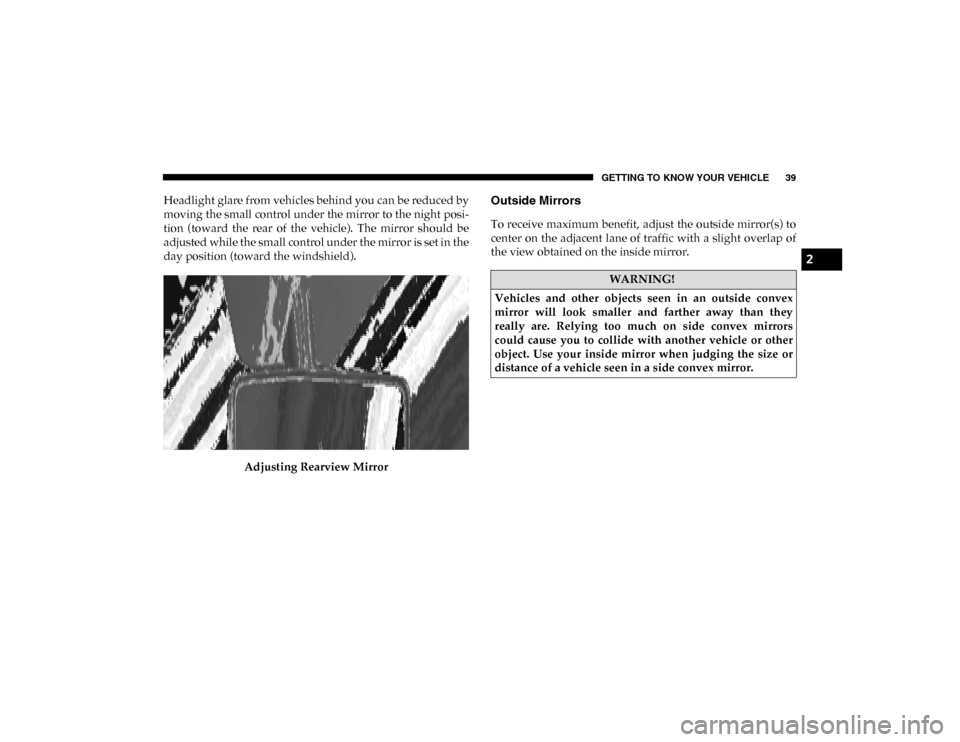
Headlight glare from vehicles behind you can be reduced by
moving the small control under the mirror to the night posi-
tion (toward the rear of the vehicle). The mirror should be
adjusted while the small control under the mirror is set in the
day position (toward the windshield).
Adjusting Rearview MirrorOutside Mirrors
To receive maximum benefit, adjust the outside mirror(s) to
center on the adjacent lane of traffic with a slight overlap of
the view obtained on the inside mirror.
WARNING!
Vehicles and other objects seen in an outside convex
mirror will look smaller and farther away than they
really are. Relying too much on side convex mirrors
could cause you to collide with another vehicle or other
object. Use your inside mirror when judging the size or
distance of a vehicle seen in a side convex mirror.
2
2020_RAM_PROMASTER_CITY_OM_USA=GUID-7B6A7FCA-79B0-423F-95C5-ED2A949C3D13=1=en=.book Page 39
Page 46 of 350

GETTING TO KNOW YOUR VEHICLE 43
EXTERIOR LIGHTS
Multifunction Lever
The multifunction lever controls the operation of the head-
lights, parking lights, turn signals, headlight beam selection
and the passing lights. The multifunction lever is located on
the left side of the steering column.
Multifunction Lever
Headlights
To turn on the headlights, turn the end of the multifunction
lever to the headlight position. When the headlight switch is
on, the parking lights, taillights, license plate light, clearance
lights and instrument panel lights are also turned on. To turn
off the headlights, turn the end of the multifunction lever
back to the O (Off) position.
Daytime Running Lights — If Equipped
NOTE:
When the headlights are turned on, the Daytime Running
Lights (DRLs) will be deactivated.
To activate the DRLs, rotate the end of the multifunction
lever to the O (Off) position.
NOTE:
• The low beams and side/taillights will not be on with DRLs.
• In certain markets, the DRLs function may be optional andcan be programmed to be on or off through the Uconnect
system screen. Refer to “Uconnect Settings” in “Multi -
media” for further information.
The DRLs will come on whenever the ignition is on, the
headlight switch is off, and the turn signal is off.
2
2020_RAM_PROMASTER_CITY_OM_USA=GUID-7B6A7FCA-79B0-423F-95C5-ED2A949C3D13=1=en=.book Page 43
Page 47 of 350
44 GETTING TO KNOW YOUR VEHICLE
High Beams
With the low beams activated, pull the multifunction lever
towards the steering wheel to turn on the high beams. A high
beam symbol will illuminate in the cluster to indicate the
high beams are on. Pull the multifunction lever a second time
to switch the headlights back to low beam.
NOTE:
If the vehicle’s ignition is turned off, both high and low beam
headlights will also turn off.
Flash-To-Pass
You can signal another vehicle with your headlights by
partially pulling the multifunction lever toward the steering
wheel. This will cause the high beam headlights to turn on
until the lever is released.
Parking Lights
These lights can only be turned on with ignition key in the
STOP (OFF/LOCK) position or removed, by moving the end
of the multifunction lever to O (Off) position and then to the
headlight position.
The warning light telltale in the instrument panel comes on.
The lights stay on until the next ignition cycle is performed.
Follow Me Home/Headlight Delay
When this feature is selected, the driver can choose to have
the headlights remain on for a preset period of time after the
engine is turned off.
Activation
Remove the key or turn the ignition to the STOP (OFF/
LOCK) position, and pull the multifunction lever toward the
steering wheel within two minutes. Each time the lever is
pulled, the activation of the lights will be extended by 30
seconds. The activation of the lights can be extended to a
maximum of 210 seconds.
2020_RAM_PROMASTER_CITY_OM_USA=GUID-7B6A7FCA-79B0-423F-95C5-ED2A949C3D13=1=en=.book Page 44
Page 48 of 350
GETTING TO KNOW YOUR VEHICLE 45
Deactivation
Pull the multifunction lever toward the steering wheel and
hold it for more than two seconds.
Fog Lights — If Equipped
The fog light switch is located on the center stack of the
instrument panel, just below the climate controls.Push the switch once to turn the fog lights on.
Push the switch a second time to turn the fog
lights off.
NOTE:
If the vehicle’s ignition is turned off, the fog lights will also
turn off.
Turn Signals
Move the multifunction lever up or down and the arrows on
each side of the instrument cluster flash to show proper oper -
ation of the front and rear turn signal lights.
NOTE:
If either light remains on and does not flash, or there is a very
fast flash rate, check for a defective outside light bulb. If an
indicator fails to light when the lever is moved, it would
suggest that the indicator bulb is defective.
Lane Change Assist
Tap the lever up or down once, without moving beyond the
detent, and the turn signal (right or left) will flash five times
then automatically turn off.
2
2020_RAM_PROMASTER_CITY_OM_USA=GUID-7B6A7FCA-79B0-423F-95C5-ED2A949C3D13=1=en=.book Page 45
Page 49 of 350
46 GETTING TO KNOW YOUR VEHICLE
INTERIOR LIGHTS
Courtesy/Interior Lights
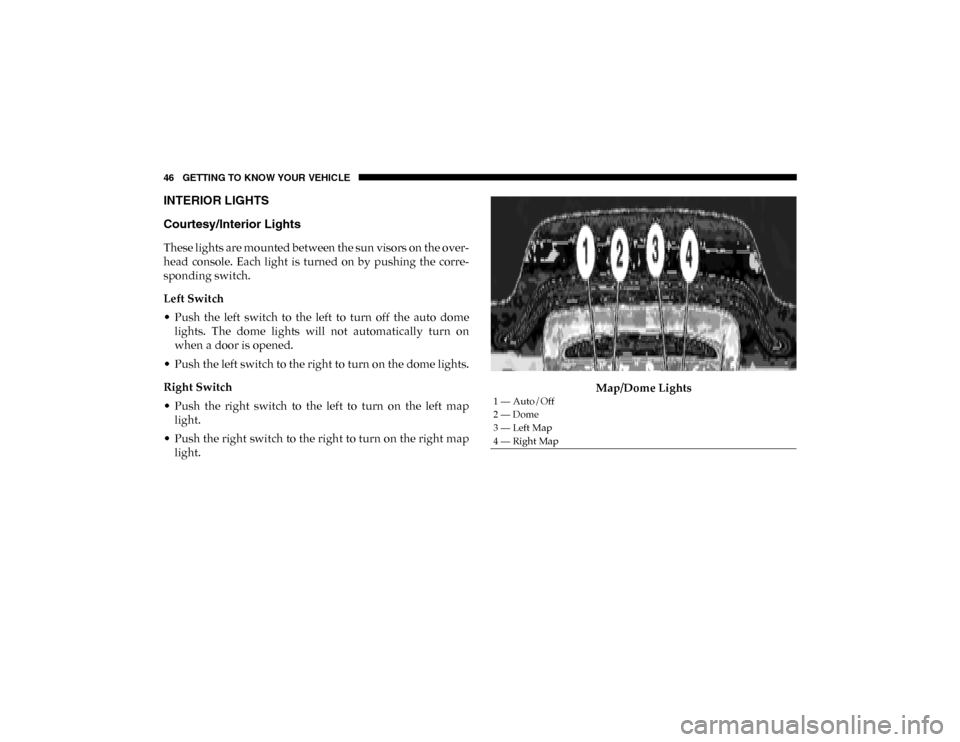
These lights are mounted between the sun visors on the over-
head console. Each light is turned on by pushing the corre -
sponding switch.
Left Switch
• Push the left switch to the left to turn off the auto dome lights. The dome lights will not automatically turn on
when a door is opened.
• Push the left switch to the right to turn on the dome lights.
Right Switch
• Push the right switch to the left to turn on the left map light.
• Push the right switch to the right to turn on the right map light. Map/Dome Lights
1 — Auto/Off
2 — Dome
3 — Left Map
4 — Right Map
2020_RAM_PROMASTER_CITY_OM_USA=GUID-7B6A7FCA-79B0-423F-95C5-ED2A949C3D13=1=en=.book Page 46
Page 50 of 350

GETTING TO KNOW YOUR VEHICLE 47
Rear Lights
Cargo VehicleCargo Vehicle Interior Lamp Locations Lateral Roof Light
This is located on the right side of the load compartment.
Rear Roof Light
This is located on the rear panel of the load compartment.
In auto-mode, the light comes on automatically when you
open the sliding doors and the rear wing doors, and goes out
when you close them.
• Push the left-hand side of the lens to switch the light off
when the doors are open.
• Push the right hand side of the lens to switch the light on when the doors are open.
1 — Lateral Roof Light
2 — Rear Roof Light
2
2020_RAM_PROMASTER_CITY_OM_USA=GUID-7B6A7FCA-79B0-423F-95C5-ED2A949C3D13=1=en=.book Page 47
Page 51 of 350

48 GETTING TO KNOW YOUR VEHICLE
Lateral Roof LightPassenger Vehicle
The interior lamps are located in the center of the roof, above
the second row seating, and in the roof, in the center of the
rear load area.
Passenger Vehicle Interior Lamp Locations
1 — Off
2 — Auto
3 — On
1 — Rear Roof Light
2 — Second Row Seating Light
2020_RAM_PROMASTER_CITY_OM_USA=GUID-7B6A7FCA-79B0-423F-95C5-ED2A949C3D13=1=en=.book Page 48
Page 52 of 350

GETTING TO KNOW YOUR VEHICLE 49
Second Row Seating And Rear Roof Lights Operation
In auto-mode, the light comes on automatically when you
open the sliding doors and the rear wing doors, and goes out
when you close them.
• Push the left-hand side of the lens to switch the light offwhen the doors are open.
• Push the right-hand side of the lens to switch the light on when the doors are open.
Interior Light
1 — Off
2 — Auto
3 — On
2
2020_RAM_PROMASTER_CITY_OM_USA=GUID-7B6A7FCA-79B0-423F-95C5-ED2A949C3D13=1=en=.book Page 49
Page 53 of 350

50 GETTING TO KNOW YOUR VEHICLE
Cargo Compartment Light — If Equipped
The cargo compartment light comes on automatically when
the swing doors are opened and turns off when the doors are
closed.Cargo Compartment LightWIPERS AND WASHERS
The windshield wiper/washer lever is located on the right
side of the steering column.
NOTE:
The windshield wipers/washers will only operate with the
ignition in the MAR (ACC/ON/RUN) position.
Front Wiper Operation
There are five different modes of operation for the front
windshield wipers. The windshield wiper lever can be
moved in several positions to access these modes.
2020_RAM_PROMASTER_CITY_OM_USA=GUID-7B6A7FCA-79B0-423F-95C5-ED2A949C3D13=1=en=.book Page 50
Page 58 of 350
GETTING TO KNOW YOUR VEHICLE 55
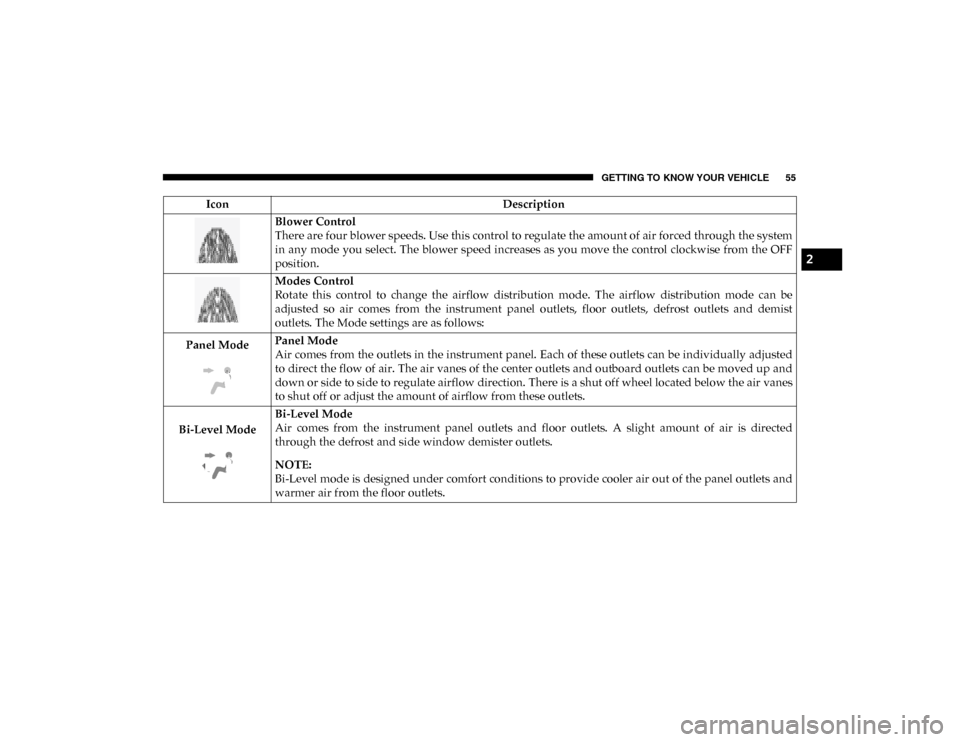
Blower Control
There are four blower speeds. Use this control to regulate the amount of air forced through the system
in any mode you select. The blower speed increases as you move the control clockwise from the OFF
position.
Modes Control
Rotate this control to change the airflow distribution mode. The airflow distribution mode can be
adjusted so air comes from the instrument panel outlets, floor outlets, defrost outlets and demist
outlets. The Mode settings are as follows:
Panel Mode Panel Mode
Air comes from the outlets in the instrument panel. Each of these outlets can be individually adjusted
to direct the flow of air. The air vanes of the center outlets and outboard outlets can be moved up and
down or side to side to regulate airflow direction. There is a shut off wheel located below the air vanes
to shut off or adjust the amount of airflow from these outlets.
Bi-Level Mode Bi-Level Mode
Air comes from the instrument panel outlets and floor outlets. A slight amount of air is directed
through the defrost and side window demister outlets.
NOTE:
Bi-Level mode is designed under comfort conditions to provide cooler air out of the panel outlets and
warmer air from the floor outlets.
Icon
Description
2
2020_RAM_PROMASTER_CITY_OM_USA=GUID-7B6A7FCA-79B0-423F-95C5-ED2A949C3D13=1=en=.book Page 55