warning light Ram ProMaster City 2020 Owner's Guide
[x] Cancel search | Manufacturer: RAM, Model Year: 2020, Model line: ProMaster City, Model: Ram ProMaster City 2020Pages: 350, PDF Size: 13.27 MB
Page 164 of 350
STARTING AND OPERATING 161
NOTE:
A new engine may consume some oil during its first few
thousand miles (kilometers) of operation. This should be
considered a normal part of the break-in and not interpreted
as a problem. Please check your oil level with the engine oil
indicator often during the break in period. Add oil as
required.
PARKING BRAKE
Before leaving the vehicle, make sure that the parking brake
is fully applied. Also, be certain to leave an automatic trans-
mission in PARK, or manual transmission in REVERSE or
first gear.
The parking brake lever is located in the center console. To
apply the parking brake, pull the lever up as firmly as
possible. To release the parking brake, pull the lever up
slightly, press the center button, then lower the lever
completely. Parking Brake
When the parking brake is applied with the ignition switch
in the ON position, the “Brake Warning Light” in the instru-
ment cluster will illuminate.
5
2020_RAM_PROMASTER_CITY_OM_USA=GUID-7B6A7FCA-79B0-423F-95C5-ED2A949C3D13=1=en=.book Page 161
Page 165 of 350

162 STARTING AND OPERATING
(Continued)
NOTE:
• When the parking brake is applied and the automatictransmission is placed in gear, the “Brake Warning Light”
will flash. If vehicle speed is detected, a chime will sound
to alert the driver. Fully release the parking brake before
attempting to move the vehicle.
• This light only shows that the parking brake is applied. It does not show the degree of brake application.
When parking on a hill, it is important to turn the front
wheels toward the curb on a downhill grade and away from
the curb on an uphill grade. For vehicles equipped with an
automatic transmission, apply the parking brake before
placing the gear selector in PARK, otherwise the load on the
transmission locking mechanism may make it difficult to
move the gear selector out of PARK. The parking brake
should always be applied whenever the driver is not in the
vehicle.
WARNING!
• When exiting the vehicle, always remove the key fob from the ignition and lock your vehicle.
• Never leave children alone in a vehicle, or with access to an unlocked vehicle.
• Allowing children to be in a vehicle unattended is dangerousfor a number of reasons. A child or others could be seriously
or fatally injured. Children should be warned not to touch
the parking brake, brake pedal or the gear selector.
• Do not leave the key fob in or near the vehicle, or in a location accessible to children. A child could operate
power windows, other controls, or move the vehicle.
• Be sure the parking brake is fully disengaged before driving; failure to do so can lead to brake failure and a
collision.
• Always fully apply the parking brake when leaving your vehicle or it may roll and cause damage or injury.
Also, be certain to leave an automatic transmission in
PARK, a manual transmission in REVERSE or first
gear. Failure to do so may cause the vehicle to roll and
cause damage or injury.
CAUTION!
If the Brake System Warning Light remains on with the
parking brake released, a brake system malfunction is
indicated. Have the brake system serviced by an
authorized dealer immediately.
WARNING! (Continued)
2020_RAM_PROMASTER_CITY_OM_USA=GUID-7B6A7FCA-79B0-423F-95C5-ED2A949C3D13=1=en=.book Page 162
Page 172 of 350

STARTING AND OPERATING 169
If the transmission becomes extremely hot, the “Transmis-
sion Temperature Warning Light” may illuminate and the
transmission may operate differently until the transmission
cools down.
During cold temperatures, transmission operation may be
modified depending on engine and transmission tempera -
ture as well as vehicle speed. This feature improves warm up
time of the engine and transmission to achieve maximum
efficiency. Engagement of the torque converter clutch, and
shifts into 8th or 9th gear, are inhibited until the transmission
fluid is warm refer to the “Note” under “Torque Converter
Clutch” in this section. Normal operation will resume once
the transmission temperature has risen to a suitable level.
Transmission Limp Home Mode
Transmission function is monitored electronically for
abnormal conditions. If a condition is detected that could
result in transmission damage, Transmission Limp Home
Mode is activated. In this mode, the transmission may
operate only in a fixed gear, or may remain in NEUTRAL.
The Malfunction Indicator Light (MIL) may be illuminated.
Limp Home Mode may allow the vehicle to be driven to an
authorized dealer for service without damaging the trans -
mission. In the event of a momentary problem, the transmission can
be reset to regain all forward gears by performing the
following steps:
1. Stop the vehicle.
2. Shift the transmission into PARK.
3. Turn the ignition OFF.
4. Wait approximately 10 seconds.
5. Restart the engine.
6. Shift into the desired gear range. If the problem is no
longer detected, the transmission will return to normal
operation.
NOTE:
Even if the transmission can be reset, we recommend that
you visit your authorized dealer at your earliest possible
convenience. Your authorized dealer has diagnostic equip -
ment to assess the condition of your transmission. If the
transmission cannot be reset, authorized dealer service is
required.
5
2020_RAM_PROMASTER_CITY_OM_USA=GUID-7B6A7FCA-79B0-423F-95C5-ED2A949C3D13=1=en=.book Page 169
Page 173 of 350
170 STARTING AND OPERATING
Torque Converter Clutch
A feature designed to improve fuel economy has been
included in the automatic transmission on your vehicle. A
clutch within the torque converter engages automatically at
calibrated speeds. This may result in a slightly different
feeling or response during normal operation in the upper
gears. When the vehicle speed drops or during some acceler-
ations, the clutch automatically disengages.
NOTE:
The torque converter clutch will not engage until the trans -
mission fluid is warm [usually after 1 to 3 miles (2 to 5 km)
of driving]. Because the engine speed is higher when the
torque converter clutch is not engaged, it may seem as if the
transmission is not shifting properly when cold. This is
normal. The torque converter clutch will function normally
once the transmission is sufficiently warm.
Electronic Range Select (ERS) Operation
The Electronic Range Select (ERS) shift control allows the
driver to limit the highest available gear. For example, if you
set the transmission gear limit to 5 (fifth gear), the transmis -
sion will not shift above fifth gear, but will shift through the
lower gears normally. You can switch between DRIVE and ERS mode at any
vehicle speed. When the gear selector is in the DRIVE posi
-
tion, the transmission will operate automatically, shifting
between all available gears.
Moving the gear selector to the ERS position (beside DRIVE)
will activate ERS mode, display the current gear in the
instrument cluster, and set that gear as the top available gear.
Once in ERS mode, moving the gear selector forward (-) or
rearward (+) will change the top available gear, which will
be displayed in the instrument cluster.
To exit ERS mode, simply return the gear selector to the
DRIVE position.
NOTE:
To select the proper gear position for maximum deceleration
(engine braking), move the gear selector into the ERS posi -
tion, then simply press and hold it forward (-). The transmis -
sion will shift to the range from which the vehicle can best be
slowed down.
WARNING!
Do not downshift for additional engine braking on a
slippery surface. The drive wheels could lose their grip
and the vehicle could skid, causing a collision or
personal injury.
2020_RAM_PROMASTER_CITY_OM_USA=GUID-7B6A7FCA-79B0-423F-95C5-ED2A949C3D13=1=en=.book Page 170
Page 177 of 350
174 STARTING AND OPERATING
To Decrease Speed
When the Speed Control is set, you can decrease speed by
pushing the SET (-) button.
The speed decrement is dependent on the chosen speed unit
of U.S. (mph) or Metric (km/h):
U.S. Speed (mph)
• Pushing the SET (-) button once will result in a 1 mphdecrease in set speed. Each subsequent tap of the button
results in a decrease of 1 mph.
• If the button is continually pushed, the set speed will continue to decrease until the button is released, then the
new set speed will be established.
Metric Speed (km/h)
• Pushing the SET (-) button once will result in a 1 km/h decrease in set speed. Each subsequent tap of the button
results in a decrease of 1 km/h.
• If the button is continually pushed, the set speed will continue to decrease until the button is released, then the
new set speed will be established.To Accelerate For Passing
Press the accelerator as you would normally. When the pedal
is released, the vehicle will return to the set speed.
Using Speed Control On Hills
The transmission may downshift on hills to maintain the
vehicle set speed.
NOTE:
The Speed Control system maintains speed up and down
hills. A slight speed change on moderate hills is normal.
On steep hills, a greater speed loss or gain may occur so it
may be preferable to drive without Speed Control.
WARNING!
Speed Control can be dangerous where the system
cannot maintain a constant speed. Your vehicle could go
too fast for the conditions, and you could lose control
and have an accident. Do not use Speed Control in heavy
traffic or on roads that are winding, icy, snow-covered or
slippery.
2020_RAM_PROMASTER_CITY_OM_USA=GUID-7B6A7FCA-79B0-423F-95C5-ED2A949C3D13=1=en=.book Page 174
Page 180 of 350

STARTING AND OPERATING 177
While audible signals are emitted, the audio system is
muted.
The audible signal is turned off immediately if the distance
increases. The tone cycle remains constant if the distance
measured by the inner sensors is constant. If this condition occurs
for the external sensors, the signal is turned off after three seconds
(stopping warnings during maneuvers parallel to walls).
ParkSense Rear Park Assist Failure Indications
A malfunction of the ParkSense sensors or system is indi
-
cated, during REVERSE gear engagement, by the instrument
panel warning icon.
The warning icon is illuminated and a message is
displayed on the instrument cluster display (if
equipped). Refer to “Warning Lights And
Messages” in “Getting To Know Your Instrument Panel” for
further information.
The sensors and wiring are tested continuously when the
ignition is in the MAR (ACC/ON/RUN) position. Failures are
indicated immediately if they occur when the system is on.
Even if the system is able to identify that a specific sensor is
in failure condition, the instrument cluster display shall
indicate that the ParkSense system is unavailable, without
reference to the sensor in failure condition. If even a single
sensor fails, the entire system must be disabled. The system
is turned off automatically.
Audible And Visual Signals Supplied By The Park
Assist System
SIGNAL MEANING INDICATION
Obstacle
Distance An obstacle
is present
within the sensors' field of view Audible signal
(dashboard
loudspeaker)
• Sound pulses emitted at a rate
that increases as the distance
decreases
• Emits continuous tone at
12 inches (30 cm)
• Adjustable volume level
programmable through personal
settings in the instrument cluster
display. Refer to “Instrument
Cluster Display” in “Getting To
Know Your Instrument Panel” for
further information.
Failure Sensor or
system
failures Visual Signal
(instrument panel)
• Icon appears on display
• Message is displayed on
instrument cluster display (if
equipped)
5
2020_RAM_PROMASTER_CITY_OM_USA=GUID-7B6A7FCA-79B0-423F-95C5-ED2A949C3D13=1=en=.book Page 177
Page 184 of 350
STARTING AND OPERATING 181
(Continued)
REFUELING THE VEHICLE
The gas cap is located behind the fuel filler door on the left
side of the vehicle. If the gas cap is lost or damaged, be sure
the replacement cap is for use with this vehicle.
1. Open the fuel filler door.
2. Remove the fuel cap by rotating it counterclockwise.Fuel Filler Cap NOTE:
The driver's side sliding door cannot be opened while the
fuel door is open. This feature operates only when the sliding
door is in a closed position prior to opening the fuel door.
3. Fully insert the gasoline nozzle into the filler pipe.
4. Fill the vehicle with fuel.
NOTE:
When the fuel nozzle “clicks” or shuts off, the fuel tank is
full.
5. Remove gasoline nozzle, reinstall fuel cap and close fuel
filler door.
WARNING!
• Never have any smoking materials lit in or near the vehicle when the gas cap is removed or the tank is
being filled.
• Never add fuel when the engine is running. This is in violation of most state and federal fire regulations and
may cause the “Malfunction Indicator Light (MIL)”to
turn on.
5
2020_RAM_PROMASTER_CITY_OM_USA=GUID-7B6A7FCA-79B0-423F-95C5-ED2A949C3D13=1=en=.book Page 181
Page 185 of 350
182 STARTING AND OPERATING
NOTE:
• Tighten the fuel filler cap until you hear a “clicking”sound. This is an indication that the fuel filler cap is prop -
erly tightened.
• If the gas cap is not tightened properly, the MIL may come on. Be sure the gas cap is tightened every time the vehicle
is refueled.
VEHICLE LOADING
As required by National Highway Traffic Safety Administra -
tion regulations, your vehicle has a certification label affixed
to the driver's side door or B-Pillar.
If seats are removed for carrying cargo, do not exceed the
specified GVWR and GAWR.
Vehicle Certification Label
Your vehicle has a Vehicle Certification Label affixed to the
drivers side B-Pillar or the rear of the driver’s door.
The label contains the following information:
• Name of manufacturer
• Month and year of manufacture
• Gross Vehicle Weight Rating (GVWR)
• Gross Axle Weight Rating (GAWR) front
• Gross Axle Weight Rating (GAWR) rear
• Vehicle Identification Number (VIN)
• Type of vehicle
• Month, Day, and Hour of manufacture (MDH)
The bar code allows a computer scanner to read the VIN.
• A fire may result if gasoline is pumped into a portable
container that is inside of a vehicle. You could be
burned. Always place gas containers on the ground
while filling.
CAUTION!
• Damage to the fuel system or emissions control system could result from using an improper fuel tank filler
tube cap. A poorly fitting cap could let impurities into
the fuel system and may cause the “Malfunction Indi -
cator Light (MIL)” to turn on, due to fuel vapors
escaping from the system.
• To avoid fuel spillage and overfilling, do not “top off” the fuel tank after filling.
WARNING! (Continued)
2020_RAM_PROMASTER_CITY_OM_USA=GUID-7B6A7FCA-79B0-423F-95C5-ED2A949C3D13=1=en=.book Page 182
Page 200 of 350
STARTING AND OPERATING 197
Driving Through Water
Driving through water more than a few inches/centimeters
deep will require extra caution to ensure safety and prevent
damage to your vehicle.
Flowing/Rising WaterShallow Standing Water
Although your vehicle is capable of driving through shallow
standing water, consider the following Cautions and Warn
-
ings before doing so.
WARNING!
Do not drive on or across a road or path where water is
flowing and/or rising (as in storm run-off). Flowing
water can wear away the road or path's surface and cause
your vehicle to sink into deeper water. Furthermore,
flowing and/or rising water can carry your vehicle away
swiftly. Failure to follow this warning may result in
injuries that are serious or fatal to you, your passengers,
and others around you.
WARNING!
• Driving through standing water limits your vehicle’s traction capabilities. Do not exceed 5 mph (8 km/h)
when driving through standing water.
• Driving through standing water limits your vehicle’s braking capabilities, which increases stopping
distances. Therefore, after driving through standing
water, drive slowly and lightly press on the brake pedal
several times to dry the brakes.
• Failure to follow these warnings may result in injuries that are serious or fatal to you, your passengers, and
others around you.
5
2020_RAM_PROMASTER_CITY_OM_USA=GUID-7B6A7FCA-79B0-423F-95C5-ED2A949C3D13=1=en=.book Page 197
Page 225 of 350
222 IN CASE OF EMERGENCY
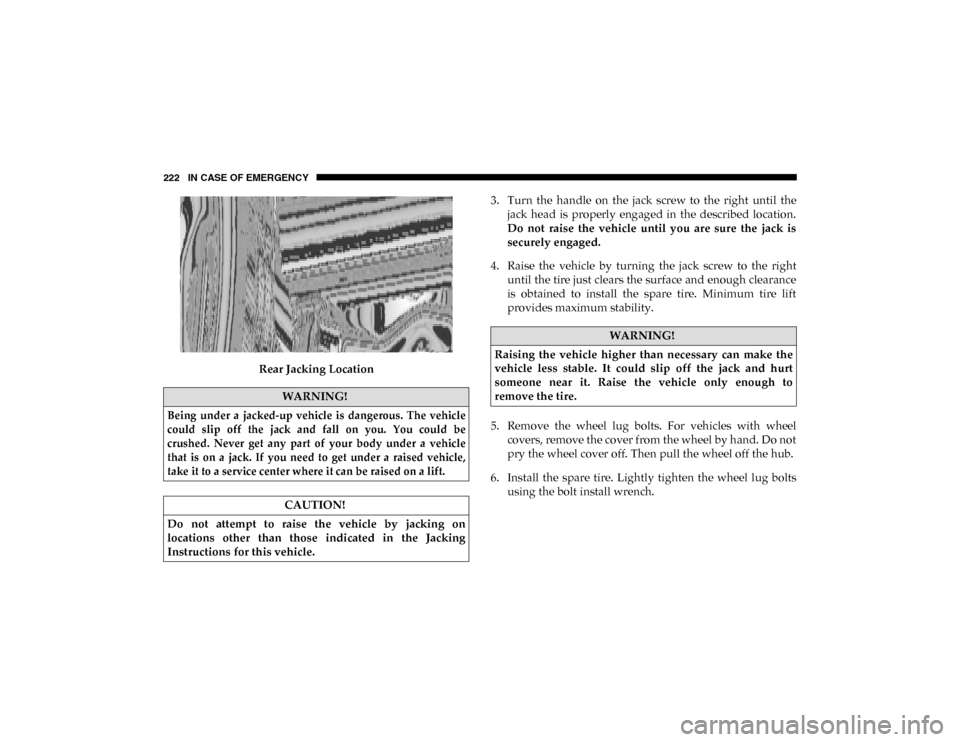
Rear Jacking Location3. Turn the handle on the jack screw to the right until the
jack head is properly engaged in the described location.
Do not raise the vehicle until you are sure the jack is
securely engaged.
4. Raise the vehicle by turning the jack screw to the right until the tire just clears the surface and enough clearance
is obtained to install the spare tire. Minimum tire lift
provides maximum stability.
5. Remove the wheel lug bolts. For vehicles with wheel covers, remove the cover from the wheel by hand. Do not
pry the wheel cover off. Then pull the wheel off the hub.
6. Install the spare tire. Lightly tighten the wheel lug bolts using the bolt install wrench.
WARNING!
Being under a jacked-up vehicle is dangerous. The vehicle
could slip off the jack and fall on you. You could be
crushed. Never get any part of your body under a vehicle
that is on a jack. If you need to get under a raised vehicle,
take it to a service center where it can be raised on a lift.
CAUTION!
Do not attempt to raise the vehicle by jacking on
locations other than those indicated in the Jacking
Instructions for this vehicle.
WARNING!
Raising the vehicle higher than necessary can make the
vehicle less stable. It could slip off the jack and hurt
someone near it. Raise the vehicle only enough to
remove the tire.
2020_RAM_PROMASTER_CITY_OM_USA=GUID-7B6A7FCA-79B0-423F-95C5-ED2A949C3D13=1=en=.book Page 222