warning light Ram ProMaster City 2020 Owner's Manual
[x] Cancel search | Manufacturer: RAM, Model Year: 2020, Model line: ProMaster City, Model: Ram ProMaster City 2020Pages: 350, PDF Size: 13.27 MB
Page 7 of 350

4
WARNING LIGHTS AND MESSAGES .......................... 84
Red Warning Lights ...................................................... 84
Yellow Warning Lights................................................. 88
Green Indicator Lights .................................................. 92
Blue Indicator Lights ..................................................... 93
ONBOARD DIAGNOSTIC SYSTEM — OBD II ............. 94
Onboard Diagnostic System (OBD II)
Cybersecurity ................................................................. 94
EMISSIONS INSPECTION AND MAINTENANCE
PROGRAMS ....................................................................... 95
SAFETY
SAFETY FEATURES ........................................................... 97
Four-Wheel Anti-Lock Brake System (ABS) ............ 97
Electronic Brake Control (EBC) System .................... 98
AUXILIARY DRIVING SYSTEMS .................................. 103
Tire Pressure Monitoring System (TPMS) ............. 103
OCCUPANT RESTRAINT SYSTEMS ........................... 108
Occupant Restraint Systems ...................................... 108
Important Safety Precautions .................................... 108
Seat Belt Systems ........................................................ 109
Supplemental Restraint Systems (SRS) .................... 120
Child Restraints ......................................................... 133
Transporting Pets ..................................................... 153
SAFETY TIPS ...................................................................153
Transporting Passengers ............................................153
Exhaust Gas ..............................................................153
Safety Checks You Should Make Inside
The Vehicle ..................................................................154
Periodic Safety Checks You Should Make Outside
The Vehicle ...................................................................156
STARTING AND OPERATING
STARTING THE ENGINE ..............................................157
Automatic Transmission.............................................157
Normal Starting ........................................................... 157
Cold Weather Operation ...........................................158
Extended Park Starting ...............................................158
If Engine Fails To Start ..............................................158
After Starting ................................................................159
ENGINE BLOCK HEATER — IF EQUIPPED .............159
ENGINE BREAK-IN RECOMMENDATIONS ............160
PARKING BRAKE ........................................................... 161
AUTOMATIC TRANSMISSION ....................................163
Key Ignition Park Interlock ........................................164
Brake/Transmission Shift Interlock System ............164
Nine-Speed Automatic Transmission ......................164
2020_RAM_PROMASTER_CITY_OM_USA=GUID-7B6A7FCA-79B0-423F-95C5-ED2A949C3D13=1=en=.book Page 4
Page 14 of 350

INTRODUCTION 11
HOW TO USE THIS MANUAL
Essential Information
Consult the Table of Contents to determine which section
contains the information you desire.
Since the specification of your vehicle depends on the items
of equipment ordered, certain descriptions and illustrations
may differ from your vehicle's equipment.
The detailed Index at the back of this Owner's Manual
contains a complete listing of all subjects.
Symbols
Some vehicle components have colored labels whose
symbols indicate precautions to be observed when using this
component. Refer to “Warning Lights and Messages” in
“Getting To Know Your Instrument Panel” for further infor-
mation on the symbols used in your vehicle.1
2020_RAM_PROMASTER_CITY_OM_USA=GUID-7B6A7FCA-79B0-423F-95C5-ED2A949C3D13=1=en=.book Page 11
Page 42 of 350
GETTING TO KNOW YOUR VEHICLE 39
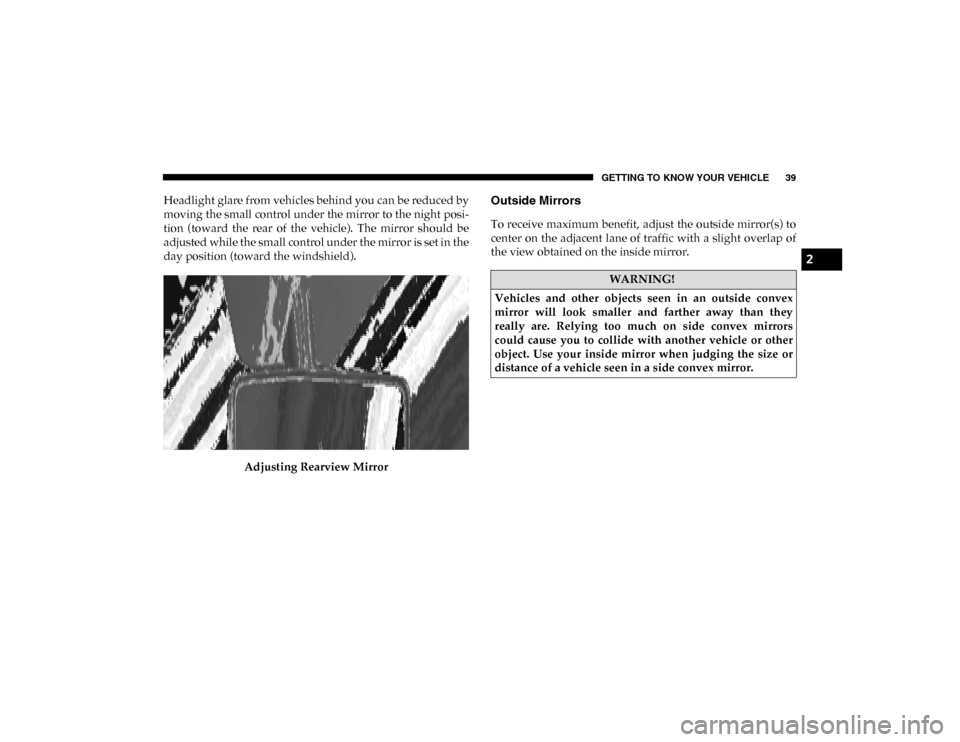
Headlight glare from vehicles behind you can be reduced by
moving the small control under the mirror to the night posi-
tion (toward the rear of the vehicle). The mirror should be
adjusted while the small control under the mirror is set in the
day position (toward the windshield).
Adjusting Rearview MirrorOutside Mirrors
To receive maximum benefit, adjust the outside mirror(s) to
center on the adjacent lane of traffic with a slight overlap of
the view obtained on the inside mirror.
WARNING!
Vehicles and other objects seen in an outside convex
mirror will look smaller and farther away than they
really are. Relying too much on side convex mirrors
could cause you to collide with another vehicle or other
object. Use your inside mirror when judging the size or
distance of a vehicle seen in a side convex mirror.
2
2020_RAM_PROMASTER_CITY_OM_USA=GUID-7B6A7FCA-79B0-423F-95C5-ED2A949C3D13=1=en=.book Page 39
Page 47 of 350
44 GETTING TO KNOW YOUR VEHICLE
High Beams
With the low beams activated, pull the multifunction lever
towards the steering wheel to turn on the high beams. A high
beam symbol will illuminate in the cluster to indicate the
high beams are on. Pull the multifunction lever a second time
to switch the headlights back to low beam.
NOTE:
If the vehicle’s ignition is turned off, both high and low beam
headlights will also turn off.
Flash-To-Pass
You can signal another vehicle with your headlights by
partially pulling the multifunction lever toward the steering
wheel. This will cause the high beam headlights to turn on
until the lever is released.
Parking Lights
These lights can only be turned on with ignition key in the
STOP (OFF/LOCK) position or removed, by moving the end
of the multifunction lever to O (Off) position and then to the
headlight position.
The warning light telltale in the instrument panel comes on.
The lights stay on until the next ignition cycle is performed.
Follow Me Home/Headlight Delay
When this feature is selected, the driver can choose to have
the headlights remain on for a preset period of time after the
engine is turned off.
Activation
Remove the key or turn the ignition to the STOP (OFF/
LOCK) position, and pull the multifunction lever toward the
steering wheel within two minutes. Each time the lever is
pulled, the activation of the lights will be extended by 30
seconds. The activation of the lights can be extended to a
maximum of 210 seconds.
2020_RAM_PROMASTER_CITY_OM_USA=GUID-7B6A7FCA-79B0-423F-95C5-ED2A949C3D13=1=en=.book Page 44
Page 75 of 350
72 GETTING TO KNOW YOUR VEHICLE
(Continued)
ROOF RACK — IF EQUIPPED
The crossbars and siderails are designed to carry the weight
on vehicles equipped with a luggage rack. The load must not
exceed 150 lbs (68 kg), and should be uniformly distributed
over the luggage rack crossbars.
NOTE:
If not equipped with crossbars, an authorized dealer can
order and install Mopar crossbars built specifically for this
roof rack system.
WARNING!
To avoid serious injury or death:
• Only devices designed for use in this type of outlet should be inserted into any 12 Volt outlet.
• Do not touch with wet hands.
• Close the lid when not in use and while driving the vehicle.
• If this outlet is mishandled, it may cause an electric shock and failure.
CAUTION!
• Many accessories that can be plugged in draw power from the vehicle's battery, even when not in use (i.e.,
cellular phones, etc.). Eventually, if plugged in long
enough, the vehicle's battery will discharge sufficiently
to degrade battery life and/or prevent the engine from
starting.
• Accessories that draw higher power (i.e., coolers,vacuum cleaners, lights, etc.) will degrade the battery
even more quickly. Only use these intermittently and
with greater caution.
• After the use of high power draw accessories, or long periods of the vehicle not being started (with accesso -
ries still plugged in), the vehicle must be driven a suffi -
cient length of time to allow the generator to recharge
the vehicle's battery. CAUTION!
(Continued)
2020_RAM_PROMASTER_CITY_OM_USA=GUID-7B6A7FCA-79B0-423F-95C5-ED2A949C3D13=1=en=.book Page 72
Page 87 of 350
84 GETTING TO KNOW YOUR INSTRUMENT PANEL
NOTE:
The range depends on several factors: driving style, type of
route (freeway, residential, mountain roads, etc.), conditions
of use of the vehicle (load, tire pressure, etc.). Trip planning
must take into account the above notes.
Travel Distance
This value shows the distance covered since the last reset.
Average Fuel Consumption
This value shows the approximate average consumption
since the last reset.
Current Fuel Consumption
This indicates the fuel consumption. The value is constantly
updated. The message “----” will appear on the display if the
vehicle is parked with the engine running.
Average Speed
This value shows the vehicle's average speed as a function of
the overall time elapsed since the last reset.
Travel Time
This value shows the time elapsed since the last reset.WARNING LIGHTS AND MESSAGES
The warning/indicator lights will illuminate in the instrument
panel together with a dedicated message and/or acoustic signal
when applicable. These indications are indicative and precau-
tionary and as such must not be considered as exhaustive and/
or alternative to the information contained in the Owner’s
Manual, which you are advised to read carefully in all cases.
Always refer to the information in this chapter in the event of a
failure indication. All active telltales will display first if appli -
cable. The system check menu may appear different based upon
equipment options and current vehicle status. Some telltales are
optional and may not appear.
Red Warning Lights
Air Bag Warning Light
This light will turn on for four to eight seconds as a bulb
check when the ignition is placed in the ON/RUN or
MAR/ON/RUN position. If the light is either not on
during startup, stays on, or turns on while driving, have the
system inspected at an authorized dealer as soon as possible.
This light will illuminate with a single chime when a fault with
the Air Bag Warning Light has been detected, it will stay on until
the fault is cleared. If the light comes on intermittently or
remains on while driving, have an authorized dealer service the
vehicle immediately.
2020_RAM_PROMASTER_CITY_OM_USA=GUID-7B6A7FCA-79B0-423F-95C5-ED2A949C3D13=1=en=.book Page 84
Page 88 of 350
GETTING TO KNOW YOUR INSTRUMENT PANEL 85
Brake Warning Light This warning light monitors various brake func -
tions, including brake fluid level and parking brake
application. If the brake light turns on it may indi -
cate that the parking brake is applied, that the brake fluid
level is low, or that there is a problem with the anti-lock
brake system reservoir.
If the light remains on when the parking brake has been
disengaged, and the fluid level is at the full mark on the
master cylinder reservoir, it indicates a possible brake
hydraulic system malfunction or that a problem with the
Brake Booster has been detected by the Anti-Lock Brake
System (ABS) / Electronic Stability Control (ESC) system. In
this case, the light will remain on until the condition has been
corrected. If the problem is related to the brake booster, the
ABS pump will run when applying the brake, and a brake
pedal pulsation may be felt during each stop.
The dual brake system provides a reserve braking capacity in
the event of a failure to a portion of the hydraulic system. A
leak in either half of the dual brake system is indicated by the
Brake Warning Light, which will turn on when the brake
fluid level in the master cylinder has dropped below a spec -
ified level.
The light will remain on until the cause is corrected. NOTE:
The light may flash momentarily during sharp cornering
maneuvers, which change fluid level conditions. The vehicle
should have service performed, and the brake fluid level
checked.
If brake failure is indicated, immediate repair is necessary.
Vehicles equipped with the Anti-Lock Brake System (ABS)
are also equipped with Electronic Brake Force Distribution
(EBD). In the event of an EBD failure, the Brake Warning
Light will turn on along with the ABS Light. Immediate
repair to the ABS system is required.
WARNING!
Driving a vehicle with the red brake light on is
dangerous. Part of the brake system may have failed. It
will take longer to stop the vehicle. You could have a
collision. Have the vehicle checked immediately.
3
2020_RAM_PROMASTER_CITY_OM_USA=GUID-7B6A7FCA-79B0-423F-95C5-ED2A949C3D13=1=en=.book Page 85
Page 89 of 350

86 GETTING TO KNOW YOUR INSTRUMENT PANEL
Operation of the Brake Warning Light can be checked by turning
the ignition switch from the OFF position to the ON/RUN posi-
tion. The light should illuminate for approximately two seconds.
The light should then turn off unless the parking brake is applied
or a brake fault is detected. If the light does not illuminate, have
the light inspected by an authorized dealer.
The light also will turn on when the parking brake is applied
with the ignition switch in the ON/RUN position.
NOTE:
This light shows only that the parking brake is applied. It
does not show the degree of brake application.
Battery Charge Warning Light
This warning light will illuminate when the battery
is not charging properly. If it stays on while the
engine is running, there may be a malfunction with
the charging system. Contact an authorized dealer as soon as
possible.
This indicates a possible problem with the electrical system
or a related component. Door Open Warning Light
This indicator will illuminate when one or more
door(s) are not fully closed.
NOTE:
If the vehicle is moving and a door is opened, there will also
be a single chime.
Electronic Throttle Control (ETC) Warning Light This warning light will illuminate to inform of a
problem with the Electronic Throttle Control (ETC)
system. If a problem is detected while the vehicle is
running, the light will either stay on or flash depending on
the nature of the problem. Cycle the ignition when the
vehicle is safely and completely stopped and the transmis -
sion is placed in the PARK (P) position. The light should turn
off. If the light remains on with the vehicle running, your
vehicle will usually be drivable; however, see an authorized
dealer for service as soon as possible.
2020_RAM_PROMASTER_CITY_OM_USA=GUID-7B6A7FCA-79B0-423F-95C5-ED2A949C3D13=1=en=.book Page 86
Page 90 of 350

GETTING TO KNOW YOUR INSTRUMENT PANEL 87
If the light continues to flash when the vehicle is running,
immediate service is required and you may experience
reduced performance, an elevated/rough idle, or engine
stall and your vehicle may require towing. The light will
come on when the ignition is placed in the ON/RUN or
MAR/ON/RUN position and remain on briefly as a bulb
check. If the light does not come on during starting, have the
system checked by an authorized dealer.
Engine Coolant Temperature Warning Light This warning light warns of an overheated engine
condition. If the engine coolant temperature is too
high, this indicator will illuminate and a single
chime will sound. If the temperature reaches the upper limit,
a continuous chime will sound for four minutes or until the
engine is able to cool, whichever comes first.
If the light turns on while driving, safely pull over and stop
the vehicle. If the A/C system is on, turn it off. Also, shift the
transmission into NEUTRAL (N) and idle the vehicle. If the
temperature reading does not return to normal, turn the
engine off immediately and call for service.
Refer to “If Your Engine Overheats” in “In Case Of Emer -
gency” for further information. Oil Pressure Warning Light
This warning light will illuminate to indicate low
engine oil pressure. If the light turns on while
driving, stop the vehicle, shut off the engine as soon
as possible, and contact an authorized dealer. A chime will
sound when this light turns on.
Do not operate the vehicle until the cause is corrected. This
light does not indicate how much oil is in the engine. The
engine oil level must be checked under the hood.
Transmission Temperature Warning Light — If Equipped
This warning light will illuminate to warn of a high
transmission fluid temperature. This may occur with
strenuous usage such as trailer towing. If this light
turns on, stop the vehicle and run the engine at idle or
slightly faster, with the transmission in PARK (P) or
NEUTRAL (N), until the light turns off. Once the light turns
off, you may continue to drive normally.
WARNING!
If you continue operating the vehicle when the
Transmission Temperature Warning Light is illuminated
you could cause the fluid to boil over, come in contact
with hot engine or exhaust components and cause a fire.
3
2020_RAM_PROMASTER_CITY_OM_USA=GUID-7B6A7FCA-79B0-423F-95C5-ED2A949C3D13=1=en=.book Page 87
Page 91 of 350
88 GETTING TO KNOW YOUR INSTRUMENT PANEL
Seat Belt Reminder Warning Light When the ignition is first placed in the ON/RUN or
MAR/ON/RUN position, if the driver’s seat belt is
unbuckled, a chime will sound and the light will
turn on. When driving, if the driver or front passenger seat
belt remains unbuckled, the Seat Belt Reminder Light will
flash or remain on continuously and a chime will sound.
Refer to “Occupant Restraint Systems” in “Safety” for
further information.
Transmission Fault Warning Light
This light will illuminate (together with a message in
the instrument cluster display and a buzzer) to indi -
cate a transmission fault. Contact your authorized
dealer if the message remains after restarting the engine. Engine Oil Level Warning Light
This warning light appears on the panel when the
engine oil level falls below the minimum recom -
mended value. Restore the correct engine oil level or
contact your authorized dealer for service.
Yellow Warning Lights
Anti-Lock Brake System (ABS) Warning Light
This light monitors the Anti-Lock Brake System (ABS).
The light will turn on when the ignition is placed in the
ON/RUN or MAR/ON/RUN position and may stay
on for as long as four seconds.
If the ABS light remains on or turns on while driving, then
the Anti-Lock portion of the brake system is not functioning
and service is required. However, the conventional brake
system will continue to operate normally if the brake
warning light is not on.
If the ABS light is on, the brake system should be serviced as
soon as possible to restore the benefits of Anti-Lock Brakes.
If the ABS light does not turn on when the ignition is placed
in the ON/RUN or MAR/ON/RUN position, have the light
inspected by an authorized dealer.
CAUTION!
Continuous driving with the Transmission Temperature
Warning Light illuminated will eventually cause severe
transmission damage or transmission failure.
2020_RAM_PROMASTER_CITY_OM_USA=GUID-7B6A7FCA-79B0-423F-95C5-ED2A949C3D13=1=en=.book Page 88