VIN RENAULT DUSTER 2016 Workshop Manual
[x] Cancel search | Manufacturer: RENAULT, Model Year: 2016, Model line: DUSTER, Model: RENAULT DUSTER 2016Pages: 256, PDF Size: 6.49 MB
Page 108 of 256
2.32
TRANSMISSION: 4-wheel drive (4WD) (3/4)
Electronic stability program and
traction control when driving off-
road
(vehicles equipped with ESC)
When driving on soft ground (sand,
mud, deep snow), we recommend that
you deactivate the ESC function by
pressing the “ ESC” switch.
In this case, only individual wheel bra-
king remains active. This function ap-
plies the brake to any wheel that is slip-
ping, allowing the engine torque to be
transferred to the wheels with the most
grip. This is particularly useful when
crossing a bridge.
All the ESC functions will be reactivated
when the vehicle speed reaches ap-
proximately 30 mph (50 km/h) (36 mph
(60 km/h) in 4WD Lock mode), when
the engine is restarted or when the
“ESC” button is pressed again.Operating faults
If the system detects an operating
fault, it automatically switches to “2WD”
mode, and the
‘ and Ò war-
ning lights come on.
Drive as soon as possible at a mode-
rate speed to an approved dealer.
For certain operating faults, the system
may not be able to switch to “2WD" or
"4WD Lock" mode. "AUTO" mode re-
mains active.
Contact an approved dealer as soon as
possible.
In this case, we recommend that you
stop as soon as possible to allow the
system to cool down (until the warning
light stops flashing).
Cooling may take up to five minutes.
If the system detects excessive whee-
lspin on the front wheels, it adapts the
engine to run in a way that reduces
wheelspin.
Anti-lock braking in “
LOCK” mode
(vehicles equipped with ABS)
When “4WD Lock" mode is active, the
ABS switches to off-road mode. In this
case, the wheels may lock intermit-
tently to achieve better grip, thus redu-
cing braking distances on soft ground.
When this mode is active:
– the vehicle’s manoeuvrability is limi- ted during braking. This operating
mode is therefore not recommended
in very low-grip conditions (eg. ice).
– there may be some noise. This is normal, and does not indicate an
operating fault.
Page 110 of 256
2.34
ABS (anti-lock braking
system)
Under heavy braking, the ABS prevents
the wheels from locking, allowing the
stopping distance to be managed and
keeping control of the vehicle. Under
these circumstances, the vehicle can
be steered to avoid an obstacle whilst
braking. In addition, this system can
increase stopping distances, particu-
larly on roads with low surface grip (wet
ground etc.).
You will feel a pulsation through the
brake pedal each time the system is
activated. The ABS does not in any way
improve the vehicle's physical perform-
ance relating to the road surface and
roadholding. It is still essential to follow
the rules of good driving practice (such
as driving at a safe distance from the
vehicle in front etc.).
DRIVER CORRECTION DEVICES/AIDS (1/4)
Depending on the vehicle, this is com-
posed of:
– the ABS (anti-lock braking
system);
– the emergency brake assist;
– electronic stability control (ESC)
with understeer control and trac-
tion control.
– hill start assistance.
These functions are an ad-
ditional aid in the event of
critical driving conditions,
enabling the vehicle behav-
iour to be adapted to suit the driving
conditions.
However, the functions do not take
the place of the driver. They do
not increase the vehicle’s limits
and should not encourage you
to drive more quickly. Therefore,
they can under no circumstances
replace the vigilance or responsibil-
ity of the driver when manoeuvring
the vehicle (the driver must always
be ready for sudden incidents which
may occur when driving).
In an emergency, apply firm and
continuous pressure to the brake
pedal. There is no need to pump
it repeatedly. The ABS will modu-
late the force applied in the braking
system.
Special feature of 4-wheel drive ve-
hicles
In 4WD Lock mode, the system may
lock the wheels briefly to optimise the
braking distance on very wet ground
(snow, mud, sand, etc.).
Page 111 of 256
2.35
DRIVER CORRECTION DEVICES/AIDS (2/4)
Emergency brake assist with
electronic brake distribution
(depending on the vehicle)
This system supplements the ABS
and helps reduce vehicle stopping dis-
tances.
Operating principle
The system is for detecting an emer-
gency braking situation. In this case,
the braking assistance immediately de-
velops maximum power and may trig-
ger ABS regulation.
ABS braking is maintained as long as
the brake pedal is applied.
Operating faults
– If the x warning light on the in-
strument panel comes on while you
are driving, the brakes will still
work normally without ABS;
– If the
x and D warning
lights on the instrument panel come
on while you are driving, there is a
fault in the braking system.
In both cases, consult an approved
Dealer.
Your braking systems
are partially operational.
However, it is dangerous
to brake suddenly and
it is essential to stop immediately,
as soon as traffic conditions allow.
Contact an approved dealer.
Page 112 of 256
2.36
DRIVER CORRECTION DEVICES/AIDS (3/4)
Electronic stability program
ESC with understeer control
and traction control
Electronic Stability Program ESC
(depending on the vehicle)
This system helps you to keep control
of the vehicle in critical driving condi-
tions (avoiding an obstacle, loss of grip
on a bend, etc.). Understeer control
This system optimises the action of the
ESC in the case of pronounced under-
steering (loss of front axle road hold-
ing).
Traction control
This system helps to limit wheelspin of
the drive wheels and to control the ve-
hicle when pulling away accelerating or
decelerating.
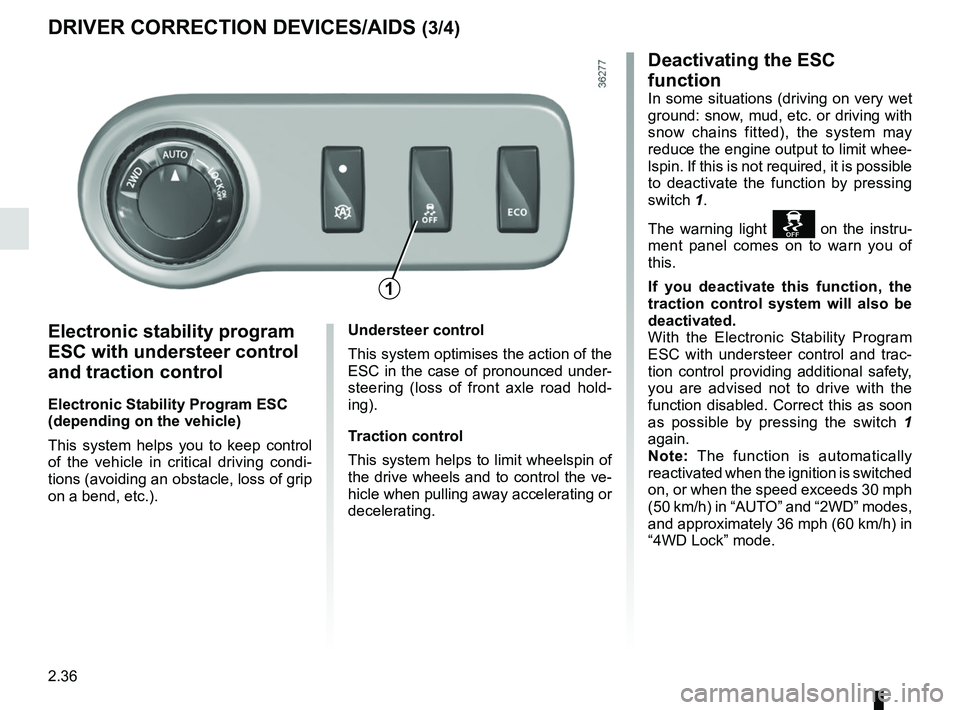
Deactivating the ESC
function
In some situations (driving on very wet
ground: snow, mud, etc. or driving with
snow chains fitted), the system may
reduce the engine output to limit whee-
lspin. If this is not required, it is possible
to deactivate the function by pressing
switch 1.
The warning light
on the instru-
ment panel comes on to warn you of
this.
If you deactivate this function, the
traction control system will also be
deactivated.
With the Electronic Stability Program
ESC with understeer control and trac-
tion control providing additional safety,
you are advised not to drive with the
function disabled. Correct this as soon
as possible by pressing the switch 1
again.
Note: The function is automatically
reactivated when the ignition is switched
on, or when the speed exceeds 30 mph
(50 km/h) in “AUTO” and “2WD” modes,
and approximately 36 mph (60 km/h) in
“4WD Lock” mode.
1
Page 113 of 256
2.37
DRIVER CORRECTION DEVICES/AIDS (4/4)
Hill start assistance
Depending on the gradient of the in-
cline, this system assists the driver
when starting on a hill. It prevents the
vehicle from rolling backwards by au-
tomatically applying the brakes when
the driver lifts his/her foot off the brake
pedal to depress the accelerator pedal.
It only operates when the gear lever is
in a position other than neutral (other
than N or P for automatic transmis-
sions) and the vehicle is completely
stationary (brake pedal depressed).
The system holds the vehicle for ap-
proximately 2 seconds. The brakes are
then released (the vehicle will move ac-
cording to the slope).
Operating principle
A sensor in the steering wheel detects
the direction selected by the driver.
Other sensors throughout the vehicle
measure the actual direction.
The system compares driver input to
the actual trajectory of the vehicle and
corrects the trajectory if necessary by
controlling the braking of certain wheels
and/or engine power. In the event that
the system is engaged, the indicator
light
flashes on the instrument
panel.
Operating faults
When the system detects an opera-
ting fault the warning lights
Ò and
appear on the instrument panel.
In this case, the Electronic Stability
Program ESC with understeer control
and traction control are deactivated.
Please consult an authorised dealer if
these warning lights remain displayed
on the instrument panel after the igni-
tion is switched off and on again.
The hill start assistance
system cannot completely
prevent the vehicle from
rolling backwards in all sit-
uations (extremely steep gradients
etc.).
In all cases, the driver may depress
the brake pedal to prevent the vehi-
cle from rolling backwards.
The hill start assistance function
should not be used for prolonged
stops: use the brake pedal.
This function is not designed to im-
mobilise the vehicle permanently.
If necessary, use the brake pedal to
stop the vehicle.
The driver must remain particularly
vigilant when driving on slippery or
low-grip surfaces and/or on hills.
Risk of serious injury.
Page 114 of 256
2.38
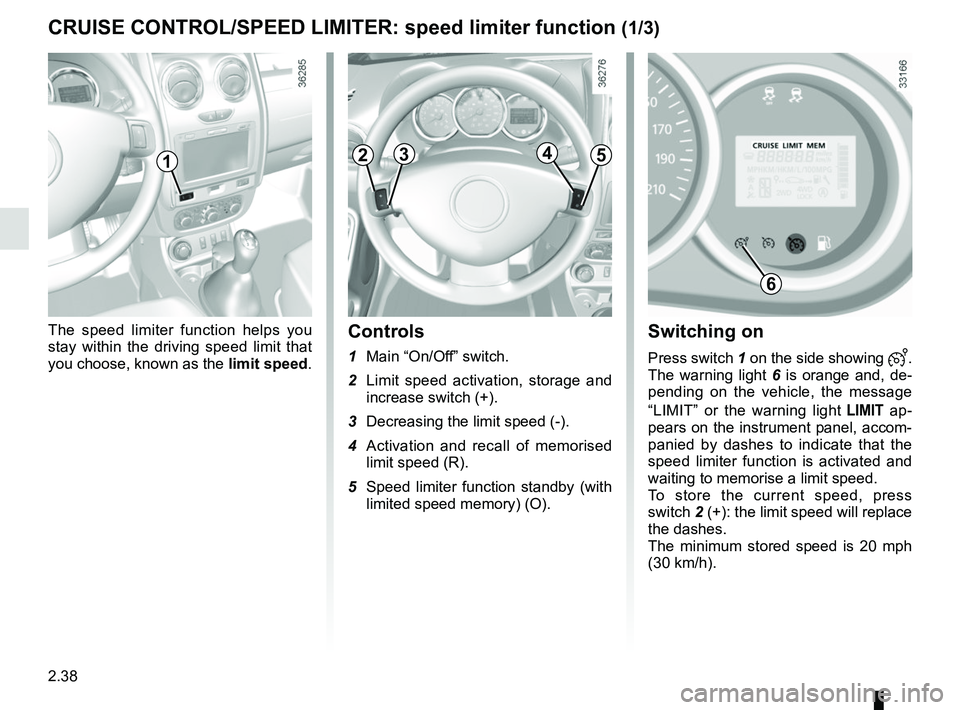
Switching on
Press switch 1 on the side showing .
The warning light 6 is orange and, de-
pending on the vehicle, the message
“LIMIT” or the warning light
ap-
pears on the instrument panel, accom-
panied by dashes to indicate that the
speed limiter function is activated and
waiting to memorise a limit speed.
To store the current speed, press
switch 2 (+): the limit speed will replace
the dashes.
The minimum stored speed is 20 mph
(30 km/h).
Controls
1 Main “On/Off” switch.
2 Limit speed activation, storage and increase switch (+).
3 Decreasing the limit speed (-).
4 Activation and recall of memorised limit speed (R).
5 Speed limiter function standby (with limited speed memory) (O).
The speed limiter function helps you
stay within the driving speed limit that
you choose, known as the
limit speed.
CRUISE CONTROL/SPEED LIMITER: speed limiter function (1/3)
6
12345
Page 115 of 256
2.39
Exceeding the limit speed
It is possible to exceed the limit speed
at any time. To do this: press the accel-
erator pedal firmly and fully (beyond
the resistance point).
While the speed is being exceeded, the
programmed speed displayed on the
instrument panel flashes.
Then, release the accelerator: the
speed limiter function will return as
soon as you reach a speed lower than
the stored speed.
Limited speed cannot be maintained
If driving up or down a steep gradient,
the system is unable to maintain the
limit speed: the stored speed will flash
on the instrument panel information dis-
play to inform you of this situation.
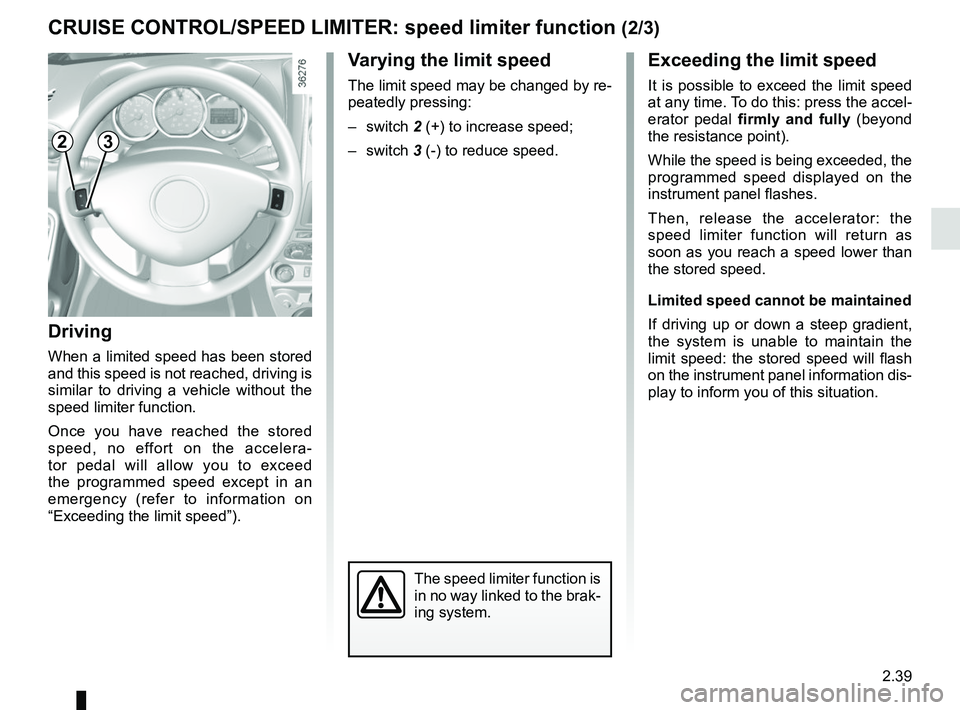
Varying the limit speed
The limit speed may be changed by re-
peatedly pressing:
– switch 2 (+) to increase speed;
– switch 3 (-) to reduce speed.
Driving
When a limited speed has been stored
and this speed is not reached, driving is
similar to driving a vehicle without the
speed limiter function.
Once you have reached the stored
speed, no effort on the accelera-
tor pedal will allow you to exceed
the programmed speed except in an
emergency (refer to information on
“Exceeding the limit speed”).
CRUISE CONTROL/SPEED LIMITER: speed limiter function (2/3)
The speed limiter function is
in no way linked to the brak-
ing system.
23
Page 116 of 256
2.40
CRUISE CONTROL/SPEED LIMITER: speed limiter function (3/3)
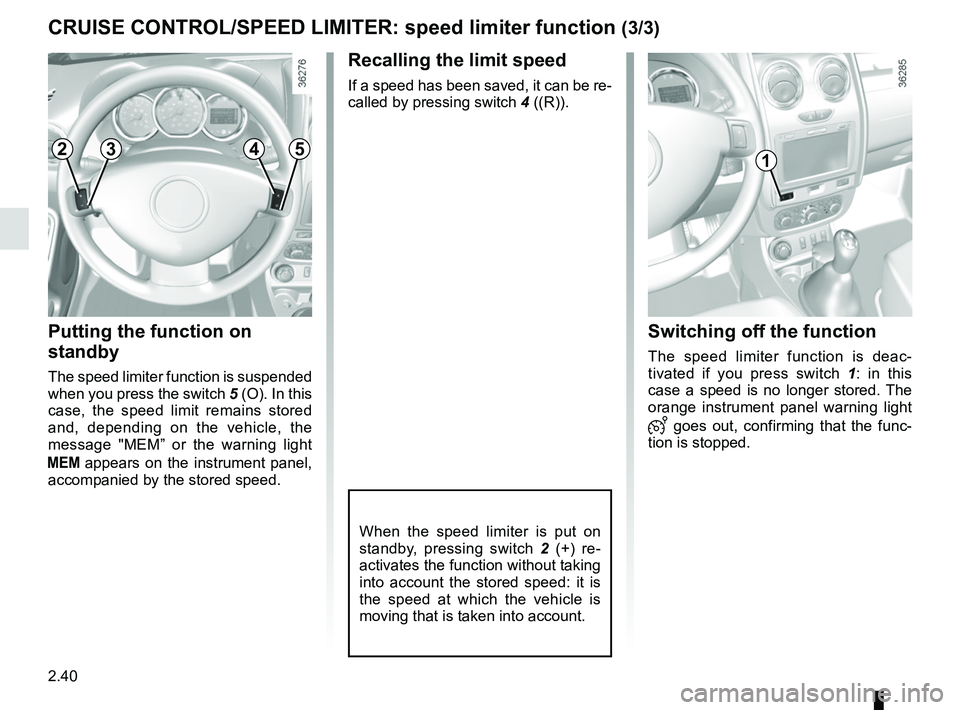
Recalling the limit speed
If a speed has been saved, it can be re-
called by pressing switch 4 ((R)).
Putting the function on
standby
The speed limiter function is suspended
when you press the switch 5 (O). In this
case, the speed limit remains stored
and, depending on the vehicle, the
message "MEM” or the warning light
appears on the instrument panel,
accompanied by the stored speed.
Switching off the function
The speed limiter function is deac-
tivated if you press switch 1 : in this
case a speed is no longer stored. The
orange instrument panel warning light
goes out, confirming that the func-
tion is stopped.
When the speed limiter is put on
standby, pressing switch 2 (+) re-
activates the function without taking
into account the stored speed: it is
the speed at which the vehicle is
moving that is taken into account.
12345
Page 117 of 256
2.41
The cruise control function helps you to
maintain your driving speed at a speed
that you choose, called the cruising
speed.
This cruising speed may be set at any
speed above 20 mph (30 km/h).
This function is an addi-
tional driving aid. However,
the function does not take
the place of the driver.
Therefore, it can under no circum-
stances replace the driver’s respon-
sibility to respect speed limits and to
be vigilant (the driver must always
be ready to brake).
Cruise control must not be used in
heavy traffic, on undulating or slip-
pery roads (black ice, aquaplan-
ing, gravel) and during bad weather
(fog, rain, side winds etc.).
There is a risk of accidents.
The cruise control function
is in no way linked to the
braking system.
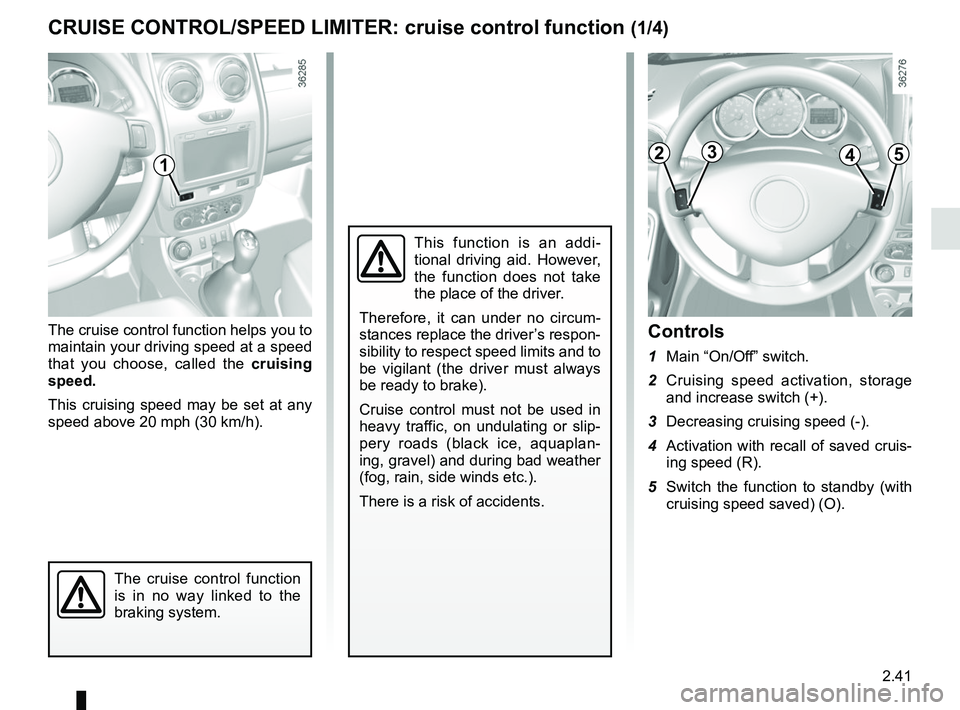
Controls
1 Main “On/Off” switch.
2 Cruising speed activation, storage and increase switch (+).
3 Decreasing cruising speed (-).
4 Activation with recall of saved cruis- ing speed (R).
5 Switch the function to standby (with cruising speed saved) (O).
CRUISE CONTROL/SPEED LIMITER: cruise control function (1/4)
12345
Page 118 of 256
2.42
Driving
Once a cruising speed is stored and
the cruise control function is active,
you may lift your foot off the accelera-
tor pedal.
Important: you are never-
theless advised to keep
your feet close to the pedals
in order to react if neces-
sary.
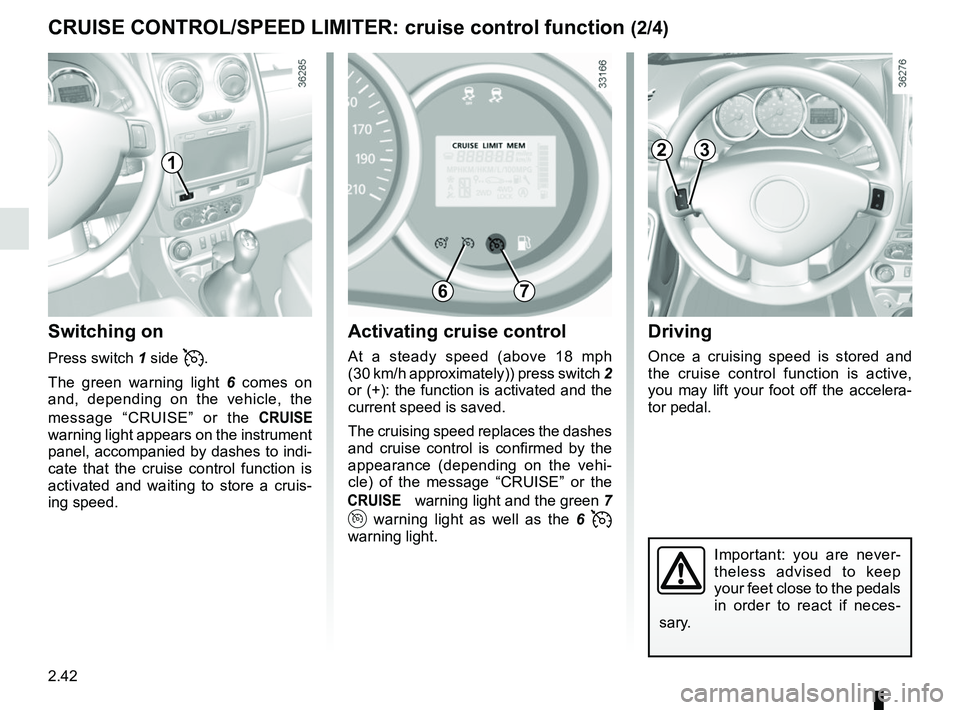
Activating cruise control
At a steady speed (above 18 mph
(30 km/h approximately)) press switch 2
or (+): the function is activated and the
current speed is saved.
The cruising speed replaces the dashes
and cruise control is confirmed by the
appearance (depending on the vehi-
cle) of the message “CRUISE” or the
warning light and the green 7
warning light as well as the 6
warning light.
Switching on
Press switch 1 side .
The green warning light 6 comes on
and, depending on the vehicle, the
message “CRUISE” or the
warning light appears on the instrument
panel, accompanied by dashes to indi-
cate that the cruise control function is
activated and waiting to store a cruis-
ing speed.
CRUISE CONTROL/SPEED LIMITER: cruise control function (2/4)
1
6
23
7