warning RENAULT ESPACE 2012 J81 / 4.G Owner's Manual
[x] Cancel search | Manufacturer: RENAULT, Model Year: 2012, Model line: ESPACE, Model: RENAULT ESPACE 2012 J81 / 4.GPages: 267, PDF Size: 8.95 MB
Page 57 of 267
JauneNoirNoir texte
1.51
ENG_UD20347_1
Tableau de bord : afficheurs et indicateurs (X81 - J81 - Renault)
ENG_NU_932-3_X81ph3_Renault_1
InsTrUMenT P aneL: displays and indicators (continued)
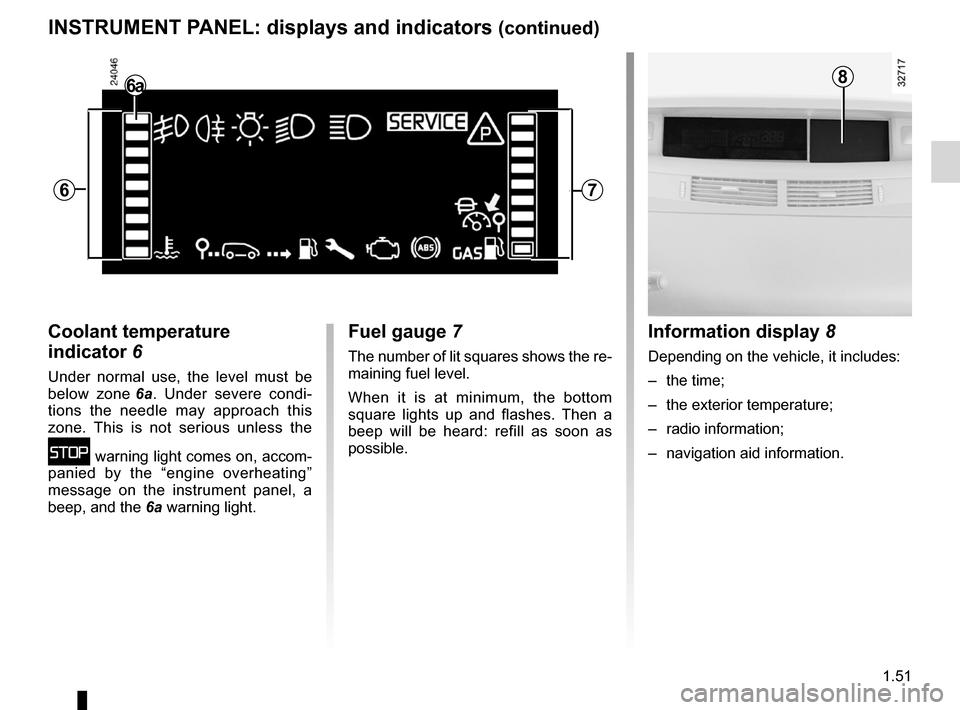
coolant temperature
indicator 6
Under normal use, the level must be
below zone 6a . Under severe condi -
tions the needle may approach this
zone. This is not serious unless the
û warning light comes on, accom-
panied by the “engine overheating”
message on the instrument panel, a
beep, and the 6a warning light.
fuel gauge 7
The number of lit squares shows the re-
maining fuel level.
When it is at minimum, the bottom
square lights up and flashes. Then a
beep will be heard: refill as soon as
possible.
Information display 8
Depending on the vehicle, it includes:
– the time;
– the exterior temperature;
– radio information;
– navigation aid information.
86a
67
Page 58 of 267
control instruments ............................... (up to the end of the DU)
indicators: instrument panel ............................. (up to the end of the DU)
instrument panel ................................... (up to the end of the DU)
warning lights ........................................ (up to the end of the DU)
instrument panel messages ..................(up to the end of the DU)
trip computer and warning system ........(up to the end of the DU)
1.52
ENG_UD24088_3
Ordinateur de bord (X81 - J81 - Renault)
ENG_NU_932-3_X81ph3_Renault_1
Jaune NoirNoir texte
Trip computer
TrIP cOMPUTer: general information (1/2)
Trip computer and warning
system
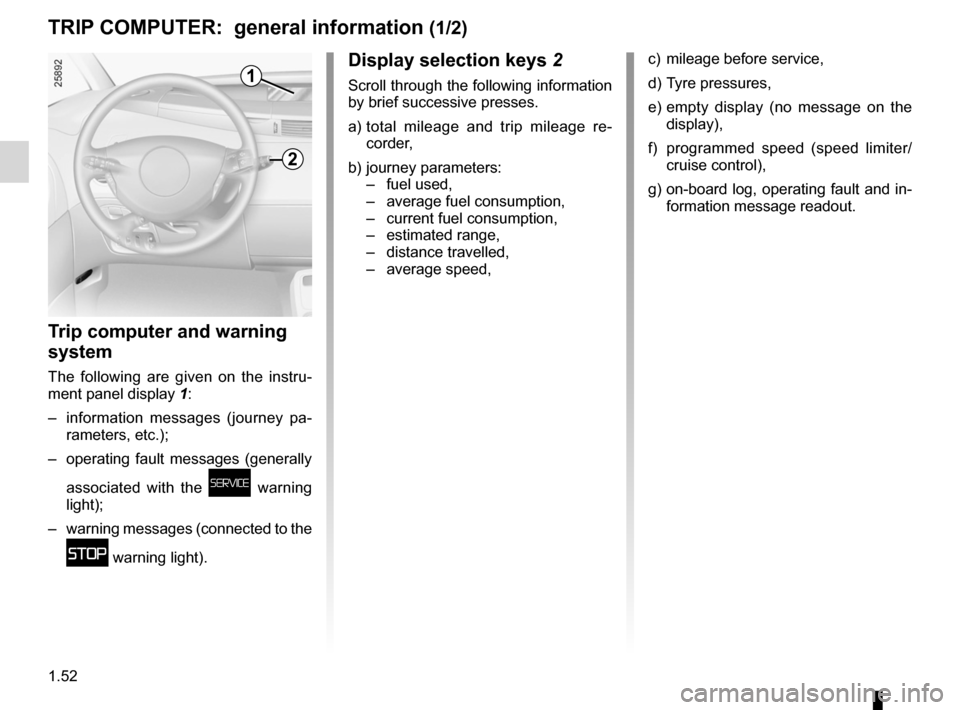
The following are given on the instru-
ment panel display 1:
– information messages (journey pa -
rameters, etc.);
– operating fault messages (generally
associated with the
ú warning
light);
– warning messages (connected to the
û warning light).
display selection keys 2
Scroll through the following information
by brief successive presses.
a) total mileage and trip mileage re -
corder,
b) journey parameters:
– fuel used,
– average fuel consumption,
– current fuel consumption,
– estimated range,
– distance travelled,
– average speed,
c) mileage before service,
d) Tyre pressures,
e) empty display (no message on the
display),
f) programmed speed (speed limiter/
cruise control),
g) on-board log, operating fault and in-
formation message readout.
1
2
Page 62 of 267
1.56
ENG_UD25538_2
Ordinateur de bord : paramètres de voyage (X81 - J81 - Renault)
ENG_NU_932-3_X81ph3_Renault_1
Jaune NoirNoir texte
TrIP cOMPUTer: trip settings (3/4)
The display of information shown below dePends On THe VeHIcLe eQUIPMenT and cOUnTrY.
examples of selections Interpreting the display selected
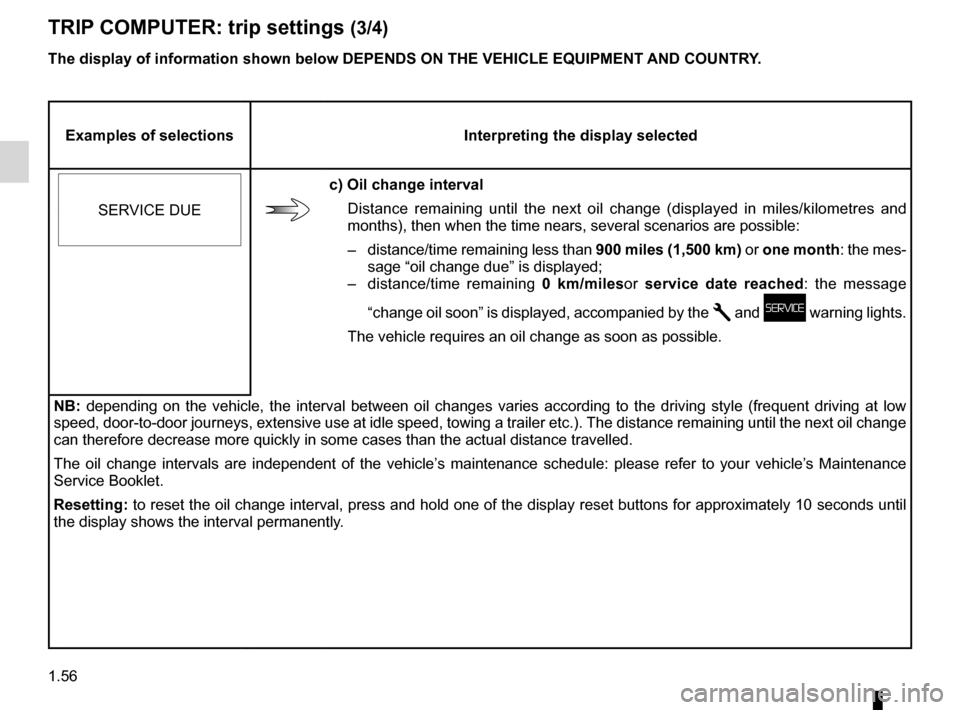
SERVICE DUE
c) Oil change interval Distance remaining until the next oil change (displayed in miles/kilometres and
months), then when the time nears, several scenarios are possible:
–
distance/time remaining less than 900 miles (1,500 km) or one month: the mes-
sage “oil change due” is displayed;
–
distance/time remaining 0 km/milesor service date reached : the message
“change oil soon” is displayed, accompanied by the
Ê and ú warning lights.
The vehicle requires an oil change as soon as possible.
nB: depending on the vehicle, the interval between oil changes varies according to the driving style (frequent driving at low
speed, door-to-door journeys, extensive use at idle speed, towing a trailer etc.). The distance remaining until the next oil change
can therefore decrease more quickly in some cases than the actual distan\
ce travelled.
The oil change intervals are independent of the vehicle’s maintenance schedule: please refer to your vehicle’s Maintenance
Service Booklet.
resetting: to reset the oil change interval, press and hold one of the display reset buttons for approximately 10 seconds until
the display shows the interval permanently.
Page 64 of 267
1.58
ENG_UD24100_1
Ordinateur de bord : messages d’information (X81 - J81 - Renault)
ENG_NU_932-3_X81ph3_Renault_1
TrIP cOMPUTer and WarnInG sYsTeM: information messages
Messages Interpretation of messages
« aUTO LIGHTs fUncTIOn
Off » Indicates that the automatic lights function is deactivated.
« TOP-UP OIL LeVeL »Minimum engine oil level warning:
on starting the engine, and for 30 seconds, the display
warns that the minimum engine oil level has been reached. Refer to the information on the
“Engine oil level” in Section 4.
These can help in the vehicle starting phase, or give information about \
a selection or a driving status.
Examples of information messages are given in the following pages.
Page 65 of 267

ENG_NU_932-3_X81ph3_Renault_1
TrIP cOMPUTer: operating fault messages (1/2)
These appear with t")
1.59
ENG_UD24101_1
Ordinateur de bord : messages d’anomalies de fonctionnement (X81 - J\
81 - Renault)
ENG_NU_932-3_X81ph3_Renault_1
TrIP cOMPUTer: operating fault messages (1/2)
These appear with the ú warning light and mean that you should drive very carefully to an approved dealer as soon
as possible. If you fail to follow this recommendation, you risk damagin\
g your vehicle.
They disappear when the display selection key is pressed or after several seconds and are stored in the computer log. The
ú
warning light stays on. Examples of operating fault messages are given i\
n the following pages.
Messages Interpretation of messages
« esP Off » Deactivation of the A.S.R. traction control system (see information on the “A.S.R. traction
control system” in Section 2).
« TYre sensOr aBsenT »Sensor fault on the wheel not shown on the instrument panel: this is the case, for example,
when the emergency spare wheel is fitted on the vehicle (see the information on “Tyre pres-
sure monitor” in Section 2).
« cHecK TYre PressUres »Insufficient tyre pressure for the wheel shown on the multifunction display or on the instru-
ment panel; correct the tyre pressure as soon as possible.
« cHeck fUeL fILTer » Indicates that there is water present in the diesel fuel. Contact your approved Dealer as soon
as possible.
Page 66 of 267

ENG_NU_932-3_X81ph3_Renault_1
These appear with the ú warning light and mean that you should")
1.60
ENG_UD24101_1
Ordinateur de bord : messages d’anomalies de fonctionnement (X81 - J\
81 - Renault)
ENG_NU_932-3_X81ph3_Renault_1
These appear with the ú warning light and mean that you should drive very carefully to an approved dealer as soon
as possible. If you fail to follow this recommendation, you risk damagin\
g your vehicle.
They disappear when the display selection key is pressed or after several seconds and are stored in the computer log. The
ú
warning light stays on. Examples of operating fault messages are given i\
n the following pages.
Messages Interpretation of messages
« cHecK GearBOX »Indicates that a fault has occurred in the gearbox; contact an approved \
Dealer as soon as
possible.
« card nOT deTecTed » The RENAULT hands-free card is not in the detection zone, or the vehicle has not be\
en
able to detect it. Insert it in the reader; if the fault persists contac\
t your approved Dealer.
« rePLace card Ba TTerY » Your RENAULT card battery has a service life of approximately two years.
This message appears when the battery begins to run flat (see information on the “RENAULT
card: batteries” in Section 5).
TrIP cOMPUTer: operating fault messages (2/2)
Page 67 of 267
1.61
ENG_UD24102_1
Ordinateur de bord : messages d’alerte (X81 - J81 - Renault)
ENG_NU_932-3_X81ph3_Renault_1
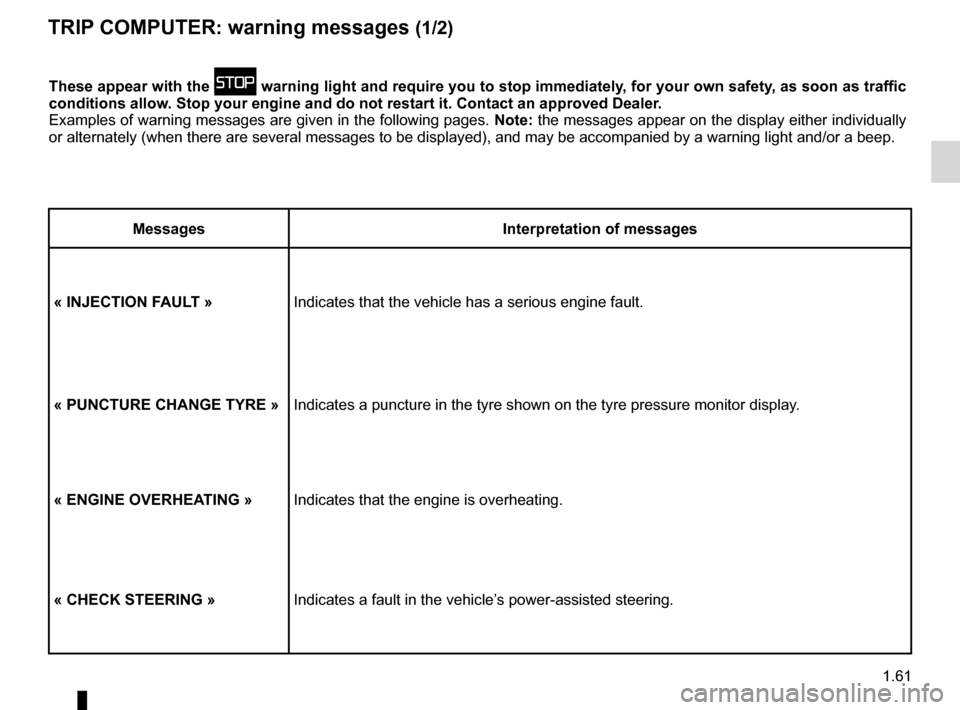
TrIP cOMPUTer: warning messages (1/2)
These appear with the û warning light and require you to stop immediately, for your own safety, as soon as traffic
conditions allow. stop your engine and do not restart it. contact an approved dealer.
Examples of warning messages are given in the following pages. note: the messages appear on the display either individually
or alternately (when there are several messages to be displayed), and \
may be accompanied by a warning light and/or a beep.
Messages Interpretation of messages
« InJecTIOn faULT » Indicates that the vehicle has a serious engine fault.
« PUncTUre cHanGe TYre »Indicates a puncture in the tyre shown on the tyre pressure monitor disp\
lay.
« enGIne OVerHea TInG »Indicates that the engine is overheating.
« cHecK sTeerInG » Indicates a fault in the vehicle’s power-assisted steering.
Page 68 of 267
1.62
ENG_UD24102_1
Ordinateur de bord : messages d’alerte (X81 - J81 - Renault)
ENG_NU_932-3_X81ph3_Renault_1
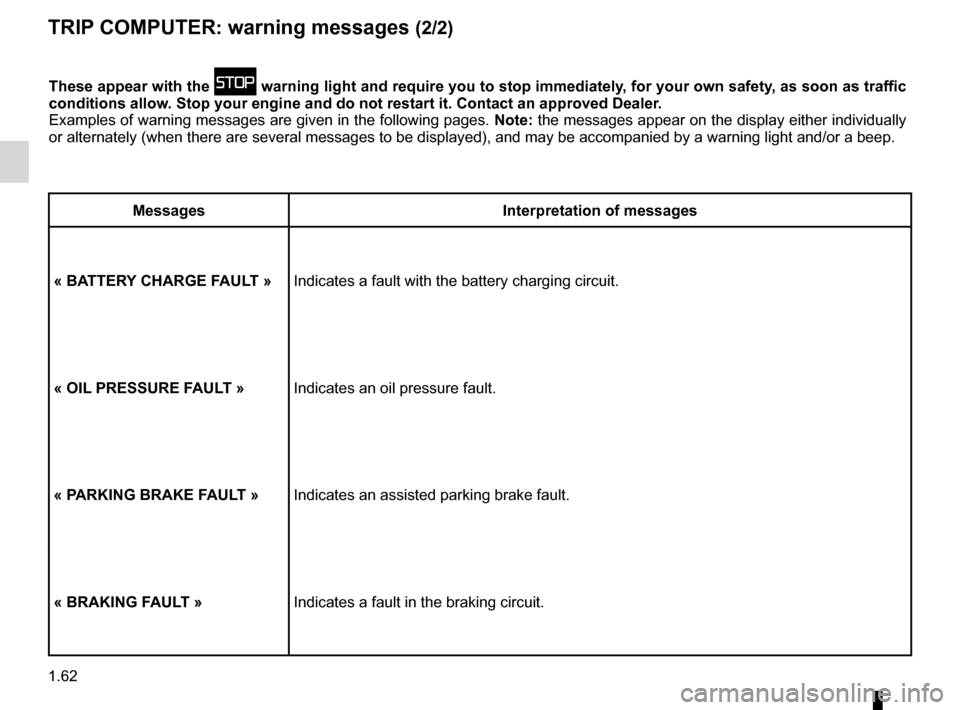
These appear with the û warning light and require you to stop immediately, for your own safety, as soon as traffic
conditions allow. stop your engine and do not restart it. contact an approved dealer.
Examples of warning messages are given in the following pages. note: the messages appear on the display either individually
or alternately (when there are several messages to be displayed), and \
may be accompanied by a warning light and/or a beep.
Messages Interpretation of messages
« Ba TTer Y cHarGe faULT » Indicates a fault with the battery charging circuit.
« OIL PressUre faULT » Indicates an oil pressure fault.
« P arKInG BraKe faULT » Indicates an assisted parking brake fault.
« BraKInG faULT » Indicates a fault in the braking circuit.
TrIP cOMPUTer: warning messages (2/2)
Page 72 of 267
indicators .............................................. (up to the end of the DU)
indicators: direction indicators .......................... (up to the end of the DU)
lights: direction indicators .......................... (up to the end of the DU)
hazard warning lights signal ................. (up to the end of the DU)
signals and lights .................................. (up to the end of the DU)
hazard warning lights signal ................. (up to the end of the DU)
1.66
ENG_UD20352_1
Avertisseurs sonores et lumineux (X81 - J81 - Renault)
ENG_NU_932-3_X81ph3_Renault_1
Audible and visual signals
aUdIBLe and VIsUaL sIGnaLs
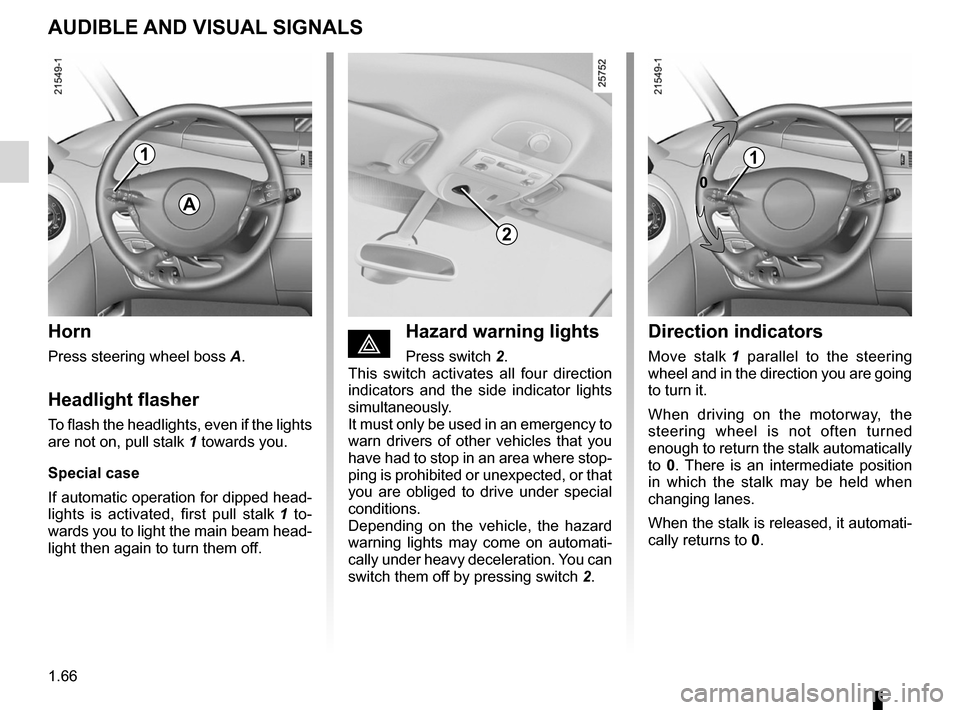
Horn
Press steering wheel boss A.
Headlight flasher
To flash the headlights, even if the lights
are not on, pull stalk 1 towards you.
special case
If automatic operation for dipped head -
lights is activated, first pull stalk 1 to -
wards you to light the main beam head -
light then again to turn them off.
éHazard warning lights
Press switch 2.
This switch activates all four direction
indicators and the side indicator lights
simultaneously.
It must only be used in an emergency to
warn drivers of other vehicles that you
have had to stop in an area where stop-
ping is prohibited or unexpected, or that
you are obliged to drive under special
conditions.
Depending on the vehicle, the hazard
warning lights may come on automati -
cally under heavy deceleration. You can
switch them off by pressing switch 2.
direction indicators
Move stalk 1 parallel to the steering
wheel and in the direction you are going
to turn it.
When driving on the motorway, the
steering wheel is not often turned
enough to return the stalk automatically
to 0. There is an intermediate position
in which the stalk may be held when
changing lanes.
When the stalk is released, it automati-
cally returns to 0.
a
1
2
0
1
Page 74 of 267
warning buzzer ...................................................... (current page)
lights: fog lights .......................................................... (current page)
lights: main beam headlights ...................................... (current page)
1.68
ENG_UD20353_1
Eclairage et signalisation extérieure (X81 - J81 - Renault)
ENG_NU_932-3_X81ph3_Renault_1
Jaune NoirNoir texte
eXTerIOr LIGHTInG and sIGnaLs (2/3)
áMain beam headlights
With the dipped beam head -
lights lit, pull the switch stalk towards
you.
When the main beam headlights are
lit, an indicator light on the instrument
panel comes on.
To return to the dipped beam headlight
position, pull the stalk towards you.
eswitching off the lights
Return stalk 1 to its original po-
sition.
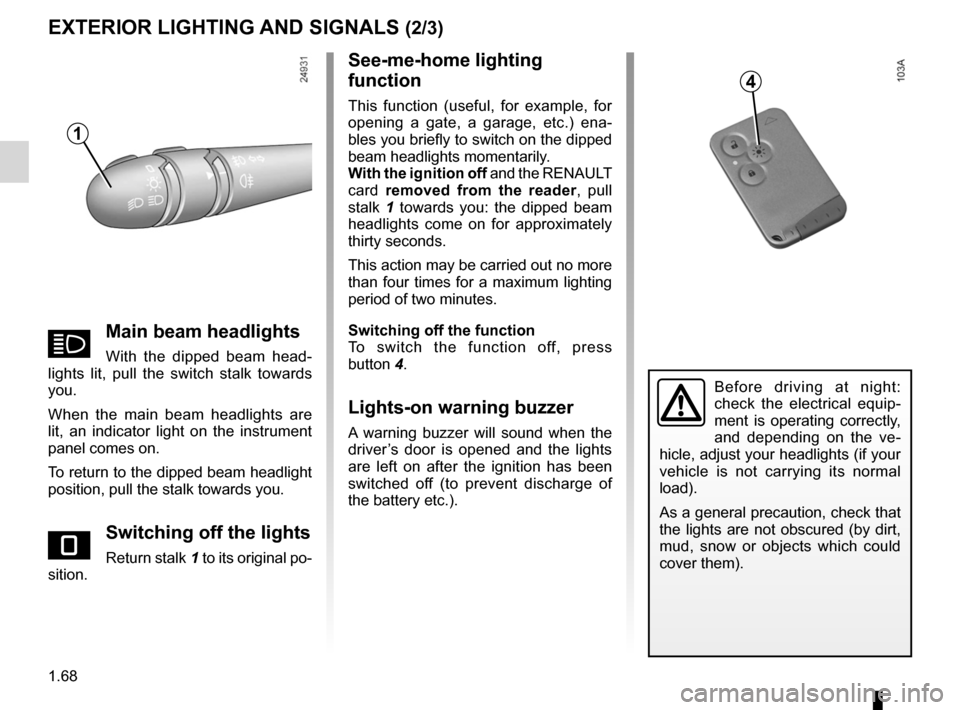
see-me-home lighting
function
This function (useful, for example, for
opening a gate, a garage, etc.) ena -
bles you briefly to switch on the dipped
beam headlights momentarily.
With the ignition off and the RENAULT
card removed from the reader , pull
stalk 1 towards you: the dipped beam
headlights come on for approximately
thirty seconds.
This action may be carried out no more
than four times for a maximum lighting
period of two minutes.
switching off the function
To switch the function off, press
button 4.
Lights-on warning buzzer
A warning buzzer will sound when the
driver’s door is opened and the lights
are left on after the ignition has been
switched off (to prevent discharge of
the battery etc.).
Before driving at night:
check the electrical equip -
ment is operating correctly,
and depending on the ve -
hicle, adjust your headlights (if your
vehicle is not carrying its normal
load).
As a general precaution, check that
the lights are not obscured (by dirt,
mud, snow or objects which could
cover them).
1
4