light RENAULT ESPACE 2012 J81 / 4.G Repair Manual
[x] Cancel search | Manufacturer: RENAULT, Model Year: 2012, Model line: ESPACE, Model: RENAULT ESPACE 2012 J81 / 4.GPages: 267, PDF Size: 8.95 MB
Page 110 of 267
2.28
ENG_UD1793_1
Régulateur-Limiteur de vitesse : fonction limiteur (X81 - Renault)
ENG_NU_932-3_X81ph3_Renault_2
cRUISE cONTROL - SPEED LIMITER: limiter function (continued)
Exceeding the limit speed
In the event of an emergency
It is possible to exceed the limit speed
at any moment. To do this: depress
the accelerator pedal firmly and fully
(beyond the kickdown point).
The speed flashes on the instrument
panel (trip computer and warning
system) while the speed is being ex -
ceeded.
When the emergency has passed, re -
lease the accelerator pedal: the speed
limiter function will return as soon as
you reach a speed lower than the limit
speed before the emergency.
Limit speed cannot be maintained
In some driving conditions (for example
when driving up or down a steep gradi -
ent), the system is unable to maintain
the limit speed: the memorised speed
on the instrument panel information dis-
play will flash to inform you of this situ-
ation.
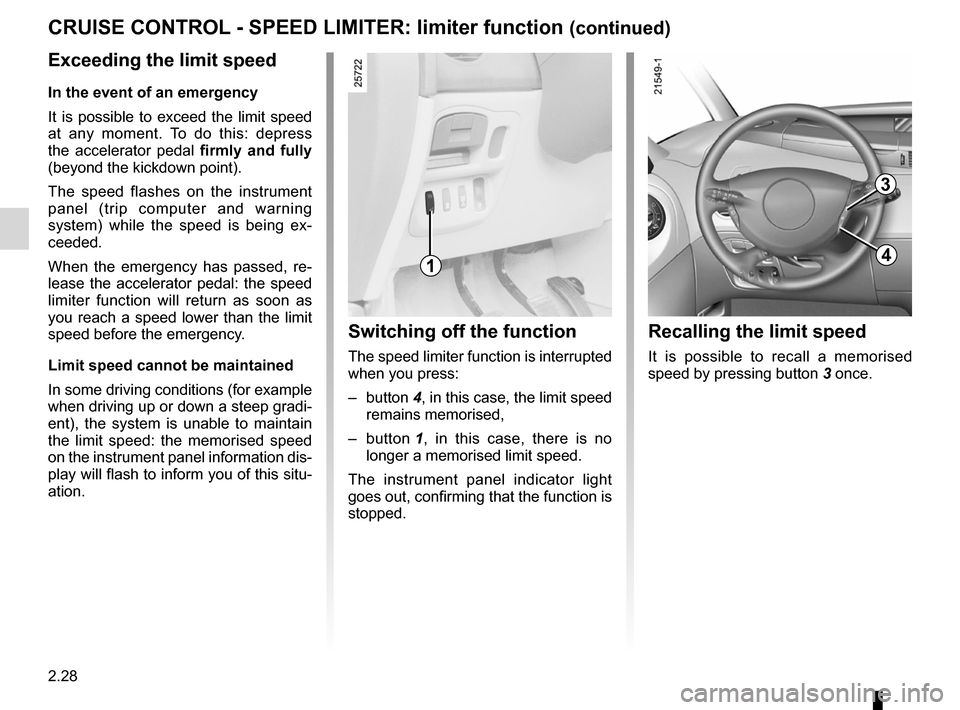
Switching off the function
The speed limiter function is interrupted
when you press:
– button 4, in this case, the limit speed
remains memorised,
– button 1 , in this case, there is no
longer a memorised limit speed.
The instrument panel indicator light
goes out, confirming that the function is
stopped.
Recalling the limit speed
It is possible to recall a memorised
speed by pressing button 3 once.
1
3
4
Page 112 of 267

ENG_NU_932-3_X81ph3_Renault_2
Jaune NoirNoir texte
cRUISE cONTROL - SPEED LIMITER: cruise control function (")
2.30
ENG_UD1794_1
Régulateur-Limiteur de vitesse : fonction régulateur (X81 - Renau\
lt)
ENG_NU_932-3_X81ph3_Renault_2
Jaune NoirNoir texte
cRUISE cONTROL - SPEED LIMITER: cruise control function (continued)
Driving
Once a cruising speed is memorised
and the cruise control function is active,
you may lift your foot off the accelera -
tor pedal.
Important: you are never -
theless advised to keep
your feet close to the pedals
in order to react if neces -
sary.
The system is designed in such a
way that it is possible to detect a dif-
ference between the programmed
speed and the speed shown on the
instrument panel.
Switching on
Press switch 1 on the side showing
Í.
The indicator light in the instrument
panel lights up and, depending on the
vehicle, the trip computer or the infor -
mation display enters cruise control
mode.
Activating cruise control
At a steady speed (above 18 mph
(30 km/h)) and in the correct gear (for
vehicles with manual gearboxes), press
switch 2 or 5 : the function is activated
and the speed is stored.
1
2
5
Page 114 of 267

ENG_NU_932-3_X81ph3_Renault_2
cRUISE cONTROL - SPEED LIMITER: cruise control function (continued)
Putting th")
2.32
ENG_UD1794_1
Régulateur-Limiteur de vitesse : fonction régulateur (X81 - Renau\
lt)
ENG_NU_932-3_X81ph3_Renault_2
cRUISE cONTROL - SPEED LIMITER: cruise control function (continued)
Putting the function on
standby
The function is interrupted when you:
– depress the brake pedal,
– depress the clutch pedal or shift into
neutral if the vehicle has an auto -
matic gearbox,
– press button 4.
In all three cases, the cruising speed is
memorised.
Recalling the cruising speed
If a speed has been memorised, it is
possible to recall it by pressing button 3,
on condition that you are driving faster
than 18 mph (30 km/h) and that you
are sure that the driving conditions are
suitable (traffic, road surface condition,
weather conditions, etc.).
Switching off the function
Press on/off switch 1 : in this case, the
speed is no longer stored.
The instrument panel indicator light
goes out, confirming that the function is
stopped.
Pressing button 2 or 5 reactivates
the cruise control function without
taking into account the memorised
speed: it is the speed at which the
vehicle is moving that is taken into
account.Putting the cruise control
on standby or switching it
off does not cause a rapid
reduction in speed: you
must brake by depressing the brake
pedal.
2
5
3
41
Page 116 of 267
2.34
ENG_UD20377_1
Aide au parking (X81 - J81 - Renault)
ENG_NU_932-3_X81ph3_Renault_2
Jaune NoirNoir texte
PARKING DISTANcE cONTROL (continued)
vehicles fitted with rear
parking distance control
Operation
Rear parking distance control is only
activated when reverse is selected.
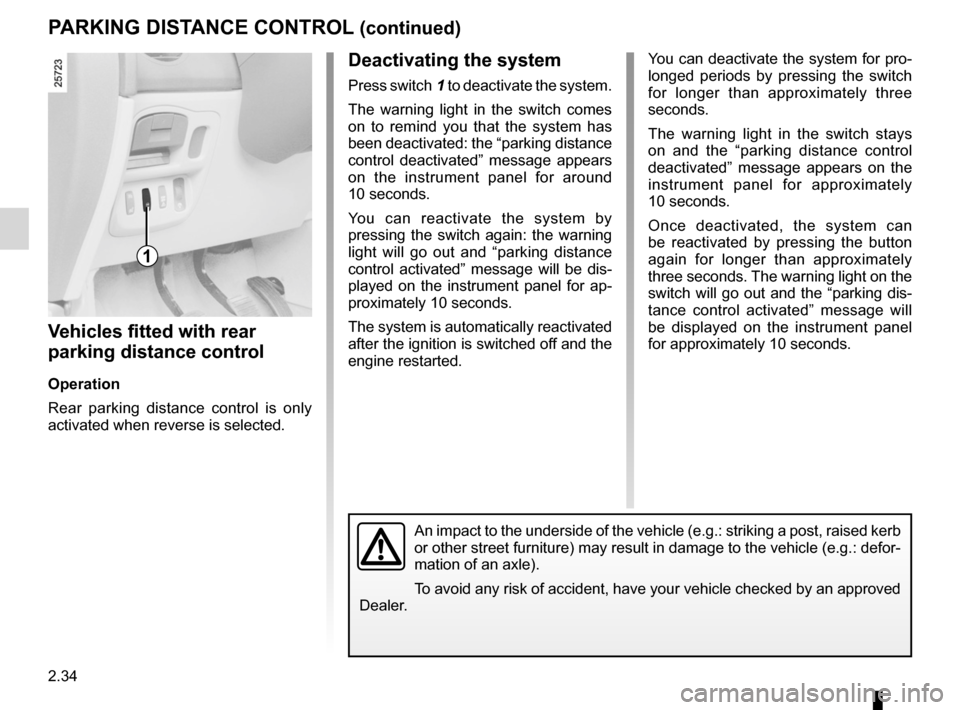
Deactivating the system
Press switch 1 to deactivate the system.
The warning light in the switch comes
on to remind you that the system has
been deactivated: the “parking distance
control deactivated” message appears
on the instrument panel for around
10 seconds.
You can reactivate the system by
pressing the switch again: the warning
light will go out and “parking distance
control activated” message will be dis-
played on the instrument panel for ap-
proximately 10 seconds.
The system is automatically reactivated
after the ignition is switched off and the
engine restarted. You can deactivate the system for pro-
longed periods by pressing the switch
for longer than approximately three
seconds.
The warning light in the switch stays
on and the “parking distance control
deactivated” message appears on the
instrument panel for approximately
10 seconds.
Once deactivated, the system can
be reactivated by pressing the button
again for longer than approximately
three seconds. The warning light on the
switch will go out and the “parking dis-
tance control activated” message will
be displayed on the instrument panel
for approximately 10 seconds.
1
An impact to the underside of the vehicle (e.g.: striking a post, raised kerb
or other street furniture) may result in damage to the vehicle (e.g.: defor-
mation of an axle).
To avoid any risk of accident, have your vehicle checked by an approved
Dealer.
Page 117 of 267
JauneNoirNoir texte
2.35
ENG_UD20377_1
Aide au parking (X81 - J81 - Renault)
ENG_NU_932-3_X81ph3_Renault_2
PARKING DISTANcE cONTROL (continued)
v ehicles fitted with front and
rear parking distance control
Operation
As long as the vehicle is being driven
at a speed below 7 mph (12 km/h) or
thereabouts, the parking distance con-
trol system remains on.
Any object located less than approxi -
mately 60 centimetres away from the
front of the vehicle is detected and a
beep is emitted. When reverse gear is selected
, the
system switches automatically to ma -
noeuvre mode.
Any object located less than approxi -
mately 1 metre away from the front and/
or less than 1.50 metres from the rear
of the vehicle is detected and a beep
sound is emitted.
If there are obstacles located close to
both the front and rear of the vehicle,
only the closest of the two will be ac -
knowledged and the corresponding
front or rear beep sound will be emitted.
If obstacles are detected both to the
front and to the rear of the vehicle at
the same time, and they are both within
30 centimetres from the vehicle, the
corresponding front and rear beeps will
be emitted alternately.
Manual activation/
deactivation of the front and
rear parking distance control
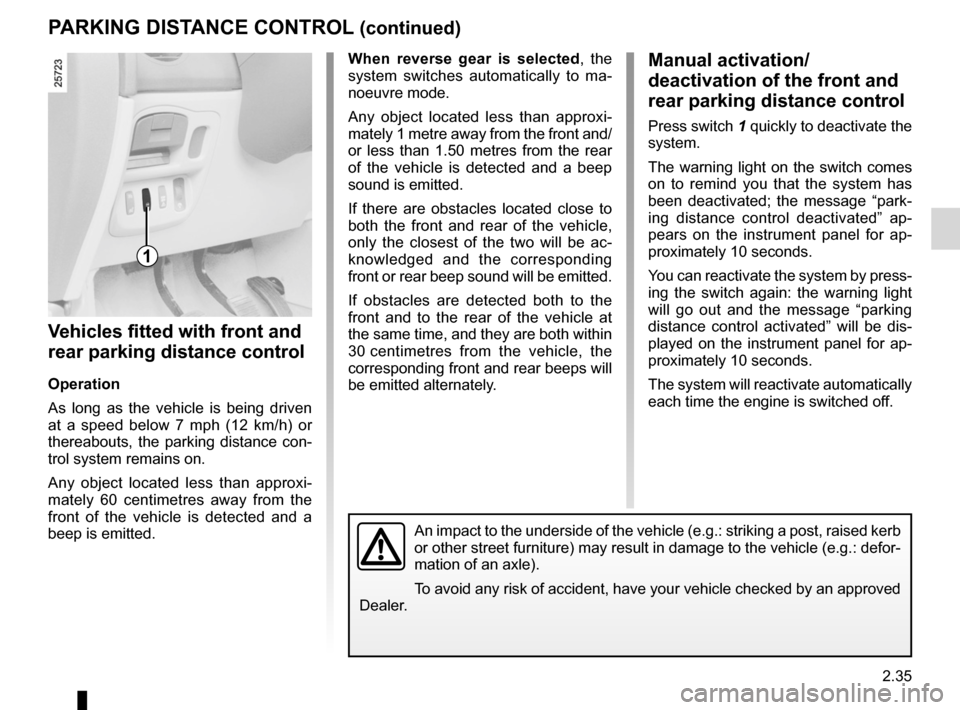
Press switch 1 quickly to deactivate the
system.
The warning light on the switch comes
on to remind you that the system has
been deactivated; the message “park -
ing distance control deactivated” ap -
pears on the instrument panel for ap -
proximately 10 seconds.
You can reactivate the system by press-
ing the switch again: the warning light
will go out and the message “parking
distance control activated” will be dis -
played on the instrument panel for ap-
proximately 10 seconds.
The system will reactivate automatically
each time the engine is switched off.
1
An impact to the underside of the vehicle (e.g.: striking a post, raised kerb
or other street furniture) may result in damage to the vehicle (e.g.: defor-
mation of an axle).
To avoid any risk of accident, have your vehicle checked by an approved
Dealer.
Page 118 of 267
2.36
ENG_UD20377_1
Aide au parking (X81 - J81 - Renault)
ENG_NU_932-3_X81ph3_Renault_2
PARKING DISTANcE cONTROL (continued)
Manual activation/
deactivation of the front and
rear parking distance control
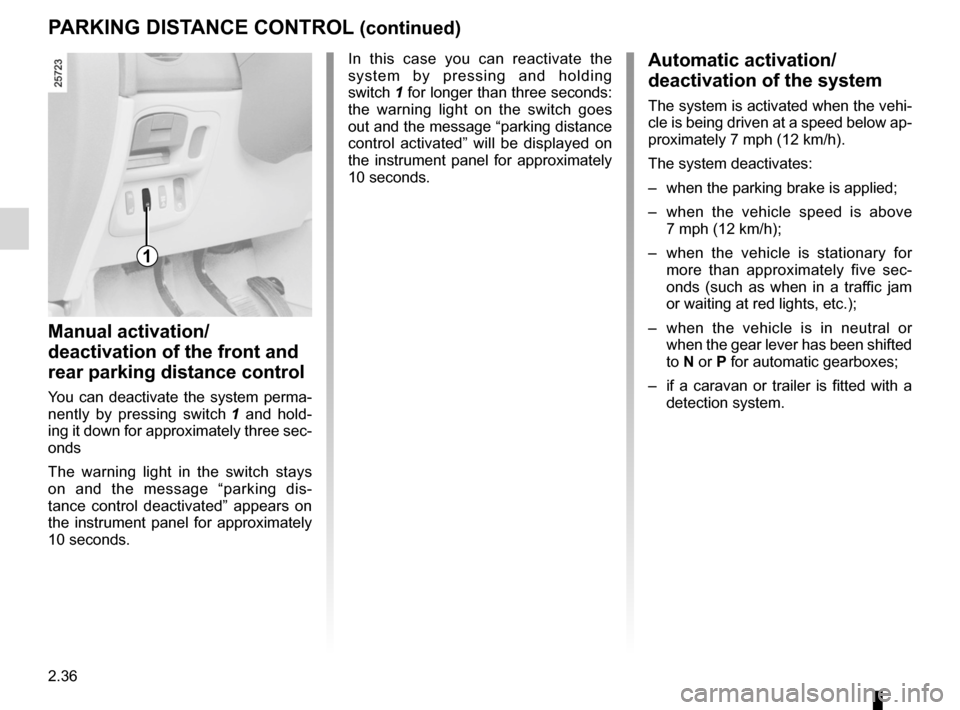
You can deactivate the system perma-
nently by pressing switch 1 and hold -
ing it down for approximately three sec-
onds
The warning light in the switch stays
on and the message “parking dis -
tance control deactivated” appears on
the instrument panel for approximately
10 seconds. In this case you can reactivate the
system by pressing and holding
switch 1 for longer than three seconds:
the warning light on the switch goes
out and the message “parking distance
control activated” will be displayed on
the instrument panel for approximately
10 seconds.
Automatic activation/
deactivation of the system
The system is activated when the vehi-
cle is being driven at a speed below ap-
proximately 7 mph (12 km/h).
The system deactivates:
–
when the parking brake is applied;
– when the vehicle speed is above
7 mph (12 km/h);
– when the vehicle is stationary for
more than approximately five sec -
onds (such as when in a traffic jam
or waiting at red lights, etc.);
– when the vehicle is in neutral or
when the gear lever has been shifted
to N or P for automatic gearboxes;
– if a caravan or trailer is fitted with a
detection system.
1
Page 119 of 267
automatic gearbox (use) ....................... (up to the end of the DU)
driving ................................................... (up to the end of the DU)
automatic gearbox selector lever ..........(up to the end of the DU)
2.37
ENG_UD24090_2
Boîte automatique (X81 - J81 - Renault)
ENG_NU_932-3_X81ph3_Renault_2
Using the automatic gearbox
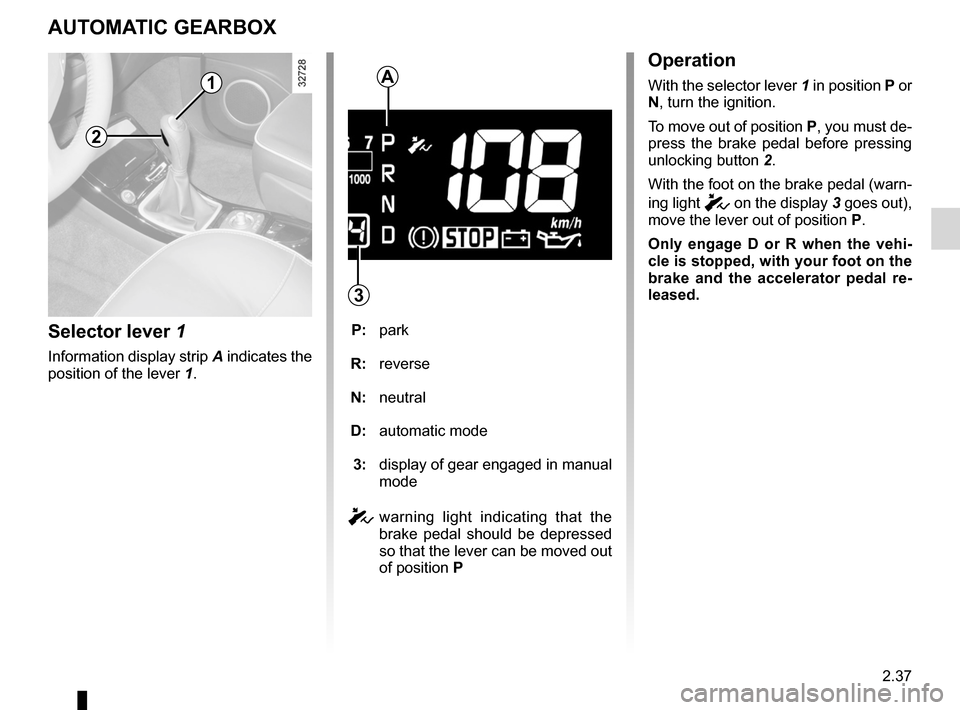
AUTOMATIc GEARBOX
Selector lever 1
Information display strip A indicates the
position of the lever 1.
P: park
R: reverse
N: neutral
D: automatic mode
3: display of gear engaged in manual
mode
c warning light indicating that the
brake pedal should be depressed
so that the lever can be moved out
of position P
2
1A
3
Operation
With the selector lever 1 in position P or
N, turn the ignition.
To move out of position P, you must de-
press the brake pedal before pressing
unlocking button 2.
With the foot on the brake pedal (warn-
ing light
c on the display 3 goes out),
move the lever out of position P.
Only engage D or R when the vehi -
cle is stopped, with your foot on the
brake and the accelerator pedal re -
leased.
Page 120 of 267
2.38
ENG_UD24090_2
Boîte automatique (X81 - J81 - Renault)
ENG_NU_932-3_X81ph3_Renault_2
Jaune NoirNoir texte
AUTOMATIc GEARBOX (continued)
Driving in automatic mode
Select position D. In the majority of
traffic conditions, you will not have to
touch the gear selector lever again: the
gear will be changed automatically at
the right time and at the most suitable
engine speed because the automatic
system takes into account the vehicle
load and road contour and adjusts itself
to the particular driving style you have
chosen.
Economical driving
When driving, always leave the lever
in position D, keeping the accelerator
pedal lightly depressed to ensure auto-
matic gear changes at a lower engine
speed.
Accelerating and overtaking
Depress the accelerator pedal firmly
and fully (so that it goes beyond the
kickdown point).
This will enable you to change down
to the optimum gear within the
engine range.
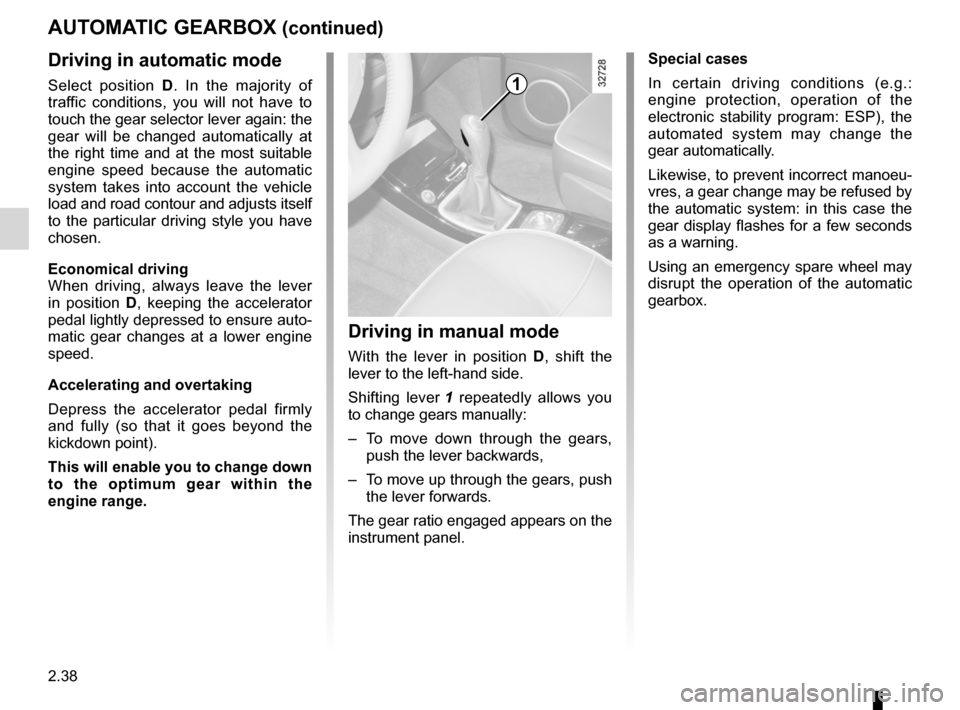
Driving in manual mode
With the lever in position D, shift the
lever to the left-hand side.
Shifting lever 1 repeatedly allows you
to change gears manually:
– To move down through the gears,
push the lever backwards,
– To move up through the gears, push
the lever forwards.
The gear ratio engaged appears on the
instrument panel. Special cases
In certain driving conditions (e.g.:
engine protection, operation of the
electronic stability program: ESP), the
automated system may change the
gear automatically.
Likewise, to prevent incorrect manoeu
-
vres, a gear change may be refused by
the automatic system: in this case the
gear display flashes for a few seconds
as a warning.
Using an emergency spare wheel may
disrupt the operation of the automatic
gearbox.
1
Page 123 of 267

ENG_NU_932-3_X81ph3_Renault_3
Section 3: Your comfort
Air vents. . . . . . . . . . . . . . . . . . . . . . . . . . . . . . . . . . . . \
. . . . . .")
3.1
ENG_UD25602_4
Sommaire 3 (X81 - J81 - Renault)
ENG_NU_932-3_X81ph3_Renault_3
Section 3: Your comfort
Air vents. . . . . . . . . . . . . . . . . . . . . . . . . . . . . . . . . . . . \
. . . . . . . . . . . . . . . . . . . . . . . . . . . . . . . . . . . 3.2
Heating and air conditioning . . . . . . . . . . . . . . . . . . . . . . . . . . . . . . . . . . . . . . . . . . . . . . . . . . . . . . . 3.5
Electric windows . . . . . . . . . . . . . . . . . . . . . . . . . . . . . . . . . . . . . . . . . . . . . . . . . . . . . . . . . . . . . . . . 3.26
Windscreen . . . . . . . . . . . . . . . . . . . . . . . . . . . . . . . . . . . . . . . . . . . . . . . . . . . . . . . . . . . . . . . . . . . . 3.30
Fixed glass roof . . . . . . . . . . . . . . . . . . . . . . . . . . . . . . . . . . . . . . . . . . . . . . . . . . . . . . . . . . . . . . . . . 3.30
Electric sunroof . . . . . . . . . . . . . . . . . . . . . . . . . . . . . . . . . . . . . . . . . . . . . . . . . . . . . . . . . . . . . . . . . 3.31
Sun visor . . . . . . . . . . . . . . . . . . . . . . . . . . . . . . . . . . . . . . . . . . . . . . . . . . . . . . . . . . . . . . . . . . . . . . 3.33
Interior lighting . . . . . . . . . . . . . . . . . . . . . . . . . . . . . . . . . . . . . . . . . . . . . . . . . . . . . . . . . . . . . . . . . . 3.35
Passenger compartment storage/fittings . . . . . . . . . . . . . . . . . . . . . . . . . . . . . . . . . . . . . . . . . . . . . . 3.37
Ashtrays – Cigarette lighter . . . . . . . . . . . . . . . . . . . . . . . . . . . . . . . . . . . . . . . . . . . . . . . . . . . . . . . . 3.41
Rear seats . . . . . . . . . . . . . . . . . . . . . . . . . . . . . . . . . . . . . . . . . . . . . . . . . . . . . . . . . . . . . . . . . . . . . 3.42
Luggage compartment . . . . . . . . . . . . . . . . . . . . . . . . . . . . . . . . . . . . \
. . . . . . . . . . . . . . . . . . . . . . . . 3.51
Opening rear screen . . . . . . . . . . . . . . . . . . . . . . . . . . . . . . . . . . . . . . . . . . . . . . . . . . . . . . . . . . . . . 3.52
Luggage cover . . . . . . . . . . . . . . . . . . . . . . . . . . . . . . . . . . . . . . . . . . . . . . . . . . . . . . . . . . . . . . . . . . 3.53
Transporting objects in the boot . . . . . . . . . . . . . . . . . . . . . . . . . . . . . . . . . . . . . . . . . . . . . . . . . . . . 3.55
Luggage net . . . . . . . . . . . . . . . . . . . . . . . . . . . . . . . . . . . . \
. . . . . . . . . . . . . . . . . . . . . . . . . . . . . . . . 3.56
Roof bars . . . . . . . . . . . . . . . . . . . . . . . . . . . . . . . . . . . . . . . . . . . . . . . . . . . . . . . . . . . . . . . . . . . . . . 3.57
Hands-free telephone integrated control . . . . . . . . . . . . . . . . . . . . . . . . . . . . . . . . . . . . . . . . . . . . . . 3.59
Page 127 of 267
air conditioning ..................................... (up to the end of the DU)
heating system ..................................... (up to the end of the DU)
air conditioning ..................................... (up to the end of the DU)
demisting windscreen ....................................................... (current page)
demisting rear screen ....................................................... (current page)
rear screen demisting ......................................................... (current page)
temperature regulation ......................... (up to the end of the DU)
ventilation ............................................. (up to the end of the DU)
3.5
ENG_UD20381_1
Chauffage/Air conditionné (X81 - J81 - Renault)
ENG_NU_932-3_X81ph3_Renault_3
Heating and air conditioning
HEATING/AIR CONDITIONING (1/7)
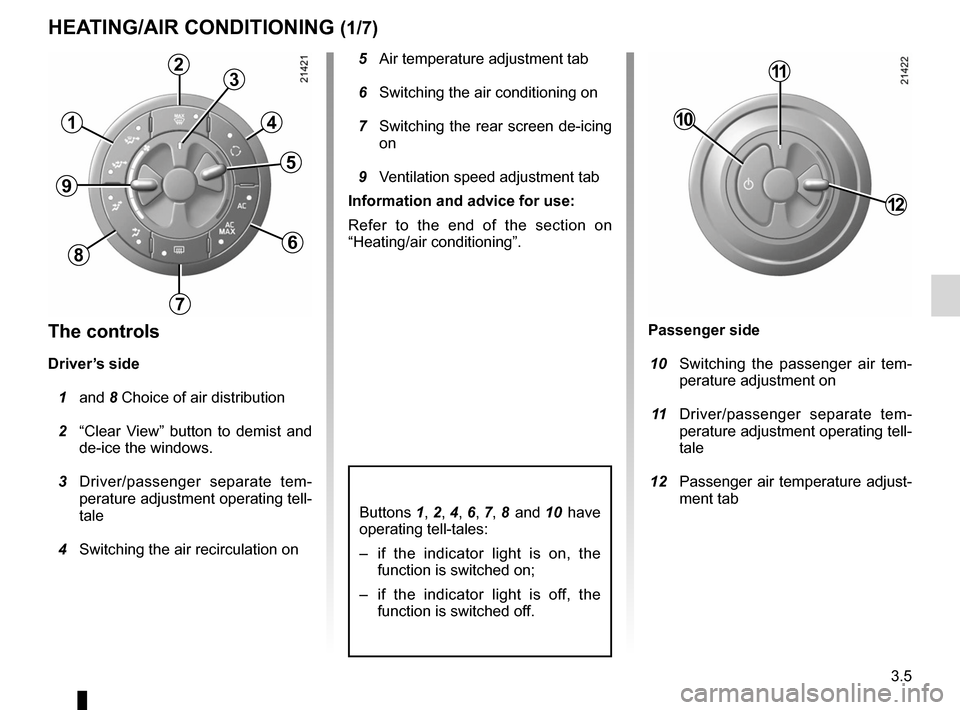
5 Air temperature adjustment tab
6 Switching the air conditioning on
7 Switching the rear screen de-icing
on
9 Ventilation speed adjustment tab
Information and advice for use:
Refer to the end of the section on
“Heating/air conditioning”.
The controls
Driver’s side
1 and 8 Choice of air distribution
2 “Clear View” button to demist and
de-ice the windows.
3 Driver/passenger separate tem -
perature adjustment operating tell-
tale
4 Switching the air recirculation on
Buttons 1 , 2 , 4 , 6 , 7 , 8 and 10 have
operating tell-tales:
– if the indicator light is on, the
function is switched on;
– if the indicator light is off, the
function is switched off.
Passenger side
10 Switching the passenger air tem -
perature adjustment on
11 Driver/passenger separate tem -
perature adjustment operating tell-
tale
12 Passenger air temperature adjust-
ment tab
1
23
4
5
6
7
8
9
10
11
12