display RENAULT LAGUNA 2012 X91 / 3.G User Guide
[x] Cancel search | Manufacturer: RENAULT, Model Year: 2012, Model line: LAGUNA, Model: RENAULT LAGUNA 2012 X91 / 3.GPages: 241, PDF Size: 7.82 MB
Page 61 of 241
JauneNoirNoir texte
1.55
ENG_UD23764_1
Ordinateur de bord : paramètres de voyage (X91 - B91 - K91 - Renault)
ENG_NU_936-5_BK91_Renault_1
Examples of selections Interpreting the display selected
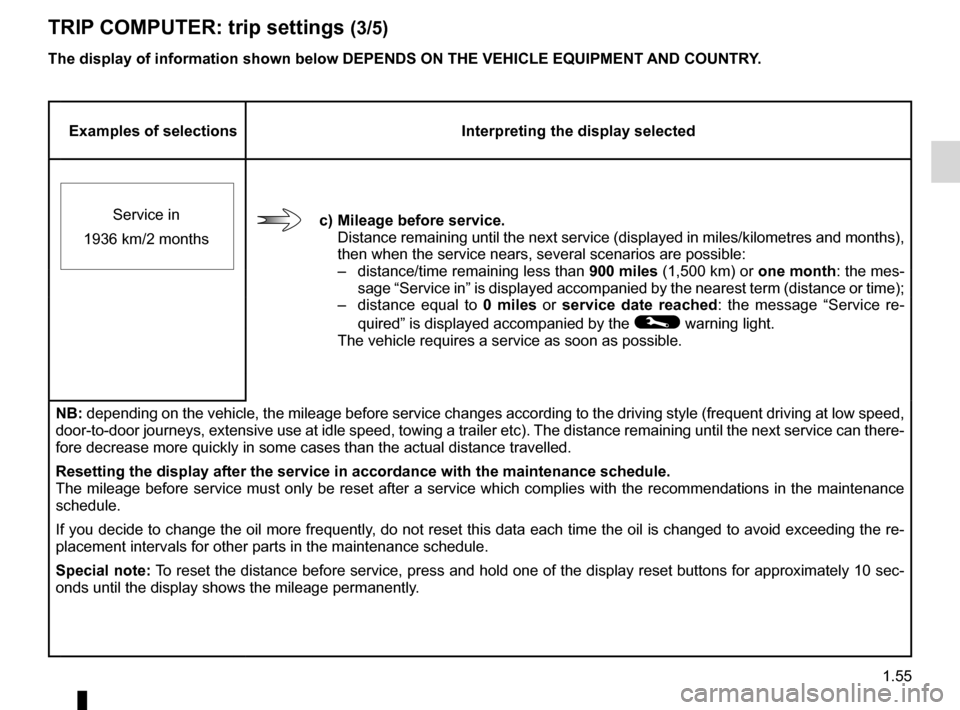
c) mileage before service. Distance remaining until the next service (displayed in miles/kilometres and months),
then when the service nears, several scenarios are possible:
– distance/time remaining less than 900 miles (1,500 km) or one month: the mes-
sage “Service in” is displayed accompanied by the nearest term (distance or time);
– distance equal to 0 miles or service date reached : the message “Service re-
quired ” is displayed accompanied by the
© warning light.
The vehicle requires a service as soon as possible.
Service in
1936 km/2 months
NB: depending on the vehicle, the mileage before service changes according to the driving style (frequent driving at low speed,
door-to-door journeys, extensive use at idle speed, towing a trailer etc). The distance remaining until the next service can there-
fore decrease more quickly in some cases than the actual distance travelled.
Resetting the display after the service in accordance with the maintenance schedule.
The mileage before service must only be reset after a service which complies with the recommendations in the maintenance
schedule.
If you decide to change the oil more frequently, do not reset this data each time the oil is changed to avoid exceeding the re-
placement intervals for other parts in the maintenance schedule.
special note: To reset the distance before service, press and hold one of the display reset buttons for approximately 10 sec-
onds until the display shows the mileage permanently.
The display of information shown below dEpENds ON THE vEHIcLE EQUIpmENT ANd cOUNTRY.
TRIp
cOmpUTER: trip settings (3/5)
Page 62 of 241
1.56
ENG_UD23764_1
Ordinateur de bord : paramètres de voyage (X91 - B91 - K91 - Renault)
ENG_NU_936-5_BK91_Renault_1
Jaune NoirNoir texte
The display of information shown below dEpENds ON THE vEHIcLE EQUIpmENT ANd cOUNTRY.
Examples of selections Interpreting the display selected
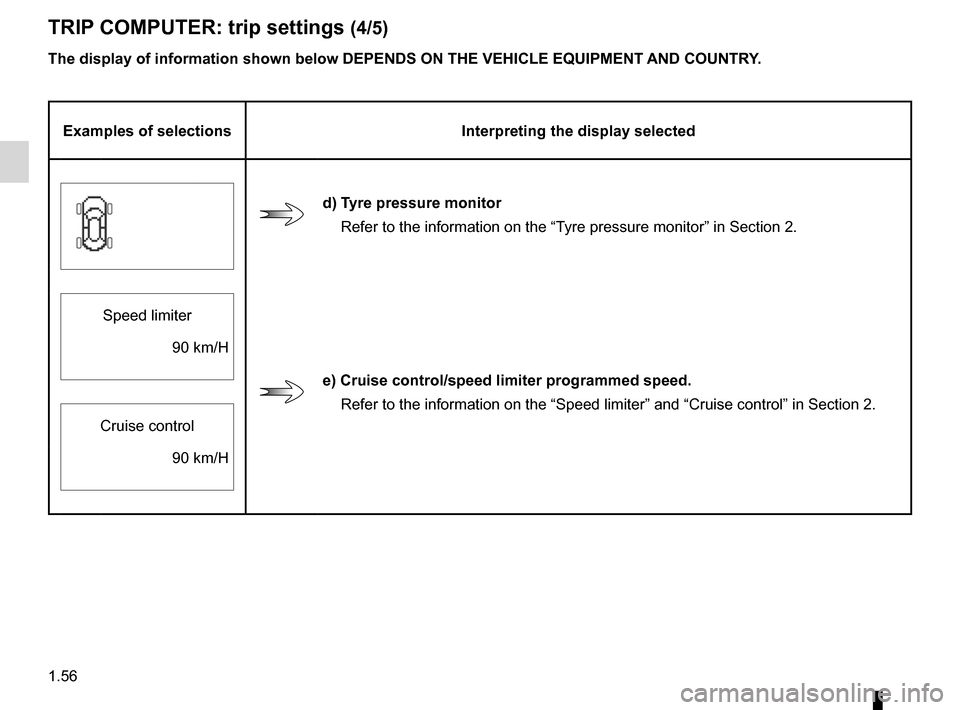
d) Tyre pressure monitor
Refer to the information on the “Tyre pressure monitor” in Section 2.
Speed limiter
e) cruise control/speed limiter programmed speed. Refer to the information on the “Speed limiter” and “Cruise control” in Section 2.
90 km/H
Cruise control 90 km/H
TRIp cOmpUTER: trip settings (4/5)
Page 63 of 241
JauneNoirNoir texte
1.57
ENG_UD23764_1
Ordinateur de bord : paramètres de voyage (X91 - B91 - K91 - Renault)
ENG_NU_936-5_BK91_Renault_1
Examples of selections Interpreting the display selected
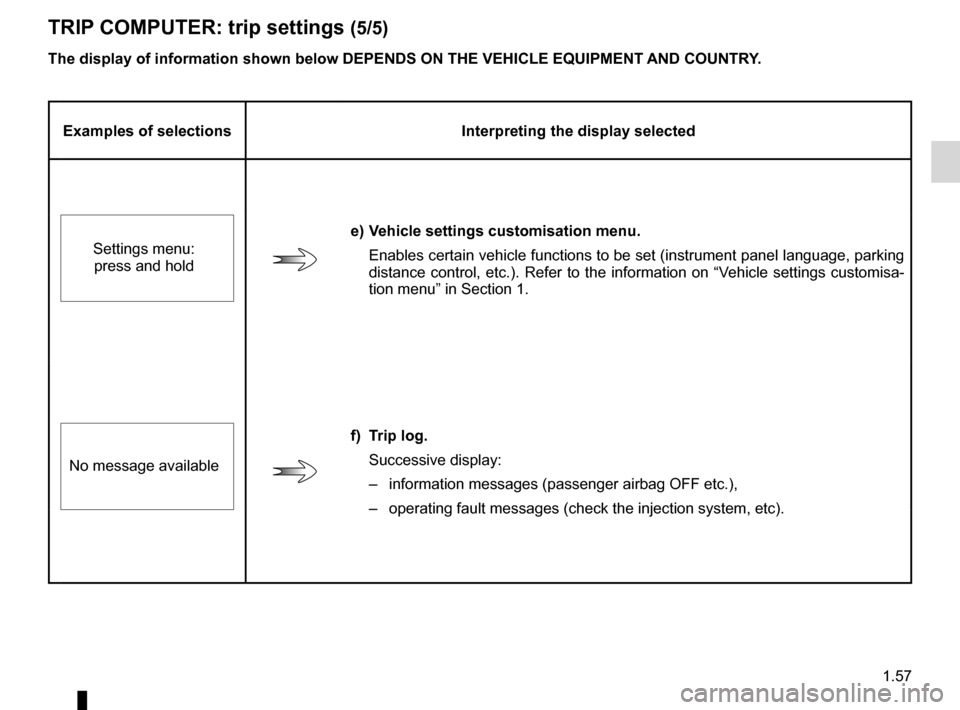
e) vehicle settings customisation menu.
Enables certain vehicle functions to be set (instrument panel language, parking
distance control, etc.). Refer to the information on “Vehicle settings customisa-
tion menu” in Section 1.
Settings menu:
press and hold
f) Trip log.
Successive display:
– information messages (passenger airbag OFF etc.),
– operating fault messages (check the injection system, etc).
No message available
The display of information shown below dEpENds ON THE vEHIcLE EQUIpmENT ANd cOUNTRY.
TRIp
cOmpUTER: trip settings (5/5)
Page 64 of 241
trip computer and warning system.........................(current page)
warning lights ......................................................... (current page)
instrument panel messages ...................................(current page)
instrument panel .................................................... (current page)
1.58
ENG_UD28946_2
Ordinateur de bord : messages d’information (X91 - B91 - K91 - D91 - Renault)
ENG_NU_936-5_BK91_Renault_1
TRIp cOmpUTER ANd WARNINg sYsTEm: information messages
Examples of messages Interpreting the display selected
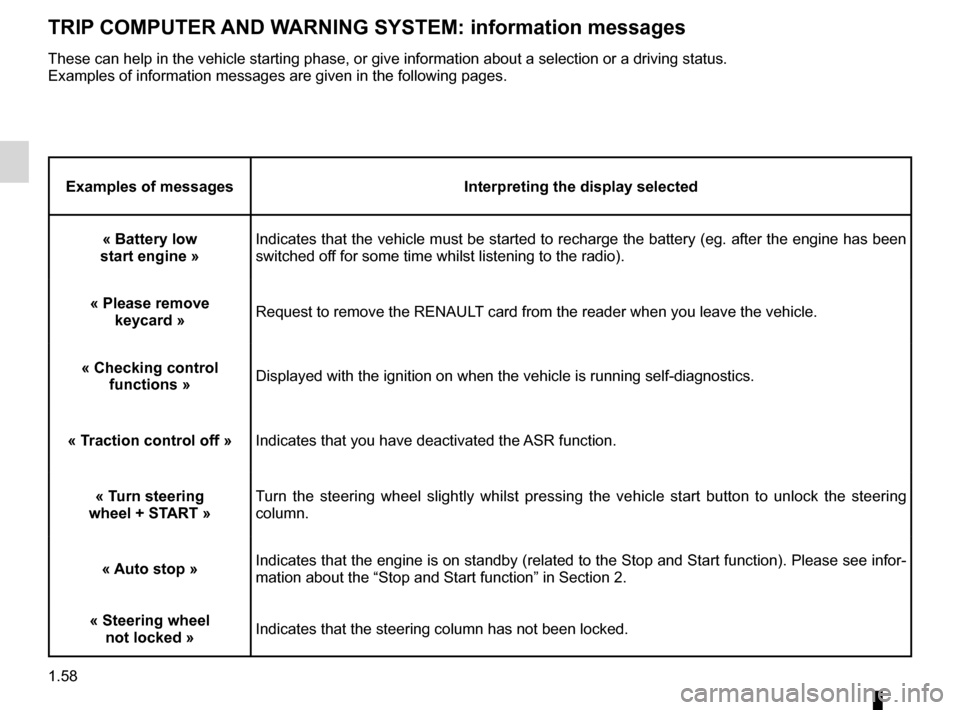
« Battery low
start engine » Indicates that the vehicle must be started to recharge the battery (eg. after the engine has been
switched off for some time whilst listening to the radio).
« please remove keycard » Request to remove the RENAULT card from the reader when you leave the vehicle.
« checking control functions » Displayed with the ignition on when the vehicle is running self-diagnostics.
« Traction control off »Indicates that you have deactivated the ASR function.
« Turn steering
wheel + sTART » Turn the steering wheel slightly whilst pressing the vehicle start button to unlock the steering
column.
« Auto stop »Indicates that the engine is on standby (related to the Stop and Start function). Please see infor-
mation about the “Stop and Start function” in Section 2.
« steering wheel not locked »Indicates that the steering column has not been locked.
These can help in the vehicle starting phase, or give information about a selection or a driving status.
Examples of information messages are given in the following pages.
Page 65 of 241
trip computer and warning system.........................(current page)
instrument panel messages ...................................(current page)
warning lights ......................................................... (current page)
instrument panel .................................................... (current page)
1.59
ENG_UD23770_1
Ordinateur de bord : messages d’anomalies de fonctionnement (X91 - B91 - K91 - Renault)
ENG_NU_936-5_BK91_Renault_1
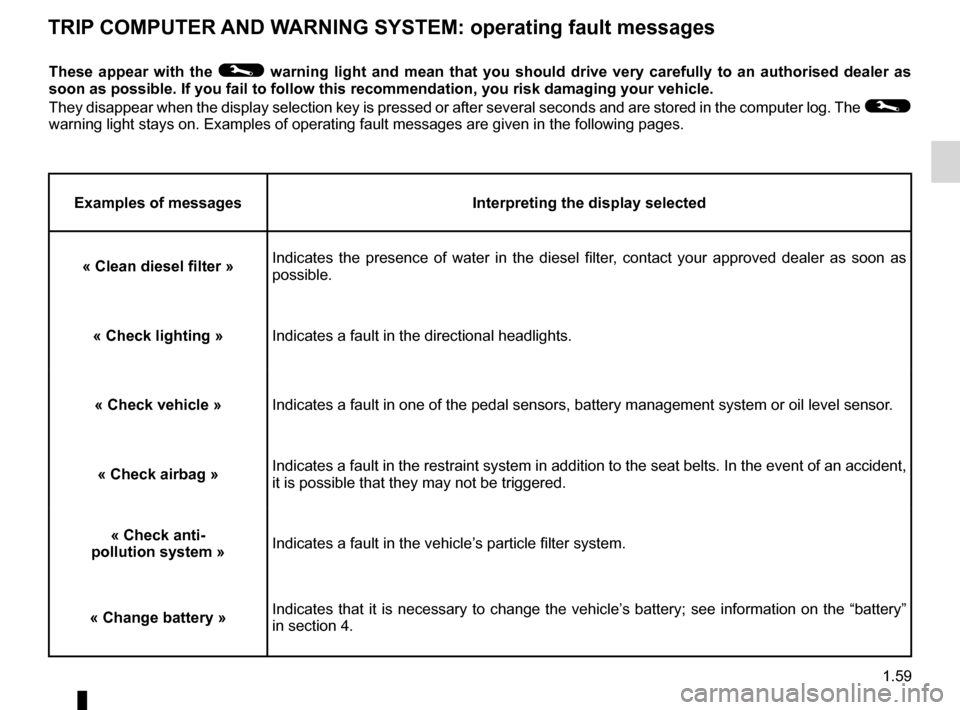
TRIp cOmpUTER ANd WARNINg sYsTEm: operating fault messages
These appear with the © warning light and mean that you should drive very carefully to an authorised dealer as
soon as possible. If you fail to follow this recommendation, you risk damaging your vehicle.
They disappear when the display selection key is pressed or after several seconds and are stored in the computer log. The
©
warning light stays on. Examples of operating fault messages are given in the following pages.
Examples of messages Interpreting the display selected
« clean diesel filter » Indicates the presence of water in the diesel filter, contact your approved dealer as soon as
possible.
« check lighting »Indicates a fault in the directional headlights.
« check vehicle » Indicates a fault in one of the pedal sensors, battery management system or oil level sensor .
« check airbag » Indicates a fault in the restraint system in addition to the seat belts. In the event of an accident,
it is possible that they may not be triggered.
« check anti-
pollution system »Indicates a fault in the vehicle’s particle filter system.
« change battery » Indicates that it is necessary to change the vehicle’s battery; see information on the “battery”
in section 4.
Page 66 of 241
trip computer and warning system.........................(current page)
warning lights ......................................................... (current page)
instrument panel messages ...................................(current page)
instrument panel .................................................... (current page)
1.60
ENG_UD23771_1
Ordinateur de bord : messages d’alerte (X91 - B91 - K91 - Renault)
ENG_NU_936-5_BK91_Renault_1
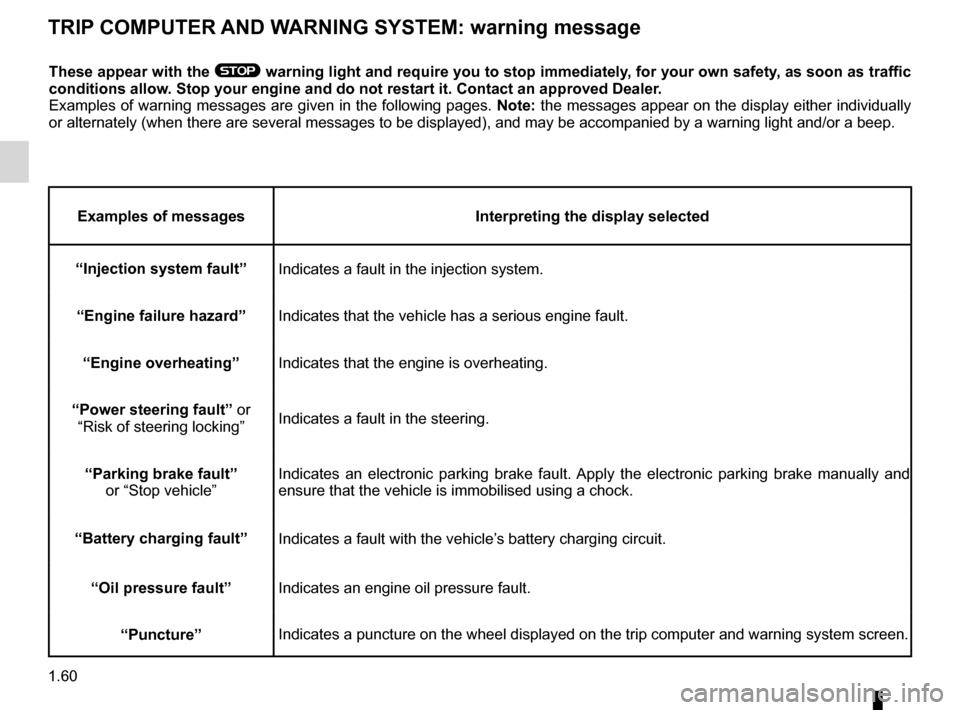
TRIp cOmpUTER ANd WARNINg sYsTEm: warning message
These appear with the ® warning light and require you to stop immediately, for your own safety, as soon as traffic
conditions allow. stop your engine and do not restart it. contact an approved dealer.
Examples of warning messages are given in the following pages. Note: the messages appear on the display either individually
or alternately (when there are several messages to be displayed), and may be accompanied by a warning light and/or a beep.
Examples of messages Interpreting the display selected
“Injection system fault” Indicates a fault in the injection system.
“Engine failure hazard ”
Indicates that the vehicle has a serious engine fault.
“Engine overheating ”
Indicates that the engine is overheating.
“power steering fault” or “Risk of steering locking ”Indicates a fault in the steering.
“parking brake fault” or “Stop vehicle ”Indicates an electronic parking brake fault. Apply the electronic parking brake manually and
ensure that the vehicle is immobilised using a chock.
“Battery charging fault” Indicates a fault with the vehicle’s battery charging circuit.
“Oil pressure fault” Indicates an engine oil pressure fault.
“puncture” Indicates a puncture on the wheel displayed on the trip computer and warning system screen.
Page 67 of 241
menu for customising the vehicle settings
(up to the end of the DU)
customising the vehicle settings ........... (up to the end of the DU)
customised vehicle settings .................. (up to the end of the DU)
1.61
ENG_UD13332_5
Menu de personnalisation des réglages du véhicule (X91 - B91 - K91 - Renault)
ENG_NU_936-5_BK91_Renault_1
vehicle settings customisation menu
vEHIcLE sETTINgs cUsTOmIsATION mENU
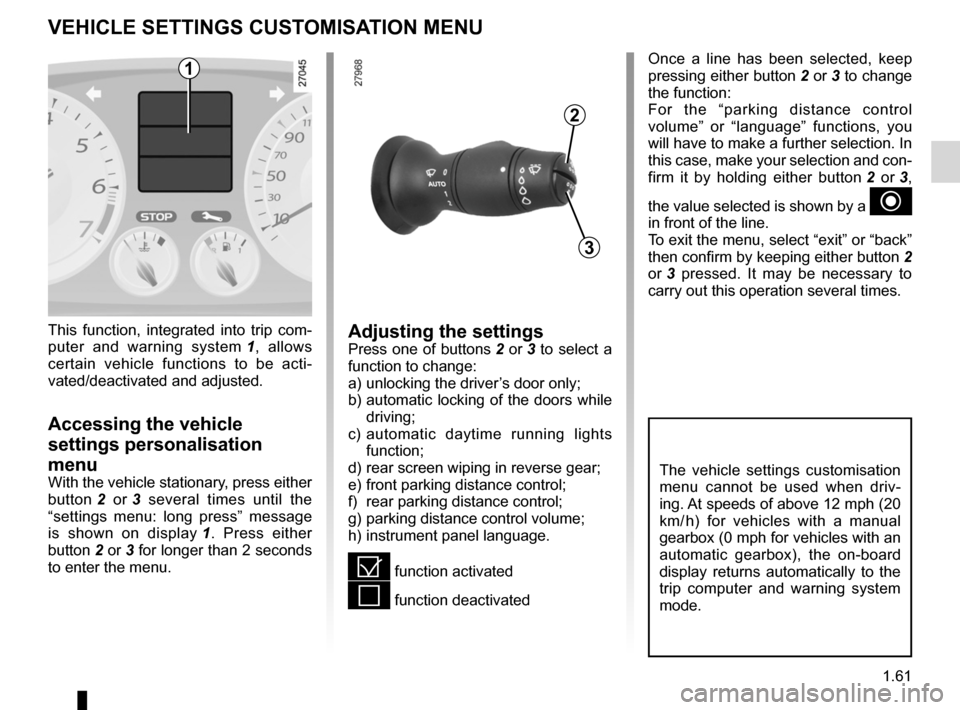
This function, integrated into trip com -
puter and warning system 1 , allows
certain vehicle functions to be acti -
vated/deactivated and adjusted.
Accessing the vehicle
settings personalisation
menu
With the vehicle stationary, press either
button 2 or 3 several times until the
“settings menu: long press” message
is shown on display 1 . Press either
button 2 or 3 for longer than 2 seconds
to enter the menu.
2
3
1
The vehicle settings customisation
menu cannot be used when driv -
ing. At speeds of above 12 mph (20
km/ h) for vehicles with a manual
gearbox (0 mph for vehicles with an
automatic gearbox), the on-board
display returns automatically to the
trip computer and warning system
mode.
Adjusting the settingsPress one of buttons 2 or 3 to select a
function to change:
a) unlocking the driver’s door only;
b) automatic locking of the doors while
driving;
c) automatic daytime running lights
function;
d) rear screen wiping in reverse gear;
e) front parking distance control;
f) rear parking distance control;
g) parking distance control volume;
h) instrument panel language.
= function activated
< function deactivated Once a line has been selected, keep
pressing either button 2 or 3 to change
the function:
For the “parking distance control
volume” or “language” functions, you
will have to make a further selection. In
this case, make your selection and con-
firm it by holding either button
2 or 3 ,
the value selected is shown by a
~
in front of the line.
To exit the menu, select “exit” or “back”
then confirm by keeping either button 2
or 3 pressed. It may be necessary to
carry out this operation several times.
Page 73 of 241
lights:main beam headlights ...................................... (current page)
warning buzzer ...................................................... (current page)
see-me-home lighting ............................................ (current page)
lights mobile directional ............................................. (current page)
lights: main beam headlights ...................................... (current page)
JauneNoirNoir texte
1.67
ENG_UD20268_1
Eclairage et signalisation extérieurs (X91 - B91 - K91 - Renault)
ENG_NU_936-5_BK91_Renault_1
EXTERIOR LIgHTINg ANd sIgNALs (2/3)
special note:
– If the dipped beam headlights are
manually switched on and if the light
is sufficient, the directional head -
lights will remain fixed;
– If the lights come on automatically
when cornering, the directional
headlights will start working from the
next time the vehicle corners;
– When the dipped beam headlights
are switched on with the engine
running and the vehicle stationary,
the lights move to reinitialise them -
selves. If not, there is a system fault.
switching off the lights
There are two possibilities:
– Manually, move ring 2 to position 0;
– automatically, the lights will go out
when the engine is switched off, the
driver’s door is opened or the vehicle
is locked. In this case, the next time
the engine is started the lights will be
switched back on according to the
position of the ring 2.
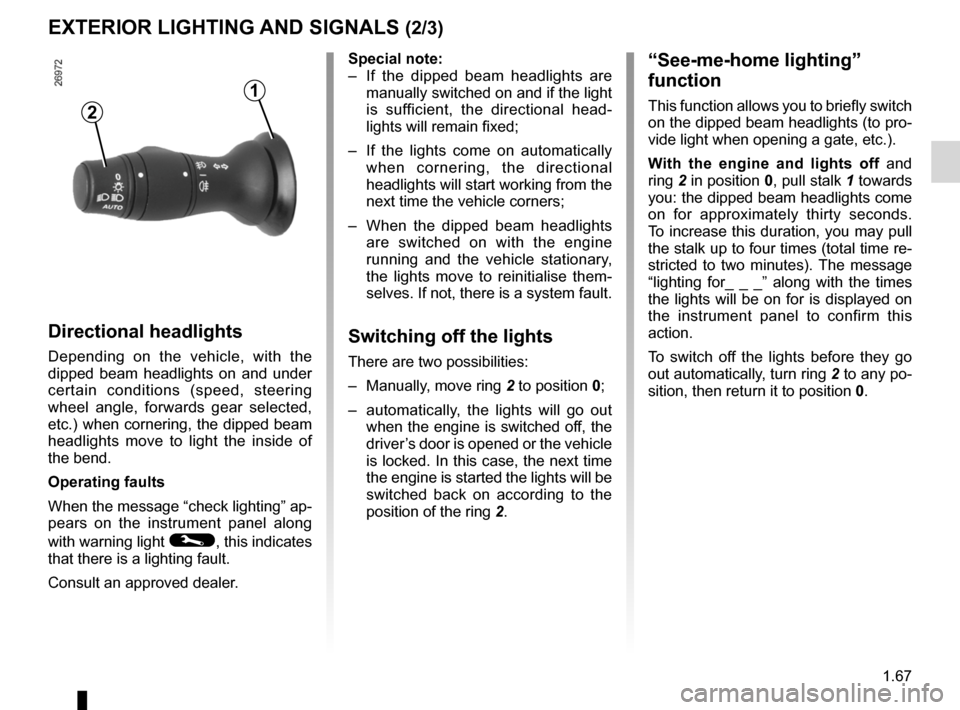
“see-me-home lighting”
function
This function allows you to briefly switch
on the dipped beam headlights (to pro-
vide light when opening a gate, etc.).
With the engine and lights off and
ring 2 in position 0, pull stalk 1 towards
you: the dipped beam headlights come
on for approximately thirty seconds.
To increase this duration, you may pull
the stalk up to four times (total time re-
stricted to two minutes). The message
“lighting for_ _ _” along with the times
the lights will be on for is displayed on
the instrument panel to confirm this
action.
To switch off the lights before they go
out automatically, turn ring 2 to any po-
sition, then return it to position 0.
directional headlights
Depending on the vehicle, with the
dipped beam headlights on and under
certain conditions (speed, steering
wheel angle, forwards gear selected,
etc.) when cornering, the dipped beam
headlights move to light the inside of
the bend.
Operating faults
When the message “check lighting” ap-
pears on the instrument panel along
with warning light
©, this indicates
that there is a lighting fault.
Consult an approved dealer.
2
1
Page 85 of 241
starting the engine ................................ (up to the end of the DU)
engine start/stop button ........................ (up to the end of the DU)
starting the engine ................................ (up to the end of the DU)
driving ................................................... (up to the end of the DU)
stopping the engine .............................. (up to the end of the DU)
2.3
ENG_UD28948_5
Démarrage, arrêt du moteur (X91 - B91 - K91 - Renault)
ENG_NU_936-5_BK91_Renault_2
Starting, stopping the engine
StaRtING/StoPPING the eNGINe (1/3)
Starting the engine
Remote control ReNaUL t card
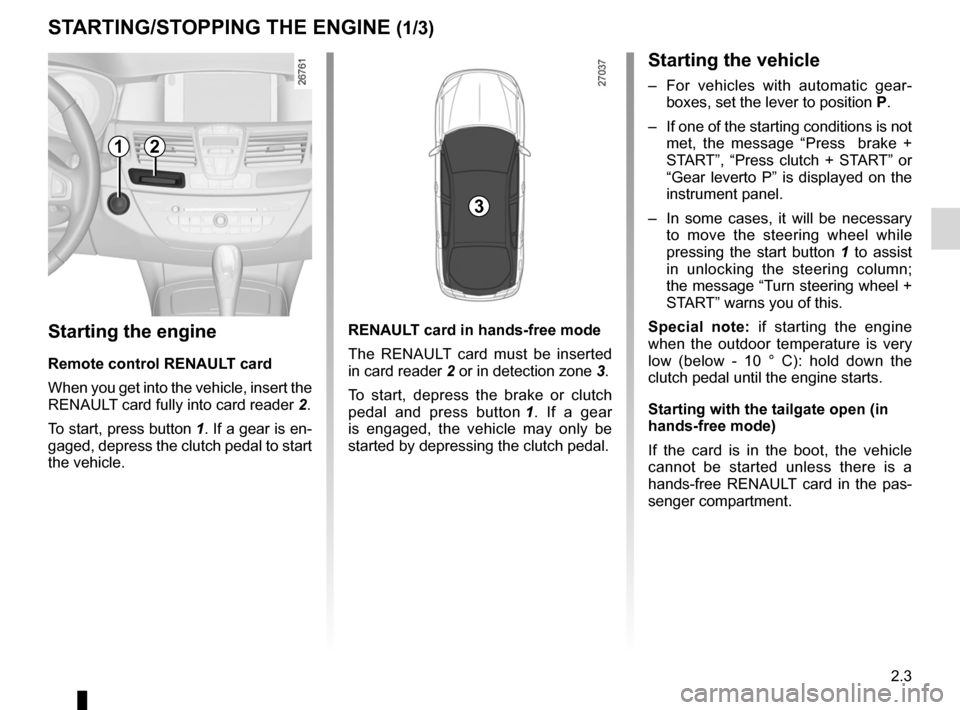
When you get into the vehicle, insert the
RENAULT card fully into card reader 2.
To start, press button 1. If a gear is en-
gaged, depress the clutch pedal to start
the vehicle. ReNaUL
t card in hands-free mode
The RENAULT card must be inserted
in card reader 2 or in detection zone 3.
To start, depress the brake or clutch
pedal and press button 1 . If a gear
is engaged, the vehicle may only be
started by depressing the clutch pedal.
Starting the vehicle
– For vehicles with automatic gear -
boxes, set the lever to position P.
– If one of the starting conditions is not
met, the message “ Press brake +
START”, “Press clutch + START” or
“Gear leverto P” is displayed on the
instrument panel.
– In some cases, it will be necessary
to move the steering wheel while
pressing the start button 1 to assist
in unlocking the steering column;
the message “Turn steering wheel +
START” warns you of this.
Special note: if starting the engine
when the outdoor temperature is very
low (below - 10 ° C): hold down the
clutch pedal until the engine starts.
Starting with the tailgate open (in
hands-free mode)
If the card is in the boot, the vehicle
cannot be started unless there is a
hands-free RENAULT card in the pas -
senger compartment.
12
3
Page 88 of 241
starting the engine ................................ (up to the end of the DU)
engine standby ..................................... (up to the end of the DU)
Stop & Start function .............................(up to the end of the DU)
Stop & Start .......................................... (up to the end of the DU)
2.6
ENG_UD28949_4
Fonction Stop and Start (X91 - B91 - K91 - D91 - Renault)
ENG_NU_936-5_BK91_Renault_2
Jaune NoirNoir texte
stop and start function
StoP aND StaRt function (1/3)
The message “Auto Stop” on the instru-
ment panel indicates that the engine is
on standby.
The vehicle equipment remain opera -
tional while the engine is stopped.
The engine will restart as soon as you
press the clutch pedal and move into
gear.This system enables a reduced fuel
consumption and lower greenhouse
gas emissions.
The system is activated automatically
when the vehicle is started.
While driving, the system stops the
engine (standby) when the vehicle is
at a standstill (traffic jam, traffic lights,
etc).
System operating conditionsEngine standby is activated if:
– the vehicle has been driven since its
last stop;
– the gearbox is in neutral;
– the clutch pedal is released;
and
– the vehicle is travelling at less than 3
km/h. Special feature of the automatic
engine re-start
Under certain conditions, the engine
can restart on its own in order to guar-
antee your safety and comfort.
This can occur especially when:
–
the outdoor temperature is too low or
too high (less than around 0 °C or
higher than around 30 °C);
– the “Clear View” function is activated
(please see “Automatic Climate
Control” in Section 3);
– the battery is not sufficiently charged;
– the vehicle speed is above 7 km/h
(downhill slope, etc.);
– repeated pressing on the brake
pedal or braking system require -
ment;
– ...
Special feature of vehi -
cles equipped with an
electronic parking brake
If the engine is put on
standby (the message “ Auto Stop”
is displayed on the instrument
panel), the electronic parking brake
is not applied automatically.
Engine on standby - braking
assistance is no longer op-
erational.
Before getting out of the
vehicle, you must switch
off the ignition by pressing
the engine stop (please see
“Starting, stopping the engine”).
Do not drive off when the
engine is on standby (the
message “Auto Stop” is dis-
played on the instrument
panel).