service RENAULT MASTER 2018 User Guide
[x] Cancel search | Manufacturer: RENAULT, Model Year: 2018, Model line: MASTER, Model: RENAULT MASTER 2018Pages: 290, PDF Size: 7.1 MB
Page 249 of 290

5.35
RADIO FREQUENCY REMOTE CONTROL: battery
Replacing the battery
Open the case at slot 1 using a flat-
blade screwdriver or similar and re-
place the battery 2, observing the type
and polarity shown on the back of the
cover.
Note: It is not advisable to touch the
electrical circuit in the key cover when
replacing the battery.
3
When refitting, ensure that the cover
is correctly clipped on and the screw
tightened.
1
2
3
2
A
1
Special feature of key A
Undo screw 3 to remove the remote
control cover.
Do not dispose of your used batter-
ies in the countryside. Give them to
an organisation that collects and re-
cycles used batteries.
The batteries are available from ap-
proved Dealers, and their service
life approximately two years. Check
that there is no dye on the battery:
risk of an incorrect electrical con-
tact.
Page 250 of 290
5.36
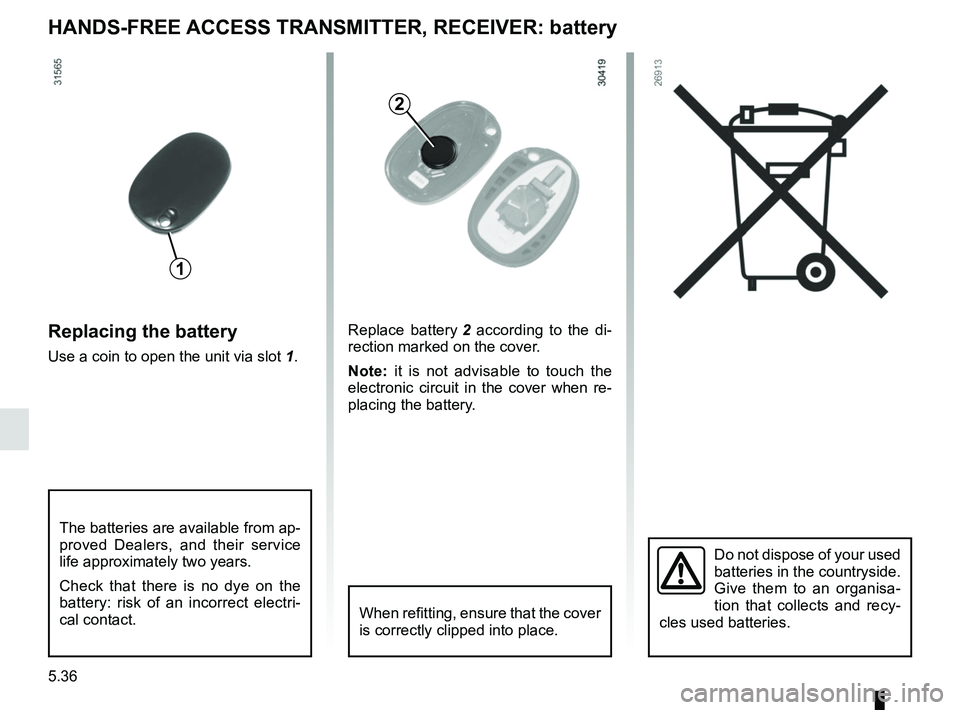
HANDS-FREE ACCESS TRANSMITTER, RECEIVER: battery
Replacing the battery
Use a coin to open the unit via slot 1.
Do not dispose of your used
batteries in the countryside.
Give them to an organisa-
tion that collects and recy-
cles used batteries.
1
2
Replace battery 2 according to the di-
rection marked on the cover.
Note: it is not advisable to touch the
electronic circuit in the cover when re-
placing the battery.
When refitting, ensure that the cover
is correctly clipped into place.
The batteries are available from ap-
proved Dealers, and their service
life approximately two years.
Check that there is no dye on the
battery: risk of an incorrect electri-
cal contact.
Page 251 of 290
5.37
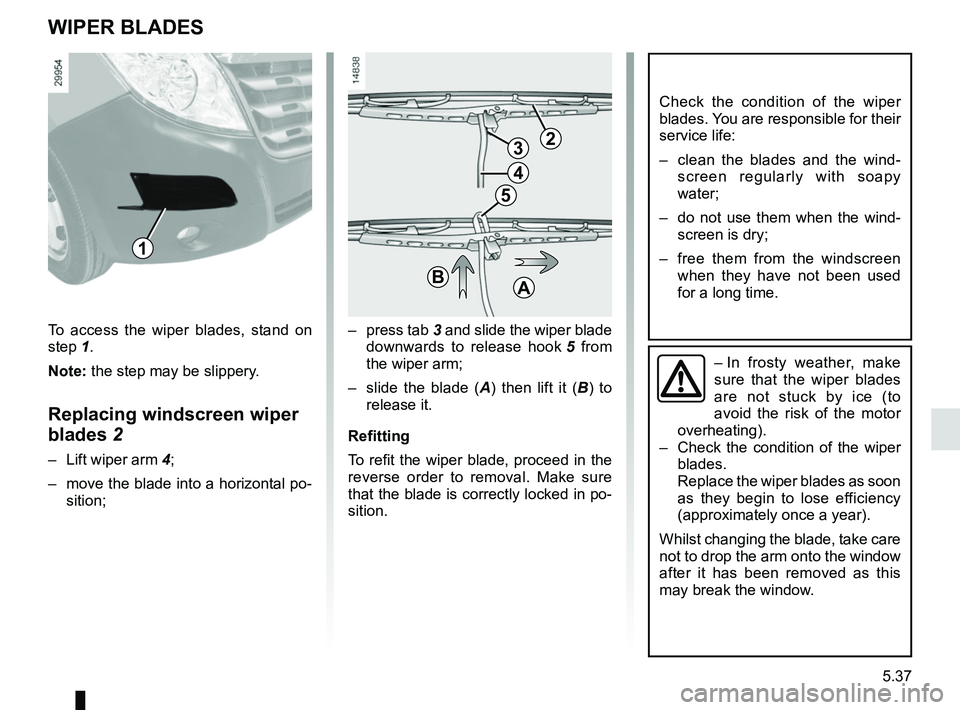
WIPER BLADES
– press tab 3 and slide the wiper blade
downwards to release hook 5 from
the wiper arm;
– slide the blade ( A) then lift it ( B) to
release it.
Refitting
To refit the wiper blade, proceed in the
reverse order to removal. Make sure
that the blade is correctly locked in po-
sition.
Check the condition of the wiper
blades. You are responsible for their
service life:
– clean the blades and the wind- screen regularly with soapy
water;
– do not use them when the wind- screen is dry;
– free them from the windscreen when they have not been used
for a long time.
– In frosty weather, make
sure that the wiper blades
are not stuck by ice (to
avoid the risk of the motor
overheating).
– Check the condition of the wiper
blades.
Replace the wiper blades as soon
as they begin to lose efficiency
(approximately once a year).
Whilst changing the blade, take care
not to drop the arm onto the window
after it has been removed as this
may break the window.
23
4
5
BA
To access the wiper blades, stand on
step 1. Note: the step may be slippery.
Replacing windscreen wiper
blades 2
– Lift wiper arm 4;
– move the blade into a horizontal po- sition;
1
Page 261 of 290

6.1
Section 6: Technical specifications
Vehicle identification plates . . . . . . . . . . . . . . . . . . . . . . . . . . . . . . . . . . . . \
. . . . . . . . . . . . . . . . . . . . 6.2
Engine specifications . . . . . . . . . . . . . . . . . . . . . . . . . . . . . . . . . . . . \
. . . . . . . . . . . . . . . . . . . . . . . . . 6.5
Dimensions . . . . . . . . . . . . . . . . . . . . . . . . . . . . . . . . . . . .\
. . . . . . . . . . . . . . . . . . . . . . . . . . . . . . . . 6.6
Weights . . . . . . . . . . . . . . . . . . . . . . . . . . . . . . . . . . . .\
. . . . . . . . . . . . . . . . . . . . . . . . . . . . . . . . . . . 6.8
Replacement parts and repairs . . . . . . . . . . . . . . . . . . . . . . . . . . . . . . . . . . . . \
. . . . . . . . . . . . . . . . . 6.9
Service sheets . . . . . . . . . . . . . . . . . . . . . . . . . . . . . . . . . . . . \
. . . . . . . . . . . . . . . . . . . . . . . . . . . . . . 6.10
Anticorrosion check . . . . . . . . . . . . . . . . . . . . . . . . . . . . . . . . . . . . \
. . . . . . . . . . . . . . . . . . . . . . . . . . 6.16
Page 270 of 290
6.10
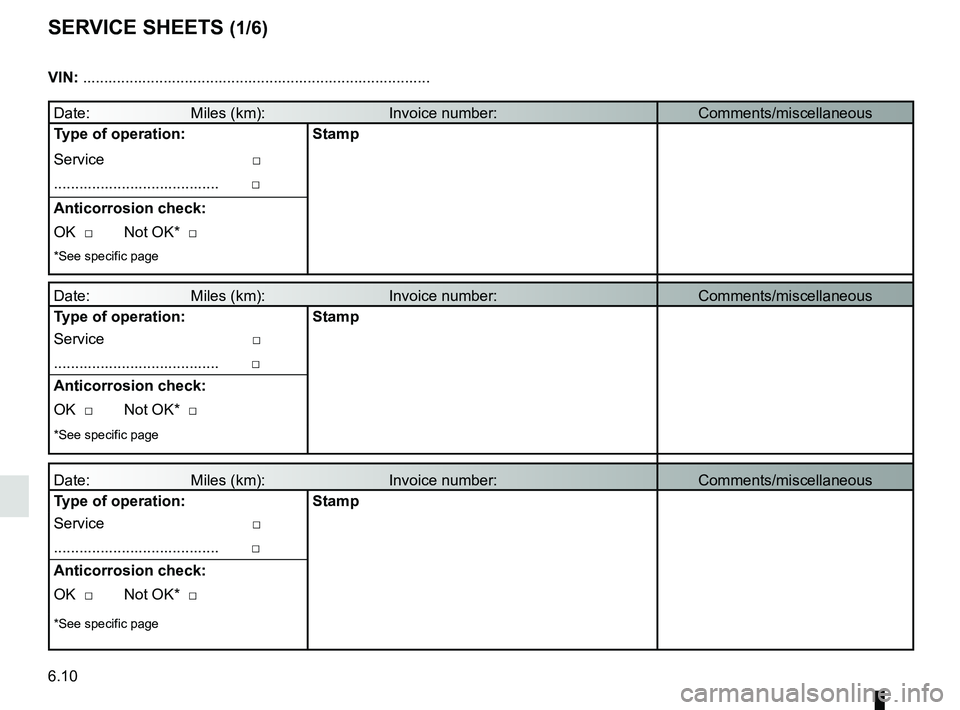
SERVICE SHEETS (1/6)
Date: Miles (km): Invoice number:Comments/miscellaneous
Type of operation: Stamp
Service □
....................................... □
Anticorrosion check:
OK □ Not OK* □
*See specific page
Date: Miles (km): Invoice number: Comments/miscellaneous
Type of operation: Stamp
Service □
....................................... □
Anticorrosion check:
OK □ Not OK* □
*See specific page
Date: Miles (km): Invoice number: Comments/miscellaneous
Type of operation: Stamp
Service □
....................................... □
Anticorrosion check:
OK □ Not OK* □
*See specific page
VIN: .......................................................................\
...........
Page 271 of 290

VIN: .......................................................................\
...........
Date: Miles (km): Invoice number:Comments/miscellaneous
Type of operation:")
6.11
SERVICE SHEETS (2/6)
VIN: .......................................................................\
...........
Date: Miles (km): Invoice number:Comments/miscellaneous
Type of operation: Stamp
Service □
....................................... □
Anticorrosion check:
OK □ Not OK* □
*See specific page
Date: Miles (km): Invoice number: Comments/miscellaneous
Type of operation: Stamp
Service □
....................................... □
Anticorrosion check:
OK □ Not OK* □
*See specific page
Date: Miles (km): Invoice number: Comments/miscellaneous
Type of operation: Stamp
Service □
....................................... □
Anticorrosion check:
OK □ Not OK* □
*See specific page
Page 272 of 290

VIN: .......................................................................\
...........
Date: Miles (km): Invoice number:Comments/miscellaneous
Type of operation:")
6.12
SERVICE SHEETS (3/6)
VIN: .......................................................................\
...........
Date: Miles (km): Invoice number:Comments/miscellaneous
Type of operation: Stamp
Service □
....................................... □
Anticorrosion check:
OK □ Not OK* □
*See specific page
Date: Miles (km): Invoice number: Comments/miscellaneous
Type of operation: Stamp
Service □
....................................... □
Anticorrosion check:
OK □ Not OK* □
*See specific page
Date: Miles (km): Invoice number: Comments/miscellaneous
Type of operation: Stamp
Service □
....................................... □
Anticorrosion check:
OK □ Not OK* □
*See specific page
Page 273 of 290

VIN: .......................................................................\
...........
Date: Miles (km): Invoice number:Comments/miscellaneous
Type of operation:")
6.13
SERVICE SHEETS (4/6)
VIN: .......................................................................\
...........
Date: Miles (km): Invoice number:Comments/miscellaneous
Type of operation: Stamp
Service □
....................................... □
Anticorrosion check:
OK □ Not OK* □
*See specific page
Date: Miles (km): Invoice number: Comments/miscellaneous
Type of operation: Stamp
Service □
....................................... □
Anticorrosion check:
OK □ Not OK* □
*See specific page
Date: Miles (km): Invoice number: Comments/miscellaneous
Type of operation: Stamp
Service □
....................................... □
Anticorrosion check:
OK □ Not OK* □
*See specific page
Page 274 of 290

VIN: .......................................................................\
...........
Date: Miles (km): Invoice number:Comments/miscellaneous
Type of operation:")
6.14
SERVICE SHEETS (5/6)
VIN: .......................................................................\
...........
Date: Miles (km): Invoice number:Comments/miscellaneous
Type of operation: Stamp
Service □
....................................... □
Anticorrosion check:
OK □ Not OK* □
*See specific page
Date: Miles (km): Invoice number: Comments/miscellaneous
Type of operation: Stamp
Service □
....................................... □
Anticorrosion check:
OK □ Not OK* □
*See specific page
Date: Miles (km): Invoice number: Comments/miscellaneous
Type of operation: Stamp
Service □
....................................... □
Anticorrosion check:
OK □ Not OK* □
*See specific page
Page 275 of 290

VIN: .......................................................................\
...........
Date: Miles (km): Invoice number:Comments/miscellaneous
Type of operation:")
6.15
SERVICE SHEETS (6/6)
VIN: .......................................................................\
...........
Date: Miles (km): Invoice number:Comments/miscellaneous
Type of operation: Stamp
Service □
....................................... □
Anticorrosion check:
OK □ Not OK* □
*See specific page
Date: Miles (km): Invoice number: Comments/miscellaneous
Type of operation: Stamp
Service □
....................................... □
Anticorrosion check:
OK □ Not OK* □
*See specific page
Date: Miles (km): Invoice number: Comments/miscellaneous
Type of operation: Stamp
Service □
....................................... □
Anticorrosion check:
OK □ Not OK* □
*See specific page