Mph RENAULT MEGANE 2017 4.G User Guide
[x] Cancel search | Manufacturer: RENAULT, Model Year: 2017, Model line: MEGANE, Model: RENAULT MEGANE 2017 4.GPages: 346, PDF Size: 7.04 MB
Page 89 of 346
1.83
POWER-ASSISTED STEERING
Power-assisted steering
Variable power-assisted steering
The variable power assisted steering
system is equipped with an electronic
control system which alters the level of
assistance to suit the vehicle speed.
Steering is made easier during parking
manoeuvres (for added comfort) while
the force needed to steer increases
progressively as the speed rises (for
enhanced safety at high speeds).
Stop and Start feature
Depending on the vehicle, when the
engine switches to standby, the steer-
ing assistance may no longer be opera-
tional. In this case it returns to its origi-
nal state when the engine is restarted
or when the speed moves above
0.62 mph (1 km/h) (hill, slope, etc.).
Never leave the steering wheel at
full lock while stationary.
Do not switch off the engine
when driving downhill and,
as a general rule, when
driving (the power-assisted
steering and brake cannot operate
normally).
With the engine switched off, or if
there is a system fault, it is still pos-
sible to turn the steering wheel. The
force required will be greater.
Engine on standby - power-
assisted steering is no
longer operational.
Page 96 of 346
1.90
Automatic main beam
headlights
Depending on the vehicle, this system
switches the main beam headlights on
and off automatically. The function uses
a camera located behind the interior
rear-view mirror to detect vehicles that
are following and coming in the oppo-
site direction.
The main beam headlights come on au-
tomatically if:
– exterior light is weak;
– no other vehicles or lighting are de-tected;
– the vehicle speed is above approxi- mately 25 mph (40 km/h).
If any of the above conditions are not
fulfilled, the system switches to dipped
beam headlights.
The “automatic main beam
headlights” system should
under no circumstances be
used to replace driver atten-
tion and responsibility with regard
to vehicle lighting and adapting to
light, visibility and traffic conditions.
The system may encounter difficul-
ties under certain conditions, inclu-
ding :
– extreme weather conditions (rain, snow, fog, etc.);
– obstruction in front of the wind- screen or camera;
– when a following or oncoming ve- hicle has weak or hidden lighting;
– incorrect settings for the front headlights;
– reflective systems;
– ...
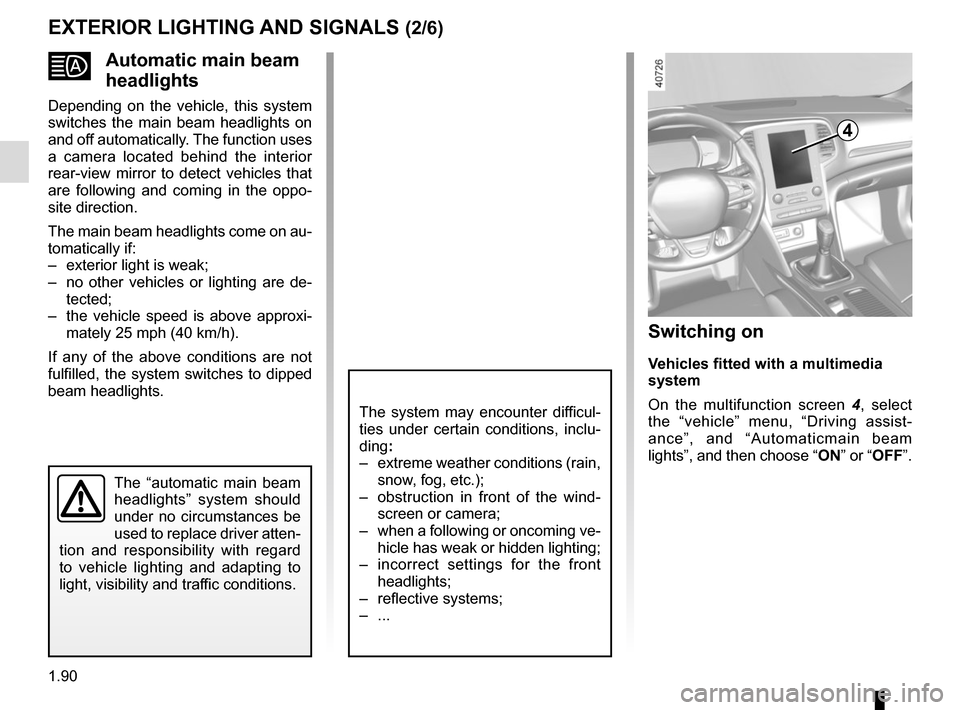
EXTERIOR LIGHTING AND SIGNALS (2/6)
Switching on
Vehicles fitted with a multimedia
system
On the multifunction screen 4, select
the “vehicle” menu, “Driving assist-
ance”, and “Automaticmain beam
lights”, and then choose “ ON” or “OFF”.
4
Page 102 of 346
1.96
WINDSCREEN WASH/WIPE (2/6)
1
F
2
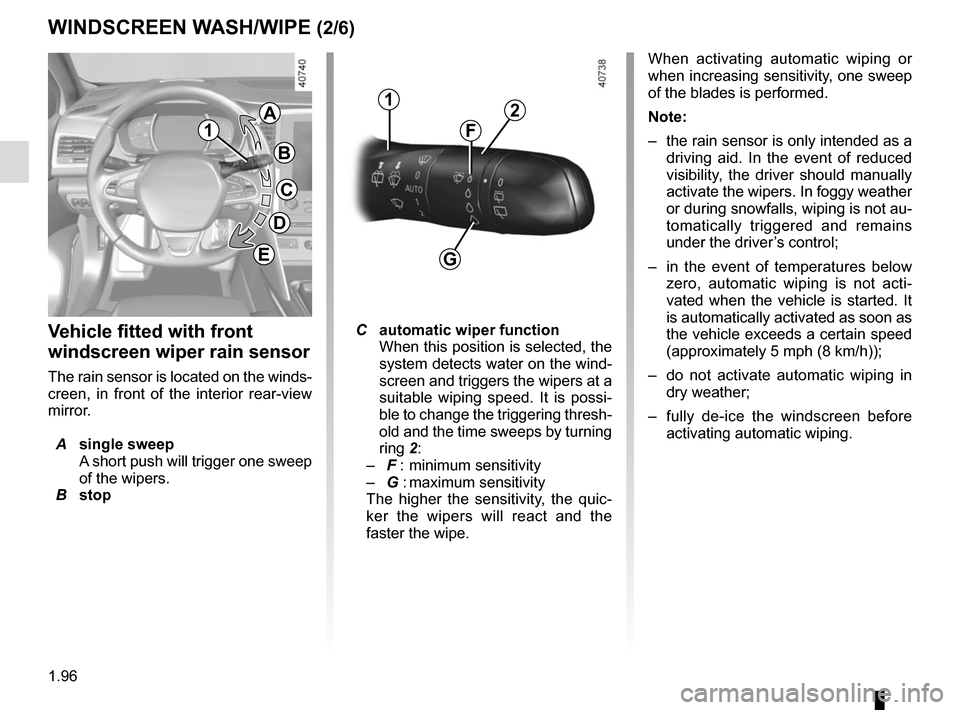
Vehicle fitted with front
windscreen wiper rain sensor
The rain sensor is located on the winds-
creen, in front of the interior rear-view
mirror.
A single sweep
A short push will trigger one sweep
of the wipers.
B stop
C automatic wiper function
When this position is selected, the
system detects water on the wind-
screen and triggers the wipers at a
suitable wiping speed. It is possi-
ble to change the triggering thresh-
old and the time sweeps by turning
ring 2:
– F : minimum sensitivity
– G : maximum sensitivity
The higher the sensitivity, the quic-
ker the wipers will react and the
faster the wipe. When activating automatic wiping or
when increasing sensitivity, one sweep
of the blades is performed.
Note:
–
the rain sensor is only intended as a
driving aid. In the event of reduced
visibility, the driver should manually
activate the wipers. In foggy weather
or during snowfalls, wiping is not au-
tomatically triggered and remains
under the driver’s control;
– in the event of temperatures below
zero, automatic wiping is not acti-
vated when the vehicle is started. It
is automatically activated as soon as
the vehicle exceeds a certain speed
(approximately 5 mph (8 km/h));
– do not activate automatic wiping in
dry weather;
– fully de-ice the windscreen before
activating automatic wiping.
G
1
A
B
C
D
E
Page 114 of 346
2.2
RUNNING IN
Petrol version
For the first 600 miles (1,000 km), do
not exceed 78 mph (130 km/h) in the
highest gear, or 3,000 to 3,500 rpm.
You may only expect top performance
from your vehicle after approximately
1,800 miles (3,000 km) .
Service intervals: refer to the
Maintenance Document for your vehi-
cle.
Diesel version
For the first 1,000 miles (1,500 km),
do not exceed 80 mph (130 km/h) in
the highest gear, or 2,500 rpm. After
completing this mileage you may drive
faster, although you may only expect
top performance after approximately
3,600 miles (6,000 km).
During the running in period, do not ac-
celerate hard while the engine is still
cold and do not let the engine over-rev.
Service intervals: refer to the
Maintenance Document for your vehi-
cle.
Page 122 of 346
2.10
For manual gearboxes:
– the gearbox is in neutral;
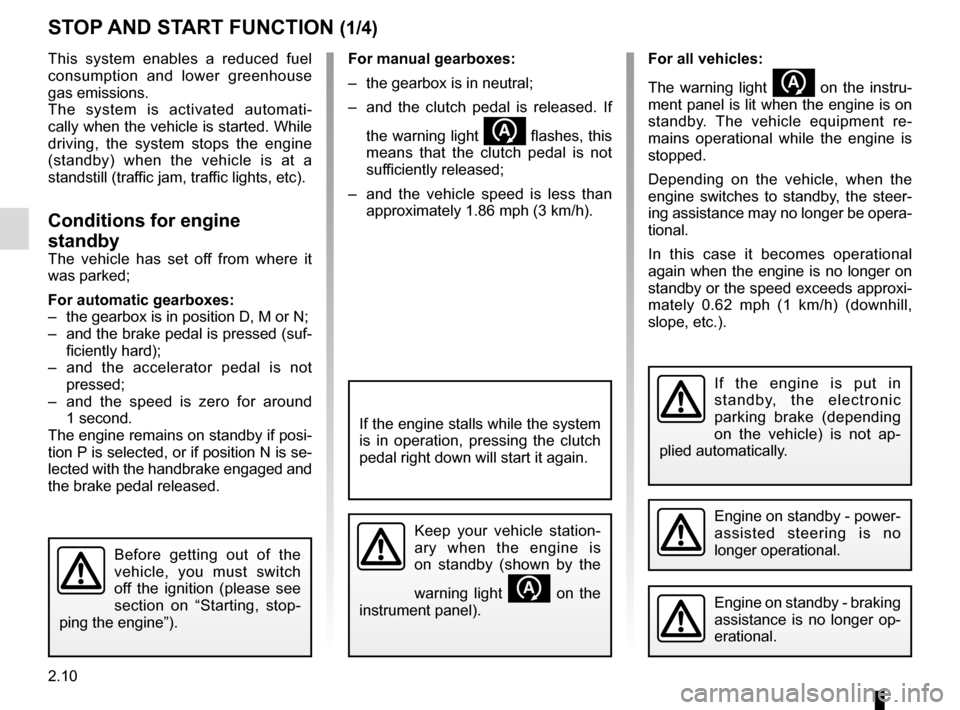
– and the clutch pedal is released. If the warning light
flashes, this
means that the clutch pedal is not
sufficiently released;
– and the vehicle speed is less than approximately 1.86 mph (3 km/h).
STOP AND START FUNCTION (1/4)
This system enables a reduced fuel
consumption and lower greenhouse
gas emissions.
The system is activated automati-
cally when the vehicle is started. While
driving, the system stops the engine
(standby) when the vehicle is at a
standstill (traffic jam, traffic lights, etc).
Conditions for engine
standby
The vehicle has set off from where it
was parked;
For automatic gearboxes:
– the gearbox is in position D, M or N;
– and the brake pedal is pressed (suf-ficiently hard);
– and the accelerator pedal is not pressed;
– and the speed is zero for around 1 second.
The engine remains on standby if posi-
tion P is selected, or if position N is se-
lected with the handbrake engaged and
the brake pedal released.
If the engine is put in
standby, the electronic
parking brake (depending
on the vehicle) is not ap-
plied automatically.
Engine on standby - braking
assistance is no longer op-
erational.
If the engine stalls while the system
is in operation, pressing the clutch
pedal right down will start it again.
Keep your vehicle station-
ary when the engine is
on standby (shown by the
warning light
on the
instrument panel).
Before getting out of the
vehicle, you must switch
off the ignition (please see
section on “Starting, stop-
ping the engine”).
Engine on standby - power-
assisted steering is no
longer operational.
For all vehicles:
The warning light
on the instru-
ment panel is lit when the engine is on
standby. The vehicle equipment re-
mains operational while the engine is
stopped.
Depending on the vehicle, when the
engine switches to standby, the steer-
ing assistance may no longer be opera-
tional.
In this case it becomes operational
again when the engine is no longer on
standby or the speed exceeds approxi-
mately 0.62 mph (1 km/h) (downhill,
slope, etc.).
Page 125 of 346
2.13
STOP AND START FUNCTION (4/4)
Special feature of the automatic
engine re-start
Under certain conditions, the engine
can restart on its own in order to guar-
antee your safety and comfort.
This can occur especially when:
– the outdoor temperature is too low or too high (less than around 0 °C or
higher than around 30 °C);
– the “Clear View” function is activated (please see “Automatic Climate
Control” in Section 3);
– the battery is not sufficiently charged;
– the vehicle speed is above 3 mph (5 km/h) (downhill slope, etc.);
– repeated pressing on the brake pedal or braking system require-
ment;
– ...
1
2
Deactivating, activating the
function
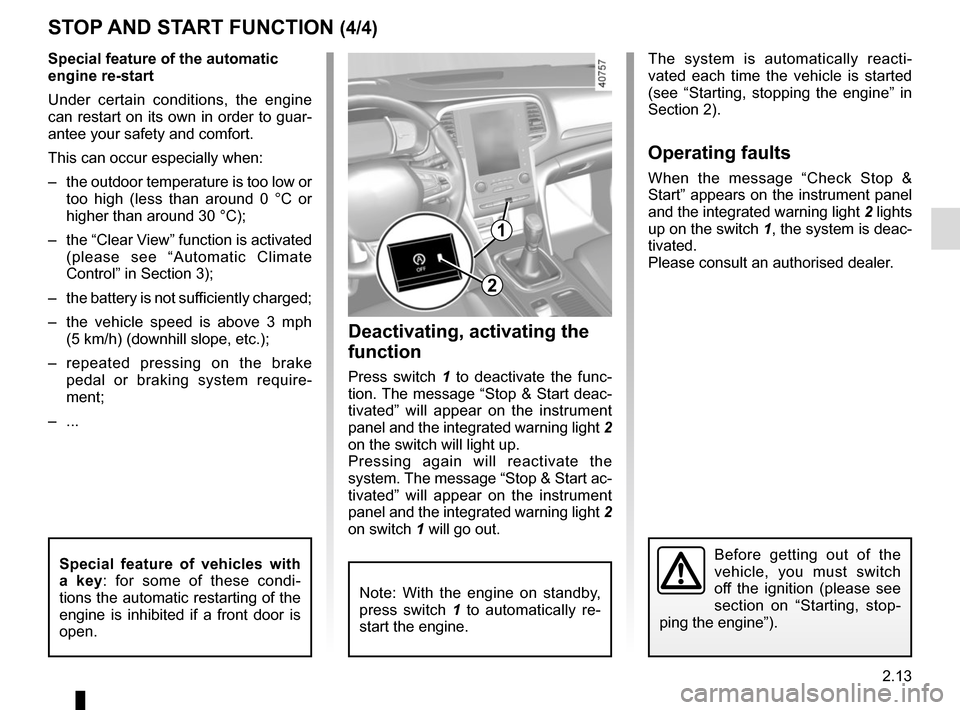
Press switch 1 to deactivate the func-
tion. The message “Stop & Start deac-
tivated” will appear on the instrument
panel and the integrated warning light 2
on the switch will light up.
Pressing again will reactivate the
system. The message “Stop & Start ac-
tivated” will appear on the instrument
panel and the integrated warning light 2
on switch 1 will go out.
Note: With the engine on standby,
press switch 1 to automatically re-
start the engine.
The system is automatically reacti-
vated each time the vehicle is started
(see “Starting, stopping the engine” in
Section 2).
Operating faults
When the message “Check Stop &
Start” appears on the instrument panel
and the integrated warning light 2 lights
up on the switch 1, the system is deac-
tivated.
Please consult an authorised dealer.
Before getting out of the
vehicle, you must switch
off the ignition (please see
section on “Starting, stop-
ping the engine”).Special feature of vehicles with
a key: for some of these condi-
tions the automatic restarting of the
engine is inhibited if a front door is
open.
Page 136 of 346
2.24
DRIVING ADVICE, ECO-DRIVING (5/5)
Advice on use
– Favour the ECO mode.
– Electricity is fuel; switch off all the electrical components which are
not really needed. However (safety
first), keep your lights on when the
visibility is bad (“see and be seen”).
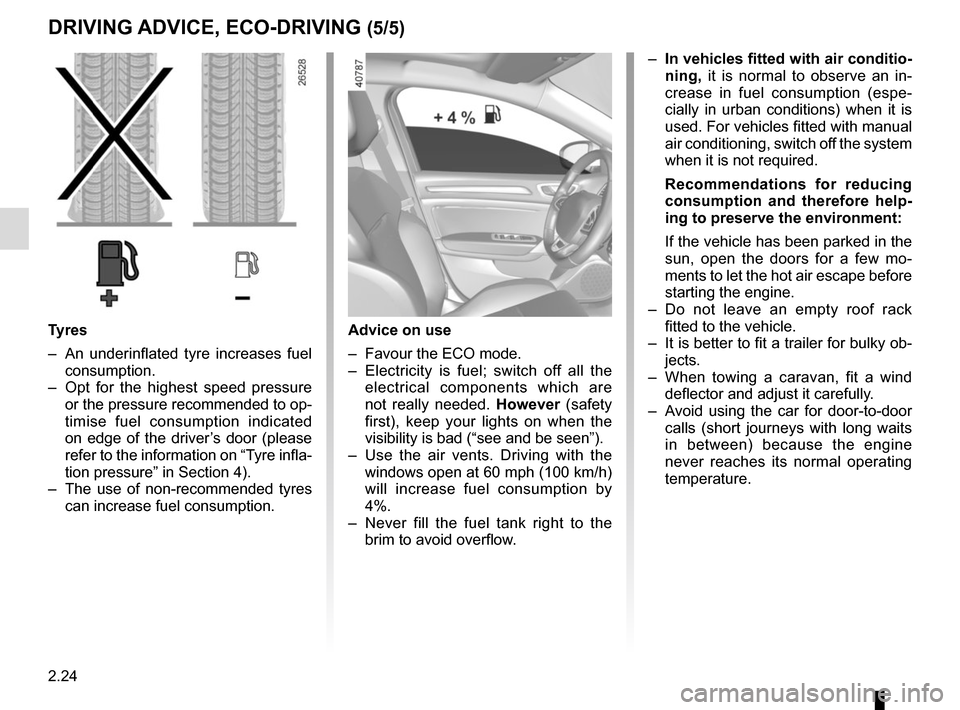
– Use the air vents. Driving with the windows open at 60 mph (100 km/h)
will increase fuel consumption by
4%.
– Never fill the fuel tank right to the brim to avoid overflow.
– In vehicles fitted with air conditio-
ning, it is normal to observe an in-
crease in fuel consumption (espe-
cially in urban conditions) when it is
used. For vehicles fitted with manual
air conditioning, switch off the system
when it is not required.
Recommendations for reducing
consumption and therefore help-
ing to preserve the environment:
If the vehicle has been parked in the
sun, open the doors for a few mo-
ments to let the hot air escape before
starting the engine.
– Do not leave an empty roof rack fitted to the vehicle.
– It is better to fit a trailer for bulky ob- jects.
– When towing a caravan, fit a wind deflector and adjust it carefully.
– Avoid using the car for door-to-door calls (short journeys with long waits
in between) because the engine
never reaches its normal operating
temperature.
Tyres
– An underinflated tyre increases fuel consumption.
– Opt for the highest speed pressure or the pressure recommended to op-
timise fuel consumption indicated
on edge of the driver’s door (please
refer to the information on “Tyre infla-
tion pressure” in Section 4).
– The use of non-recommended tyres can increase fuel consumption.
Page 146 of 346
2.34
DRIVER CORRECTION DEVICES AND AIDS (5/10)
If the driver depresses the brake pedal
and the system still detects a risk of col-
lision, the brake force is increased.
If the driver fails to react following
an alert of an imminent collision, the
system activates the brakes.
Active emergency braking
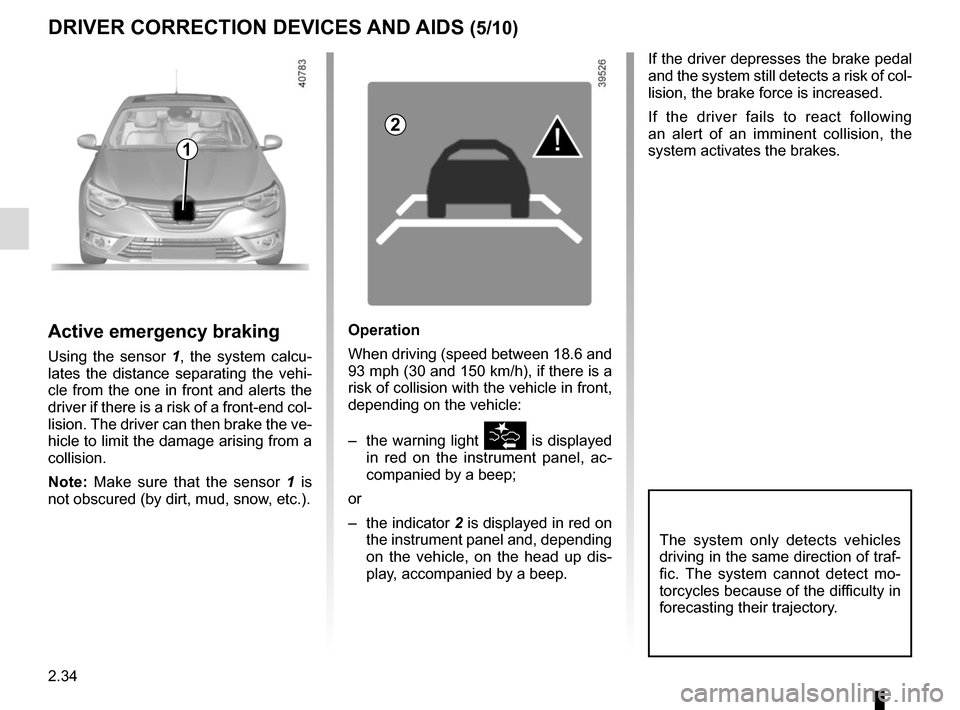
Using the sensor 1, the system calcu-
lates the distance separating the vehi-
cle from the one in front and alerts the
driver if there is a risk of a front-end col-
lision. The driver can then brake the ve-
hicle to limit the damage arising from a
collision.
Note: Make sure that the sensor 1 is
not obscured (by dirt, mud, snow, etc.).
Operation
When driving (speed between 18.6 and
93 mph (30 and 150 km/h), if there is a
risk of collision with the vehicle in front,
depending on the vehicle:
– the warning light
is displayed
in red on the instrument panel, ac-
companied by a beep;
or
– the indicator 2 is displayed in red on
the instrument panel and, depending
on the vehicle, on the head up dis- play, accompanied by a beep.
The system only detects vehicles
driving in the same direction of traf-
fic. The system cannot detect mo-
torcycles because of the difficulty in
forecasting their trajectory.
1
2
Page 153 of 346
2.41
LANE DEPARTURE WARNING (2/3)
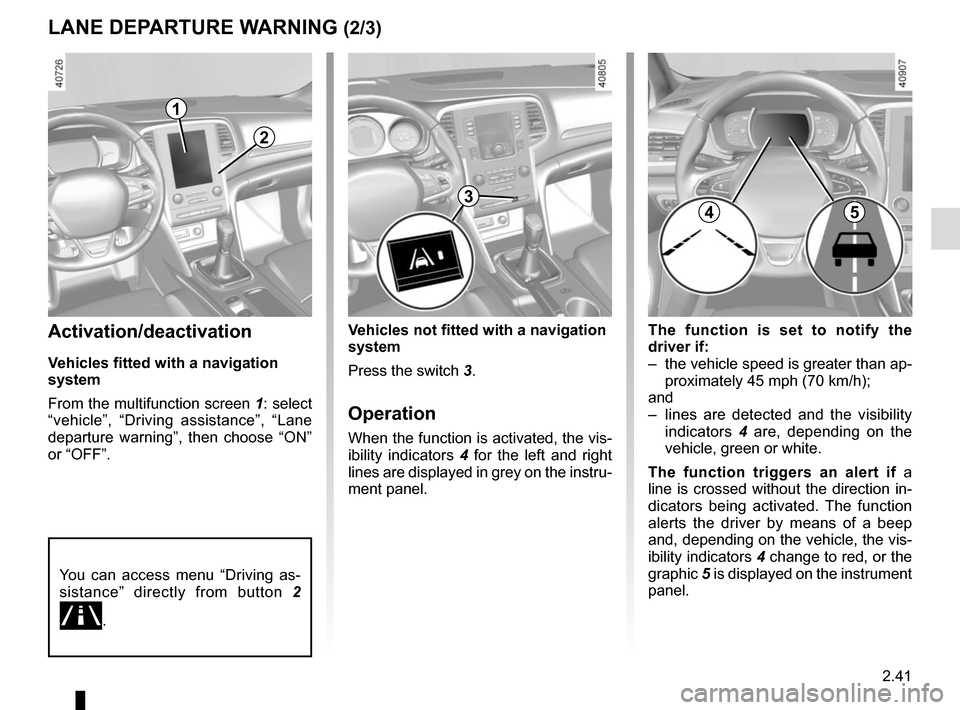
The function is set to notify the
driver if:
– the vehicle speed is greater than ap-proximately 45 mph (70 km/h);
and
– lines are detected and the visibility indicators 4 are, depending on the
vehicle, green or white.
The function triggers an alert if a
line is crossed without the direction in-
dicators being activated. The function
alerts the driver by means of a beep
and, depending on the vehicle, the vis-
ibility indicators 4 change to red, or the
graphic 5 is displayed on the instrument
panel.Activation/deactivation
Vehicles fitted with a navigation
system
From the multifunction screen 1: select
“vehicle”, “Driving assistance”, “Lane
departure warning”, then choose “ON”
or “OFF”.
Vehicles not fitted with a navigation
system
Press the switch 3.
Operation
When the function is activated, the vis-
ibility indicators 4 for the left and right
lines are displayed in grey on the instru-
ment panel.
You can access menu “Driving as-
sistance” directly from button 2
\b.
2
3
1
45
Page 155 of 346
2.43
BLIND SPOT WARNING (1/4)
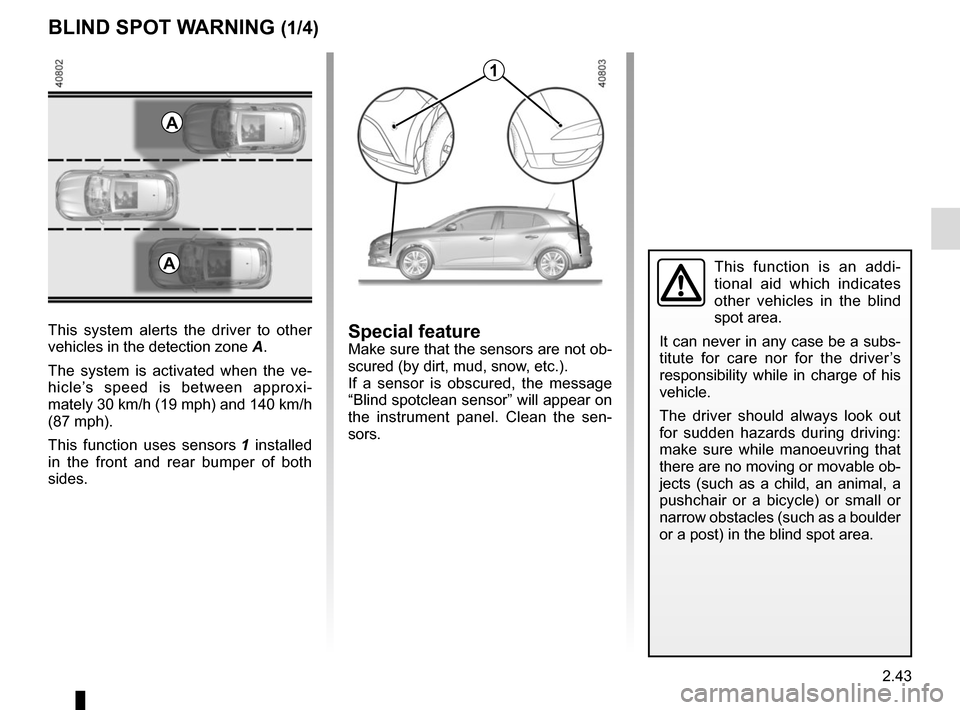
This system alerts the driver to other
vehicles in the detection zone A.
The system is activated when the ve-
hicle’s speed is between approxi-
mately 30 km/h (19 mph) and 140 km/h
(87 mph).
This function uses sensors 1 installed
in the front and rear bumper of both
sides.
1
A
Special featureMake sure that the sensors are not ob-
scured (by dirt, mud, snow, etc.).
If a sensor is obscured, the message
“Blind spotclean sensor” will appear on
the instrument panel. Clean the sen-
sors.
AThis function is an addi-
tional aid which indicates
other vehicles in the blind
spot area.
It can never in any case be a subs-
titute for care nor for the driver’s
responsibility while in charge of his
vehicle.
The driver should always look out
for sudden hazards during driving:
make sure while manoeuvring that
there are no moving or movable ob-
jects (such as a child, an animal, a
pushchair or a bicycle) or small or
narrow obstacles (such as a boulder
or a post) in the blind spot area.