steering RENAULT MEGANE 2018 Owner's Manual
[x] Cancel search | Manufacturer: RENAULT, Model Year: 2018, Model line: MEGANE, Model: RENAULT MEGANE 2018Pages: 348, PDF Size: 9.25 MB
Page 144 of 348
2.32
Electronic stability control
ESC with understeer control
and traction control
Electronic stability control ESC
This system helps you to keep control
of the vehicle in critical driving condi-
tions (avoiding an obstacle, loss of grip
on a bend, etc.).
Operating principle
A sensor in the steering wheel detects
the direction selected by the driver.
Other sensors throughout the vehicle
measure the actual direction.
The system compares driver input to
the actual trajectory of the vehicle and
corrects the trajectory if necessary by
controlling the braking of certain wheels
and/or engine power. In the event that
the system is engaged, indicator light
flashes on the instrument panel.Understeer control
This system optimises the action of the
ESC in the case of pronounced under-
steer (loss of front axle road holding).
Traction control
This system helps to limit wheelspin of
the drive wheels and to control the ve-
hicle when pulling away accelerating or
decelerating.
Operating principle
Using the wheel sensors, the system
measures and compares the speed of
the drive wheels at all times and slows
down their over-rotation. If a wheel is
starting to slip, the system brakes au-
tomatically until the drive supplied be-
comes compatible with the level of grip
under the wheel again.
The system also adjusts the engine
speed to the grip available under the
wheels, independently of the pressure
exerted on the accelerator pedal.
Operating faults
When the system detects an operat-
ing fault the message “Check ESC” and
warning light
© and appear
on the instrument panel.
In this case, the ESC and traction con-
trol system are deactivated. Consult an
authorised dealer.
DRIVER CORRECTION DEVICES AND AIDS (3/10)
Page 149 of 348

Active emergency braking
Limitation of the system operation
– The system will only respond to vehicles which are moving or which have \
been sensed as")
2.37
DRIVER CORRECTION DEVICES AND AIDS (8/10)
Active emergency braking
Limitation of the system operation
– The system will only respond to vehicles which are moving or which have \
been sensed as moving.
– A vehicle travelling in the opposite direction will not trigger any alert\
or any action on the system operation.
– The sensor area should be kept clean and free of any modifications in or\
der to ensure the proper operation of the system.
– The system cannot respond to small vehicles such as motorbikes or bicycl\
es as effectively as to other vehicles.
Deactivating the function
You must disable the function if:
– the brake lights are not functioning;
– the front of the vehicle has undergone an impact or been damaged;
– the vehicle is being towed (breakdowns).
Halting the function
You can halt the active braking function at any time by tapping the accel\
erator pedal or by turning the steering wheel in a avo id-
ance manoeuvre.
If the driver notices any unusual behaviour in the system, please consul\
t an authorised dealer.
Page 151 of 348
2.39
DRIVER CORRECTION DEVICES AND AIDS (10/10)
Rear wheel steering
On equipped vehicles, this system,
when the vehicle is being driven, steers
the rear wheels according to driving
conditions: at low speed this system
offers manoeuvrability, at higher speeds
it optimises stability.
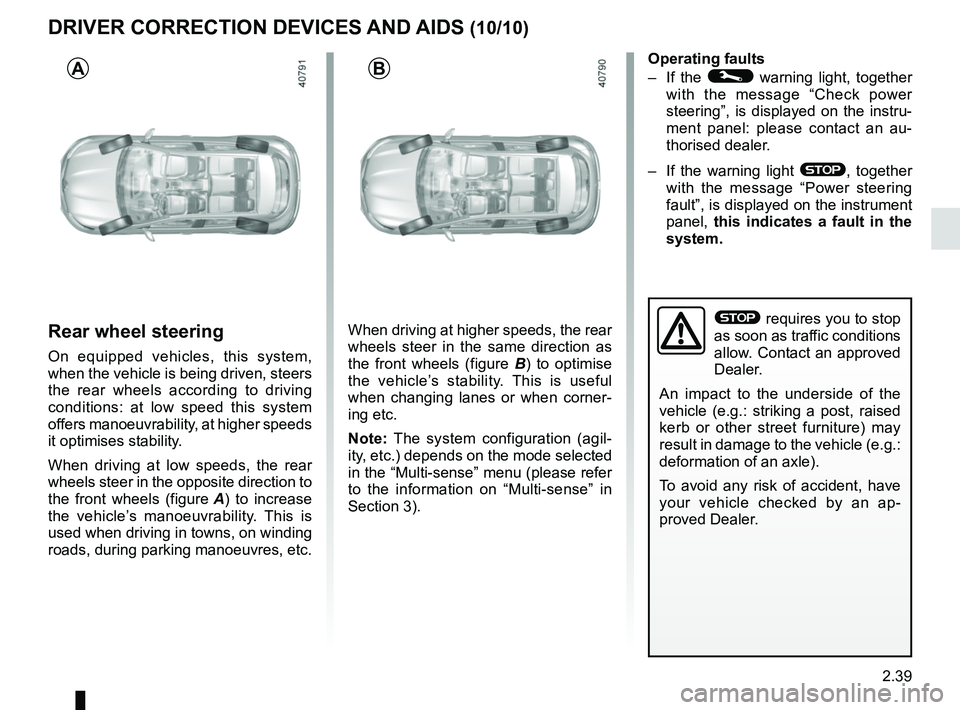
When driving at low speeds, the rear
wheels steer in the opposite direction to
the front wheels (figure A) to increase
the vehicle’s manoeuvrability. This is
used when driving in towns, on winding
roads, during parking manoeuvres, etc. When driving at higher speeds, the rear
wheels steer in the same direction as
the front wheels (figure B
) to optimise
the vehicle’s stability. This is useful
when changing lanes or when corner-
ing etc.
Note: The system configuration (agil-
ity, etc.) depends on the mode selected
in the “Multi-sense” menu (please refer
to the information on “Multi-sense” in
Section 3). Operating faults
– If the
© warning light, together
with the message “Check power
steering”, is displayed on the instru-
ment panel: please contact an au-
thorised dealer.
– If the warning light
®, together
with the message “Power steering
fault”, is displayed on the instrument
panel, this indicates a fault in the
system.
AB
® requires you to stop
as soon as traffic conditions
allow. Contact an approved
Dealer.
An impact to the underside of the
vehicle (e.g.: striking a post, raised
kerb or other street furniture) may
result in damage to the vehicle (e.g.:
deformation of an axle).
To avoid any risk of accident, have
your vehicle checked by an ap-
proved Dealer.
Page 161 of 348
2.49
FATIGUE DETECTION WARNING (1/2)
The fatigue detection warning is a func-
tion which is useful on monotonous
roads (motorways, high-speed roads
etc.).
It analyses driver behaviour and takes
account of events to inform you of any
risk of fatigue such as:
– steering wheel movement;
– driver actions on other devices (indi-cators, windscreen washer etc.);
– time spent driving without stopping;
– ...
This function is an addi-
tional driving aid in case of
risk of fatigue. This function
does not take the place of
the driver.
Under no circumstances should this
function replace the driver’s care or
responsibility whilst driving.
Activation/deactivation
Vehicles fitted with a multimedia
system
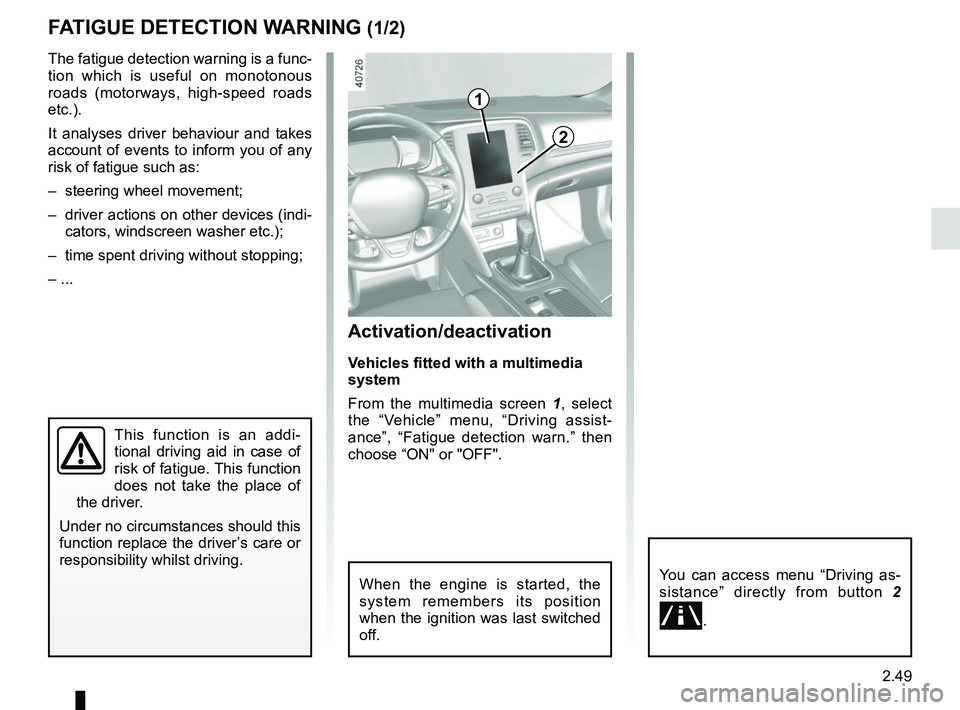
From the multimedia screen 1, select
the “Vehicle” menu, “Driving assist-
ance”, “Fatigue detection warn.” then
choose “ON" or "OFF".
You can access menu “Driving as-
sistance” directly from button 2
.
2
1
When the engine is started, the
system remembers its position
when the ignition was last switched
off.
Page 162 of 348
2.50
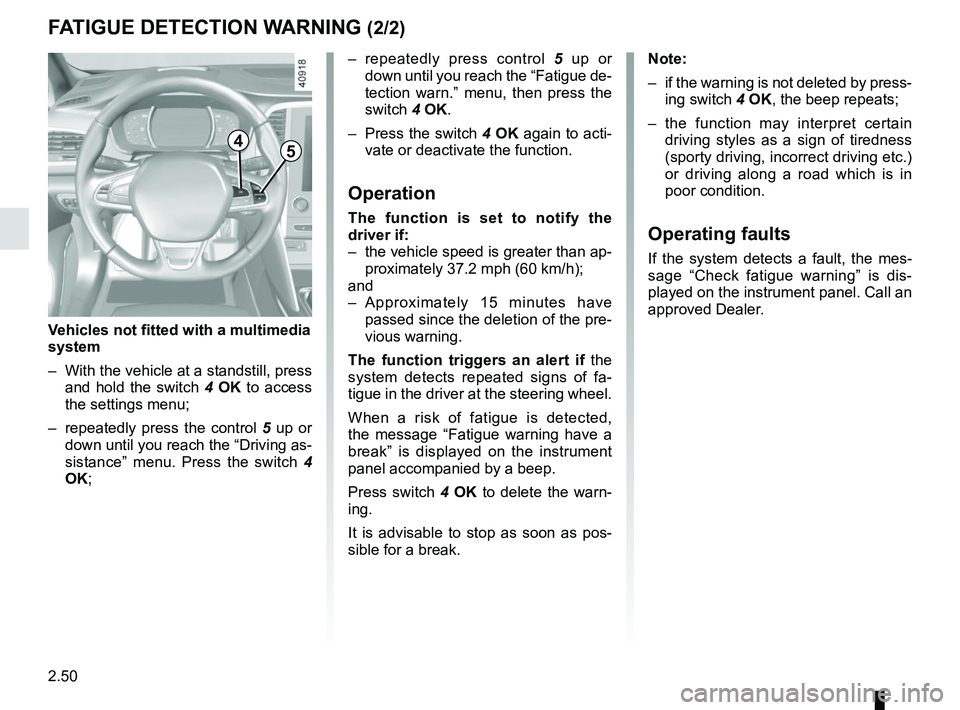
– repeatedly press control 5 up or
down until you reach the “Fatigue de-
tection warn.” menu, then press the
switch 4 OK.
– Press the switch 4 OK again to acti-
vate or deactivate the function.
Operation
The function is set to notify the
driver if:
– the vehicle speed is greater than ap- proximately 37.2 mph (60 km/h);
and
– Approximately 15 minutes have passed since the deletion of the pre-
vious warning.
The function triggers an alert if the
system detects repeated signs of fa-
tigue in the driver at the steering wheel.
When a risk of fatigue is detected,
the message “Fatigue warning have a
break” is displayed on the instrument
panel accompanied by a beep.
Press switch 4 OK to delete the warn-
ing.
It is advisable to stop as soon as pos-
sible for a break.
FATIGUE DETECTION WARNING (2/2)
Note:
– if the warning is not deleted by press- ing switch 4 OK, the beep repeats;
– the function may interpret certain driving styles as a sign of tiredness
(sporty driving, incorrect driving etc.)
or driving along a road which is in
poor condition.
Operating faults
If the system detects a fault, the mes-
sage “Check fatigue warning” is dis-
played on the instrument panel. Call an
approved Dealer.
4
Vehicles not fitted with a multimedia
system
– With the vehicle at a standstill, press and hold the switch 4 OK to access
the settings menu;
– repeatedly press the control 5 up or
down until you reach the “Driving as-
sistance” menu. Press the switch 4
OK;
5
Page 186 of 348
2.74
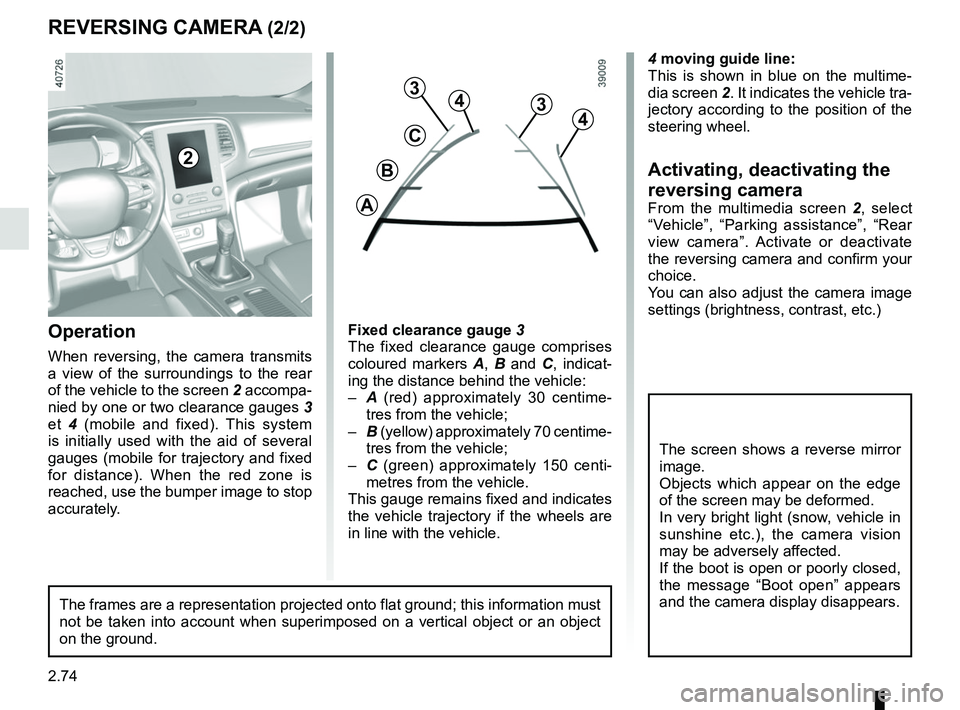
4 moving guide line:
This is shown in blue on the multime-
dia screen 2. It indicates the vehicle tra-
jectory according to the position of the
steering wheel.
Activating, deactivating the
reversing camera
From the multimedia screen 2, select
“Vehicle”, “Parking assistance”, “Rear
view camera”. Activate or deactivate
the reversing camera and confirm your
choice.
You can also adjust the camera image
settings (brightness, contrast, etc.)
REVERSING CAMERA (2/2)
C
B
A
43
2
The screen shows a reverse mirror
image.
Objects which appear on the edge
of the screen may be deformed.
In very bright light (snow, vehicle in
sunshine etc.), the camera vision
may be adversely affected.
If the boot is open or poorly closed,
the message “Boot open” appears
and the camera display disappears.
3
4
Fixed clearance gauge 3
The fixed clearance gauge comprises
coloured markers A, B and C , indicat-
ing the distance behind the vehicle:
– A (red) approximately 30 centime-
tres from the vehicle;
– B (yellow) approximately 70 centime-
tres from the vehicle;
– C (green) approximately 150 centi-
metres from the vehicle.
This gauge remains fixed and indicates
the vehicle trajectory if the wheels are
in line with the vehicle.Operation
When reversing, the camera transmits
a view of the surroundings to the rear
of the vehicle to the screen 2 accompa-
nied by one or two clearance gauges 3
et 4 (mobile and fixed). This system
is initially used with the aid of several
gauges (mobile for trajectory and fixed
for distance). When the red zone is
reached, use the bumper image to stop
accurately.
The frames are a representation projected onto flat ground; this informa\
tion must
not be taken into account when superimposed on a vertical object or an o\
bject
on the ground.
Page 187 of 348
2.75
ASSISTED PARKING (1/4)
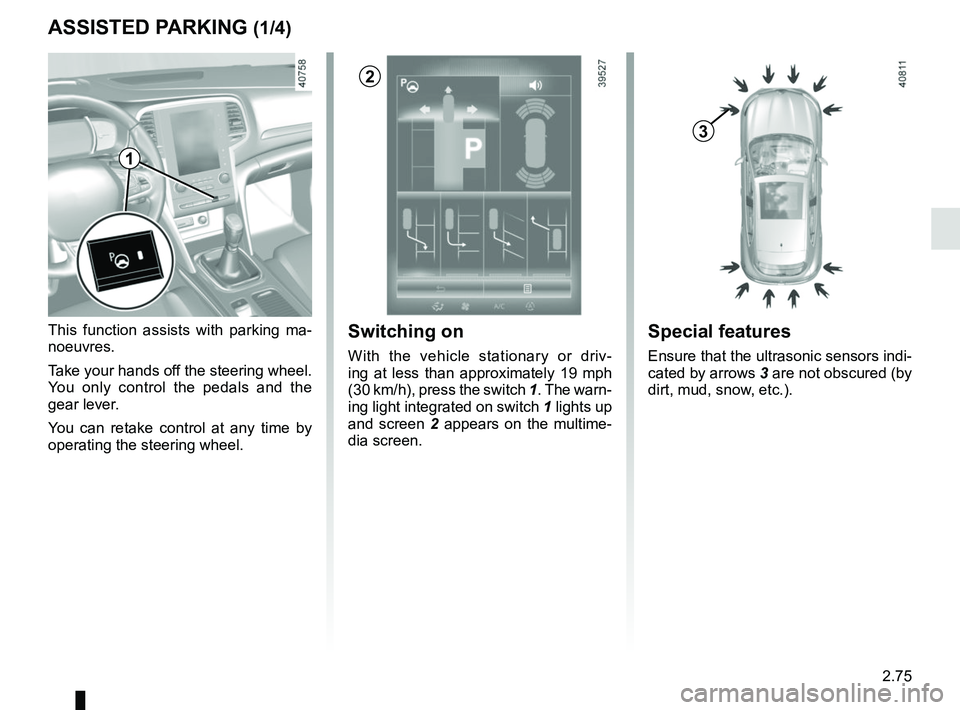
This function assists with parking ma-
noeuvres.
Take your hands off the steering wheel.
You only control the pedals and the
gear lever.
You can retake control at any time by
operating the steering wheel.Switching on
With the vehicle stationary or driv-
ing at less than approximately 19 mph
(30 km/h), press the switch 1. The warn-
ing light integrated on switch 1 lights up
and screen 2 appears on the multime-
dia screen.
1
2
Special features
Ensure that the ultrasonic sensors indi-
cated by arrows 3 are not obscured (by
dirt, mud, snow, etc.).
3
Page 188 of 348
2.76
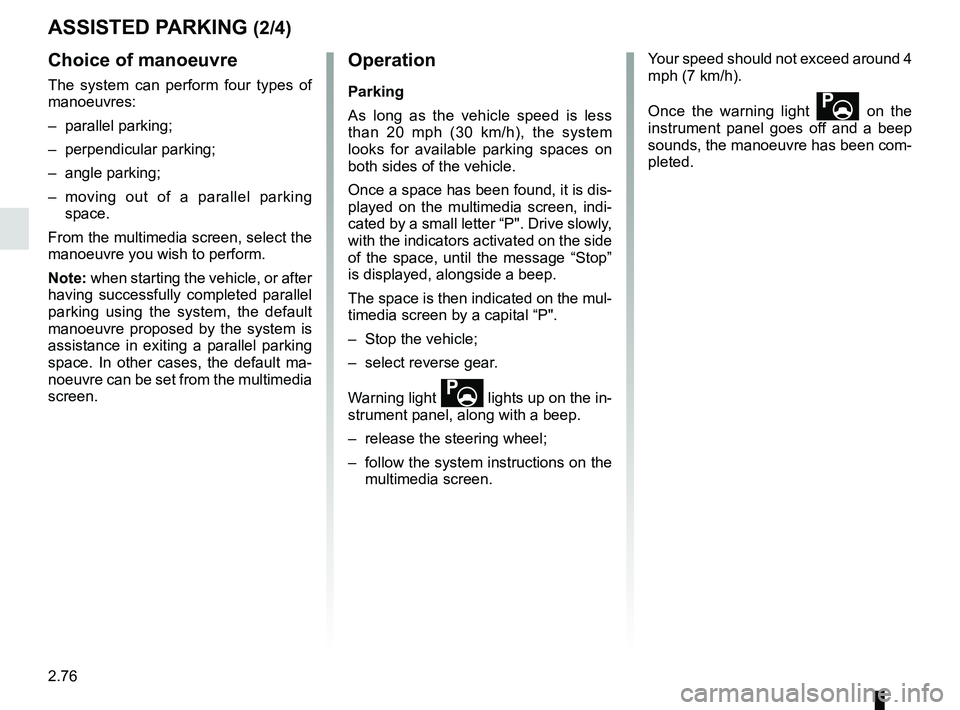
Choice of manoeuvre
The system can perform four types of
manoeuvres:
– parallel parking;
– perpendicular parking;
– angle parking;
– moving out of a parallel parking space.
From the multimedia screen, select the
manoeuvre you wish to perform.
Note: when starting the vehicle, or after
having successfully completed parallel
parking using the system, the default
manoeuvre proposed by the system is
assistance in exiting a parallel parking
space. In other cases, the default ma-
noeuvre can be set from the multimedia
screen.
ASSISTED PARKING (2/4)
Operation
Parking
As long as the vehicle speed is less
than 20 mph (30 km/h), the system
looks for available parking spaces on
both sides of the vehicle.
Once a space has been found, it is dis-
played on the multimedia screen, indi-
cated by a small letter “P". Drive slowly,
with the indicators activated on the side
of the space, until the message “Stop”
is displayed, alongside a beep.
The space is then indicated on the mul-
timedia screen by a capital “P".
– Stop the vehicle;
– select reverse gear.
Warning light
lights up on the in-
strument panel, along with a beep.
– release the steering wheel;
– follow the system instructions on the multimedia screen. Your speed should not exceed around 4
mph (7 km/h).
Once the warning light
on the
instrument panel goes off and a beep
sounds, the manoeuvre has been com-
pleted.
Page 189 of 348
2.77
ASSISTED PARKING (3/4)
Your speed should not exceed around
4 mph (7 km/h).
Once in position to exit the space, the
system will notify you of the end of the
manoeuvre.
Once the warning light
on the
instrument panel goes off and a beep
sounds, the manoeuvre has been com-
pleted.
Suspending the manoeuvreThe manoeuvre is suspended in the fol-
lowing circumstances:
– you take control of the wheel;
– a door or the boot is opened;
– the vehicle is at a standstill for too long;
– an obstacle in the direction of move- ment prevents the manoeuvre from
being completed;
– the engine will stop.
Once the warning light
on the
instrument panel goes off and a beep
sounds, the manoeuvre has been sus-
pended. Then to resume the manoeu-
vre, press and hold the system activa-
tion switch. In this case, the reason for suspending
the manoeuvre will be displayed on the
multimedia screen.
Make sure:
– you have released the steering wheel
and;
– that all doors and the boot are closed, and;
– that no obstacles are in the way of the direction of movement, and;
– that the engine is started.
Cancelling the manoeuvre
The manoeuvre can be stopped in the
following cases:
– by pressing the system activation switch;
– the vehicle speed has exceeded 4 mph (7 km/h);
– You have performed more than ten forwards/backwards movements in
one manoeuvre;
– the parking distance control sensors are dirty or blocked;
– the vehicle wheels have skidded.
Once the warning light
on the
instrument panel goes off and a beep
sounds, the manoeuvre has been com-
pleted.
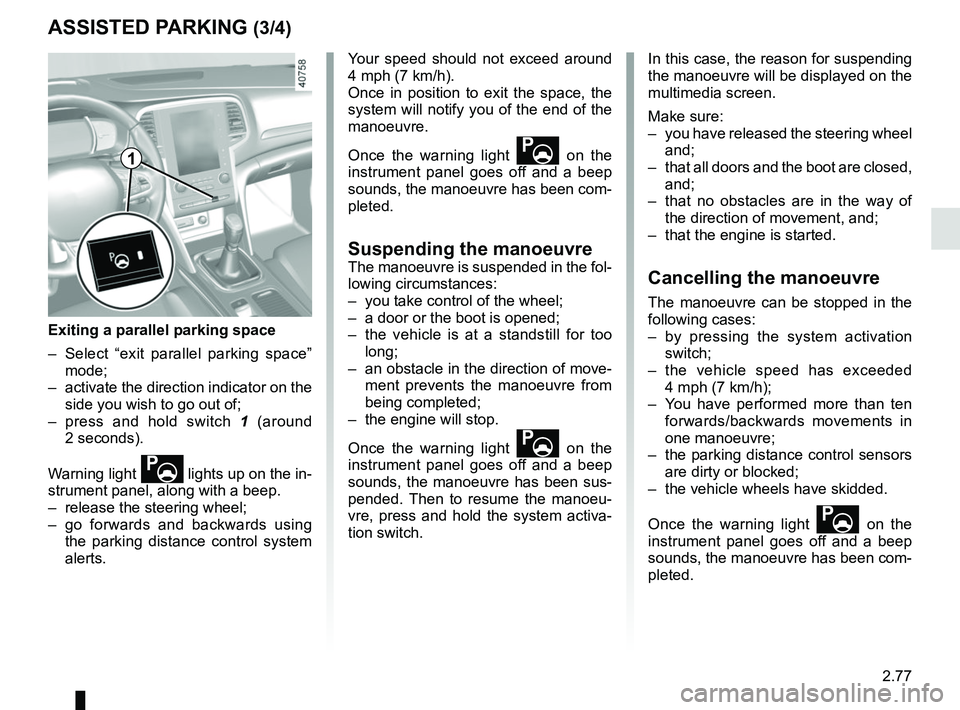
Exiting a parallel parking space
– Select “exit parallel parking space” mode;
– activate the direction indicator on the side you wish to go out of;
– press and hold switch 1 (around
2 seconds).
Warning light
lights up on the in-
strument panel, along with a beep.
– release the steering wheel;
– go forwards and backwards using the parking distance control system
alerts.
1
Page 190 of 348

This function is an additional driving aid. This function is not under any circumstances intended to replace the due\
care
and attention of the driver, who should at all")
2.78
ASSISTED PARKING (4/4)
This function is an additional driving aid. This function is not under any circumstances intended to replace the due\
care
and attention of the driver, who should at all times be in control of the vehicle.
Make sure that the manoeuvre complies with the applicable traffic regulations at your location.
– The driver should always look out for sudden hazards during driving: alw\
ays ensure that there are no moving obstacles (such as a child, animal, pram, bicycle, etc.) or small, narrow object\
s such as stones or posts in your path when manoeu-
vring.
– The system cannot detect objects located in the sensor blind spots.
– During manoeuvring, the steering wheel may turn quickly: do not place yo\
ur hands inside the wheel, and ensure nothing is located in this space.
– Always visually check that the parking space proposed by the system is s\
till available and contains no obstacles.
– The system should be deactivated when towing a trailer.