Time RENAULT TRAFIC 2016 X82 / 3.G User Guide
[x] Cancel search | Manufacturer: RENAULT, Model Year: 2016, Model line: TRAFIC, Model: RENAULT TRAFIC 2016 X82 / 3.GPages: 292, PDF Size: 3.35 MB
Page 30 of 292
1.24
CENTRAL LOCKING/UNLOCKING OF OPENING ELEMENTS (2/2)
Locking the doors with the
tailgate open
To lock the vehicle with the boot open
(e.g. when transporting something in
the boot which prevents it from being
closed), or when the vehicle is located
in a zone of high electromagnetic radia-
tion, or if the card or key is faulty: with
the engine switched off, press and hold
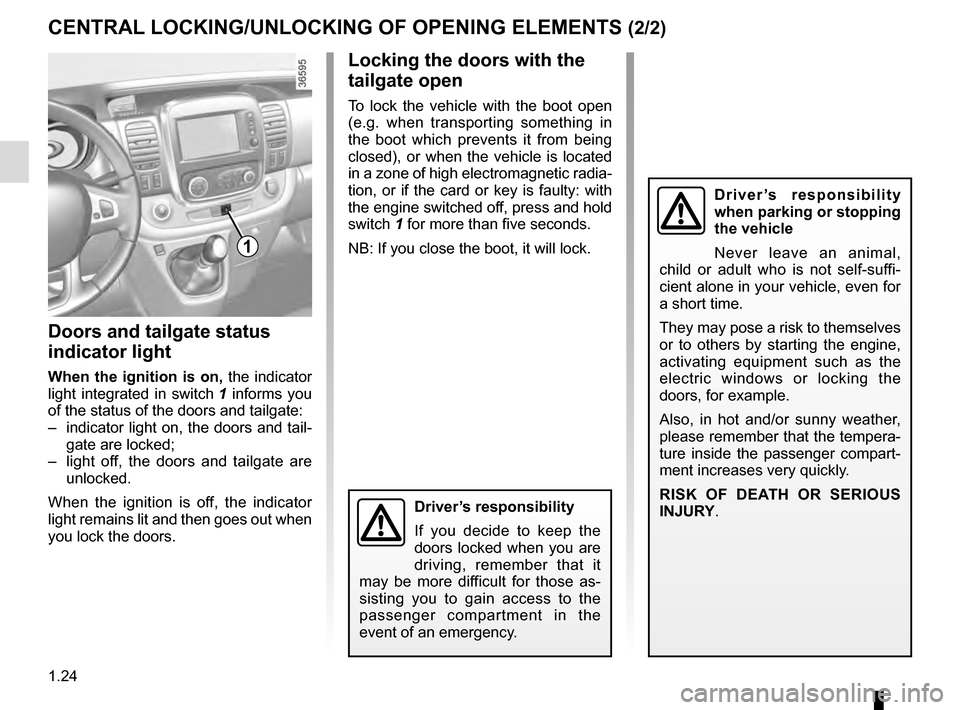
switch 1 for more than five seconds.
NB: If you close the boot, it will lock.
Driver’s responsibility
If you decide to keep the
doors locked when you are
driving, remember that it
may be more difficult for those as-
sisting you to gain access to the
passenger compartment in the
event of an emergency.
Doors and tailgate status
indicator light
When the ignition is on, the indicator
light integrated in switch 1 informs you
of the status of the doors and tailgate:
– indicator light on, the doors and tail- gate are locked;
– light off, the doors and tailgate are unlocked.
When the ignition is off, the indicator
light remains lit and then goes out when
you lock the doors.
1
Driver’s responsibility
when parking or stopping
the vehicle
Never leave an animal,
child or adult who is not self-suffi-
cient alone in your vehicle, even for
a short time.
They may pose a risk to themselves
or to others by starting the engine,
activating equipment such as the
electric windows or locking the
doors, for example.
Also, in hot and/or sunny weather,
please remember that the tempera-
ture inside the passenger compart-
ment increases very quickly.
RISK OF DEATH OR SERIOUS
INJURY.
Page 32 of 292
1.26
MANUAL DOOR LOCKING/UNLOCKING (2/2)
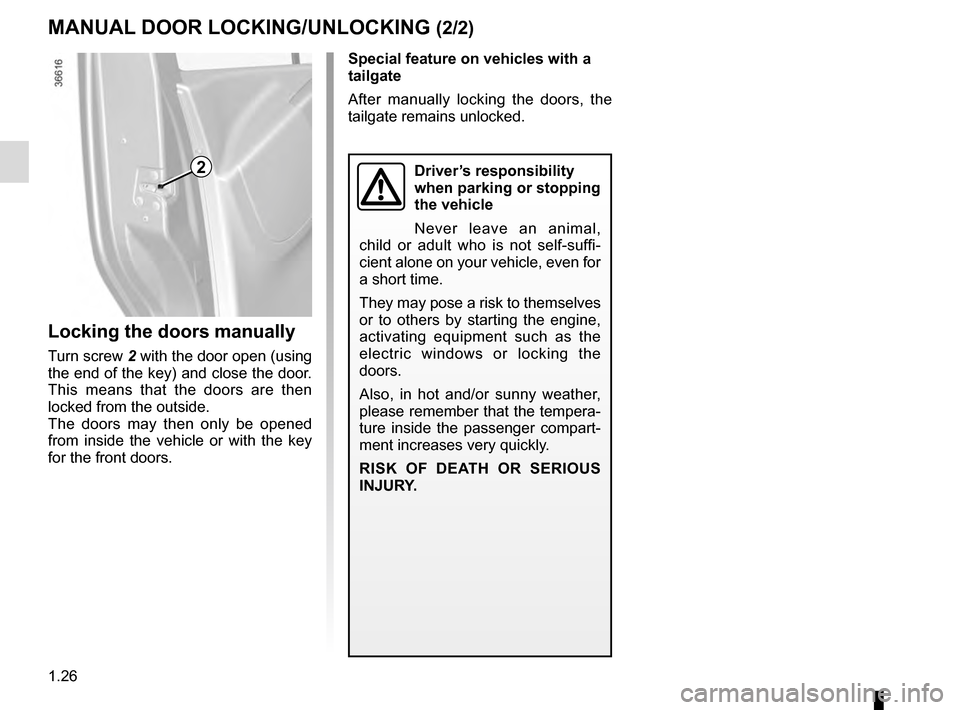
2
Locking the doors manually
Turn screw 2 with the door open (using
the end of the key) and close the door.
This means that the doors are then
locked from the outside.
The doors may then only be opened
from inside the vehicle or with the key
for the front doors.
Special feature on vehicles with a
tailgate
After manually locking the doors, the
tailgate remains unlocked.
Driver’s responsibility
when parking or stopping
the vehicle
Never leave an animal,
child or adult who is not self-suffi-
cient alone on your vehicle, even for
a short time.
They may pose a risk to themselves
or to others by starting the engine,
activating equipment such as the
electric windows or locking the
doors.
Also, in hot and/or sunny weather,
please remember that the tempera-
ture inside the passenger compart-
ment increases very quickly.
RISK OF DEATH OR SERIOUS
INJURY.
Page 35 of 292
1.29
FRONT SEATS (1/2)
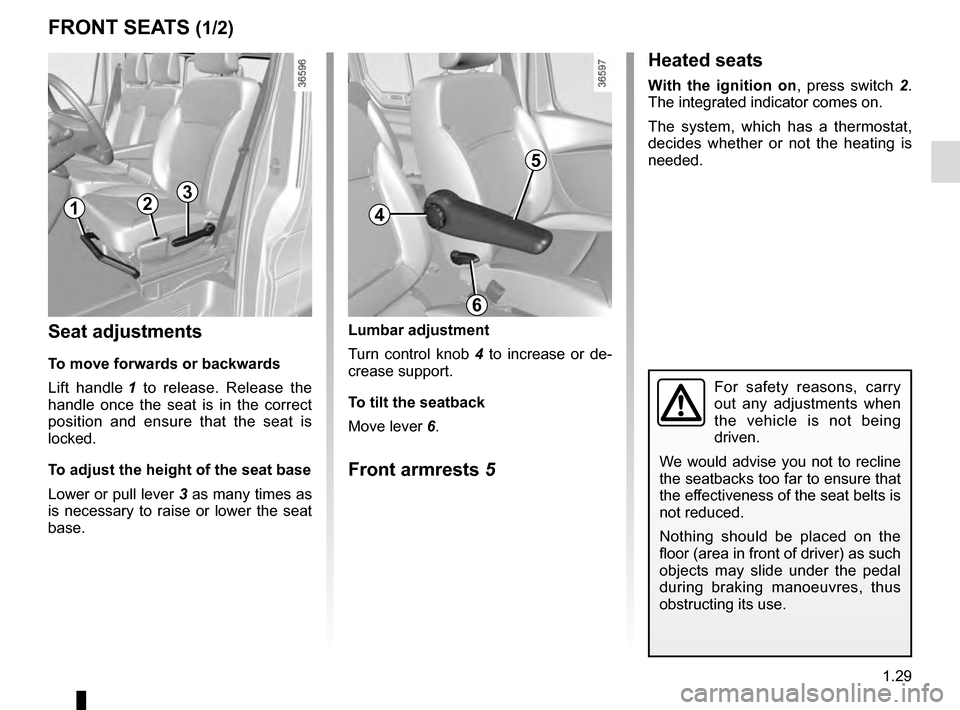
Lumbar adjustment
Turn control knob 4 to increase or de-
crease support.
To tilt the seatback
Move lever 6.
Front armrests 5
Seat adjustments
To move forwards or backwards
Lift handle 1 to release. Release the
handle once the seat is in the correct
position and ensure that the seat is
locked.
To adjust the height of the seat base
Lower or pull lever 3 as many times as
is necessary to raise or lower the seat
base.
13
For safety reasons, carry
out any adjustments when
the vehicle is not being
driven.
We would advise you not to recline
the seatbacks too far to ensure that
the effectiveness of the seat belts is
not reduced.
Nothing should be placed on the
floor (area in front of driver) as such
objects may slide under the pedal
during braking manoeuvres, thus
obstructing its use.
Heated seats
With the ignition on , press switch 2.
The integrated indicator comes on.
The system, which has a thermostat,
decides whether or not the heating is
needed.
24
6
5
Page 40 of 292
1.34
SEAT BELTS (3/5)
Rear side seat belts
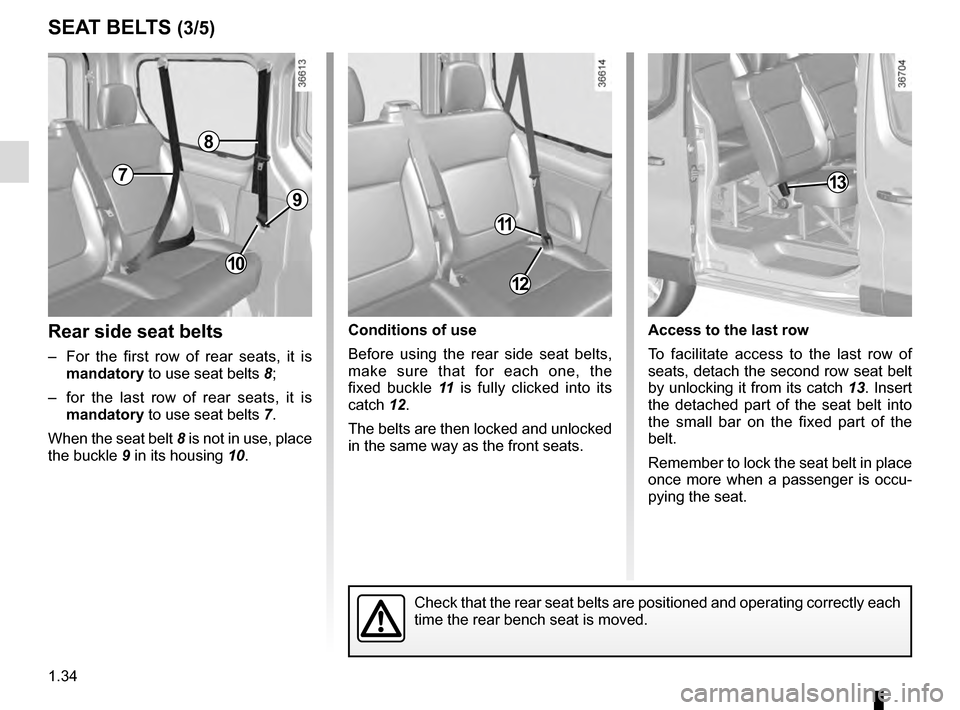
– For the first row of rear seats, it is mandatory to use seat belts 8;
– for the last row of rear seats, it is mandatory to use seat belts 7.
When the seat belt 8 is not in use, place
the buckle 9 in its housing 10.
Conditions of use
Before using the rear side seat belts,
make sure that for each one, the
fixed buckle 11 is fully clicked into its
catch 12.
The belts are then locked and unlocked
in the same way as the front seats. Access to the last row
To facilitate access to the last row of
seats, detach the second row seat belt
by unlocking it from its catch
13. Insert
the detached part of the seat belt into
the small bar on the fixed part of the
belt.
Remember to lock the seat belt in place
once more when a passenger is occu-
pying the seat.
8
7
11
12
Check that the rear seat belts are positioned and operating correctly ea\
ch
time the rear bench seat is moved.
10
9
13
Page 49 of 292

1.43
ADDITIONAL METHODS OF RESTRAINT
The airbag is designed to complement the action of the seat belt. Both t\
he air bags and seat belts are integral parts of
the same protection system. It is therefore essential to wear seat belts\
at all times. If seat belts are not worn, the oc-
cupants are exposed to the risk of serious injury in the event of an acc\
ident. It may also increase the risk of minor su-
perficial injuries occurring when the airbag is deployed, although such \
minor injuries are always possible with air bags.
If the vehicle should overturn or in the event of a rear impact, however\
severe, the pretensioners and airbags are not always
triggered. Impacts to the underside of the vehicle, e.g. from pavements,\
potholes or stones, can all trigger these systems.
– No work or modification whatsoever may be carried out on any part of the airbag system (airbags, pretensi\
oners, computer,
wiring harness, etc.), except by qualified Network personnel.
– To ensure that the system is in good working order and to avoid accidenta\
l triggering of the system which may cause injury, only qualified Network personnel may work on the airbag system.
– As a safety precaution, have the airbag system checked if your vehicle h\
as been involved in an accident, or is stolen or broken into.
– When selling or lending the vehicle, inform the user of these points and\
hand over this handbook with the vehicle.
– When scrapping your vehicle, contact your approved Dealer for disposal o\
f the gas generator(s).
All of the warnings below are given so that the airbag is not obstructed in any way when it is inflated and also to prevent
the risk of serious injuries caused by items which may be dislodged when\
it inflates.
Page 50 of 292
1.44
CHILD SAFETY: General information (1/2)
Carrying children
Children, and adults, must be correctly
seated and strapped in for all journeys.
The children being carried in your vehi-
cle are your responsibility.
A child is not a miniature adult. Children
are at risk of specific injuries as their
muscles and bones have not yet fin-
ished growing. The seat belt alone
would not provide suitable protection.
Use an approved child seat and ensure
you use it correctly.
A collision at 30 mph
(50 km/h) is the same as fall-
ing a distance of 10 metres.
Transporting a child without
a restraint is the equivalent of allow-
ing him or her to play on a fourth-
floor balcony without railings.
Never travel with a child held in your
arms. In the event of an accident,
you will not be able to keep hold of
the child, even if you yourself are
wearing a seat belt.
If your vehicle has been involved in
a road accident, replace the child
seat and have the seat belts and
ISOFIX anchorage points checked.
To prevent the doors being
opened, use the “Child
safety” device (refer to the
information on “Opening
and closing the doors” in Section 1).
Driver’s responsibility
when parking or stopping
the vehicle
Never leave an animal,
child or adult who is not self-suffi-
cient alone on your vehicle, even for
a short time.
They may pose a risk to themselves
or to others by starting the engine,
activating equipment such as the
electric windows or by locking the
doors.
Also, in hot and/or sunny weather,
please remember that the tempera-
ture inside the passenger compart-
ment increases very quickly.
RISK OF DEATH OR SERIOUS
INJURY.
Page 87 of 292
1.81
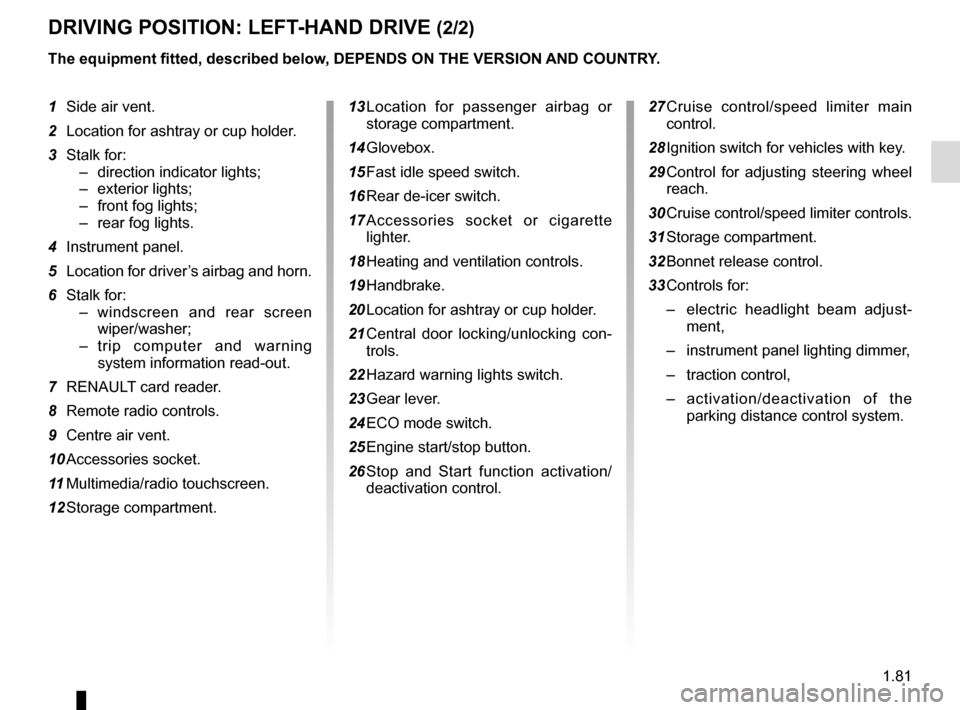
DRIVING POSITION: LEFT-HAND DRIVE (2/2)
The equipment fitted, described below, DEPENDS ON THE VERSION AND COUNTRY.
1 Side air vent.
2 Location for ashtray or cup holder.
3 Stalk for:– direction indicator lights;
– exterior lights;
– front fog lights;
– rear fog lights.
4 Instrument panel.
5 Location for driver’s airbag and horn.
6 Stalk for: – windscreen and rear screen wiper/washer;
– trip computer and warning system information read-out.
7 RENAULT card reader.
8 Remote radio controls.
9 Centre air vent.
10 Accessories socket.
11 Multimedia/radio touchscreen.
12 Storage compartment. 13 Location for passenger airbag or
storage compartment.
14 Glovebox.
15 Fast idle speed switch.
16 Rear de-icer switch.
17 Accessories socket or cigarette lighter.
18 Heating and ventilation controls.
19 Handbrake.
20 Location for ashtray or cup holder.
21 Central door locking/unlocking con- trols.
22 Hazard warning lights switch.
23 Gear lever.
24 ECO mode switch.
25 Engine start/stop button.
26 Stop and Start function activation/ deactivation control.
27 Cruise control/speed limiter main control.
28 Ignition switch for vehicles with key.
29 Control for adjusting steering wheel reach.
30 Cruise control/speed limiter controls.
31 Storage compartment.
32 Bonnet release control.
33 Controls for: – electric headlight beam adjust-
ment,
– instrument panel lighting dimmer,
– traction control,
– activation/deactivation of the
parking distance control system.
Page 89 of 292
1.83
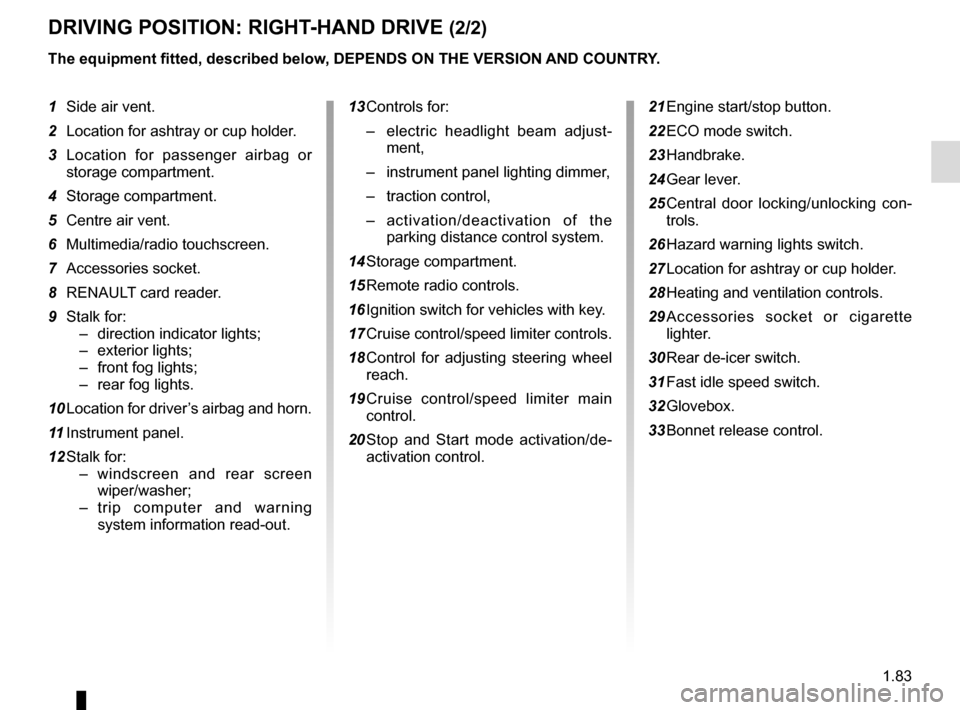
DRIVING POSITION: RIGHT-HAND DRIVE (2/2)
The equipment fitted, described below, DEPENDS ON THE VERSION AND COUNTRY.
1 Side air vent.
2 Location for ashtray or cup holder.
3 Location for passenger airbag or storage compartment.
4 Storage compartment.
5 Centre air vent.
6 Multimedia/radio touchscreen.
7 Accessories socket.
8 RENAULT card reader.
9 Stalk for: – direction indicator lights;
– exterior lights;
– front fog lights;
– rear fog lights.
10 Location for driver’s airbag and horn.
11 Instrument panel.
12 Stalk for: – windscreen and rear screen wiper/washer;
– trip computer and warning system information read-out. 13 Controls for:
– electric headlight beam adjust-
ment,
– instrument panel lighting dimmer,
– traction control,
– activation/deactivation of the
parking distance control system.
14 Storage compartment.
15 Remote radio controls.
16 Ignition switch for vehicles with key.
17 Cruise control/speed limiter controls.
18 Control for adjusting steering wheel reach.
19 Cruise control/speed limiter main control.
20 Stop and Start mode activation/de- activation control. 21 Engine start/stop button.
22 ECO mode switch.
23 Handbrake.
24 Gear lever.
25 Central door locking/unlocking con-
trols.
26 Hazard warning lights switch.
27 Location for ashtray or cup holder.
28 Heating and ventilation controls.
29 Accessories socket or cigarette lighter.
30 Rear de-icer switch.
31 Fast idle speed switch.
32 Glovebox.
33 Bonnet release control.
Page 97 of 292
1.91
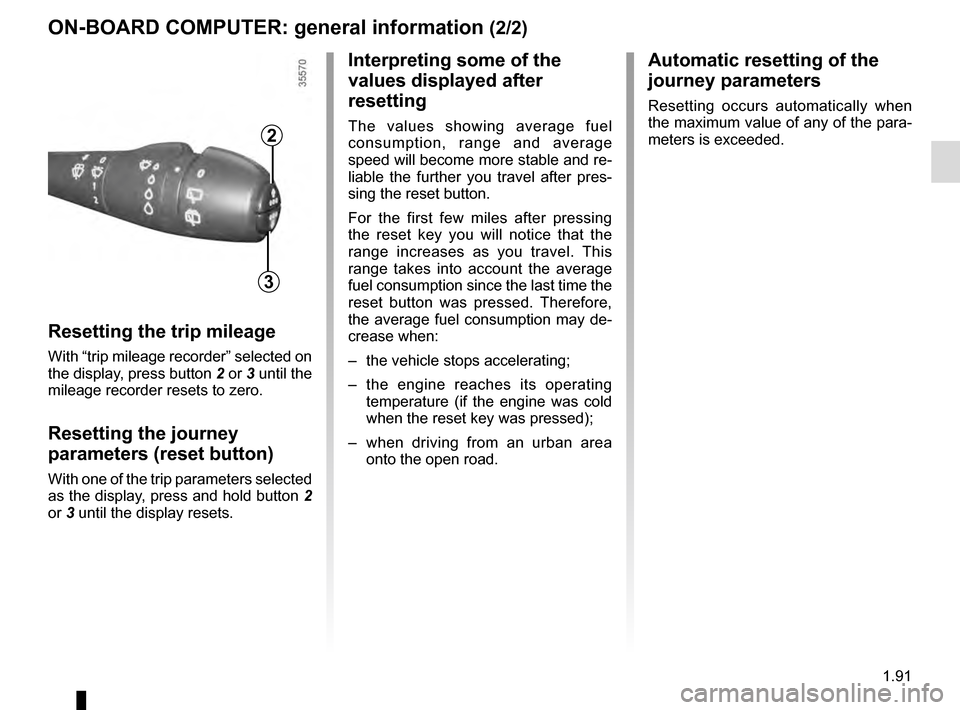
ON-BOARD COMPUTER: general information (2/2)
Resetting the trip mileage
With “trip mileage recorder” selected on
the display, press button 2 or 3 until the
mileage recorder resets to zero.
Resetting the journey
parameters (reset button)
With one of the trip parameters selected
as the display, press and hold button 2
or 3 until the display resets.
Interpreting some of the
values displayed after
resetting
The values showing average fuel
consumption, range and average
speed will become more stable and re-
liable the further you travel after pres-
sing the reset button.
For the first few miles after pressing
the reset key you will notice that the
range increases as you travel. This
range takes into account the average
fuel consumption since the last time the
reset button was pressed. Therefore,
the average fuel consumption may de-
crease when:
– the vehicle stops accelerating;
– the engine reaches its operating
temperature (if the engine was cold
when the reset key was pressed);
– when driving from an urban area
onto the open road.
Automatic resetting of the
journey parameters
Resetting occurs automatically when
the maximum value of any of the para-
meters is exceeded.
2
3
Page 100 of 292

Examples of selectionsInterpreting the display selected
On-board comp")
1.94
The display of information shown below DEPENDS ON THE VEHICLE EQUIPMENT \
AND COUNTRY.
ON-BOARD COMPUTER: trip settings (3/4)
Examples of selectionsInterpreting the display selected
On-board computer with distance before
next service message (cntd.)
h) Mileage before serviceWith the ignition switched on and the engine not running ,
when the message “SERVICE INTERVALS” is displayed, press
button 2 or 3 for around 5 seconds to display the mileage before
the next service (distance or time remaining before the next oil
change). When the range approaches its limit, there are several
possible scenarios:
– distance/time remaining less than 900 miles (1,500 km) or
one month : the message “Service due in” is displayed ac-
companied by the nearest term (distance or time);
– range equal to 0 km/miles or service date reached: the
message “SERVICE REQUIRED” is displayed accompanied
by warning light
©.
The vehicle requires an oil change as soon as possible.
SERVICE
INTERVALS
OIL CHANGE IN
30 000 km / 24 MO
SERVICE DUE IN
300 km / 24 DAYS
SERVICE REQUIRED
Depending on the vehicle, the mileage before an oil change varies accord\
ing to the driving style (frequent driving at low speed ,
door-to-door journeys, extensive use at idling speed, towing a trailer, etc.). The distance remaining until the next oil change can
therefore decrease more quickly in some cases than the actual distance t\
ravelled.
Resetting: To reset the mileage before the next oil change, display the remaining ra\
nge (distance and time), then press and hold
button 2 or 3 for approximately 10 seconds until the display shows the mileage before\
oil change without flashing.