Time RENAULT TRAFIC 2016 X82 / 3.G Service Manual
[x] Cancel search | Manufacturer: RENAULT, Model Year: 2016, Model line: TRAFIC, Model: RENAULT TRAFIC 2016 X82 / 3.GPages: 292, PDF Size: 3.35 MB
Page 162 of 292
2.38
REVERSING CAMERA (2/2)
The screen shows a reverse image.
The frames are a representation
projected onto flat ground; this in-
formation must not be taken into
account when superimposed on a
vertical object or an object on the
ground.
Objects which appear on the edge
of the screen may be deformed.
In very bright light (snow, vehicle in
sunshine etc.), the camera vision
may be adversely affected.
If the rear doors are open or poorly
closed, the message “BOOT OPEN”
appears and, depending on the ve-
hicle, the camera display disap-
pears.
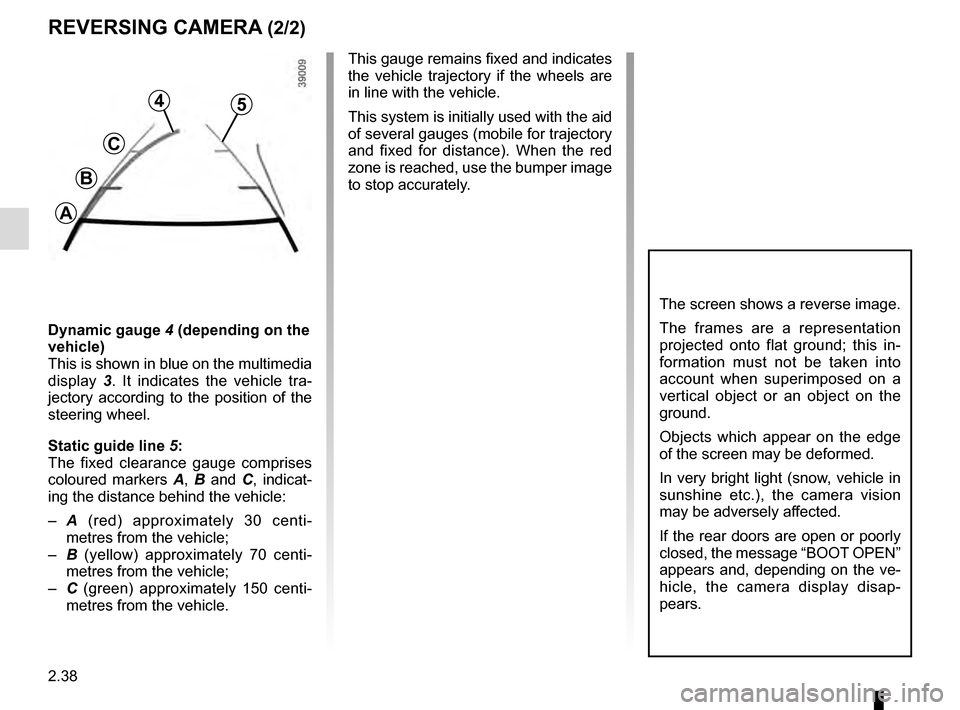
Dynamic gauge 4 (depending on the
vehicle)
This is shown in blue on the multimedia
display 3. It indicates the vehicle tra-
jectory according to the position of the
steering wheel.
Static guide line 5:
The fixed clearance gauge comprises
coloured markers A, B and C , indicat-
ing the distance behind the vehicle:
– A (red) approximately 30 centi-
metres from the vehicle;
– B (yellow) approximately 70 centi-
metres from the vehicle;
– C (green) approximately 150 centi-
metres from the vehicle. This gauge remains fixed and indicates
the vehicle trajectory if the wheels are
in line with the vehicle.
This system is initially used with the aid
of several gauges (mobile for trajectory
and fixed for distance). When the red
zone is reached, use the bumper image
to stop accurately.
4
C
B
A
5
Page 163 of 292

3.1
Section 3: Your comfort
Air Vents . . . . . . . . . . . . . . . . . . . . . . . . . . . . . . . . . . . .\
. . . . . . . . . . . . . . . . . . . . . . . . . . . . . . . . . . 3.2
Manual air conditioning/heating system . . . . . . . . . . . . . . . . . . . . . . . . . . . . . . . . . . . .\
. . . . . . . . . . 3.4
Automatic climate control . . . . . . . . . . . . . . . . . . . . . . . . . . . . . . . . . . . .\
. . . . . . . . . . . . . . . . . . . . . 3.8
Air conditioning: information and advice on use . . . . . . . . . . . . . . . . . . . . . . . . . . . . . . . . . . . .\
. . . . 3.12
Additional heating and air conditioning . . . . . . . . . . . . . . . . . . . . . . . . . . . . . . . . . . . .\
. . . . . . . . . . . 3.13
Windows . . . . . . . . . . . . . . . . . . . . . . . . . . . . . . . . . . . .\
. . . . . . . . . . . . . . . . . . . . . . . . . . . . . . . . . . 3.14
Sun visor . . . . . . . . . . . . . . . . . . . . . . . . . . . . . . . \
. . . . . . . . . . . . . . . . . . . . . . . . . . . . . . . . . . . . . . . 3.16
Interior lighting . . . . . . . . . . . . . . . . . . . . . . . . . . . . . . . . . . . . \
. . . . . . . . . . . . . . . . . . . . . . . . . . . . . . 3.17
Passenger compartment storage/fittings . . . . . . . . . . . . . . . . . . . . . . . . . . . . . . . . . . . . \
. . . . . . . . . . 3.19
Ashtray, accessories socket . . . . . . . . . . . . . . . . . . . . . . . . . . . . . . . . . . . .\
. . . . . . . . . . . . . . . . . . . 3.28
Rear bench seat: functions . . . . . . . . . . . . . . . . . . . . . . . . . . . . . . . . . . . .\
. . . . . . . . . . . . . . . . . . . . 3.31
Luggage cover . . . . . . . . . . . . . . . . . . . . . . . . . . . . . . . . . . . . \
. . . . . . . . . . . . . . . . . . . . . . . . . . . . . . 3.35
Luggage net. . . . . . . . . . . . . . . . . . . . . . . . . . . . . . .\
. . . . . . . . . . . . . . . . . . . . . . . . . . . . . . . . . . . . . 3.36
Transporting objects . . . . . . . . . . . . . . . . . . . . . . . . . . . . . . . . . . . .\
. . . . . . . . . . . . . . . . . . . . . . . . . 3.38
Transporting objects: . . . . . . . . . . . . . . . . . . . . . . . . . . . . . . . . . . . . \
. . . . . . . . . . . . . . . . . . . . . . . . . 3.40 towing, attachments . . . . . . . . . . . . . . . . . . . . . . . . . . . . . . . . . . . . \
. . . . . . . . . . . . . . . . . . . . 3.40
Multimedia equipment . . . . . . . . . . . . . . . . . . . . . . . . . . . . . . . . . . . . \
. . . . . . . . . . . . . . . . . . . . . . . . 3.41
Page 175 of 292
3.13
ADDITIONAL AIR CONDITIONING
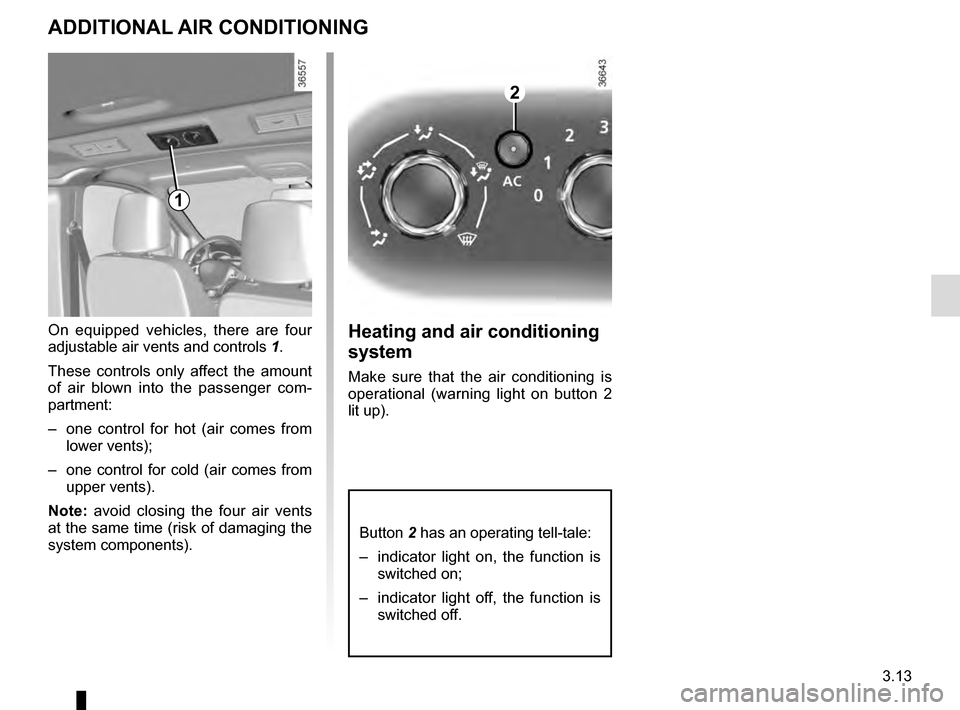
On equipped vehicles, there are four
adjustable air vents and controls 1.
These controls only affect the amount
of air blown into the passenger com-
partment:
– one control for hot (air comes from lower vents);
– one control for cold (air comes from upper vents).
Note: avoid closing the four air vents
at the same time (risk of damaging the
system components).Heating and air conditioning
system
Make sure that the air conditioning is
operational (warning light on button 2
lit up).
2
1
Button 2 has an operating tell-tale:
– indicator light on, the function is switched on;
– indicator light off, the function is switched off.
Page 177 of 292
3.15
One-touch mode
Depending on the vehicle, this mode
works in addition to the operation of the
electric windows described previously.
It is only fitted to the driver’s window.
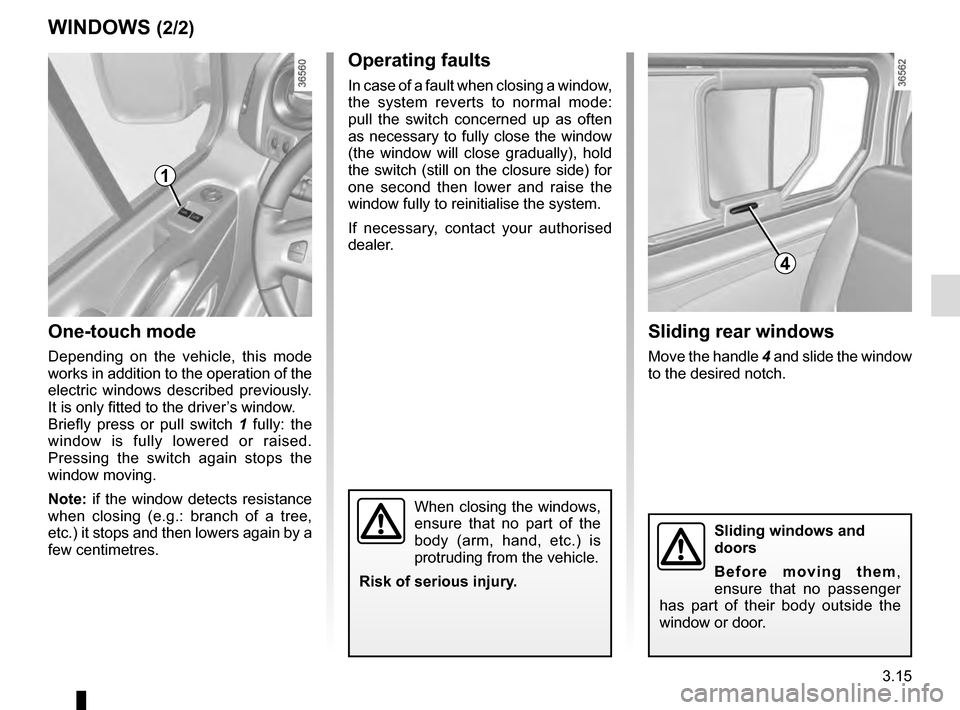
Briefly press or pull switch 1 fully: the
window is fully lowered or raised.
Pressing the switch again stops the
window moving.
Note: if the window detects resistance
when closing (e.g.: branch of a tree,
etc.) it stops and then lowers again by a
few centimetres.
WINDOWS (2/2)
When closing the windows,
ensure that no part of the
body (arm, hand, etc.) is
protruding from the vehicle.
Risk of serious injury.
Operating faults
In case of a fault when closing a window,
the system reverts to normal mode:
pull the switch concerned up as often
as necessary to fully close the window
(the window will close gradually), hold
the switch (still on the closure side) for
one second then lower and raise the
window fully to reinitialise the system.
If necessary, contact your authorised
dealer.
1
Sliding rear windows
Move the handle 4 and slide the window
to the desired notch.
4
Sliding windows and
doors
Before moving them,
ensure that no passenger
has part of their body outside the
window or door.
Page 182 of 292
3.20
PASSENGER COMPARTMENT STORAGE/FITTINGS (2/9)
5
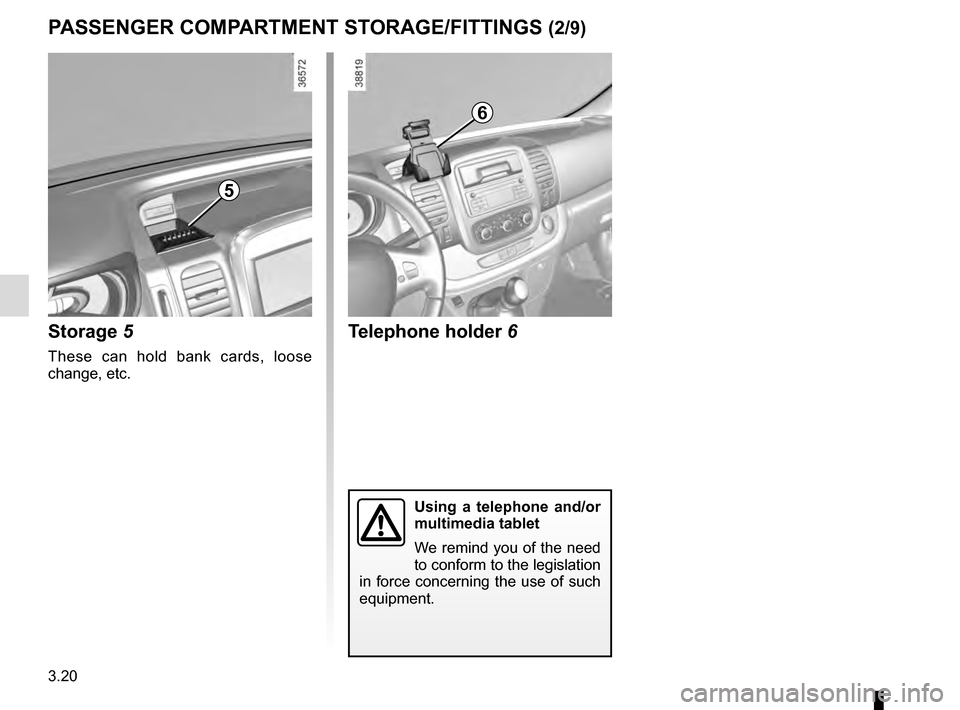
Storage 5
These can hold bank cards, loose
change, etc.
Telephone holder 6
Using a telephone and/or
multimedia tablet
We remind you of the need
to conform to the legislation
in force concerning the use of such
equipment.
6
Page 183 of 292
3.21
PASSENGER COMPARTMENT STORAGE/FITTINGS (3/9)
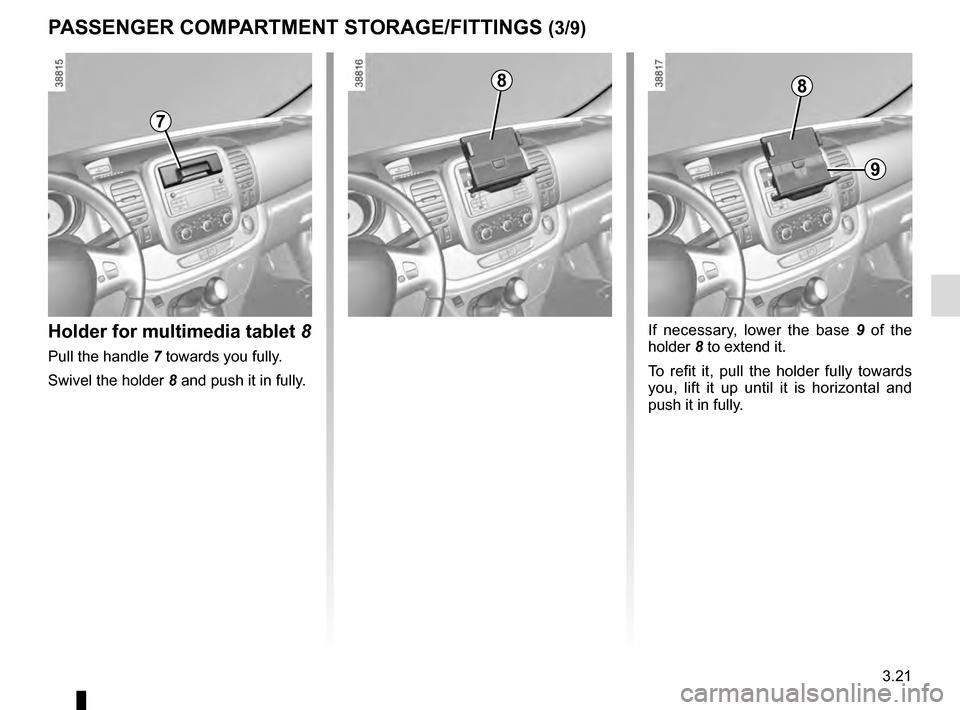
Holder for multimedia tablet 8
Pull the handle 7 towards you fully.
Swivel the holder 8 and push it in fully.
If necessary, lower the base 9 of the
holder 8 to extend it.
To refit it, pull the holder fully towards
you, lift it up until it is horizontal and
push it in fully.
7
88
9
Page 191 of 292
3.29
ASHTRAY, ACCESSORIES SOCKET (2/2)
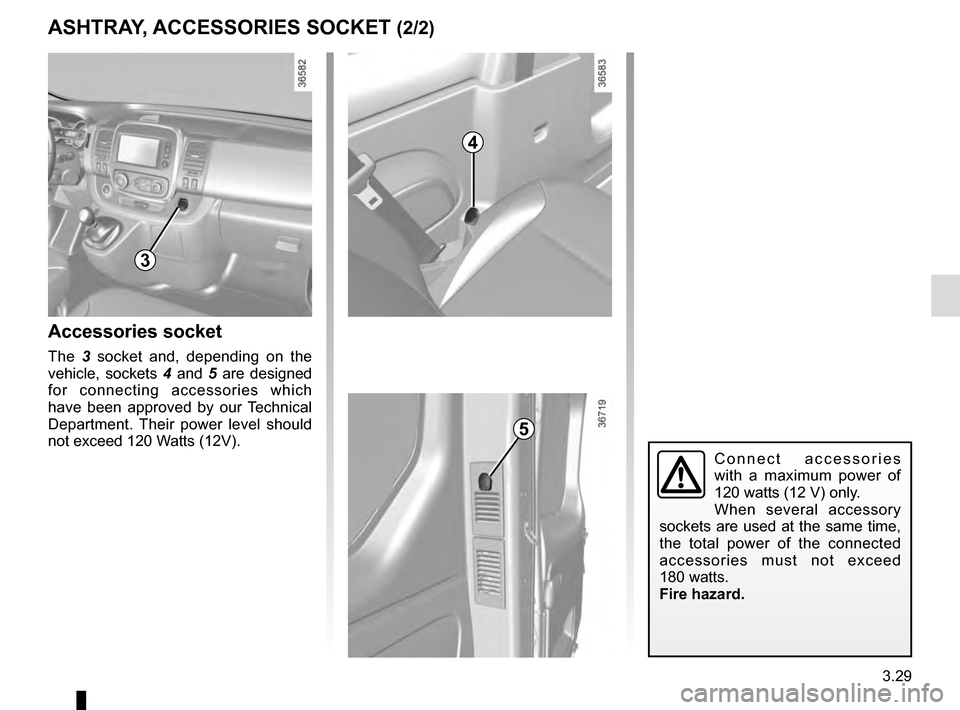
Accessories socket
The 3 socket and, depending on the
vehicle, sockets 4 and 5 are designed
for connecting accessories which
have been approved by our Technical
Department. Their power level should
not exceed 120 Watts (12V).
Connect accessories
with a maximum power of
120 watts (12 V) only.
When several accessory
sockets are used at the same time,
the total power of the connected
accessories must not exceed
180 watts.
Fire hazard.
3
4
5
Page 203 of 292
3.41
Using the telephone
We remind you of the need
to conform to the legislation
in force concerning the use
of such equipment.
MULTIMEDIA EQUIPMENT
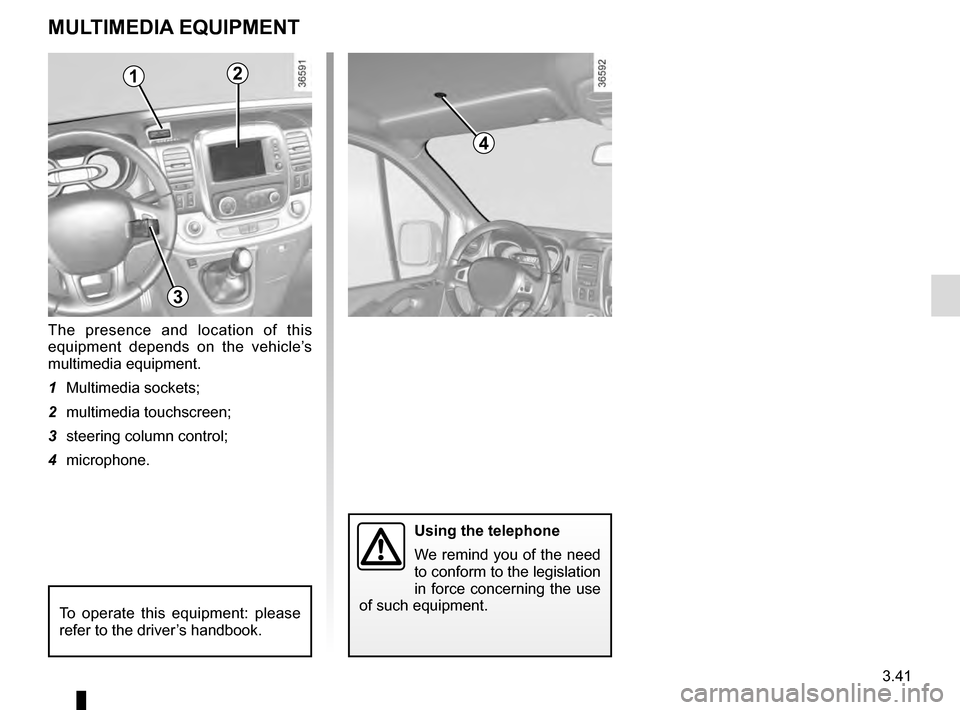
The presence and location of this
equipment depends on the vehicle’s
multimedia equipment.
1 Multimedia sockets;
2 multimedia touchscreen;
3 steering column control;
4 microphone.
To operate this equipment: please
refer to the driver’s handbook.
12
3
4
Page 208 of 292
4.4
It is normal for an engine to use oil for
lubrication and cooling of moving parts
and it is normal to top up the level be-
tween oil changes.
However, contact your approved
Dealer if more than 0.5 litres is being
consumed every 600 miles (1,000 km)
after the running in period.
Oil change frequency: check the oil
level from time to time and certainly
before any long journey to avoid the
risk of damaging your engine.
ENGINE OIL LEVEL: general information
Exceeding the maximum
engine oil level
Under no circumstances
should maximum filling
level B be exceeded: this could
damage the engine and the cata-
lytic converter.
If the oil level exceeds the maximum
level, do not start your vehicle and
contact an approved Dealer.
In order to prevent splashback, it is
recommended that a funnel be used
when topping up/filling with oil.
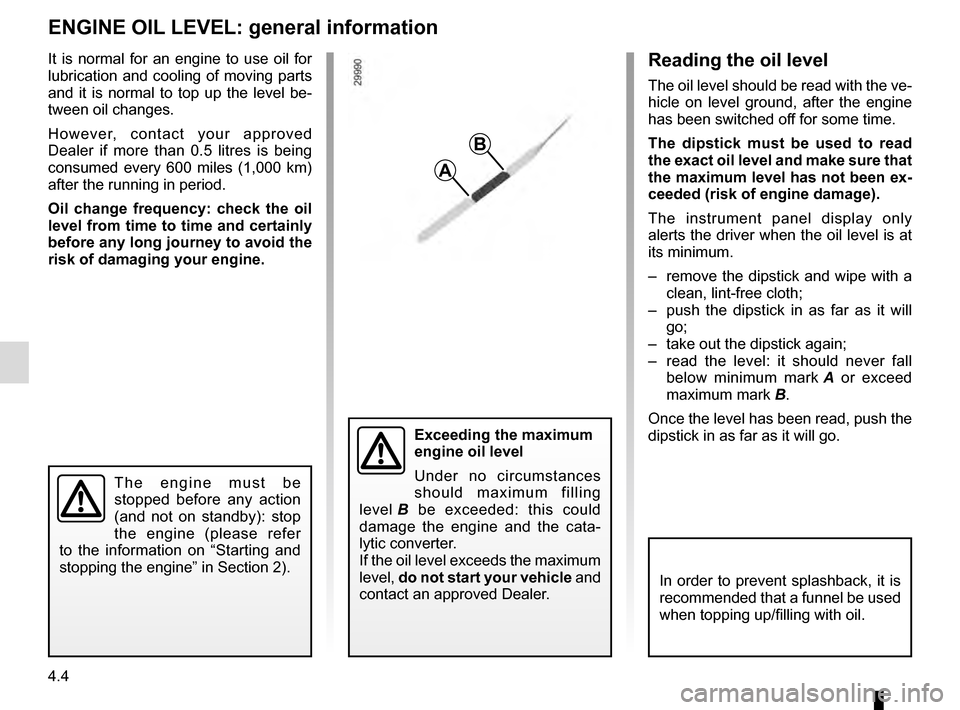
Reading the oil level
The oil level should be read with the ve-
hicle on level ground, after the engine
has been switched off for some time.
The dipstick must be used to read
the exact oil level and make sure that
the maximum level has not been ex-
ceeded (risk of engine damage).
The instrument panel display only
alerts the driver when the oil level is at
its minimum.
– remove the dipstick and wipe with a clean, lint-free cloth;
– push the dipstick in as far as it will go;
– take out the dipstick again;
– read the level: it should never fall below minimum mark A or exceed
maximum mark B.
Once the level has been read, push the
dipstick in as far as it will go.
A
B
The engine must be
stopped before any action
(and not on standby): stop
the engine (please refer
to the information on “Starting and
stopping the engine” in Section 2).
Page 210 of 292
4.6
ENGINE OIL LEVEL: topping up, filling (2/2)OIL CHANGE
Oil change
Service interval: refer to the
Maintenance Service Booklet for your
vehicle.
Oil change capacity
Please refer to the maintenance docu-
ment for your vehicle, or contact an au-
thorised dealer.
Always check the engine oil level using
the dipstick, as explained previously (it
should never fall below the minimum
level, or be over the maximum level on
the dipstick).
Engine oil grade
Refer to the Maintenance Service
Booklet for your vehicle.
Consult your approved dealer at
once if you notice an abnormal or
repeated drop in any of the fluid
levels.
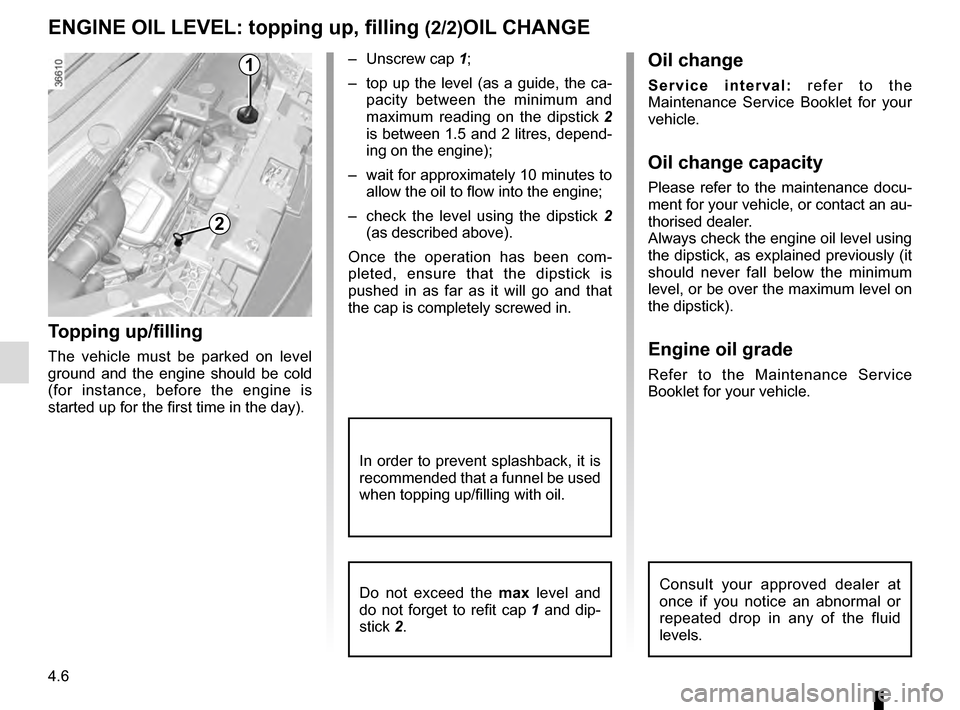
1
2
Topping up/filling
The vehicle must be parked on level
ground and the engine should be cold
(for instance, before the engine is
started up for the first time in the day).– Unscrew cap
1;
– top up the level (as a guide, the ca- pacity between the minimum and
maximum reading on the dipstick 2
is between 1.5 and 2 litres, depend-
ing on the engine);
– wait for approximately 10 minutes to allow the oil to flow into the engine;
– check the level using the dipstick 2
(as described above).
Once the operation has been com-
pleted, ensure that the dipstick is
pushed in as far as it will go and that
the cap is completely screwed in.
In order to prevent splashback, it is
recommended that a funnel be used
when topping up/filling with oil.
Do not exceed the max level and
do not forget to refit cap 1 and dip-
stick 2.