lock RENAULT TWINGO 2016 3.G Owner's Manual
[x] Cancel search | Manufacturer: RENAULT, Model Year: 2016, Model line: TWINGO, Model: RENAULT TWINGO 2016 3.GPages: 216, PDF Size: 7.15 MB
Page 35 of 216
1.29
CHILD SAFETY: fitting a child seat, general information (1/2)
Some seats are not suitable for fitting
child seats. The diagram on the follow-
ing page shows you how to attach a
child seat.
The types of child seat indicated may
not be available. Before using a differ-
ent child seat, check with the manufac-
turer that it can be fitted.
Ensure that the child seat
or the child’s feet do not
prevent the front seat from
locking correctly. Refer to
the information on the “Front seat”
in Section 1.
Check that when installing the child
seat in the vehicle it is not at risk of
coming loose from its base.
If you have to remove the headrest,
check that it is correctly stored so
that it does not come loose under
harsh braking or impact.
Always attach the child seat to the
vehicle even if it is not in use so that
it does not come loose under harsh
braking or impact.
In the front seat
The laws concerning children travel-
ling in the front passenger seat differ in
every country. Consult the legislation in
force and follow the indications on the
diagram on the following page.
Before fitting a child seat in this seat (if
authorised):
– lower the seat belt as far as possible;
– move the seat as far back as possi- ble;
– gently tilt the seatback away from vertical (approximately 25°);
– on equipped vehicles, raise the seat base as far as possible.
RISK OF DEATH OR
SERIOUS INJURY: Before
installing a child seat on the
front passenger seat, check
that the airbag has been deacti-
vated (please refer to “Child safety:
front passenger airbag deactivation
and activation” in Section 1).
After installing the child seat, if neces-
sary, the seat may be advanced (so as
to leave enough space in the rear seats
for passengers or other child seats).
For a rear-facing child seat, do not let
it touch the dashboard or move it to the
furthest forward position.
Do not change other settings after in-
stalling the child seat.
Page 42 of 216
1.36
CHILD SAFETY: deactivating/activating the front passenger air bag (1/3)
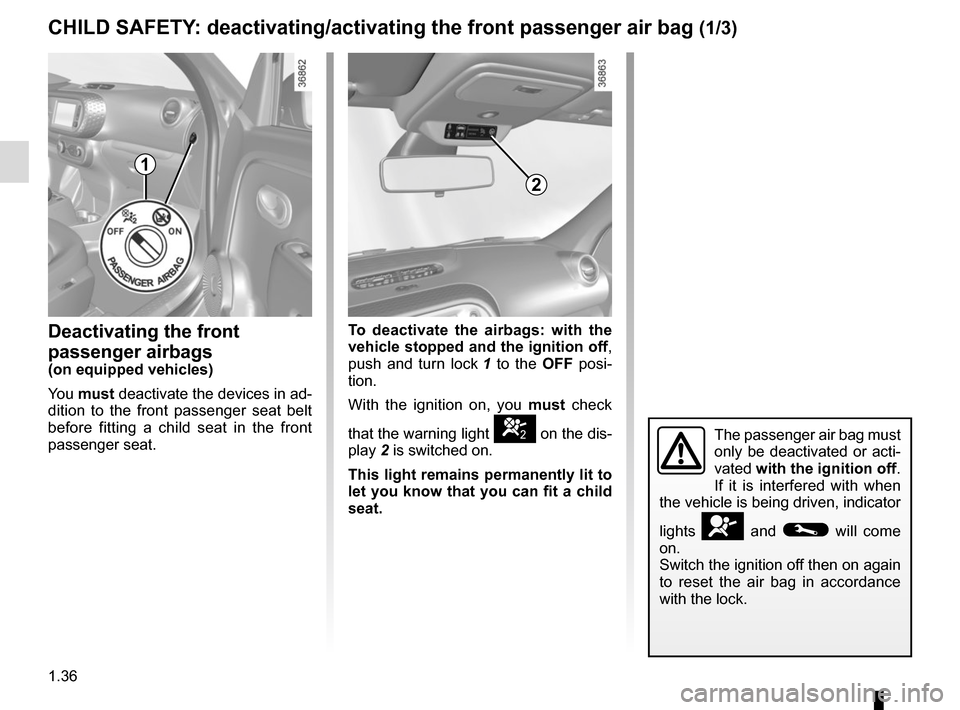
Deactivating the front
passenger airbags
(on equipped vehicles)
You must deactivate the devices in ad-
dition to the front passenger seat belt
before fitting a child seat in the front
passenger seat.
1
2
The passenger air bag must
only be deactivated or acti-
vated with the ignition off.
If it is interfered with when
the vehicle is being driven, indicator
lights
å and © will come
on.
Switch the ignition off then on again
to reset the air bag in accordance
with the lock.
To deactivate the airbags: with the
vehicle stopped and the ignition off ,
push and turn lock 1 to the OFF posi-
tion.
With the ignition on, you must check
that the warning light
] on the dis-
play 2 is switched on.
This light remains permanently lit to
let you know that you can fit a child
seat.
Page 44 of 216
1.38
CHILD SAFETY: deactivating/activating the front passenger air bag (3/3)
The passenger airbag must
only be deactivated or acti-
vated when the vehicle is
stationary.
If it is interfered with when the ve-
hicle is being driven, indicator lights
å and © will come on.
Switch the ignition off then on again
to reset the airbag in accordance
with the lock position.
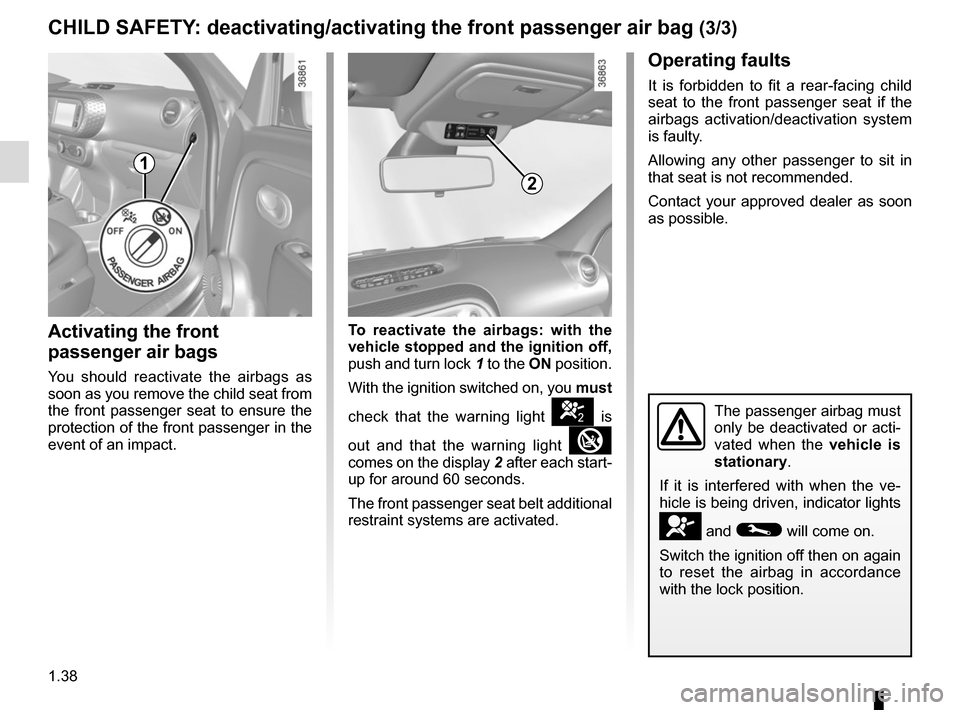
1
2
Activating the front
passenger air bags
You should reactivate the airbags as
soon as you remove the child seat from
the front passenger seat to ensure the
protection of the front passenger in the
event of an impact.
Operating faults
It is forbidden to fit a rear-facing child
seat to the front passenger seat if the
airbags activation/deactivation system
is faulty.
Allowing any other passenger to sit in
that seat is not recommended.
Contact your approved dealer as soon
as possible.
To reactivate the airbags: with the
vehicle stopped and the ignition off,
push and turn lock 1 to the ON position.
With the ignition switched on, you must
check that the warning light
] is
out and that the warning light
comes on the display 2 after each start-
up for around 60 seconds.
The front passenger seat belt additional
restraint systems are activated.
Page 47 of 216
1.41
DRIVING POSITION: LEFT-HAND DRIVE (2/2)
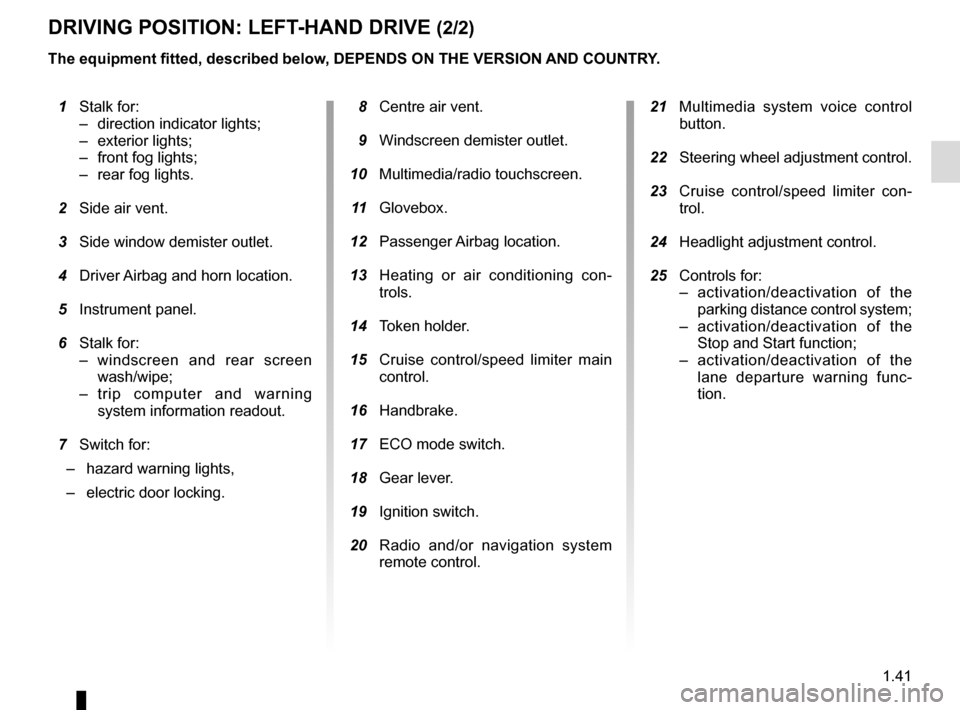
1 Stalk for:
– direction indicator lights;
– exterior lights;
– front fog lights;
– rear fog lights.
2 Side air vent.
3 Side window demister outlet.
4 Driver Airbag and horn location.
5 Instrument panel.
6 Stalk for:
– windscreen and rear screen wash/wipe;
– trip computer and warning system information readout.
7 Switch for:
– hazard warning lights,
– electric door locking.
The equipment fitted, described below, DEPENDS ON THE VERSION AND COUNTRY.
8 Centre air vent.
9 Windscreen demister outlet.
10 Multimedia/radio touchscreen.
11 Glovebox.
12 Passenger Airbag location.
13 Heating or air conditioning con-
trols.
14 Token holder.
15 Cruise control/speed limiter main
control.
16 Handbrake.
17 ECO mode switch.
18 Gear lever.
19 Ignition switch.
20 Radio and/or navigation system
remote control.
21 Multimedia system voice control
button.
22 Steering wheel adjustment control.
23 Cruise control/speed limiter con-
trol.
24 Headlight adjustment control.
25 Controls for:
– activation/deactivation of the parking distance control system;
– activation/deactivation of the Stop and Start function;
– activation/deactivation of the lane departure warning func-
tion.
Page 49 of 216
1.43
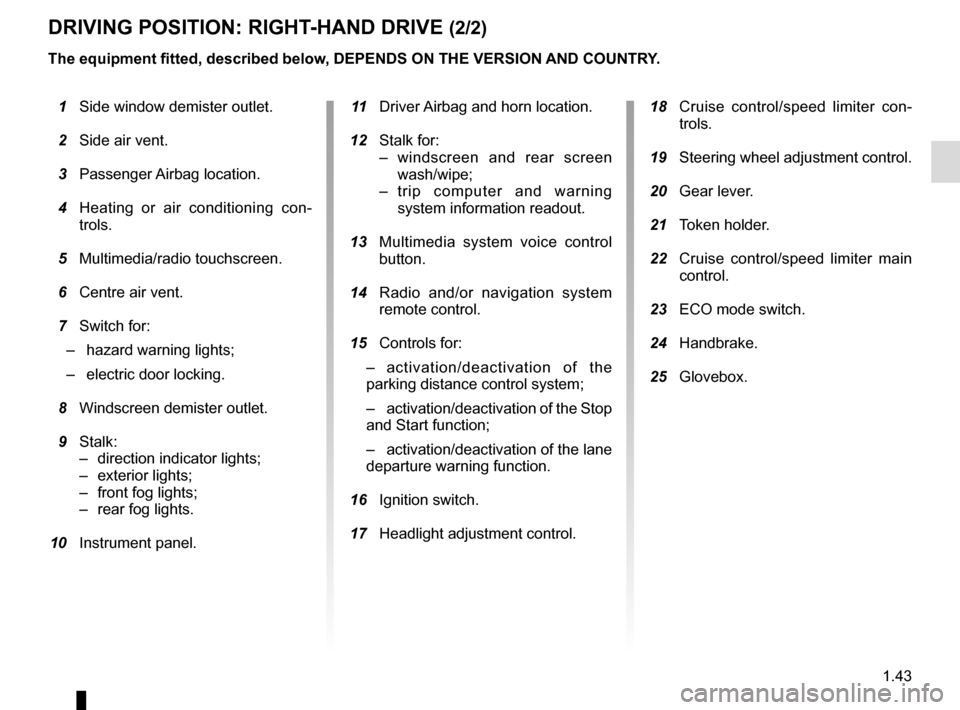
DRIVING POSITION: RIGHT-HAND DRIVE (2/2)
The equipment fitted, described below, DEPENDS ON THE VERSION AND COUNTRY.
1 Side window demister outlet.
2 Side air vent.
3 Passenger Airbag location.
4 Heating or air conditioning con-
trols.
5 Multimedia/radio touchscreen.
6 Centre air vent.
7 Switch for:
– hazard warning lights;
– electric door locking.
8 Windscreen demister outlet.
9 Stalk:
– direction indicator lights;
– exterior lights;
– front fog lights;
– rear fog lights.
10 Instrument panel. 11 Driver Airbag and horn location.
12 Stalk for:
– windscreen and rear screen wash/wipe;
– trip computer and warning system information readout.
13 Multimedia system voice control
button.
14 Radio and/or navigation system
remote control.
15 Controls for:
– activation/deactivation of the
parking distance control system;
– activation/deactivation of the Stop
and Start function;
– activation/deactivation of the lane
departure warning function.
16 Ignition switch.
17 Headlight adjustment control.
18 Cruise control/speed limiter con-
trols.
19 Steering wheel adjustment control.
20 Gear lever.
21 Token holder.
22 Cruise control/speed limiter main
control.
23 ECO mode switch.
24 Handbrake.
25 Glovebox.
Page 52 of 216
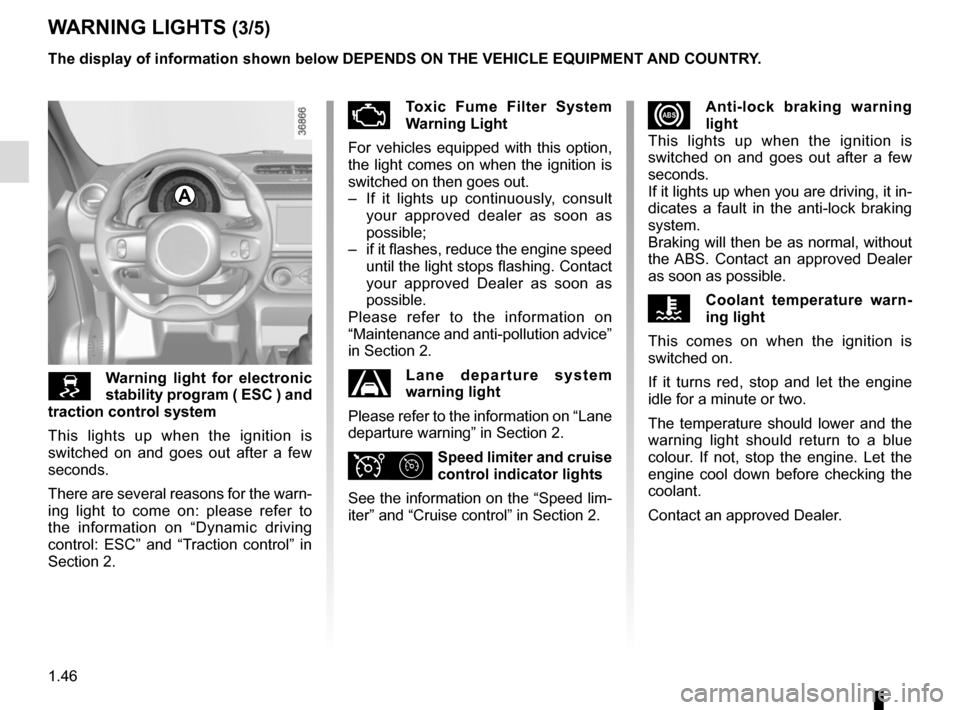
1.46
xAnti-lock braking warning
light
This lights up when the ignition is
switched on and goes out after a few
seconds.
If it lights up when you are driving, it in-
dicates a fault in the anti-lock braking
system.
Braking will then be as normal, without
the ABS. Contact an approved Dealer
as soon as possible.
ÔCoolant temperature warn-
ing light
This comes on when the ignition is
switched on.
If it turns red, stop and let the engine
idle for a minute or two.
The temperature should lower and the
warning light should return to a blue
colour. If not, stop the engine. Let the
engine cool down before checking the
coolant.
Contact an approved Dealer.
WARNING LIGHTS (3/5)
Warning light for electronic
stability program ( ESC ) and
traction control system
This lights up when the ignition is
switched on and goes out after a few
seconds.
There are several reasons for the warn-
ing light to come on: please refer to
the information on “Dynamic driving
control: ESC” and “Traction control” in
Section 2.
ÄToxic Fume Filter System
Warning Light
For vehicles equipped with this option,
the light comes on when the ignition is
switched on then goes out.
– If it lights up continuously, consult your approved dealer as soon as
possible;
– if it flashes, reduce the engine speed until the light stops flashing. Contact
your approved Dealer as soon as
possible.
Please refer to the information on
“Maintenance and anti-pollution advice”
in Section 2.
Lane departure system
warning light
Please refer to the information on “Lane
departure warning” in Section 2.
ΦSpeed limiter and cruise
control indicator lights
See the information on the “Speed lim-
iter” and “Cruise control” in Section 2.
The display of information shown below DEPENDS ON THE VEHICLE EQUIPMENT \
AND COUNTRY.
A
Page 61 of 216

Examples of selectionsInterpreting the display selected
\b SET
j) Re")
1.55
The display of information shown below DEPENDS ON THE VEHICLE EQUIPMENT \
AND COUNTRY.
ON-BOARD COMPUTER: trip settings (4/4)
Examples of selectionsInterpreting the display selected
\b SET
j) Reset the tyre pressure.
Please refer to the information on the “Tyre pressure loss
warning” in Section 2.
90 km/H
k) Cruise control and speed limiter programmed speed. Refer to the information on the “Speed limiter” and “Cruise con\
trol” in Section 2.
16:30
l) Time. Please refer to the information on the “Clock and exterior temperatur\
e” in Section 1.
Page 62 of 216
1.56
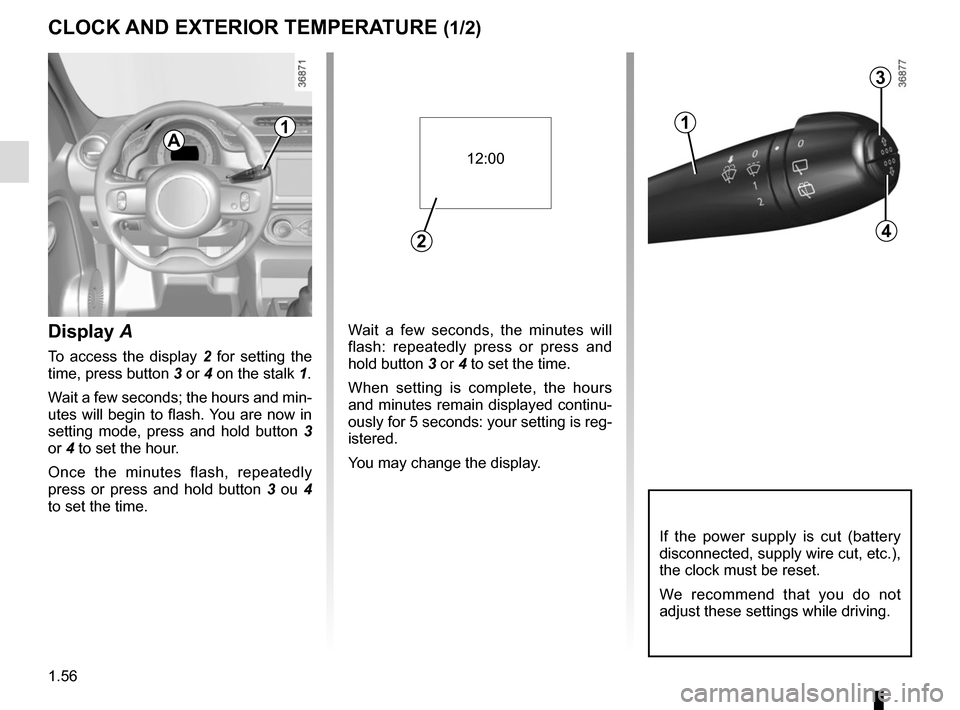
Wait a few seconds, the minutes will
flash: repeatedly press or press and
hold button 3 or 4 to set the time.
When setting is complete, the hours
and minutes remain displayed continu-
ously for 5 seconds: your setting is reg-
istered.
You may change the display.Display A
To access the display 2 for setting the
time, press button 3 or 4 on the stalk 1.
Wait a few seconds; the hours and min-
utes will begin to flash. You are now in
setting mode, press and hold button 3
or 4 to set the hour.
Once the minutes flash, repeatedly
press or press and hold button 3 ou 4
to set the time.
CLOCK AND EXTERIOR TEMPERATURE (1/2)
3
4
If the power supply is cut (battery
disconnected, supply wire cut, etc.),
the clock must be reset.
We recommend that you do not
adjust these settings while driving.
12:00
2
11
A
Page 63 of 216
1.57
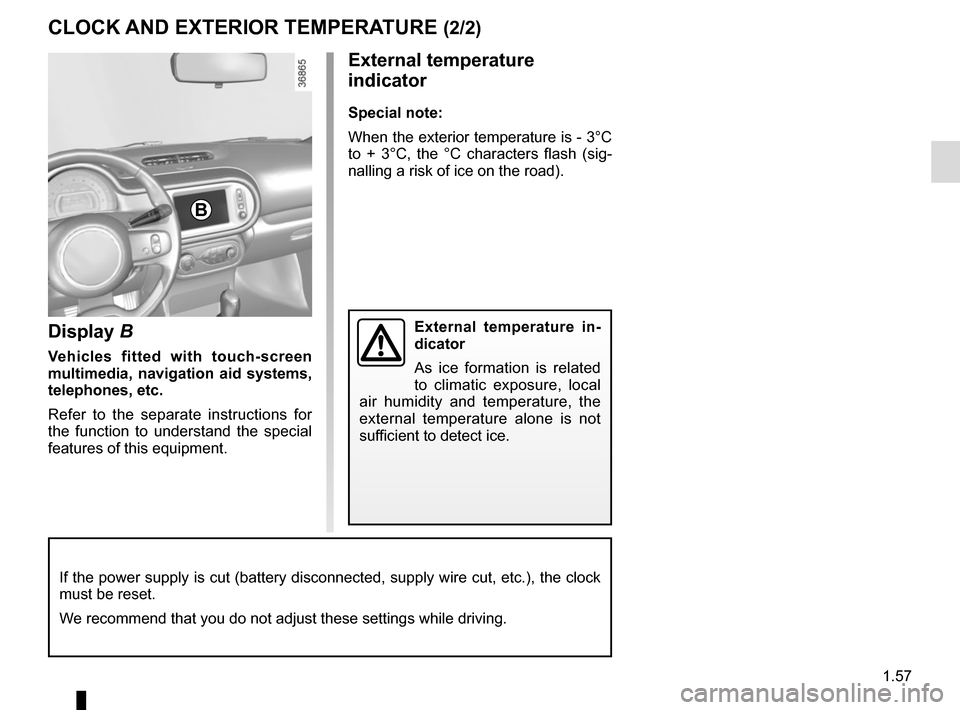
Display B
Vehicles fitted with touch-screen
multimedia, navigation aid systems,
telephones, etc.
Refer to the separate instructions for
the function to understand the special
features of this equipment.
External temperature
indicator
Special note:
When the exterior temperature is - 3°C
to + 3°C, the °C characters flash (sig-
nalling a risk of ice on the road).
External temperature in-
dicator
As ice formation is related
to climatic exposure, local
air humidity and temperature, the
external temperature alone is not
sufficient to detect ice.
CLOCK AND EXTERIOR TEMPERATURE (2/2)
If the power supply is cut (battery disconnected, supply wire cut, etc.\
), the clock
must be reset.
We recommend that you do not adjust these settings while driving.
B
Page 65 of 216
1.59
EXTERIOR LIGHTING AND SIGNALS (2/3)
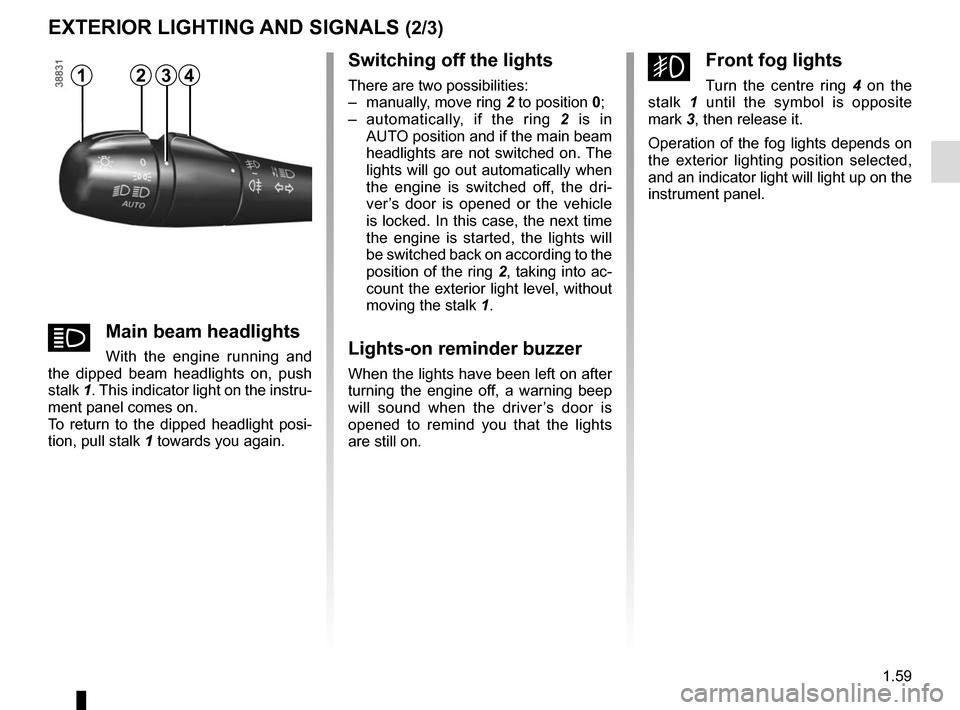
Switching off the lights
There are two possibilities:
– manually, move ring 2 to position 0;
– automatically, if the ring 2 is in
AUTO position and if the main beam
headlights are not switched on. The
lights will go out automatically when
the engine is switched off, the dri-
ver’s door is opened or the vehicle
is locked. In this case, the next time
the engine is started, the lights will
be switched back on according to the
position of the ring 2, taking into ac-
count the exterior light level, without
moving the stalk 1.
Lights-on reminder buzzer
When the lights have been left on after
turning the engine off, a warning beep
will sound when the driver’s door is
opened to remind you that the lights
are still on.
gFront fog lights
Turn the centre ring 4 on the
stalk 1 until the symbol is opposite
mark 3, then release it.
Operation of the fog lights depends on
the exterior lighting position selected,
and an indicator light will light up on the
instrument panel.12
áMain beam headlights
With the engine running and
the dipped beam headlights on, push
stalk 1. This indicator light on the instru-
ment panel comes on.
To return to the dipped headlight posi-
tion, pull stalk 1 towards you again.
43