charge RENAULT ZOE 2016 1.G User Guide
[x] Cancel search | Manufacturer: RENAULT, Model Year: 2016, Model line: ZOE, Model: RENAULT ZOE 2016 1.GPages: 216, PDF Size: 6.48 MB
Page 36 of 216
1.30
Locking the doors without
the RENAULT card
For example, in the event of a dis-
charged battery or the RENAULT card
temporarily not working, etc.
With the engine switched off and an
opening (door or boot) open, press
and hold the switch 3 for more than five
seconds.
When the door is closed, all the doors
and tailgate will be locked.
Unlocking the vehicle from the outside
is only possible with the RENAULT card
in the vehicle's access zone or using
the key integrated in the RENAULT
card.
LOCKING/UNLOCKING THE DOORS (2/2)
Interior locking/unlocking
door control
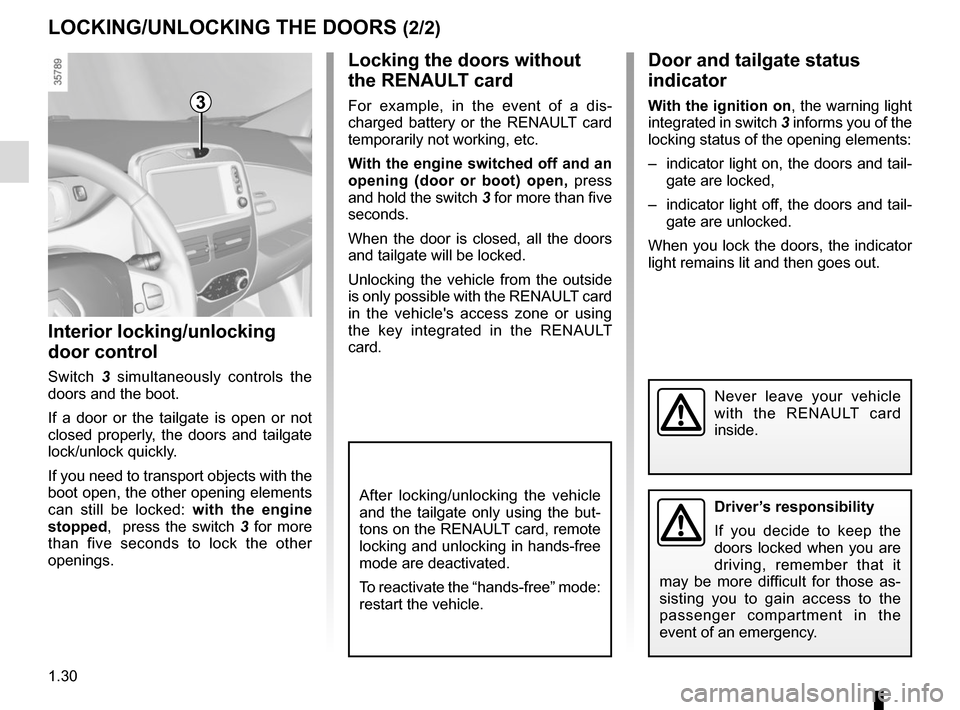
Switch 3 simultaneously controls the
doors and the boot.
If a door or the tailgate is open or not
closed properly, the doors and tailgate
lock/unlock quickly.
If you need to transport objects with the
boot open, the other opening elements
can still be locked: with the engine
stopped, press the switch 3 for more
than five seconds to lock the other
openings.
Door and tailgate status
indicator
With the ignition on , the warning light
integrated in switch 3 informs you of the
locking status of the opening elements:
– indicator light on, the doors and tail- gate are locked,
– indicator light off, the doors and tail- gate are unlocked.
When you lock the doors, the indicator
light remains lit and then goes out.
Never leave your vehicle
with the RENAULT card
inside.
After locking/unlocking the vehicle
and the tailgate only using the but-
tons on the RENAULT card, remote
locking and unlocking in hands-free
mode are deactivated.
To reactivate the “hands-free” mode:
restart the vehicle.
3
Driver’s responsibility
If you decide to keep the
doors locked when you are
driving, remember that it
may be more difficult for those as-
sisting you to gain access to the
passenger compartment in the
event of an emergency.
Page 69 of 216
1.63
WARNING LIGHTS (2/3)
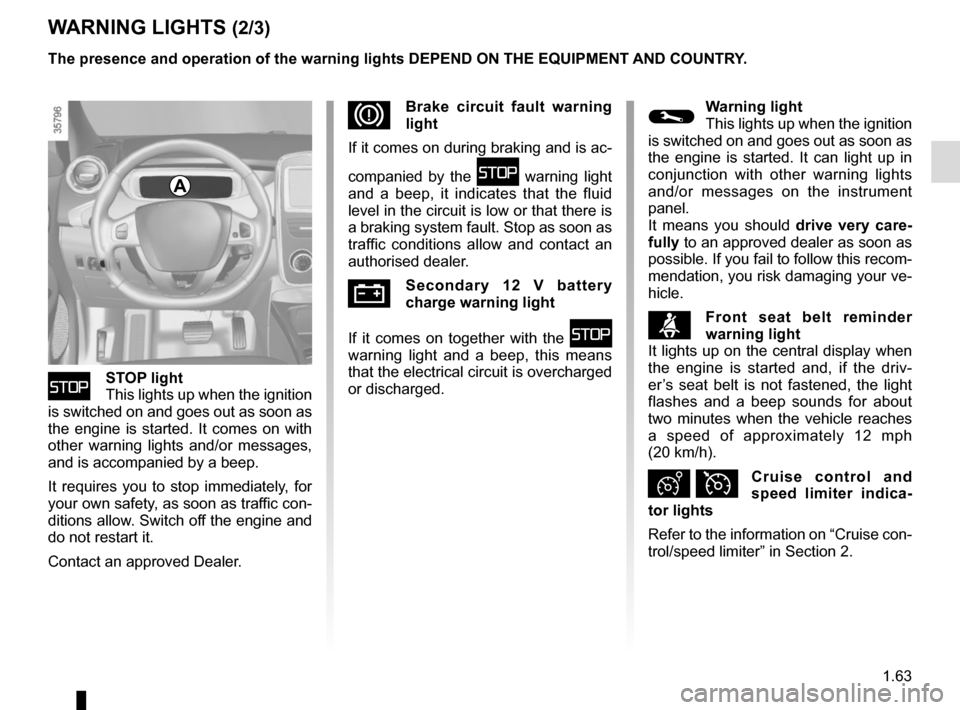
ûSTOP light
This lights up when the ignition
is switched on and goes out as soon as
the engine is started. It comes on with
other warning lights and/or messages,
and is accompanied by a beep.
It requires you to stop immediately, for
your own safety, as soon as traffic con-
ditions allow. Switch off the engine and
do not restart it.
Contact an approved Dealer.
DBrake circuit fault warning
light
If it comes on during braking and is ac-
companied by the
û warning light
and a beep, it indicates that the fluid
level in the circuit is low or that there is
a braking system fault. Stop as soon as
traffic conditions allow and contact an
authorised dealer.
ÚSecondary 12 V battery
charge warning light
If it comes on together with the
û
warning light and a beep, this means
that the electrical circuit is overcharged
or discharged.
The presence and operation of the warning lights DEPEND ON THE EQUIPMENT\
AND COUNTRY.
©Warning light
This lights up when the ignition
is switched on and goes out as soon as
the engine is started. It can light up in
conjunction with other warning lights
and/or messages on the instrument
panel.
It means you should drive very care-
fully to an approved dealer as soon as
possible. If you fail to follow this recom-
mendation, you risk damaging your ve-
hicle.
ßFront seat belt reminder
warning light
It lights up on the central display when
the engine is started and, if the driv-
er’s seat belt is not fastened, the light
flashes and a beep sounds for about
two minutes when the vehicle reaches
a speed of approximately 12 mph
(20 km/h).
Ð ÏCruise control and
speed limiter indica-
tor lights
Refer to the information on “Cruise con-
trol/speed limiter” in Section 2.
A
Page 70 of 216
1.64
Electrotechnical system
warning light
When the warning light comes on, this
indicates that the traction battery tem-
perature is too low or that the engine or
traction battery temperature is too high.
Opt for a calmer driving style.
The warning light can lead to a drop
in vehicle performance.
If it comes on when you start the vehi-
cle, this indicates a fault in the second-
ary 12 V battery.
Low traction battery level
warning light
It flashes when the traction battery
charge level has reached the reserve
threshold. Please see the informa-
tion on “Displays and indicators” in
Section 1.
ECO mode function light
This lights up when the function is ac-
tivated.
WARNING LIGHTS (3/3)
Electrotechnical system
warning light
If it lights up while driving, this means
there is an electrotechnical fault in the
“400 Volt” electrical circuit. Please see
an authorised dealer as soon as pos-
sible.
\bElectronic Stability Program
( ESC) and traction control
system warning light
There are several reasons for the warn-
ing light coming on: please refer to the
information on “Driver correction de-
vices and aids” in Section 2.
Tyre pressure loss warning
Please refer to the information
on the “Tyre pressure loss warning” in
Section 2.
ðSeat heating indicator light
Refer to the information on the
“Front seats” in Section 1.
2 Door(s) open warning light
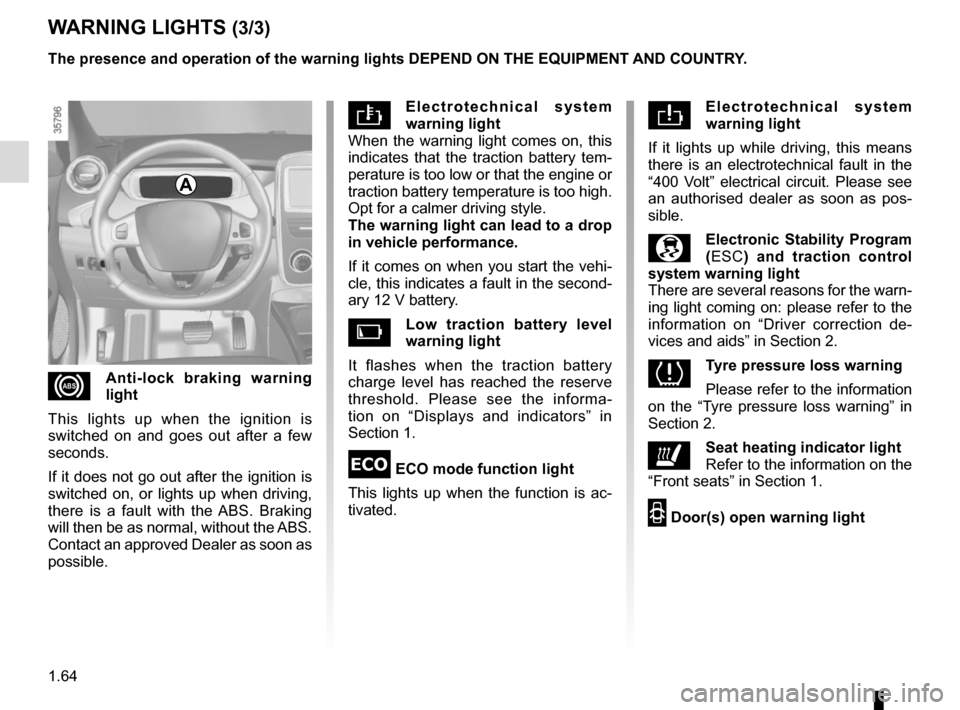
xAnti-lock braking warning
light
This lights up when the ignition is
switched on and goes out after a few
seconds.
If it does not go out after the ignition is
switched on, or lights up when driving,
there is a fault with the ABS. Braking
will then be as normal, without the ABS.
Contact an approved Dealer as soon as
possible. The presence and operation of the warning lights DEPEND ON THE EQUIPMENT\
AND COUNTRY.
A
Page 71 of 216
1.65
DISPLAYS AND INDICATORS (1/2)
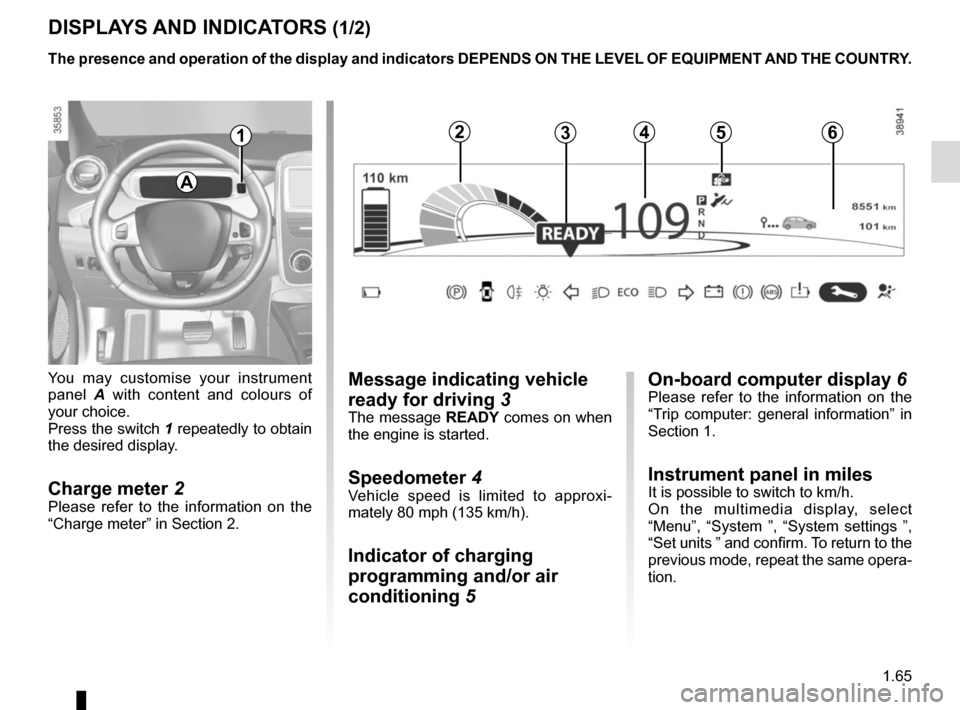
You may customise your instrument
panel A with content and colours of
your choice.
Press the switch 1 repeatedly to obtain
the desired display.
Charge meter 2Please refer to the information on the
“Charge meter” in Section 2.
The presence and operation of the display and indicators DEPENDS ON THE \
LEVEL OF EQUIPMENT AND THE COUNTRY.
Message indicating vehicle
ready for driving 3
The message READY comes on when
the engine is started.
Speedometer 4Vehicle speed is limited to approxi-
mately 80 mph (135 km/h).
Indicator of charging
programming and/or air
conditioning 5
A
124635
On-board computer display 6Please refer to the information on the
“Trip computer: general information” in
Section 1.
Instrument panel in milesIt is possible to switch to km/h.
On the multimedia display, select
“Menu”, “System ”, “System settings ”,
“Set units ” and confirm. To return to the
previous mode, repeat the same opera-
tion.
Page 72 of 216

The presence and operation of the display and indicators DEPENDS ON THE \
LEVEL OF EQUIPMENT AND THE COUNTRY.
9
11
Estimated range 7
Remaining charge time 8
from abo")
1.66
DISPLAYS AND INDICATORS (2/2)
The presence and operation of the display and indicators DEPENDS ON THE \
LEVEL OF EQUIPMENT AND THE COUNTRY.
9
11
Estimated range 7
Remaining charge time 8
from about 95% charge, the remaining
charge time is no longer displayed.
Opening element warning
light 9
Shows when a door or the tailgate is
open or not closed properly.
7Charge level 12
The gauge indicates the level of energy
remaining.
Reserve level 13
This indicates that the traction battery
is at approximately 12% charge. The
warning light 14
Ṏ comes on, along
with a beep. The charge level 12 and
range 7 turn orange.
To optimise your range, please see the
information on “Recommendations:
saving energy” in Section 2.
Immobilisation threshold imminent
When the battery reaches less than 6%
charge, a beep comes on and the warn-
ing light 14
Ṏ flashes on and off.
When the charge level reaches 5%, the
range value is no longer displayed.
Motor performance gradually de-
creases until the vehicle comes to a
stop.
Refer to the information on “Towing” in
Section 5.
Traction battery charge
load 10
Charging cable “Plugged In”
warning light 11
This comes on when the charging cord
is plugged into the vehicle.
131214
Time remaining : 02:30
8
10
Page 74 of 216
1.68
TRIP COMPUTER: general information (2/2)
Trip mileage resetting
With “trip mileage recorder” selected on
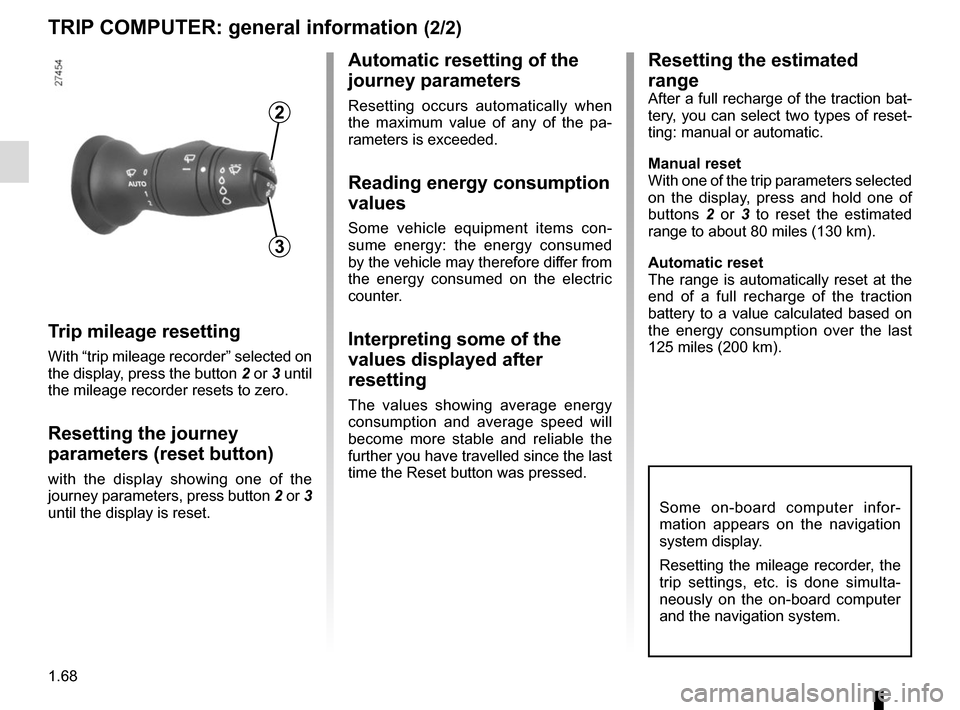
the display, press the button 2 or 3 until
the mileage recorder resets to zero.
Resetting the journey
parameters (reset button)
with the display showing one of the
journey parameters, press button 2 or 3
until the display is reset.
Automatic resetting of the
journey parameters
Resetting occurs automatically when
the maximum value of any of the pa-
rameters is exceeded.
Reading energy consumption
values
Some vehicle equipment items con-
sume energy: the energy consumed
by the vehicle may therefore differ from
the energy consumed on the electric
counter.
Interpreting some of the
values displayed after
resetting
The values showing average energy
consumption and average speed will
become more stable and reliable the
further you have travelled since the last
time the Reset button was pressed.
3
2
Some on-board computer infor-
mation appears on the navigation
system display.
Resetting the mileage recorder, the
trip settings, etc. is done simulta-
neously on the on-board computer
and the navigation system.
Resetting the estimated
range
After a full recharge of the traction bat-
tery, you can select two types of reset-
ting: manual or automatic.
Manual reset
With one of the trip parameters selected
on the display, press and hold one of
buttons 2 or 3 to reset the estimated
range to about 80 miles (130 km).
Automatic reset
The range is automatically reset at the
end of a full recharge of the traction
battery to a value calculated based on
the energy consumption over the last
125 miles (200 km).
Page 79 of 216

1.73
TRIP COMPUTER AND WARNING SYSTEM: operating fault messages
These appear with the © warning light and mean that you should drive very carefully to an author\
ised dealer as
soon as possible. If you fail to follow this recommendation, you risk da\
maging your vehicle.
They disappear when the display selection key is pressed or after severa\
l seconds and are stored in the computer log. The
©
warning light stays on. Examples of operating fault messages are given i\
n the following pages.
Examples of messages Interpreting the display selected
«Check airbag» Indicates a fault in the restraint system in addition to the seat belts.\
In the event of an
accident, it is possible that they may not be triggered.
«Elec. System to check» Indicates a fault on one of the pedal sensors or in the 12 V battery man\
agement
system.
«Check braking system» Indicates wear or the need to check the braking system.
«Vehicle plug to be checked» Indicates overheating at the vehicle-side charging socket. Wait for about 20 minutes
and try again. If this does not work, contact an authorised dealer.
«Elec. System to check» Indicates a fault in the traction system.
«Always charging» Indicates a fault on the traction battery recharge system.
Page 99 of 216
2.7
DRIVING ADVICE, ECO-DRIVING (1/3)
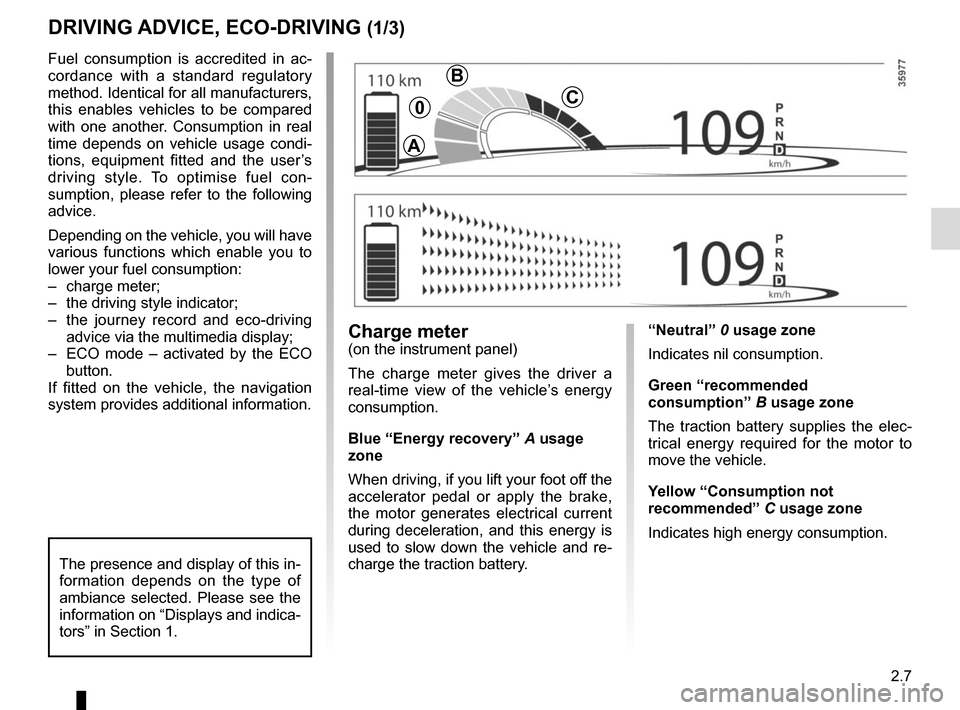
“Neutral” 0 usage zone
Indicates nil consumption.
Green “recommended
consumption” B usage zone
The traction battery supplies the elec-
trical energy required for the motor to
move the vehicle.
Yellow “Consumption not
recommended” C usage zone
Indicates high energy consumption.Charge meter(on the instrument panel)
The charge meter gives the driver a
real-time view of the vehicle’s energy
consumption.
Blue “Energy recovery” A usage
zone
When driving, if you lift your foot off the
accelerator pedal or apply the brake,
the motor generates electrical current
during deceleration, and this energy is
used to slow down the vehicle and re-
charge the traction battery.
Fuel consumption is accredited in ac-
cordance with a standard regulatory
method. Identical for all manufacturers,
this enables vehicles to be compared
with one another. Consumption in real
time depends on vehicle usage condi-
tions, equipment fitted and the user’s
driving style. To optimise fuel con-
sumption, please refer to the following
advice.
Depending on the vehicle, you will have
various functions which enable you to
lower your fuel consumption:
– charge meter;
– the driving style indicator;
– the journey record and eco-driving
advice via the multimedia display;
– ECO mode – activated by the ECO button.
If fitted on the vehicle, the navigation
system provides additional information.
The presence and display of this in-
formation depends on the type of
ambiance selected. Please see the
information on “Displays and indica-
tors” in Section 1.
A
B
C0
Page 102 of 216
2.10
VEHICLE RANGE: recommendations (1/2)
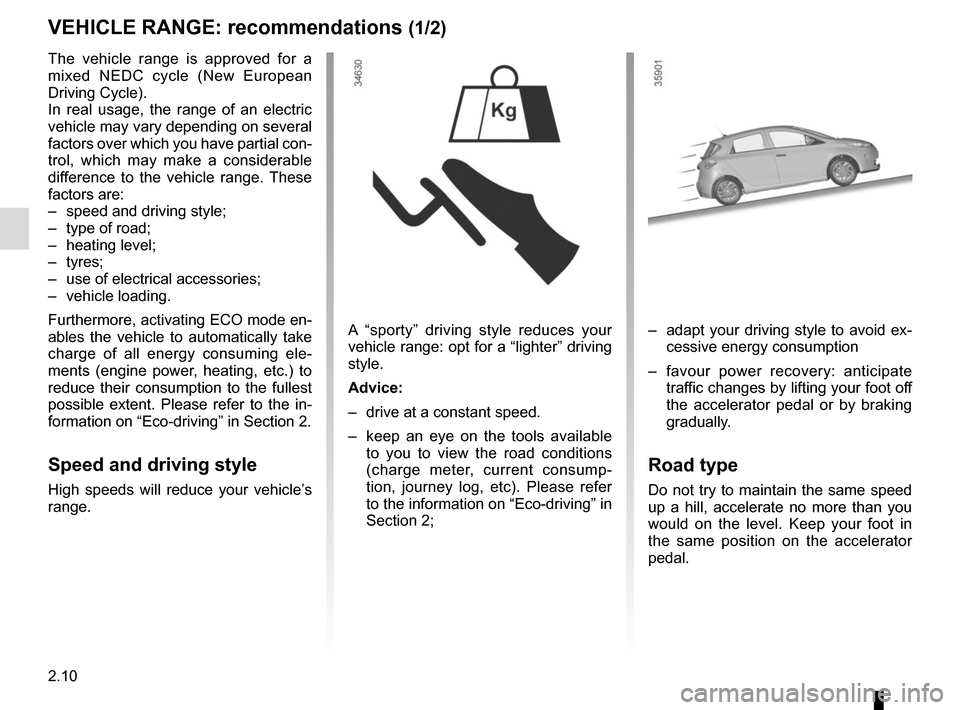
A “sporty” driving style reduces your
vehicle range: opt for a “lighter” driving
style.
Advice:
– drive at a constant speed.
– keep an eye on the tools available to you to view the road conditions
(charge meter, current consump-
tion, journey log, etc). Please refer
to the information on “Eco-driving” in
Section 2;– adapt your driving style to avoid ex- cessive energy consumption
– favour power recovery: anticipate traffic changes by lifting your foot off
the accelerator pedal or by braking
gradually.
Road type
Do not try to maintain the same speed
up a hill, accelerate no more than you
would on the level. Keep your foot in
the same position on the accelerator
pedal.
The vehicle range is approved for a
mixed NEDC cycle (New European
Driving Cycle).
In real usage, the range of an electric
vehicle may vary depending on several
factors over which you have partial con-
trol, which may make a considerable
difference to the vehicle range. These
factors are:
– speed and driving style;
– type of road;
– heating level;
– tyres;
– use of electrical accessories;
– vehicle loading.
Furthermore, activating ECO mode en-
ables the vehicle to automatically take
charge of all energy consuming ele-
ments (engine power, heating, etc.) to
reduce their consumption to the fullest
possible extent. Please refer to the in-
formation on “Eco-driving” in Section 2.
Speed and driving style
High speeds will reduce your vehicle’s
range.
Page 111 of 216
2.19
Regenerative braking system
When braking, the regenerative brak-
ing system can convert the energy pro-
duced by the vehicle deceleration into
electric energy.
This will recharge the 400V traction bat-
tery and gain greater vehicle range.Operating faults
– © lights up on the instrument
panel, alongside the message
“Check braking system”: braking as-
sistance is available at all times.
Under these conditions, the feel of
applying the brake pedal may be dif-
ferent.
You are recommended to apply
strong continuous pressure to the
pedal.
Please see an authorised dealer.
–
û lights up on the instrument
panel, alongside the message
“Braking system fault”: this indi-
cates a fault in the braking system.
Please call an authorised dealer.
DRIVER CORRECTION DEVICES AND AIDS (4/4)
The û warning light re-
quires you to stop immedi-
ately, for your own safety,
as soon as traffic conditions allow.
Switch off the engine and do not
restart it. Contact an Authorised
Dealer.