charging RENAULT ZOE 2018 Owner's Manual
[x] Cancel search | Manufacturer: RENAULT, Model Year: 2018, Model line: ZOE, Model: RENAULT ZOE 2018Pages: 226, PDF Size: 5.51 MB
Page 67 of 226
1.61
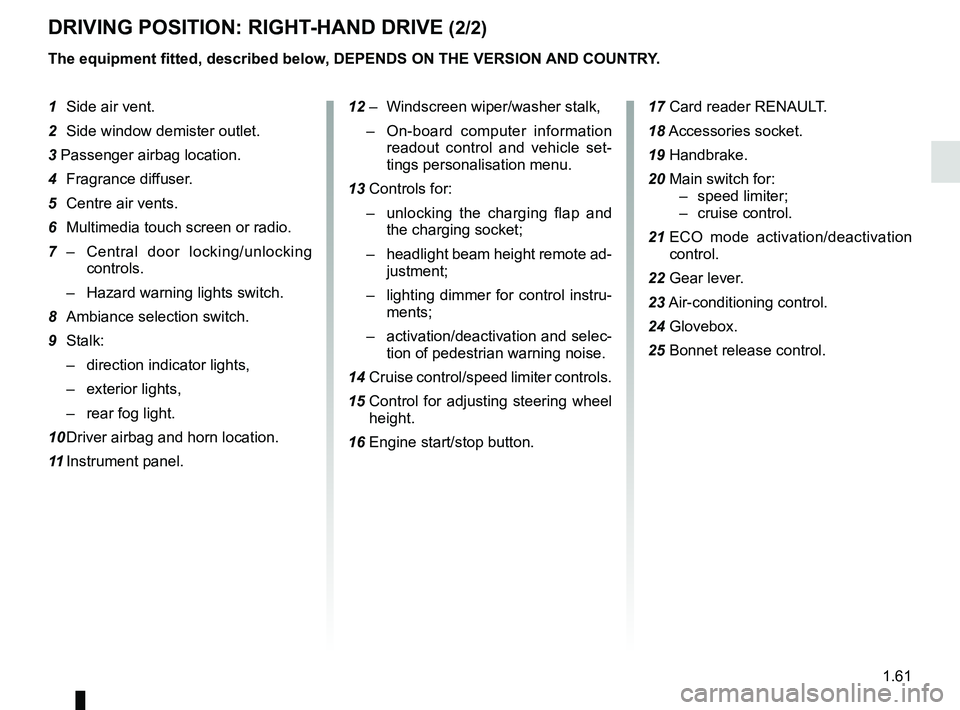
DRIVING POSITION: RIGHT-HAND DRIVE (2/2)
The equipment fitted, described below, DEPENDS ON THE VERSION AND COUNTRY.
1 Side air vent.
2 Side window demister outlet.
3 Passenger airbag location.
4 Fragrance diffuser.
5 Centre air vents.
6 Multimedia touch screen or radio.
7 – Central door locking/unlocking
controls.
– Hazard warning lights switch.
8 Ambiance selection switch.
9 Stalk: – direction indicator lights,
– exterior lights,
– rear fog light.
10 Driver airbag and horn location.
11 Instrument panel. 12 – Windscreen wiper/washer stalk,
– On-board computer information
readout control and vehicle set-
tings personalisation menu.
13 Controls for: – unlocking the charging flap and
the charging socket;
– headlight beam height remote ad-
justment;
– lighting dimmer for control instru-
ments;
– activation/deactivation and selec-
tion of pedestrian warning noise.
14 Cruise control/speed limiter controls.
15 Control for adjusting steering wheel
height.
16 Engine start/stop button. 17 Card reader RENAULT.
18
Accessories socket.
19 Handbrake.
20 Main switch for: – speed limiter;
– cruise control.
21 ECO mode activation/deactivation
control.
22 Gear lever.
23 Air-conditioning control.
24 Glovebox.
25 Bonnet release control.
Page 71 of 226
1.65
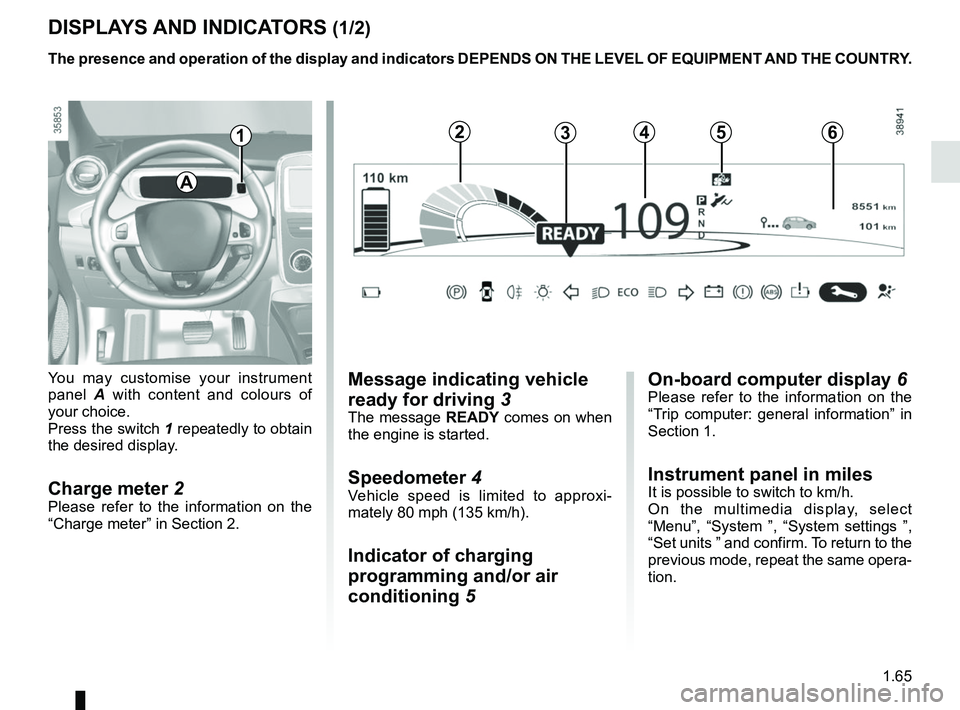
DISPLAYS AND INDICATORS (1/2)
You may customise your instrument
panel A with content and colours of
your choice.
Press the switch 1 repeatedly to obtain
the desired display.
Charge meter 2Please refer to the information on the
“Charge meter” in Section 2.
The presence and operation of the display and indicators DEPENDS ON THE \
LEVEL OF EQUIPMENT AND THE COUNTRY.
Message indicating vehicle
ready for driving 3
The message READY comes on when
the engine is started.
Speedometer 4Vehicle speed is limited to approxi-
mately 80 mph (135 km/h).
Indicator of charging
programming and/or air
conditioning 5
A
124635
On-board computer display 6Please refer to the information on the
“Trip computer: general information” in
Section 1.
Instrument panel in milesIt is possible to switch to km/h.
On the multimedia display, select
“Menu”, “System ”, “System settings ”,
“Set units ” and confirm. To return to the
previous mode, repeat the same opera-
tion.
Page 72 of 226

The presence and operation of the display and indicators DEPENDS ON THE \
LEVEL OF EQUIPMENT AND THE COUNTRY.
9
11
Estimated range 7
Remaining charge time 8
from abo")
1.66
DISPLAYS AND INDICATORS (2/2)
The presence and operation of the display and indicators DEPENDS ON THE \
LEVEL OF EQUIPMENT AND THE COUNTRY.
9
11
Estimated range 7
Remaining charge time 8
from about 95% charge, the remaining
charge time is no longer displayed.
Opening element warning
light 9
Shows when a door or the tailgate is
open or not closed properly.
7Charge level 12
The gauge indicates the level of energy
remaining.
Reserve level 13
This indicates that the traction battery
is at approximately 12% charge. The
warning light 14
Ṏ comes on, along
with a beep. The charge level 12 and
range 7 turn orange.
To optimise your range, please see the
information on “Recommendations:
saving energy” in Section 2.
Immobilisation threshold imminent
When the battery reaches less than 6%
charge, a beep comes on and the warn-
ing light 14
Ṏ flashes on and off.
When the charge level reaches 5%, the
range value is no longer displayed.
Motor performance gradually de-
creases until the vehicle comes to a
stop.
Refer to the information on “Towing” in
Section 5.
Traction battery charge
load 10
Charging cable “Plugged In”
warning light 11
This comes on when the charging cord
is plugged into the vehicle.
131214
Time remaining : 02:30
8
10
Page 73 of 226
1.67
TRIP COMPUTER: general information (1/2)
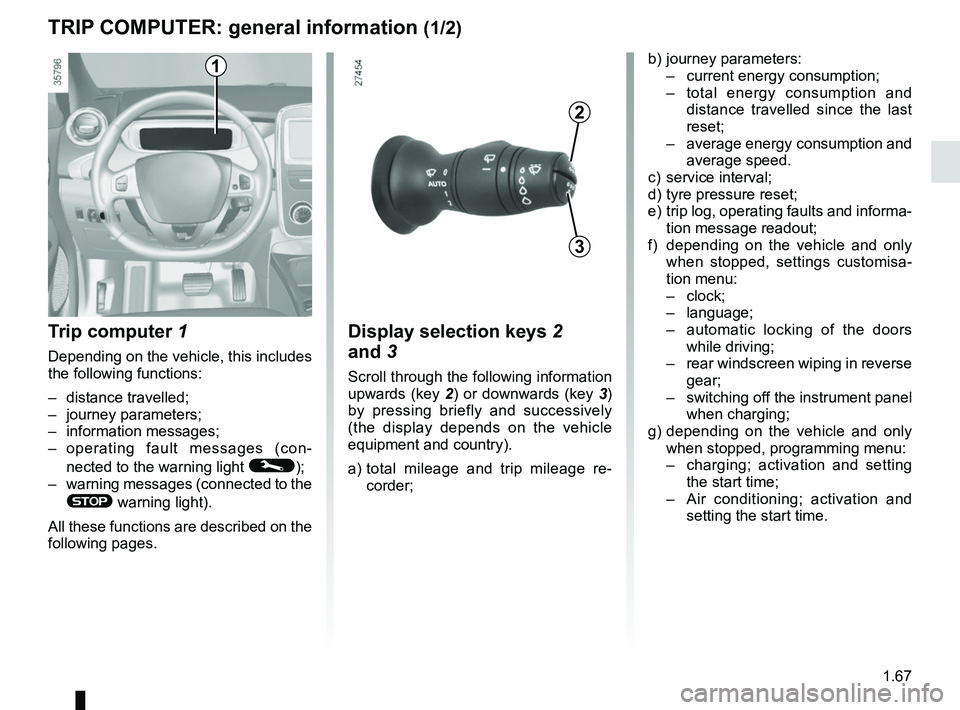
Trip computer 1
Depending on the vehicle, this includes
the following functions:
– distance travelled;
– journey parameters;
– information messages;
– operating fault messages (con-
nected to the warning light
©);
– warning messages (connected to the
® warning light).
All these functions are described on the
following pages.
Display selection keys 2
and 3
Scroll through the following information
upwards (key 2) or downwards (key 3)
by pressing briefly and successively
(the display depends on the vehicle
equipment and country).
a) total mileage and trip mileage re-
corder;
b) journey parameters:
– current energy consumption;
– total energy consumption and
distance travelled since the last
reset;
– average energy consumption and
average speed.
c) service interval;
d) tyre pressure reset;
e) trip log, operating faults and informa- tion message readout;
f) depending on the vehicle and only when stopped, settings customisa-
tion menu:
– clock;
– language;
– automatic locking of the doors
while driving;
– rear windscreen wiping in reverse
gear;
– switching off the instrument panel
when charging;
g) depending on the vehicle and only when stopped, programming menu:
– charging; activation and setting
the start time;
– Air conditioning; activation and
setting the start time.
3
2
1
Page 78 of 226
1.72
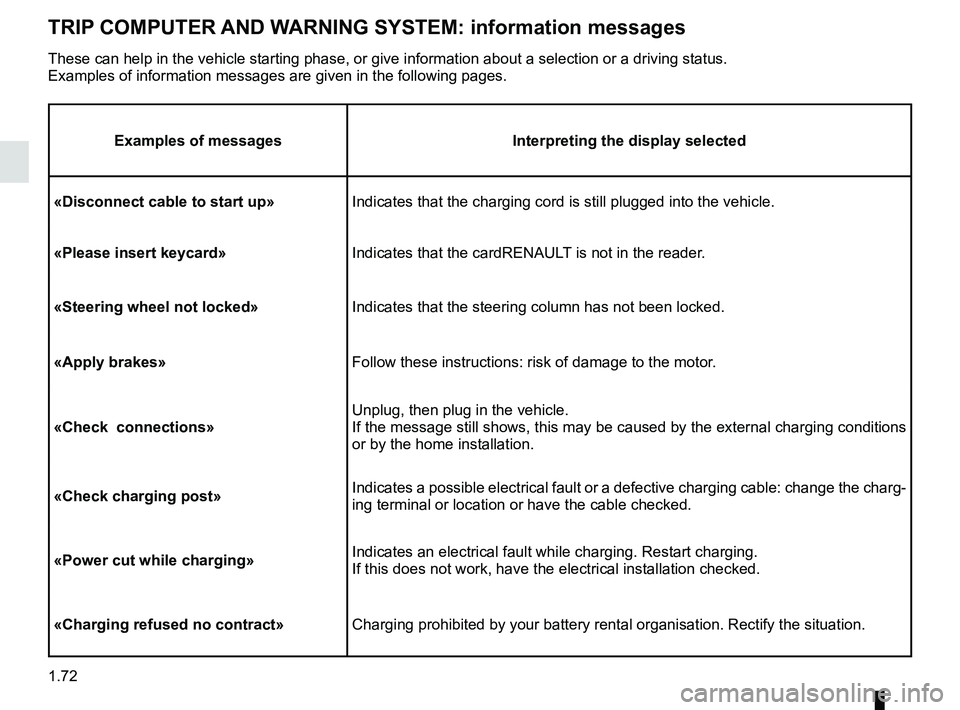
TRIP COMPUTER AND WARNING SYSTEM: information messages
Examples of messagesInterpreting the display selected
«Disconnect cable to start up» Indicates that the charging cord is still plugged into the vehicle.
«Please insert keycard» Indicates that the cardRENAULT is not in the reader.
«Steering wheel not locked» Indicates that the steering column has not been locked.
«Apply brakes» Follow these instructions: risk of damage to the motor.
«Check connections» Unplug, then plug in the vehicle.
If the message still shows, this may be caused by the external charging \
conditions
or by the home installation.
«Check charging post» Indicates a possible electrical fault or a defective charging cable: cha\
nge the charg-
ing terminal or location or have the cable checked.
«Power cut while charging» Indicates an electrical fault while charging. Restart charging.
If this does not work, have the electrical installation checked.
«Charging refused no contract» Charging prohibited by your battery rental organisation. Rectify the sit\
uation.
These can help in the vehicle starting phase, or give information about \
a selection or a driving status.
Examples of information messages are given in the following pages.
Page 79 of 226

1.73
TRIP COMPUTER AND WARNING SYSTEM: operating fault messages
These appear with the © warning light and mean that you should drive very carefully to an author\
ised dealer as
soon as possible. If you fail to follow this recommendation, you risk da\
maging your vehicle.
They disappear when the display selection key is pressed or after severa\
l seconds and are stored in the computer log. The
©
warning light stays on. Examples of operating fault messages are given i\
n the following pages.
Examples of messages Interpreting the display selected
«Check airbag» Indicates a fault in the restraint system in addition to the seat belts.\
In the event of an
accident, it is possible that they may not be triggered.
«Elec. System to check» Indicates a fault on one of the pedal sensors or in the 12 V battery man\
agement
system.
«Check braking system» Indicates wear or the need to check the braking system.
«Vehicle plug to be checked» Indicates overheating at the vehicle-side charging socket. Wait for about 20 minutes
and try again. If this does not work, contact an authorised dealer.
«Elec. System to check» Indicates a fault in the traction system.
«Always charging» Indicates a fault on the traction battery recharge system.
Page 96 of 226
2.2
STARTING, STOPPING THE ENGINE (1/3)
The vehicle can only be started if
the charging cord is unplugged from
the vehicle.
The vehicle can only be started if the
selection lever is at P. Please see
the information on “Gear control” in
Section 2.
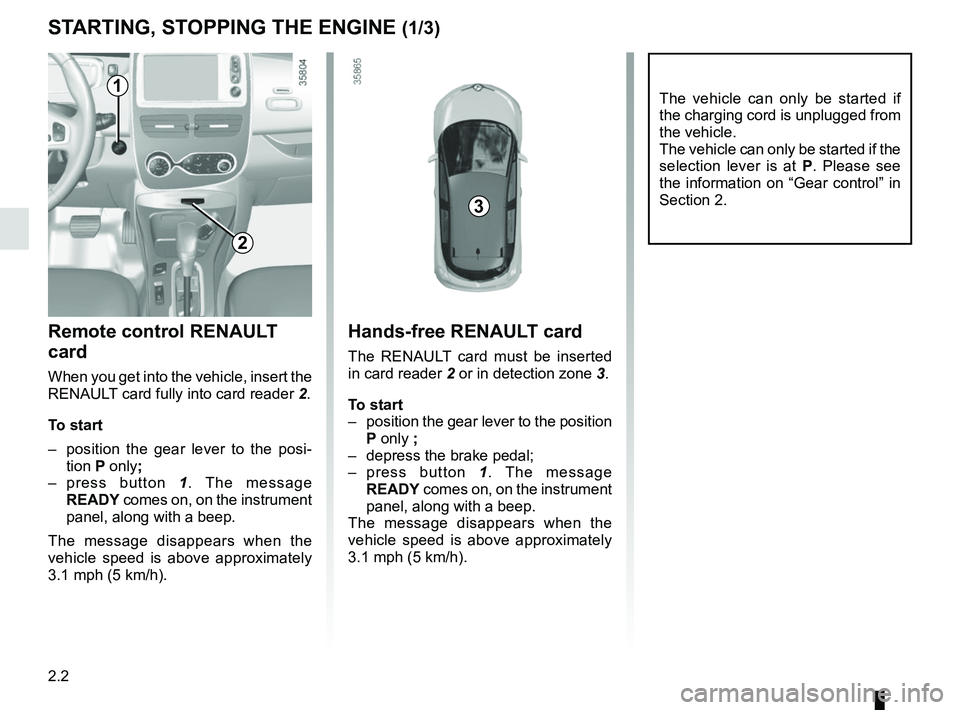
Remote control RENAULT
card
When you get into the vehicle, insert the
RENAULT card fully into card reader 2.
To start
– position the gear lever to the posi- tion P only;
– press button 1. The message
READY comes on, on the instrument
panel, along with a beep.
The message disappears when the
vehicle speed is above approximately
3.1 mph (5 km/h).
Hands-free RENAULT card
The RENAULT card must be inserted
in card reader 2 or in detection zone 3.
To start
– position the gear lever to the position P only ;
– depress the brake pedal;
– press button 1. The message
READY comes on, on the instrument
panel, along with a beep.
The message disappears when the
vehicle speed is above approximately
3.1 mph (5 km/h).
3
1
2
Page 99 of 226
2.5
Only engage D or R when the vehi-
cle is stopped, with your foot on the
brake and the accelerator pedal re-
leased.
Driving
While driving, press the accelerator
pedal to achieve the desired speed.
The reversing lights will come on as
soon as reverse gear is selected (with
the ignition on).
GEAR CONTROL (1/2)
2
1
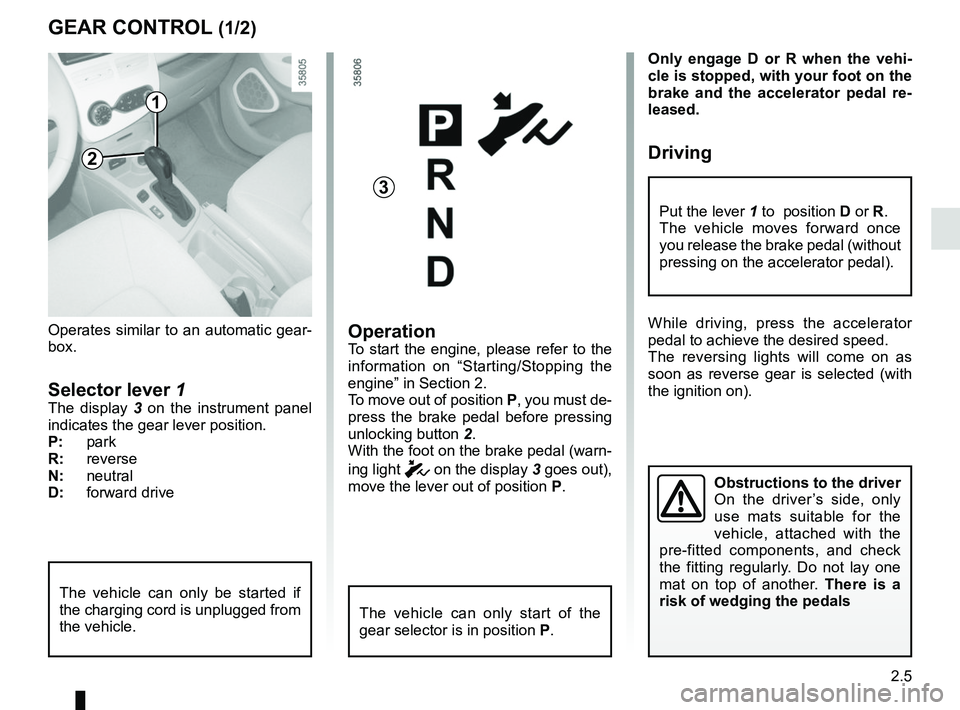
Operates similar to an automatic gear-
box.
Selector lever 1The display 3 on the instrument panel
indicates the gear lever position.
P: park
R: reverse
N: neutral
D: forward drive
OperationTo start the engine, please refer to the
information on “Starting/Stopping the
engine” in Section 2.
To move out of position P, you must de-
press the brake pedal before pressing
unlocking button 2.
With the foot on the brake pedal (warn-
ing light
c on the display 3 goes out),
move the lever out of position P.
The vehicle can only start of the
gear selector is in position P.
The vehicle can only be started if
the charging cord is unplugged from
the vehicle.
Obstructions to the driver
On the driver’s side, only
use mats suitable for the
vehicle, attached with the
pre-fitted components, and check
the fitting regularly. Do not lay one
mat on top of another. There is a
risk of wedging the pedals
Put the lever 1 to position D or R.
The vehicle moves forward once
you release the brake pedal (without
pressing on the accelerator pedal).
3
Page 102 of 226
2.8
Journey log (Driving ECO²
Score)
When the engine is switched off,
“Journey record” shows on the multi-
media display 2, for equipped vehicles,
letting you see information about your
last journey.
This indicates:
– average energy consumption;
– number of miles/kilometres travelled.
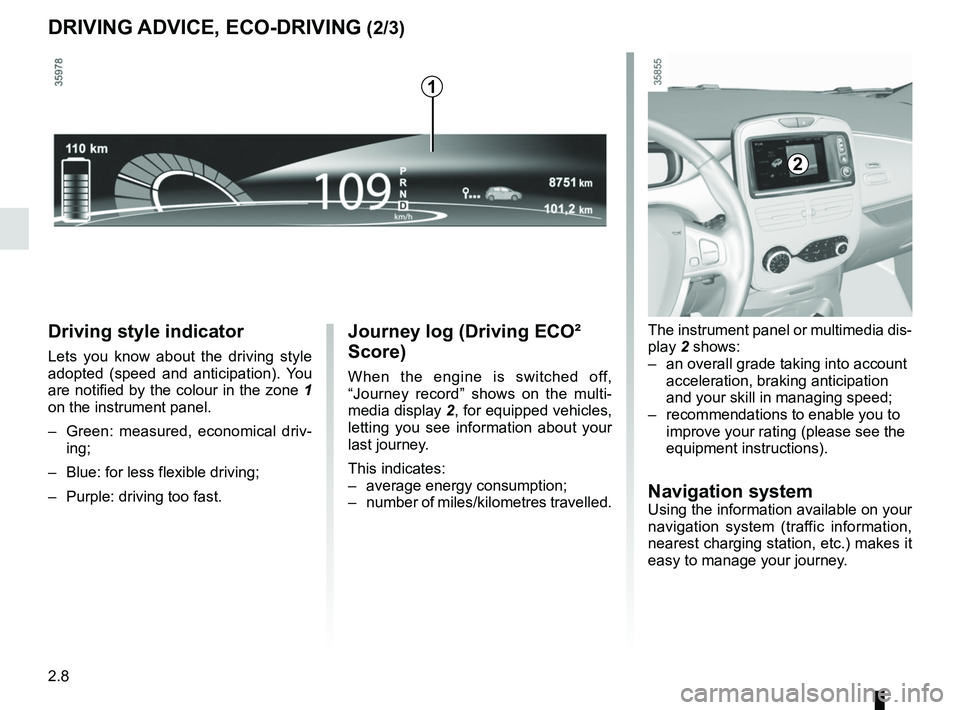
Driving style indicator
Lets you know about the driving style
adopted (speed and anticipation). You
are notified by the colour in the zone 1
on the instrument panel.
– Green: measured, economical driv- ing;
– Blue: for less flexible driving;
– Purple: driving too fast.
DRIVING ADVICE, ECO-DRIVING (2/3)
The instrument panel or multimedia dis-
play 2 shows:
– an overall grade taking into account acceleration, braking anticipation
and your skill in managing speed;
– recommendations to enable you to improve your rating (please see the
equipment instructions).
Navigation systemUsing the information available on your
navigation system (traffic information,
nearest charging station, etc.) makes it
easy to manage your journey.
2
1
Page 141 of 226
3.15
Stopping the programmed air
conditioning
The air conditioning stops automati-
cally around ten minutes after the set
end time.
However, the function can be deacti-
vated if:
– the charging socket is disconnected;
– the “Remote Activation” function is activated – please see the informa-
tion on “Air conditioning: remote acti-
vation” in Section 2;
– the traction battery charging level is lower than 15% or, depending on the
vehicle, 30%Driver’s responsibility
when parking or stopping
the vehicle
Never leave an animal,
child or adult who is not self-suffi-
cient alone on your vehicle, even for
a short time.
In hot and/or sunny weather, please
remember that the temperature
inside the passenger compartment
increases very quickly.
RISK OF DEATH OR SERIOUS
INJURY.
AIR CONDITIONING: programming (4/4)
Connected services
The air conditioning can also be acti-
vated using the connected services.
For more information regarding the op-
erating conditions, please contact an
authorised dealer.
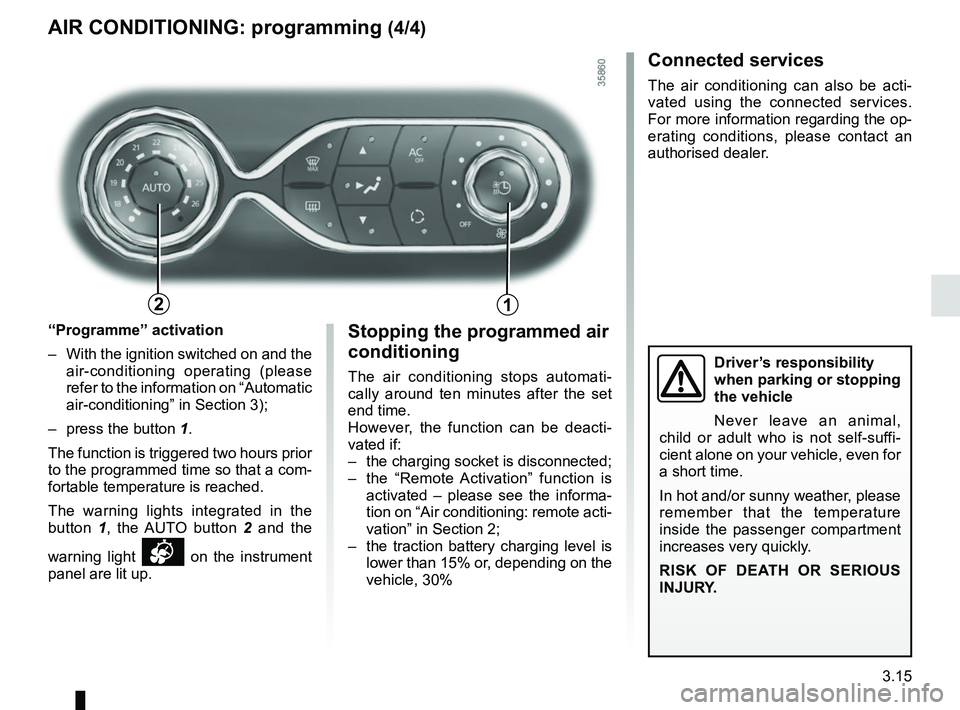
“Programme” activation
– With the ignition switched on and the air-conditioning operating (please
refer to the information on “Automatic
air-conditioning” in Section 3);
– press the button 1.
The function is triggered two hours prior
to the programmed time so that a com-
fortable temperature is reached.
The warning lights integrated in the
button 1, the AUTO button 2 and the
warning light
on the instrument
panel are lit up.
12