service RENAULT ZOE 2018 Owners Manual
[x] Cancel search | Manufacturer: RENAULT, Model Year: 2018, Model line: ZOE, Model: RENAULT ZOE 2018Pages: 226, PDF Size: 5.51 MB
Page 9 of 226
1.3
ELECTRIC VEHICLE: introduction (2/5)
Electric vehicles have special features,
but operate in a similar manner to con-
ventional vehicles.
The main difference in electric vehicles
is the exclusive use of electric energy
instead of fuel, as used in convention
vehicles.
We therefore recommend that you read
these instructions describing your elec-
tric vehicle carefully.
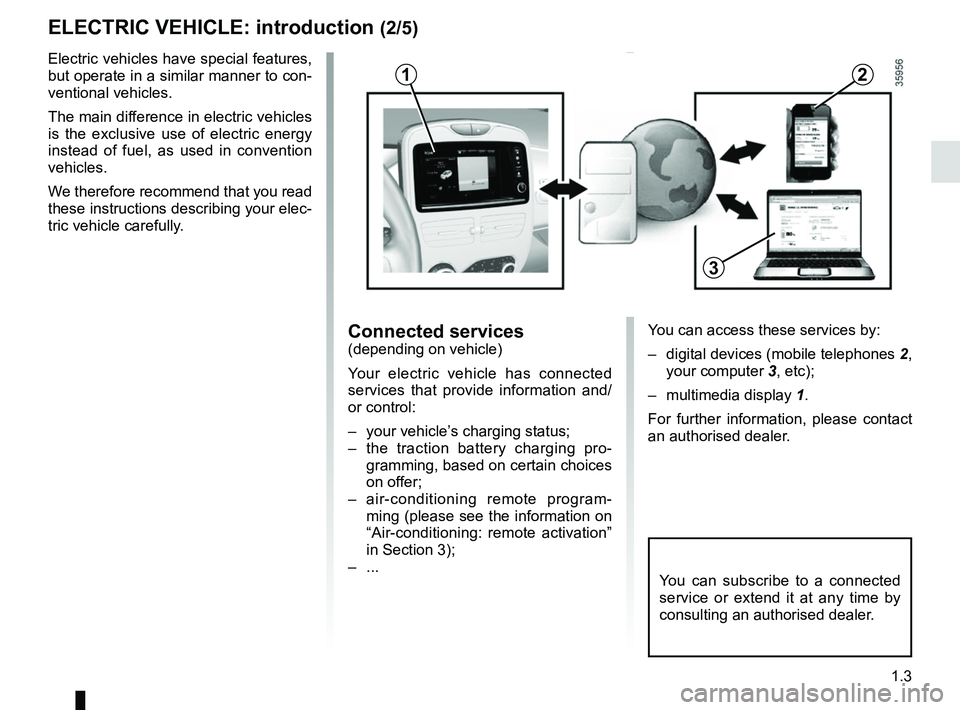
Connected services(depending on vehicle)
Your electric vehicle has connected
services that provide information and/
or control:
– your vehicle’s charging status;
– the traction battery charging pro-gramming, based on certain choices
on offer;
– air-conditioning remote program- ming (please see the information on
“Air-conditioning: remote activation”
in Section 3);
– ...
You can subscribe to a connected
service or extend it at any time by
consulting an authorised dealer.
12
3
You can access these services by:
– digital devices (mobile telephones 2,
your computer 3, etc);
– multimedia display 1.
For further information, please contact
an authorised dealer.
Page 13 of 226
1.7
IMPORTANT RECOMMENDATIONS
Please read these instructions carefully. Failure to follow these instructions may lead to a risk of fire, serious injury
or electric shock which may present a risk to life.
In the event of an accident or impact
In the event of an accident or an impact to the underside of the vehicle\
(e.g.: striking a post, raised kerb or other street fu rni-
ture), this may damage the electric circuit or the traction battery.
Have the vehicle checked by an authorised dealer.
Never touch the “400 volt” components or orange cables which are e\
xposed and visible inside or outside the vehicle.
In the event of serious damage to the traction battery, leaks may occur:
– never touch the liquids (fluids, etc.) coming from the traction batter\
y;
– in the event of contact with the body, wash the affected area with plenty of water and consult a doctor as soon as possibl\
e.
In the event of an impact, even slight, against the charging flap and/or\
valve, have them checked by an authorised dealer as
soon as possible.
In the event of fire
In the event of fire, make everyone evacuate the vehicle immediately and\
contact the emergency services, informing them that
this is an electric vehicle.
Only use extinguishing agents ABC or BC that are permitted for use with electrical fires. Do not use w\
ater or other extinguish-
ing agents.
In the event of damage to the electrical circuit, please call an authori\
sed dealer.
All towing operations
Please refer to the information on “Towing, breakdowns” in Section 5.
Washing the vehicle
Never wash the engine compartment, the charging connection or the tracti\
on battery with a high-pressure jet.
This risks damaging the electric circuit.
Never wash the vehicle while it is charging.
Risk of electric shock and a risk to life.
Page 18 of 226
1.12
ELECTRIC VEHICLE: charging (5/8)
1
Avoid charging and parking your ve-
hicle in extreme temperatures (hot or
cold).
Under extreme conditions, charging
may take several minutes before start-
ing (time required for the traction bat-
tery to cool down or warm up).
When the vehicle is parked for more
than seven days in temperatures below
about -25°C, charging the traction bat-
tery can become impossible.
When the vehicle is parked for more
than three months with near zero
charge, charging the battery can
become impossible.
To preserve the service life of your trac-
tion battery, avoid parking the vehi-
cle for more than one month with high
charge, especially when the weather is
very hot.
Favour charging the traction battery
after driving and/or in mild tempera-
tures. Otherwise, charging may take a
longer period of time or even become
impossible.
In the absence of any protection
against overvoltage, you are recom-
mended not to charge the vehicle in
stormy weather (lightning, etc).
To avoid disturbing the
charging monitoring
system, do not install any
antistatic strip to the vehi-
cle.
Recommendations
– In high temperatures, try to park and recharge the vehicle in a shaded/
covered location.
– Charging can be performed in the rain or snow.
– Activating the air-conditioning in- creases the charge duration period.
Note:
If in a snowy environment, remove
snow from the vehicle charging area
before plugging in or disconnecting.
Snow in the socket may block the in-
sertion of the charging cord plug.
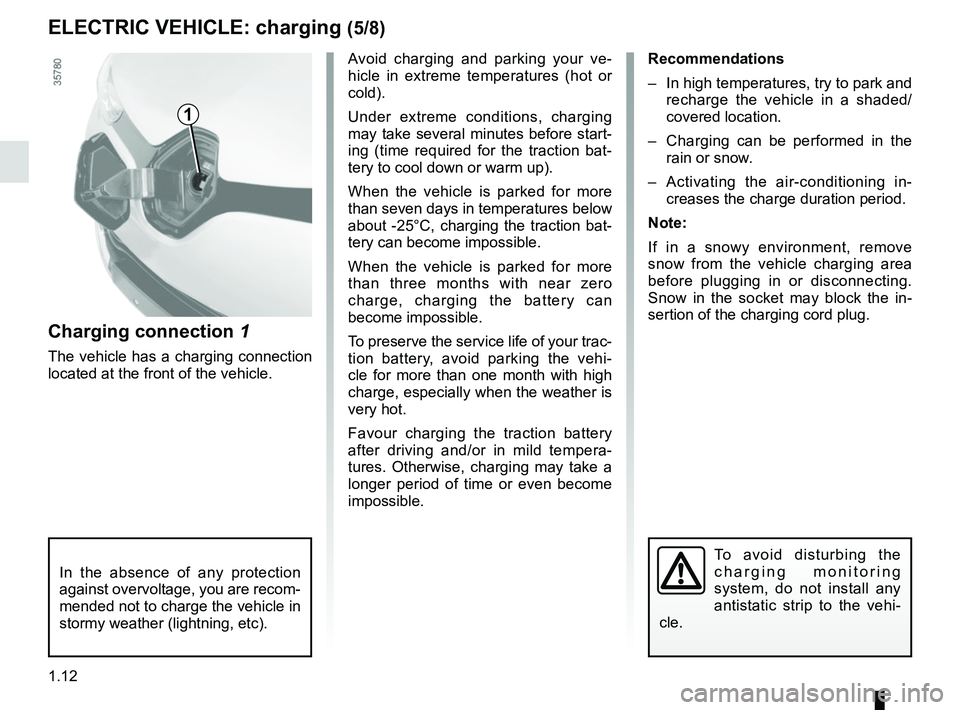
Charging connection 1
The vehicle has a charging connection
located at the front of the vehicle.
Page 25 of 226
1.19
RENAULT CARDS: general information (2/2)
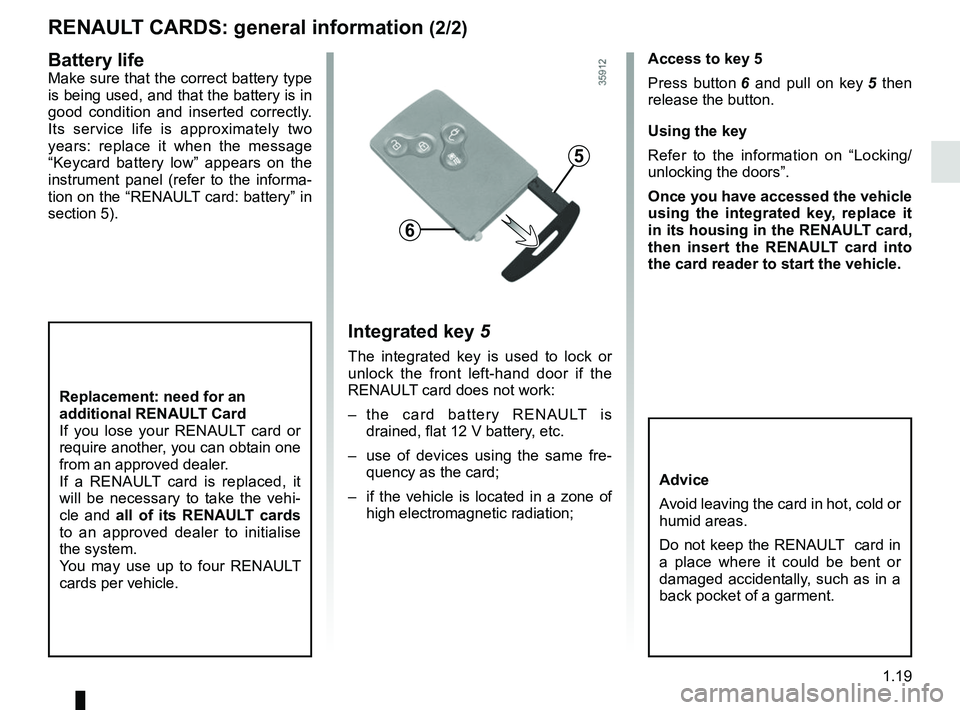
Access to key 5
Press button 6 and pull on key 5 then
release the button.
Using the key
Refer to the information on “Locking/
unlocking the doors”.
Once you have accessed the vehicle
using the integrated key, replace it
in its housing in the RENAULT card,
then insert the RENAULT card into
the card reader to start the vehicle.
Integrated key 5
The integrated key is used to lock or
unlock the front left-hand door if the
RENAULT card does not work:
– the card battery RENAULT is drained, flat 12 V battery, etc.
– use of devices using the same fre- quency as the card;
– if the vehicle is located in a zone of high electromagnetic radiation;
Replacement: need for an
additional RENAULT Card
If you lose your RENAULT card or
require another, you can obtain one
from an approved dealer.
If a RENAULT card is replaced, it
will be necessary to take the vehi-
cle and all of its RENAULT cards
to an approved dealer to initialise
the system.
You may use up to four RENAULT
cards per vehicle.
Advice
Avoid leaving the card in hot, cold or
humid areas.
Do not keep the RENAULT card in
a place where it could be bent or
damaged accidentally, such as in a
back pocket of a garment.
5
6
Battery lifeMake sure that the correct battery type
is being used, and that the battery is in
good condition and inserted correctly.
Its service life is approximately two
years: replace it when the message
“Keycard battery low” appears on the
instrument panel (refer to the informa-
tion on the “RENAULT card: battery” in
section 5).
Page 73 of 226
1.67
TRIP COMPUTER: general information (1/2)
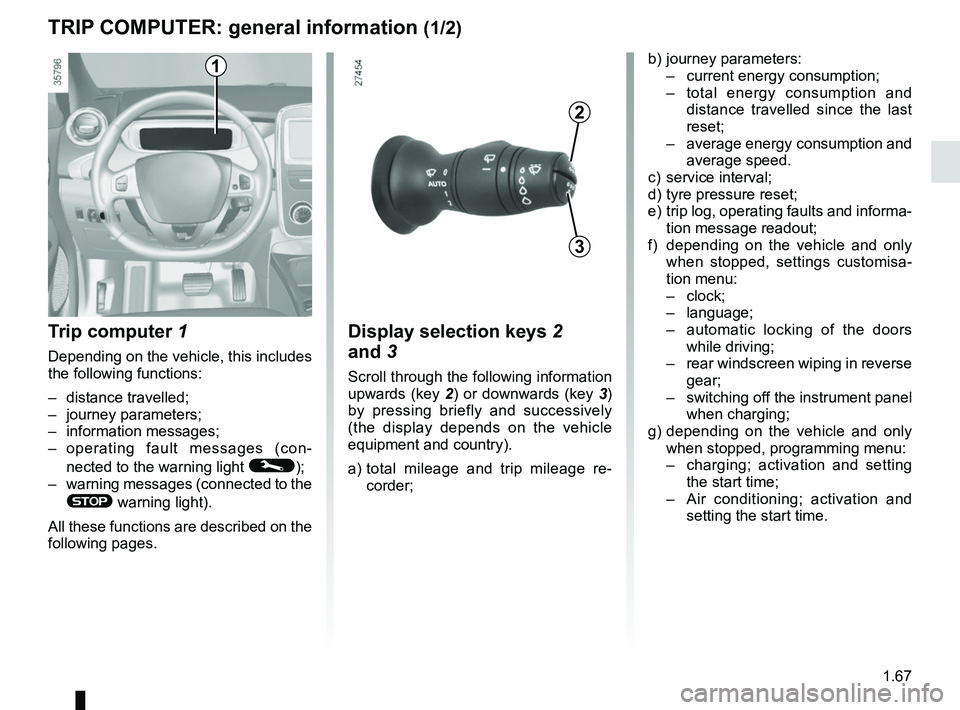
Trip computer 1
Depending on the vehicle, this includes
the following functions:
– distance travelled;
– journey parameters;
– information messages;
– operating fault messages (con-
nected to the warning light
©);
– warning messages (connected to the
® warning light).
All these functions are described on the
following pages.
Display selection keys 2
and 3
Scroll through the following information
upwards (key 2) or downwards (key 3)
by pressing briefly and successively
(the display depends on the vehicle
equipment and country).
a) total mileage and trip mileage re-
corder;
b) journey parameters:
– current energy consumption;
– total energy consumption and
distance travelled since the last
reset;
– average energy consumption and
average speed.
c) service interval;
d) tyre pressure reset;
e) trip log, operating faults and informa- tion message readout;
f) depending on the vehicle and only when stopped, settings customisa-
tion menu:
– clock;
– language;
– automatic locking of the doors
while driving;
– rear windscreen wiping in reverse
gear;
– switching off the instrument panel
when charging;
g) depending on the vehicle and only when stopped, programming menu:
– charging; activation and setting
the start time;
– Air conditioning; activation and
setting the start time.
3
2
1
Page 76 of 226
1.70
ON-BOARD COMPUTER: trip settings (2/3)
Examples of selectionsInterpreting the display selected
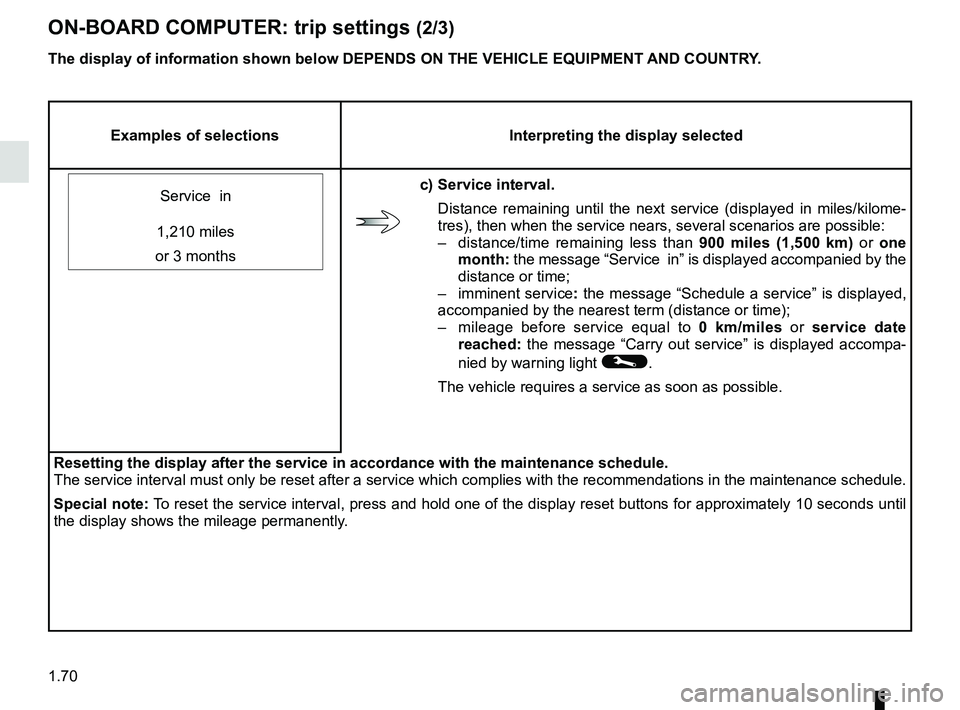
Service in
c) Service interval. Distance remaining until the next service (displayed in miles/kilome-
tres), then when the service nears, several scenarios are possible:
– distance/time remaining less than 900 miles (1,500 km) or one
month: the message “Service in” is displayed accompanied by the
distance or time;
– imminent service : the message “Schedule a service” is displayed,
accompanied by the nearest term (distance or time);
– mileage before service equal to 0 km/miles or service date
reached: the message “Carry out service” is displayed accompa-
nied by warning light
©.
The vehicle requires a service as soon as possible.
1,210 miles
or 3 months
Resetting the display after the service in accordance with the maintenan\
ce schedule.
The service interval must only be reset after a service which complies w\
ith the recommendations in the maintenance schedule.
Special note: To reset the service interval, press and hold one of the display reset bu\
ttons for approximately 10 seconds until
the display shows the mileage permanently.
The display of information shown below DEPENDS ON THE VEHICLE EQUIPMENT \
AND COUNTRY.
Page 106 of 226
2.12
ENVIRONMENT
Please make your own
contribution towards
protecting the environment
too
– Worn parts replaced in the course of routine vehicle maintenance (sec-
ondary 12 V battery, batteries, etc.)
must be disposed of through special-
ist organisations.
– At the end of the vehicle’s service life, it should be sent to approved
centres to ensure that it is recycled.
– In all cases, comply with local legis- lation.
Recycling
Your vehicle is 85% recyclable and
95% recoverable.
To achieve these objectives, many of
the vehicle components have been de-
signed to enable them to be recycled.
The materials and structures have
been carefully designed to allow these
components to be easily removed and
reprocessed by specialist companies.
In order to preserve raw material re-
sources, this vehicle incorporates nu-
merous parts made from recycled plas-
tics or renewable materials (vegetable
or animal-derived materials such as
cotton or wool).
Your vehicle has been designed with
respect for the environment in mind for
its entire service life: during production,
use and at the end of its life.
This commitment is illustrated by the
Renault eco² group signature.
Manufacture
Your vehicle has been manufactured at
an industrial site which uses a progress
policy to reduce environmental impacts
on rivers and natural areas (reduc-
tion of water and energy consumption,
visual and noise pollution, atmospheric
emissions and waste water, sorting and
reusing waste).
Page 137 of 226
3.11
AIR CONDITIONING: remote activation
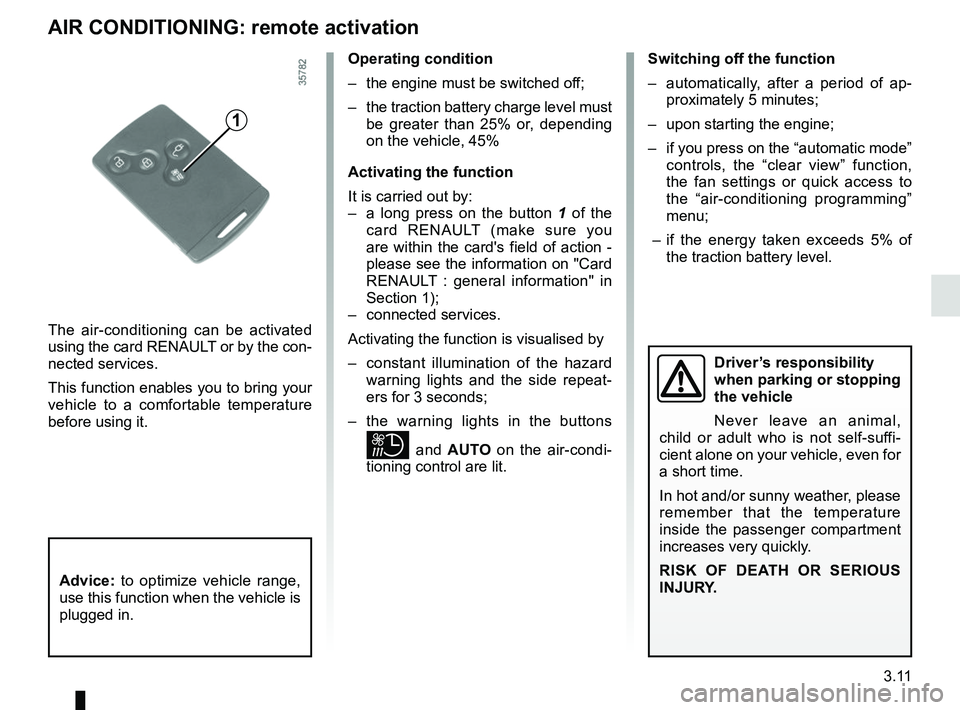
The air-conditioning can be activated
using the card RENAULT or by the con-
nected services.
This function enables you to bring your
vehicle to a comfortable temperature
before using it.
1
Operating condition
– the engine must be switched off;
– the traction battery charge level must be greater than 25% or, depending
on the vehicle, 45%
Activating the function
It is carried out by:
– a long press on the button 1 of the
card RENAULT (make sure you
are within the card's field of action -
please see the information on "Card
RENAULT : general information" in
Section 1);
– connected services.
Activating the function is visualised by
– constant illumination of the hazard warning lights and the side repeat-
ers for 3 seconds;
– the warning lights in the buttons
and AUTO on the air-condi-
tioning control are lit. Switching off the function
– automatically, after a period of ap-
proximately 5 minutes;
– upon starting the engine;
– if you press on the “automatic mode” controls, the “clear view” function,
the fan settings or quick access to
the “air-conditioning programming”
menu;
– if the energy taken exceeds 5% of the traction battery level.
Driver’s responsibility
when parking or stopping
the vehicle
Never leave an animal,
child or adult who is not self-suffi-
cient alone on your vehicle, even for
a short time.
In hot and/or sunny weather, please
remember that the temperature
inside the passenger compartment
increases very quickly.
RISK OF DEATH OR SERIOUS
INJURY.
Advice: to optimize vehicle range,
use this function when the vehicle is
plugged in.
Page 141 of 226
3.15
Stopping the programmed air
conditioning
The air conditioning stops automati-
cally around ten minutes after the set
end time.
However, the function can be deacti-
vated if:
– the charging socket is disconnected;
– the “Remote Activation” function is activated – please see the informa-
tion on “Air conditioning: remote acti-
vation” in Section 2;
– the traction battery charging level is lower than 15% or, depending on the
vehicle, 30%Driver’s responsibility
when parking or stopping
the vehicle
Never leave an animal,
child or adult who is not self-suffi-
cient alone on your vehicle, even for
a short time.
In hot and/or sunny weather, please
remember that the temperature
inside the passenger compartment
increases very quickly.
RISK OF DEATH OR SERIOUS
INJURY.
AIR CONDITIONING: programming (4/4)
Connected services
The air conditioning can also be acti-
vated using the connected services.
For more information regarding the op-
erating conditions, please contact an
authorised dealer.
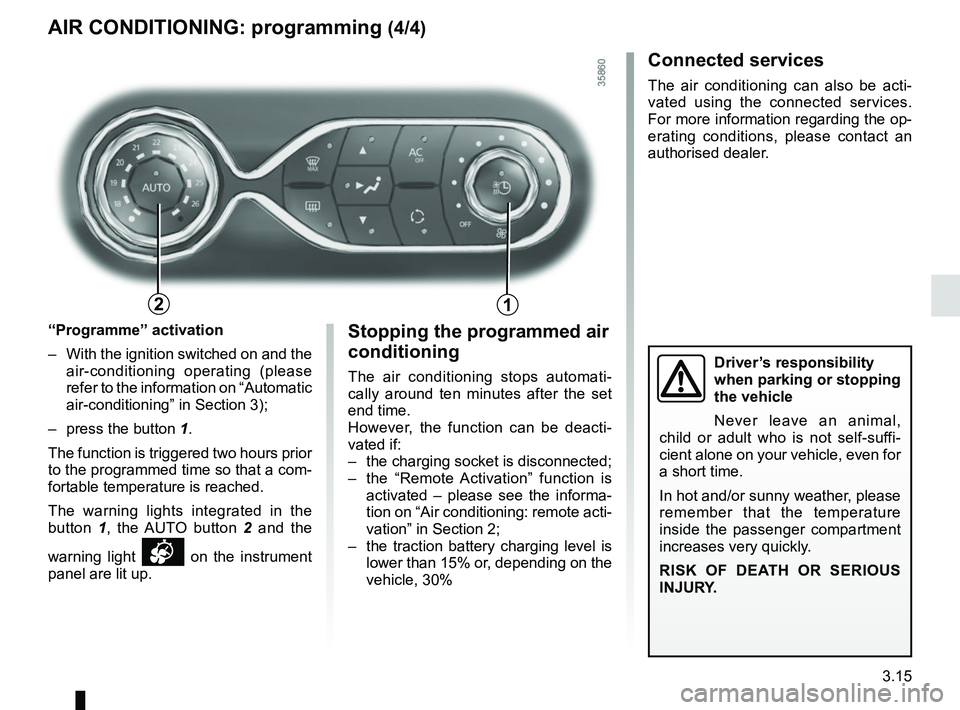
“Programme” activation
– With the ignition switched on and the air-conditioning operating (please
refer to the information on “Automatic
air-conditioning” in Section 3);
– press the button 1.
The function is triggered two hours prior
to the programmed time so that a com-
fortable temperature is reached.
The warning lights integrated in the
button 1, the AUTO button 2 and the
warning light
on the instrument
panel are lit up.
12
Page 177 of 226
5.3
TYRE PRESSURE KIT (1/3)
A
B
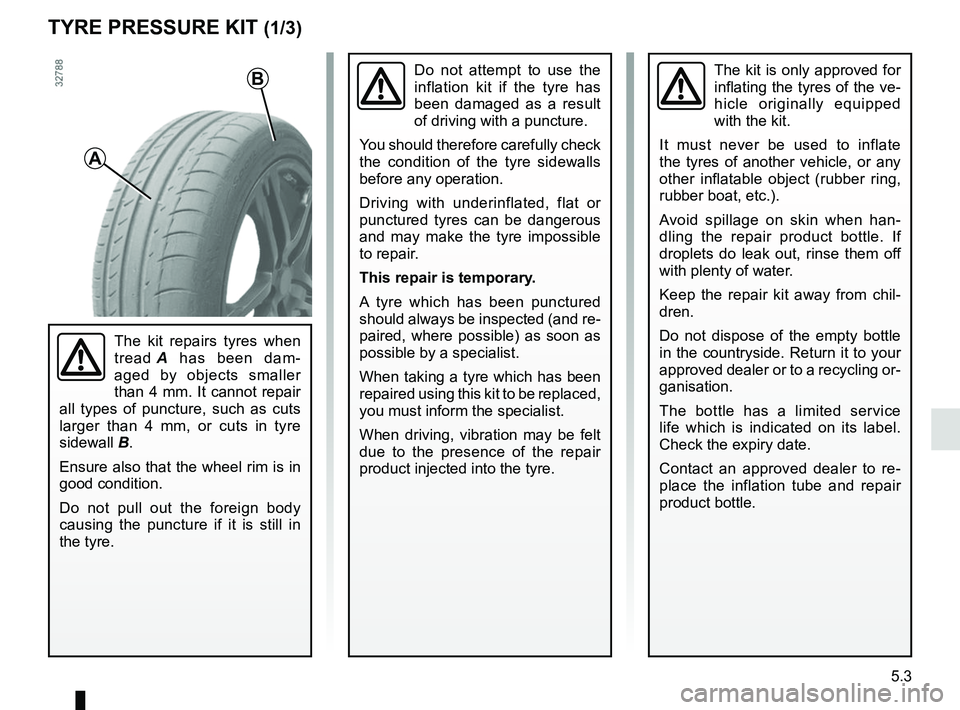
The kit repairs tyres when
tread A has been dam-
aged by objects smaller
than 4 mm. It cannot repair
all types of puncture, such as cuts
larger than 4 mm, or cuts in tyre
sidewall B.
Ensure also that the wheel rim is in
good condition.
Do not pull out the foreign body
causing the puncture if it is still in
the tyre.
Do not attempt to use the
inflation kit if the tyre has
been damaged as a result
of driving with a puncture.
You should therefore carefully check
the condition of the tyre sidewalls
before any operation.
Driving with underinflated, flat or
punctured tyres can be dangerous
and may make the tyre impossible
to repair.
This repair is temporary.
A tyre which has been punctured
should always be inspected (and re-
paired, where possible) as soon as
possible by a specialist.
When taking a tyre which has been
repaired using this kit to be replaced,
you must inform the specialist.
When driving, vibration may be felt
due to the presence of the repair
product injected into the tyre.The kit is only approved for
inflating the tyres of the ve-
hicle originally equipped
with the kit.
It must never be used to inflate
the tyres of another vehicle, or any
other inflatable object (rubber ring,
rubber boat, etc.).
Avoid spillage on skin when han-
dling the repair product bottle. If
droplets do leak out, rinse them off
with plenty of water.
Keep the repair kit away from chil-
dren.
Do not dispose of the empty bottle
in the countryside. Return it to your
approved dealer or to a recycling or-
ganisation.
The bottle has a limited service
life which is indicated on its label.
Check the expiry date.
Contact an approved dealer to re-
place the inflation tube and repair
product bottle.