reset SAAB 9-3 2000 User Guide
[x] Cancel search | Manufacturer: SAAB, Model Year: 2000, Model line: 9-3, Model: SAAB 9-3 2000Pages: 236, PDF Size: 10.85 MB
Page 98 of 236
98 Saab 9-3 Audio SystemType II (metal) tapes The cassette has an automatic tape-type
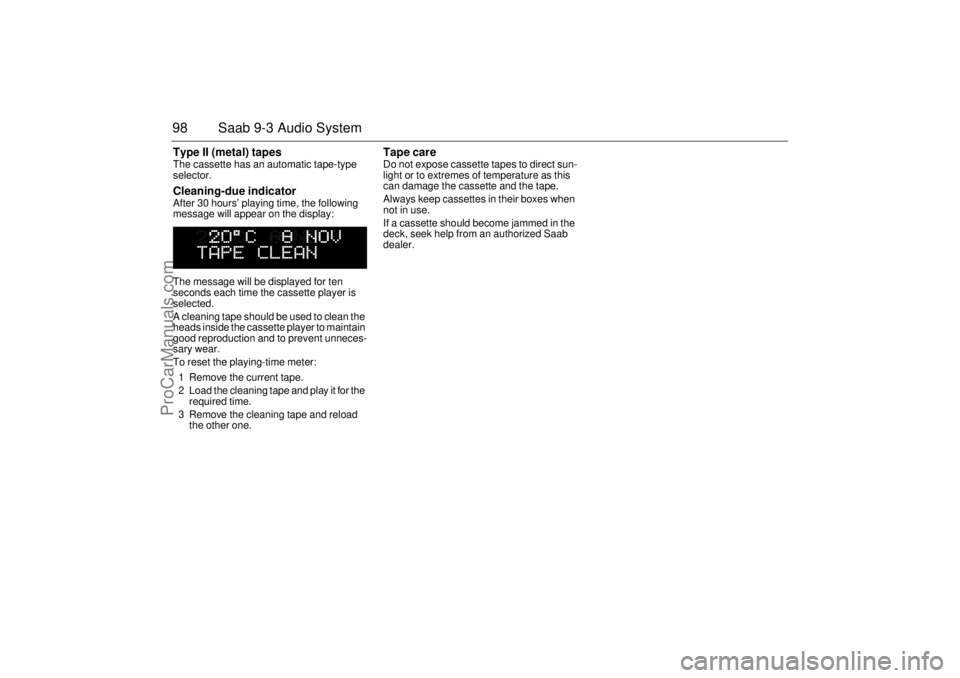
selector. Cleaning-due indicator After 30 hours’ playing time, the following
message will appear on the display:
The message will be displayed for ten
seconds each time the cassette player is
selected.
A cleaning tape should be used to clean the
heads inside the cassette player to maintain
good reproduction and to prevent unneces-
sary wear.
To reset the playing-time meter:
1 Remove the current tape.
2 Load the cleaning tape and play it for the
required time.
3 Remove the cleaning tape and reload
the other one.
Tape care Do not expose cassette tapes to direct sun-
light or to extremes of temperature as this
can damage the cassette and the tape.
Always keep cassettes in their boxes when
not in use.
If a cassette should become jammed in the
deck, seek help from an authorized Saab
dealer.
ProCarManuals.com
Page 102 of 236
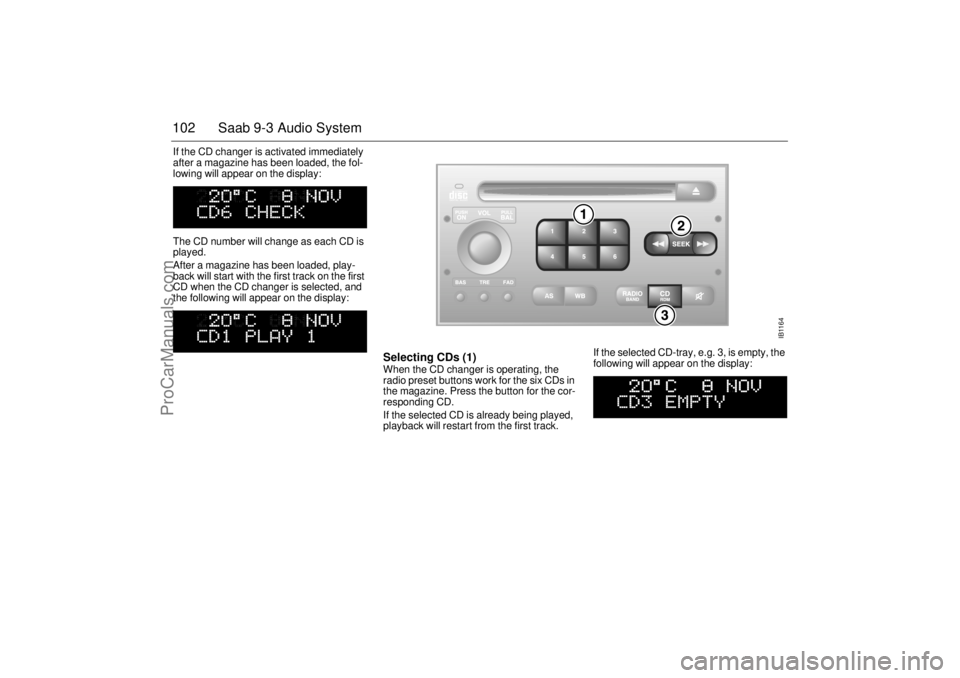
102 Saab 9-3 Audio SystemIf the CD changer is activated immediately
after a magazine has been loaded, the fol-
lowing will appear on the display:
The CD number will change as each CD is
played.
After a magazine has been loaded, play-
back will start with the first track on the first
CD when the CD changer is selected, and
the following will appear on the display:
Selecting CDs (1) When the CD changer is operating, the
radio preset buttons work for the six CDs in
the magazine. Press the button for the cor-
responding CD.
If the selected CD is already being played,
playback will restart from the first track. If the selected CD-tray, e.g. 3, is empty, the
following will appear on the display:
IB1164
ProCarManuals.com
Page 103 of 236
103 Saab 9-3 Audio System
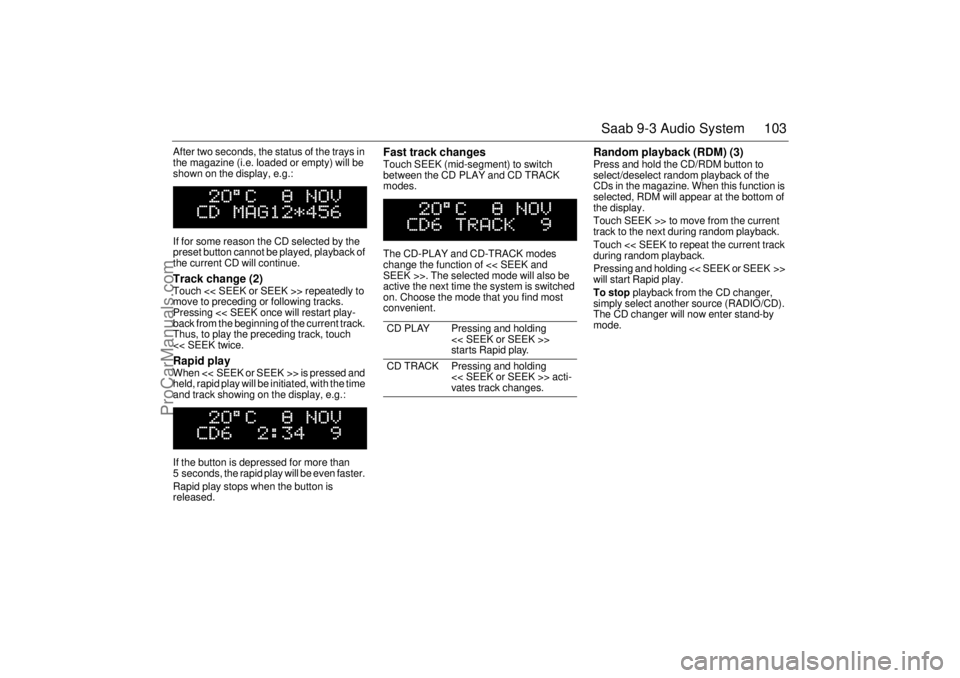
After two seconds, the status of the trays in
the magazine (i.e. loaded or empty) will be
shown on the display, e.g.:
If for some reason the CD selected by the
preset button cannot be played, playback of
the current CD will continue. Track change (2) Touch << SEEK or SEEK >> repeatedly to
move to preceding or following tracks.
Pressing << SEEK once will restart play-
back from the beginning of the current track.
Thus, to play the preceding track, touch
<< SEEK twice. Rapid play When << SEEK or SEEK >> is pressed and
held, rapid play will be initiated, with the time
and track showing on the display, e.g.:
If the button is depressed for more than
5 seconds, the rapid play will be even faster.
Rapid play stops when the button is
released.
Fast track changes Touch SEEK (mid-segment) to switch
between the CD PLAY and CD TRACK
modes.
The CD-PLAY and CD-TRACK modes
change the function of << SEEK and
SEEK >>. The selected mode will also be
active the next time the system is switched
on. Choose the mode that you find most
convenient.
Random playback (RDM) (3) Press and hold the CD/RDM button to
select/deselect random playback of the
CDs in the magazine. When this function is
selected, RDM will appear at the bottom of
the display.
Touch SEEK >> to move from the current
track to the next during random playback.
Touch << SEEK to repeat the current track
during random playback.
Pressing and holding << SEEK or SEEK >>
will start Rapid play.
To stop playback from the CD changer,
simply select another source (RADIO/CD).
The CD changer will now enter stand-by
mode.
CD PLAY Pressing and holding
<< SEEK or SEEK >>
starts Rapid play.
CD TRACK Pressing and holding
<< SEEK or SEEK >> acti-
vates track changes.
ProCarManuals.com
Page 104 of 236
104 Saab 9-3 Audio SystemGeneral functionsVolume-preset modeTo select the volume-preset mode, press
and hold the WB button at the same time as
you switch the Audio System on.
Use the << SEEK >> button to select the
required function.
The following volume settings can be prese-
lected:
STARTVOL - maximum volume level
when the Audio System is switched on.
TEL VOL - preset volume level when an
in-car phone is activated.
SP D VOL - speed-dependent volume.
The Audio System will automatically
adjust the volume level to suit the back-
ground noise, such as road noise, occur-
ring while the car is in motion.
LOUDNESS ON/OFF - boosting of the
highest and lowest frequency ranges to
enhance the sound image when the
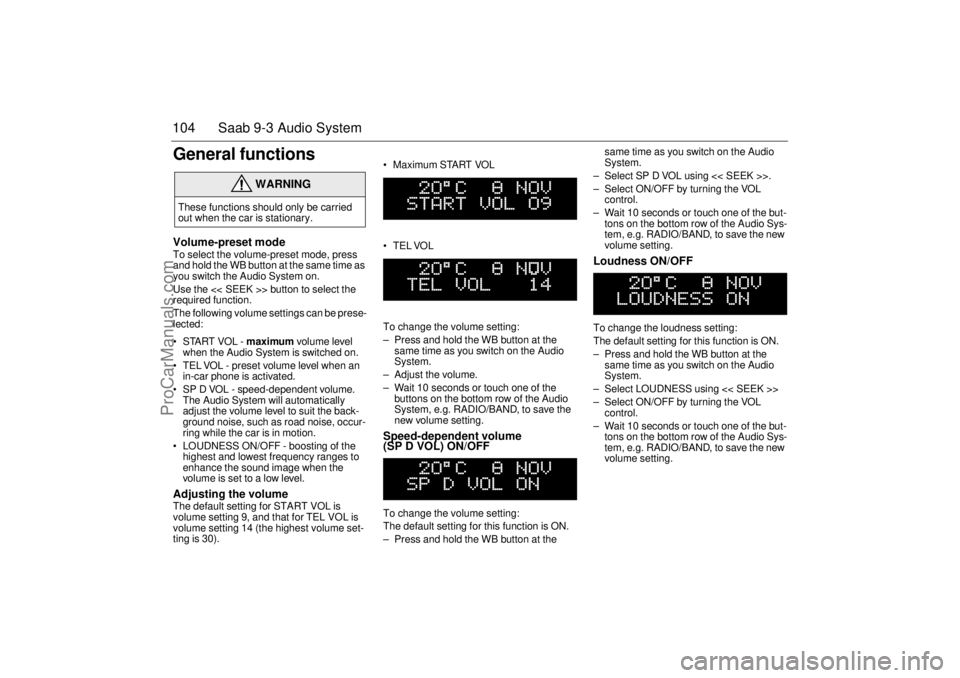
volume is set to a low level. Adjusting the volume The default setting for START VOL is
volume setting 9, and that for TEL VOL is
volume setting 14 (the highest volume set-
ting is 30). Maximum START VOL
TELVOL
To change the volume setting:
– Press and hold the WB button at the
same time as you switch on the Audio
System.
– Adjust the volume.
– Wait 10 seconds or touch one of the
buttons on the bottom row of the Audio
System, e.g. RADIO/BAND, to save the
new volume setting.
Speed-dependent volume
(SP D VOL) ON/OFF To change the volume setting:
The default setting for this function is ON.
– Press and hold the WB button at the same time as you switch on the Audio
System.
– Select SP D VOL using << SEEK >>.
– Select ON/OFF by turning the VOL
control.
– Wait 10 seconds or touch one of the but-
tons on the bottom row of the Audio Sys-
tem, e.g. RADIO/BAND, to save the new
volume setting.
Loudness ON/OFF To change the loudness setting:
The default setting for this function is ON.
– Press and hold the WB button at the
same time as you switch on the Audio
System.
– Select LOUDNESS using << SEEK >>
– Select ON/OFF by turning the VOL
control.
– Wait 10 seconds or touch one of the but-
tons on the bottom row of the Audio Sys-
tem, e.g. RADIO/BAND, to save the new
volume setting.
WARNING
These functions should only be carried
out when the car is stationary.
ProCarManuals.com
Page 106 of 236

106 Saab 9-3 Audio SystemTechnical data
These specifications comply with the new IHF Standard
Since the policy at Saab is one of continual improvement, we retain the right to alter
specifications and design without prior notice.
Dolby noise reduction is produced under licence from Dolby Laboratories Licensing
Corporation
”Dolby” and the double-D symbol are trademarks of Dolby Laboratories Licens-
ing Corporation
Changes or modifications not expressly approved by the manufacturer for compliance
could void the user´s authority to operate the equipment.
Tone controls
Bass _________________________ ±12 dB at 40 Hz
Treble ________________________ ±10 dB at 15,000 Hz
Power output __________________4 x 20 W (4 x 12 W at 1%
THD (total harmonic dis-
tortion) and 13.5 V)
Radio module
Radio system __________________ PLL dual-synthesizer
tuner
Number of presets
FM __________________________ 3 x 6
AM __________________________ 2 x 6
Frequency range
FM __________________________ 87.9 MHz – 107.9 MHz
AM __________________________ 530 kHz – 1710 kHz
WB ___________________________ 162.40 – 162.55 MHz
Scanning steps
Automatic seek tuning: ___________ VHF (FM) 200 kHz
AM 10 kHz
WB 50 kHz
Manual seek tuning: _____________ VHF (FM) 200 kHz
AM 10 kHz Cassette player
Fast forward/rewind ______________ < 110 s (C-60)
Frequency range ________________ 50 Hz - 12500 Hz ±3 dB
WOW _________________________ 0.1% WRMS
Signal-to-noise ratio______________ 45 dB
Dolby NR effect _________________ 10 dB
CD player and CD changer
1-bit system and 8 x oversampling
Frequency range ________________ 5-20000 Hz
±0.5 dB
Stereo separation _______________ 45 dB
Distortion _____________________ < 0.008%
Dynamics _____________________ > 95 dB (1 kHz)
CD-changer capacity: 6 discs
Amplifier (cars with extra speakers in
front doors)
Power output ___________________ 2 x 40 W (2 x 30 W at 1%
THD 50 Hz)
Crossover frequency _____________ 110 Hz (-3 dB)
ProCarManuals.com
Page 109 of 236
109 Saab 9-3 Audio System
Installation of car phone
(option)
Provision has been made on certain vari-
ants of the Saab 9-3 for the installation of a
hands-free car phone.
Installation must be done by an authorized
Saab dealer.
A car-phone cradle is available as an acces-
sory.
Your Saab dealer has details of which
phones are suitable for the installation.
Provision for hands-free phone (Con-
vertible, only if Saab 9-3 Audio System is
fitted)
Car phone connects to car’s circuitry.
Coaxial cable for external antenna is pre-
run.
Microphone for hands-free phone use
incorporated in overhead panel at front
(not Convertible).
Audio System mute functions when
phone activated.
Phone conversation amplified through
Audio System speakers. "TELEPHONE" appears on the SID when
phone is in use.
Volume level for ongoing conversation
can be adjusted by volume controls on
steering wheel or on audio-system mod-
ule. See also ”Volume-preset mode”,
page 104.
If the sound is a bit fuzzy, adjust by means
of the volume control on the
phone set
.
Phone battery is charging when ignition is
ON and phone in its cradle.
Please refer to the instructions supplied with
the phone for details of how to make and
receive calls.
OnStar System (US Only Option)
Your car may be equipped with OnStar, a
vehicle telematics system for communica-
tion and navigation. Please consult the sep-
arate owner’s manual for OnStar provided
in your document organizer.
WARNING
To prevent crashes while using a cell
phone:
Do not use the cell phone in distracting
traffic situations. Turn it off if traffic is
heavy.
Dial sensibly, at a stoplight or safely off
the road.
Consider installing hands-free or
speaker phone.
Avoid stressful and intense phone
conversations.NOTEThe A-pillar area (area beside the wind-
shield) and the headlining of your Saab
contain padding designed to reduce head
injuries. No modifications to these areas
should be made unless done by your
authorized Saab dealer.
ProCarManuals.com
Page 110 of 236
110 Saab 9-3 Audio SystemMobile phones and
communications radios Mobile phones and communications radios
that do not have a separate external
antenna radiate an electromagnetic field
inside the car.
Saab therefore recommends that a car
phone/radio transmitter should always be
connected to an external antenna.
An external antenna also provides
improved transmission/reception and a
greater range.
Mobile phones and communications radios
that are not supplied as standard equipment
by Saab can interfere with the car’s electri-
cal system and cause misleading fault
codes to be generated.
Fault codesThe Audio System has a built-in diagnostics
function. If a fault is detected, a fault code is
generated to help dealer technicians to
diagnose the fault. Below is an example of
a fault code that you might be able to rectify
yourself.
Adjusting the frequency steps
North America/Europe If the car is taken from Europe to North
America, the radio’s frequency steps will
need to be adjusted.
With the radio off, press and hold SEEK
(mid-segment) and switch the radio on at
the same time.
The station presets will be cancelled and
replaced by preset frequencies.
WARNING
The electromagnetic field inside the car
can be detrimental to your health. NOTEThe electromagnetic field can cause
interference with other electrical systems
in the car, such as the Audio System.
WARNING
Always consult an authorized Saab
dealer for installation guidance.
If you feel that any of the warnings or fault
indications are unclear, have the equip-
ment checked by an authorized Saab
dealer. NOTEGreat care should be exercised in trying
to rectify a fault. If you are at all unsure,
contact an authorized Saab dealer.
Fault code Possible cause
CD/CDC
ERROR
12/17/19 CD is dirty, loaded
wrong side up or defec-
tive.
TAPE ERR 01 Tape broken or
mechanical fault in
deck.
TAPE ERR
02/03Tape snarled up or
mechanical fault in
deck.
TAPE ERR 11 Cassette jammed: can-
not be loaded/ejected.
WARNING
The CD player/CD changer is classified
as Class 1 laser equipment.
Service and repair work must only be
carried out by authorized technicians.
If the casing is damaged, hazardous
laser radiation can occur.
ProCarManuals.com
Page 115 of 236
115 Interior equipment, trunk
Manually adjustable front seats with
”Easy Entry” function, Coupé and
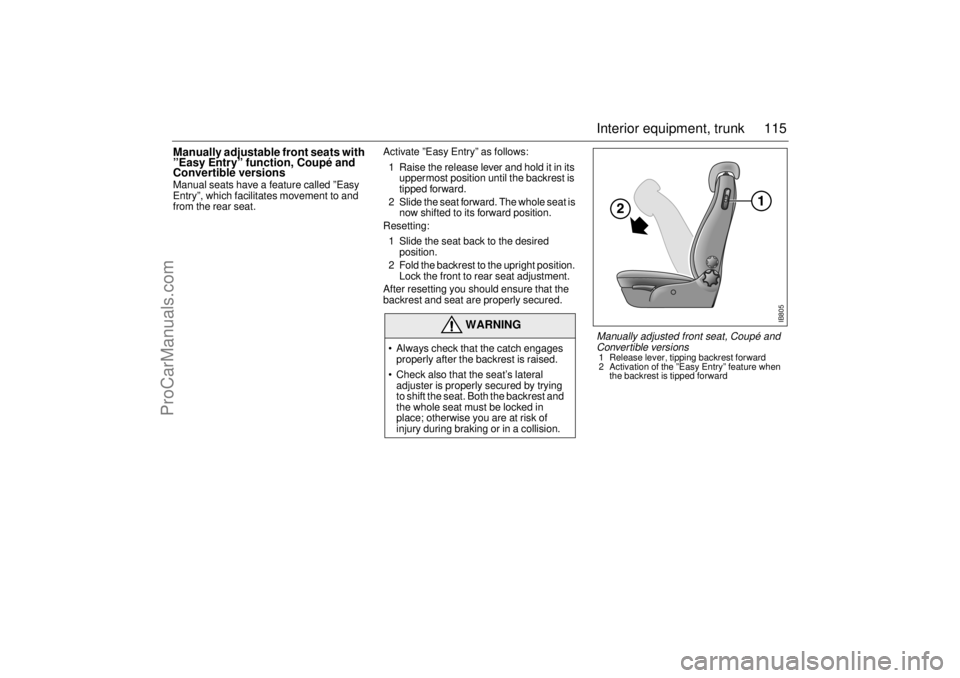
Convertible versions Manual seats have a feature called ”Easy
Entry”, which facilitates movement to and
from the rear seat. Activate ”Easy Entry” as follows:
1 Raise the release lever and hold it in its
uppermost position until the backrest is
tipped forward.
2 Slide the seat forward. The whole seat is
now shifted to its forward position.
Resetting:
1 Slide the seat back to the desired
position.
2 Fold the backrest to the upright position.
Lock the front to rear seat adjustment.
After resetting you should ensure that the
backrest and seat are properly secured.
WARNING
Always check that the catch engages
properly after the backrest is raised.
Check also that the seat’s lateral
adjuster is properly secured by trying
to shift the seat. Both the backrest and
the whole seat must be locked in
place; otherwise you are at risk of
injury during braking or in a collision.
IB805
Manually adjusted front seat, Coupé and
Conver tible versions 1 Release lever, tipping backrest forward
2 Activation of the ”Easy Entry” feature when
the backrest is tipped forward
ProCarManuals.com
Page 148 of 236
148 Starting and drivingCruise ControlThe system is operated by means of the
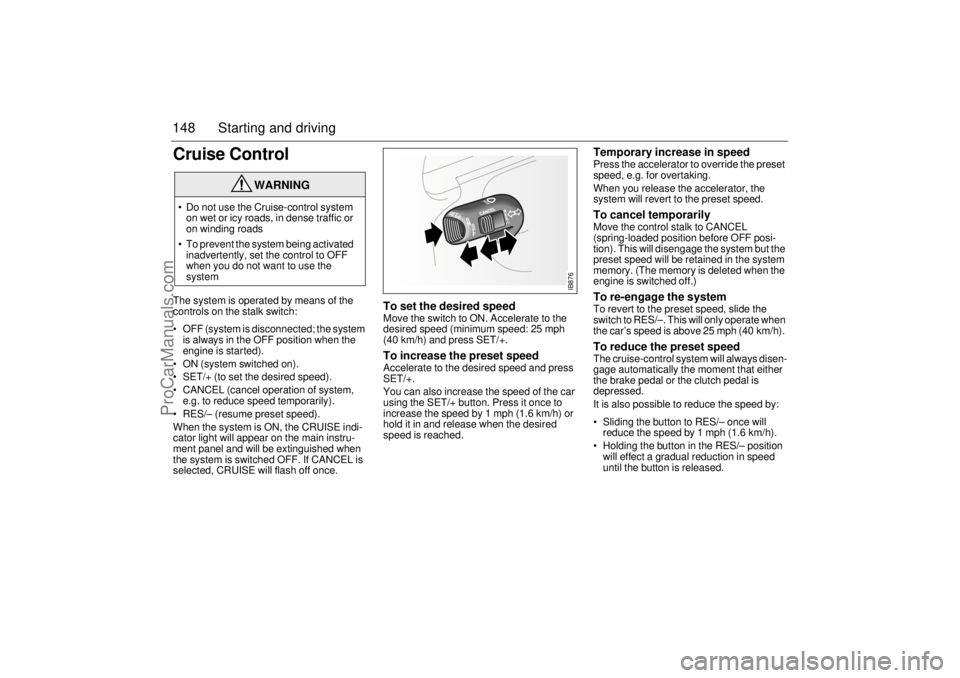
controls on the stalk switch:
OFF (system is disconnected; the system
is always in the OFF position when the
engine is started).
ON (system switched on).
SET/+ (to set the desired speed).
CANCEL (cancel operation of system,
e.g. to reduce speed temporarily).
RES/– (resume preset speed).
When the system is ON, the CRUISE indi-
cator light will appear on the main instru-
ment panel and will be extinguished when
the system is switched OFF. If CANCEL is
selected, CRUISE will flash off once.
To set the desired speed Move the switch to ON. Accelerate to the
desired speed (minimum speed: 25 mph
(40 km/h) and press SET/+. To increase the preset speed Accelerate to the desired speed and press
SET/+.
You can also increase the speed of the car
using the SET/+ button. Press it once to
increase the speed by 1 mph (1.6 km/h) or
hold it in and release when the desired
speed is reached.
Temporary increase in speed Press the accelerator to override the preset
speed, e.g. for overtaking.
When you release the accelerator, the
system will revert to the preset speed. To cancel temporarily Move the control stalk to CANCEL
(spring-loaded position before OFF posi-
tion). This will disengage the system but the
preset speed will be retained in the system
memory. (The memory is deleted when the
engine is switched off.) To re-engage the system To revert to the preset speed, slide the
switch to RES/–. This will only operate when
the car’s speed is above 25 mph (40 km/h). To reduce the preset speedThe cruise-control system will always disen-
gage automatically the moment that either
the brake pedal or the clutch pedal is
depressed.
It is also possible to reduce the speed by:
Sliding the button to RES/– once will
reduce the speed by 1 mph (1.6 km/h).
Holding the button in the RES/– position
will effect a gradual reduction in speed
until the button is released.
WARNING
Do not use the Cruise-control system
on wet or icy roads, in dense traffic or
on winding roads
To prevent the system being activated
inadvertently, set the control to OFF
when you do not want to use the
system
IB876
ProCarManuals.com
Page 208 of 236

208 Car careMaintenance The drive belt for the compressor should
be inspected under the regular service
program.
Clean dirt and insects away from the con-
denser and radiator to prevent clogging.
When washing the car, use the hose to
spray the radiator and condenser (located
forward of the radiator) from both sides
(both from the front of the car and from
inside the engine bay). Do not use a pres-
sure washer.
Caution: Do not use the hose when the
engine is hot.
Other than in extremely cold weather, do not
cover the radiator, e.g. with screen netting,
as this will greatly diminish its cooling capac-
ity.
Note: The A/C system will only operate
when the outdoor temperature is above the
freezing point (0°C, 32°F). Switch on the
A/C system when the car stands in a warm
place.
Headlight aimingThe vehicle is equipped with vertical and
horizontal aim indicators. The aim has been
preset at the factory and should normally not
need further adjustments. This is true even
though your vertical and horizontal aim indi-
cators may not fall exactly on the "0" (zero)
marks on their scales.
If your headlight is damaged in an accident,
the headlight aim may be affected. If you
believe your headlights need to be
re-aimed, we recommend that you take it to
your Saab dealer for service. However, it is
possible for you to re-aim your headlights as
described in the following procedure.
To check the aim, the vehicle should be
properly prepared as follows: Place the vehicle on a level pad or surface
The vehicle should be unladen and fuel
tank full, and one person or 160 lbs.
(75 kg) on the drivers seat
The vehicle should not have any snow, ice
or mud attached to it
Tires should be inflated to the prescribed
pressure
Rock the vehicle to stabilize the suspen-
sion
WARNING
Before checking/adjusting the headlight
aiming, switch off the engine to avoid
danger of fingers and hands being injured
by moving parts.
The radiator fan can start up even when
the engine is switched off.
ProCarManuals.com