ECO mode SAAB 9-3 2001 User Guide
[x] Cancel search | Manufacturer: SAAB, Model Year: 2001, Model line: 9-3, Model: SAAB 9-3 2001Pages: 260, PDF Size: 12.01 MB
Page 91 of 260
91 Instruments and controls
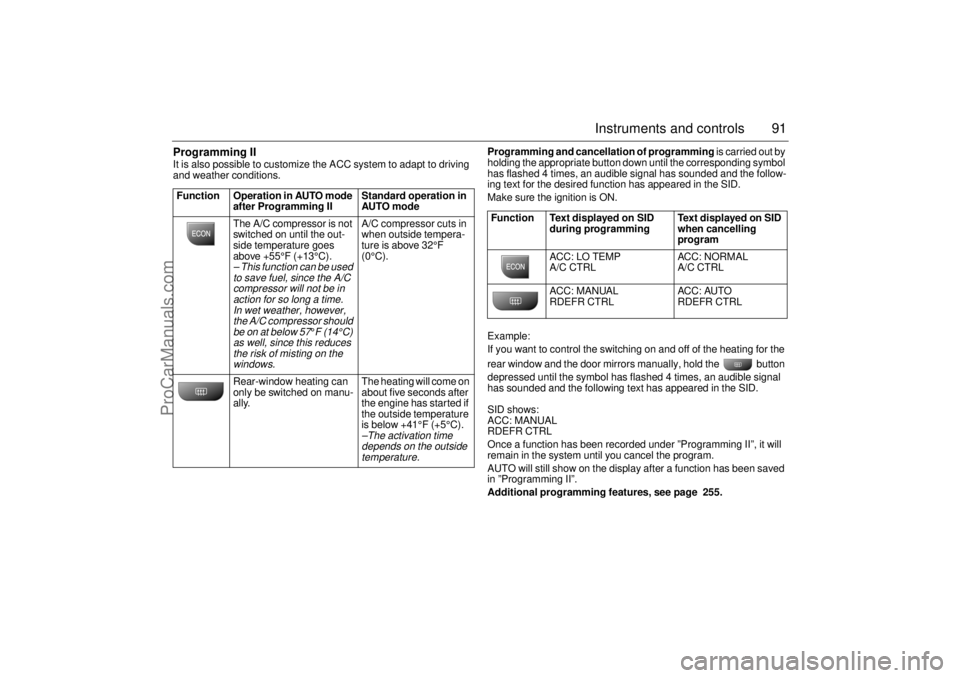
Programming II It is also possible to customize the ACC system to adapt to driving
and weather conditions. Programming and cancellation of programming is carried out by
holding the appropriate button down until the corresponding symbol
has flashed 4 times, an audible signal has sounded and the follow-
ing text for the desired function has appeared in the SID.
Make sure the ignition is ON.
Example:
If you want to control the switching on and off of the heating for the
rear window and the door mirrors manually, hold the button
depressed until the symbol has flashed 4 times, an audible signal
has sounded and the following text has appeared in the SID.
SID shows:
ACC: MANUAL
RDEFR CTRL
Once a function has been recorded under ”Programming II”, it will
remain in the system until you cancel the program.
AUTO will still show on the display after a function has been saved
in ”Programming II”.
Additional programming features, see page 255. Function Operation in AUTO mode
after Programming II Standard operation in
AUTO mode
The A/C compressor is not
switched on until the out-
side temperature goes
above +55°F (+13°C).
– This function can be used
to save fuel, since the A/C
compressor will not be in
action for so long a time.
In wet weather, however,
the A/C compressor should
be on at below 57
°F (14°C)
as well, since this reduces
the risk of misting on the
windows.
A/C compressor cuts in
when outside tempera-
ture is above 32°F
(0°C).
Rear-window heating can
only be switched on manu-
ally. The heating will come on
about five seconds after
the engine has started if
the outside temperature
is below +41°F (+5°C).–The activation time
depends on the outside
temperature.
Function Text displayed on SID
during programming Text displayed on SID
when cancelling
program
ACC: LO TEMP
A/C CTRL ACC: NORMAL
A/C CTRL
ACC: MANUAL
RDEFR CTRL ACC: AUTO
RDEFR CTRL
ProCarManuals.com
Page 92 of 260
92 Instruments and controlsUseful tips: If the ACC system is not functioning
satisfactorily the following should be tried
before you take the car to an authorized
Saab dealer.
If the indication AUTO does not light up
after starting (the ignition must have been
switched off for at least 10 minutes): See
“Cancelling program I”, page 90.
If you think that the ACC system is not
functioning satisfactorily you should:
1 Check that the cigarette lighter plug is in
its socket (since if the socket is empty
heated air can flow out and affect the
cabin sensor).
2 Recalibrate: See the section headed
Calibration, page 90.
If the battery has been disconnected or
has died, the ACC system should be reca-
librated: See Calibration, pag 90.
Programmed settings are not deleted if the
battery has been disconnected. Extinguishing the lighting in ACC See section Night panel, page 73.
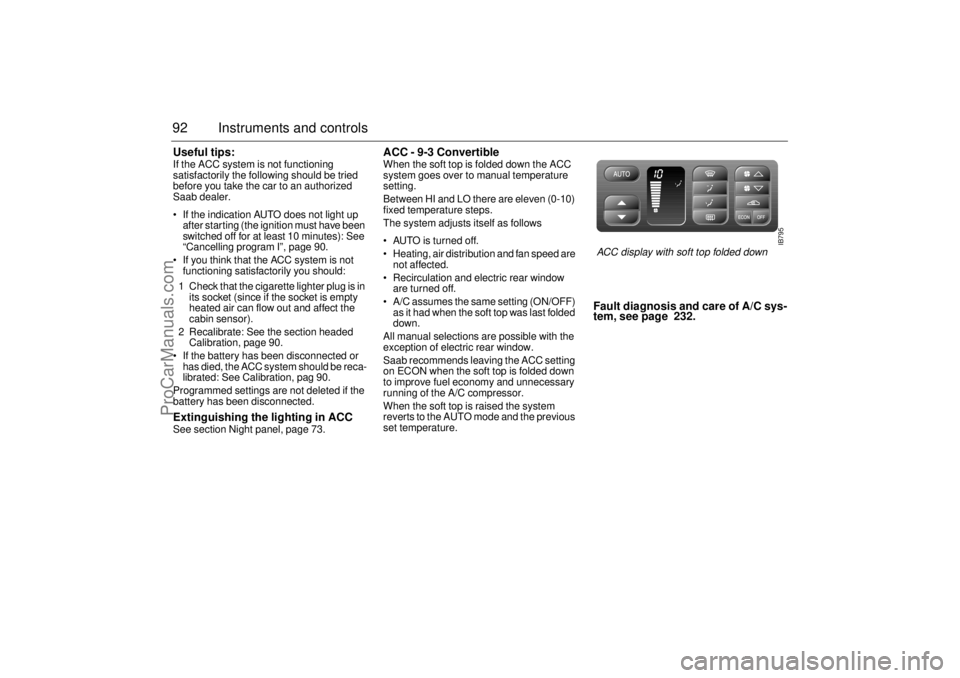
ACC - 9-3 Convertible When the soft top is folded down the ACC
system goes over to manual temperature
setting.
Between HI and LO there are eleven (0-10)
fixed temperature steps.
The system adjusts itself as follows
AUTO is turned off.
Heating, air distribution and fan speed are
not affected.
Recirculation and electric rear window
are turned off.
A/C assumes the same setting (ON/OFF)
as it had when the soft top was last folded
down.
All manual selections are possible with the
exception of electric rear window.
Saab recommends leaving the ACC setting
on ECON when the soft top is folded down
to improve fuel economy and unnecessary
running of the A/C compressor.
When the soft top is raised the system
reverts to the AUTO mode and the previous
set temperature.
Fault diagnosis and care of A/C sys-
tem, see page 232.
IB795
ACC display with soft top folded down
ProCarManuals.com
Page 98 of 260
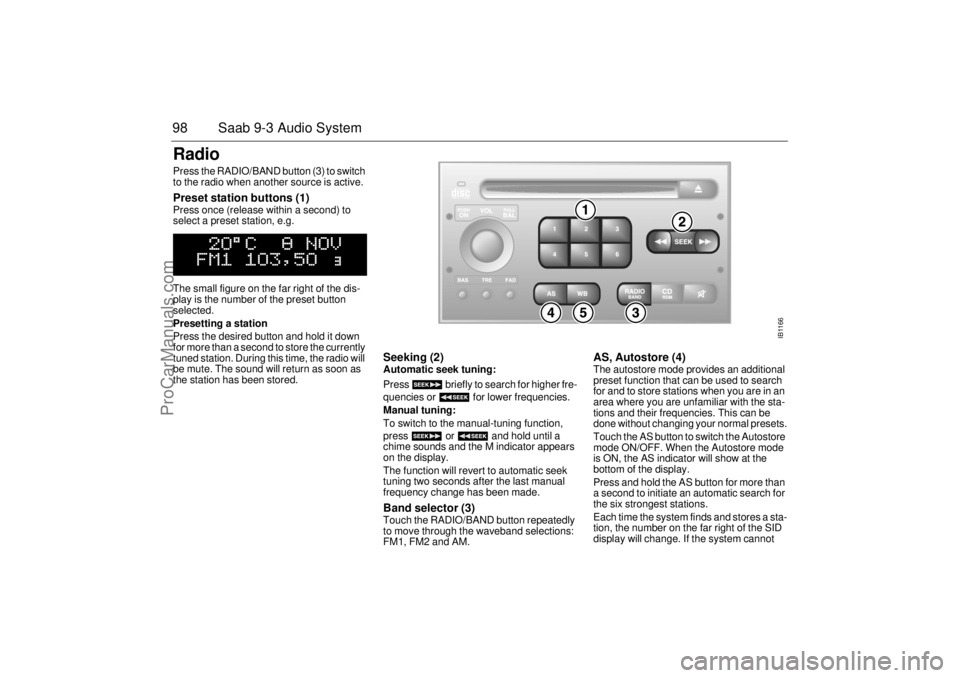
98 Saab 9-3 Audio SystemRadio Press the RADIO/BAND button (3) to switch
to the radio when another source is active. Preset station buttons (1) Press once (release within a second) to
select a preset station, e.g.
The small figure on the far right of the dis-
play is the number of the preset button
selected.
Presetting a station
Press the desired button and hold it down
for more than a second to store the currently
tuned station. During this time, the radio will
be mute. The sound will return as soon as
the station has been stored.
Seeking (2) Automatic seek tuning:
Press briefly to search for higher fre-
quencies or for lower frequencies.
Manual tuning:
To switch to the manual-tuning function,
press or and hold until a
chime sounds and the M indicator appears
on the display.
The function will revert to automatic seek
tuning two seconds after the last manual
frequency change has been made. Band selector (3) Touch the RADIO/BAND button repeatedly
to move through the waveband selections:
FM1, FM2 and AM.
AS, Autostore (4) The autostore mode provides an additional
preset function that can be used to search
for and to store stations when you are in an
area where you are unfamiliar with the sta-
tions and their frequencies. This can be
done without changing your normal presets.
Touch the AS button to switch the Autostore
mode ON/OFF. When the Autostore mode
is ON, the AS indicator will show at the
bottom of the display.
Press and hold the AS button for more than
a second to initiate an automatic search for
the six strongest stations.
Each time the system finds and stores a sta-
tion, the number on the far right of the SID
display will change. If the system cannot
IB1166
ProCarManuals.com
Page 103 of 260
103 Saab 9-3 Audio System
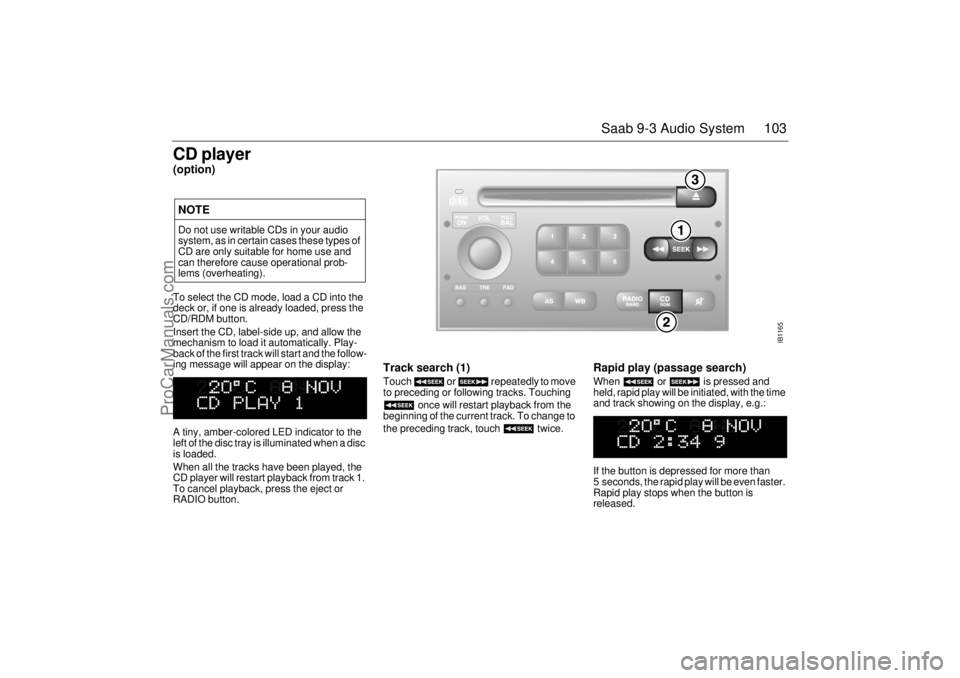
CD player(option)To select the CD mode, load a CD into the
deck or, if one is already loaded, press the
CD/RDM button.
Insert the CD, label-side up, and allow the
mechanism to load it automatically. Play-
back of the first track will start and the follow-
ing message will appear on the display:
A tiny, amber-colored LED indicator to the
left of the disc tray is illuminated when a disc
is loaded.
When all the tracks have been played, the
CD player will restart playback from track 1.
To cancel playback, press the eject or
RADIO button.
Track search (1) Touch or repeatedly to move
to preceding or following tracks. Touching
once will restart playback from the
beginning of the current track. To change to
the preceding track, touch twice.
Rapid play (passage search) When or is pressed and
held, rapid play will be initiated, with the time
and track showing on the display, e.g.:
If the button is depressed for more than
5 seconds, the rapid play will be even faster.
Rapid play stops when the button is
released.
NOTEDo not use writable CDs in your audio
system, as in certain cases these types of
CD are only suitable for home use and
can therefore cause operational prob-
lems (overheating).
IB1165
ProCarManuals.com
Page 104 of 260
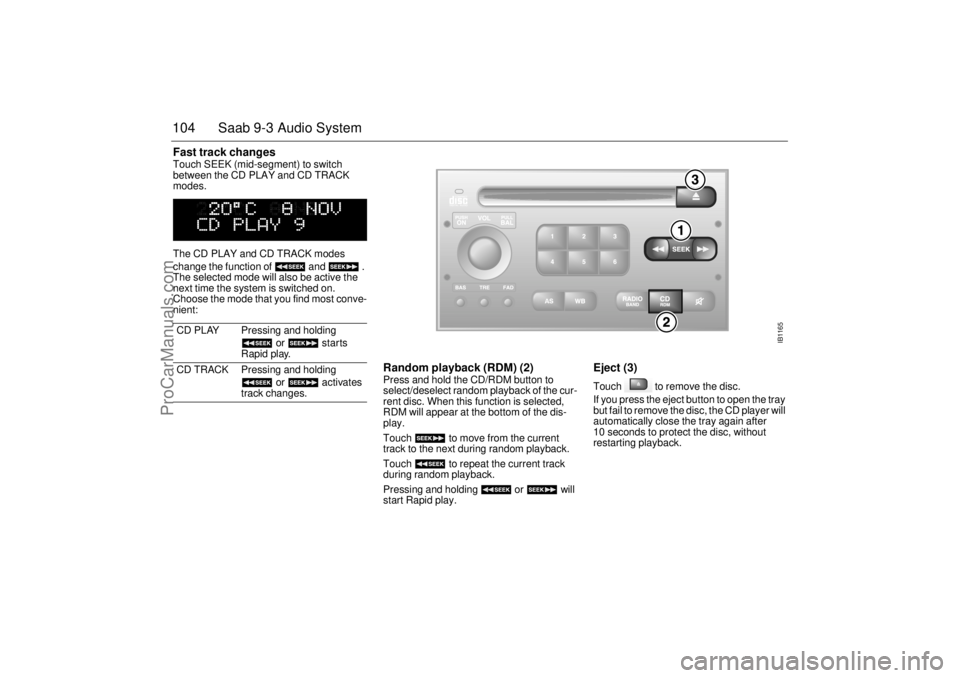
104 Saab 9-3 Audio SystemFast track changes Touch SEEK (mid-segment) to switch
between the CD PLAY and CD TRACK
modes.
The CD PLAY and CD TRACK modes
change the function of and .
The selected mode will also be active the
next time the system is switched on.
Choose the mode that you find most conve-
nient:
Random playback (RDM) (2) Press and hold the CD/RDM button to
select/deselect random playback of the cur-
rent disc. When this function is selected,
RDM will appear at the bottom of the dis-
play.
Touch to move from the current
track to the next during random playback.
Touch to repeat the current track
during random playback.
Pressing and holding or will
start Rapid play.
Eject (3) Touch to remove the disc.
If you press the eject button to open the tray
but fail to remove the disc, the CD player will
automatically close the tray again after
10 seconds to protect the disc, without
restarting playback. CD PLAY Pressing and holding
or starts
Rapid play.
CD TRACK Pressing and holding
or activates
track changes.
IB1165
ProCarManuals.com
Page 107 of 260
107 Saab 9-3 Audio System
After two seconds, the status of the trays in
the magazine (i.e. loaded or empty) will be
shown on the display, e.g.:
If for some reason the CD selected by the
preset button cannot be played, playback of
the current CD will continue. Track change (2) Touch or repeatedly to move
to preceding or following tracks. Pressing
once will restart playback from the
beginning of the current track. Thus, to play
the preceding track, touch twice. Rapid play When or is pressed and
held, rapid play will be initiated, with the time
and track showing on the display, e.g.:
If the button is depressed for more than
5 seconds, the rapid play will be even faster.
Rapid play stops when the button is
released.
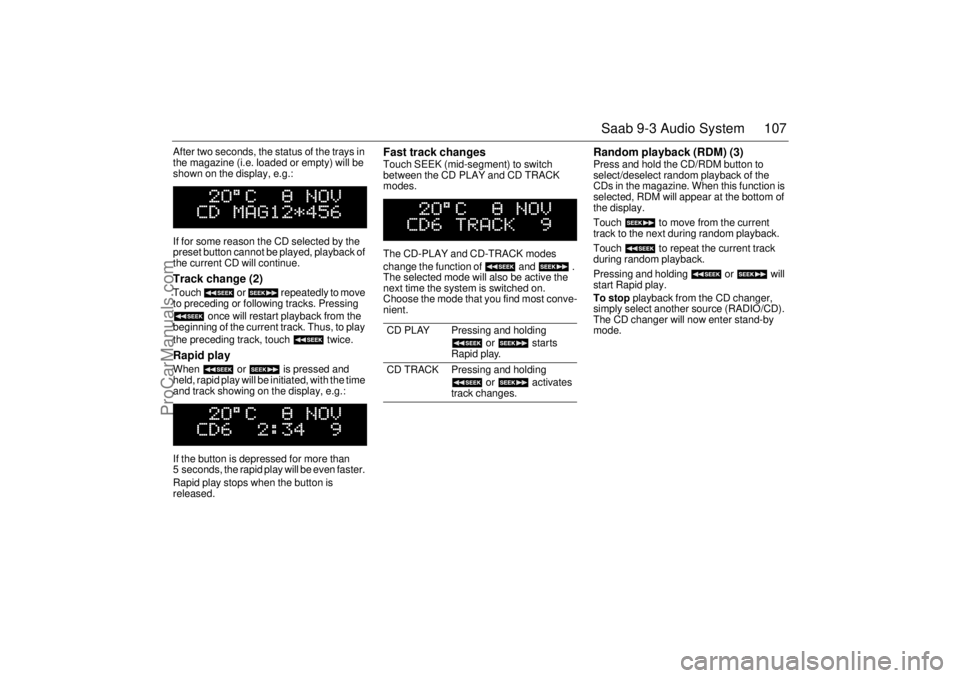
Fast track changes Touch SEEK (mid-segment) to switch
between the CD PLAY and CD TRACK
modes.
The CD-PLAY and CD-TRACK modes
change the function of and .
The selected mode will also be active the
next time the system is switched on.
Choose the mode that you find most conve-
nient.
Random playback (RDM) (3) Press and hold the CD/RDM button to
select/deselect random playback of the
CDs in the magazine. When this function is
selected, RDM will appear at the bottom of
the display.
Touch to move from the current
track to the next during random playback.
Touch to repeat the current track
during random playback.
Pressing and holding or will
start Rapid play.
To stop playback from the CD changer,
simply select another source (RADIO/CD).
The CD changer will now enter stand-by
mode.
CD PLAY Pressing and holding
or starts
Rapid play.
CD TRACK Pressing and holding
or activates
track changes.
ProCarManuals.com
Page 108 of 260
108 Saab 9-3 Audio SystemGeneral functionsVolume-preset modeTo select the volume-preset mode, press
and hold the WB button at the same time as
you switch the Audio System on.
Use the button to select the
required function.
The following volume settings can be prese-
lected:
STARTVOL - maximum volume level
when the Audio System is switched on.
TEL VOL - preset volume level when an
in-car phone is activated.
SP D VOL - speed-dependent volume.
The Audio System will automatically
adjust the volume level to suit the back-
ground noise, such as road noise, occur-
ring while the car is in motion.
LOUDNESS ON/OFF - boosting of the
highest and lowest frequency ranges to
enhance the sound image when the
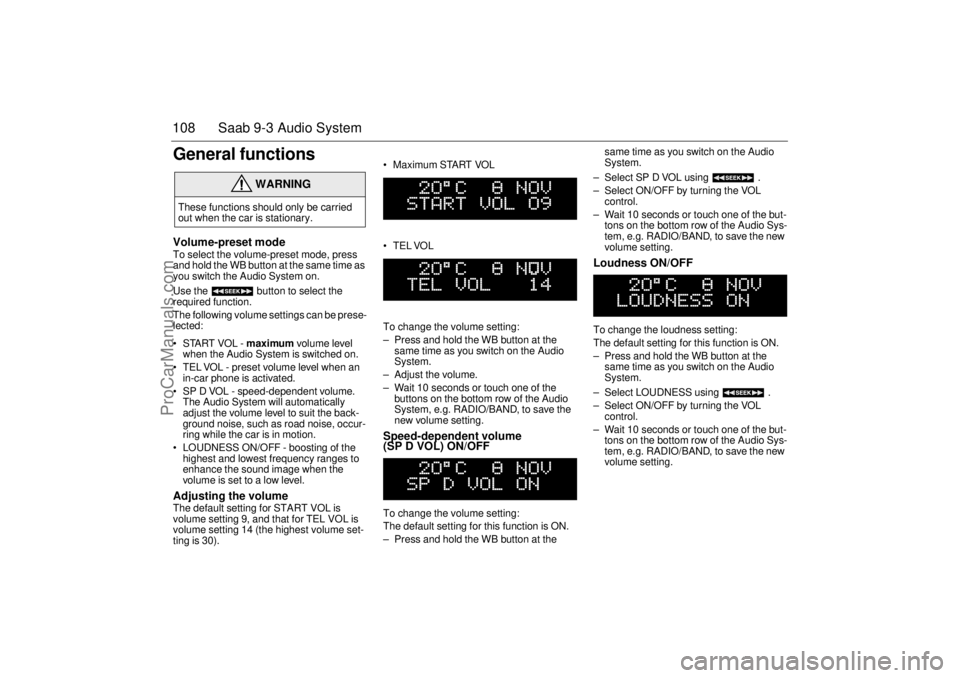
volume is set to a low level. Adjusting the volume The default setting for START VOL is
volume setting 9, and that for TEL VOL is
volume setting 14 (the highest volume set-
ting is 30). Maximum START VOL
TELVOL
To change the volume setting:
– Press and hold the WB button at the
same time as you switch on the Audio
System.
– Adjust the volume.
– Wait 10 seconds or touch one of the
buttons on the bottom row of the Audio
System, e.g. RADIO/BAND, to save the
new volume setting.
Speed-dependent volume
(SP D VOL) ON/OFF To change the volume setting:
The default setting for this function is ON.
– Press and hold the WB button at the same time as you switch on the Audio
System.
– Select SP D VOL using .
– Select ON/OFF by turning the VOL
control.
– Wait 10 seconds or touch one of the but-
tons on the bottom row of the Audio Sys-
tem, e.g. RADIO/BAND, to save the new
volume setting.
Loudness ON/OFF To change the loudness setting:
The default setting for this function is ON.
– Press and hold the WB button at the
same time as you switch on the Audio
System.
– Select LOUDNESS using .
– Select ON/OFF by turning the VOL
control.
– Wait 10 seconds or touch one of the but-
tons on the bottom row of the Audio Sys-
tem, e.g. RADIO/BAND, to save the new
volume setting.
WARNING
These functions should only be carried
out when the car is stationary.
ProCarManuals.com
Page 114 of 260
114 Saab 9-3 Audio System Requires accessory module for use with
OnStar system, standard on all Saab
models.
"TELEPHONE" appears on the SID when
phone is in use.
Volume level for ongoing conversation
can be adjusted by volume controls on
steering wheel or on audio-system mod-
ule. See also ”Volume-preset mode”,
page 108.
If the sound is a bit fuzzy, adjust by means
of the volume control on the
phone set
.
Phone battery is charging when ignition is
ON and phone in its cradle.
Please refer to the instructions supplied with
the phone for details of how to make and
receive calls.
OnStar System (US/Canada feature)
Your car may be equipped with OnStar, a
vehicle telematics system for communica-
tion and navigation. Please consult the sep-
arate chapter in this owner’s manual.
Mobile phones and
communications radios Mobile phones and communications radios
that do not have a separate external
antenna radiate an electromagnetic field
inside the car.Saab therefore recommends that a car
phone/radio transmitter should always be
connected to an external antenna.
An external antenna also provides
improved transmission/reception and a
greater range.
Mobile phones and communications radios
that are not supplied as standard equipment
by Saab can interfere with the car’s electri-
cal system and cause misleading fault
codes to be generated.
WARNING
The electromagnetic field produced, for
example, by a mobile telephone in the
passenger compartment may be detri-
mental to health. We therefore recom-
mend the use of an external antenna.
Do not use the phone when refueling with
gasoline. Gasoline fuels are highly explo-
sive.NOTEThe electromagnetic field can cause
interference with other electrical systems
in the car, such as the Audio System.
WARNING
Always consult an authorized Saab
dealer for installation guidance.
If you feel that any of the warnings or fault
indications are unclear, have the equip-
ment checked by an authorized Saab
dealer.
ProCarManuals.com
Page 118 of 260

118 OnStar - TelematicsYour new vehicle comes equipped with
advanced telematics hardware and a full
year of Onstar premium service. Saab
Telematics is a sophisticated in-vehicle
system allowing convergence of wireless
communications, GPS (Global Positioning
System) satellites and advanced vehicle
electronics.
You must activate immediately to ensure
you receive your full year of service, as your
prepaid subscription begins at the time of
delivery.
Here’s how to activate your OnStar ser-
vice:
1 Push the blue OnStar button located in
your Saab. You will be greeted by a live
OnStar Advisor. The Advisor will acti-
vate your OnStar service.
2 Provide the information requested by
the Advisor to activate your account and
set up your personal profile. This will
take approximately 10-15 minutes.
Using OnStarWelcome to OnStar. This section gives you
all the information you need to get started
using OnStar, including descriptions of all
OnStar services. It also introduces the
added services of Personal Calling, Virtual
Advisor, and the Onstar Subscriber Web-
site. For a complete explanation of these
additional services, please see pages 122,
126 and 127.OnStar is EasyIt’s easy to start using your OnStar system.
In fact, pressing the OnStar button is usually
all you need to do. Once you are connected,
an OnStar Advisor will help you with the ser-
vices in your plan.Your onboard OnStar System consists of
three buttons:
OnStar Services Button
Press this button, and you are
connected to an OnStar Advi-
sor. You will hear a chime, fol-
lowed by the words
”Connecting to OnStar.” Allow
20-30 seconds for initial con-
nection to the OnStar Call Cen-
ter. The Advisor will then help
you with any of the services
included in your OnStar plan.
If cellular service is unavail-
able, OnStar will generate a
fast busy tone. The OnStar sys-
tem will retry calls a number of
times before returning to the
ready mode. To cancel the
automatic dialing, press the
Call Answer/End button.
ProCarManuals.com
Page 139 of 260
139 Interior equipment, trunk
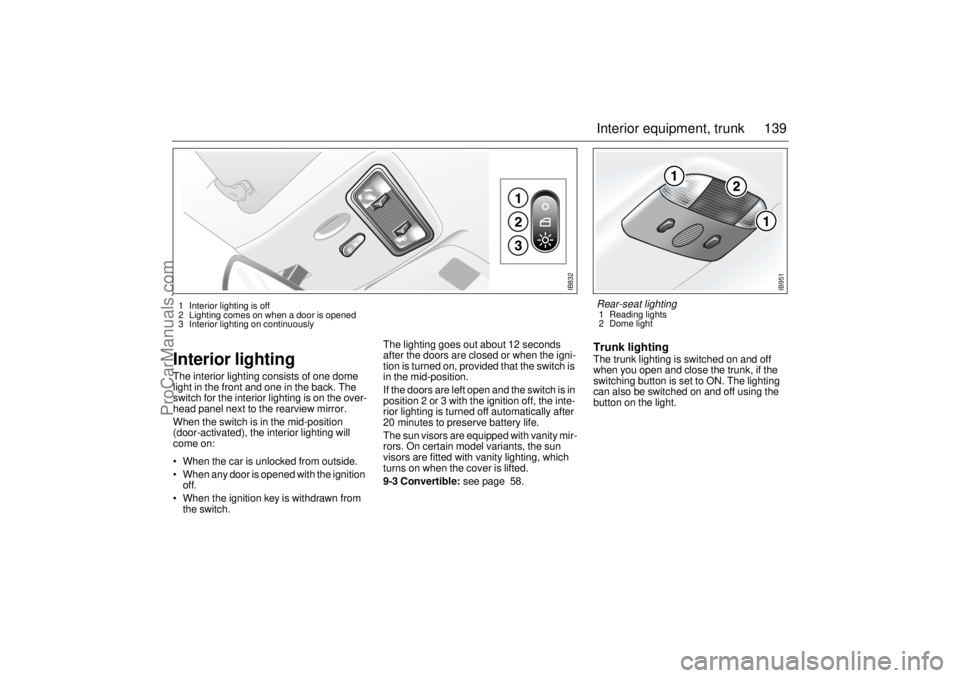
Interior lightingThe interior lighting consists of one dome
light in the front and one in the back. The
switch for the interior lighting is on the over-
head panel next to the rearview mirror.
When the switch is in the mid-position
(door-activated), the interior lighting will
come on:
When the car is unlocked from outside.
When any door is opened with the ignition
off.
When the ignition key is withdrawn from
the switch.The lighting goes out about 12 seconds
after the doors are closed or when the igni-
tion is turned on, provided that the switch is
in the mid-position.
If the doors are left open and the switch is in
position 2 or 3 with the ignition off, the inte-
rior lighting is turned off automatically after
20 minutes to preserve battery life.
The sun visors are equipped with vanity mir-
rors. On certain model variants, the sun
visors are fitted with vanity lighting, which
turns on when the cover is lifted.
9-3 Convertible: see page 58.
Trunk lightingThe trunk lighting is switched on and off
when you open and close the trunk, if the
switching button is set to ON. The lighting
can also be switched on and off using the
button on the light.
IB832
1 Interior lighting is off
2 Lighting comes on when a door is opened
3 Interior lighting on continuously
IB951
Rear-seat lighting 1 Reading lights
2 Dome light
ProCarManuals.com