load SAAB 9-3 2001 User Guide
[x] Cancel search | Manufacturer: SAAB, Model Year: 2001, Model line: 9-3, Model: SAAB 9-3 2001Pages: 260, PDF Size: 12.01 MB
Page 78 of 260
78 Instruments and controlsInstrument lightingThe brightness of the instrument lighting
can be varied by means of the dimmer
switch adjacent to the headlight switch, the
ignition switch shall be in position ON. (See
also Night panel on page 73).
In daylight or other equally bright light, the
instrument and switch illumination is auto-
matically extinguished.
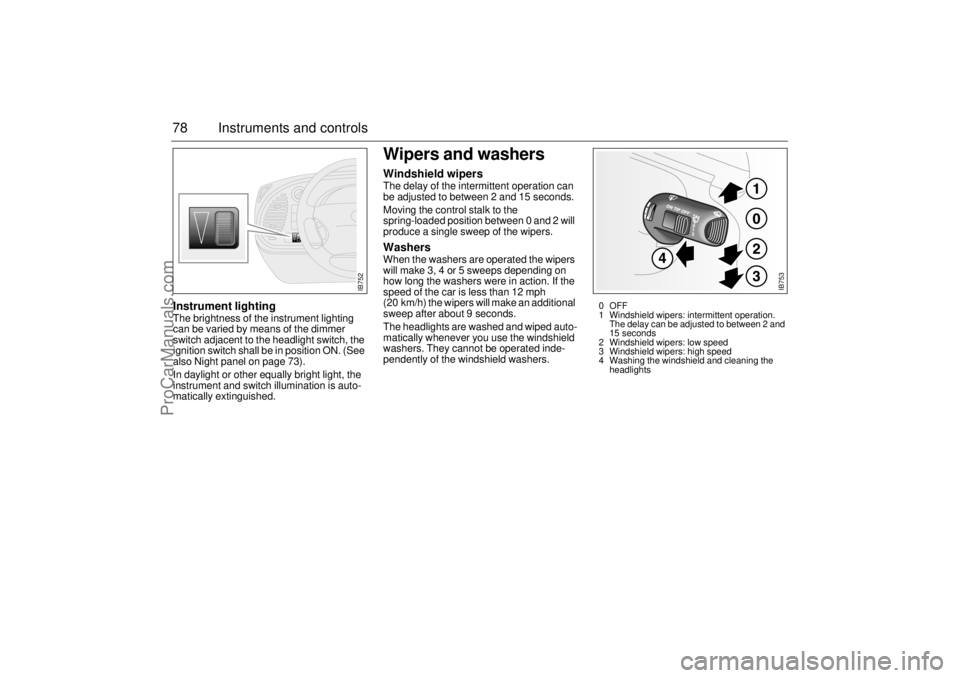
Wipers and washersWindshield wipersThe delay of the intermittent operation can
be adjusted to between 2 and 15 seconds.
Moving the control stalk to the
spring-loaded position between 0 and 2 will
produce a single sweep of the wipers. WashersWhen the washers are operated the wipers
will make 3, 4 or 5 sweeps depending on
how long the washers were in action. If the
speed of the car is less than 12 mph
(20 km/h) the wipers will make an additional
sweep after about 9 seconds.
The headlights are washed and wiped auto-
matically whenever you use the windshield
washers. They cannot be operated inde-
pendently of the windshield washers.
IB752
IB753
0OFF
1 Windshield wipers: intermittent operation.
The delay can be adjusted to between 2 and
15 seconds
2 Windshield wipers: low speed
3 Windshield wipers: high speed
4 Washing the windshield and cleaning the
headlights
ProCarManuals.com
Page 79 of 260
79 Instruments and controls
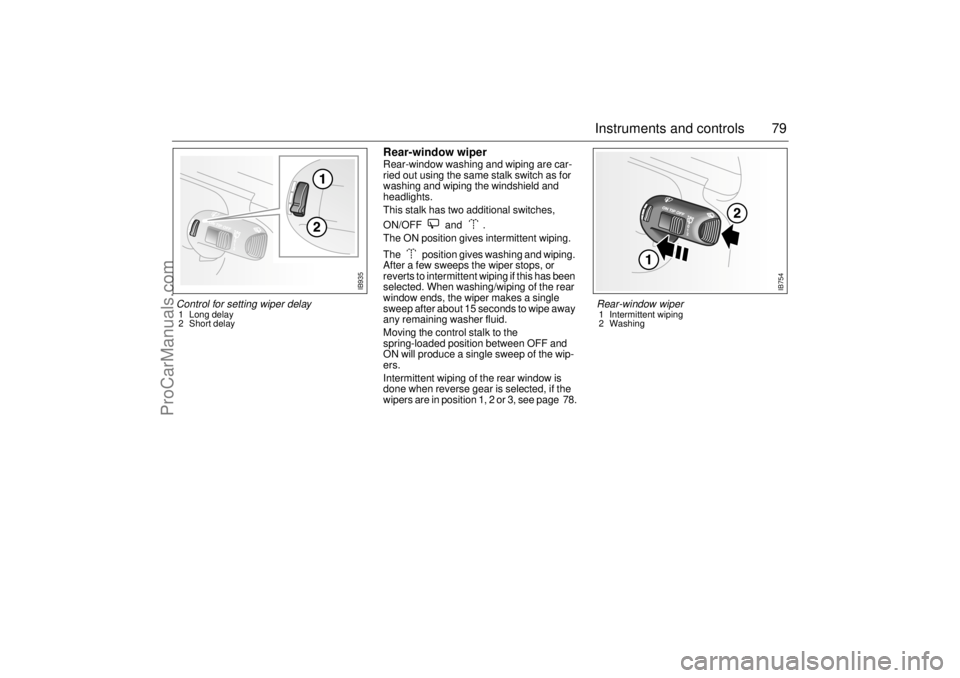
Rear-window wiperRear-window washing and wiping are car-
ried out using the same stalk switch as for
washing and wiping the windshield and
headlights.
This stalk has two additional switches,
ON/OFF and .
The ON position gives intermittent wiping.
The position gives washing and wiping.
After a few sweeps the wiper stops, or
reverts to intermittent wiping if this has been
selected. When washing/wiping of the rear
window ends, the wiper makes a single
sweep after about 15 seconds to wipe away
any remaining washer fluid.
Moving the control stalk to the
spring-loaded position between OFF and
ON will produce a single sweep of the wip-
ers.
Intermittent wiping of the rear window is
done when reverse gear is selected, if the
wipers are in position 1, 2 or 3, see page 78.
IB754
Rear-window wiper 1 Intermittent wiping
2 Washing
Control for setting wiper delay 1 Long delay
2 Short delay
IB935
ProCarManuals.com
Page 102 of 260
102 Saab 9-3 Audio SystemType II (metal) tapes The cassette has an automatic tape-type
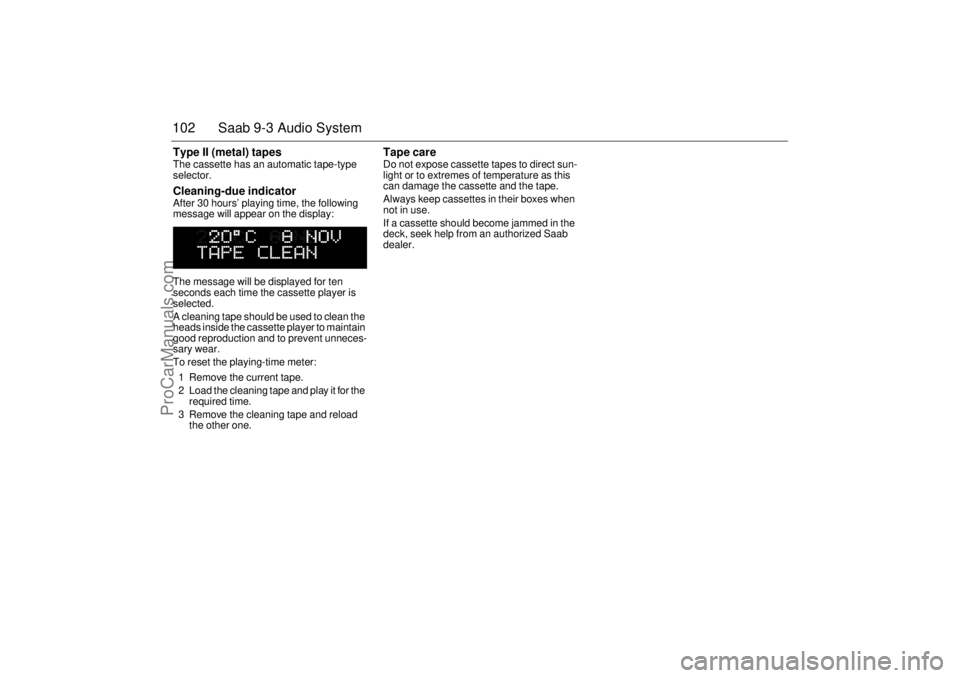
selector. Cleaning-due indicator After 30 hours’ playing time, the following
message will appear on the display:
The message will be displayed for ten
seconds each time the cassette player is
selected.
A cleaning tape should be used to clean the
heads inside the cassette player to maintain
good reproduction and to prevent unneces-
sary wear.
To reset the playing-time meter:
1 Remove the current tape.
2 Load the cleaning tape and play it for the
required time.
3 Remove the cleaning tape and reload
the other one.
Tape care Do not expose cassette tapes to direct sun-
light or to extremes of temperature as this
can damage the cassette and the tape.
Always keep cassettes in their boxes when
not in use.
If a cassette should become jammed in the
deck, seek help from an authorized Saab
dealer.
ProCarManuals.com
Page 103 of 260
103 Saab 9-3 Audio System
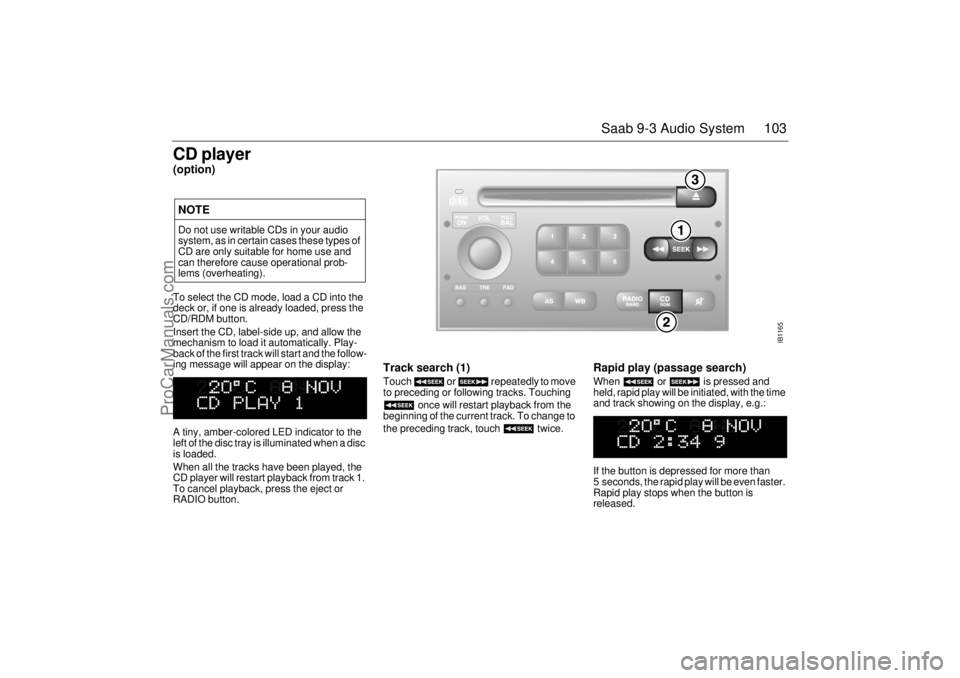
CD player(option)To select the CD mode, load a CD into the
deck or, if one is already loaded, press the
CD/RDM button.
Insert the CD, label-side up, and allow the
mechanism to load it automatically. Play-
back of the first track will start and the follow-
ing message will appear on the display:
A tiny, amber-colored LED indicator to the
left of the disc tray is illuminated when a disc
is loaded.
When all the tracks have been played, the
CD player will restart playback from track 1.
To cancel playback, press the eject or
RADIO button.
Track search (1) Touch or repeatedly to move
to preceding or following tracks. Touching
once will restart playback from the
beginning of the current track. To change to
the preceding track, touch twice.
Rapid play (passage search) When or is pressed and
held, rapid play will be initiated, with the time
and track showing on the display, e.g.:
If the button is depressed for more than
5 seconds, the rapid play will be even faster.
Rapid play stops when the button is
released.
NOTEDo not use writable CDs in your audio
system, as in certain cases these types of
CD are only suitable for home use and
can therefore cause operational prob-
lems (overheating).
IB1165
ProCarManuals.com
Page 105 of 260
105 Saab 9-3 Audio System
CD changer (accessory)Important! Always keep the sliding cover
closed to keep dust out of the CD changer,
so that it will continue to provide satisfactory
service for a long time.
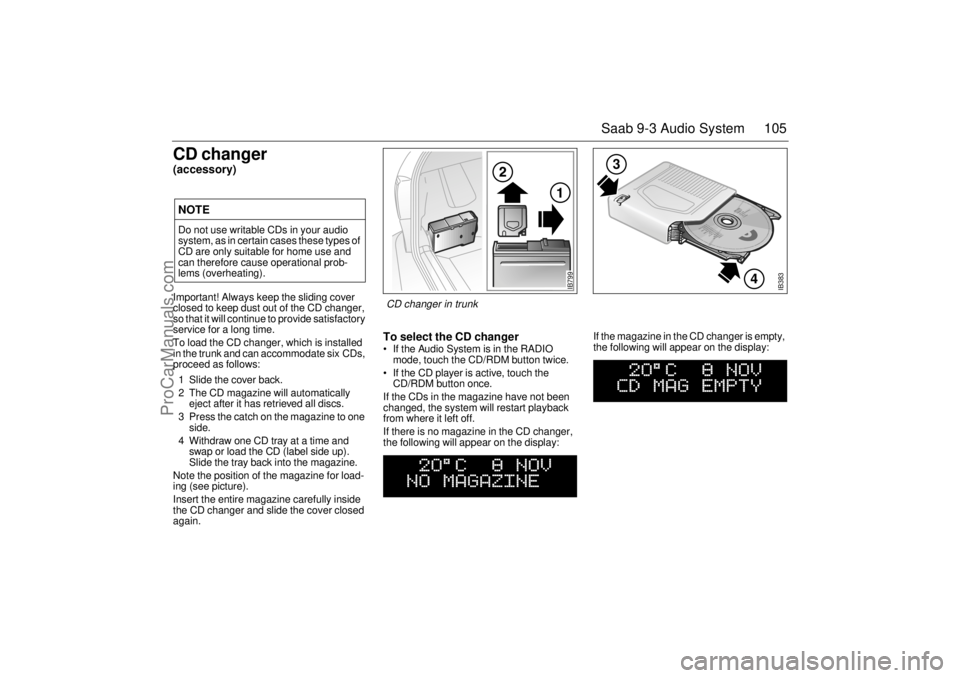
To load the CD changer, which is installed
in the trunk and can accommodate six CDs,
proceed as follows:
1 Slide the cover back.
2 The CD magazine will automatically
eject after it has retrieved all discs.
3 Press the catch on the magazine to one
side.
4 Withdraw one CD tray at a time and
swap or load the CD (label side up).
Slide the tray back into the magazine.
Note the position of the magazine for load-
ing (see picture).
Insert the entire magazine carefully inside
the CD changer and slide the cover closed
again.
To select the CD changer If the Audio System is in the RADIO
mode, touch the CD/RDM button twice.
If the CD player is active, touch the
CD/RDM button once.
If the CDs in the magazine have not been
changed, the system will restart playback
from where it left off.
If there is no magazine in the CD changer,
the following will appear on the display: If the magazine in the CD changer is empty,
the following will appear on the display:
NOTEDo not use writable CDs in your audio
system, as in certain cases these types of
CD are only suitable for home use and
can therefore cause operational prob-
lems (overheating).
IB383
4
3
IB799
CD changer in trunk
ProCarManuals.com
Page 106 of 260
106 Saab 9-3 Audio SystemIf the CD changer is activated immediately
after a magazine has been loaded, the fol-
lowing will appear on the display:
The CD number will change as each CD is
played.
After a magazine has been loaded, play-
back will start with the first track on the first
CD when the CD changer is selected, and
the following will appear on the display:
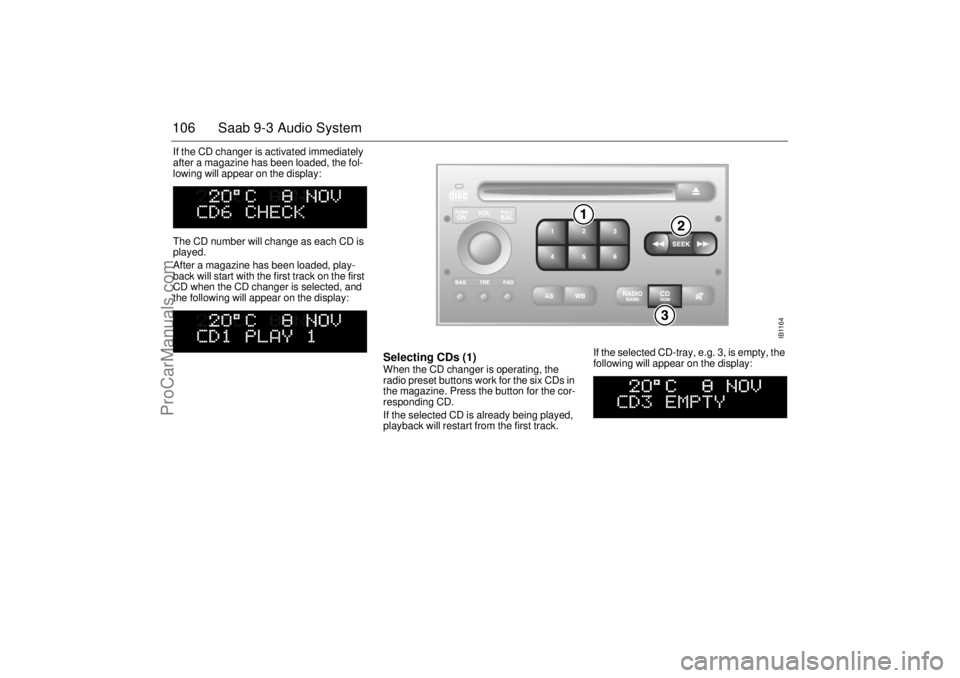
Selecting CDs (1) When the CD changer is operating, the
radio preset buttons work for the six CDs in
the magazine. Press the button for the cor-
responding CD.
If the selected CD is already being played,
playback will restart from the first track. If the selected CD-tray, e.g. 3, is empty, the
following will appear on the display:
IB1164
ProCarManuals.com
Page 107 of 260
107 Saab 9-3 Audio System
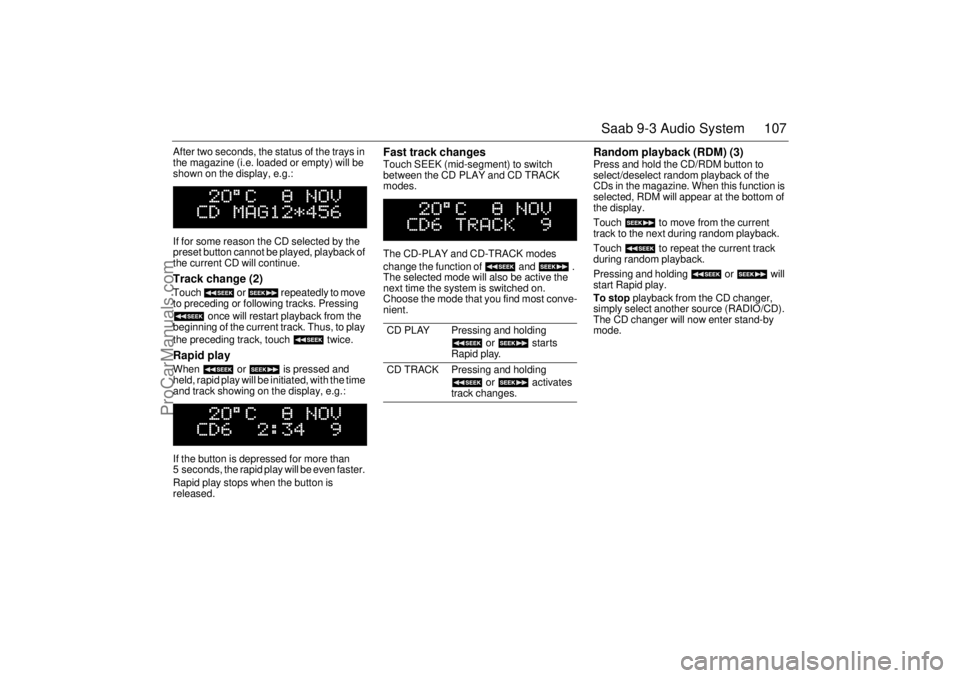
After two seconds, the status of the trays in
the magazine (i.e. loaded or empty) will be
shown on the display, e.g.:
If for some reason the CD selected by the
preset button cannot be played, playback of
the current CD will continue. Track change (2) Touch or repeatedly to move
to preceding or following tracks. Pressing
once will restart playback from the
beginning of the current track. Thus, to play
the preceding track, touch twice. Rapid play When or is pressed and
held, rapid play will be initiated, with the time
and track showing on the display, e.g.:
If the button is depressed for more than
5 seconds, the rapid play will be even faster.
Rapid play stops when the button is
released.
Fast track changes Touch SEEK (mid-segment) to switch
between the CD PLAY and CD TRACK
modes.
The CD-PLAY and CD-TRACK modes
change the function of and .
The selected mode will also be active the
next time the system is switched on.
Choose the mode that you find most conve-
nient.
Random playback (RDM) (3) Press and hold the CD/RDM button to
select/deselect random playback of the
CDs in the magazine. When this function is
selected, RDM will appear at the bottom of
the display.
Touch to move from the current
track to the next during random playback.
Touch to repeat the current track
during random playback.
Pressing and holding or will
start Rapid play.
To stop playback from the CD changer,
simply select another source (RADIO/CD).
The CD changer will now enter stand-by
mode.
CD PLAY Pressing and holding
or starts
Rapid play.
CD TRACK Pressing and holding
or activates
track changes.
ProCarManuals.com
Page 111 of 260
111 Saab 9-3 Audio System
AntennaThe antenna of the Audio System is motor-
ized.
Saab 9-3 Viggen Coupé and 5-door: The
antenna is located on the roof.
For the cleaning of the motorized antenna,
see the section headed "Washing", page
226.
The car has a factory-fitted roof antenna for
a car phone. Roof loads may negatively
affect telecommunication.
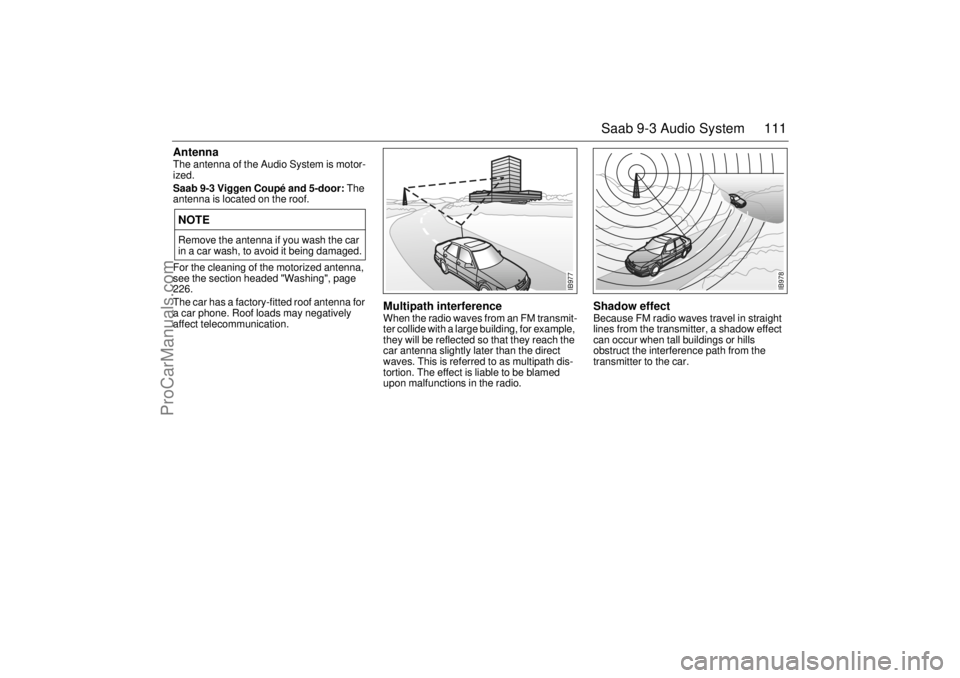
Multipath interference When the radio waves from an FM transmit-
ter collide with a large building, for example,
they will be reflected so that they reach the
car antenna slightly later than the direct
waves. This is referred to as multipath dis-
tortion. The effect is liable to be blamed
upon malfunctions in the radio.
Shadow effect Because FM radio waves travel in straight
lines from the transmitter, a shadow effect
can occur when tall buildings or hills
obstruct the interference path from the
transmitter to the car.
NOTERemove the antenna if you wash the car
in a car wash, to avoid it being damaged.
IB977
IB978
ProCarManuals.com
Page 113 of 260
113 Saab 9-3 Audio System
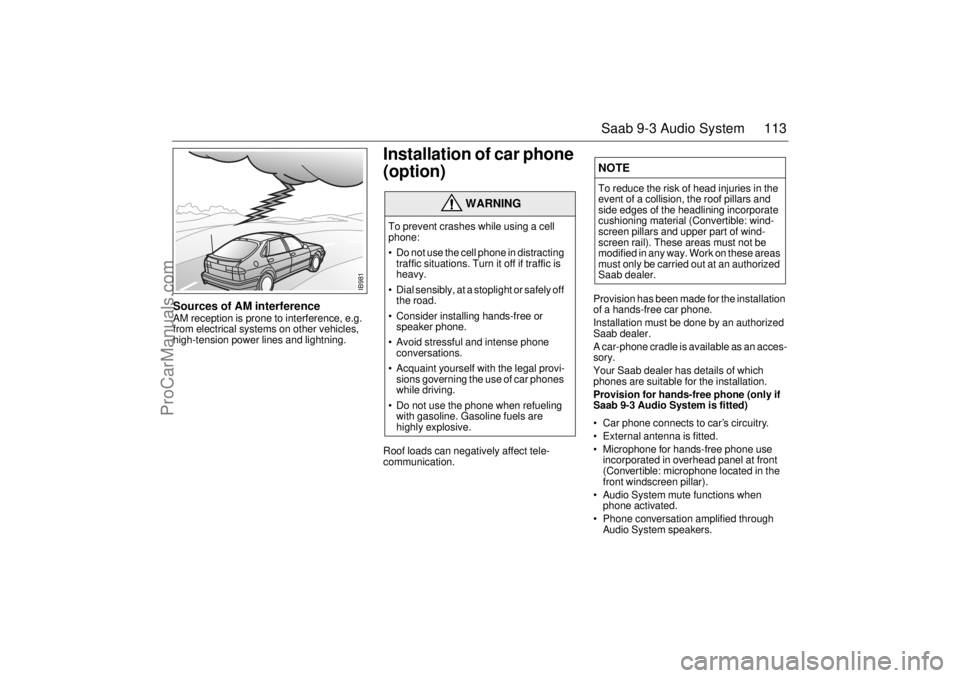
Sources of AM interference AM reception is prone to interference, e.g.
from electrical systems on other vehicles,
high-tension power lines and lightning.
Installation of car phone
(option) Roof loads can negatively affect tele-
communication.
Provision has been made for the installation
of a hands-free car phone.
Installation must be done by an authorized
Saab dealer.
A car-phone cradle is available as an acces-
sory.
Your Saab dealer has details of which
phones are suitable for the installation.
Provision for hands-free phone (only if
Saab 9-3 Audio System is fitted)
Car phone connects to car’s circuitry.
External antenna is fitted.
Microphone for hands-free phone use
incorporated in overhead panel at front
(Convertible: microphone located in the
front windscreen pillar).
Audio System mute functions when
phone activated.
Phone conversation amplified through
Audio System speakers.
WARNING
To prevent crashes while using a cell
phone:
Do not use the cell phone in distracting
traffic situations. Turn it off if traffic is
heavy.
Dial sensibly, at a stoplight or safely off
the road.
Consider installing hands-free or
speaker phone.
Avoid stressful and intense phone
conversations.
Acquaint yourself with the legal provi-
sions governing the use of car phones
while driving.
Do not use the phone when refueling
with gasoline. Gasoline fuels are
highly explosive.
NOTETo reduce the risk of head injuries in the
event of a collision, the roof pillars and
side edges of the headlining incorporate
cushioning material (Convertible: wind-
screen pillars and upper part of wind-
screen rail). These areas must not be
modified in any way. Work on these areas
must only be carried out at an authorized
Saab dealer.
IB981
ProCarManuals.com
Page 115 of 260
115 Saab 9-3 Audio System
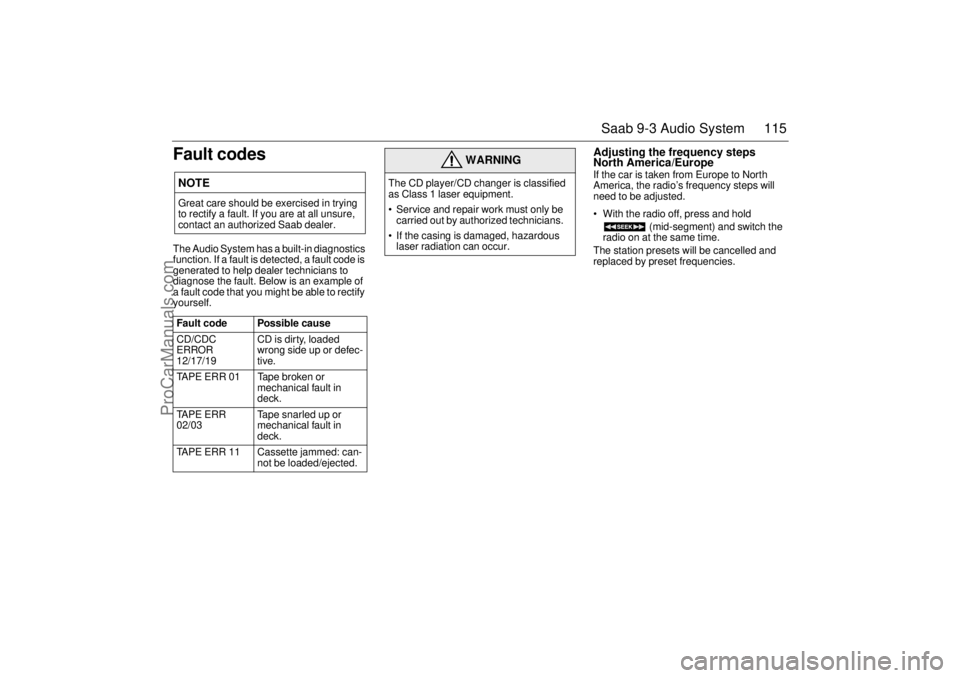
Fault codesThe Audio System has a built-in diagnostics
function. If a fault is detected, a fault code is
generated to help dealer technicians to
diagnose the fault. Below is an example of
a fault code that you might be able to rectify
yourself.
Adjusting the frequency steps
North America/Europe If the car is taken from Europe to North
America, the radio’s frequency steps will
need to be adjusted.
With the radio off, press and hold
(mid-segment) and switch the
radio on at the same time.
The station presets will be cancelled and
replaced by preset frequencies.
NOTEGreat care should be exercised in trying
to rectify a fault. If you are at all unsure,
contact an authorized Saab dealer.
Fault code Possible cause
CD/CDC
ERROR
12/17/19 CD is dirty, loaded
wrong side up or defec-
tive.
TAPE ERR 01 Tape broken or
mechanical fault in
deck.
TAPE ERR
02/03Tape snarled up or
mechanical fault in
deck.
TAPE ERR 11 Cassette jammed: can-
not be loaded/ejected.
WARNING
The CD player/CD changer is classified
as Class 1 laser equipment.
Service and repair work must only be
carried out by authorized technicians.
If the casing is damaged, hazardous
laser radiation can occur.
ProCarManuals.com