buttons SAAB 9-3 2003 User Guide
[x] Cancel search | Manufacturer: SAAB, Model Year: 2003, Model line: 9-3, Model: SAAB 9-3 2003Pages: 256, PDF Size: 21.66 MB
Page 112 of 256
112 Interior equipmentInterior rearview mirror with garage
opener, autodimming function and
compass (certain variants only)
Retain your original garage door opener
(transmitter) for future programming proce-
dures (i.e., new vehicle purchase). It is also
suggested that upon the sale of the vehicle,
the programmed garage opener buttons be
erased for security purposes, see page 113.Preparations for first-time programming
Before programming the garage opener for
the first time, you must delete any factory
codes.
Press and hold buttons 1 and 3 for about
20 seconds until the LED starts to flash.
This deletes the factory codes and initiates
the programming phase.
Programming the garage opener
The garage opener can record and store the
frequencies of three different remote con-
trols.
The battery in the remote control should be
fairly new for programming to work well.
1 Turn the ignition ON.
2 Hold your existing garage door opener
1–3 in. (3–7 cm) below the rearview
mirror. Sit where you can see the LED
(4) during programming.
3 Press the button on the remote control
and the desired button on the rear view
mirror at the same time.
4 The LED will now start to flash, slowly at
first and then rapidly. The rapidly flash-
ing LED indicates that programming is
complete and that you can release the
buttons.
The remote control may stop transmitting
during programming. If so, continue to hold
the button on the rearview mirror and
release and press the button on the remote
control every other second, "cycling" until
programming is completed.
WARNING
Make sure that people and objects are out
of the way of moving door or gate to
prevent potential harm or damage.
When programming the garage opener,
you may be operating a garage door or
gate operator.
Do not use the garage opener with any
garage door opener that lacks the safety
stop and reverse feature as required by
federal safety standards. (This includes
any garage door opener model manufac-
tured before April 1, 1982.). A garage
door opener which cannot detect an
object, signaling the door to stop and
reverse, does not meet current federal
safety standards. Using a garage door
opener without these features increases
risk of serious injury or death.
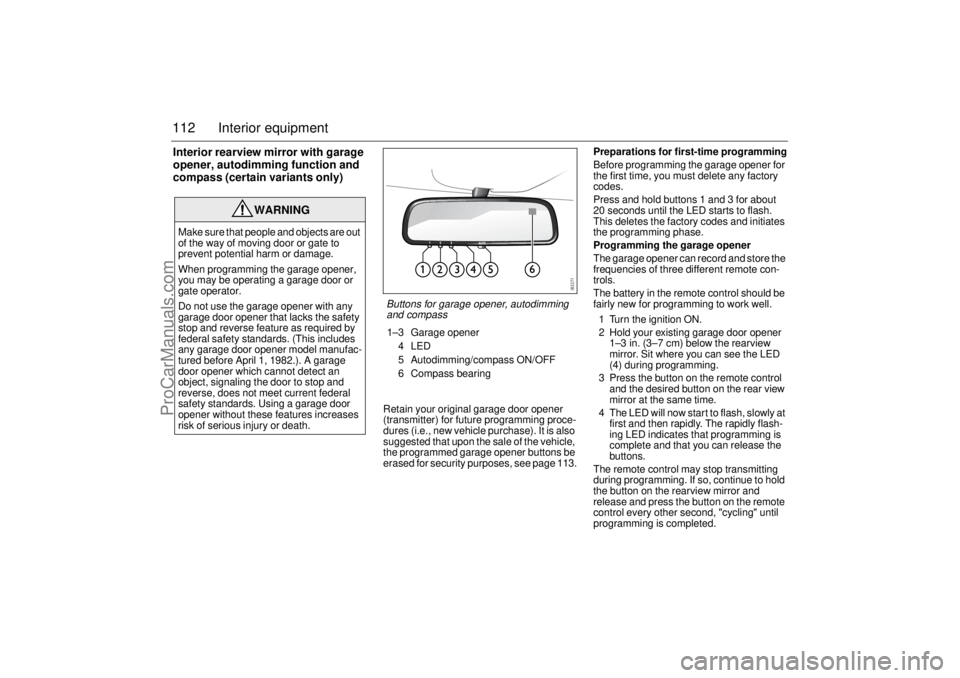
Buttons for garage opener, autodimming
and compass1–3 Garage opener
4LED
5 Autodimming/compass ON/OFF
6 Compass bearing
ProCarManuals.com
Page 113 of 256

113 Interior equipment
The LED will flash slowly at first and then
rapidly. The rapidly flashing LED indicates
that programming is complete and that you
can release the buttons.
Reprogramming a button that has previ-
ously been programmed
1 Press and hold the desired button on the
rearview mirror for the entire program-
ming sequence.
2 The LED will start to flash slowly after
20 seconds.
3 Hold your existing garage door opener
1–3 in. (3–7 cm) from the rearview
mirror and press the button on the
remote control.
4 Reprogramming is complete when the
LED starts to flash rapidly.
The previous frequency is now erased and
replaced by the new one. Reprogramming
one button does not affect the other buttons.Complete erase
Completely erase the memory of the garage
opener by pressing and holding buttons
1 and 3 simultaneously for 20 seconds.
Confirmation is provided by the LED flash-
ing rapidly for 10 seconds.
A complete erase deletes the frequencies
from all three buttons. It is not possible to
erase the memory of a single button.
Opening a garage door
Press and hold the appropriate button until
the garage door starts to open.
You can of course still use your original
garage door opener even if you have pro-
grammed the garage opener in the rearview
mirror.Garage doors with rolling security codes
Garage doors with rolling security codes
manufactured after 1996 can be identified
as follows:
Read the instruction manual for the
garage door.
Programming the garage opener in the
rearview mirror seems to be successful
but the garage door does not open.
Press and hold the programmed button.
The garage door uses a rolling security
code if the LED flashes rapidly and after
2 seconds shines constantly.
If the garage door remote control uses roll-
ing security codes, proceed as follows
having programmed the garage opener:
1 Localise the button labelled "learn" or
"smart" on the motor unit of the garage
door. The location and color of this
button varies between makes.
2 Press and release the "learn" button on
the motor unit. Step 3 must be
performed within 30 seconds of Step 2.
3 Press the programmed button on the
rearview mirror twice (some garage
doors require the button to be pressed
three times; refer to the door’s instruc-
tion manual).NOTICESwitch off the power supply to the garage
door or gate (or park the car beyond the
range of the remote control) while
programming using the "cycling" method
to prevent damaging the electrical motor.
ProCarManuals.com
Page 114 of 256
114 Interior equipment
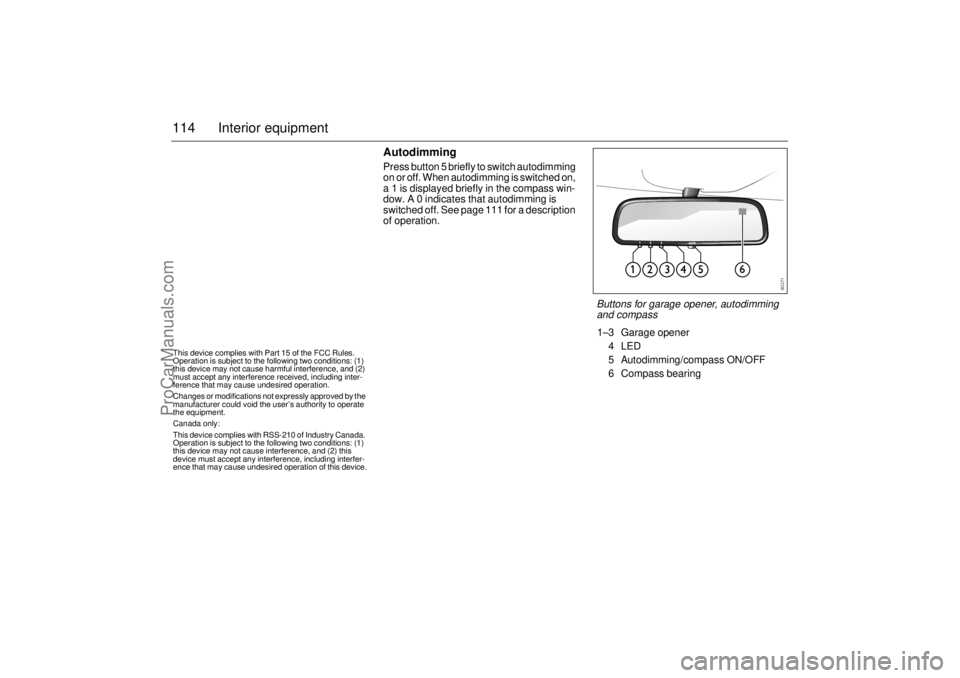
AutodimmingPress button 5 briefly to switch autodimming
on or off. When autodimming is switched on,
a 1 is displayed briefly in the compass win-
dow. A 0 indicates that autodimming is
switched off. See page 111 for a description
of operation.
This device complies with Part 15 of the FCC Rules.
Operation is subject to the following two conditions: (1)
this device may not cause harmful interference, and (2)
must accept any interference received, including inter-
ference that may cause undesired operation.
Changes or modifications not expressly approved by the
manufacturer could void the user’s authority to operate
the equipment.
Canada only:
This device complies with RSS-210 of Industry Canada.
Operation is subject to the following two conditions: (1)
this device may not cause interference, and (2) this
device must accept any interference, including interfer-
ence that may cause undesired operation of this device.
Buttons for garage opener, autodimming
and compass1–3 Garage opener
4LED
5 Autodimming/compass ON/OFF
6 Compass bearing
ProCarManuals.com
Page 123 of 256
123 Starting and driving
Steering wheel lockThe steering wheel lock is electronic. The
lock engages when the remote control is
removed from the ignition and unlocks when
the remote control is inserted. A click can be
heard when the steering wheel lock locks
and unlocks.
If the car is parked with one front wheel
touching the curb, for example, you may
need to turn the steering wheel slightly
when you insert the remote control to allow
the steering wheel lock to unlock. If you do
not succeed on first attempt you must
remove the remote control before trying
again. Turn the steering wheel and insert
the remote control into the ignition switch.
If the steering wheel lock does not disen-
gage it will not be possible to turn the remote
control in the ignition switch.
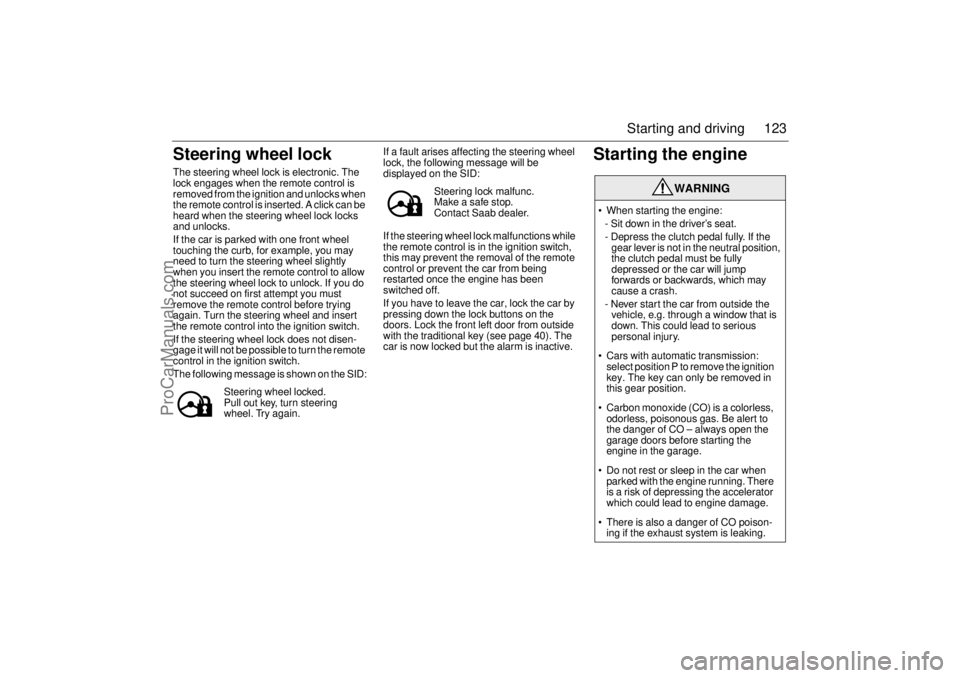
The following message is shown on the SID:If a fault arises affecting the steering wheel
lock, the following message will be
displayed on the SID:
If the steering wheel lock malfunctions while
the remote control is in the ignition switch,
this may prevent the removal of the remote
control or prevent the car from being
restarted once the engine has been
switched off.
If you have to leave the car, lock the car by
pressing down the lock buttons on the
doors. Lock the front left door from outside
with the traditional key (see page 40). The
car is now locked but the alarm is inactive.
Starting the engine
Steering wheel locked.
Pull out key, turn steering
wheel. Try again.
Steering lock malfunc.
Make a safe stop.
Contact Saab dealer.
WARNING
When starting the engine:
- Sit down in the driver’s seat.
- Depress the clutch pedal fully. If the
gear lever is not in the neutral position,
the clutch pedal must be fully
depressed or the car will jump
forwards or backwards, which may
cause a crash.
- Never start the car from outside the
vehicle, e.g. through a window that is
down. This could lead to serious
personal injury.
Cars with automatic transmission:
select position P to remove the ignition
key. The key can only be removed in
this gear position.
Carbon monoxide (CO) is a colorless,
odorless, poisonous gas. Be alert to
the danger of CO – always open the
garage doors before starting the
engine in the garage.
Do not rest or sleep in the car when
parked with the engine running. There
is a risk of depressing the accelerator
which could lead to engine damage.
There is also a danger of CO poison-
ing if the exhaust system is leaking.
ProCarManuals.com
Page 195 of 256
195 Car care
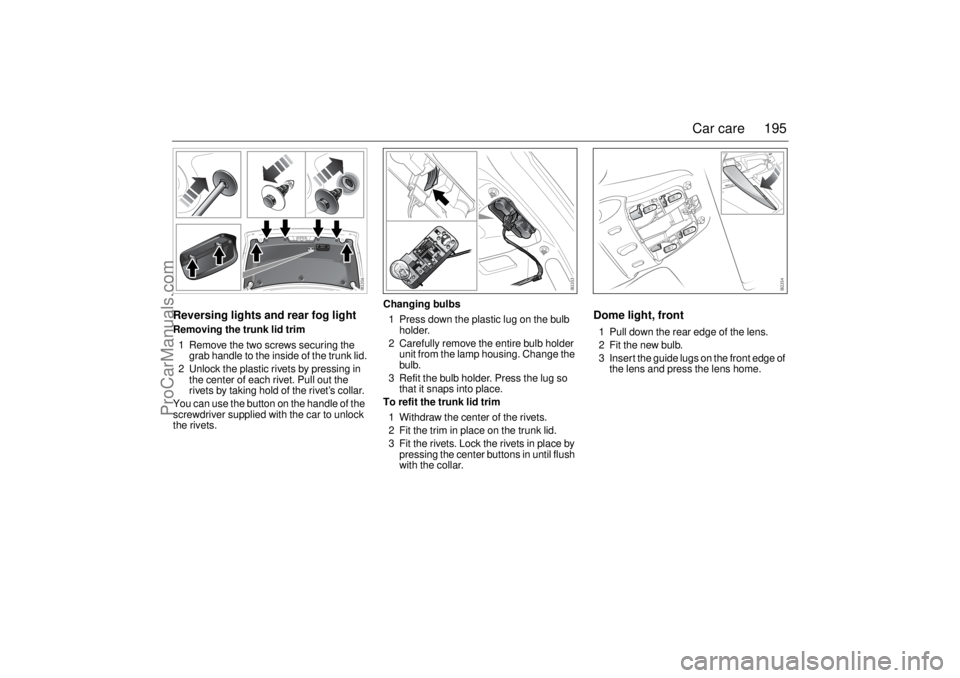
Reversing lights and rear fog lightRemoving the trunk lid trim
1 Remove the two screws securing the
grab handle to the inside of the trunk lid.
2 Unlock the plastic rivets by pressing in
the center of each rivet. Pull out the
rivets by taking hold of the rivet’s collar.
You can use the button on the handle of the
screwdriver supplied with the car to unlock
the rivets.Changing bulbs
1 Press down the plastic lug on the bulb
holder.
2 Carefully remove the entire bulb holder
unit from the lamp housing. Change the
bulb.
3 Refit the bulb holder. Press the lug so
that it snaps into place.
To refit the trunk lid trim
1 Withdraw the center of the rivets.
2 Fit the trim in place on the trunk lid.
3 Fit the rivets. Lock the rivets in place by
pressing the center buttons in until flush
with the collar.
Dome light, front1 Pull down the rear edge of the lens.
2 Fit the new bulb.
3 Insert the guide lugs on the front edge of
the lens and press the lens home.
ProCarManuals.com