amp SAAB 9-3 2004 User Guide
[x] Cancel search | Manufacturer: SAAB, Model Year: 2004, Model line: 9-3, Model: SAAB 9-3 2004Pages: 288, PDF Size: 23.54 MB
Page 86 of 288

86 Instruments and controlsSpeed warning
This value is preset to 55 mph (90 km/h).
The value can be set to between 0 and
150 mph (0 and 250 km/h).
1 Select Speed W using the INFO dial.
2 Press and hold the INFO dial until given
audible confirmation.
3 Adjust the speed using the INFO dial.
4 Confirm the setting by pressing the
INFO dial.
A star on the right-hand side of the display
indicates when the speed warning function
is active.
An audible alarm will sound if the set speed
is exceeded.
Disengage the function with the CLEAR
button. Re-engage the function using
the INFO dial.Calculating the arrival time
(When will I arrive if I know how far I have to
drive?)
This function should be used before starting
out a journey.
To calculate the arrival time, the distance
must first be given.
1 Select the Dist function using the
INFO dial.
2 Press and hold the INFO dial until given
audible confirmation.
3 Set the distance to the destination using
the INFO dial.
4 Press the INFO dial to finish setup.
Select Arriv during the journey to display
the arrival time based on the average speed
since Dist was set. If you take a break, this
time will be added to the previously calcu-
lated arrival time.
Similarly, you can check the distance left by
selecting Dist.
After the distance to destination has
decreased to zero, Dist will function as a trip
meter (see Using DIST as a trip meter). The
starting value for the trip meter will be the
last distance set for the Dist function.
Example: The Dist function is set to
100 miles. After the count-down has
reached 0 miles, Dist will act as a trip meter
beginning at 100 miles.Calculating the arrival time if a specified
average speed is maintained
(When will I arrive if I know how far I have to
drive and know what my average speed will
be?)
This function should be used before starting
out a journey.
First, set the distance under Dist.
1 Then use the INFO dial to select the
Speed Ø function.
2 Press and hold the INFO dial until given
audible confirmation.
3 Turn the INFO dial to set the estimated
average speed.
4 Press the INFO dial to finish setup.
The time of arrival is updated during the
journey based on the average speed since
Dist was set. The speed of the car must
exceed 12 mph (20 km/h).
By selecting Dist during the journey, you
can see how much distance is left to travel.
When Dist reaches zero it acts as a trip
meter. The tip meter starts from the distance
that was set previously.
ProCarManuals.com
Page 92 of 288
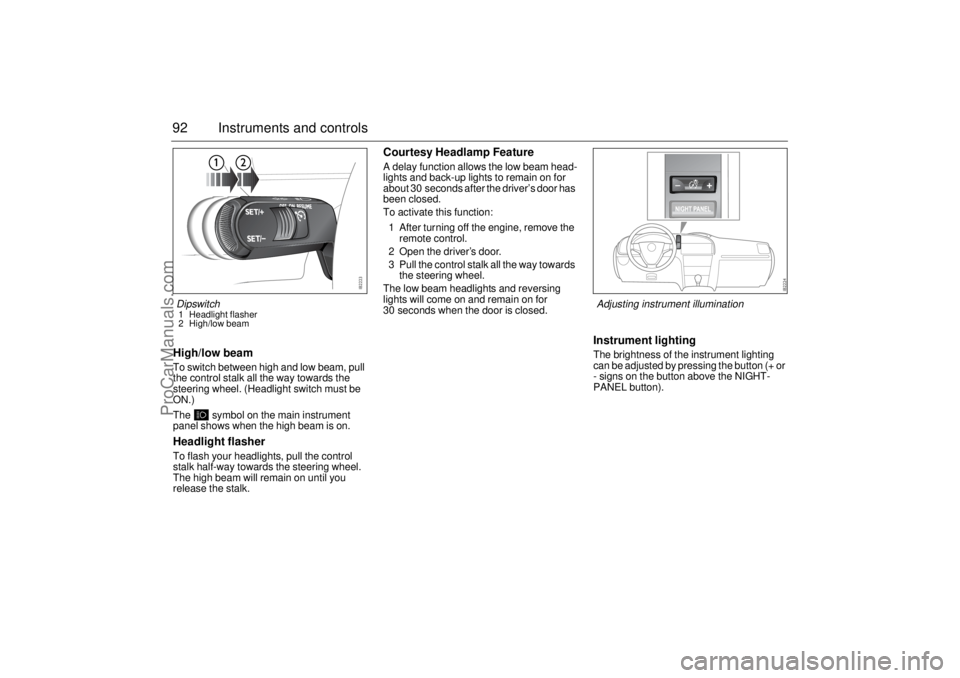
92 Instruments and controlsHigh/low beamTo switch between high and low beam, pull
the control stalk all the way towards the
steering wheel. (Headlight switch must be
ON.)
The symbol on the main instrument
panel shows when the high beam is on.Headlight flasherTo flash your headlights, pull the control
stalk half-way towards the steering wheel.
The high beam will remain on until you
release the stalk.
Courtesy Headlamp FeatureA delay function allows the low beam head-
lights and back-up lights to remain on for
about 30 seconds after the driver’s door has
been closed.
To activate this function:
1 After turning off the engine, remove the
remote control.
2 Open the driver’s door.
3 Pull the control stalk all the way towards
the steering wheel.
The low beam headlights and reversing
lights will come on and remain on for
30 seconds when the door is closed.
Instrument lightingThe brightness of the instrument lighting
can be adjusted by pressing the button (+ or
- signs on the button above the NIGHT-
PANEL button).
Dipswitch1 Headlight flasher
2 High/low beam
Adjusting instrument illumination
ProCarManuals.com
Page 94 of 288
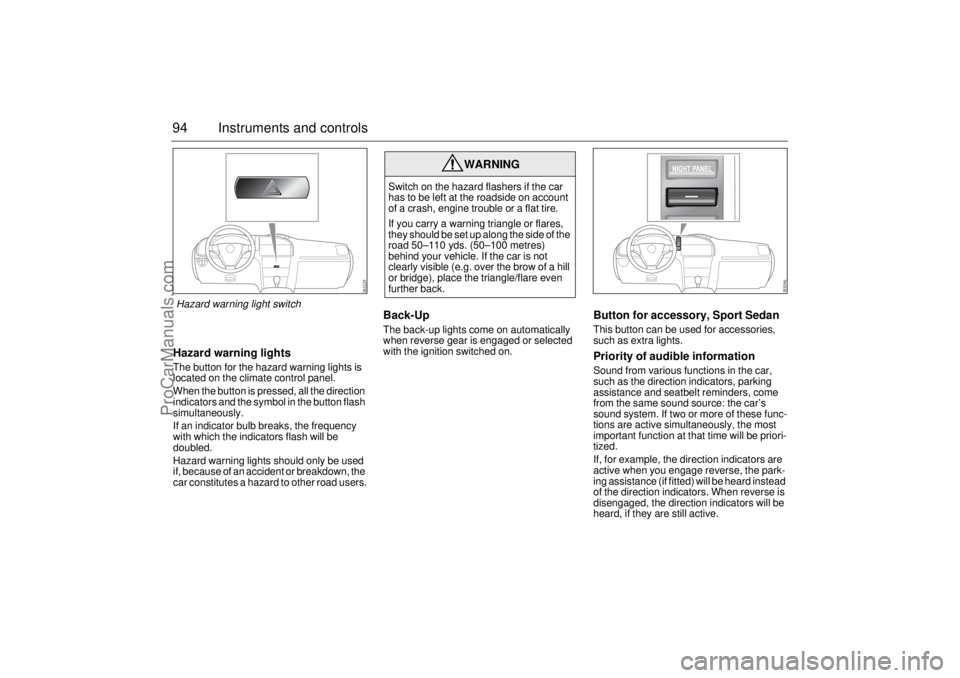
94 Instruments and controlsHazard warning lightsThe button for the hazard warning lights is
located on the climate control panel.
When the button is pressed, all the direction
indicators and the symbol in the button flash
simultaneously.
If an indicator bulb breaks, the frequency
with which the indicators flash will be
doubled.
Hazard warning lights should only be used
if, because of an accident or breakdown, the
car constitutes a hazard to other road users.
Back-Up The back-up lights come on automatically
when reverse gear is engaged or selected
with the ignition switched on.
Button for accessory, Sport SedanThis button can be used for accessories,
such as extra lights.Priority of audible informationSound from various functions in the car,
such as the direction indicators, parking
assistance and seatbelt reminders, come
from the same sound source: the car’s
sound system. If two or more of these func-
tions are active simultaneously, the most
important function at that time will be priori-
tized.
If, for example, the direction indicators are
active when you engage reverse, the park-
ing assistance (if fitted) will be heard instead
of the direction indicators. When reverse is
disengaged, the direction indicators will be
heard, if they are still active.
WARNING
Switch on the hazard flashers if the car
has to be left at the roadside on account
of a crash, engine trouble or a flat tire.
If you carry a warning triangle or flares,
they should be set up along the side of the
road 50–110 yds. (50–100 metres)
behind your vehicle. If the car is not
clearly visible (e.g. over the brow of a hill
or bridge), place the triangle/flare even
further back.
Hazard warning light switch
ProCarManuals.com
Page 99 of 288

99 Instruments and controls
Air distributionThe air distribution control is used to direct the flow of air to the
defroster, panel and floor vents.
The control also permits settings in between the three main settings
defroster, panel and floor:
defroster and floor
panel and floor
defroster, panel and floor (11 o’clock position)
To counter cold drafts from the front side windows when the control
has been set to defroster or floor, a small flow of air issues from
the outer vents on the fascia.
As the winter comfort setting, we recommend that the distribution
knob be turned to .
Recommended settings in severe coldOn starting with a cold engine, set the fan speed to 2 or 3 and select
maximum heat and defroster to heat the cabin and demist the wind-
shield as quickly as possible.
When the engine is warmer and the temperature gauge starts to
rise, fan setting 4 may be chosen. Once the windshield is clear, the
air distribution control should be turned to .
If the rear seat passengers desire more warmth to the feet, turn the
distribution knob one step clockwise.
How quickly the engine warms up will depend on how the car is
driven. It will take longer for the engine to warm up if the car is driven
in a high gear at low engine speeds, such as in town, than if it is
driven at high engine speeds on a highway, for example.
Do not use fan speed 5. This is primarily intended for rapid cooling
during the summer.
ProCarManuals.com
Page 109 of 288
109 Instruments and controls
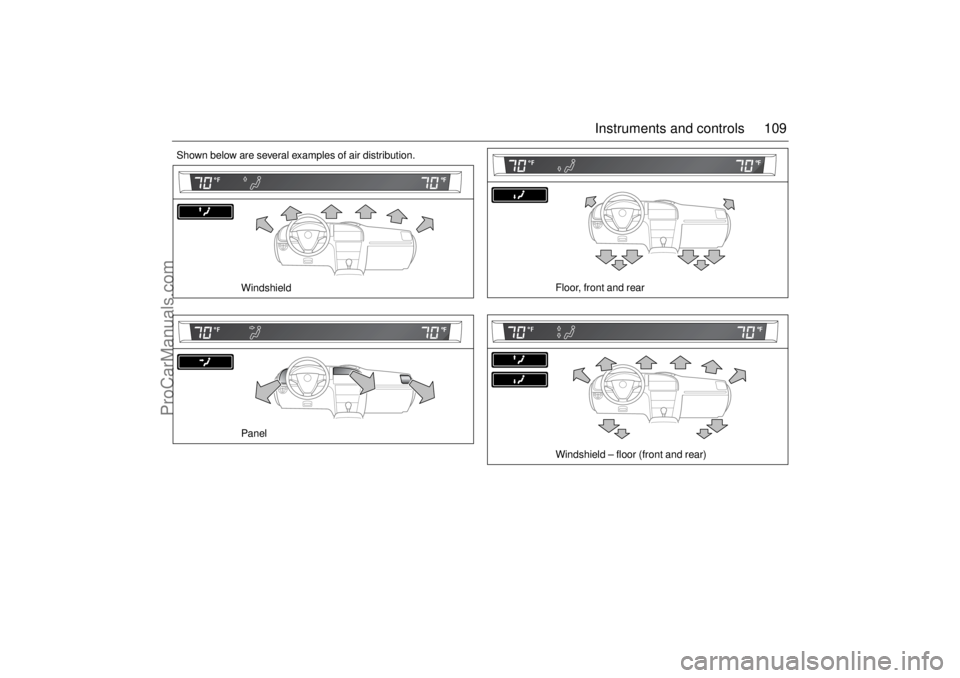
Shown below are several examples of air distribution.
Windshield
Panel
Floor, front and rear
Windshield – floor (front and rear)
ProCarManuals.com
Page 117 of 288
117 Interior equipment
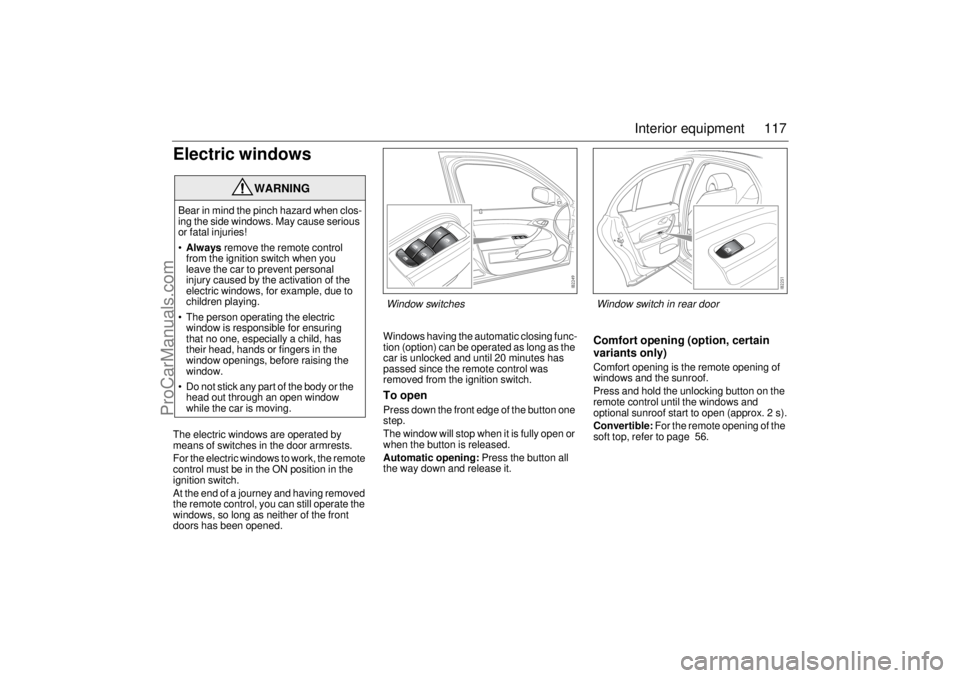
Electric windowsThe electric windows are operated by
means of switches in the door armrests.
For the electric windows to work, the remote
control must be in the ON position in the
ignition switch.
At the end of a journey and having removed
the remote control, you can still operate the
windows, so long as neither of the front
doors has been opened.Windows having the automatic closing func-
tion (option) can be operated as long as the
car is unlocked and until 20 minutes has
passed since the remote control was
removed from the ignition switch.
To openPress down the front edge of the button one
step.
The window will stop when it is fully open or
when the button is released.
Automatic opening: Press the button all
the way down and release it.
Comfort opening (option, certain
variants only)Comfort opening is the remote opening of
windows and the sunroof.
Press and hold the unlocking button on the
remote control until the windows and
optional sunroof start to open (approx. 2 s).
Convertible: For the remote opening of the
soft top, refer to page 56.
WARNING
Bear in mind the pinch hazard when clos-
ing the side windows. May cause serious
or fatal injuries!
•Always remove the remote control
from the ignition switch when you
leave the car to prevent personal
injury caused by the activation of the
electric windows, for example, due to
children playing.
The person operating the electric
window is responsible for ensuring
that no one, especially a child, has
their head, hands or fingers in the
window openings, before raising the
window.
Do not stick any part of the body or the
head out through an open window
while the car is moving.
Window switches
Window switch in rear door
ProCarManuals.com
Page 120 of 288
120 Interior equipmentSunroof (optional)
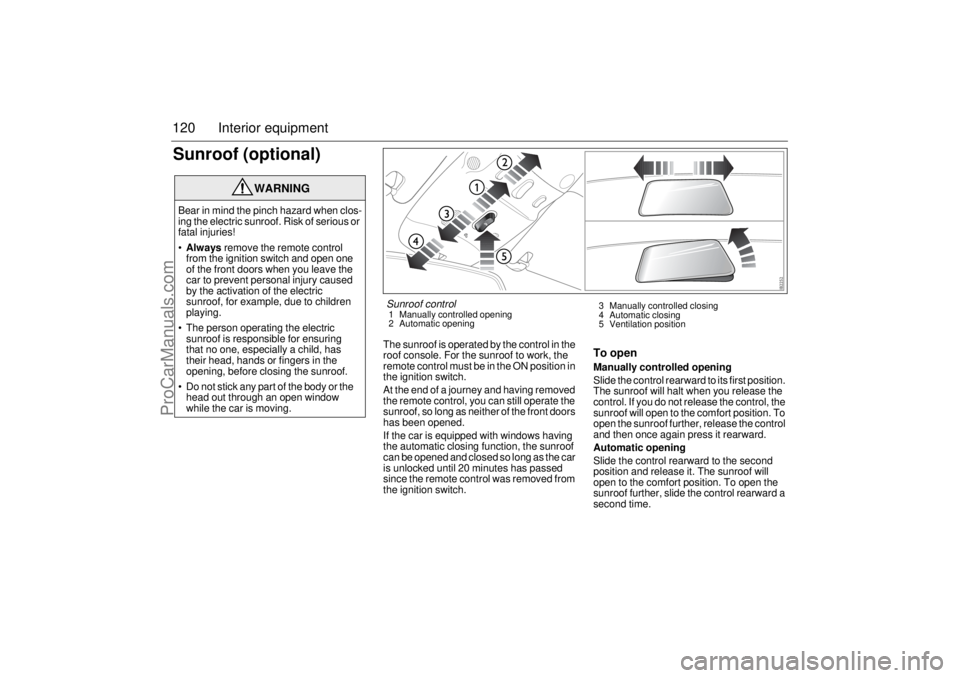
The sunroof is operated by the control in the
roof console. For the sunroof to work, the
remote control must be in the ON position in
the ignition switch.
At the end of a journey and having removed
the remote control, you can still operate the
sunroof, so long as neither of the front doors
has been opened.
If the car is equipped with windows having
the automatic closing function, the sunroof
can be opened and closed so long as the car
is unlocked until 20 minutes has passed
since the remote control was removed from
the ignition switch.
To openManually controlled opening
Slide the control rearward to its first position.
The sunroof will halt when you release the
control. If you do not release the control, the
sunroof will open to the comfort position. To
open the sunroof further, release the control
and then once again press it rearward.
Automatic opening
Slide the control rearward to the second
position and release it. The sunroof will
open to the comfort position. To open the
sunroof further, slide the control rearward a
second time.
WARNING
Bear in mind the pinch hazard when clos-
ing the electric sunroof. Risk of serious or
fatal injuries!
Always remove the remote control
from the ignition switch and open one
of the front doors when you leave the
car to prevent personal injury caused
by the activation of the electric
sunroof, for example, due to children
playing.
The person operating the electric
sunroof is responsible for ensuring
that no one, especially a child, has
their head, hands or fingers in the
opening, before closing the sunroof.
Do not stick any part of the body or the
head out through an open window
while the car is moving.
Sunroof control1 Manually controlled opening
2 Automatic opening3 Manually controlled closing
4 Automatic closing
5 Ventilation position
ProCarManuals.com
Page 126 of 288
126 Interior equipmentPower OutletYou can use the electrical socket in the stor-
age compartment (certain variants only)
under the armrest between the front seats to
charge a mobile phone, for example. There
is a recess on each side of the compartment
which will accept a lead so that you can
close the lid without damaging the charger
lead.
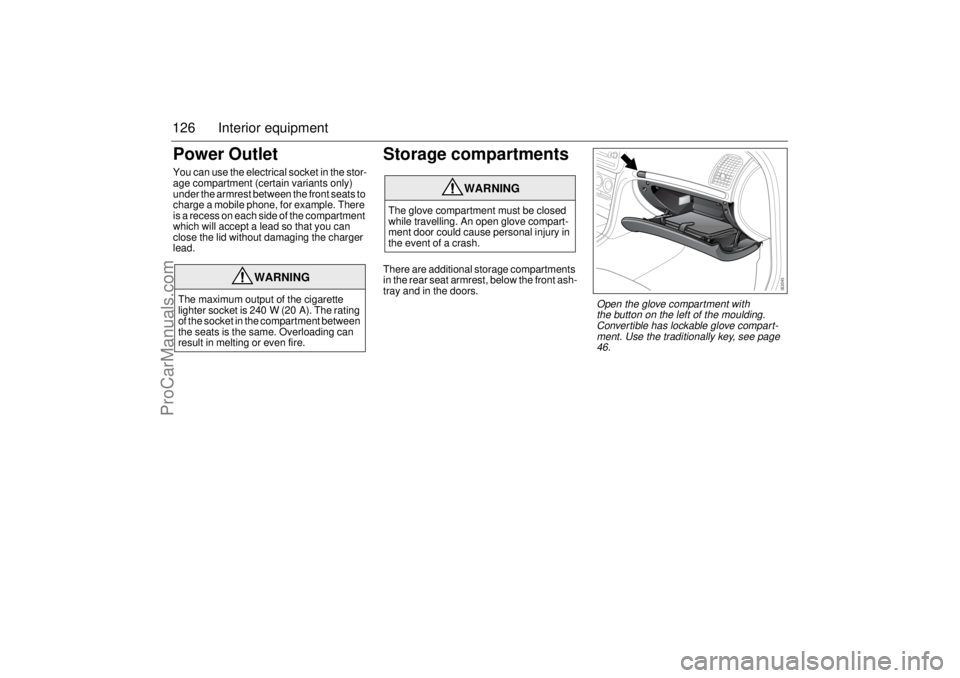
Storage compartmentsThere are additional storage compartments
in the rear seat armrest, below the front ash-
tray and in the doors.
WARNING
The maximum output of the cigarette
lighter socket is 240 W (20 A). The rating
of the socket in the compartment between
the seats is the same. Overloading can
result in melting or even fire.
WARNING
The glove compartment must be closed
while travelling. An open glove compart-
ment door could cause personal injury in
the event of a crash.
Open the glove compartment with
the button on the left of the moulding.
Convertible has lockable glove compart-
ment. Use the traditionally key, see page
46.
ProCarManuals.com
Page 127 of 288
127 Interior equipment
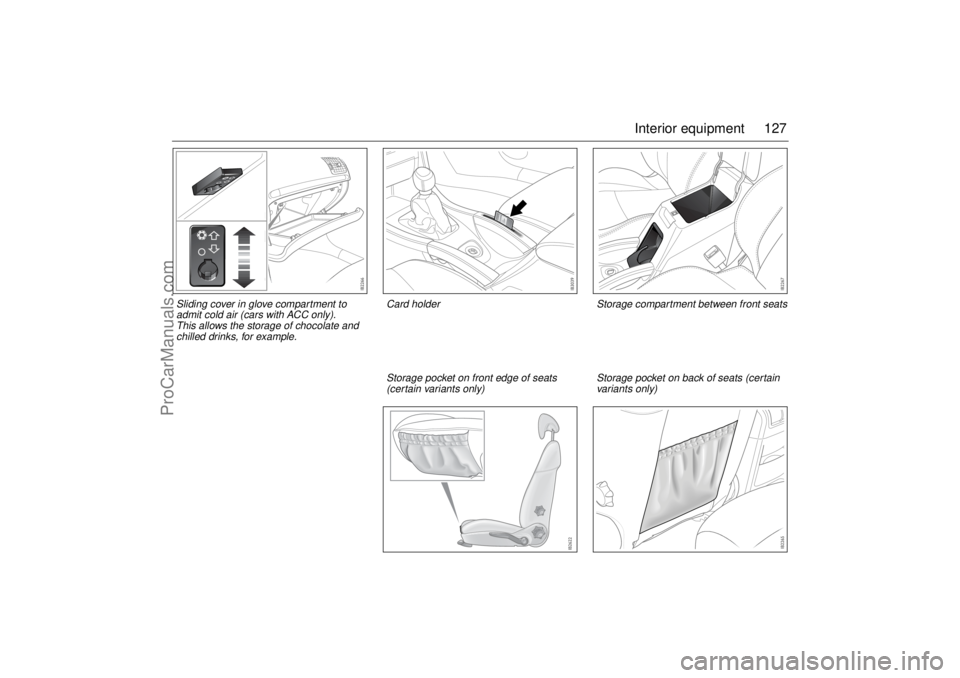
Sliding cover in glove compartment to
admit cold air (cars with ACC only).
This allows the storage of chocolate and
chilled drinks, for example.
Storage compartment between front seats
Storage pocket on front edge of seats
(certain variants only)
Storage pocket on back of seats (certain
variants only)
Card holder
ProCarManuals.com
Page 129 of 288
129 Interior equipment
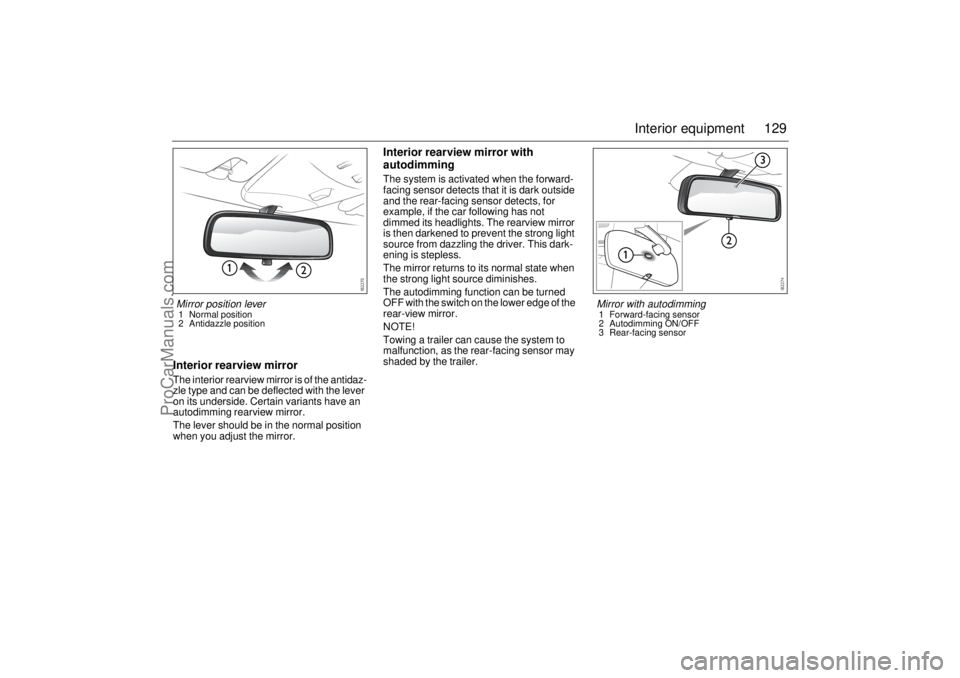
Interior rearview mirrorThe interior rearview mirror is of the antidaz-
zle type and can be deflected with the lever
on its underside. Certain variants have an
autodimming rearview mirror.
The lever should be in the normal position
when you adjust the mirror.
Interior rearview mirror with
autodimmingThe system is activated when the forward-
facing sensor detects that it is dark outside
and the rear-facing sensor detects, for
example, if the car following has not
dimmed its headlights. The rearview mirror
is then darkened to prevent the strong light
source from dazzling the driver. This dark-
ening is stepless.
The mirror returns to its normal state when
the strong light source diminishes.
The autodimming function can be turned
OFF with the switch on the lower edge of the
rear-view mirror.
NOTE!
Towing a trailer can cause the system to
malfunction, as the rear-facing sensor may
shaded by the trailer.
Mirror position lever1 Normal position
2 Antidazzle position
Mirror with autodimming1 Forward-facing sensor
2 Autodimming ON/OFF
3 Rear-facing sensor
ProCarManuals.com