change time SAAB 9-3 2008 Owners Manual
[x] Cancel search | Manufacturer: SAAB, Model Year: 2008, Model line: 9-3, Model: SAAB 9-3 2008Pages: 320, PDF Size: 56.39 MB
Page 2 of 320
2IntroductionThis manual provides practical guidance on
driving and caring for your Saab.
Although this manual describes the most
important differences between model vari-
ants, it does not specify the equipment or
features included on individual models.
Importation and distribution of Saab auto-
mobiles, spare parts and accessories are
handled exclusively by Saab Cars USA, Inc.
in the United States and by General Motors
of Canada Limited in Canada.
We recommend that you read through the
manual before taking the car out for the first
time and keep it in the car for future refer-
ence.To find a specific item, use the overviews
given on page 3–7. A list of content is given
at the beginning of each section of the
manual, and there is also a comprehensive
index at the back of the book.
Supplied with the car is a Warranty and Ser-
vice Record booklet which contains impor-
tant warranty information and specifies the
regular maintenance to be carried out. Also
included is a Quick Reference Guide, an
Infotainment System manual, tire warran-
ties and (U.S. customers), a dealer directory
with Roadside Assistance Program infor-
mation.
Since the policy at Saab is one of continual
improvement, we retain the right to incorpo-
rate modifications and to alter specifications
during production without prior notice.3 Asterisk means: equipment not fitted in all
cars (can depend on model variant, engine
variant, market specification, options or
accessories).
If you have any questions concerning your
car, its equipment, the warranty conditions,
etc., your Saab dealer will be pleased to
help, or you may call the Saab Customer
Assistance Center in the U.S. at
1-800-955-9007 or email them at
[email protected]. In Canada,
please contact the Saab Customer Assis-
tance Center at 1-800-263-1999.
Enjoy the road ahead!
Saab Automobile AB
Saab Automobile AB does not accept liability for
any damage caused by the fitting of spare parts,
exchange parts or accessories that are not
approved by Saab Automobile AB.
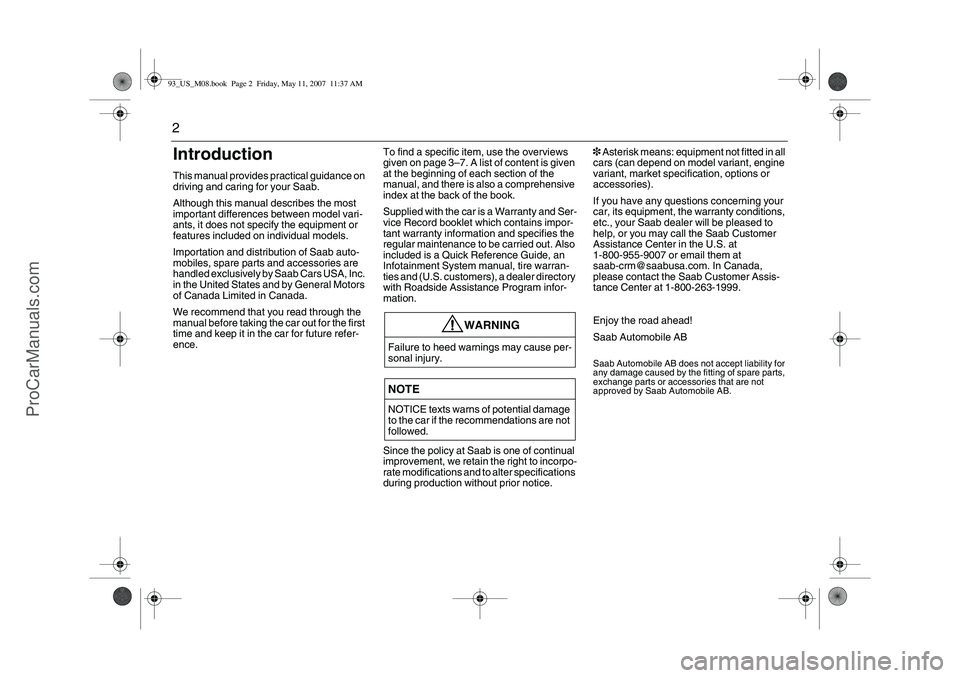
WARNING
Failure to heed warnings may cause per-
sonal injury.NOTENOTICE texts warns of potential damage
to the car if the recommendations are not
followed.
93_US_M08.book Page 2 Friday, May 11, 2007 11:37 AM
ProCarManuals.com
Page 46 of 320
46 Safetylow impact speed, the airbag will not neces-
sarily be triggered.
How loud is the inflation?
The noise of the inflation is certainly loud,
but it is of an very short duration and will not
damage your hearing. For a short time after-
wards you could experience a buzzing
noise in your ears.
Most people who have experienced it
cannot remember the noise of the inflation
at all – all they remember is the noise of the
crash.
Can you still use a child seat in the front if a
passenger airbag is installed?
Definitely not!
Children 12 and under or shorter than
55 inches (140 cm) can be killed by the air-
bag.
The back seat is the safest place for chil-
dren.
Never put a rear-facing child seat in the
front.
Sit as far back as possible from the airbag.
Always use seat belts and child restraints.What should I do if the AIR-BAG warning
light comes on?
If the warning light is on, it means that a fault
has been detected in the system. The
airbag cannot be relied on to operate as
intended and it might even be activated
erroneously. You should therefore take the
car to a workshop. We recommend that you
contact a Saab dealer as soon as possible.
Are the dust and fumes given off when the
airbag operates at all harmful?
Most people who have remained in a car
with little or no ventilation for several min-
utes complained only of minor irritation of
the throat and eyes. Avoid as much as pos-
sible getting dust on your skin as there is a
risk of skin irritation.
If you suffer from asthma, the incident may
bring on an attack, in which case you should
follow the normal procedure advised by
your doctor. It is advisable to consult a
doctor afterwards.
Adding Equipment to Your
Airbag-Equipped VehicleIs there anything I might add to the front or
sides of the vehicle that could keep the air-
bags from working properly?
Yes. If you add things that change your vehi-
cle’s frame, bumper system, front end or
side sheet metal or height, they may keep
the airbag system from working properly.
Also, the airbag system may not work prop-
erly if you relocate any of the airbag sen-
sors. If you have any questions about this,
you should contact Saab Customer Assis-
tance before you modify your vehicle. The
phone numbers and addresses for Cus-
tomer Assistance can be found on page
282.
Because I have a disability, I have to get my
vehicle modified. How can I find out whether
this will affect my advanced airbag system?
Changing or moving any parts of the front
seats, safety belts, the airbag sensing and
diagnostic module or the inside rearview
mirror can affect the operation of the
advanced airbag system. If you have ques-
tions, call Customer Assistance. The phone
numbers and addresses for Customer
Assistance can be found on page 282.
93_US_M08.book Page 46 Friday, May 11, 2007 11:37 AM
ProCarManuals.com
Page 55 of 320
55 Security
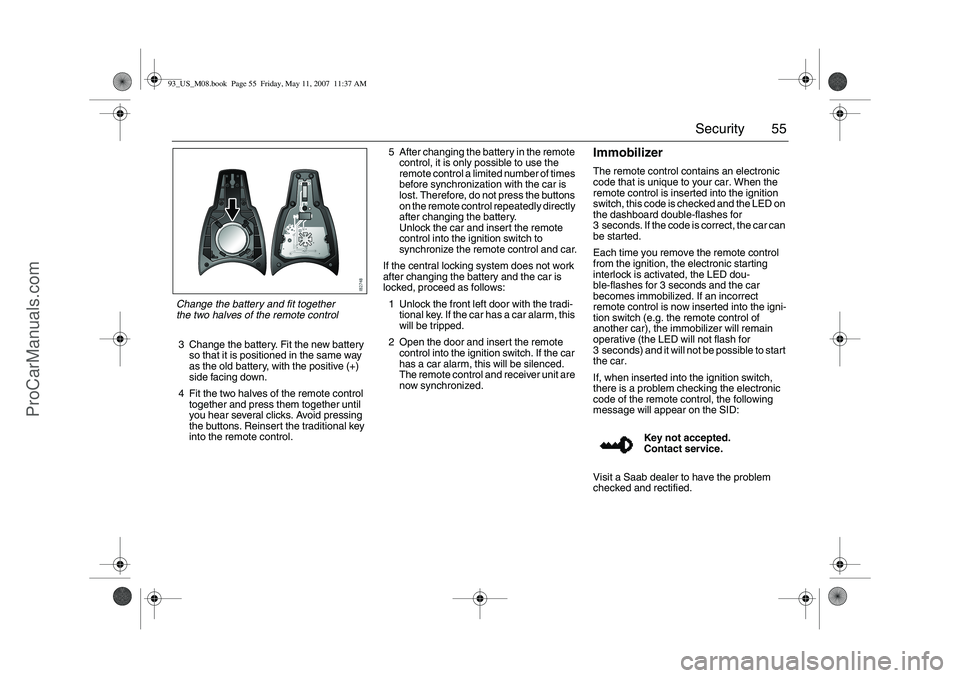
3 Change the battery. Fit the new battery
so that it is positioned in the same way
as the old battery, with the positive (+)
side facing down.
4 Fit the two halves of the remote control
together and press them together until
you hear several clicks. Avoid pressing
the buttons. Reinsert the traditional key
into the remote control.5 After changing the battery in the remote
control, it is only possible to use the
remote control a limited number of times
before synchronization with the car is
lost. Therefore, do not press the buttons
on the remote control repeatedly directly
after changing the battery.
Unlock the car and insert the remote
control into the ignition switch to
synchronize the remote control and car.
If the central locking system does not work
after changing the battery and the car is
locked, proceed as follows:
1 Unlock the front left door with the tradi-
tional key. If the car has a car alarm, this
will be tripped.
2 Open the door and insert the remote
control into the ignition switch. If the car
has a car alarm, this will be silenced.
The remote control and receiver unit are
now synchronized.
ImmobilizerThe remote control contains an electronic
code that is unique to your car. When the
remote control is inserted into the ignition
switch, this code is checked and the LED on
the dashboard double-flashes for
3 seconds. If the code is correct, the car can
be started.
Each time you remove the remote control
from the ignition, the electronic starting
interlock is activated, the LED dou-
ble-flashes for 3 seconds and the car
becomes immobilized. If an incorrect
remote control is now inserted into the igni-
tion switch (e.g. the remote control of
another car), the immobilizer will remain
operative (the LED will not flash for
3 seconds) and it will not be possible to start
the car.
If, when inserted into the ignition switch,
there is a problem checking the electronic
code of the remote control, the following
message will appear on the SID:
Visit a Saab dealer to have the problem
checked and rectified.Key not accepted.
Contact service.
Change the battery and fit together
the two halves of the remote control93_US_M08.book Page 55 Friday, May 11, 2007 11:37 AM
ProCarManuals.com
Page 58 of 320
58 SecurityPanic functionThe car alarm includes a panic function. This function allows the
alarm to be started manually, for example, to attract attention.
The panic alarm can only be activated while the car is stationary.
The alarm is silenced if the car is driven off.
When the alarm is tripped, the lights and horn come on for 3 minutes
or until you press one of the remote control buttons.
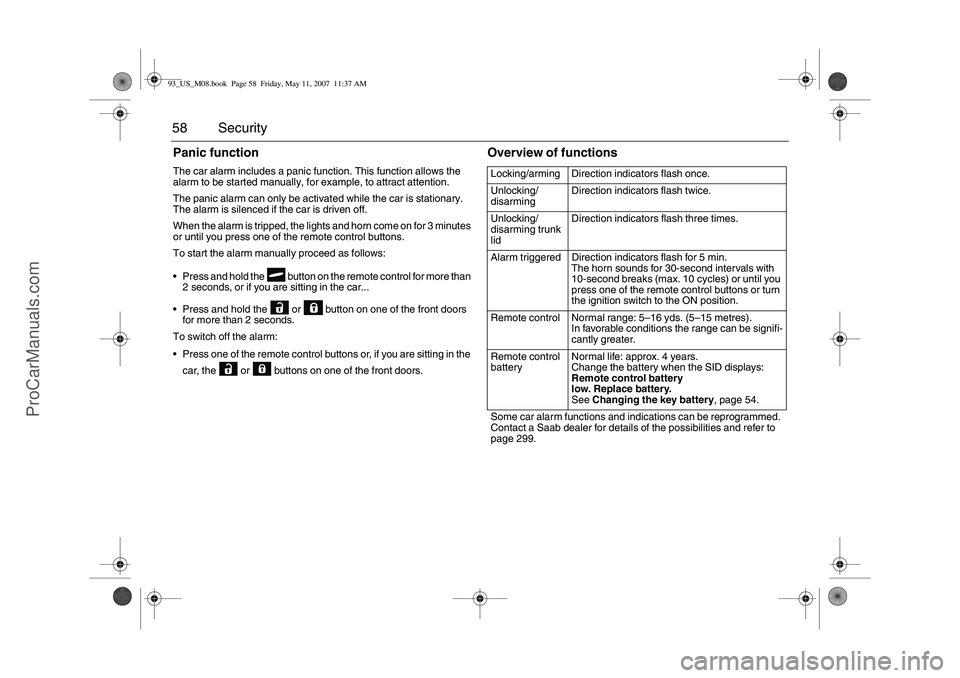
To start the alarm manually proceed as follows:
Press and hold the button on the remote control for more than
2 seconds, or if you are sitting in the car...
Press and hold the or button on one of the front doors
for more than 2 seconds.
To switch off the alarm:
Press one of the remote control buttons or, if you are sitting in the
car, the or buttons on one of the front doors.
Overview of functionsLocking/arming Direction indicators flash once.
Unlocking/
disarmingDirection indicators flash twice.
Unlocking/
disarming trunk
lidDirection indicators flash three times.
Alarm triggered Direction indicators flash for 5 min.
The horn sounds for 30-second intervals with
10-second breaks (max. 10 cycles) or until you
press one of the remote control buttons or turn
the ignition switch to the ON position.
Remote control Normal range: 5–16 yds. (5–15 metres).
In favorable conditions the range can be signifi-
cantly greater.
Remote control
batteryNormal life: approx. 4 years.
Change the battery when the SID displays:
Remote control battery
low. Replace battery.
See Changing the key battery, page 54.
Some car alarm functions and indications can be reprogrammed.
Contact a Saab dealer for details of the possibilities and refer to
page 299.
93_US_M08.book Page 58 Friday, May 11, 2007 11:37 AM
ProCarManuals.com
Page 90 of 320
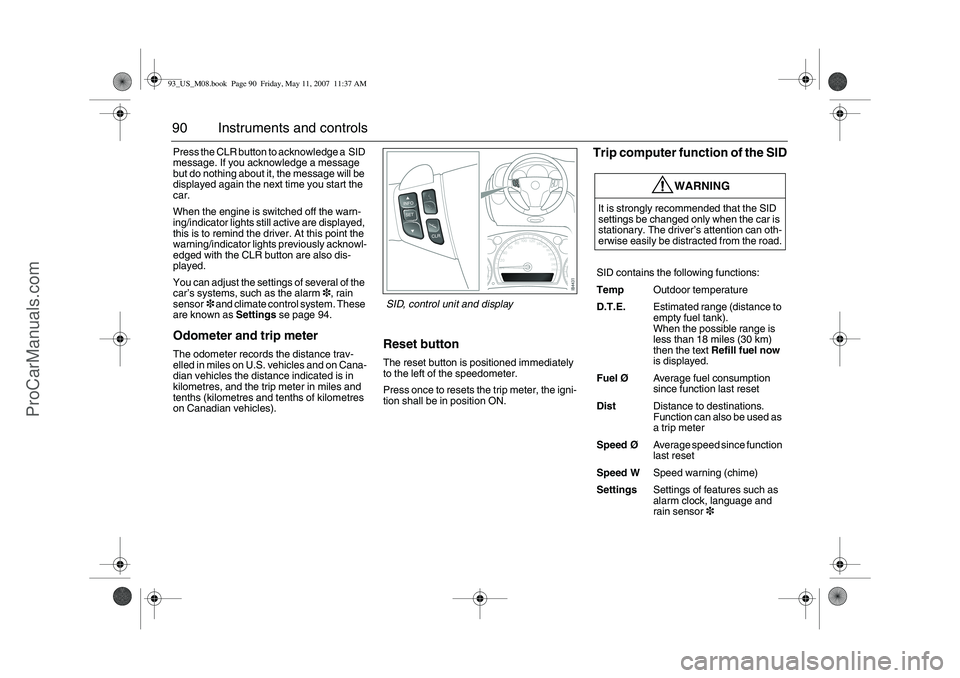
90 Instruments and controlsPress the CLR button to acknowledge a SID
message. If you acknowledge a message
but do nothing about it, the message will be
displayed again the next time you start the
car.
When the engine is switched off the warn-
ing/indicator lights still active are displayed,
this is to remind the driver. At this point the
warning/indicator lights previously acknowl-
edged with the CLR button are also dis-
played.
You can adjust the settings of several of the
car’s systems, such as the alarm3, rain
sensor3 and climate control system. These
are known as Settings se page 94.Odometer and trip meterThe odometer records the distance trav-
elled in miles on U.S. vehicles and on Cana-
dian vehicles the distance indicated is in
kilometres, and the trip meter in miles and
tenths (kilometres and tenths of kilometres
on Canadian vehicles).
Reset buttonThe reset button is positioned immediately
to the left of the speedometer.
Press once to resets the trip meter, the igni-
tion shall be in position ON.
Trip computer function of the SID
WARNING
It is strongly recommended that the SID
settings be changed only when the car is
stationary. The driver’s attention can oth-
erwise easily be distracted from the road.
SID contains the following functions:
TempOutdoor temperature
D.T.E.Estimated range (distance to
empty fuel tank).
When the possible range is
less than 18 miles (30 km)
then the text Refill fuel now
is displayed.
FuelØAverage fuel consumption
since function last reset
DistDistance to destinations.
Function can also be used as
a trip meter
SpeedØAverage speed since function
last reset
Speed WSpeed warning (chime)
SettingsSettings of features such as
alarm clock, language and
rain sensor3
SID, control unit and display
93_US_M08.book Page 90 Friday, May 11, 2007 11:37 AM
ProCarManuals.com
Page 109 of 320
109 Instruments and controls
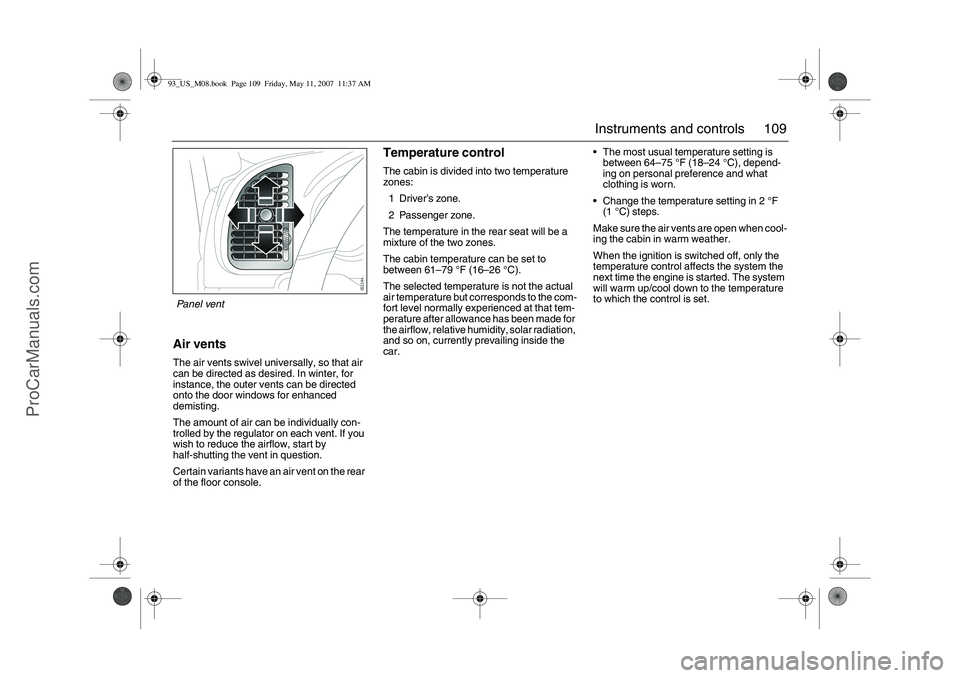
Air ventsThe air vents swivel universally, so that air
can be directed as desired. In winter, for
instance, the outer vents can be directed
onto the door windows for enhanced
demisting.
The amount of air can be individually con-
trolled by the regulator on each vent. If you
wish to reduce the airflow, start by
half-shutting the vent in question.
Certain variants have an air vent on the rear
of the floor console.
Temperature controlThe cabin is divided into two temperature
zones:
1Driver’s zone.
2 Passenger zone.
The temperature in the rear seat will be a
mixture of the two zones.
The cabin temperature can be set to
between 61–79°F (16–26°C).
The selected temperature is not the actual
air temperature but corresponds to the com-
fort level normally experienced at that tem-
perature after allowance has been made for
the airflow, relative humidity, solar radiation,
and so on, currently prevailing inside the
car.The most usual temperature setting is
between 64–75°F (18–24°C), depend-
ing on personal preference and what
clothing is worn.
Change the temperature setting in 2°F
(1°C) steps.
Make sure the air vents are open when cool-
ing the cabin in warm weather.
When the ignition is switched off, only the
temperature control affects the system the
next time the engine is started. The system
will warm up/cool down to the temperature
to which the control is set.
Panel vent93_US_M08.book Page 109 Friday, May 11, 2007 11:37 AM
ProCarManuals.com
Page 117 of 320
117 Instruments and controls
A/C Mode
Auto
Automatic engagement and disen-
gagement of the A/C. This is one of
the Default Settings.
A/C off
A/C compressor OFF (see also
page 111). The A/C compressor
can be activated temporarily by
pressing the AC or AUTO button
while on the road and if the outside
temperature is above 41°F (+5°C).
The A/C will be off the next time the
engine is started, if the engine has
been switched off for more than
2 hours.
Convertible: The A/C compressor is
switched off when the soft top is folded
down.
Further customizations to this function can
be made at a workshop. We recommend
that you contact a Saab dealer.
The A/C compressor can be on even
when the soft top is folded down.
The A/C compressor can be set to
operate as when the soft top was last
folded down.Dual/Single Zone
Dual zone
Individual temperature setting for
each zone (see page 109). The sys-
tem saves the settings when the
engine is switched off. This is one of
the Default Settings.
Single zone
Common temperature setting when
the engine is started. If the temper-
ature setting for the passenger zone
is changed, the system will switch to
Dual zone control. Single zone con-
trol will return the next time the
engine is started having been
switched off for more than 2 hours.93_US_M08.book Page 117 Friday, May 11, 2007 11:37 AM
ProCarManuals.com
Page 123 of 320

123 Interior equipment
CalibrationThe front electric windows should be cali-
brated if automatic closing does not work or
if the battery has been disconnected. The
pinch protection3 will not work if the win-
dows are not calibrated.Calibration is performed as follows:
1 Close the doors.
2 The car must be running at idling speed.
The battery charger must not be
connected to the car’s battery during
calibration.
3 Open the window fully, the button must
be kept depressed the whole time.
4 Close the window fully, the button must
be kept raised the whole time and for
approx. 1 second after the window has
closed.
5 Open the window fully, the button must
be kept depressed the whole time and
for approx. 1 second after the window
has fully opened.
6 Close the window fully, and keep the
button raised until the calibration is
confirmed with a "chime".
Repeat steps 3–6 for the windows which
require calibration.
Deactivating the rear window
switchesThe in the driver’s door deactivates the
window switches in the rear doors.
The illuminated switch will change color
from green to orange (deactivated).
WARNING
The pinch protection will not be engaged
after a power break until the electric win-
dows have been calibrated.93_US_M08.book Page 123 Friday, May 11, 2007 11:37 AM
ProCarManuals.com
Page 126 of 320

126 Interior equipmentPreparations for first-time programming
Before programming the garage opener for
the first time, you must delete any factory
codes.
Press and hold the two outer buttons until
the indicator light begins to flash-after
20 seconds. Release both buttons. Do not
hold for longer that 30 seconds. The garage
opener is now in the train (or learning) mode
and can be programmed at any time begin-
ning with "Programming" - step 2.Programming
The garage opener can record and store the
frequencies of three different remote con-
trols.
The battery in the remote control should be
fairly new for programming to work well.
Do not repeat "Programming" - step two
to train additional devices to a second or
third button. Begin with "Programming" -
step three.
1 Turn the ignition ON.
2 Press and hold the two outer buttons
(buttons one and three) - releasing only
when the indicator light begins to flash
(after 20 seconds). Do not hold the
buttons for longer than 30 seconds and
do not repeat step two to program a
second and/or third hand-held transmit-
ter to the remaining two buttons.
3 Position the end of your hand-held trans-
mitter 1-3 inches (5-14 cm) away from
the button you wish to program while
keeping the indicator light in view. The
transmitter should face the mirror from
below or left side of the mirror.
4 Simultaneously press and hold both the
chosen and hand-held transmitter
buttons. Do not release the buttons
until step 5 has been completed.Note: Some gate operators and garage
door openers may require you to replace
this Programming Step 4 with procedures
noted in the "Gate Operator / Canadian
Programming" section.
5 After the indicator light changes from a
slow to a rapidly blinking light, release
both the mirror and hand-held transmit-
ter buttons.
6 Press and hold the just-trained button
and observe the indicator light.
If the indicator light stays on
constantly, programming is complete
and your device should activate when
the button is pressed and released.
Note: To program the remaining two but-
tons, begin with "Programming" - step
three. Do not repeat step two.93_US_M08.book Page 126 Friday, May 11, 2007 11:37 AM
ProCarManuals.com
Page 166 of 320
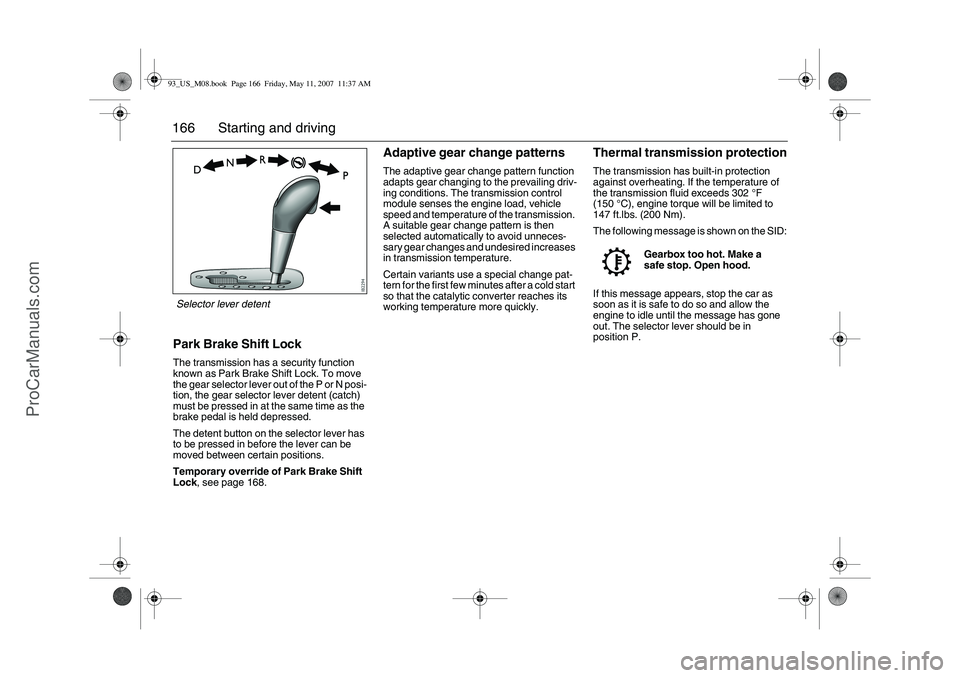
166 Starting and drivingPark Brake Shift LockThe transmission has a security function
known as Park Brake Shift Lock. To move
the gear selector lever out of the P or N posi-
tion, the gear selector lever detent (catch)
must be pressed in at the same time as the
brake pedal is held depressed.
The detent button on the selector lever has
to be pressed in before the lever can be
moved between certain positions.
Temporary override of Park Brake Shift
Lock, see page 168.
Adaptive gear change patternsThe adaptive gear change pattern function
adapts gear changing to the prevailing driv-
ing conditions. The transmission control
module senses the engine load, vehicle
speed and temperature of the transmission.
A suitable gear change pattern is then
selected automatically to avoid unneces-
sary gear changes and undesired increases
in transmission temperature.
Certain variants use a special change pat-
tern for the first few minutes after a cold start
so that the catalytic converter reaches its
working temperature more quickly.
Thermal transmission protectionThe transmission has built-in protection
against overheating. If the temperature of
the transmission fluid exceeds 302°F
(150°C), engine torque will be limited to
147 ft.lbs. (200 Nm).
The following message is shown on the SID:
If this message appears, stop the car as
soon as it is safe to do so and allow the
engine to idle until the message has gone
out. The selector lever should be in
position P.Gearbox too hot. Make a
safe stop. Open hood.
Selector lever detent93_US_M08.book Page 166 Friday, May 11, 2007 11:37 AM
ProCarManuals.com