ECU SAAB 9-5 2000 Owner's Manual
[x] Cancel search | Manufacturer: SAAB, Model Year: 2000, Model line: 9-5, Model: SAAB 9-5 2000Pages: 256, PDF Size: 14.24 MB
Page 41 of 256

41 Security
Overview of functions
Alarm signals may differ between model variants for different coun-
tries.
Some of the car-alarm functions can be reprogrammed – con-
sult your Saab dealer for further details (see page 237). Locking/
activation Hazard warning lights flash once and the horn
chirps once.
The LED will come on for 10 seconds.
Unlocking/
deactivation Hazard warning lights flash twice and the horn
chirps twice.
The LED will come on for two seconds.
Unlocking/
deactivation of
trunk lid/tailgate
alarm Hazard warning lights flash three times and the
horn chirps three times.
The LED will flash three times per second for 10
seconds.
Alarm triggered Hazard warning lights flash for 5 min.
Siren wails for 30 seconds.
To switch off the alarm, deactivate the system in
the normal way (unlocking).
Window-glass
sensor The sensor detects if any window is broken and
triggers the alarm.
To disable the sensor, see page 39.
Remote control The range of the remote control is normally
5-10 yds. (5-10 metres), although it can be sub-
stantially more than this in ideal conditions.
If a remote control or key is lost, the new one will
have to be programmed from one of the remain-
ing remote controls to match the car’s unique
security code. Get in touch with an authorized
Saab dealer.Battery for
remote control The battery for the remote control will normally
have a life of 3-4 years. When the battery needs
changing, ”REPLACE KEY BATTERY” will
appear on the SID.
After fitting a new battery, press the unlock but-
ton on the remote control at least 5 times in suc-
cession while the car is within the range of the
remote control, so that the car alarm can recog-
nize the signals from the control.
If the remote control has been exposed to very
low temperatures, it may not function properly. If
this happens, warm it in your hands for a few
minutes.
If the remote control is not working, it may be
because the code signal has not been synchro-
nized with that in the control module for the car
alarm. To rectify this, press the unlock button on
the remote control 4-5 times in quick succession.
Car-battery
voltage If the battery is disconnected while the alarm is
active (car is locked), for example during an
attempt to steal the car, the alarm will be trig-
gered.
ProCarManuals.com
Page 42 of 256

42 SecurityOverview of LED signals and SID messagesSome signals may differ between model variants for different
countries.Status LED signal
Activation (during 10-second delay). Comes on for 10 seconds.
Alarm activated (after delay). Flashes once every third
second.
Deactivation. Comes on for 2 seconds.
Alarm not activated. Off.
Door, trunk lid/tailgate or hood open
or opened during delay period.Flashes three times per sec-
ond for 10 seconds.
Unlocking the trunk lid/tailgate. Flashes three times per sec-
ond for 10 seconds.
Closing of door, trunk lid/tailgate or
hood after delay period.Comes on for 10 seconds.
Car immobilized but not locked.
Car alarm not activated.Flashes twice at three sec-
onds intervals.
SID message Reason/action
SERVICE THEFT ALARM Probably a fault in one of the sensors
or the alarm siren.
Have the car checked by an autho-
rized Saab dealer.
KEY NOT ACCEPTED Fault in key transmitter or in igni-
tion-switch receiver.
Turn ignition switch to ON and press
the unlock button on the remote con-
trol. Start the engine.
Have the car checked by an autho-
rized Saab dealer.
REPLACE KEY BATTERY Fit a new battery in the remote con-
trol, see page 35.
DOOR ALARM ONLY Window-glass sensor disabled.
FULL THEFT ALARM Window-glass sensor in circuit.
REMOTE KEY
TRANSPONDRTurn the ignition key to position ON
and then press the button for open-
ing the trunk lid. SID displays the
number of remote controls and
transmitters (transponders) coded to
the car.
ProCarManuals.com
Page 43 of 256

43 Security
Canada only:This device complies with Part 15 of the FCC Rules. Operation is
subject to the following two conditions: (1) this device may not
cause harmful interference, and (2) must accept any interference
received, including interference that may cause undesired oper-
ation.
Changes or modifications not expressly approved by the manu-
facturer could void the user´s authority to operate the equipment.
This device complies with RSS-210 of Industry Canada. Opera-
tion is subject to the following two conditions: (1) this device may
not cause interference, and (2) this device must accept any inter-
ference, including interference that may cause undesired opera-
tion of the device.
ProCarManuals.com
Page 44 of 256

44 Security
ProCarManuals.com
Page 77 of 256
77 Saab 9-5 Audio System
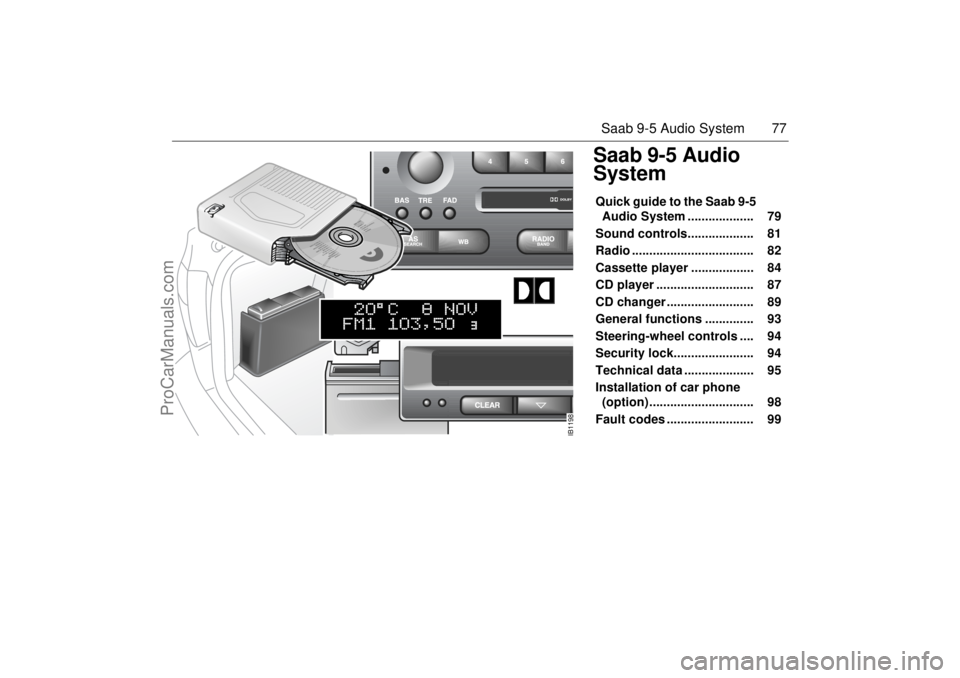
Saab 9-5 Audio
SystemQuick guide to the Saab 9-5
Audio System ................... 79
Sound controls................... 81
Radio ................................... 82
Cassette player .................. 84
CD player ............................ 87
CD changer ......................... 89
General functions .............. 93
Steering-wheel controls .... 94
Security lock....................... 94
Technical data .................... 95
Installation of car phone
(option) .............................. 98
Fault codes ......................... 99
IB1198
ProCarManuals.com
Page 84 of 256

84 Saab 9-5 Audio SystemCassette player Before playing a tape, make sure that the
label is secure and that the cassette is not
warped, otherwise the cassette can
become jammed in the deck. The cassette
player senses automatically whether the
tape is normal or metal (Type I or Type II). TAPE (1) Turn on the cassette player by pressing
or by inserting a cassette in the
deck, with the exposed tape to the right.
Playback will start with the side that is facing
up (indicated by A on the display). The dis-
play will now be as follows: Playback direction (2) To play the other side of the tape,
press .
The deck will automatically change the play-
back direction when the end of the tape is
reached, be it during playback, fast
forward/rewind or music search.
Dolby
® noise reduction (3)
Press TAPE/DOLBY to switch on Dolby NR
B/C.
Dolby B/C should be on for playback of
tapes recorded with Dolby B/C, and off for
those recorded without Dolby B/C.
Eject button (4) To stop playback of a tape, press the eject
button or select another source.
If you select another source without press-
ing the eject button, the tape will remain in
the deck but the head and pinch rollers will
be clear of the tape. The same applies if the
Audio System is switched off while a tape is
being played. Tapes can still be ejected
when the system is turned off.
IB1090
VOL
TREBAL ON
FA D BAS
PULL PUSH
CDRDM
RADIO BAND
ASSEARCH
2 13
5 46
DOLBY B NR
SEEK
3
5
2
4
1
ProCarManuals.com
Page 94 of 256
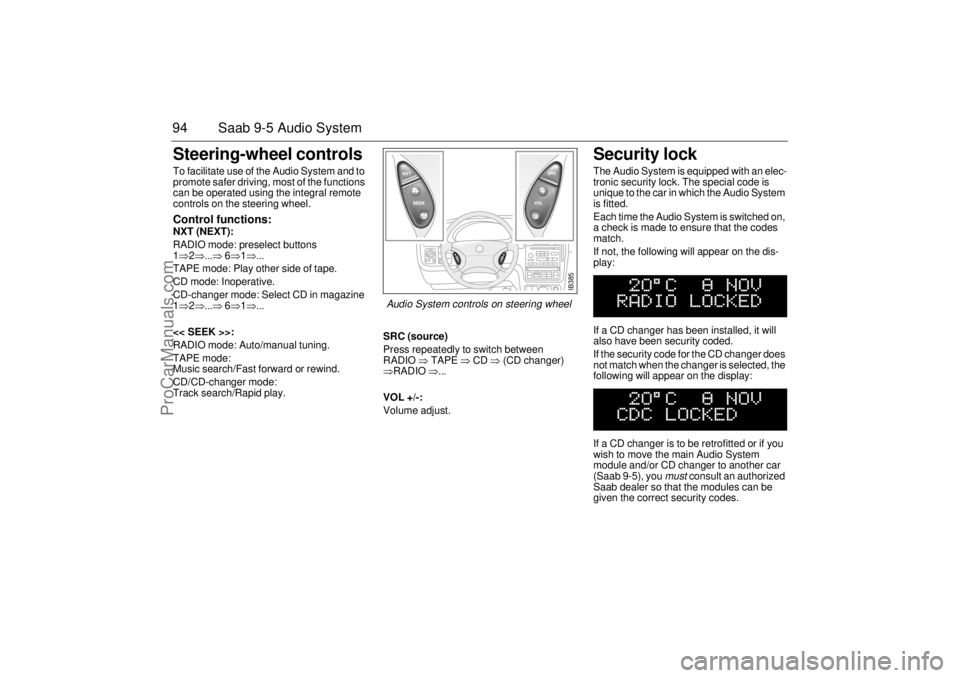
94 Saab 9-5 Audio SystemSteering-wheel controls To facilitate use of the Audio System and to
promote safer driving, most of the functions
can be operated using the integral remote
controls on the steering wheel. Control functions: NXT (NEXT):
RADIO mode: preselect buttons
1⇒2⇒...⇒ 6⇒1⇒...
TAPE mode: Play other side of tape.
CD mode: Inoperative.
CD-changer mode: Select CD in magazine
1⇒2⇒...⇒ 6⇒1⇒...
<< SEEK >>:
RADIO mode: Auto/manual tuning.
TAPE mode:
Music search/Fast forward or rewind.
CD/CD-changer mode:
Track search/Rapid play.SRC (source)
Press repeatedly to switch between
RADIO ⇒ TAPE ⇒ CD ⇒ (CD changer)
⇒RADIO ⇒...
VOL +/-:
Volume adjust.
Security lock The Audio System is equipped with an elec-
tronic security lock. The special code is
unique to the car in which the Audio System
is fitted.
Each time the Audio System is switched on,
a check is made to ensure that the codes
match.
If not, the following will appear on the dis-
play:
If a CD changer has been installed, it will
also have been security coded.
If the security code for the CD changer does
not match when the changer is selected, the
following will appear on the display:
If a CD changer is to be retrofitted or if you
wish to move the main Audio System
module and/or CD changer to another car
(Saab 9-5), you
must
consult an authorized
Saab dealer so that the modules can be
given the correct security codes.
IB385
Audio System controls on steering wheel
ProCarManuals.com
Page 117 of 256
117 Interior equipment and trunk
WARNING
Place heavy items closest to the backrest and stow smaller
and lighter items on top.
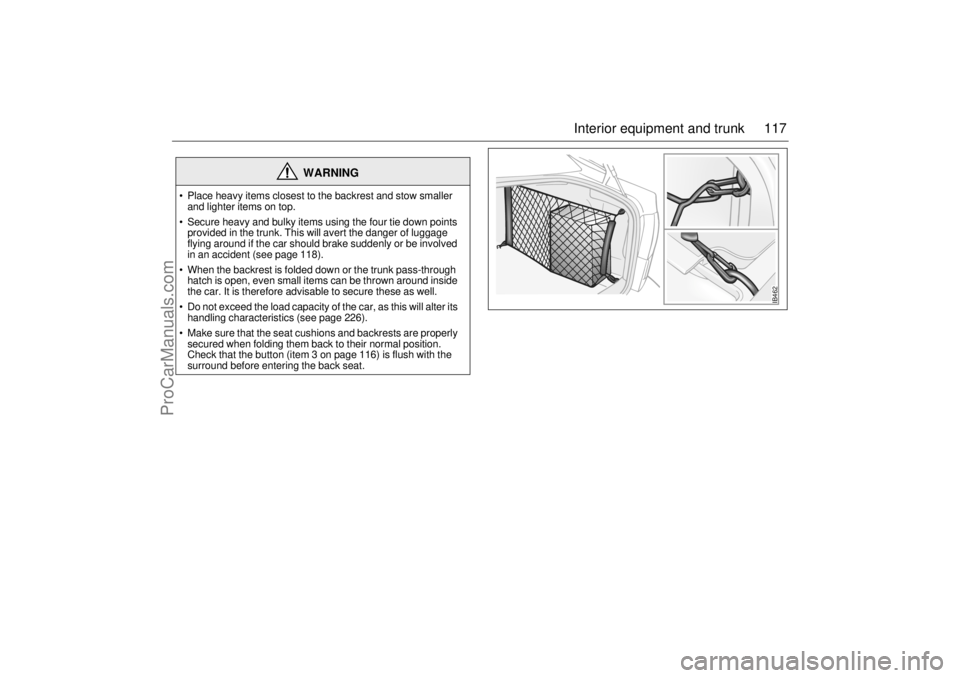
Secure heavy and bulky items using the four tie down points
provided in the trunk. This will avert the danger of luggage
flying around if the car should brake suddenly or be involved
in an accident (see page 118).
When the backrest is folded down or the trunk pass-through
hatch is open, even small items can be thrown around inside
the car. It is therefore advisable to secure these as well.
Do not exceed the load capacity of the car, as this will alter its
handling characteristics (see page 226).
Make sure that the seat cushions and backrests are properly
secured when folding them back to their normal position.
Check that the button (item 3 on page 116) is flush with the
surround before entering the back seat.
IB462
ProCarManuals.com
Page 118 of 256
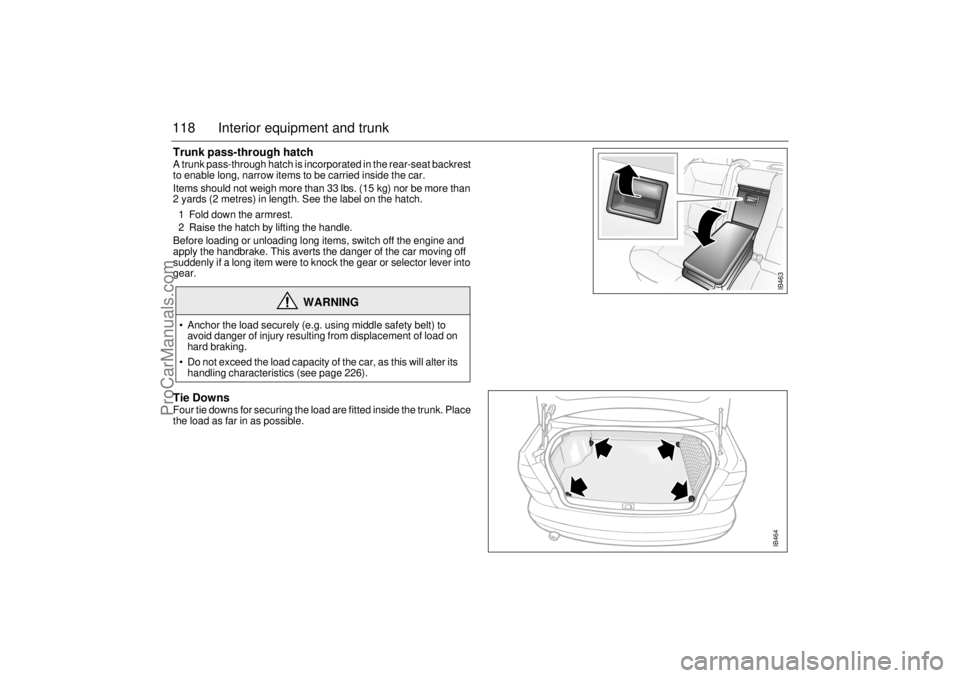
118 Interior equipment and trunkTrunk pass-through hatch A trunk pass-through hatch is incorporated in the rear-seat backrest
to enable long, narrow items to be carried inside the car.
Items should not weigh more than 33 lbs. (15 kg) nor be more than
2 yards (2 metres) in length. See the label on the hatch.
1 Fold down the armrest.
2 Raise the hatch by lifting the handle.
Before loading or unloading long items, switch off the engine and
apply the handbrake. This averts the danger of the car moving off
suddenly if a long item were to knock the gear or selector lever into
gear. Tie DownsFour tie downs for securing the load are fitted inside the trunk. Place
the load as far in as possible.
WARNING
Anchor the load securely (e.g. using middle safety belt) to
avoid danger of injury resulting from displacement of load on
hard braking.
Do not exceed the load capacity of the car, as this will alter its
handling characteristics (see page 226).
IB463IB464
ProCarManuals.com
Page 121 of 256

121 Interior equipment and trunk
Load anchoring
WARNING
Put heavy loads as low down and as
far forward as possible in the luggage
compartment, i.e. against the back of
the rear seat.
Never stack cargo so high that any part
of the cargo lies above the edge of the
backrest, if a cargo guard (accessory)
is not being used.
Always tie down the cargo so that it
cannot be thrown forward during
heavy braking or in the event of a
collision.
Unsecured and heavy cargo can
increase the risk of injury during hard
braking, sudden avoidance maneu-
vers and in the event of a collision.
For the best load anchoring, use the
special cargo bolt and load straps
(accessory).
Load the cargo bolts evenly. Never
attach more than one strap to each tie
down eye.
Provide protection on sharp edges to
prevent damage to the load straps.
Never use the elastic floor net and
elastic side net when the rear seat is
folded down. These nets are only
intended to keep light objects tidy, not
for the anchoring of loads.
If possible, avoid having the rear seat
folded down when driving with a heavy
load because the anchoring possibili-
ties are restricted when the rear seat is
in this position. That the rear seat is in
the upright position is a basic require-
ment for protection against cargo dis-
placement in the event of a collision.
Cargo can intrude into the passenger
compartment during a sudden stop or
front crash if the outer safety belts are
not fastened. Check that the two red
warning-indication flags are fully
down. This shows that the backrests
are locked.
WARNING
The driving characteristics of the car
can be affected because the center of
gravity is altered when there is a cargo
in the luggage compartment. There-
fore match the speed and driving style
according to how the car is loaded.
An object weighing 55 lbs. (25 kg) cor-
responds to a weight of 2200 lbs.
(1000 kg) in a head on collision at
32 mph (50 km/h).
Adjust the car’s load (passengers and
luggage) so that the gross vehicle
weight or the axle weight is not
exceeded, see page 226.
ProCarManuals.com