instrument panel SAAB 9-5 2003 User Guide
[x] Cancel search | Manufacturer: SAAB, Model Year: 2003, Model line: 9-5, Model: SAAB 9-5 2003Pages: 288, PDF Size: 16.78 MB
Page 70 of 288
70 Instruments and controlsThe following conditions will wake up the
respective displays in the Night-Panel
mode:
Setting of the Audio system, SID or ACC
(display comes on for ten seconds).
CHECK message generated in the SID.
High engine revs cause the rev counter to
be illuminated until the engine speed has
fallen again.
If the quantity of fuel remaining falls below
4 gallons (15 liters), the fuel gauge will be
illuminated.
If the engine temperature rises above nor-
mal, the temperature gauge will be illumi-
nated.
If the speed of the car exceeds 84 mph
(135 km/h), the entire speedometer will
be illuminated.
In cars with automatic transmission, if the
selector lever is moved from D to position
M or L, the selector indication on the main
instrument panel will be illuminated.
To restore the displays and lighting to the
normal mode, press the Night-Panel button.
Units and language versionsThe SID has four sets of units:
CHECK messages can be displayed in six
language options: English, Swedish,
German, French, Italian and Spanish. Selecting units and language 1 Press CLEAR and SET simultaneously
for four seconds until a chime sounds.
2 Press or to select the required
units.
3 Touch SET.
4 Press or to select the required
language.
5 Touch SET.
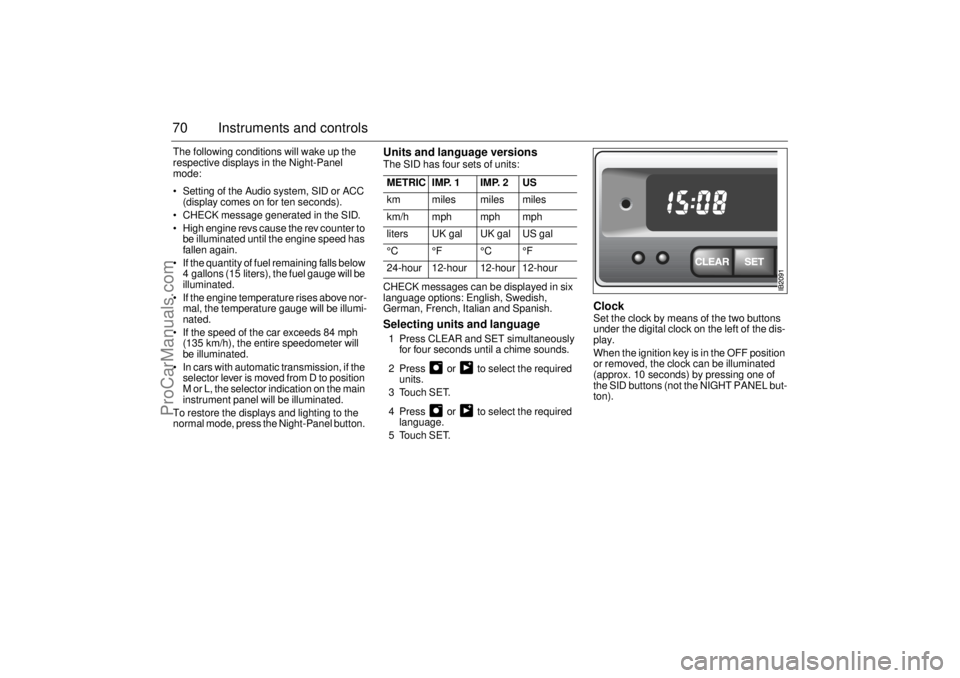
Clock Set the clock by means of the two buttons
under the digital clock on the left of the dis-
play.
When the ignition key is in the OFF position
or removed, the clock can be illuminated
(approx. 10 seconds) by pressing one of
the SID buttons (not the NIGHT PANEL but-
ton). METRIC IMP. 1 IMP. 2 US
km miles miles miles
km/h mph mph mph
liters UK gal UK gal US gal
°C °F °C °F
24-hour 12-hour 12-hour 12-hour
ProCarManuals.com
Page 71 of 288
71 Instruments and controls
Switches
Daytime running lights
The parking lights and daytime running
lights come on automatically when the igni-
tion switch is ON.
Note to owners in the U.S.: If you do not
want Daytime Running Lights, this feature
can be disconnected: switch off the engine
and remove fuse No. 35 (see page 228).
Note to owners in Canada: Daytime Run-
ning Lights must not be disconnected as
they are a Canadian Federal legal require-
ment.
Parking lights
The parking lights can be switched on
regardless of the position of the ignition
switch. Do not use parking lights when driv-
ing.
Note: The lighting switch must be in parking
light or headlight position (low beam posi-
tion only) to operate the fog lights (see page
74).
Headlights
The headlights come on automatically when
the ignition is ON and go off when the igni-
tion switch is turned to the LOCK position.
The parking lights, however, can be on
when the ignition switch is in the LOCK posi-
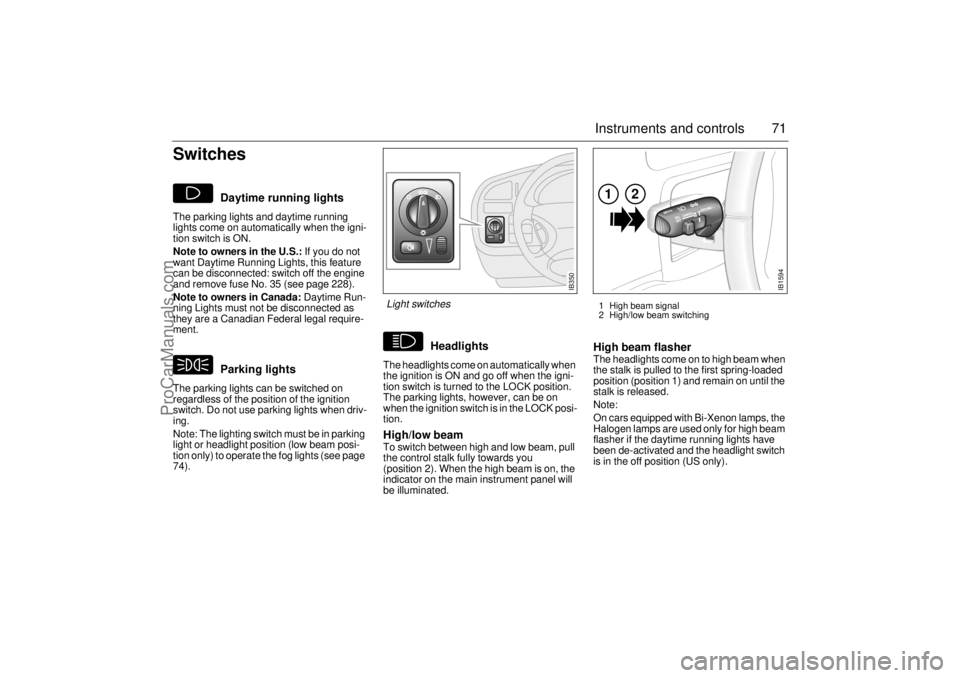
tion. High/low beamTo switch between high and low beam, pull
the control stalk fully towards you
(position 2). When the high beam is on, the
indicator on the main instrument panel will
be illuminated.
High beam flasher The headlights come on to high beam when
the stalk is pulled to the first spring-loaded
position (position 1) and remain on until the
stalk is released.
Note:
On cars equipped with Bi-Xenon lamps, the
Halogen lamps are used only for high beam
flasher if the daytime running lights have
been de-activated and the headlight switch
is in the off position (US only).
IB1594
121 High beam signal
2 High/low beam switching
IB350
Light switches
ProCarManuals.com
Page 73 of 288
73 Instruments and controls
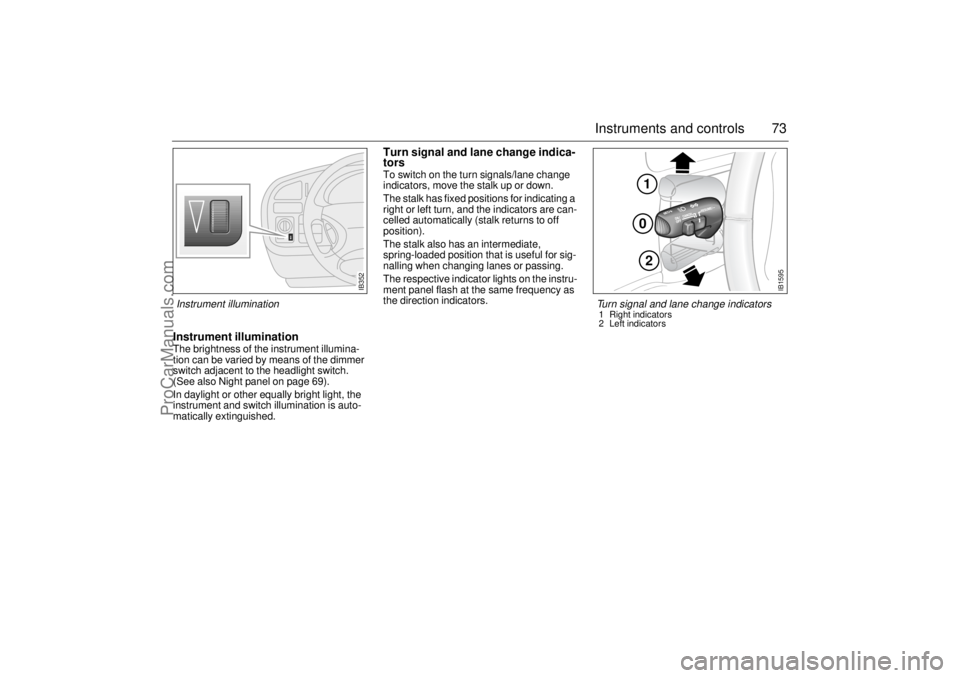
Instrument illuminationThe brightness of the instrument illumina-
tion can be varied by means of the dimmer
switch adjacent to the headlight switch.
(See also Night panel on page 69).
In daylight or other equally bright light, the
instrument and switch illumination is auto-
matically extinguished.
Turn signal and lane change indica-
torsTo switch on the turn signals/lane change
indicators, move the stalk up or down.
The stalk has fixed positions for indicating a
right or left turn, and the indicators are can-
celled automatically (stalk returns to off
position).
The stalk also has an intermediate,
spring-loaded position that is useful for sig-
nalling when changing lanes or passing.
The respective indicator lights on the instru-
ment panel flash at the same frequency as
the direction indicators.
IB352
102
IB1595
Turn signal and lane change indicators 1 Right indicators
2 Left indicators
Instrument illumination
ProCarManuals.com
Page 74 of 288
74 Instruments and controlsFront fog lightsThe front fog lights can be activated in both
low beam headlight and parking light posi-
tions. Fog lights should only be used in poor
visibility conditions.
Make sure you are familiar with the appli-
cable provincial/state law regarding the
use of fog lights. Reversing lightsThe reversing lights come on automatically
when reverse gear is engaged or selected
with the ignition switched on.
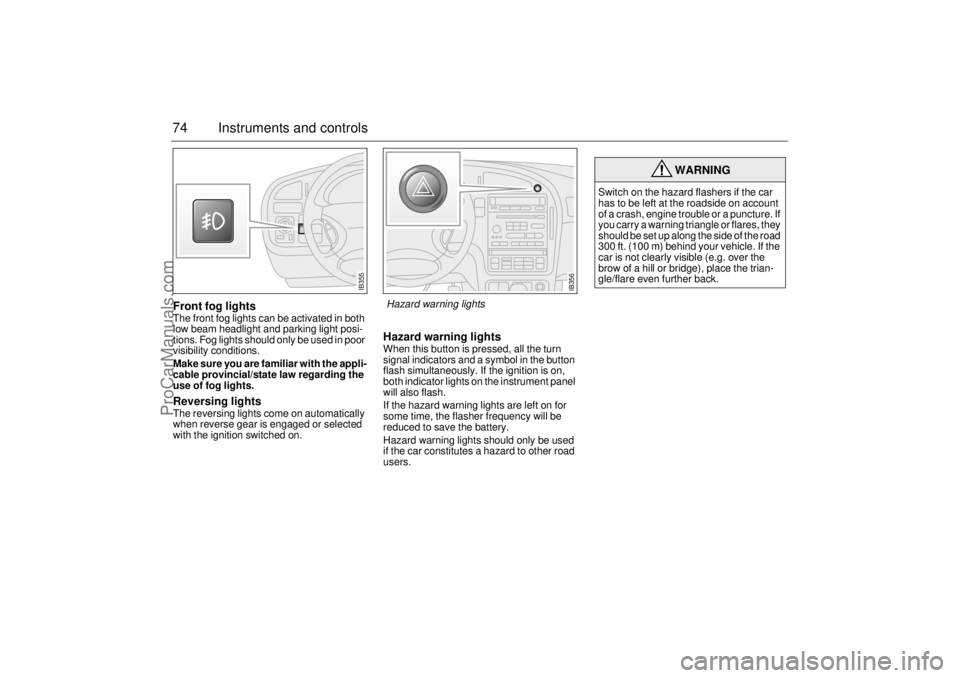
Hazard warning lightsWhen this button is pressed, all the turn
signal indicators and a symbol in the button
flash simultaneously. If the ignition is on,
both indicator lights on the instrument panel
will also flash.
If the hazard warning lights are left on for
some time, the flasher frequency will be
reduced to save the battery.
Hazard warning lights should only be used
if the car constitutes a hazard to other road
users.
WARNING
Switch on the hazard flashers if the car
has to be left at the roadside on account
of a crash, engine trouble or a puncture. If
you carry a warning triangle or flares, they
should be set up along the side of the road
300 ft. (100 m) behind your vehicle. If the
car is not clearly visible (e.g. over the
brow of a hill or bridge), place the trian-
gle/flare even further back.
IB355
IB356
Hazard warning lights
ProCarManuals.com
Page 77 of 288
77 Instruments and controls
Automatic climate
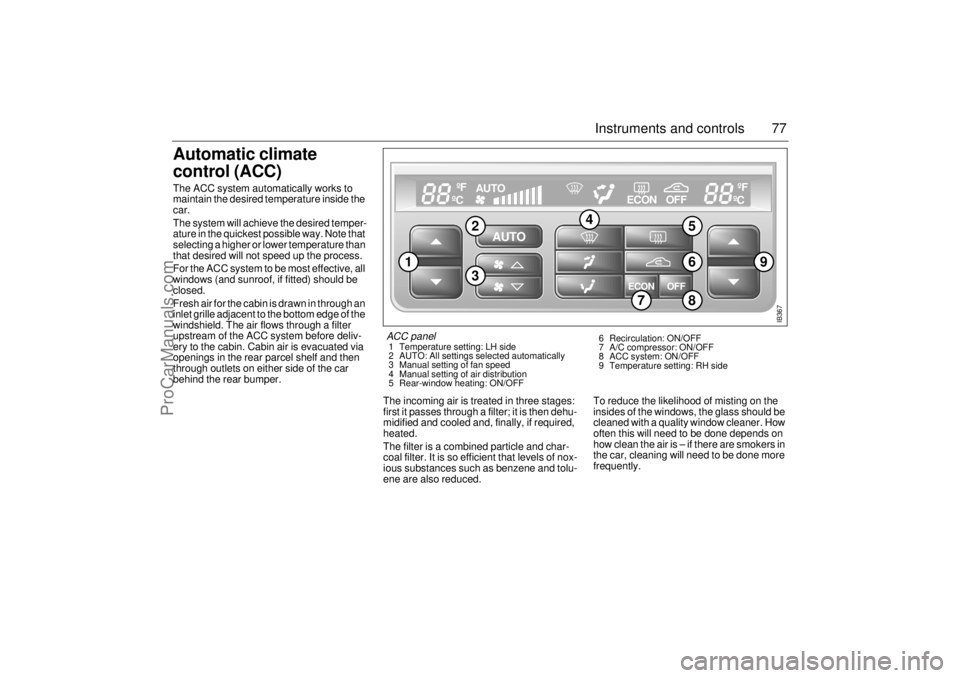
control (ACC) The ACC system automatically works to
maintain the desired temperature inside the
car.
The system will achieve the desired temper-
ature in the quickest possible way. Note that
selecting a higher or lower temperature than
that desired will not speed up the process.
For the ACC system to be most effective, all
windows (and sunroof, if fitted) should be
closed.
Fresh air for the cabin is drawn in through an
inlet grille adjacent to the bottom edge of the
windshield. The air flows through a filter
upstream of the ACC system before deliv-
ery to the cabin. Cabin air is evacuated via
openings in the rear parcel shelf and then
through outlets on either side of the car
behind the rear bumper.
The incoming air is treated in three stages:
first it passes through a filter; it is then dehu-
midified and cooled and, finally, if required,
heated.
The filter is a combined particle and char-
coal filter. It is so efficient that levels of nox-
ious substances such as benzene and tolu-
ene are also reduced.To reduce the likelihood of misting on the
insides of the windows, the glass should be
cleaned with a quality window cleaner. How
often this will need to be done depends on
how clean the air is – if there are smokers in
the car, cleaning will need to be done more
frequently.
AUTO
ECON OFF
AUTO
ºF
ºC
ºF
ºC
ECON OFF
IB367
9
1
5
4
23
68
7
ACC panel 1 Temperature setting: LH side
2 AUTO: All settings selected automatically
3 Manual setting of fan speed
4 Manual setting of air distribution
5 Rear-window heating: ON/OFF 6 Recirculation: ON/OFF
7 A/C compressor: ON/OFF
8 ACC system: ON/OFF
9 Temperature setting: RH side
ProCarManuals.com
Page 78 of 288
78 Instruments and controls
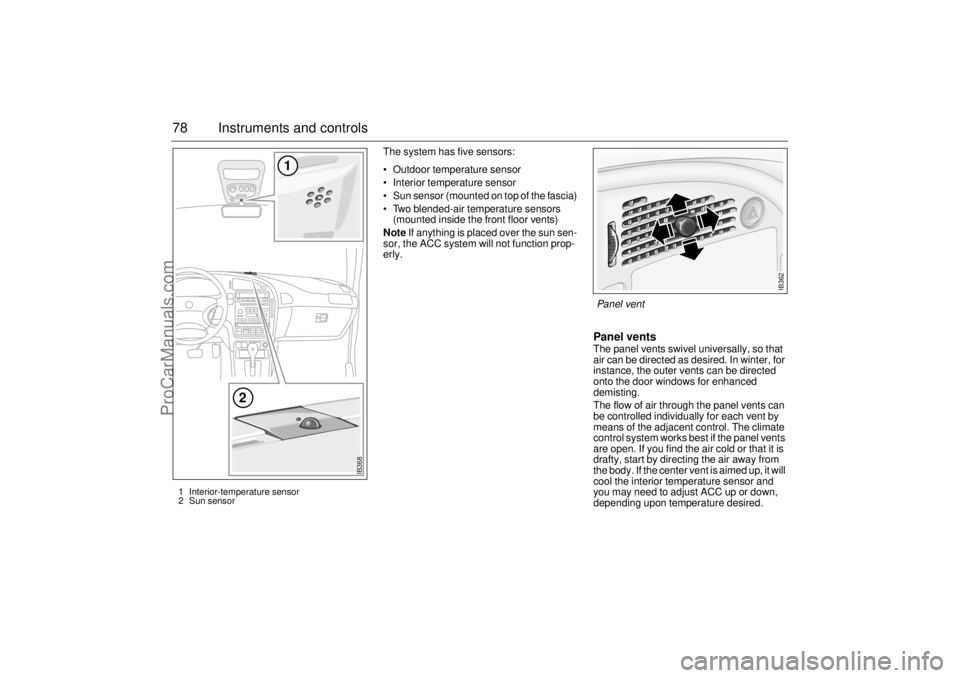
The system has five sensors:
Outdoor temperature sensor
Interior temperature sensor
Sun sensor (mounted on top of the fascia)
Two blended-air temperature sensors
(mounted inside the front floor vents)
Note If anything is placed over the sun sen-
sor, the ACC system will not function prop-
erly.
Panel vents The panel vents swivel universally, so that
air can be directed as desired. In winter, for
instance, the outer vents can be directed
onto the door windows for enhanced
demisting.
The flow of air through the panel vents can
be controlled individually for each vent by
means of the adjacent control. The climate
control system works best if the panel vents
are open. If you find the air cold or that it is
drafty, start by directing the air away from
the body. If the center vent is aimed up, it will
cool the interior temperature sensor and
you may need to adjust ACC up or down,
depending upon temperature desired.
IB362
Panel vent
IB368
1
2
1 Interior-temperature sensor
2 Sun sensor
ProCarManuals.com
Page 79 of 288
79 Instruments and controls
Temperature control The cabin is divided into two temperature
zones:
The driver’s zone
The passenger zone (front and rear
seats)
The desired temperature can be set
between 58 and 82°F (15 and 27°C). In
addition, there are also HI and LO settings
(see below). The HI and LO settings for the
passenger zone can only be selected if they
are also selected for the driver’s zone.
The displayed temperature is not the abso-
lute temperature but corresponds to the
comfort level normally experienced at that
temperature after allowance has been
made for the air flow, relative humidity, solar
radiation, etc., currently prevailing inside
the car.
The most usual temperature setting is
64–76°F (18–24°C), depending on per-
sonal preference and what clothing is
worn.
It is recommended that changes in the
temperature setting be made in steps of
2°F (1°C).
Once the desired climate has been
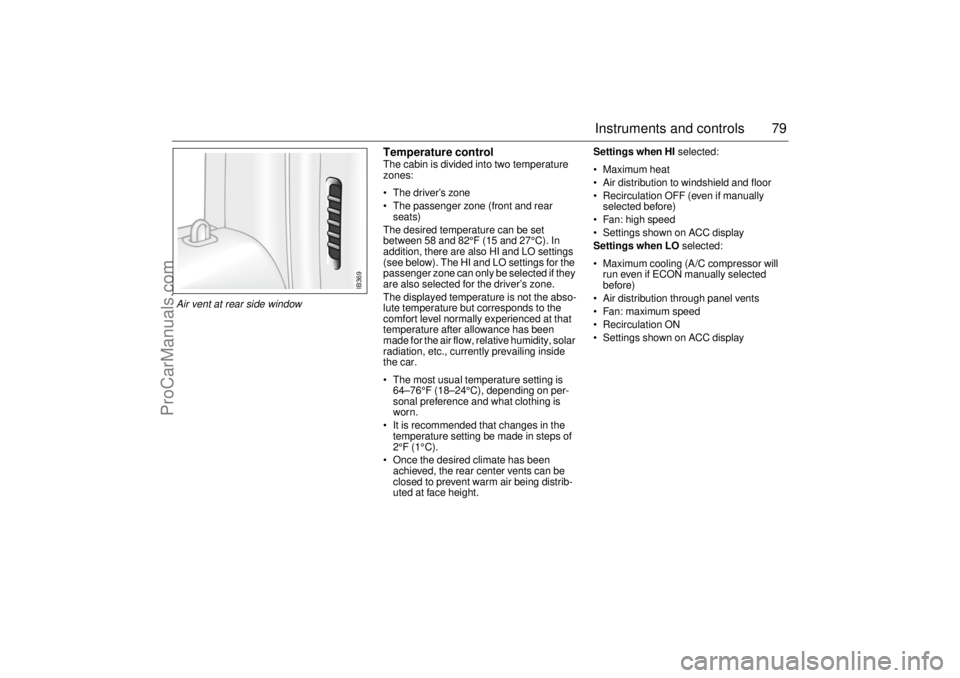
achieved, the rear center vents can be
closed to prevent warm air being distrib-
uted at face height.Settings when HI selected:
Maximum heat
Air distribution to windshield and floor
Recirculation OFF (even if manually
selected before)
Fan: high speed
Settings shown on ACC display
Settings when LO selected:
Maximum cooling (A/C compressor will
run even if ECON manually selected
before)
Air distribution through panel vents
Fan: maximum speed
Recirculation ON
Settings shown on ACC display
IB369
Air vent at rear side window
ProCarManuals.com
Page 82 of 288
82 Instruments and controlsAir distribution
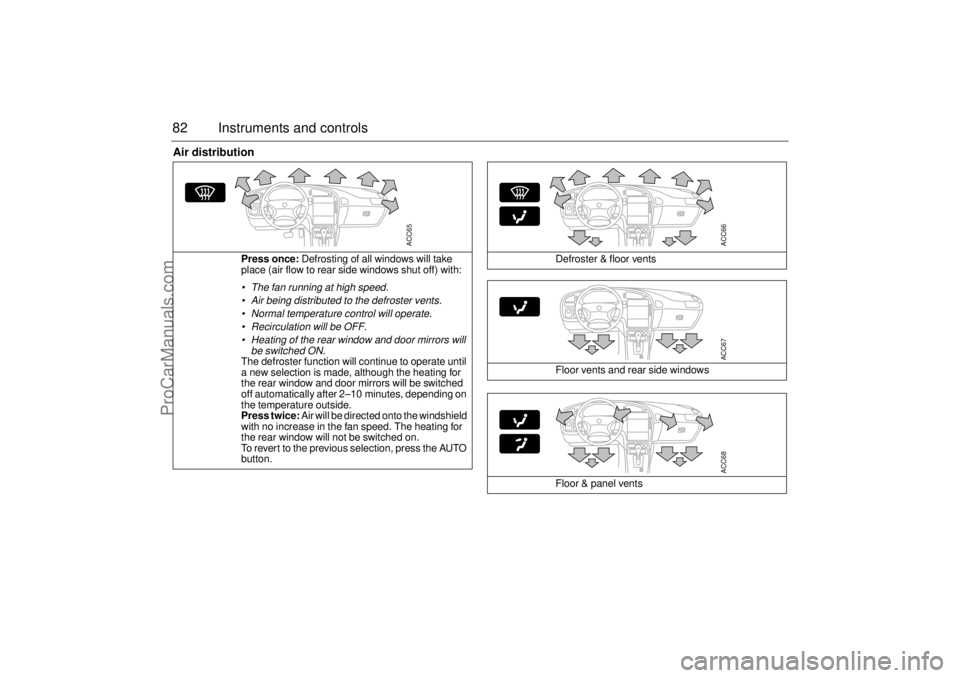
Press once: Defrosting of all windows will take
place (air flow to rear side windows shut off) with: The fan running at high speed.
Air being distributed to the defroster vents.
Normal temperature control will operate.
Recirculation will be OFF.
Heating of the rear window and door mirrors will
be switched ON.The defroster function will continue to operate until
a new selection is made, although the heating for
the rear window and door mirrors will be switched
off automatically after 2–10 minutes, depending on
the temperature outside.
Press twice: Air will be directed onto the windshield
with no increase in the fan speed. The heating for
the rear window will not be switched on.
To revert to the previous selection, press the AUTO
button.
ACC65
Defroster & floor vents
Floor vents and rear side windows
Floor & panel vents
ACC66ACC67ACC68
ProCarManuals.com
Page 83 of 288
83 Instruments and controls
Starting in cold weather
To start with, the system will automatically select the defroster set-
ting, maximum heat and low fan speed.
As the engine warms up, air will also be distributed through the floor
vents and the fan speed will be increased.
As the temperature inside the car nears the selected value, both the
fan speed and the heat will be decreased to a level determined by
the system.
Starting in hot weather
The system will automatically distribute air through the panel vents
at high fan speed and will switch on the A/C compressor (unless the
ECON switch has been pressed).
If the outdoor temperature is above 86°F (30°C), the system might
select recirculation after approximately 45 seconds if this is required
in order to reach the desired temperature.
As the temperature inside the car nears the selected value, the fan
speed will be decreased to a value determined by the system.
Programming IManual selections can be programmed into the ACC system so that
these will take effect when the car is started. Note that the ignition
must be switched off for at least ten minutes after programming for
the selections to be saved in the system’s memory.
1 Make sure the ignition is ON.
2 Select the desired settings.
3 Press and , simultaneously
(the display will flash to confirm that the settings have been
recorded).
Example: If you want air distribution through the panel vents when
you start the car, press
and then save the setting by pressing
and .
Cancelling the programmed settings (I) To cancel the programmed settings, press and
simultaneously (the display will flash to confirm that the settings
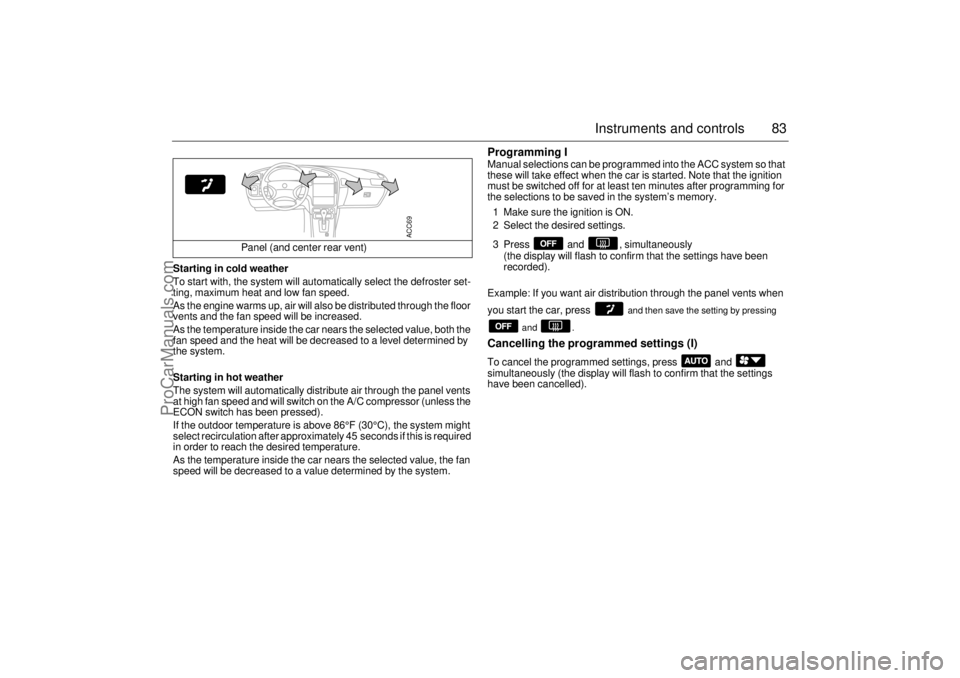
have been cancelled). Panel (and center rear vent)
ACC69
ProCarManuals.com
Page 87 of 288

87 Instruments and controls
Afterheater, V6-engine
carsThe afterheater enables a comfortable tem-
perature to be maintained inside the car
even after the engine has been switched off.
The heater can be activated up to 10 min-
utes after the engine has stopped, although
the coolant temperature must be at least
104°F (40°C) for the heater to operate.
To start the heater:
1 The ignition should be OFF.
2 Press and hold the AUTO button on the
ACC panel for about a second, until a
chime is sounded and the following
appears on the SID:
”SPARE HEATER
ACTIVATED”.
After five seconds, the SID will indicate how
much heat is available (0–100 %).
To switch off the heater:
1 Press the OFF button on the ACC panel.
The heater will also be switched off if the
ignition is turned ON. The following settings will be used when the
heater is running:
Air distribution in AUTO mode.
Recirculation not active but can be
selected manually.
Fan speed is automatic and cannot be
changed.
Only the fan speed is shown on the dis-
play. If AUTO is pressed, the system
selections will be indicated.
The following controls do not operate while
the afterheater is on:
Rear-window heating.
ECON.
User presets.
Some of the functions can be repro-
grammed. For further information, please
consult your Saab dealer (see page 271).
ProCarManuals.com